

Our Most Suggested Products


Purchase Order Stages
Enhance your purchase workflow with customizable stages for purchase orders. This module allows you to track, manage, and streamline procurement processes by defining clear progress steps. Gain better visibility and control over purchase orders from initiation to completion.
Video Tutorial
 Features
 Screenshots
 Support
 Service
Features
Customizable Stages :
Define and configure multiple stages for purchase orders to match your company's workflow. Easily adapt the process to fit procurement needs. These stages do not affect or modify Odoo's standard state field.
Visual Progress Tracking :
Monitor purchase orders with stage indicators, giving clear visibility of where each order stands. Simplifies management and improves team collaboration.
Streamlined Workflow :
Ensure smoother procurement by organizing purchase orders into logical steps. Helps reduce errors, delays, and improves efficiency in the purchasing cycle.
Screenshot
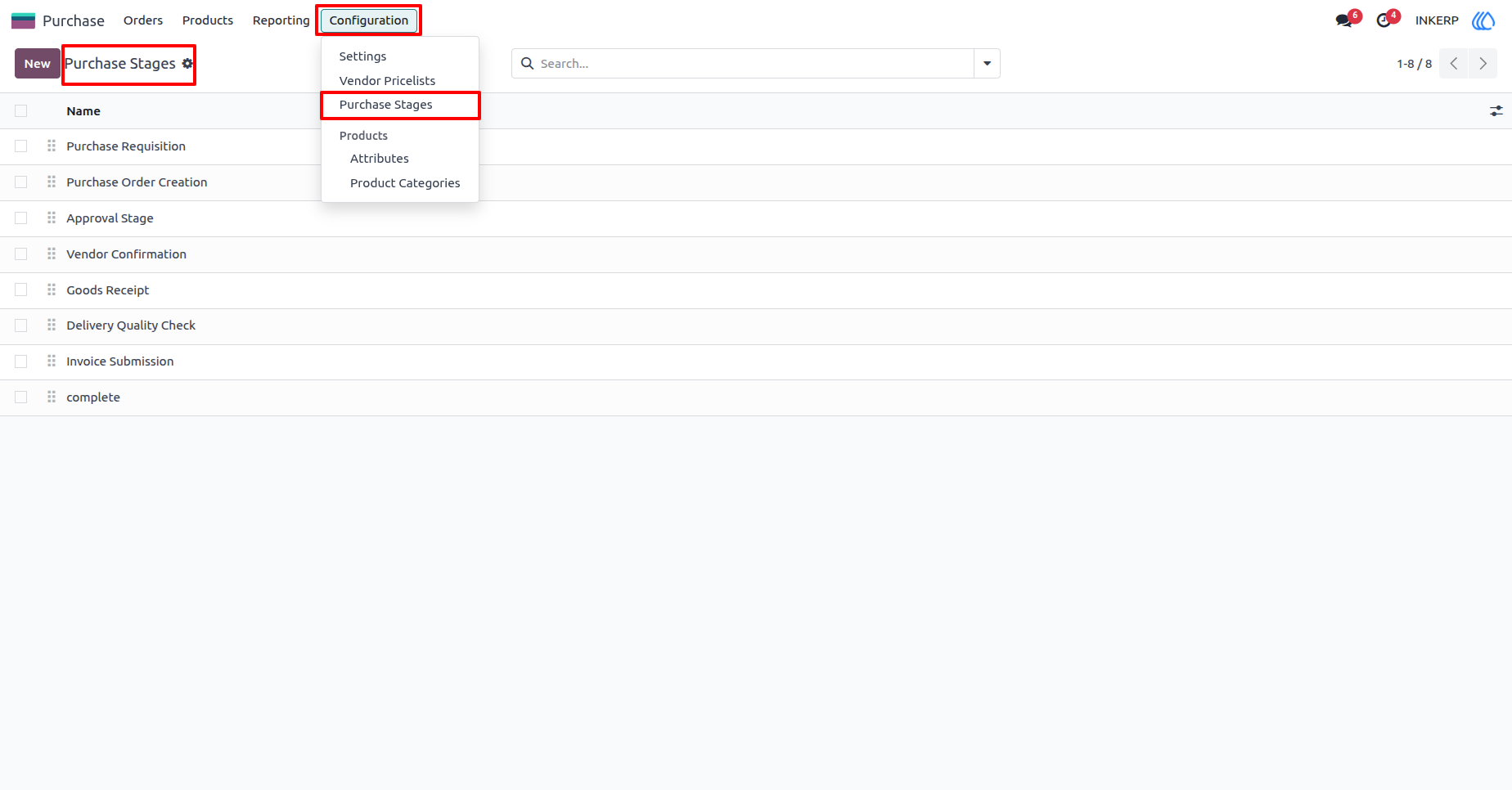
1) Purchase Stage View
Here, user can create new stage or edit the sequence of current stages.
Navigation : Purchase › Configuration › Purchase Stages
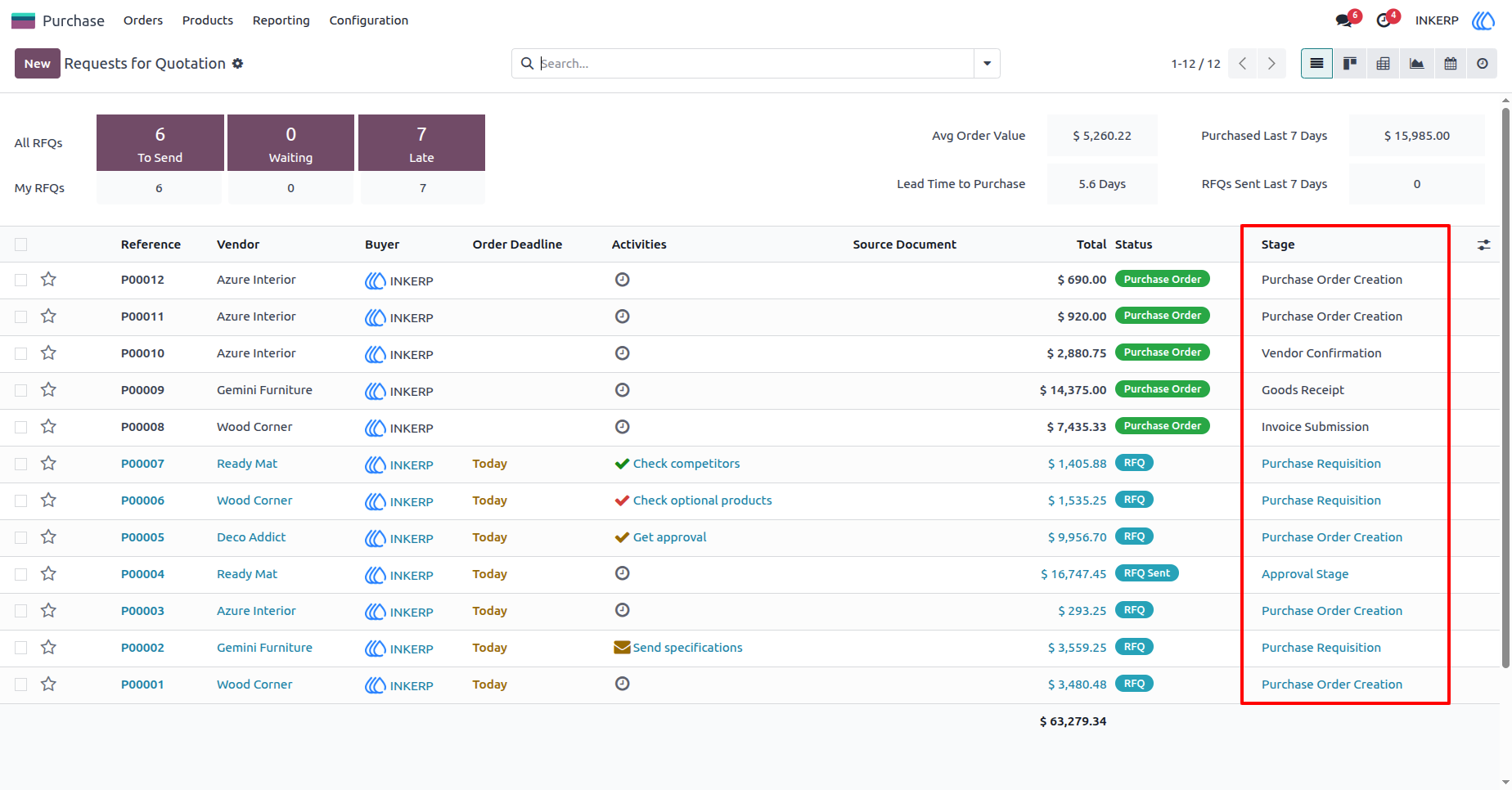
2) Purchase Order List View
User can see purchase stages in list view
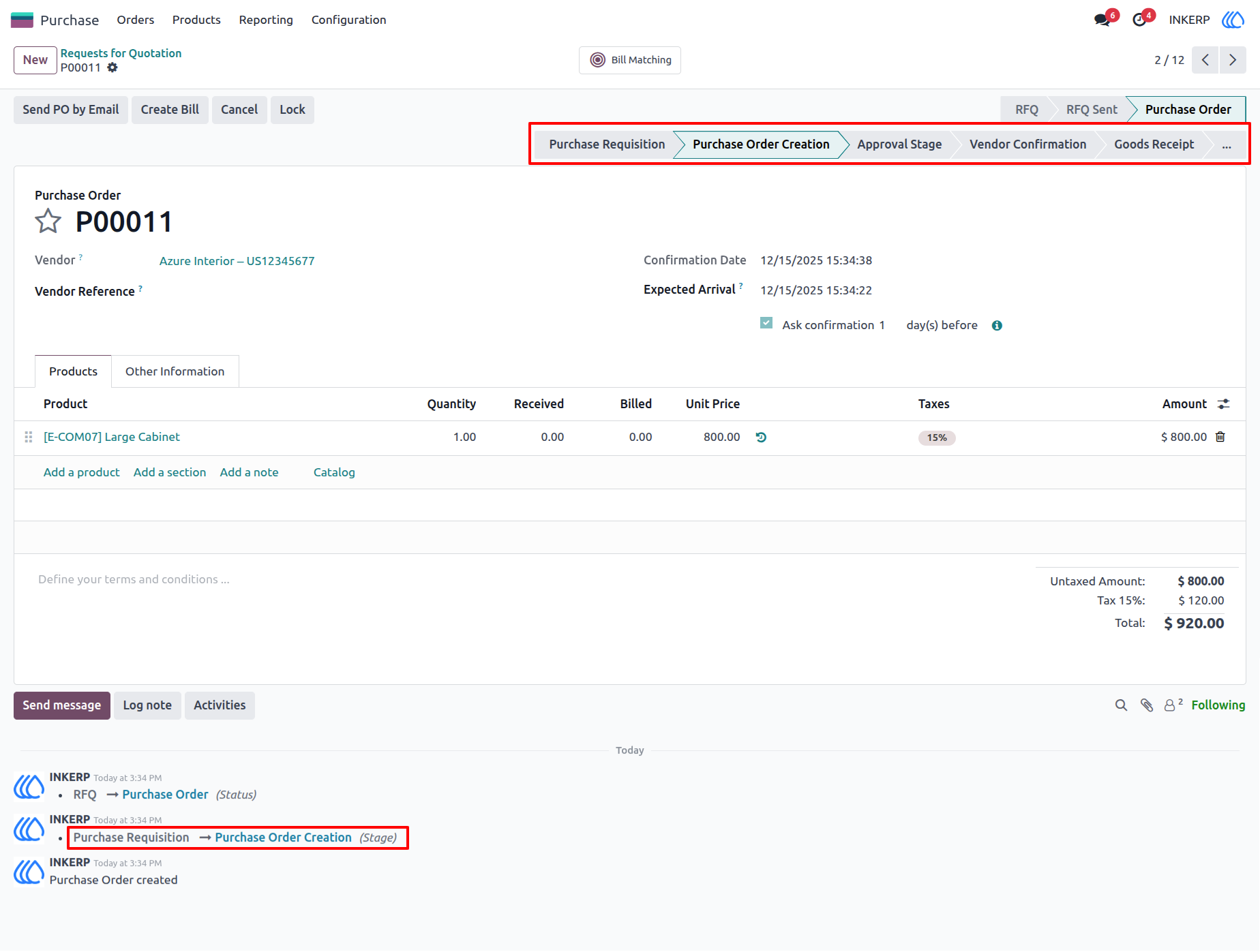
3) Purchase Order Form View
Here, user can see stages and also track stage. User can manually change the stage by click on stage in statusbar.
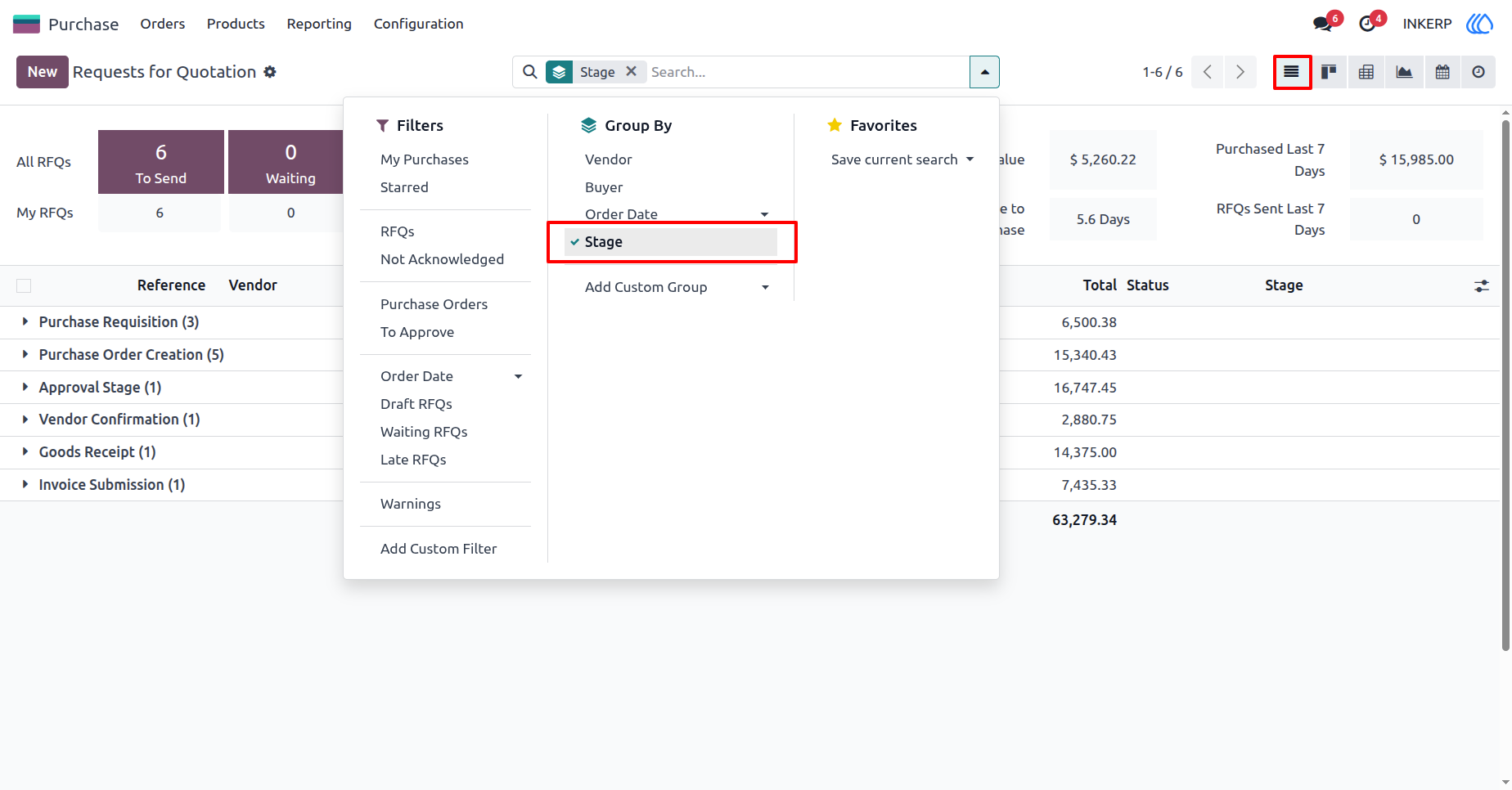
4) Purchase Order List View
User can group records based on purchase stages in list view
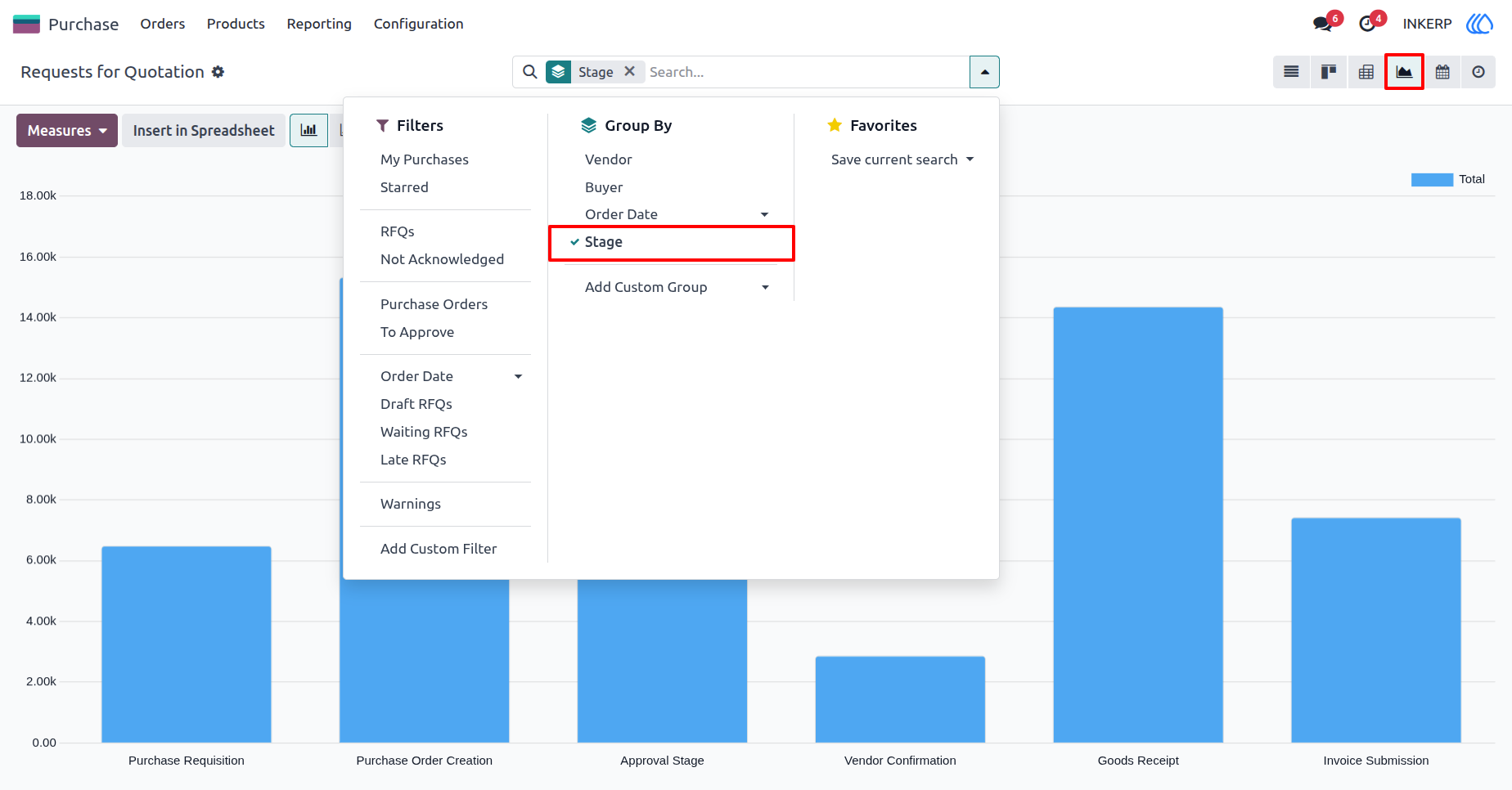
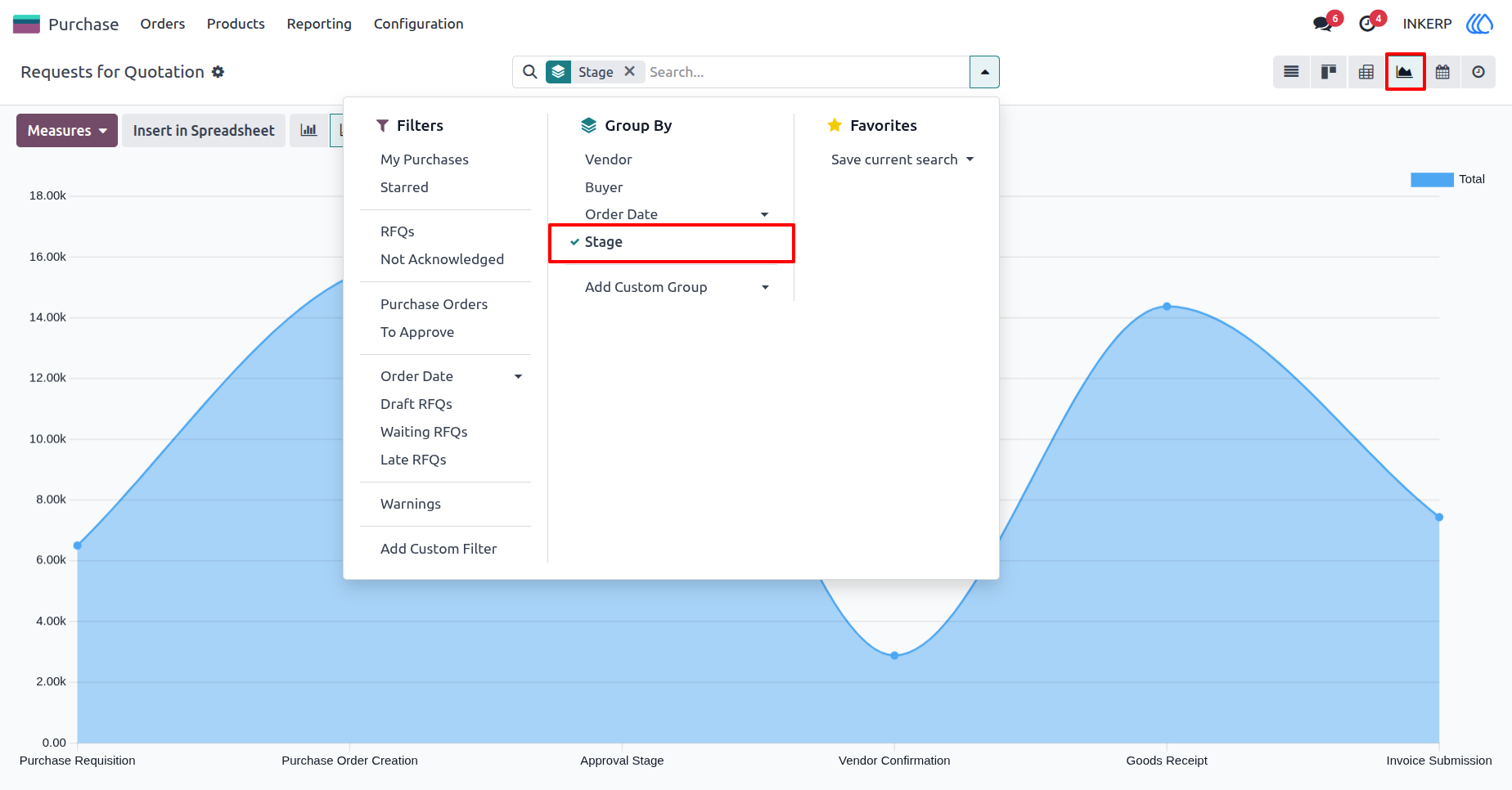
5) Purchase Order Graph View
Group by purchase stages in graph view
6) Sale Order Graph View
User Guide