

Our Most Suggested Products


Automatic Purchase Order Email Notification
Automatic Purchase Order Email Notification sends emails automatically when a Request for Quotation is created or confirmed into a Purchase Order. It allows users to configure notification triggers and recipients, including vendors, purchase representatives, and custom email addresses.
 Features
 Screenshots
 Support
 Service
Features
Automatic PO & RFQ Email Notification
This feature automatically sends email notifications when a Request for Quotation is created or confirmed into a Purchase Order. It eliminates the need for manual email communication during the purchase process. Notifications are triggered based on user-defined settings to ensure timely updates.
Flexible Recipient Configuration
Users can choose who receives the notification emails, including vendors, purchase representatives, and custom email addresses. Multiple recipient options can be enabled at the same time for better communication coverage.
Email Template & Delivery Tracking
The module uses Odoo standard email templates, allowing full customization of email content. All sent emails are logged in Odoo with delivery status such as sent or failed. Users can easily retry failed emails and maintain a complete communication audit trail.
Screenshot
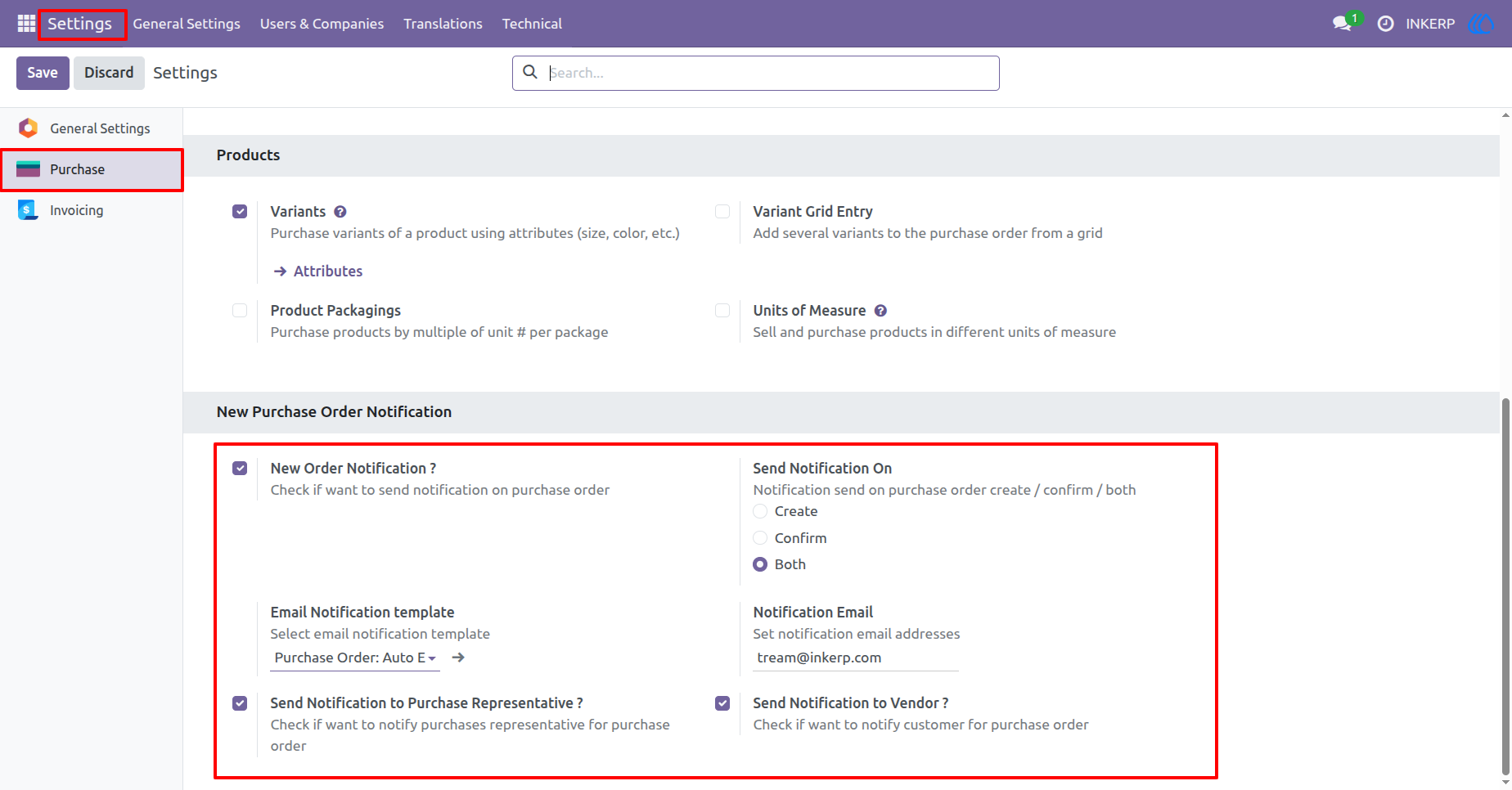
1.) Purchase Order Email Notification Settings
This section allows users to enable automatic email notifications for purchase orders. Users can define when notifications should be triggered and select the appropriate email template. Recipient options such as vendor and purchase representative can also be configured here.
Navigation : Settings › Purchase › Purchase Order Notification
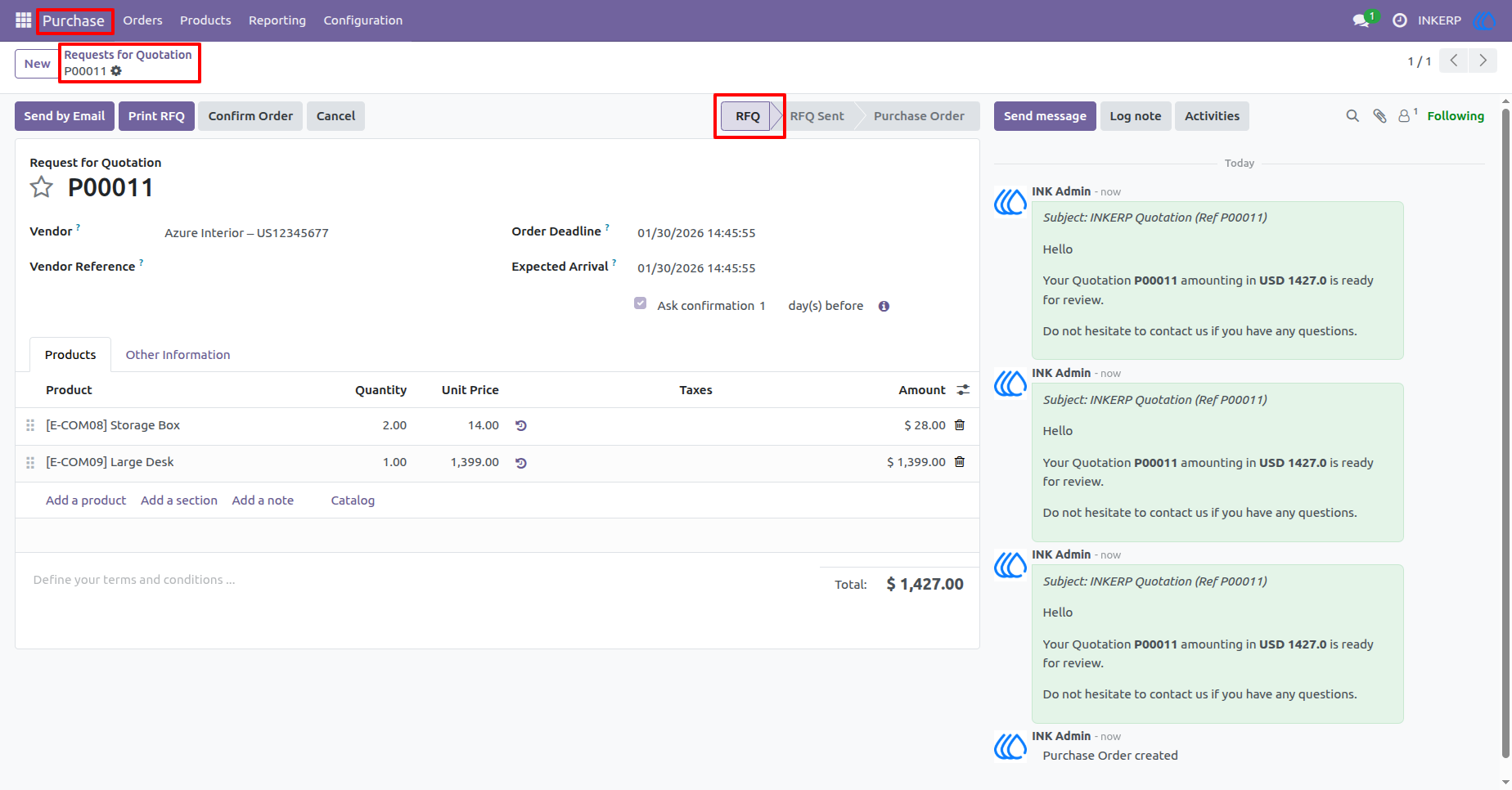
2.) Request for Quotation Email Trigger
When a Request for Quotation is created, the system automatically sends an email based on the configured notification rules. This ensures vendors and internal users are informed immediately.
Navigation : Purchase › Request for Quotations › Quotation
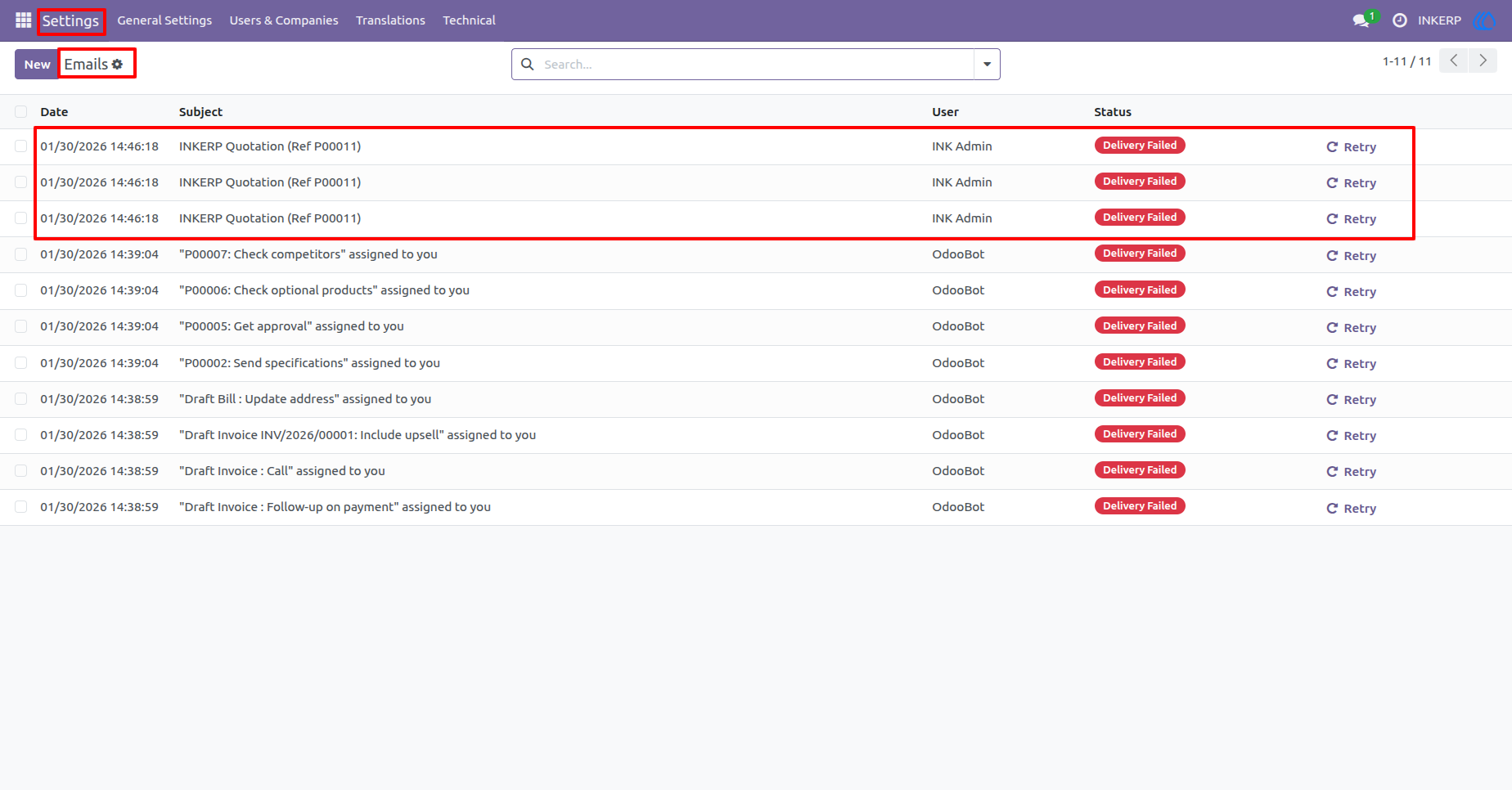
3.) Outgoing Email Log for Quotations
All quotation-related emails are recorded with their sending status. Users can easily identify failed deliveries and retry them if required. This provides full transparency of email communication.
Navigation : Setting › Email › email
4.) Quotation Email Details
This section provides complete information about the quotation email, including sender, recipient, subject, and message body. It helps users verify email content and troubleshoot delivery issues efficiently.
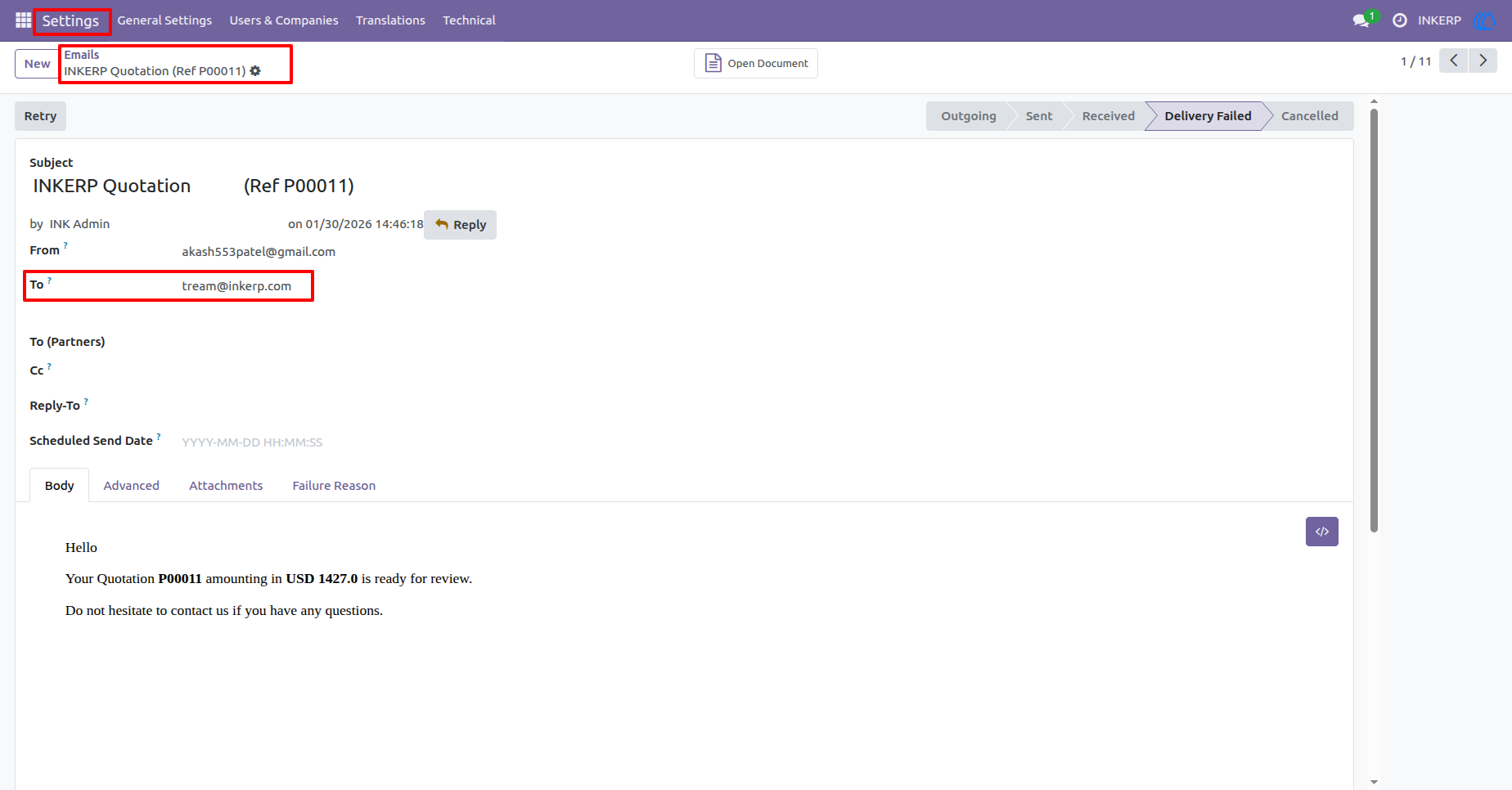
5.) Vendor Email Notification Record
Quotation emails sent to vendors are logged separately with recipient-specific details. This ensures clear tracking of vendor communication. Users can confirm whether the correct vendor email address was used.
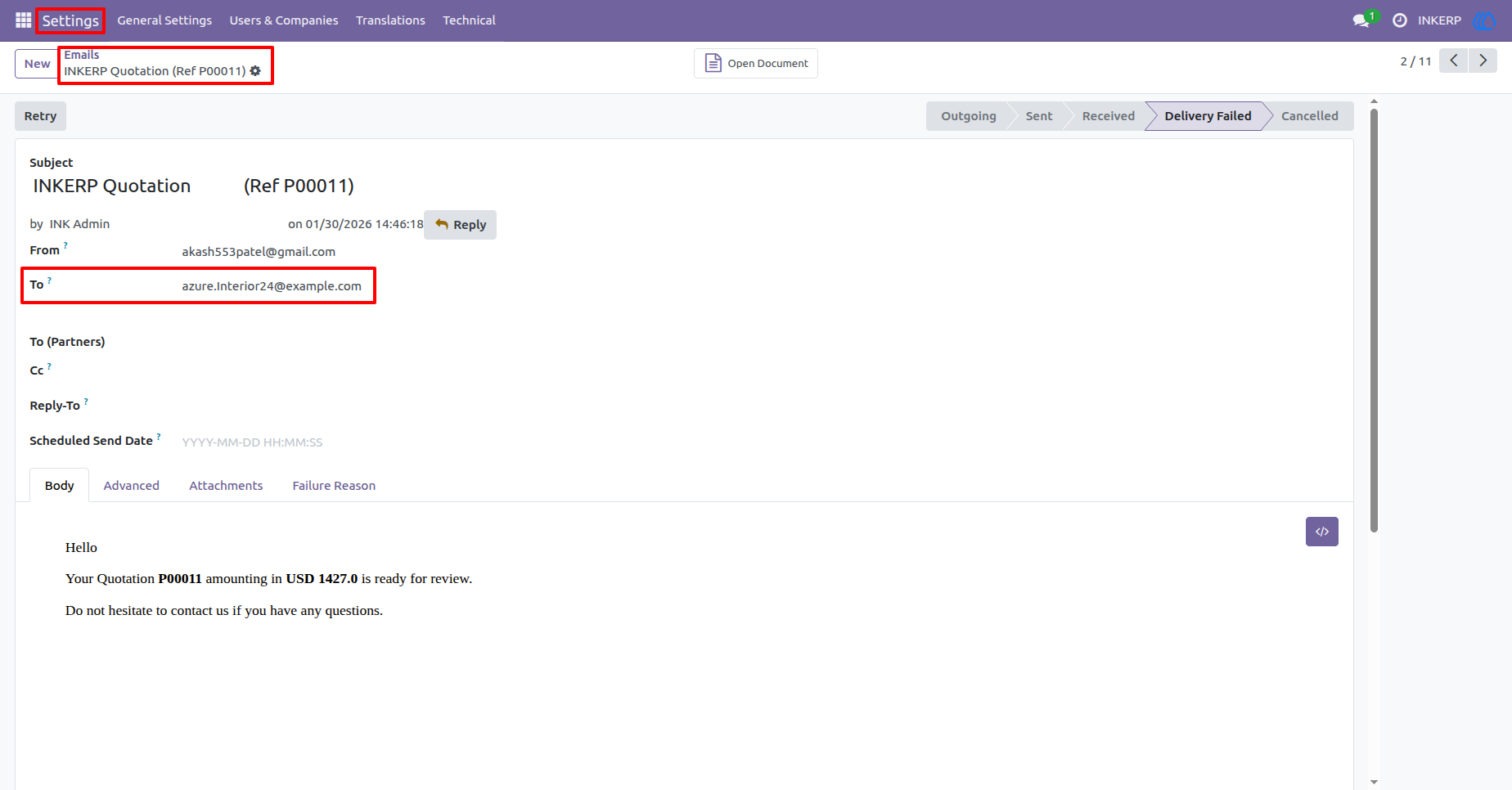
6.) Internal User Email Notification Record
Emails sent to internal users such as purchase representatives are tracked individually. This helps ensure internal stakeholders receive timely updates. Delivery status and message content are easily accessible.
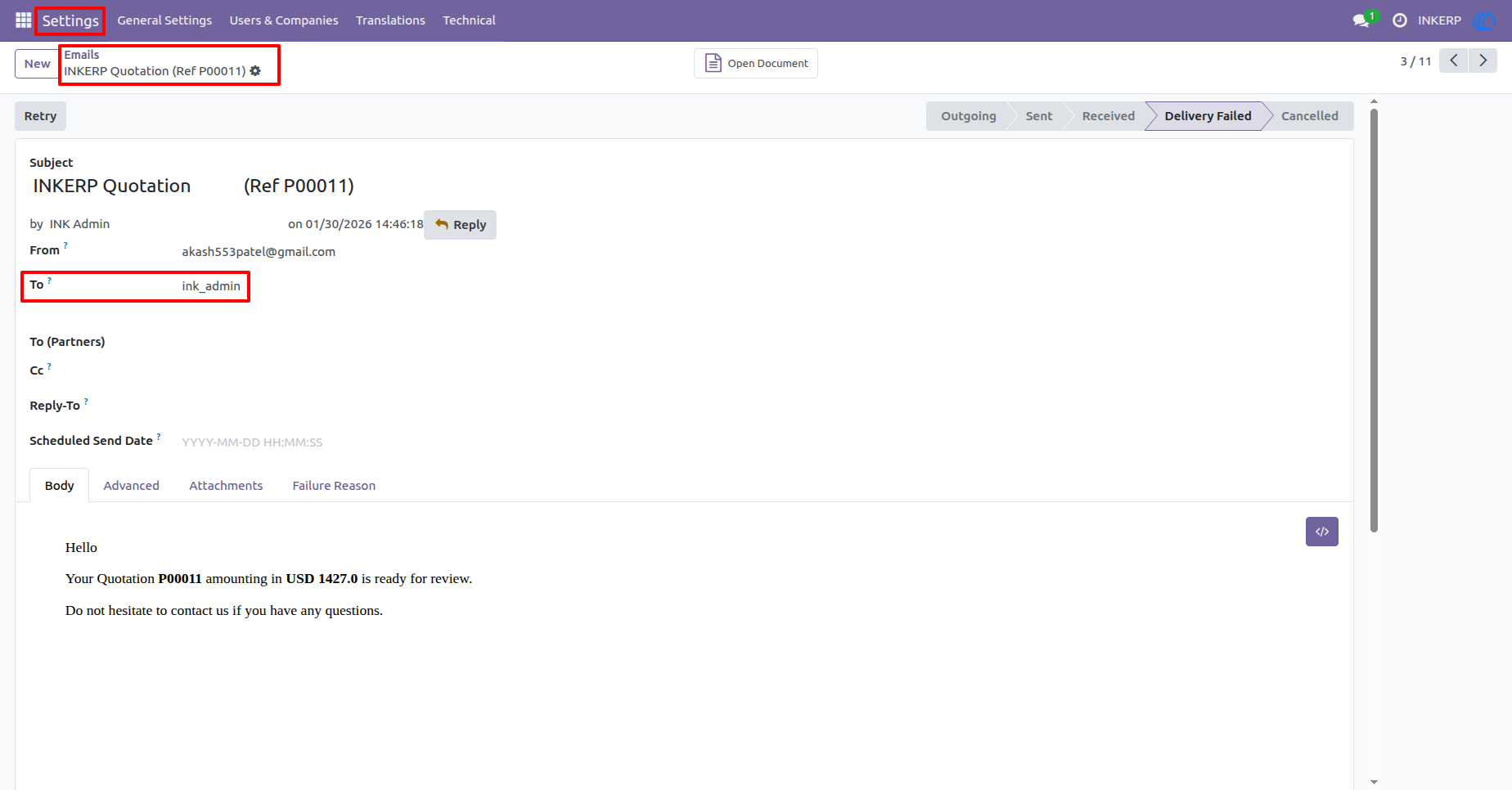
7.) Purchase Order Confirmation Notification
When an RFQ is confirmed into a Purchase Order, an automatic email notification is sent. This keeps vendors and internal users informed about order confirmation. The process removes the need for manual follow-ups.
Navigation : Purchase › Request for Quotations › Quotation
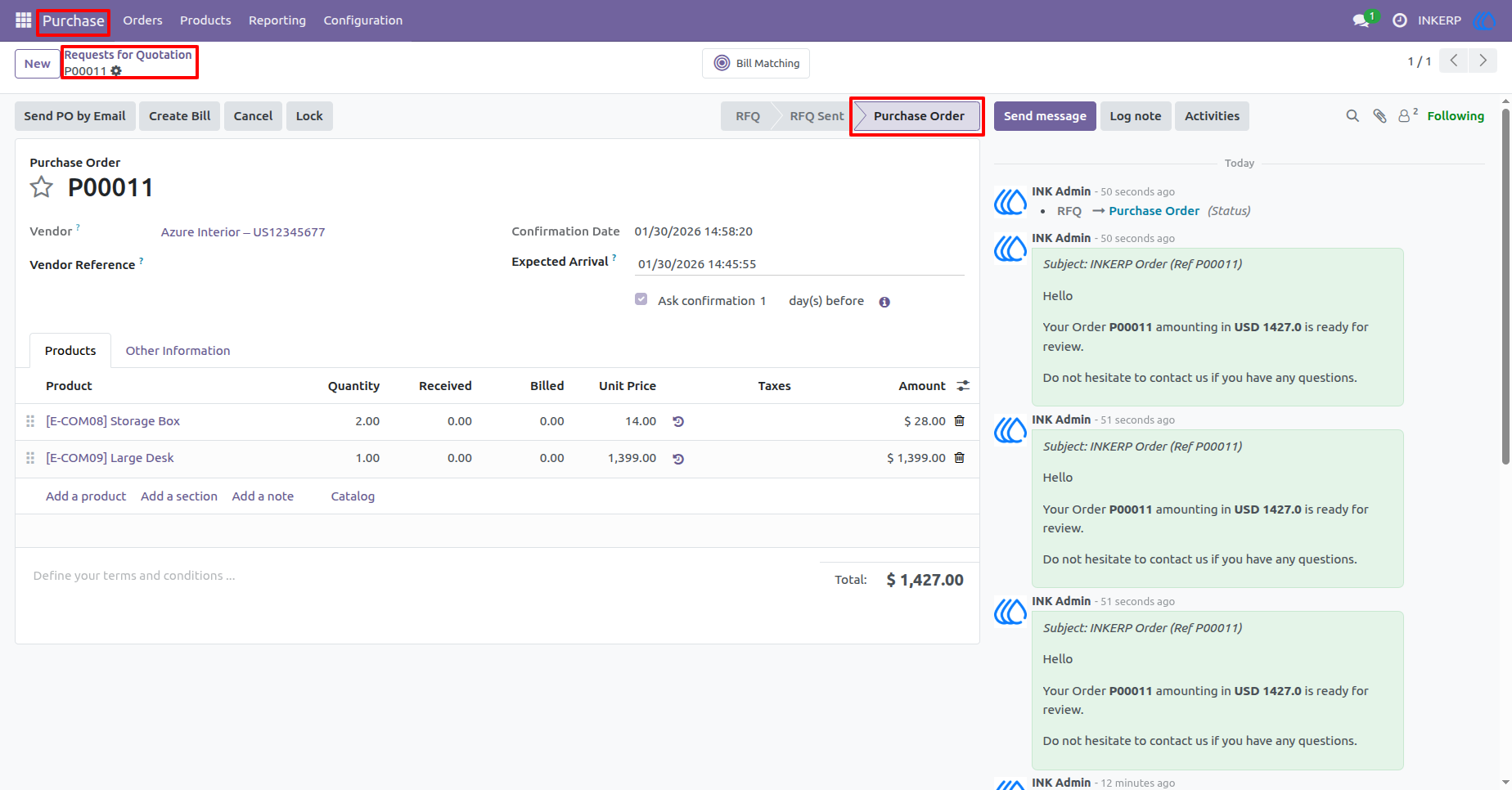
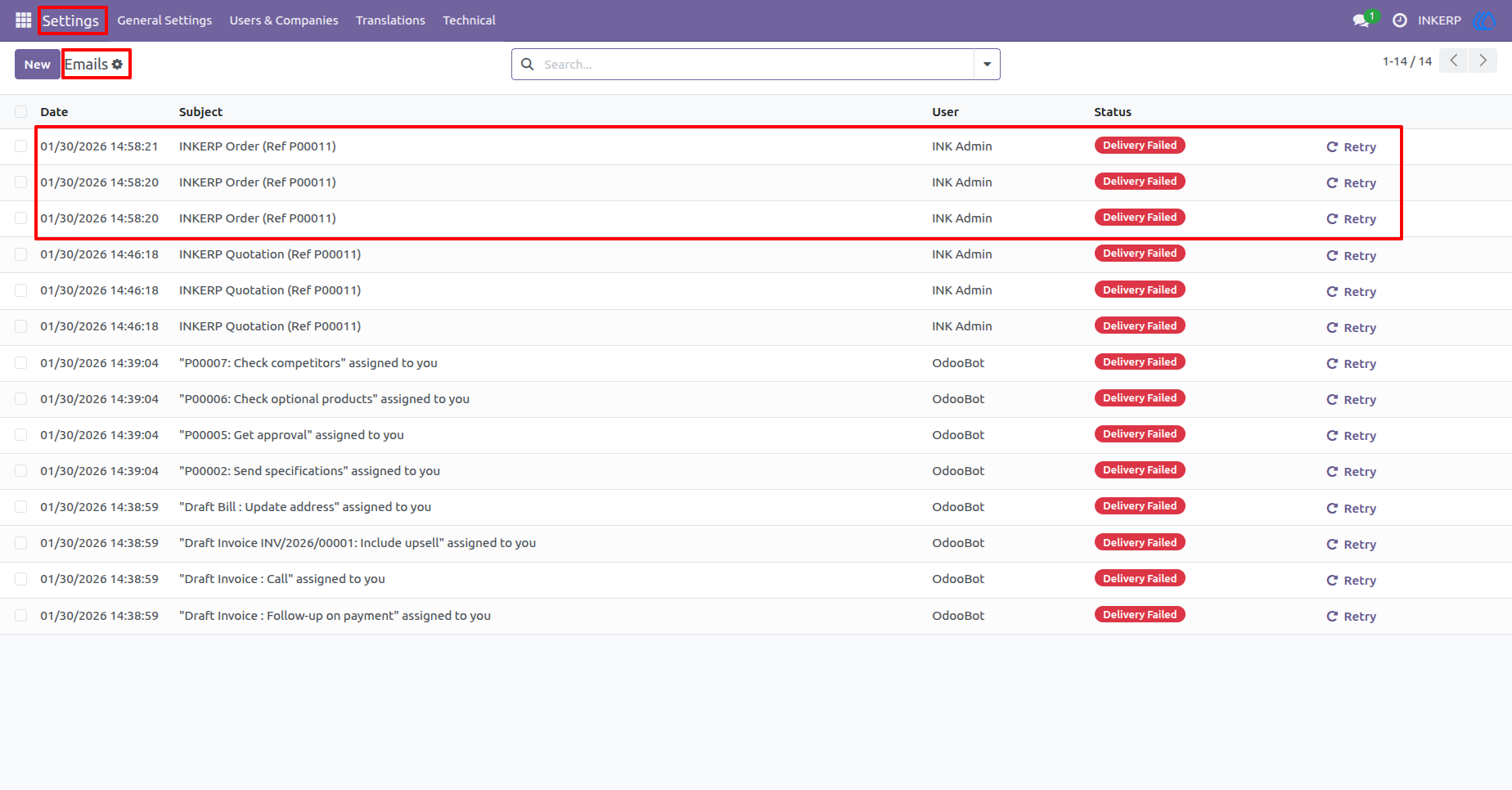
8.) Outgoing Email Log for Purchase Orders
All purchase order related emails are listed with their delivery status. Failed emails can be retried directly from this section. This ensures reliable communication tracking for confirmed orders.
Navigation : Setting › Email › email
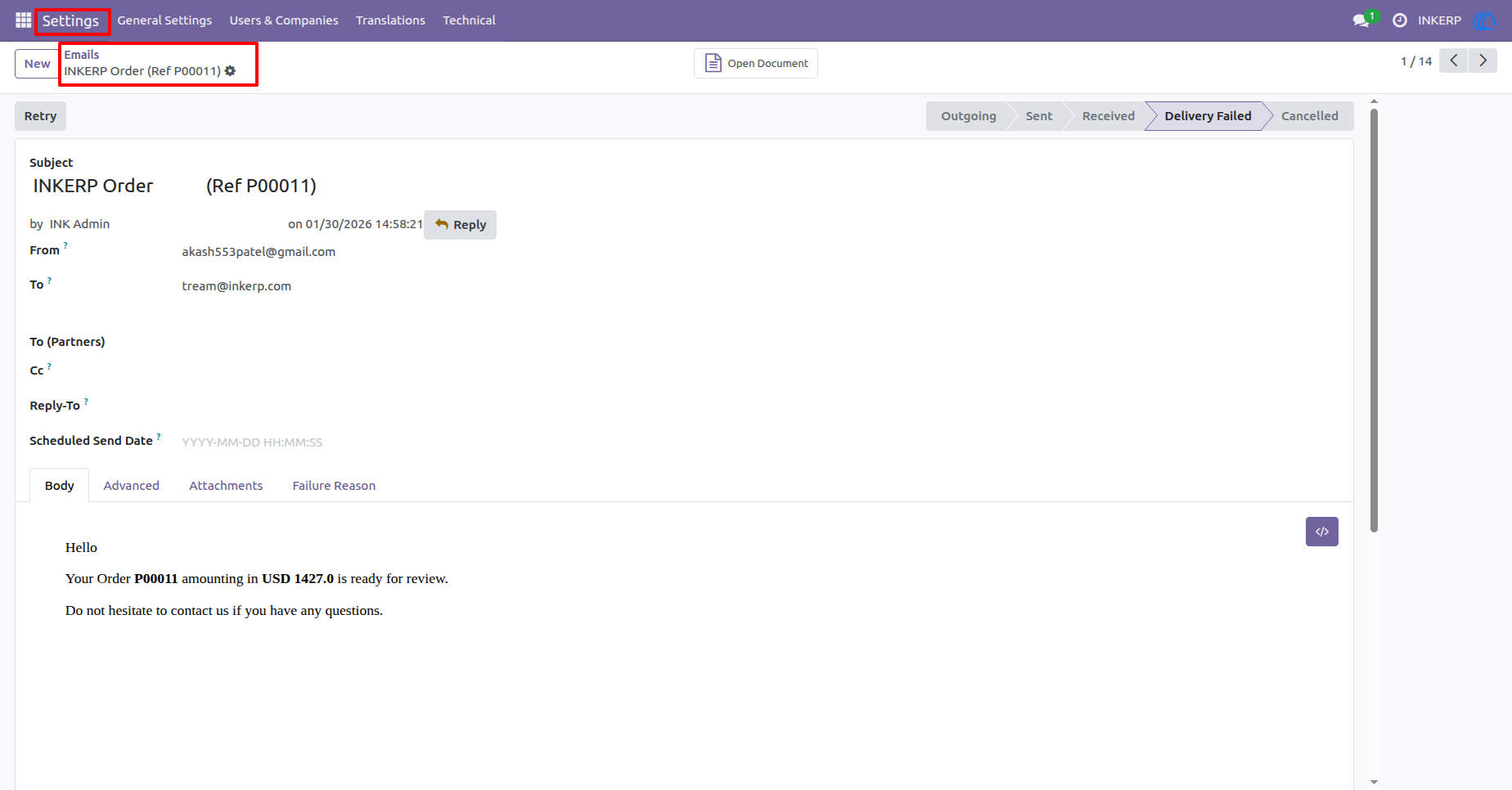
9.) Purchase Order Email Details
This section contains detailed information about purchase order emails, including recipient, subject, and email body. It helps users review order communication and diagnose delivery failures. Complete email history is maintained for auditing purposes.
User Guide