

Our Most Suggested Products


Customer Pricelist xls/pdf Report
Customer Pricelist XLS/PDF Report allows you to generate and export customer-specific pricelists in both Excel (XLS) and PDF formats directly from Odoo. With just a click, sales teams can share up-to-date pricing with customers in a clean, professional format ideal for quotations, catalogs, or pricing transparency. Supports product variants, multiple currencies, and custom templates.
 Features
 Screenshots
 Support
 Service
Features
Generate Customer-Specific Pricelists
Automatically fetch and display product prices based on each customers assigned pricelist.Supports both fixed price and percentage-based discount rules from Odoos pricing engine.
Export to Excel (XLS) and PDF Formats
Generate reports in two professional formats,Excel (XLS): For editable and tabular data sharing,PDF: For clean, print-ready, and tamper-proof documents.
Comprehensive Product Details
Include detailed fields such as: Product Name & Internal Reference (SKU),Public List Price and Customer Price, Discount %, Fixed Price,Gives your customers all key information in one place.
Screenshot
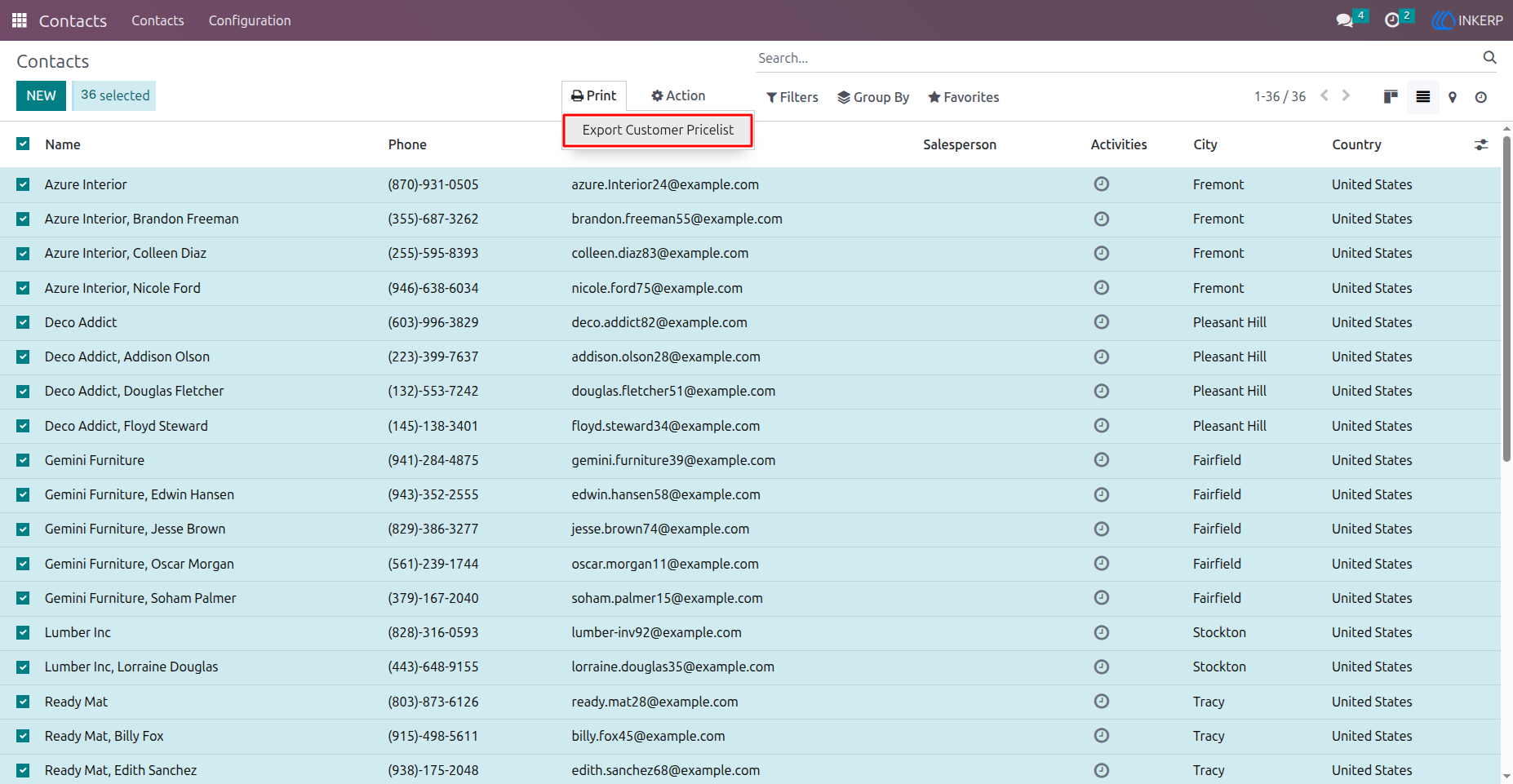
1) Export Pricelist Option
From Here user can export selected customers pricelsit in PDF/Excel format.
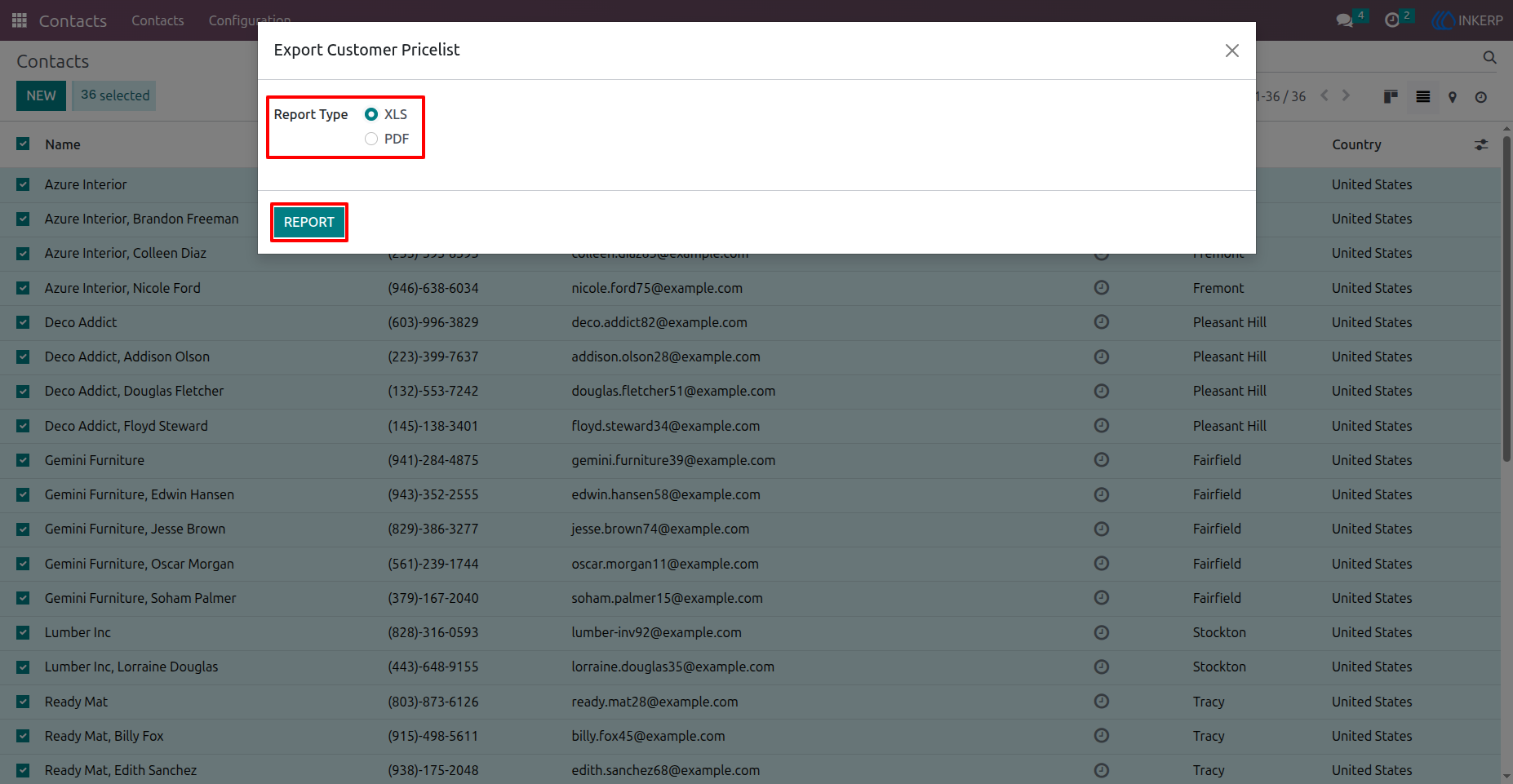
2) Select Report Type (XLS)
Here User have to select report type XLS to generate report in XLS format and click on Report Button to generate Excel report of customer pricelist.
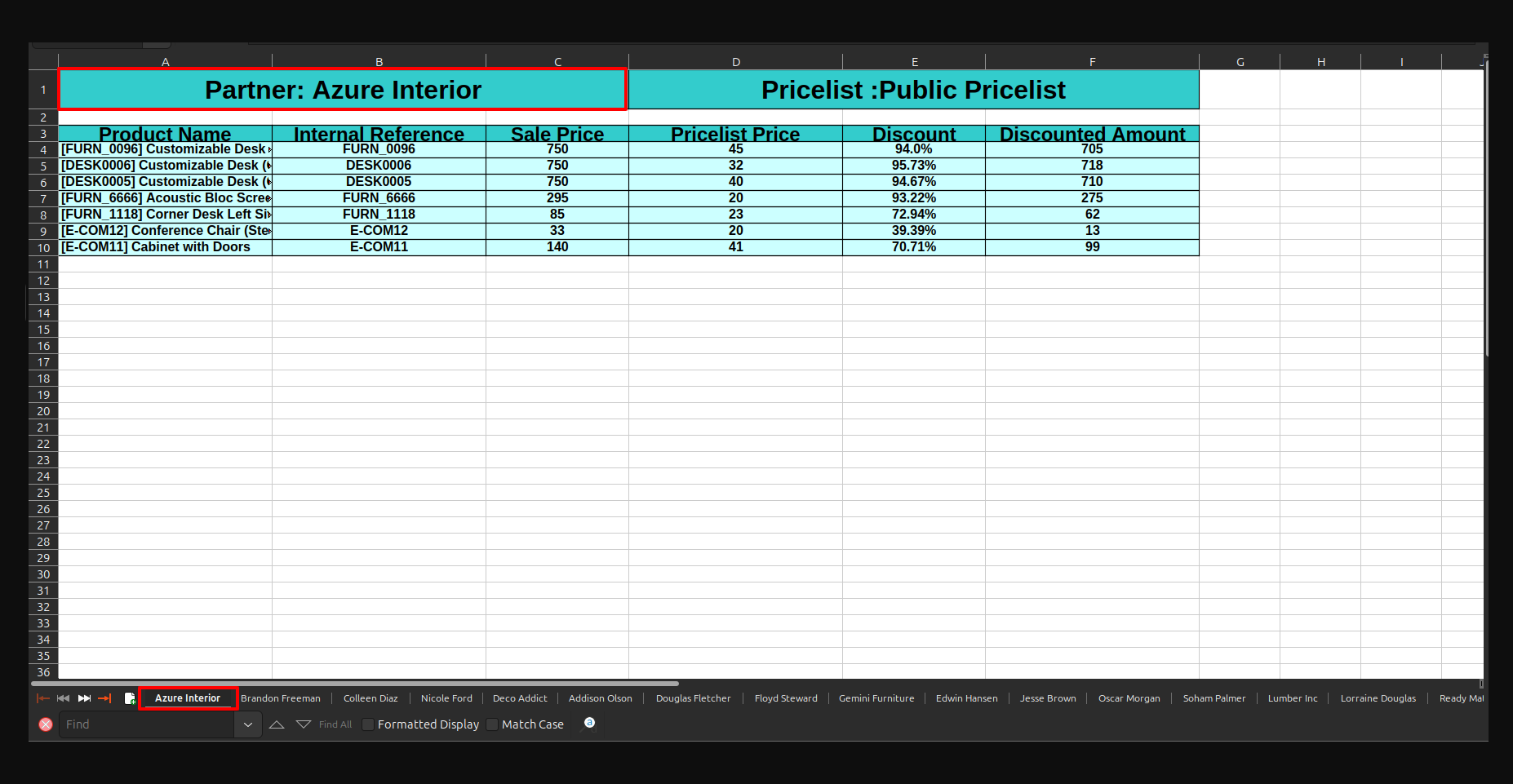
3) Pricelist Report Xls Format.
Here is Customer Pricelist Report in excel format with seprate sheet for each customer.
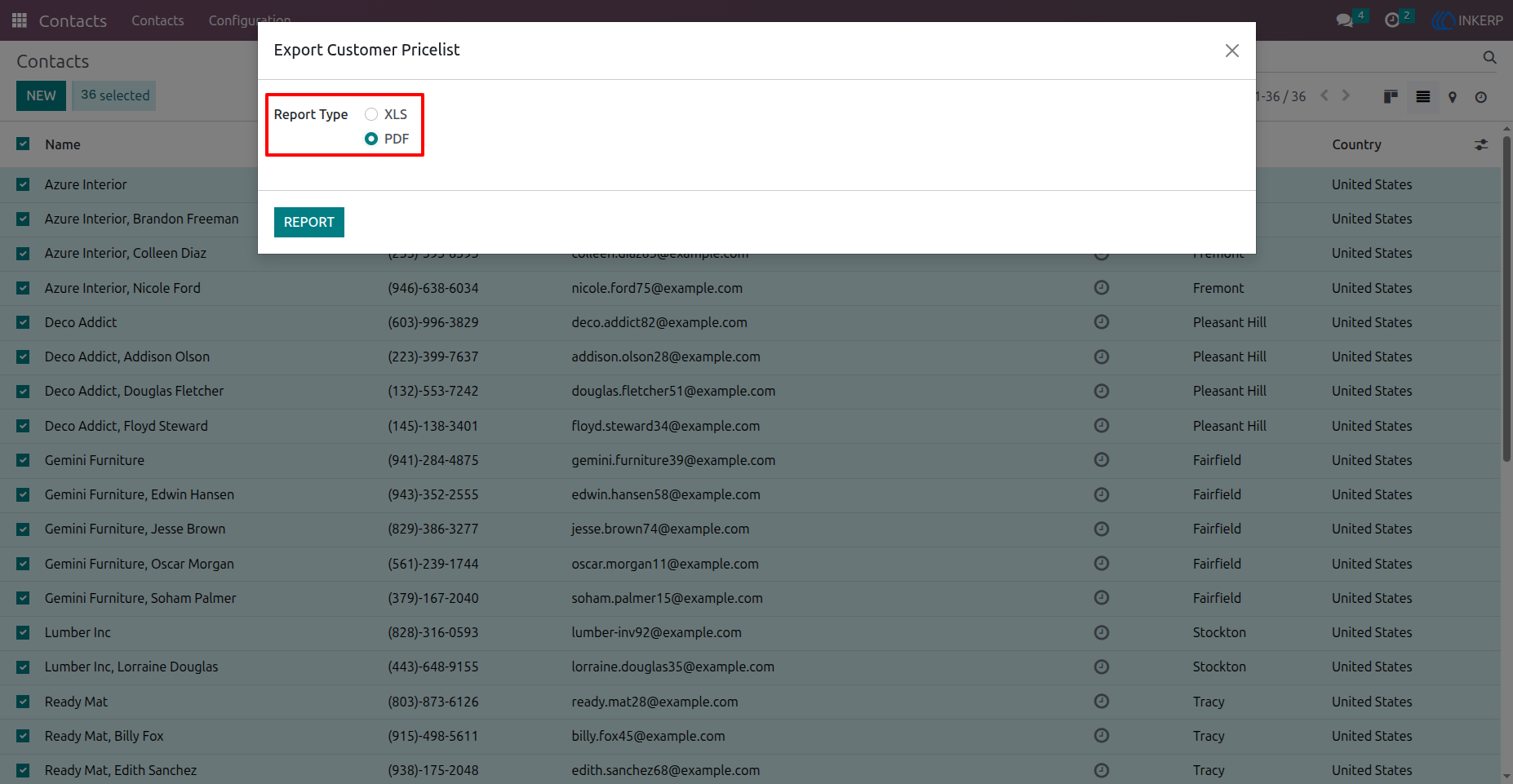
4) Select report type (PDF).
Here, the user have to select report type PDF to generate Customer Pricelist report in PDF Format and click on Report button to generate report in PDF Format.
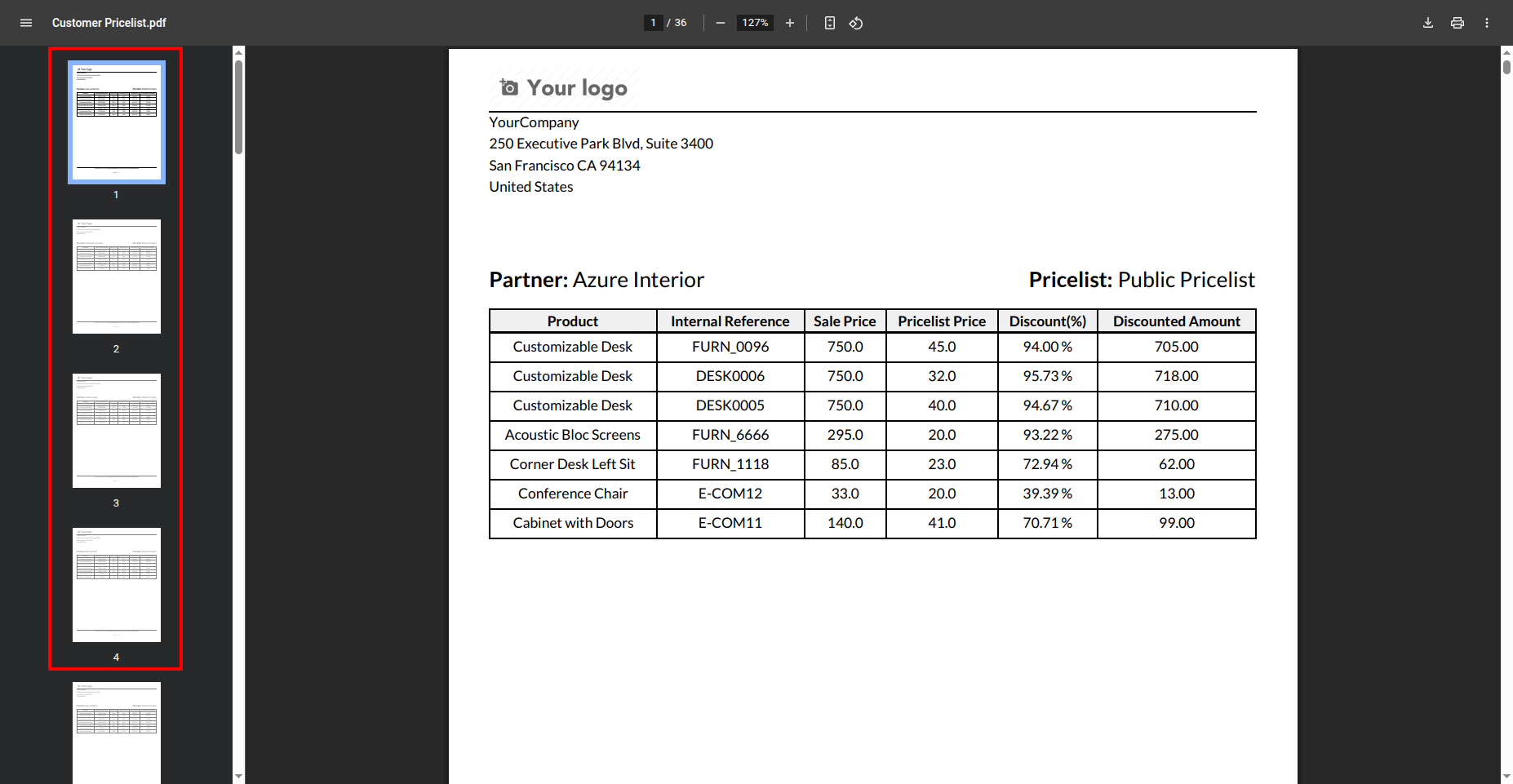
5) Pricelist Report in PDF Format.
Here is Customer Pricelist Report in PDF format with seprate page for each customer.
User Guide