


EXCLUSIVE CUSTOMER BENEFITS
FREE INSTALLATION
& 90 DAYS FREE SUPPORT!
No worries about installation! This module comes with free installation assistance and 90 days of free support, helping you get started smoothly and confidently.
✦ COMPLIMENTARY INSTALLATION & SUPPORT ✦
MORE VALUE • LESS HASSLE • A BETTER START
Our Most Suggested Products


All In One Stock Detail
Odoo All-in-One Stock Detail Module Effortlessly track forecast and on-hand product quantities across sales orders, purchase orders, and inventory movements. This module enables instant visibility into stock levels with a single click, streamlining decision-making and inventory management.
 Features
 Screenshots
 Support
 Service
Features
No Setup Needed
Install and start using no extra steps required.
See Stock Easily
View forecasted and real-time stock quantities in invoices, bills, credit notes, and debit notes.
Stock details in reports
Check stock details in sales orders, purchase orders, and inventory reports.
Simple Settings
Turn on or off stock visibility with easy tick-box options in users settings.
Screenshot
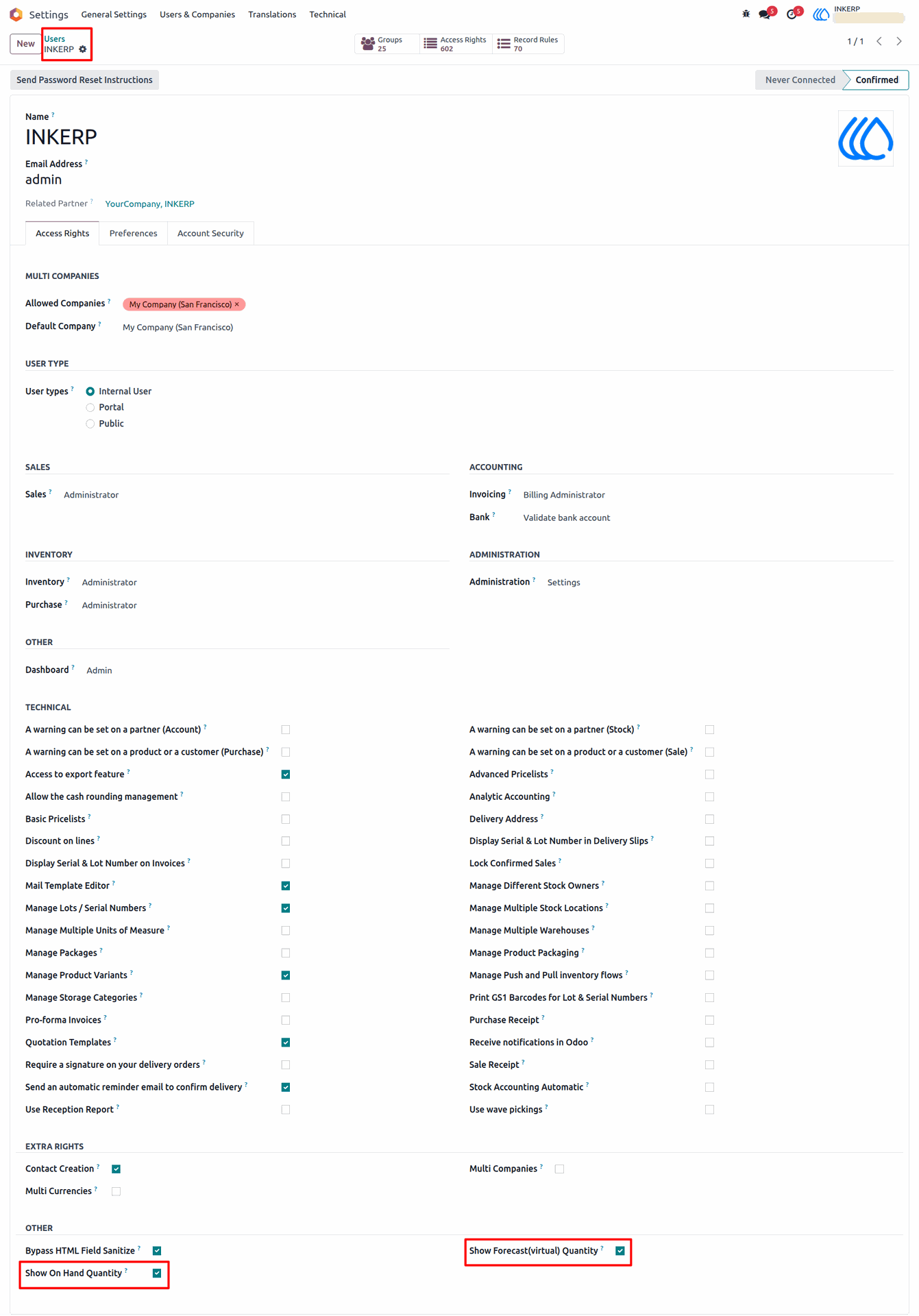
1) Users setting view
n settings click 'Show forecast(Virtual) Quantity' & 'Show On Hand Quantity' tickbox.
Navigation : Settings › Users
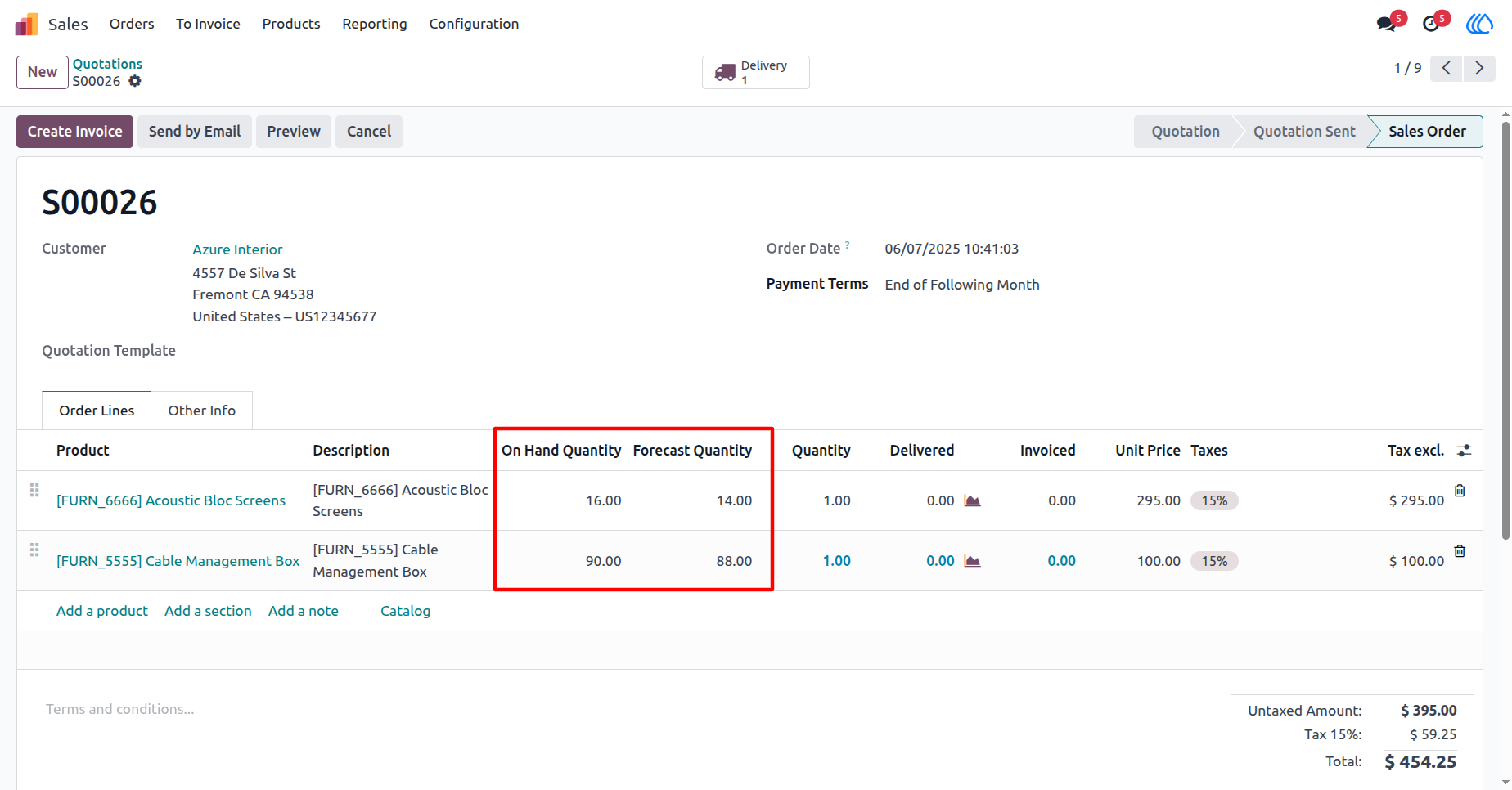
2) Sale order / quotation view
Forecast and on-hand product quantity in the sales order/quotation.
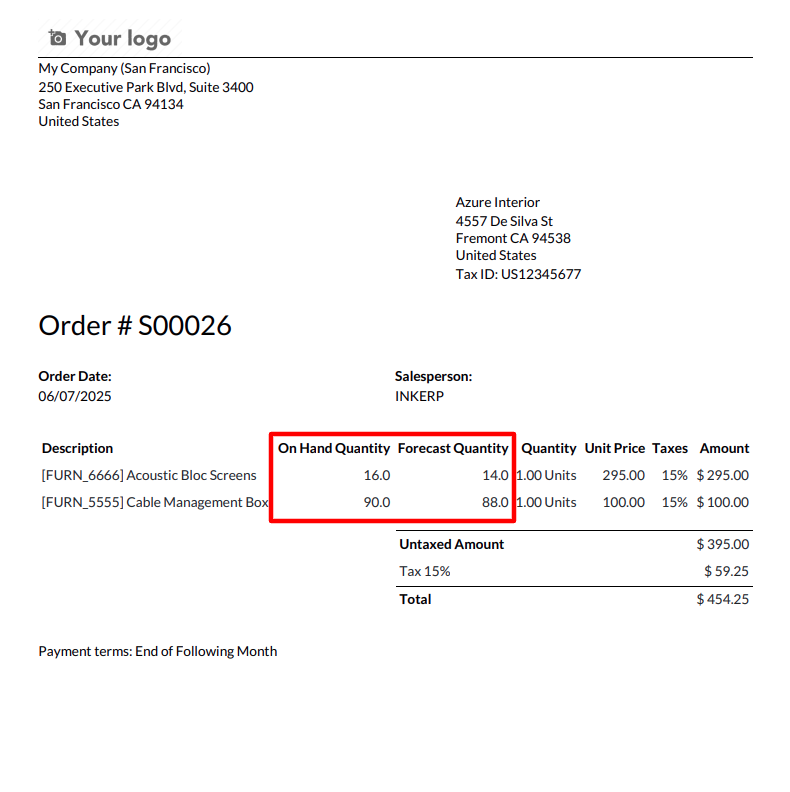
3) Sale order / quotation report view
Forecast and on-hand product quantity in the sales order/quotation report.
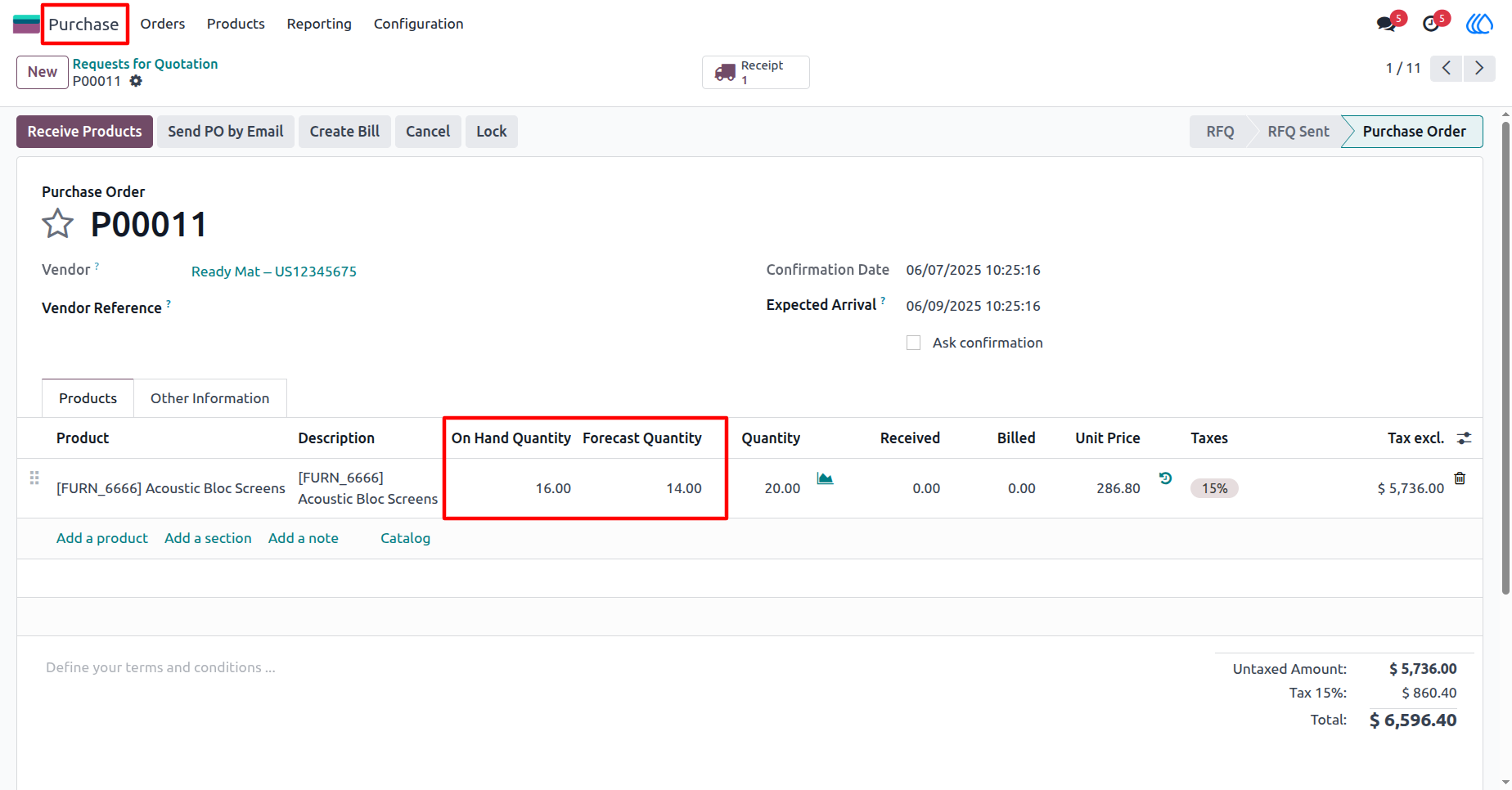
4) Purchase order / RFQ view
Forecast and on-hand product quantity in the purchase order/request for quotation.
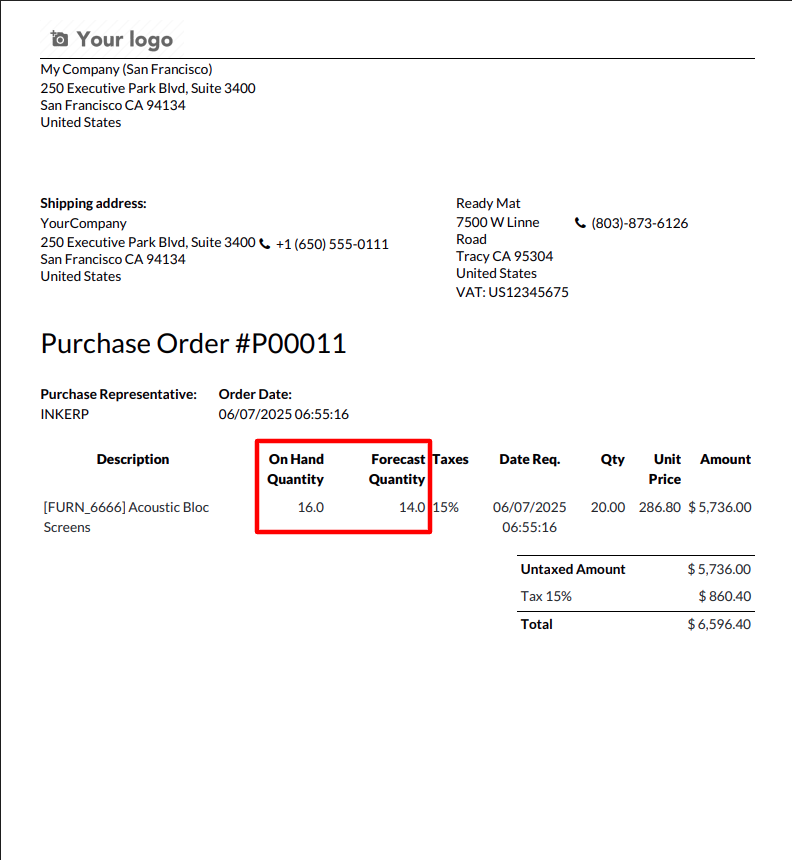
5) Purchase order / RFQ report view
Forecast and on-hand product quantity in the purchase order/request for quotation report.
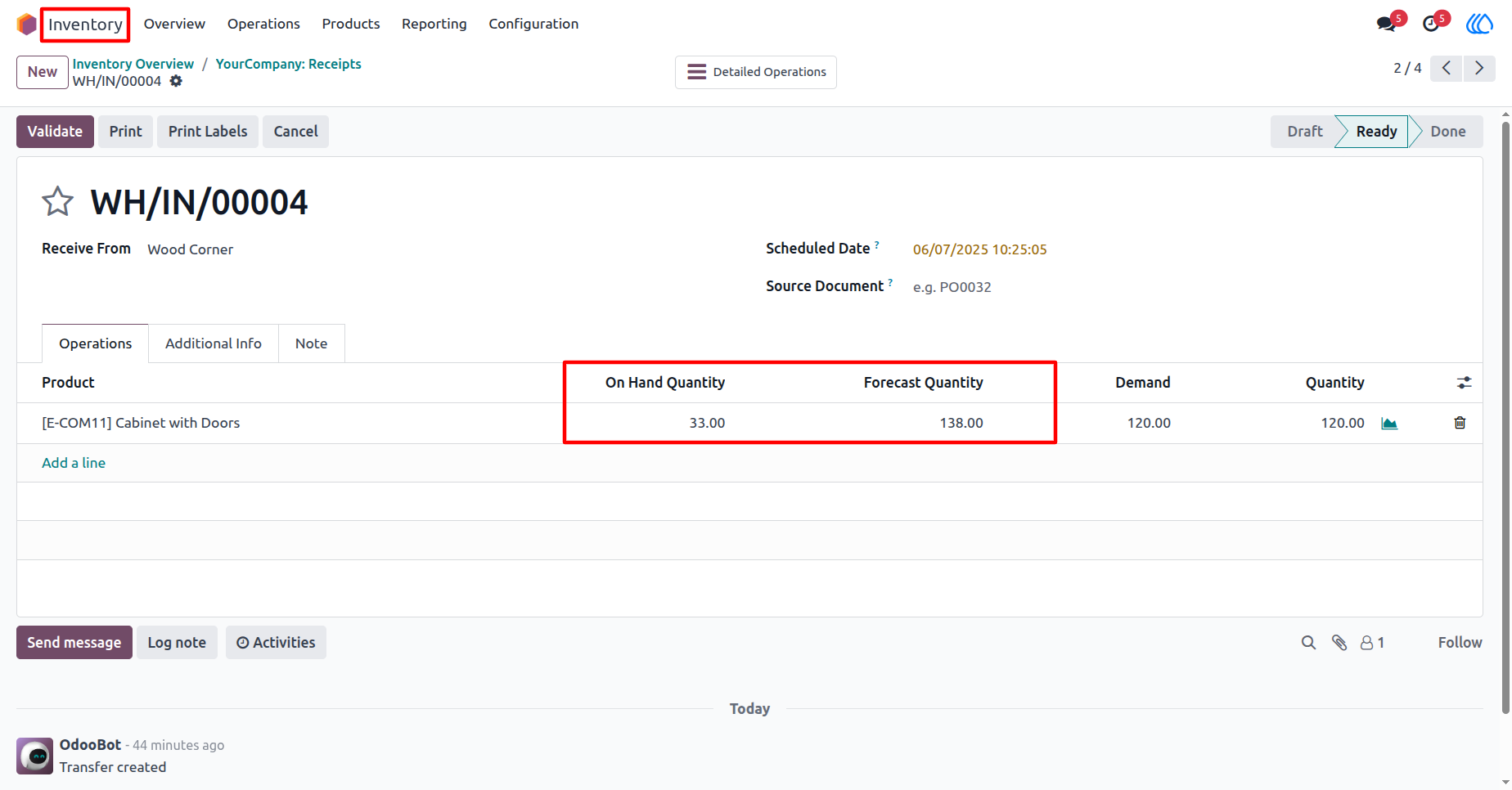
6) Inventory(Incoming order)
Forecast and on-hand product quantity in the inventory(Incoming order).
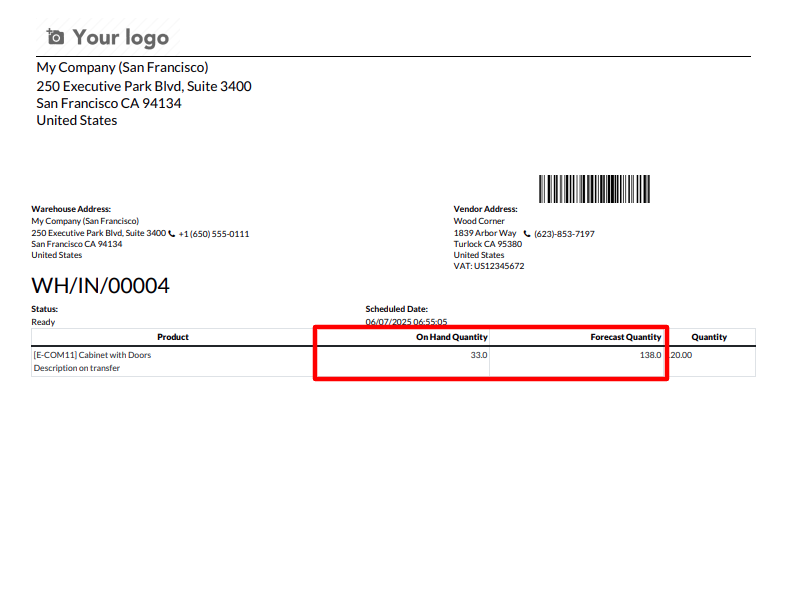
7) Inventory(Incoming order) report
Forecast and on-hand product quantity in the inventory(Incoming order) report.
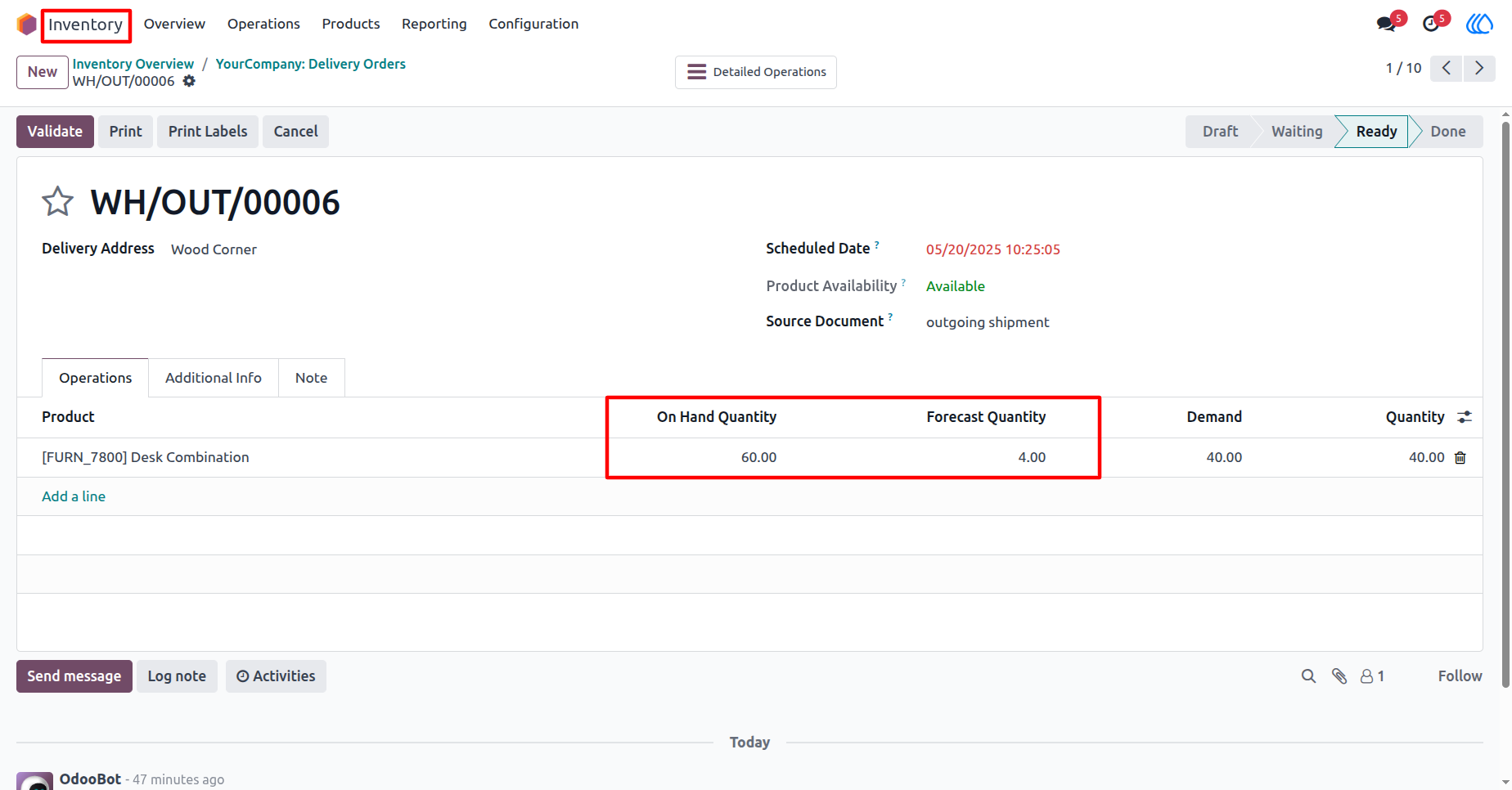
8) Inventory(Outgoing order)
Forecast and on-hand product quantity in the inventory(Outgoing order).
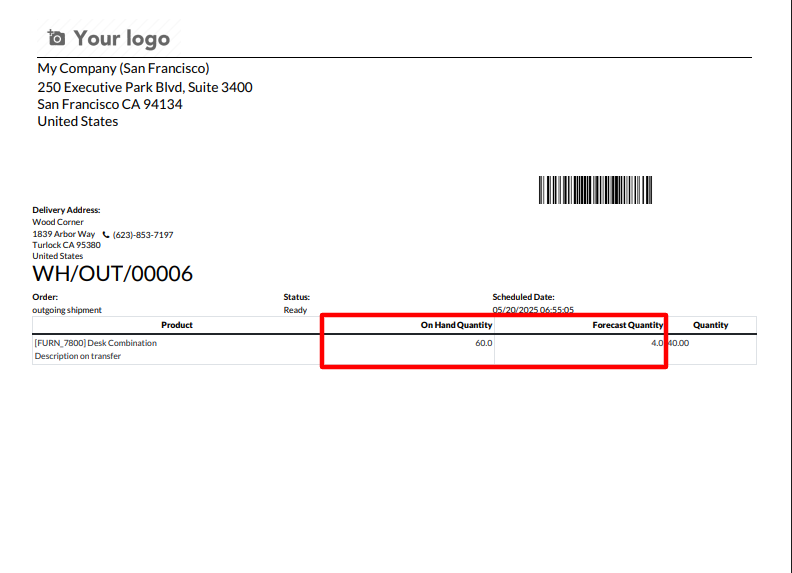
9) Inventory(Outgoing order) report view
Forecast and on-hand product quantity in the inventory(Outgoing order) report.
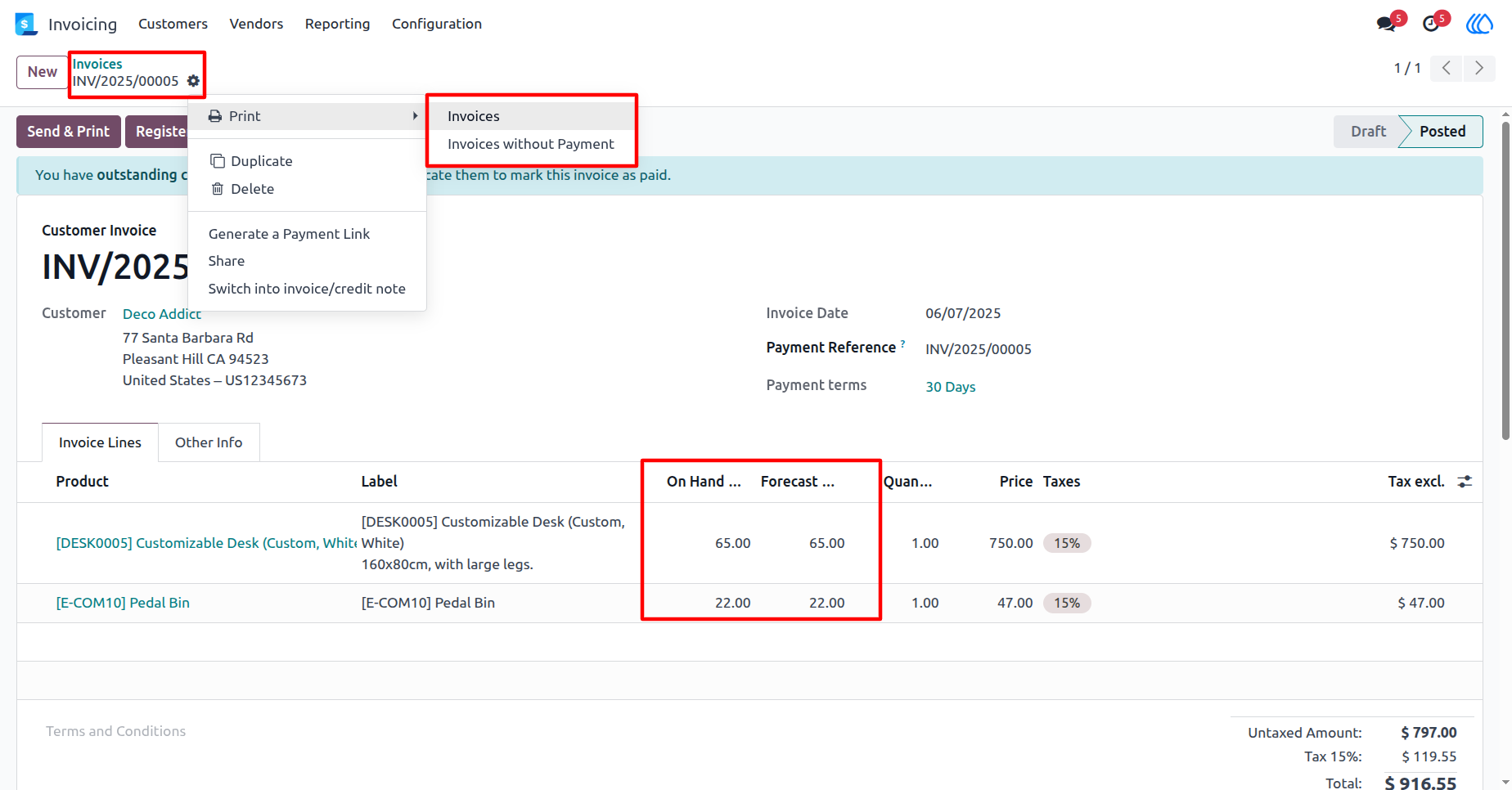
10) Invoice view
Print invoice reports with forecast and on-hand product quantity.
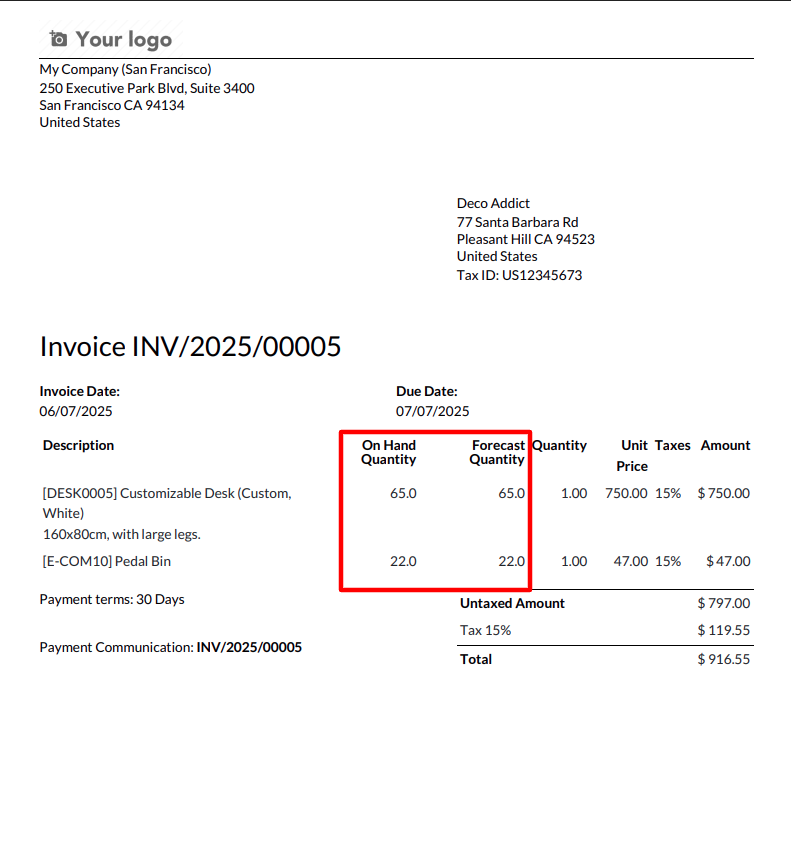
11) Invoice report view
Invoice reports with forecast and on-hand product quantity.
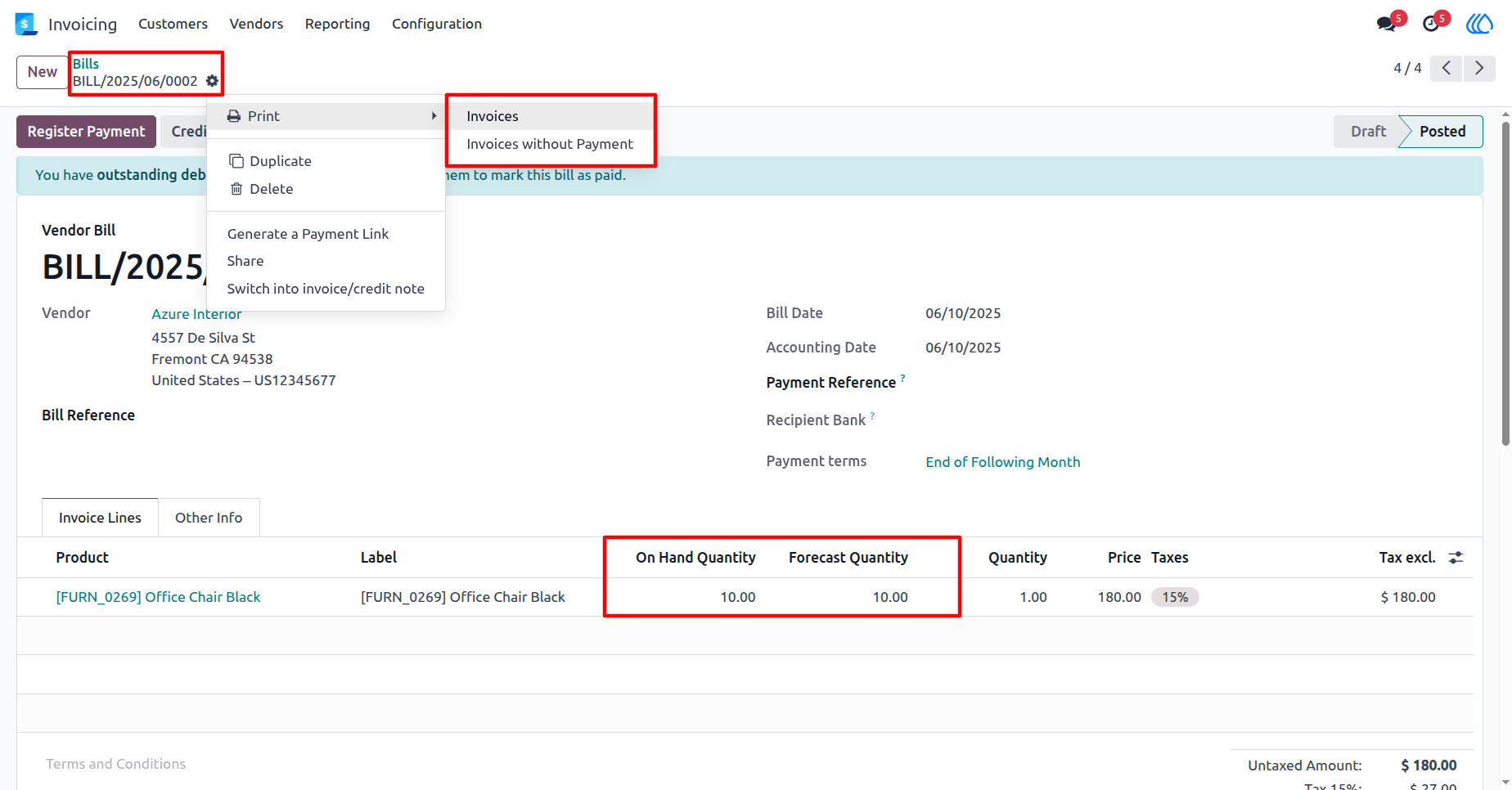
12) Vendor bill view
Print bill reports with forecast and on-hand product quantity.
13) Vendor bill report view
Bill reports with forecast and on-hand product quantity.
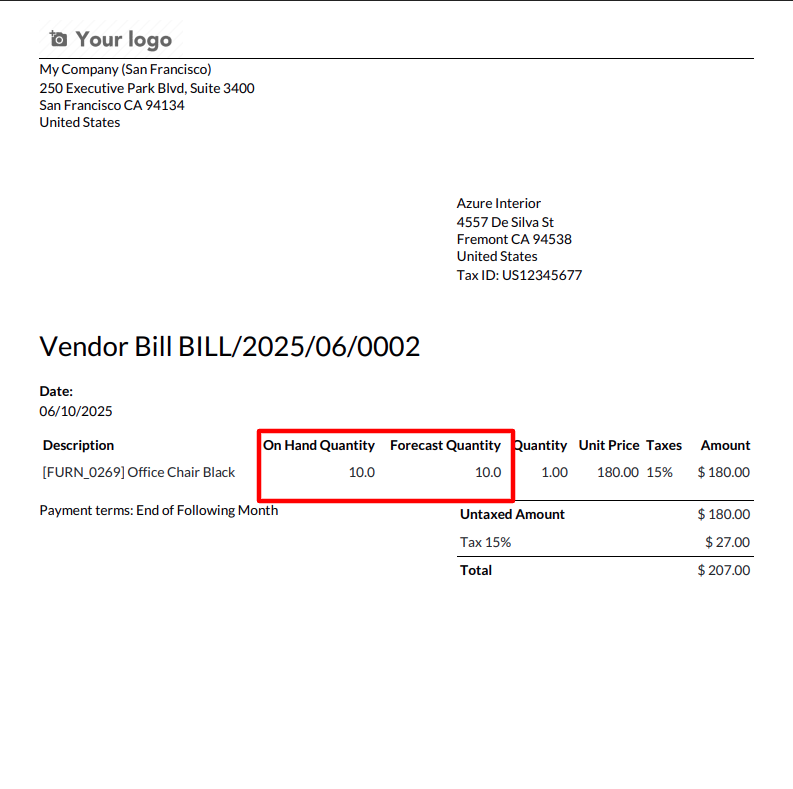
14) Debit note view
Print debit note reports with forecast and on-hand product quantity.
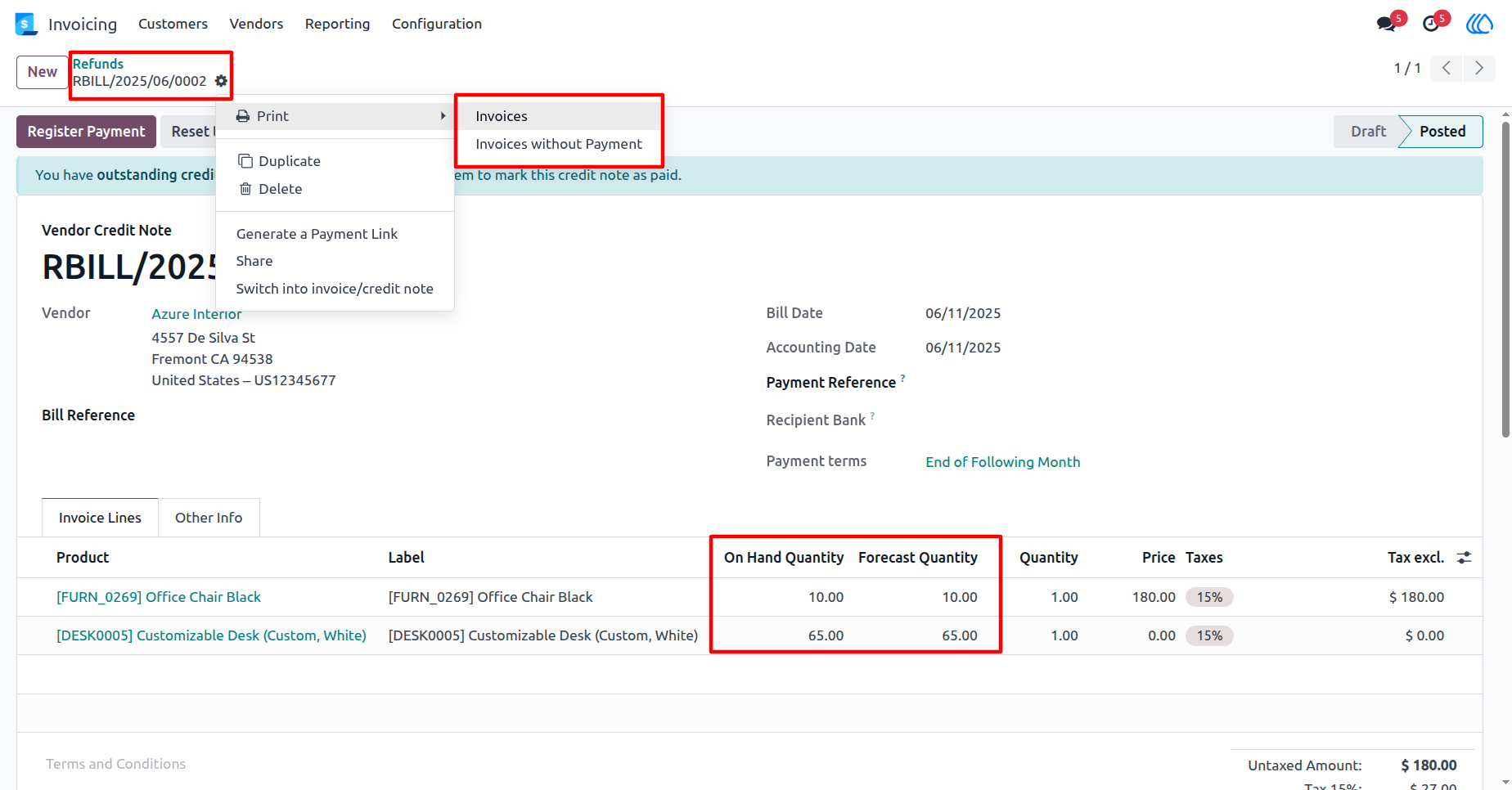
15) Debit note report view
Debit note reports with forecast and on-hand product quantity.
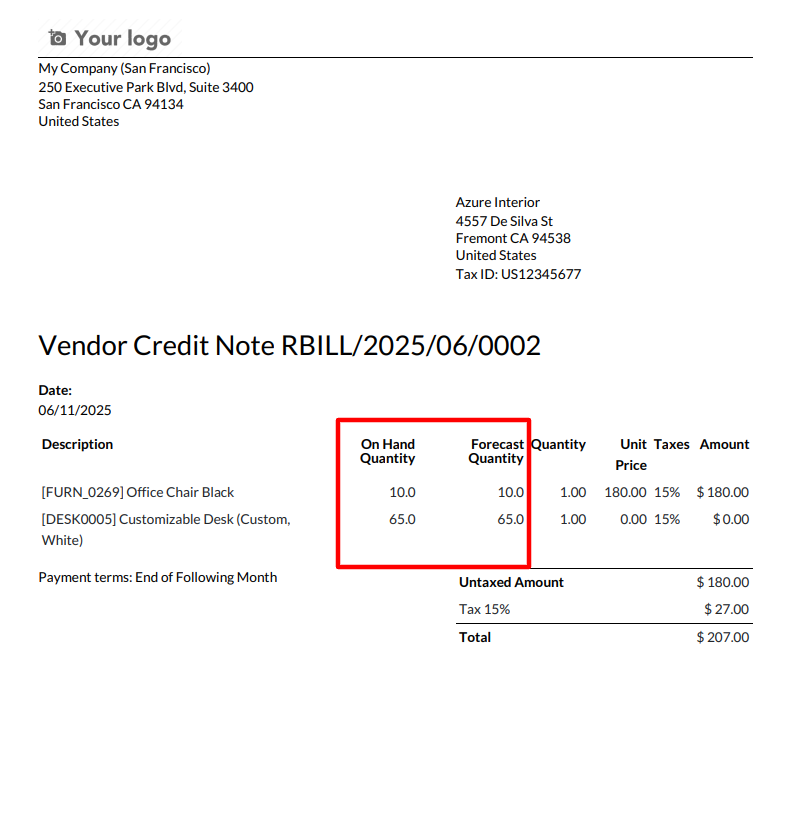
16) Credit note view
Print credit note reports with forecast and on-hand product quantity.
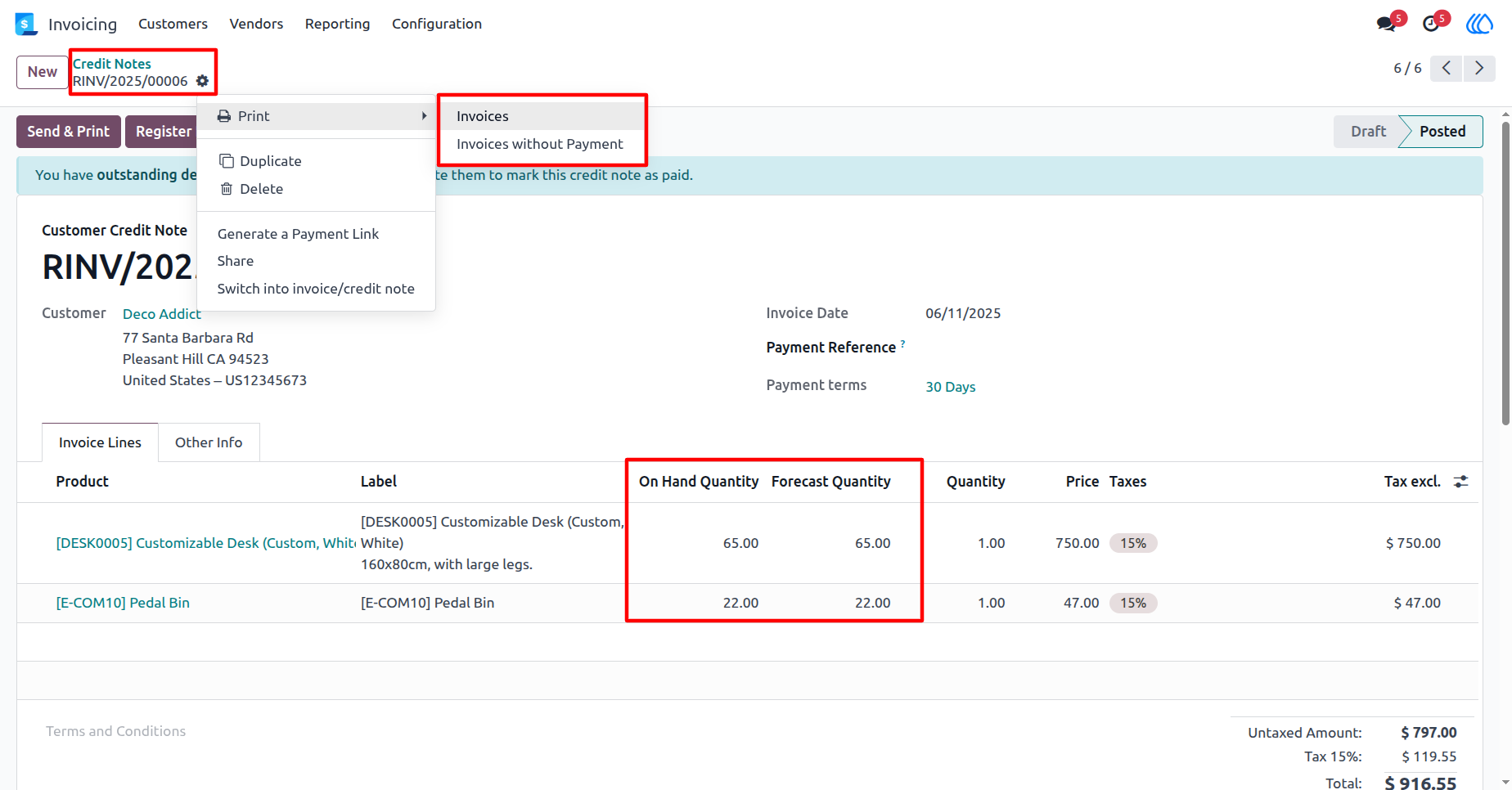
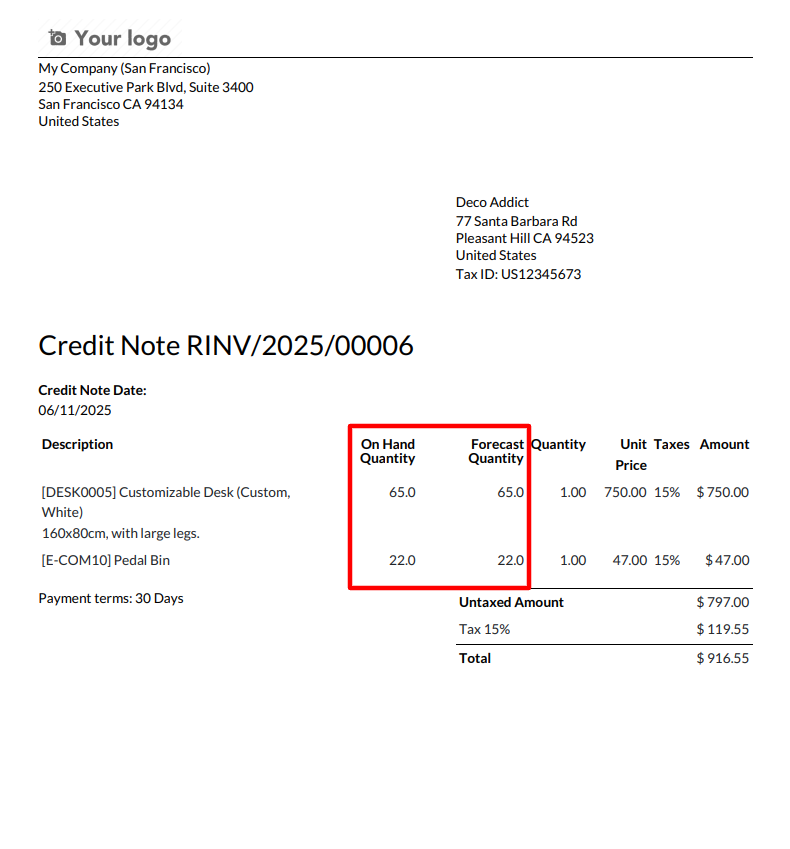
17) Credit note report view
Credit note reports with forecast and on-hand product quantity.
User Guide