

Our Most Suggested Products


Website Product Age Restriction
Website Product Age Restriction adds a controlled verification process for products that should only be purchased by customers above a defined age. Administrators can set the minimum age, mark individual products as restricted, and decide how those products appear to guest visitors. Before adding a restricted product to the cart, customers must provide their birth date and may upload an age-proof document. Verified details are saved securely in the customer record for future purchases.
 Features
 Screenshots
 Support
 Service
Features
Configurable Minimum Age
Administrators can enable the age-restriction feature from General Settings and define the minimum age required to purchase restricted products. The configured value is applied automatically during website verification.
Product Level Age Restriction
Age restrictions can be enabled separately for each website product. This allows regular products to remain available normally while selected products require age verification before they can be added to the cart.
Flexible Guest Display Options
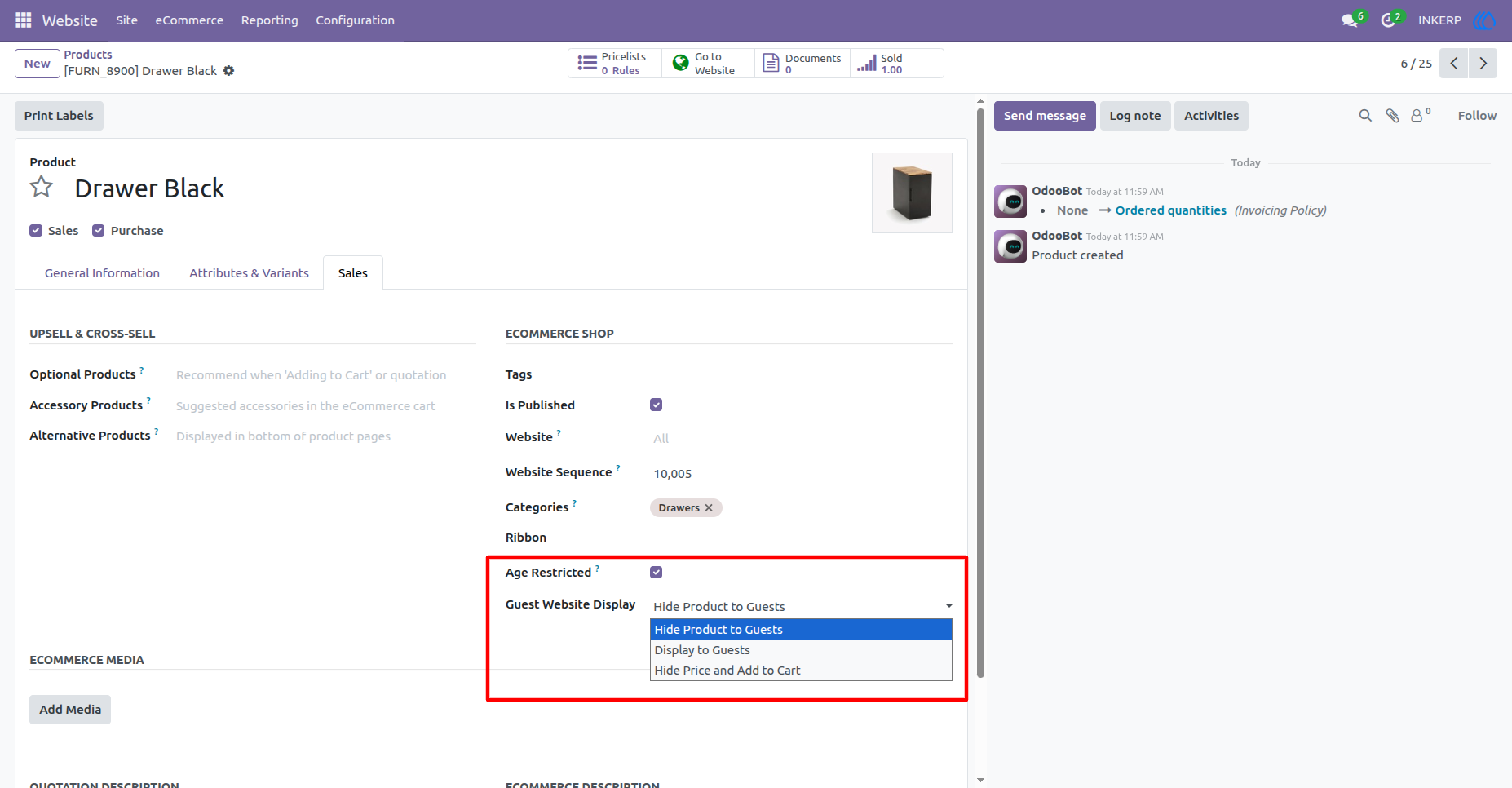
Administrators can hide restricted products completely from guests, display them normally, or show the product while hiding its price and Add to Cart option. This provides better control over how restricted products are presented to public visitors.
Birth Date and Age Proof Verification
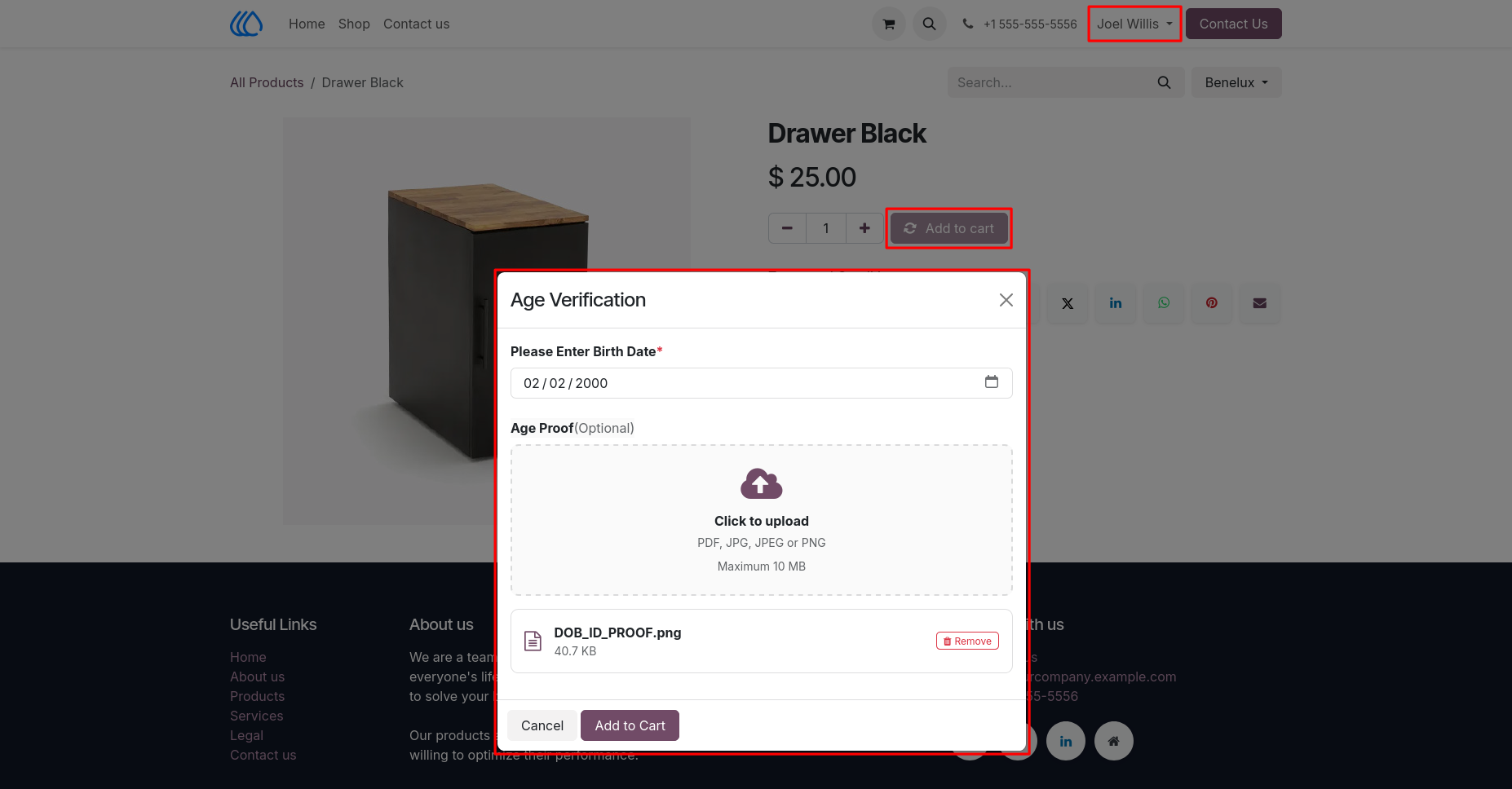
Customers are asked to enter their birth date before purchasing a restricted product. They can also upload an optional PDF, JPG, JPEG, or PNG proof document up to 10 MB, and verified information is stored in their customer profile.
Screenshot
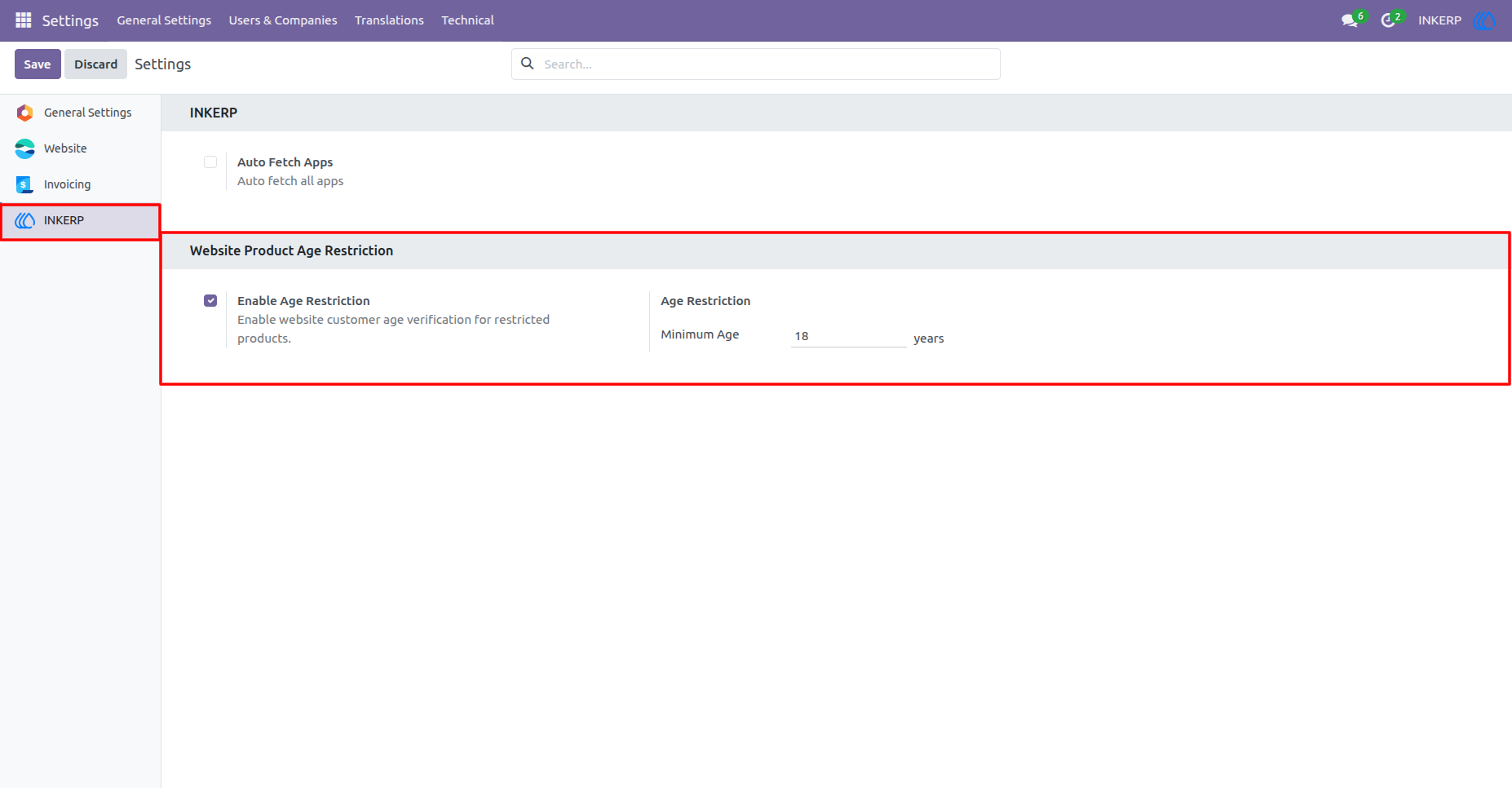
1.) Configure the Minimum Purchase Age :
Enable Website Product Age Restriction from the Settings. Enter the minimum customer age required to purchase restricted products, such as 18 years, and save the configuration.
Navigation : Settings › INKERP
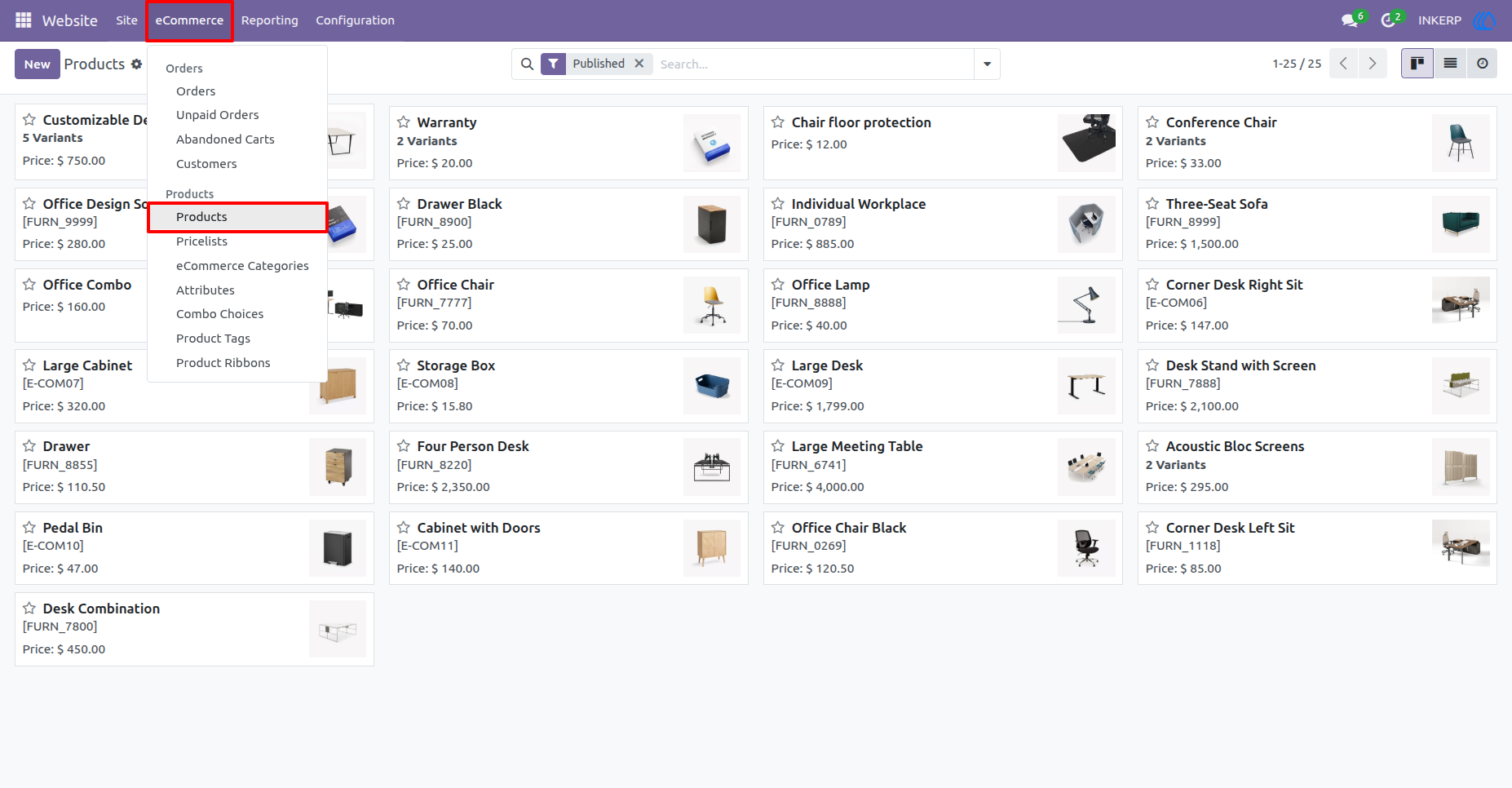
2.) Open the Website Product List :
Open the product that needs purchase restrictions or create a new product when required.
Navigation : Website › eCommerce › Products
3.) Set Product Age Restriction and Guest Visibility :
Open Sales tab of the product and enable Age Restricted. The Guest Website Display option lets administrators hide the product from guests, display it to guests, or hide its price and Add to Cart button until the customer signs in.
4.) Verify Customer Age Before Purchase :
When a customer adds a restricted product to the cart, an Age Verification window asks for their birth date. The customer may also upload an age-proof document in PDF, JPG, JPEG, or PNG format, with a maximum file size of 10 MB.
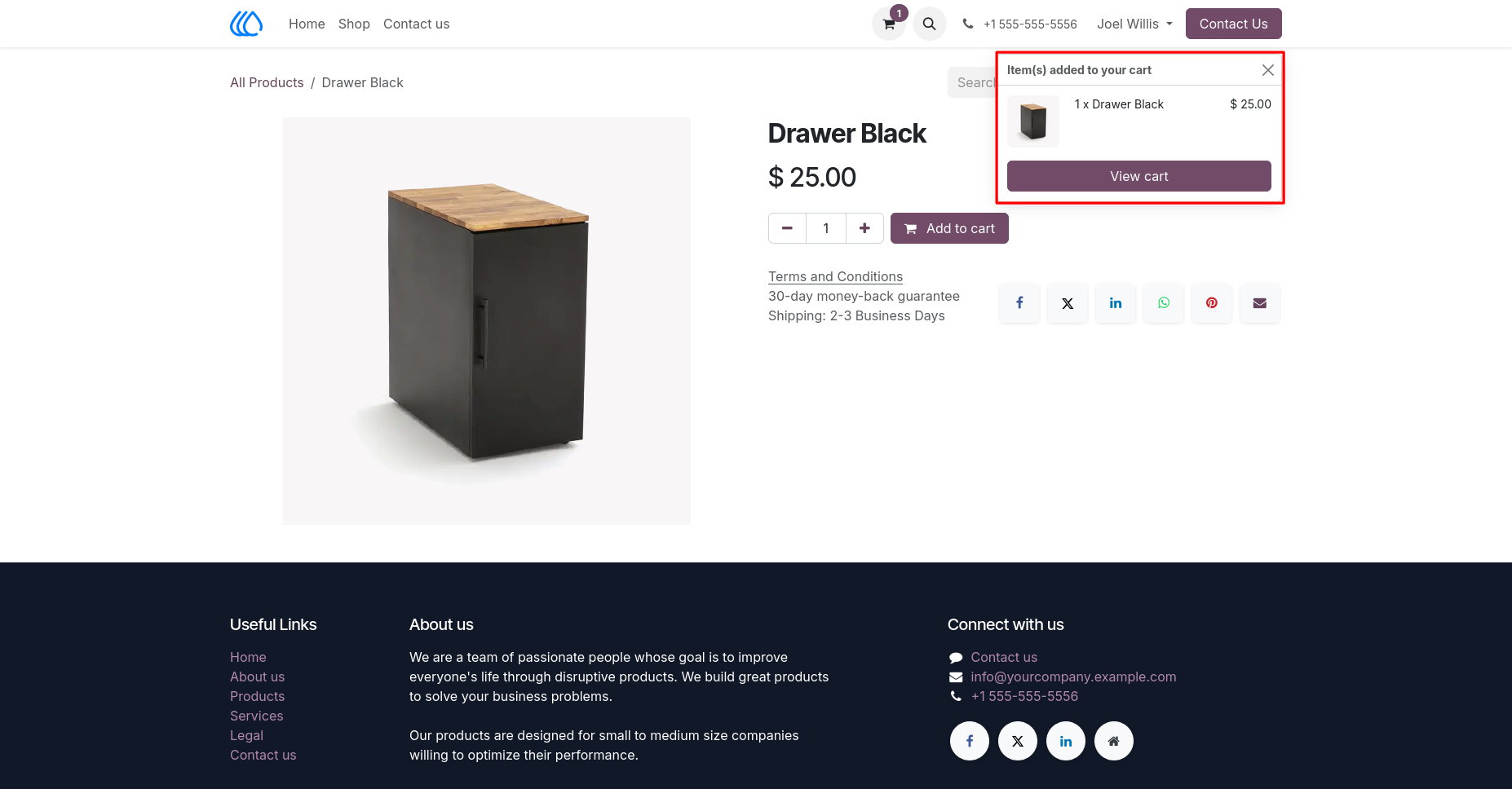
5.) Add the Verified Product to the Cart :
After the customer meets the configured minimum-age requirement, the product is added to the cart normally. A cart notification confirms the selected product, quantity, and price.
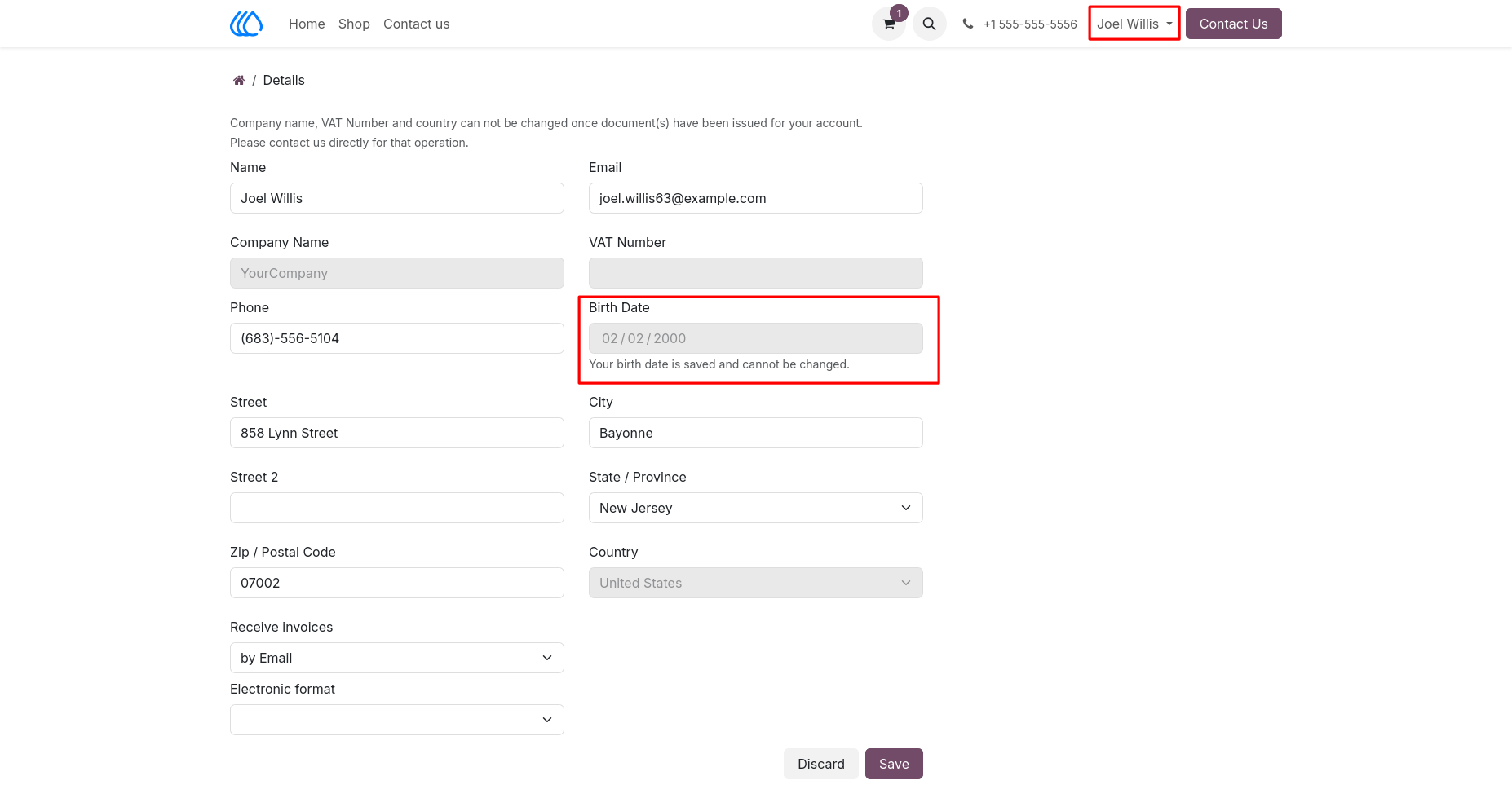
6.) Store the Birth Date in the Customer Portal :
Birth date is saved in the portal account details. Once stored, the field becomes read-only so the customer cannot repeatedly change the date used for age verification.
7.) Access Customer Records from the Backend :
This provides access to the customer account connected with the website age-verification process.
Navigation : Website › eCommerce › Customers

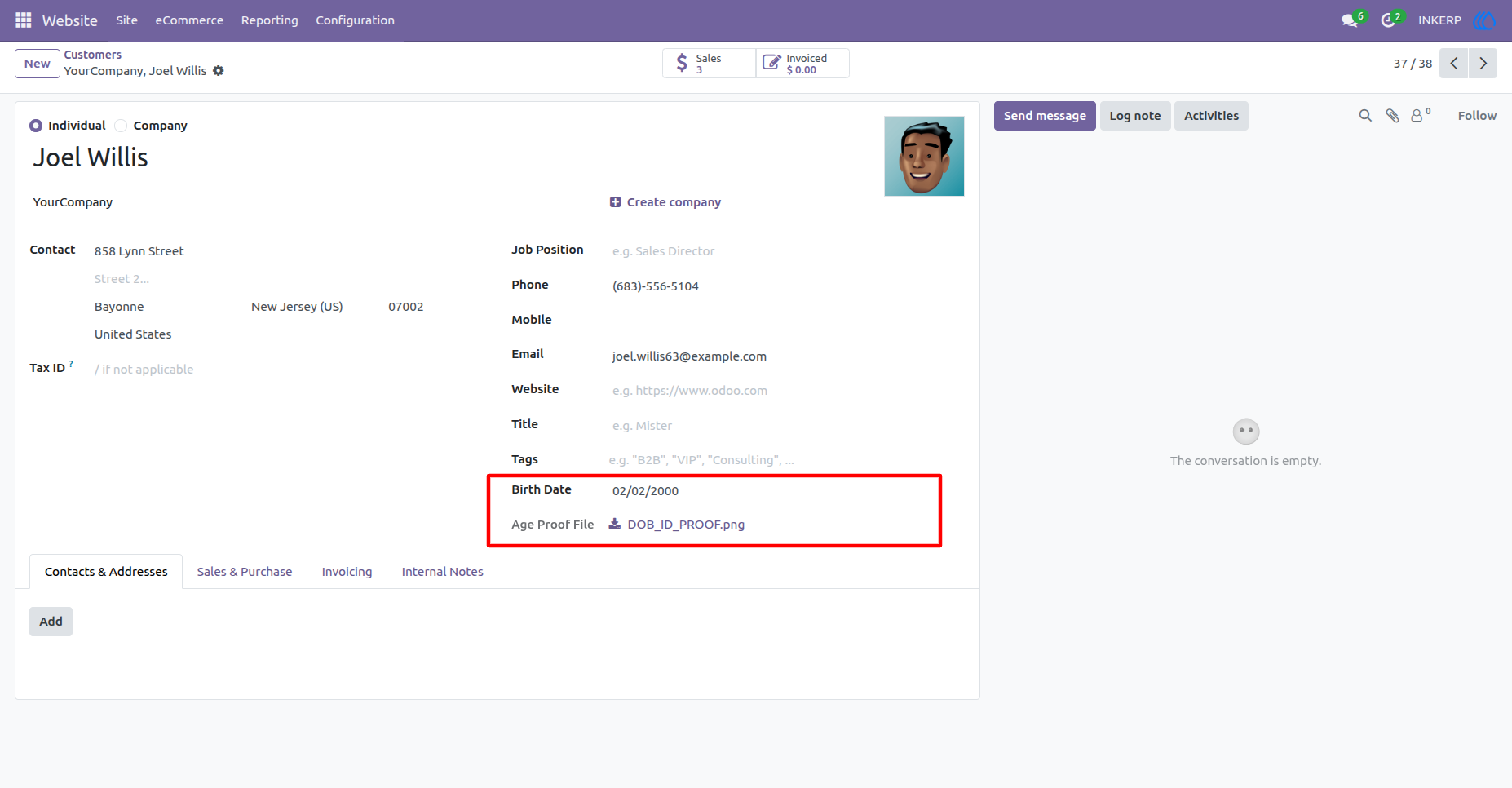
8.) Review Customer Verification Details :
The customer form displays the saved birth date and uploaded age-proof file. Authorized staff can review or download the supporting document directly from the customer record when verification details are required.
User Guide