

Our Most Suggested Products


Website Customer Groups
Website Customer Groups empowers businesses to personalize their online store experience by controlling which products and categories are visible to specific user groups. With flexible display options show all products, limit visibility by category selection, or filter by domain rules you can tailor product access to match customer needs. This feature ensures that each group sees only the items configured for them, creating a streamlined and targeted shopping journey. For added convenience, the entire functionality can be easily enabled or disabled from a single setting in the setting.
 Features
 Screenshots
 Support
 Service
Features
Customer Group-Based Product Visibility
Control which products are displayed to different customer groups on your website. This helps create a personalized shopping experience by ensuring customers only see products relevant to their assigned group.
Category Specific Product Access
Restrict product visibility based on selected product categories for each customer group. This allows businesses to organize product availability efficiently and simplify navigation for targeted audiences.
Dynamic Visibility Using Domain Rules
Configure advanced visibility conditions using domain filters to automatically determine which products should be accessible to specific customer groups. This provides greater flexibility without requiring manual product assignments.
Enable or Disable from Settings
Manage the entire customer group visibility functionality through a dedicated configuration setting. Administrators can activate or deactivate the feature at any time without making changes to existing product data or website configurations.
Screenshot
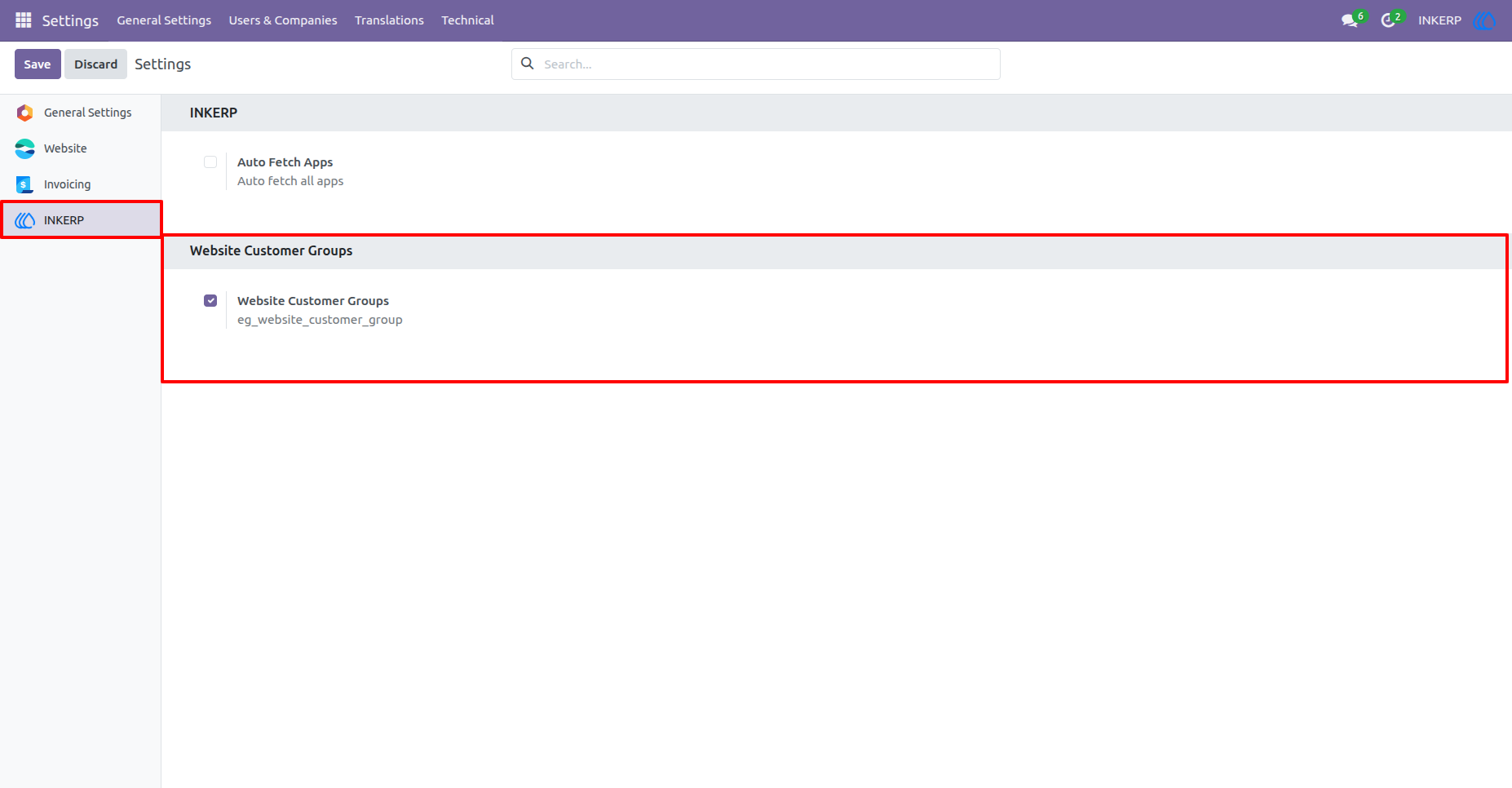
1.) Enable Website Customer Groups :
Website Customer Groups is Enabled b default when app install but can disbale or enable as per need without change configuration of Customer Groups.
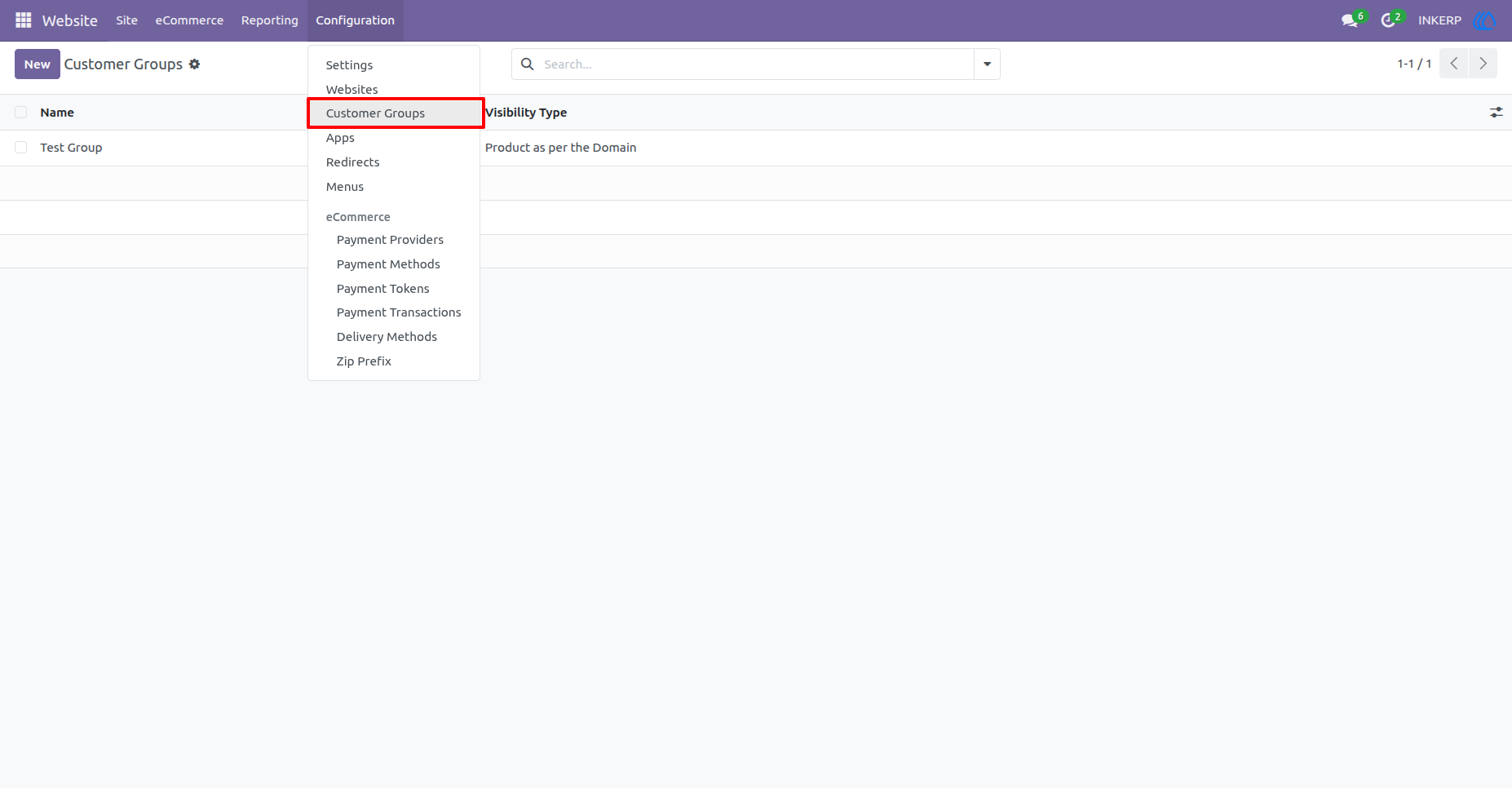
2.) Customer Groups Menu :
Navigation : Website › Configuration › Customer Groups
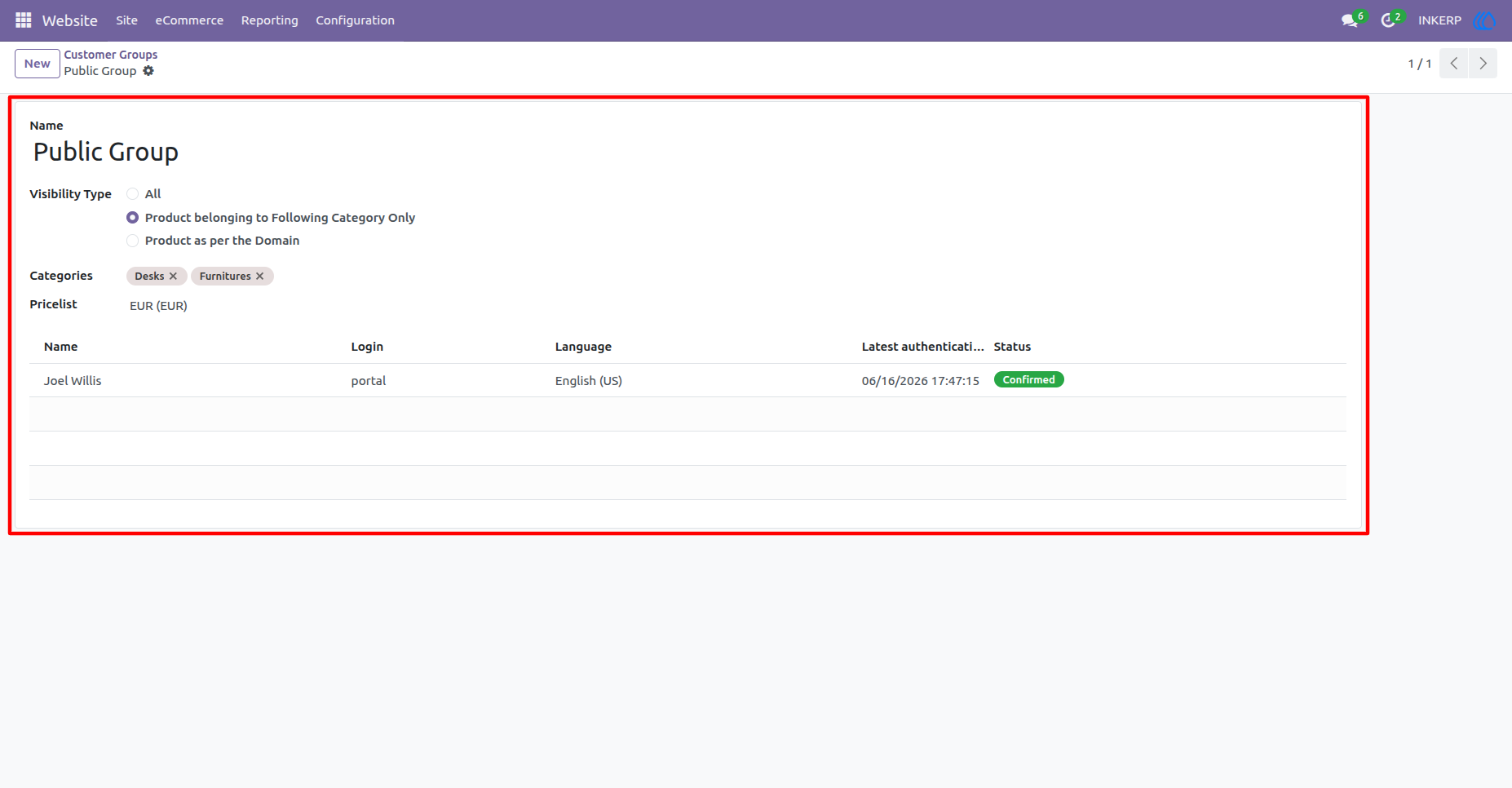
3.) Configure The Customer Group :
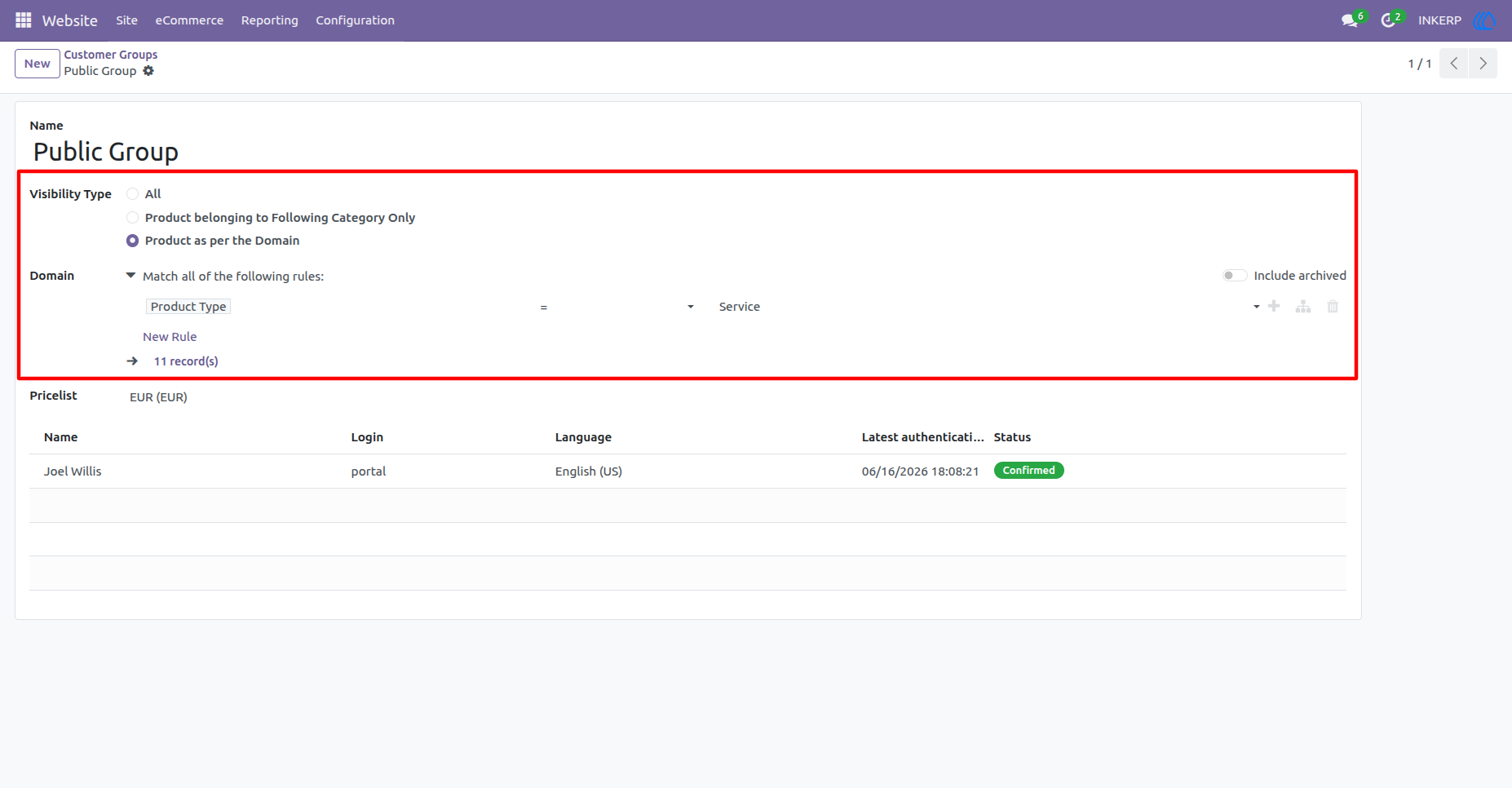
Product as per the Domain, Product belonging to Following Category Only and All options available here to configure as per require .
Assinged customers can also display here to identify that how many customer are contains this group.
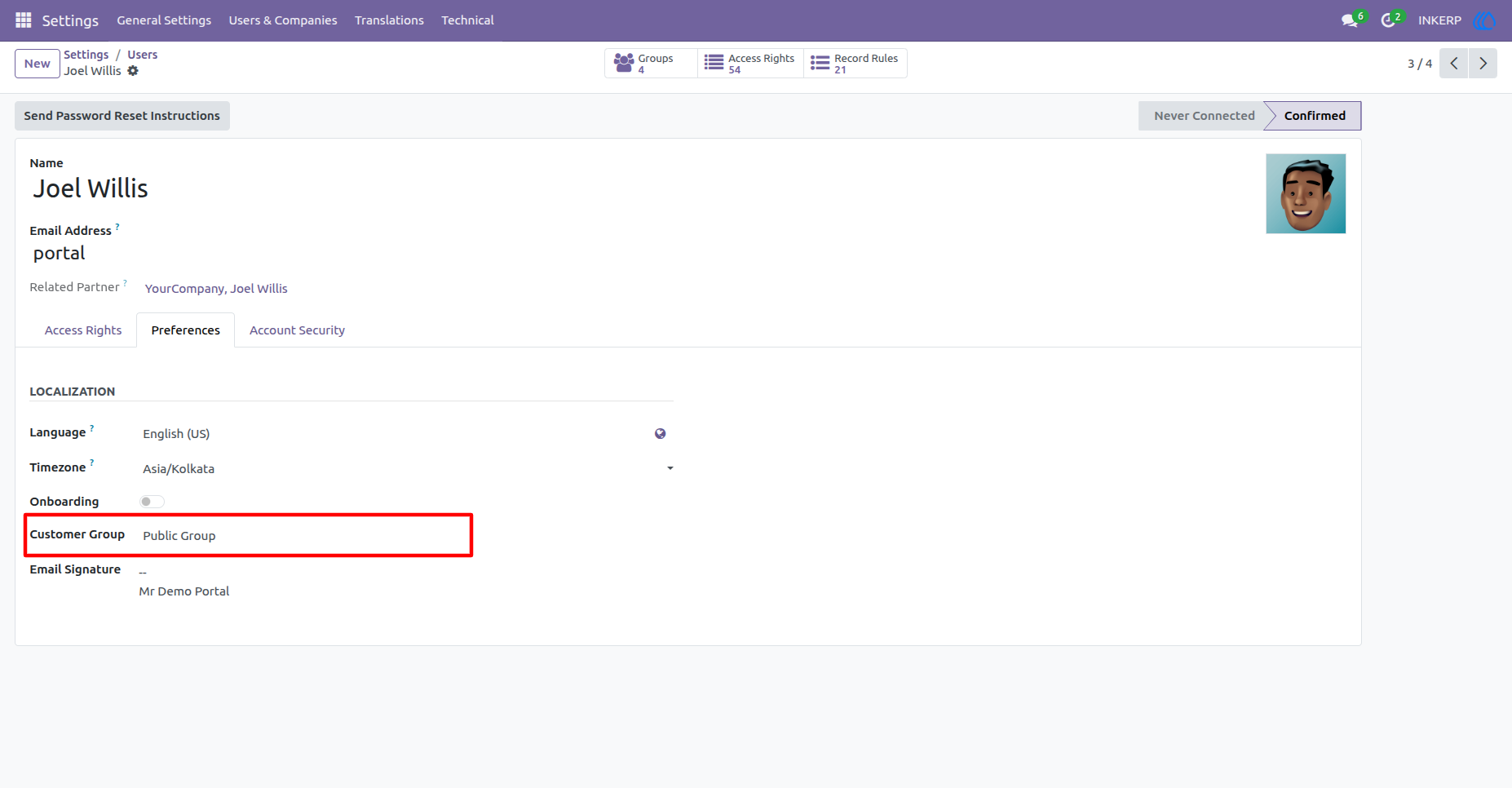
4.) Assign Group to the Portal User / Customer
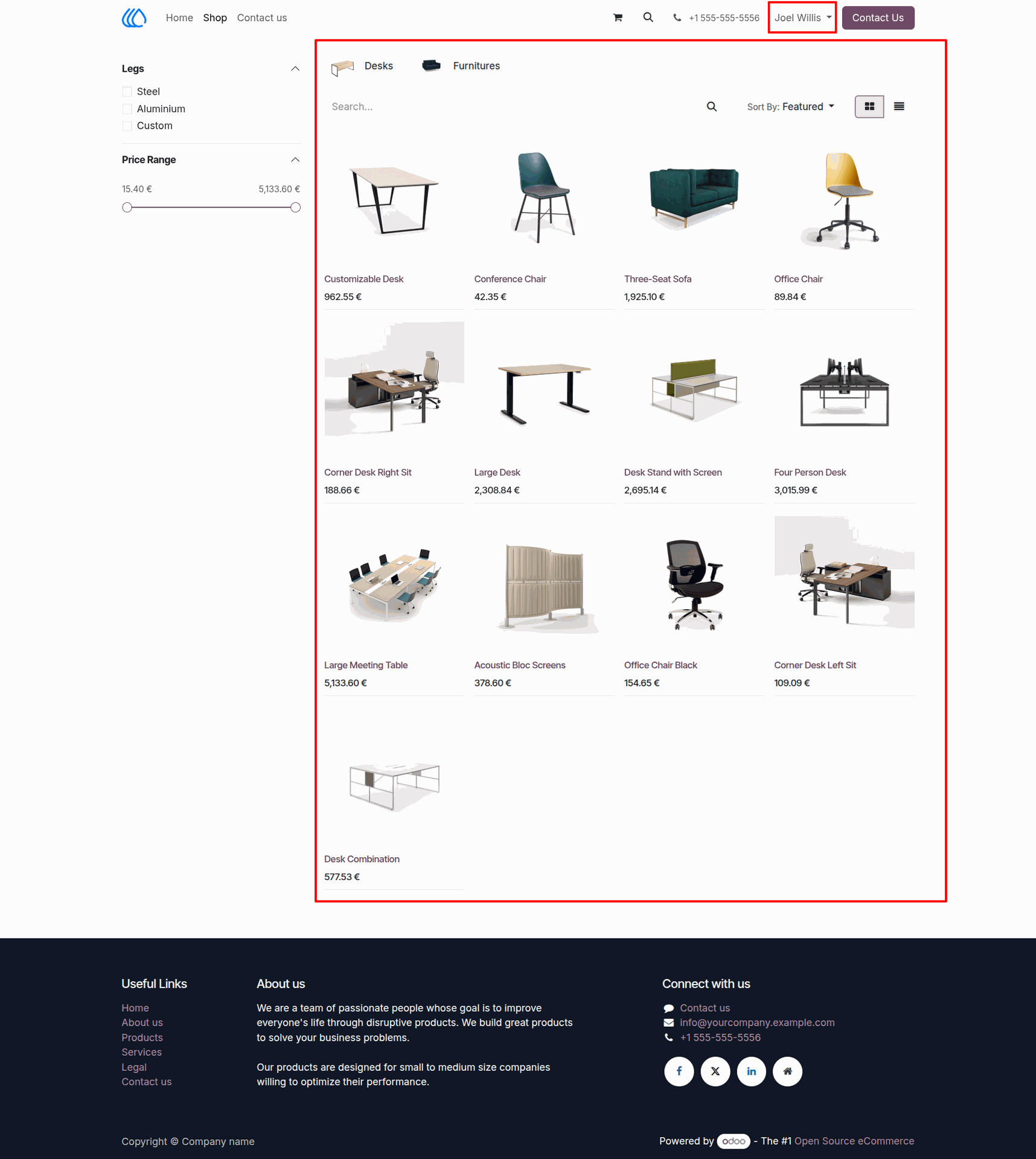
5.) Website Shop Page For Customers :
If no any group assign to the customer, by default all products and all categories are display.
6.) Group Configuired as Domain :
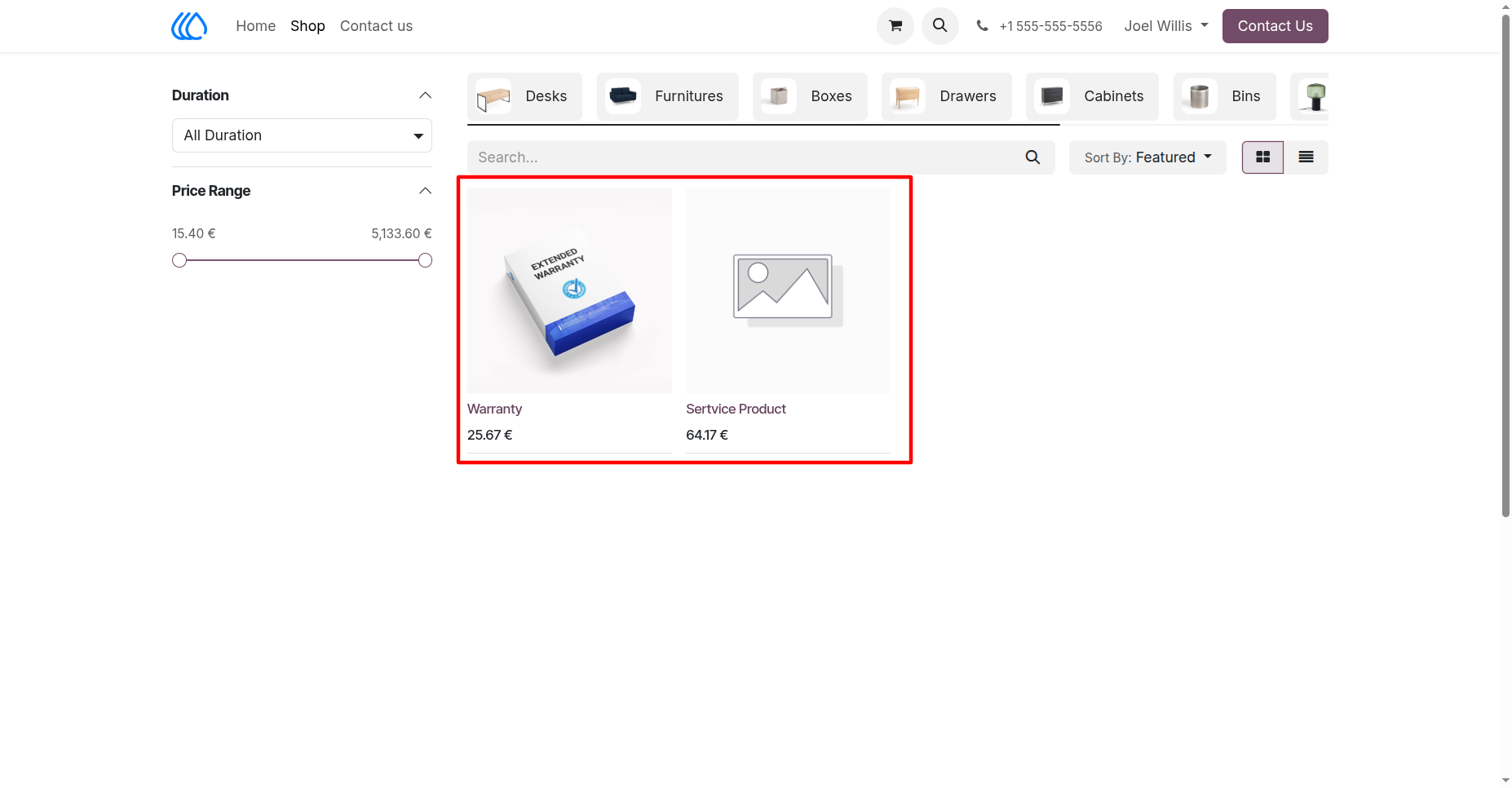
This created domain apply on Products when all categories are display as it is .
7.) Website Shop Page with Domain Configuired Group:
User Guide