

Our Most Suggested Products


Website Bus Booking - Online Bus Search, Seat Reservation and Ticket Management
Website Bus Booking adds a complete online reservation flow for bus transportation services, allowing customers to search available journeys by departure station, destination, and travel date, select seats from a live bus layout, enter passenger information, and proceed directly to invoice payment. The module connects the website with the existing bus booking data so customers can make reservations online while staff can continue managing bookings, tickets, invoices, and passenger information from the backend. It also provides customer portal access to reservations and tickets, along with printable boarding passes for completed bookings.
 Features
 Screenshots
 Support
 Service
Features
Online Journey Search
Customers can search for available bus journeys by selecting their departure station, destination station, and travel date. The search results provide the matching route, bus, departure and arrival times, remaining seats, and fare information, helping customers quickly find a suitable service.
Live Seat Selection
The booking flow provides a visual seat map based on the selected bus and trip, allowing customers to choose available seats before entering passenger details. Seat availability is validated during booking so restricted or already occupied seats cannot be selected for an online reservation.
Passenger Details and Direct Invoice Payment
After selecting seats, customers can enter passenger name, contact information, age, gender, and optional identification details for each traveller, along with the booking contact details. The reservation is then placed as a temporary hold and linked to a direct invoice, allowing the customer to proceed to payment without creating a separate website cart or sales order.
Customer Portal, Tickets and Boarding Passes
Customers can access their bus reservations through the website portal, review journey and ticket information, and download ticket documents. Confirmed reservations provide ticket and boarding information that can be used for travel and boarding verification, while booking records remain connected to their customer account.
Screenshot
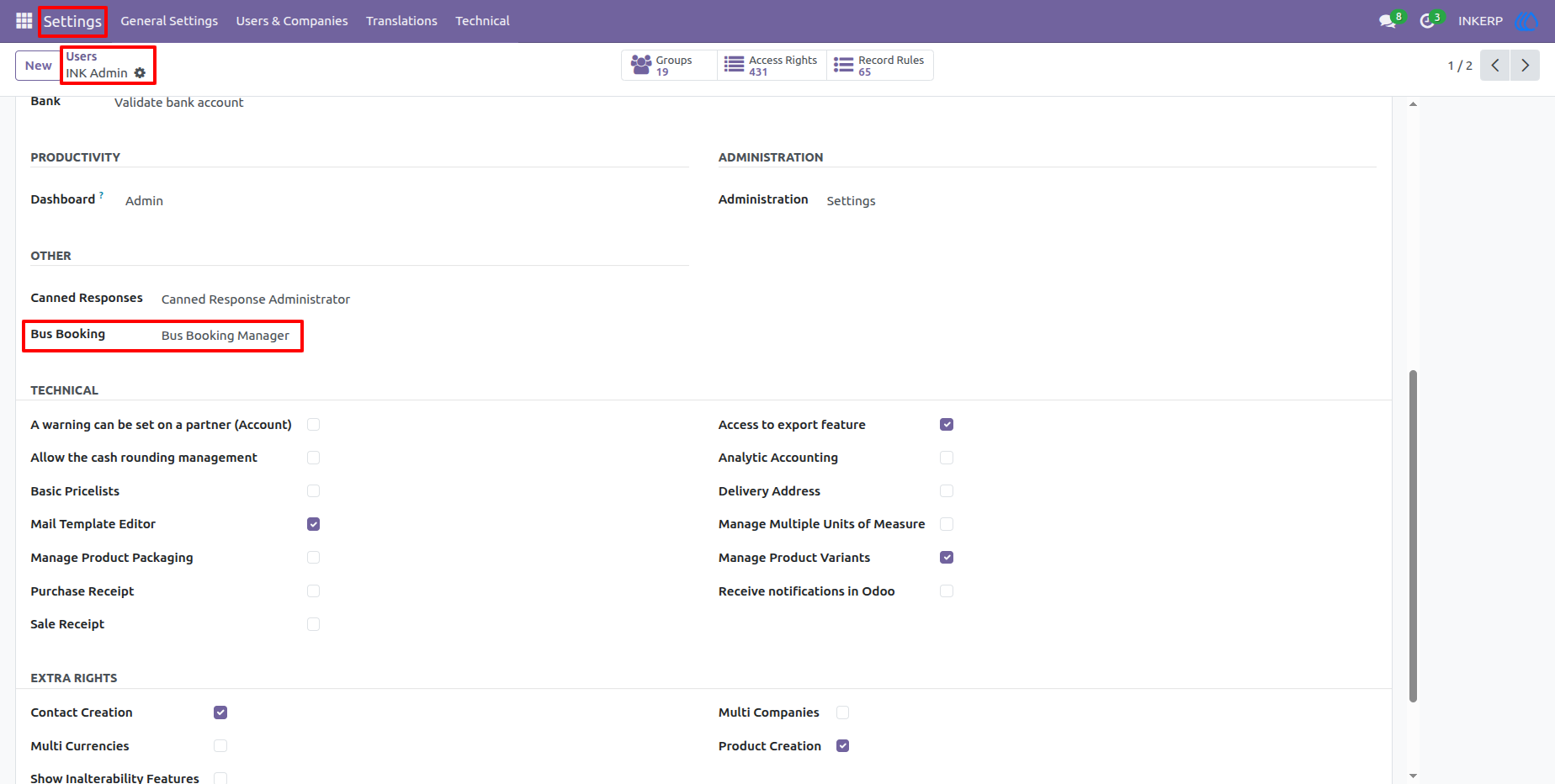
1.) Website Booking Access and User Permissions
The bus booking application can be controlled through user access settings, allowing administrators to assign the appropriate permissions to staff members. This keeps website booking configuration and related operational functions available only to authorized users.
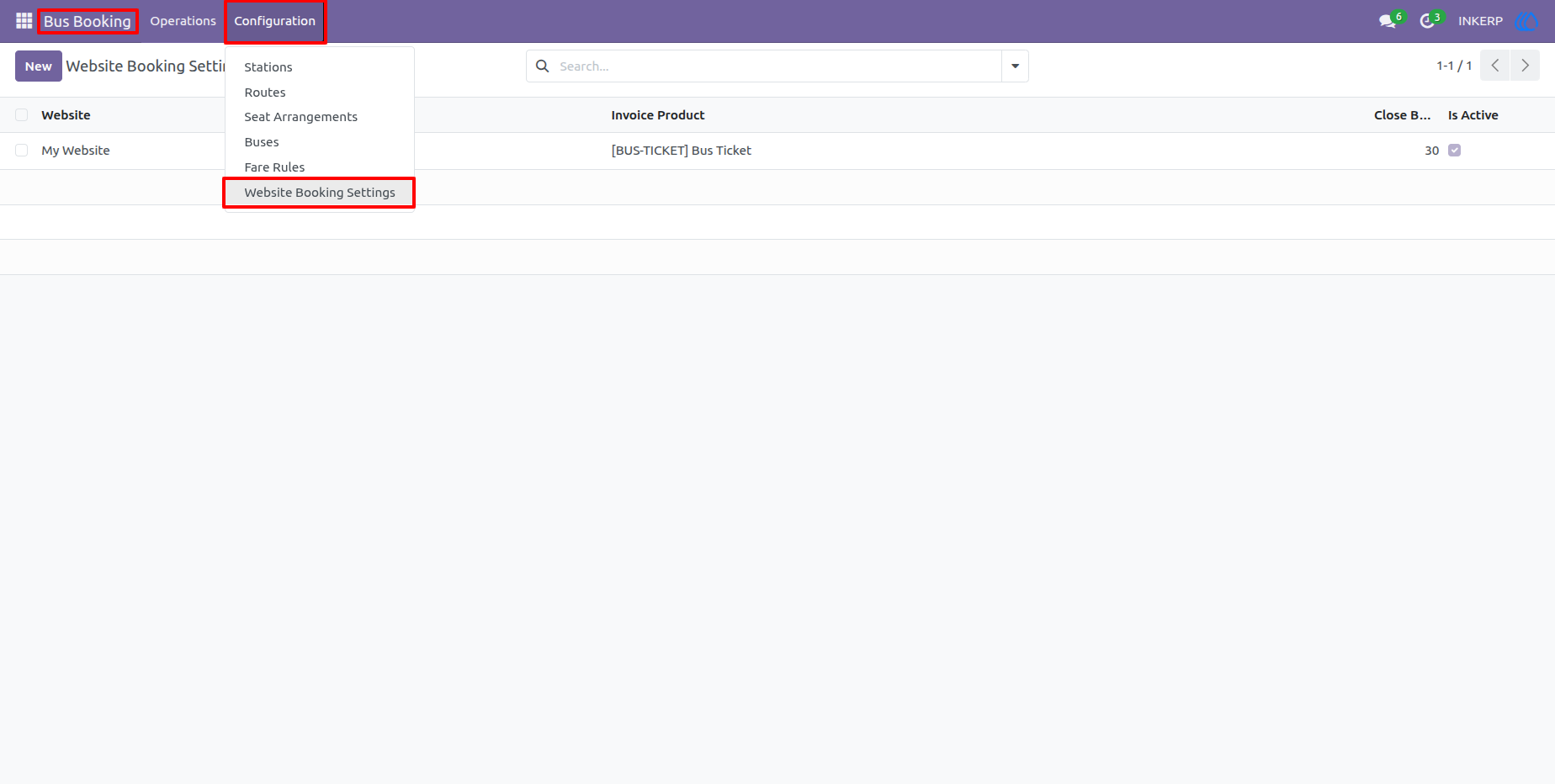
2.) Website Booking Configuration Menu
The Configuration menu provides access to the website booking settings alongside the module's other booking setup options. Administrators can use this area to manage how online reservations are connected to the bus booking workflow.
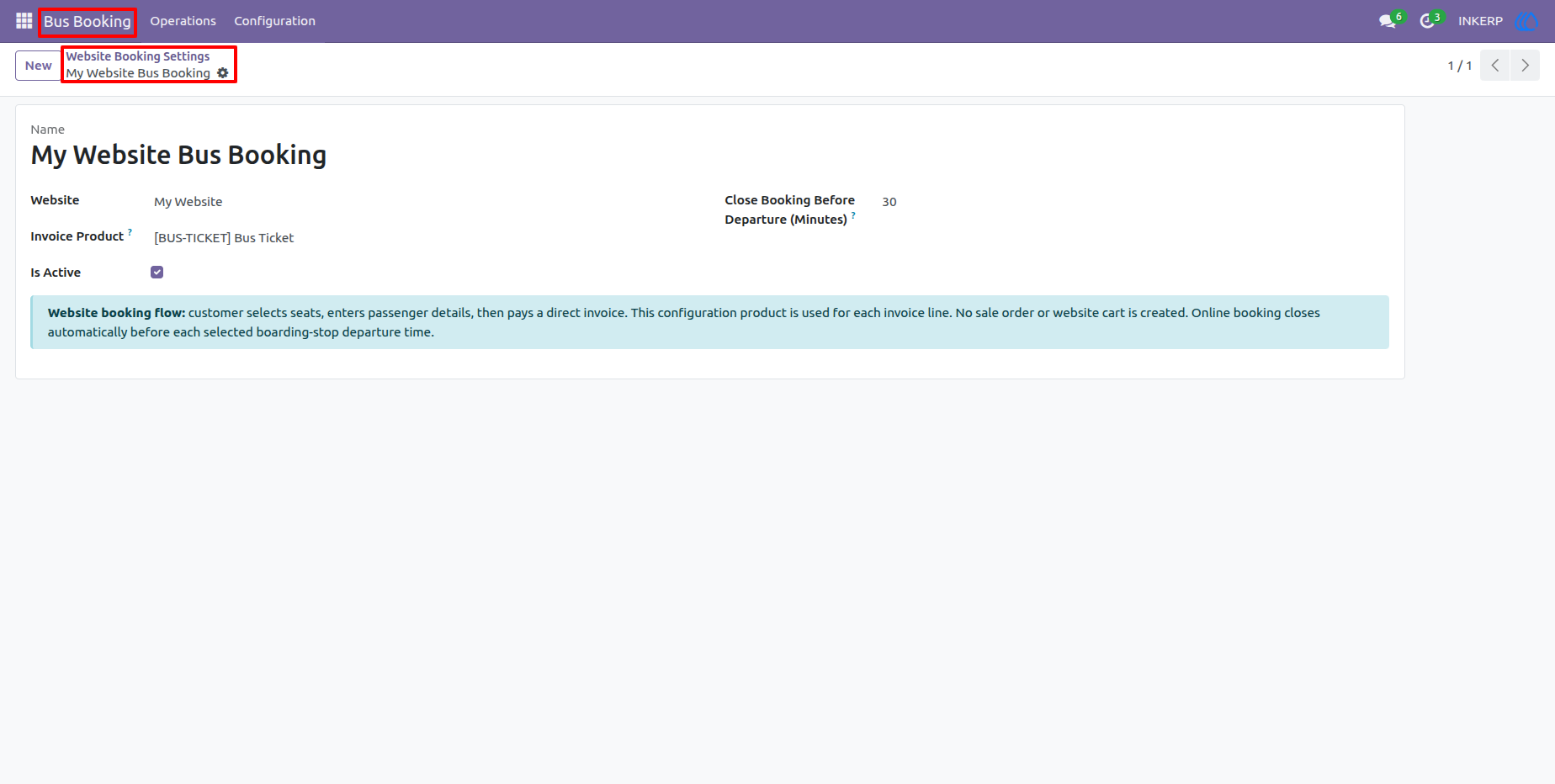
3.) Website Booking Settings
The Website Booking Settings form defines the active website, invoice product, and booking cut-off period used for online reservations. The configuration also makes the booking flow clear: customers select seats, enter passenger information, and pay through a direct invoice rather than a shopping cart.
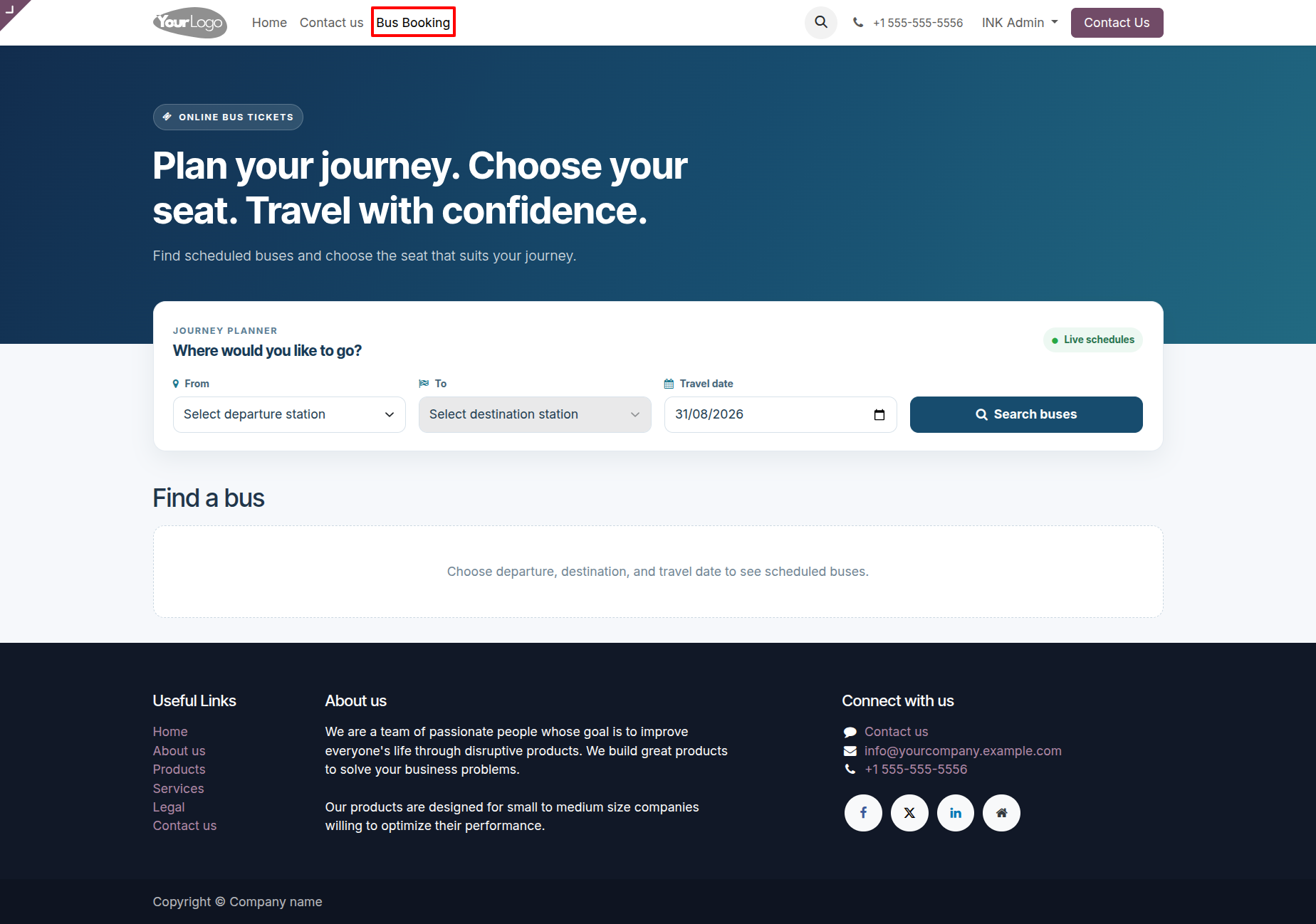
4.) Online Bus Search
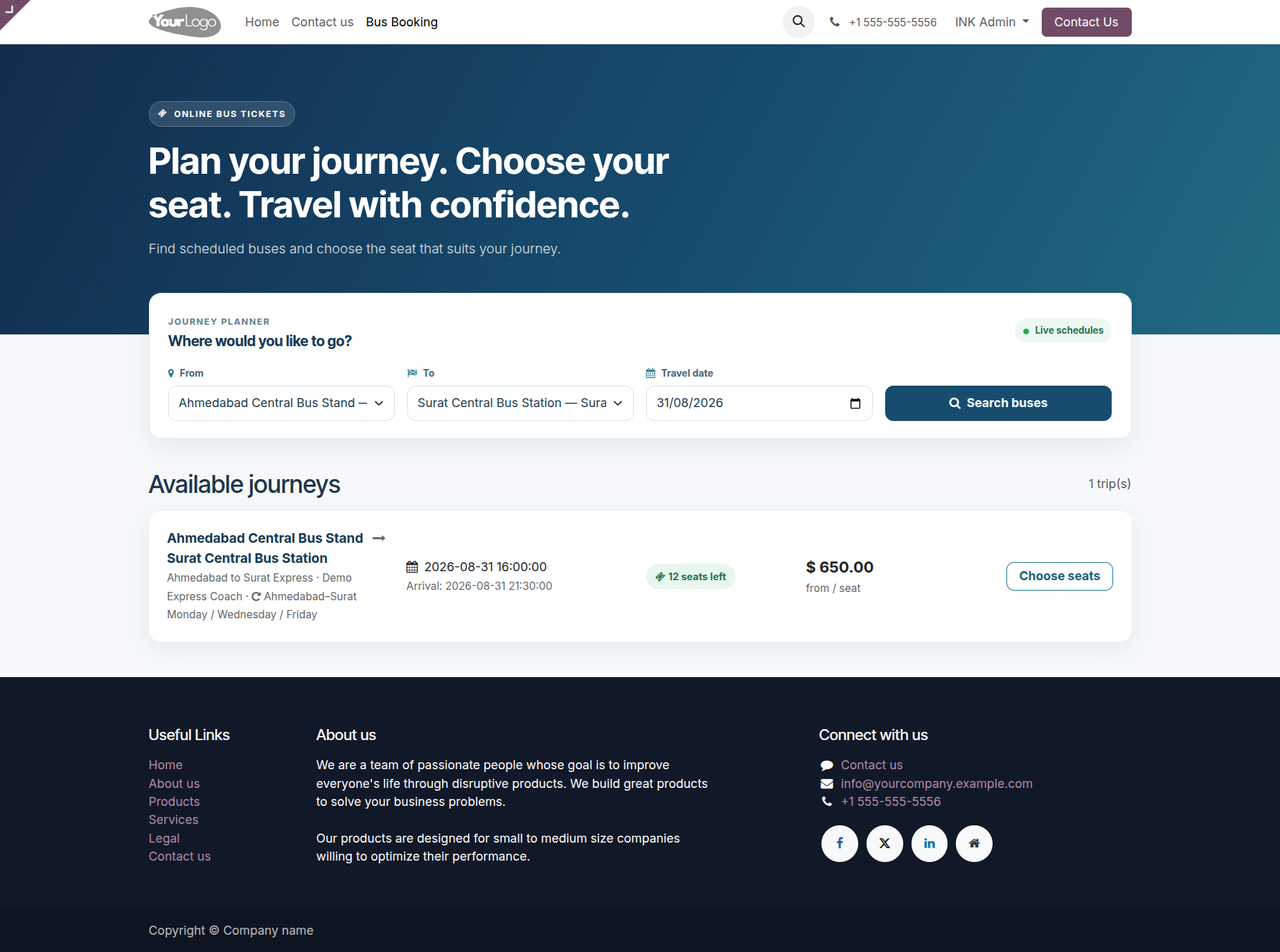
Customers begin by selecting where they are travelling from, where they want to go, and their travel date. The search interface provides a simple starting point for finding scheduled buses without requiring the customer to navigate through backend booking screens.
5.) Available Bus Journeys
Search results display the available journeys with route and bus details, departure and arrival times, available seat count, and the starting fare. Customers can compare the available services and continue directly to seat selection for their preferred trip.
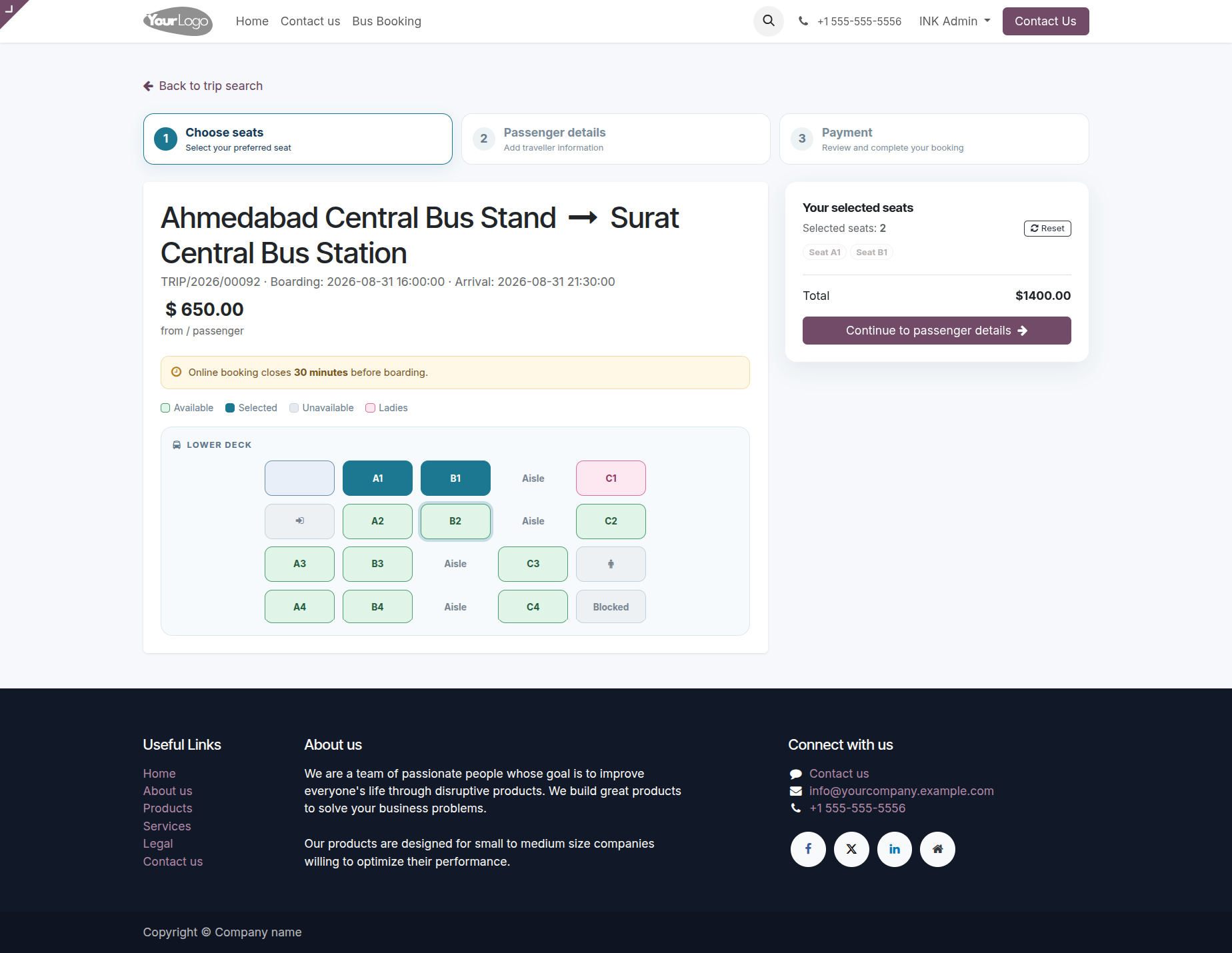
6.) Bus Seat Selection
The seat selection page combines the journey summary with a visual representation of the bus seating arrangement. Available seats can be selected before continuing, while occupied and restricted positions are clearly separated to help prevent incorrect reservations.
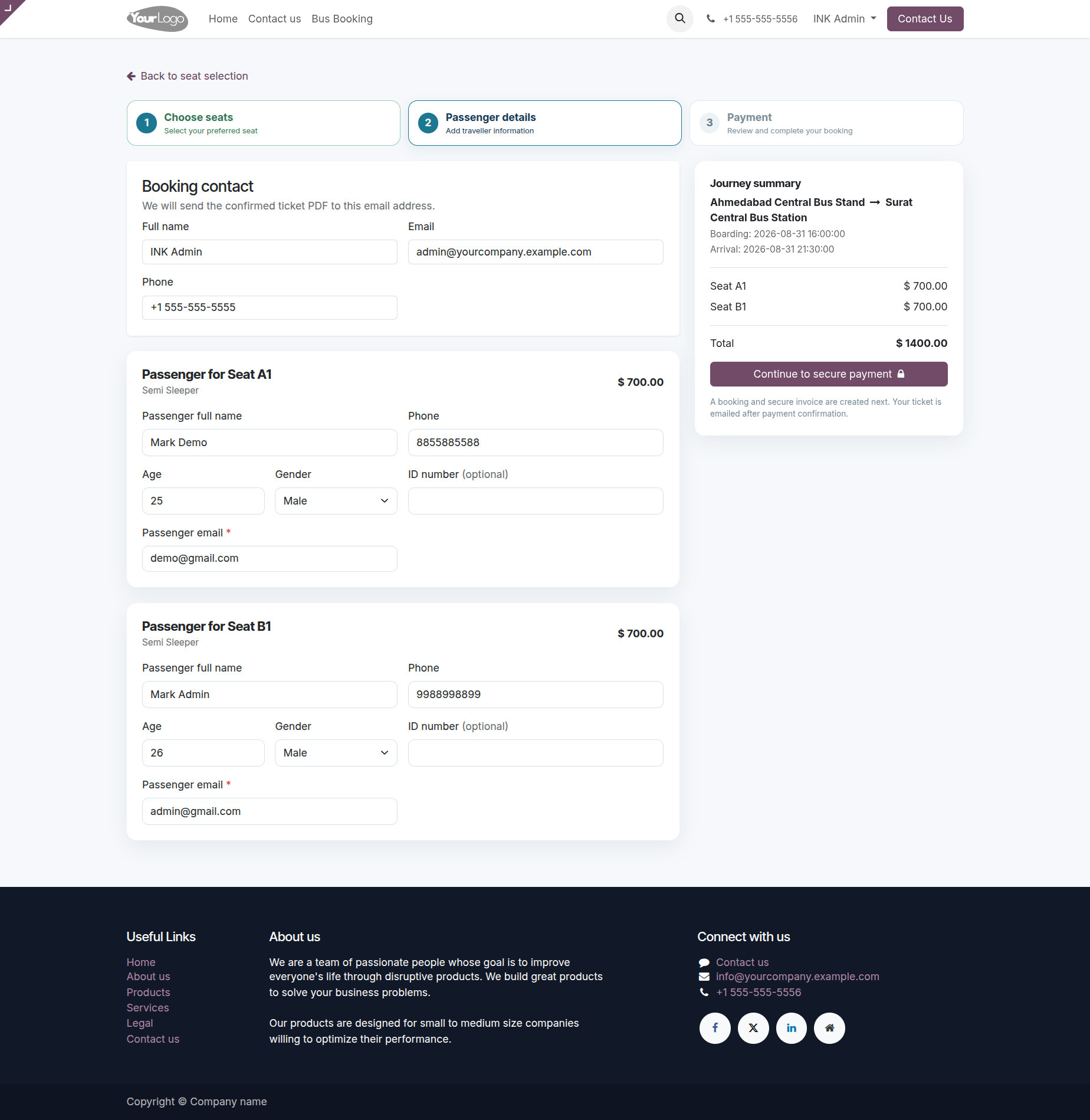
7.) Passenger Information
Passenger details are collected for every selected seat, including the traveller's name, email, phone, age, and gender, with additional identification information available where required. The booking contact section captures the customer responsible for the reservation so the booking can be linked to the correct account.
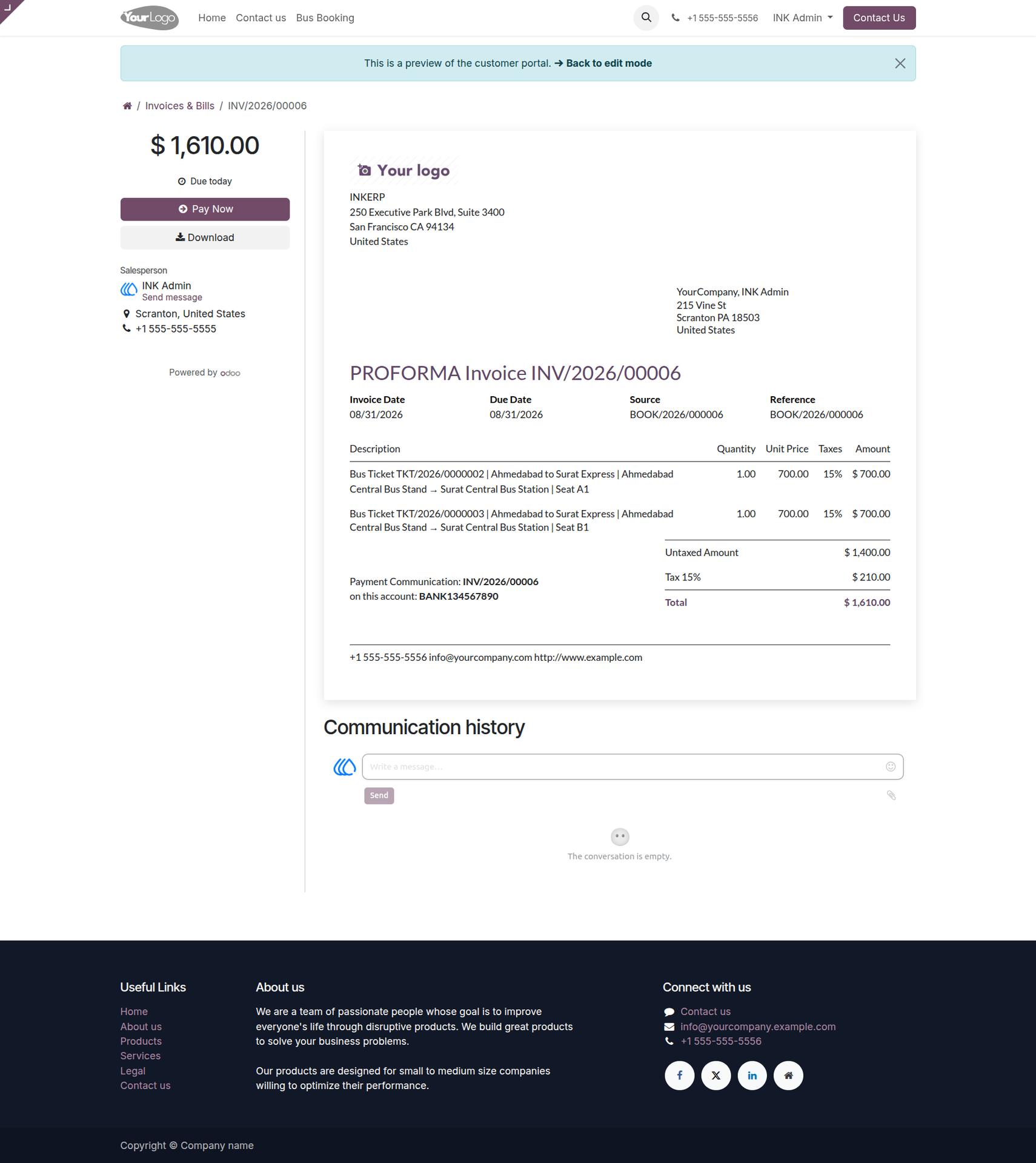
8.) Invoice and Payment
Once the booking information is submitted, the reservation is connected to an invoice containing the selected bus tickets and applicable amounts. Customers can review the invoice and continue with payment directly from the portal, keeping the online reservation and billing process connected.
9.) Booking Confirmation
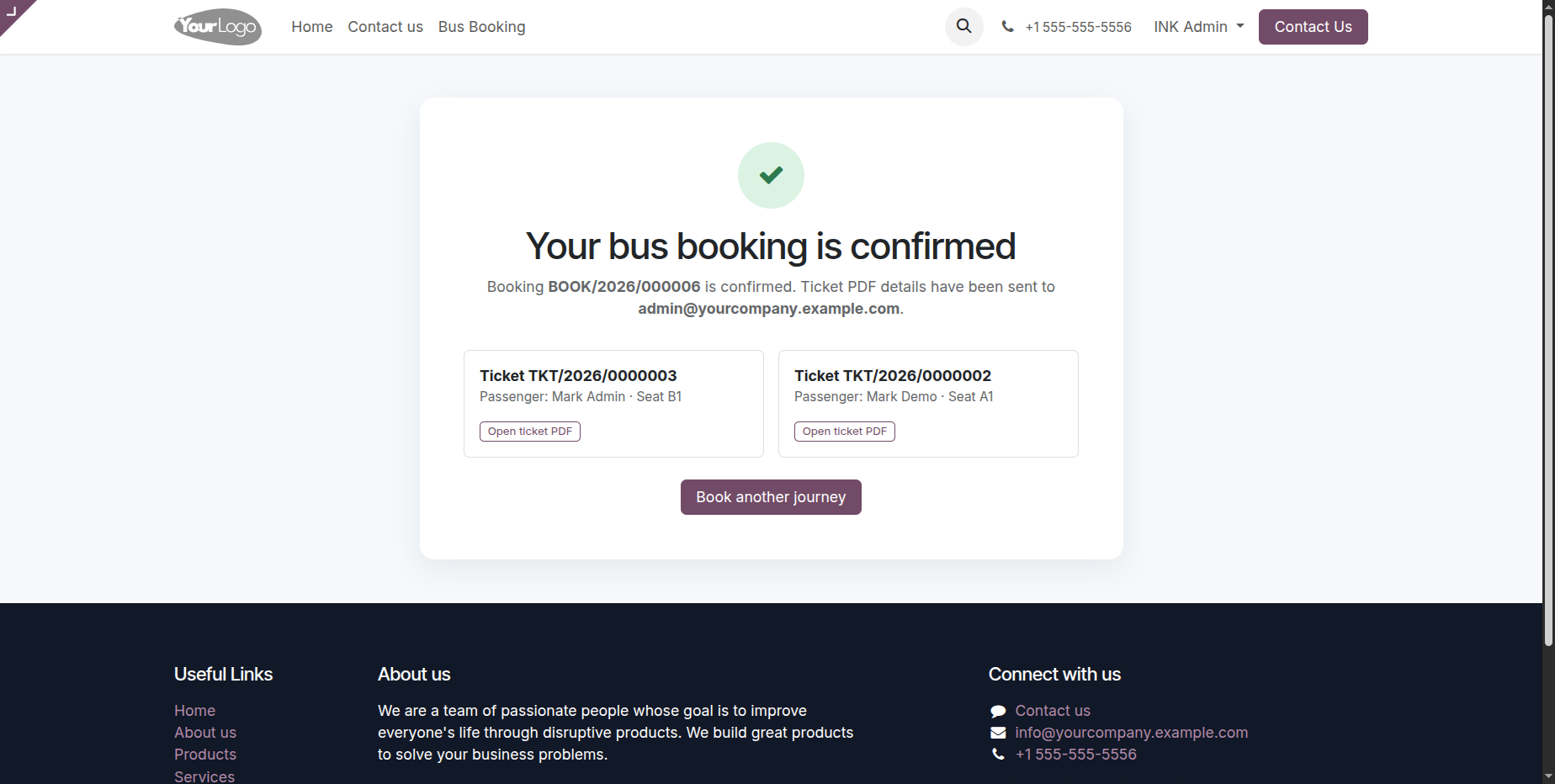
After the booking is completed, the confirmation page provides the booking reference and ticket information so the customer knows the reservation has been successfully created. The customer can use this page to access the relevant booking information and continue to the reservation area.
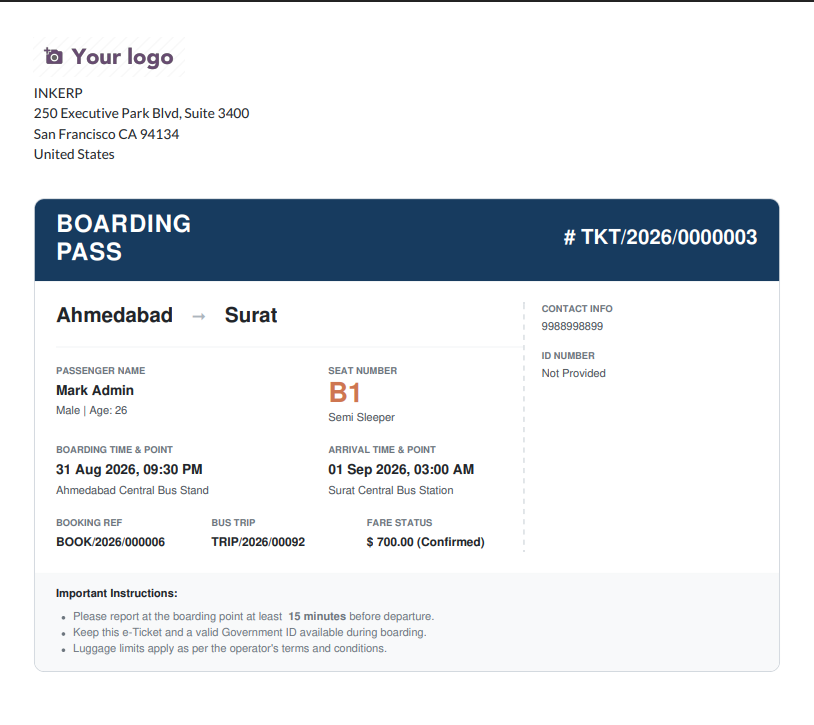
10.) Boarding Pass
The boarding pass presents the important travel details in a printable format, including the passenger, route, seat, departure and arrival information, booking reference, and ticket number. It gives the traveller a convenient document to use when preparing for the journey and boarding the bus.
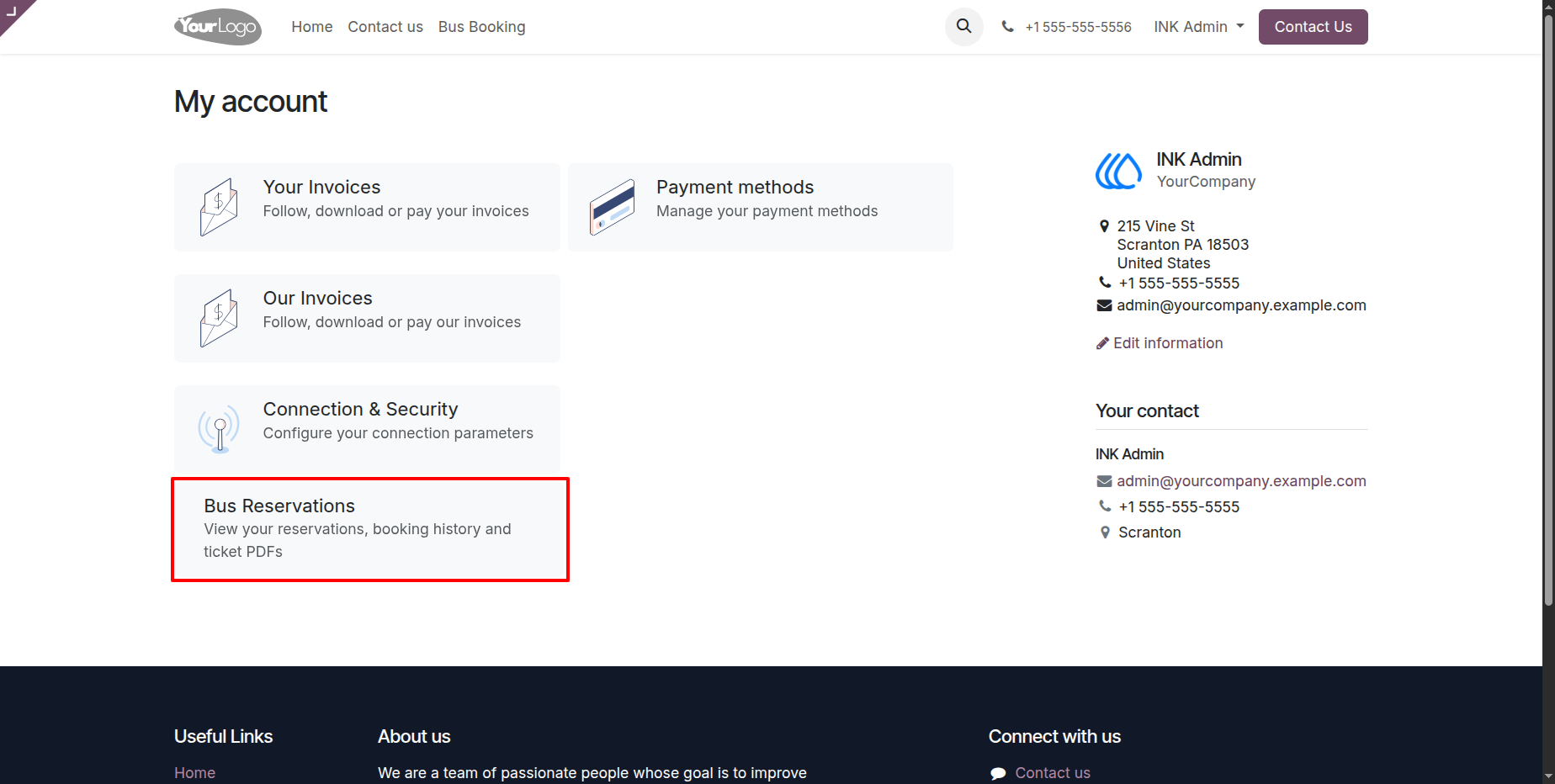
11.) Customer Portal
The customer portal brings bus reservations into the same account area used for other customer information. A dedicated bus reservation entry gives customers a direct way to access their travel bookings without returning to the original search process.
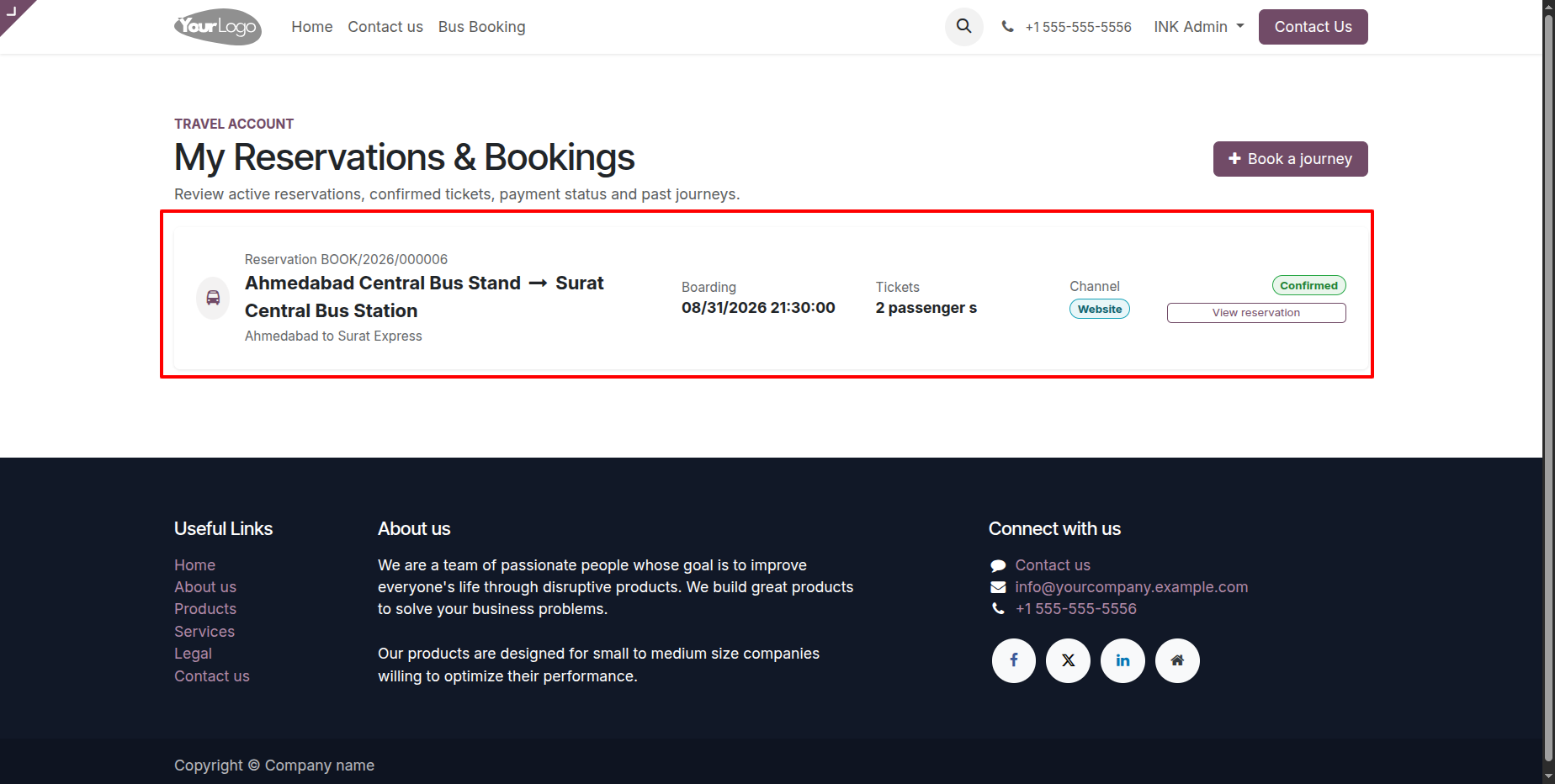
12.) My Reservations & Bookings
Customers can review their existing reservations with the route, boarding time, passenger count, booking channel, and current status. The page also distinguishes reservations created through the website, POS, or backend, providing a consolidated view of the customer's bus booking history.
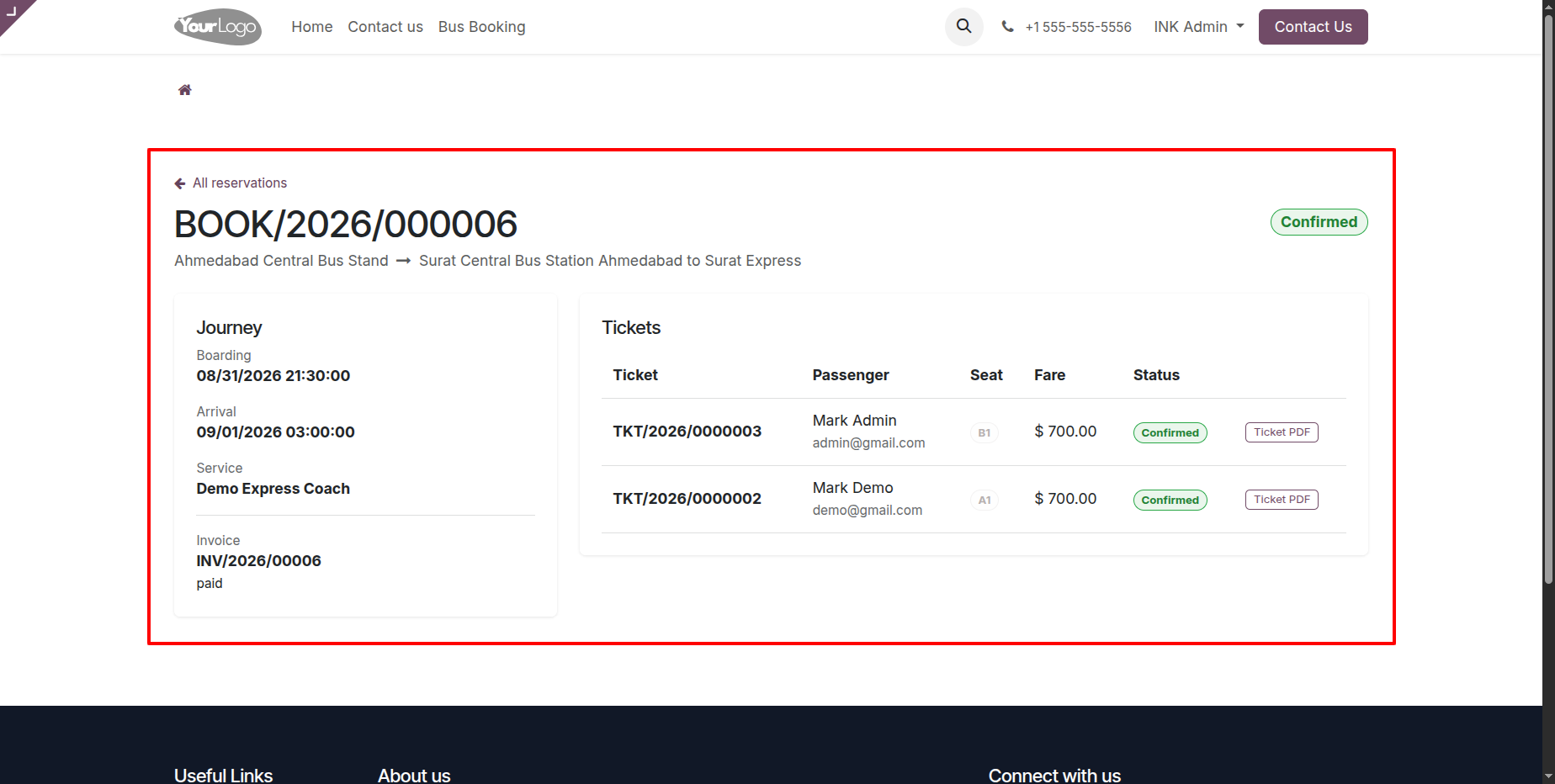
13.) Reservation Details and Tickets
The reservation detail page provides the complete journey information together with individual tickets, passenger names, seats, fares, and ticket status. Customers can use this page to verify the exact details of their booking and access the available ticket document.
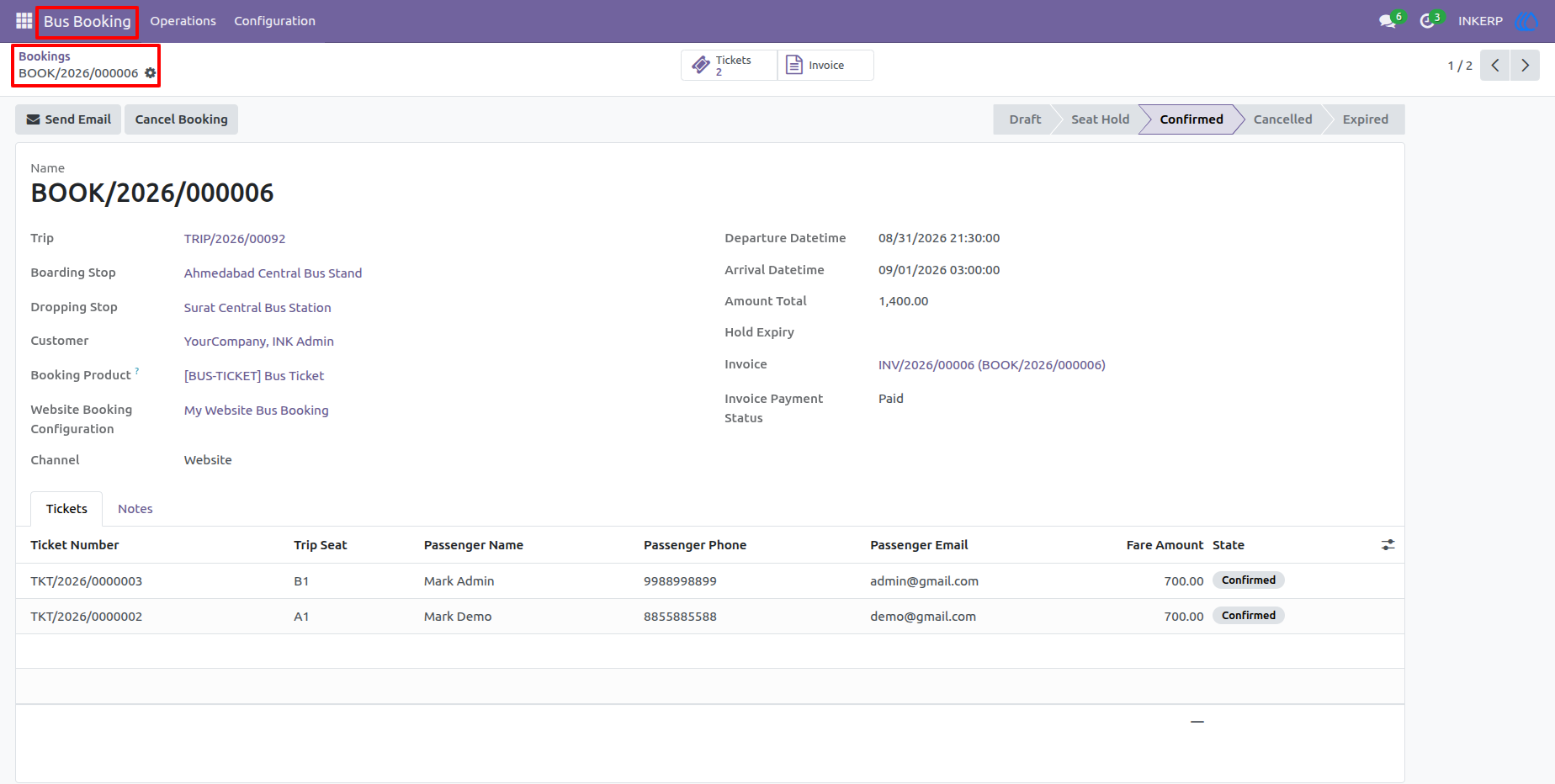
14.) Backend Booking Record
The backend booking form gives staff a complete operational record of the reservation, including the trip, boarding and dropping stations, customer, booking dates, invoice information, payment status, and booking channel. The ticket section provides the individual passenger and seat details needed for ongoing booking administration.
User Guide