

Our Most Suggested Products


Website Vendor Signup
Website Vendor Signup is a configurable registration module that enables vendor account creation only when the corresponding setting is activated. It also supports automatic creation of portal users, controlled through a separate system setting. This ensures that both vendor registration and portal user management are handled based on predefined administrative preferences. The module is designed to offer flexibility and controlled access within the platform.
Video Tutorial

 Features
 Screenshots
 Support
 Service
Features
Configurable Vendor Registration :
This feature allows administrators to enable or disable vendor account creation based on system settings. It ensures that vendor onboarding is tightly controlled and only permitted when explicitly activated. This provides a secure and customizable approach to managing vendor access.
Automatic Portal User Creation :
When enabled, the system can automatically generate portal user accounts for newly registered vendors. This streamlines the onboarding process and reduces manual administrative effort. The feature is governed by a separate setting, allowing for flexible user management.
Admin Controlled Access Preferences :
All registration and user creation processes are governed by predefined administrative settings. This ensures that only authorized configurations are applied, maintaining consistency across the platform. Admins retain full control over how and when vendors and users are added.
Screenshot
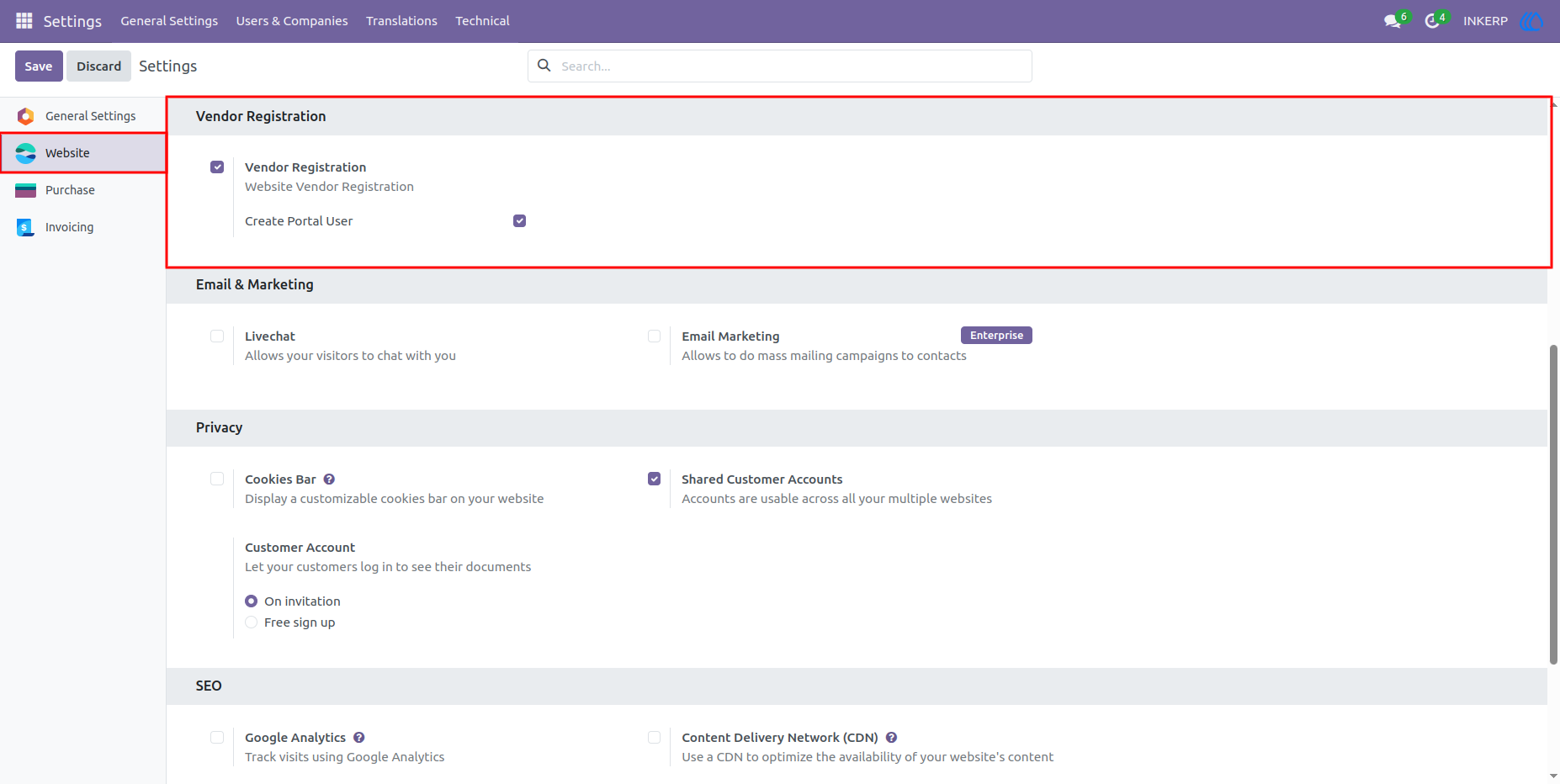
1.) Enable Vendor Registration :
Enable Vendor Registration and also enable create portal user if want to create portal user
2.) Go to Vendot Registration :
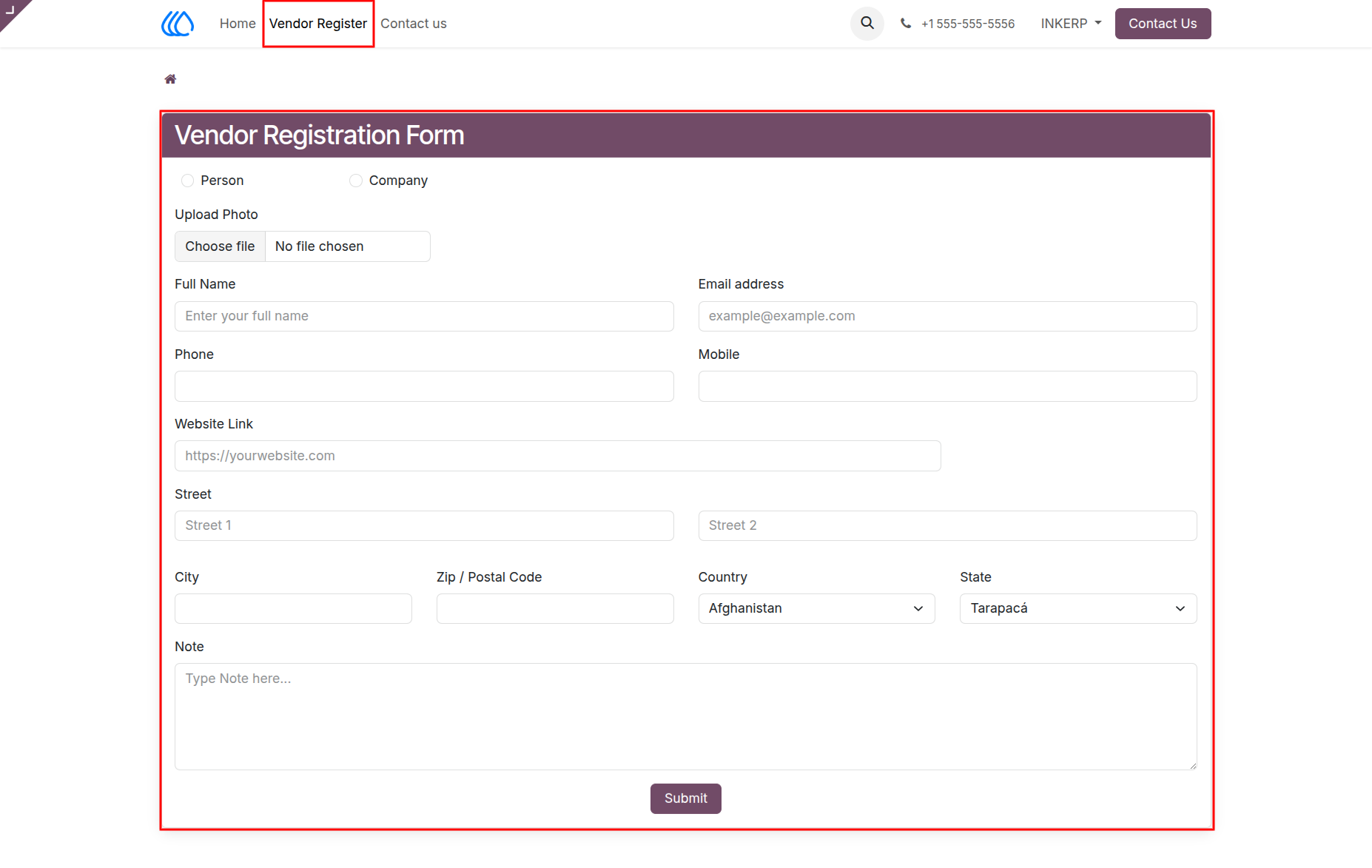
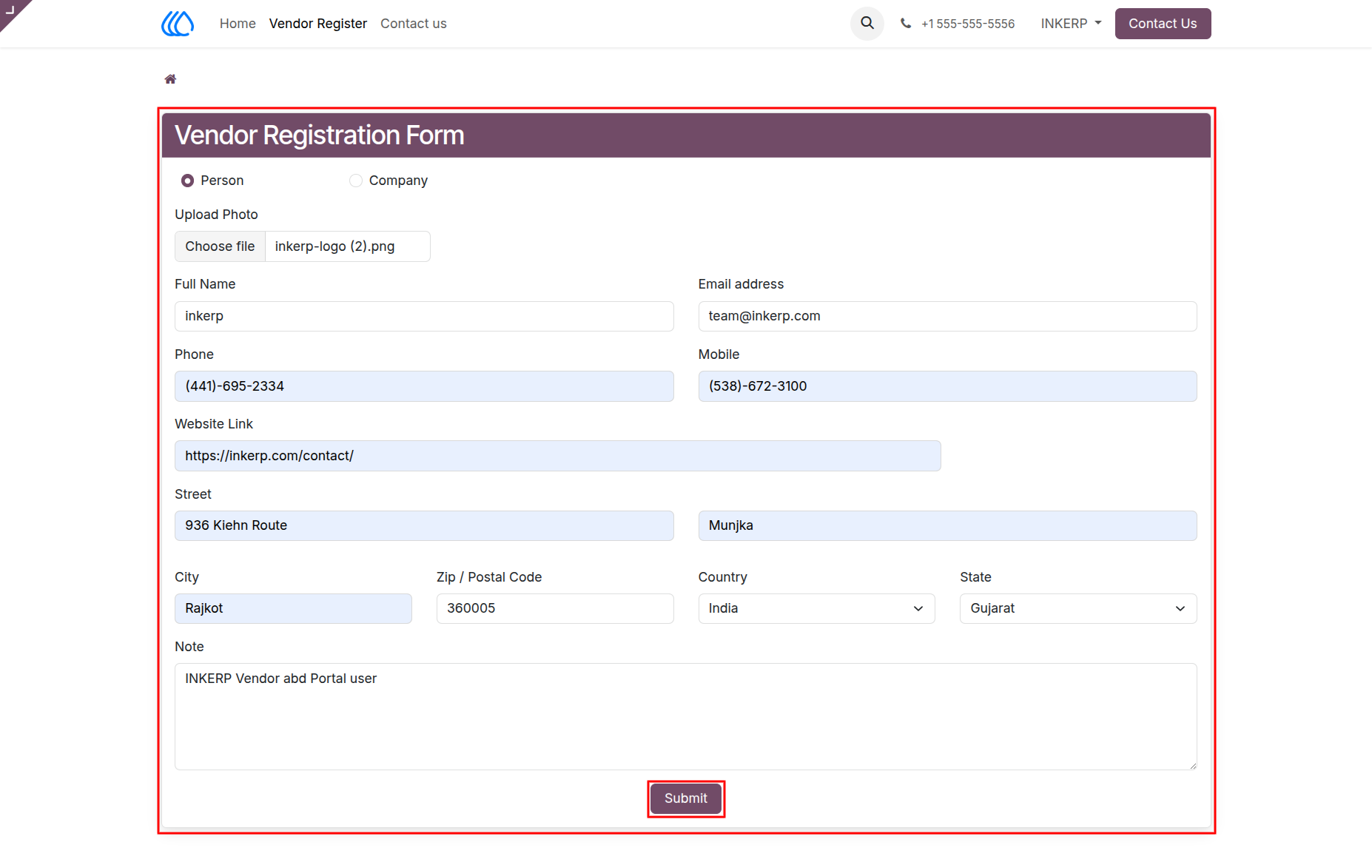
3.) Fill Form :
Fill the registration form according to vendor details to registre vendor
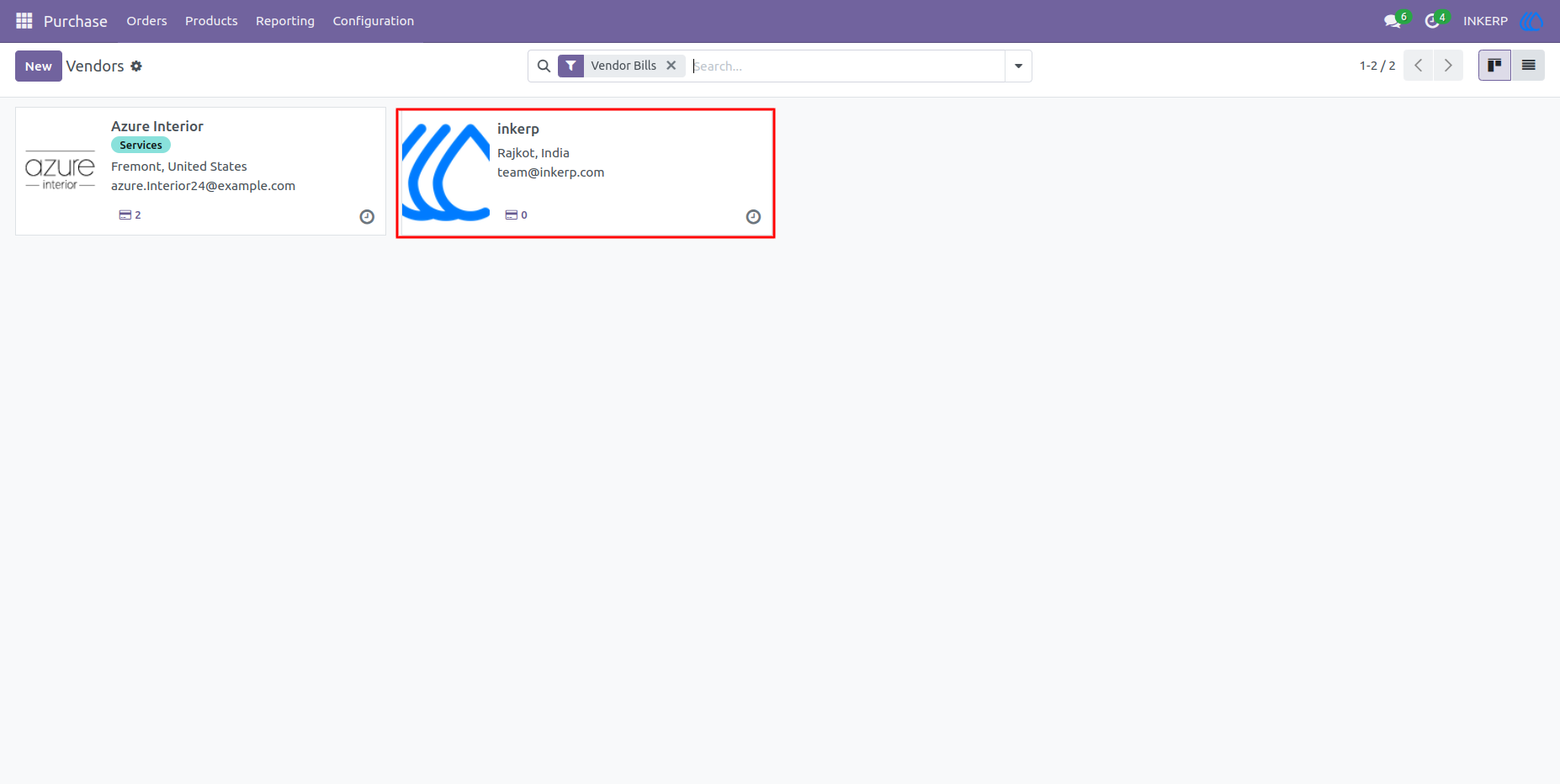
4.) Vendor Created :
Vendor is create if enabled vendor registration from setting which user can see in vendor menu
Navigation : Purchase › Orders › Vendors
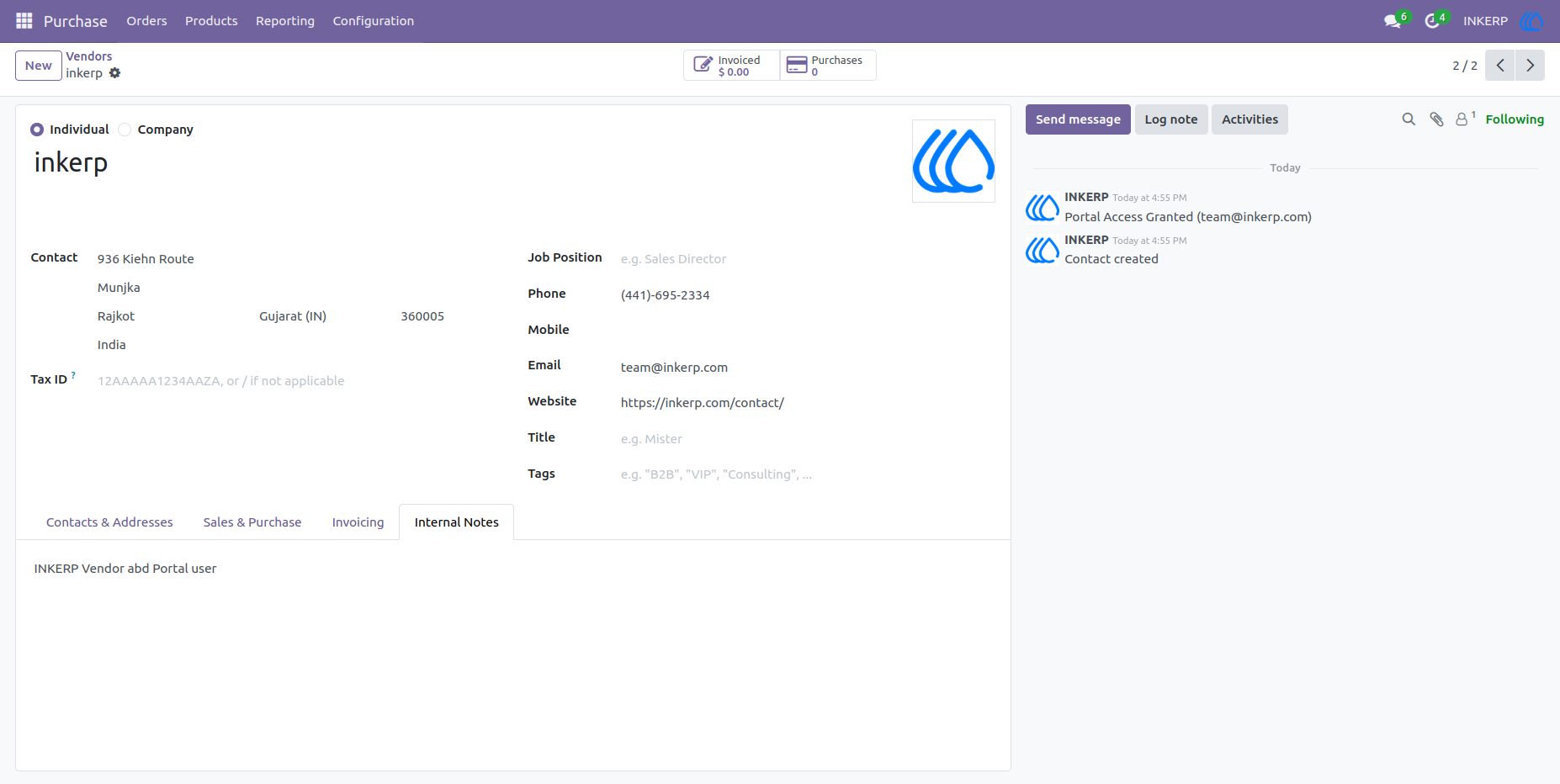
5.) Details of New Vendor :
New vendor is created according to filled up details in form
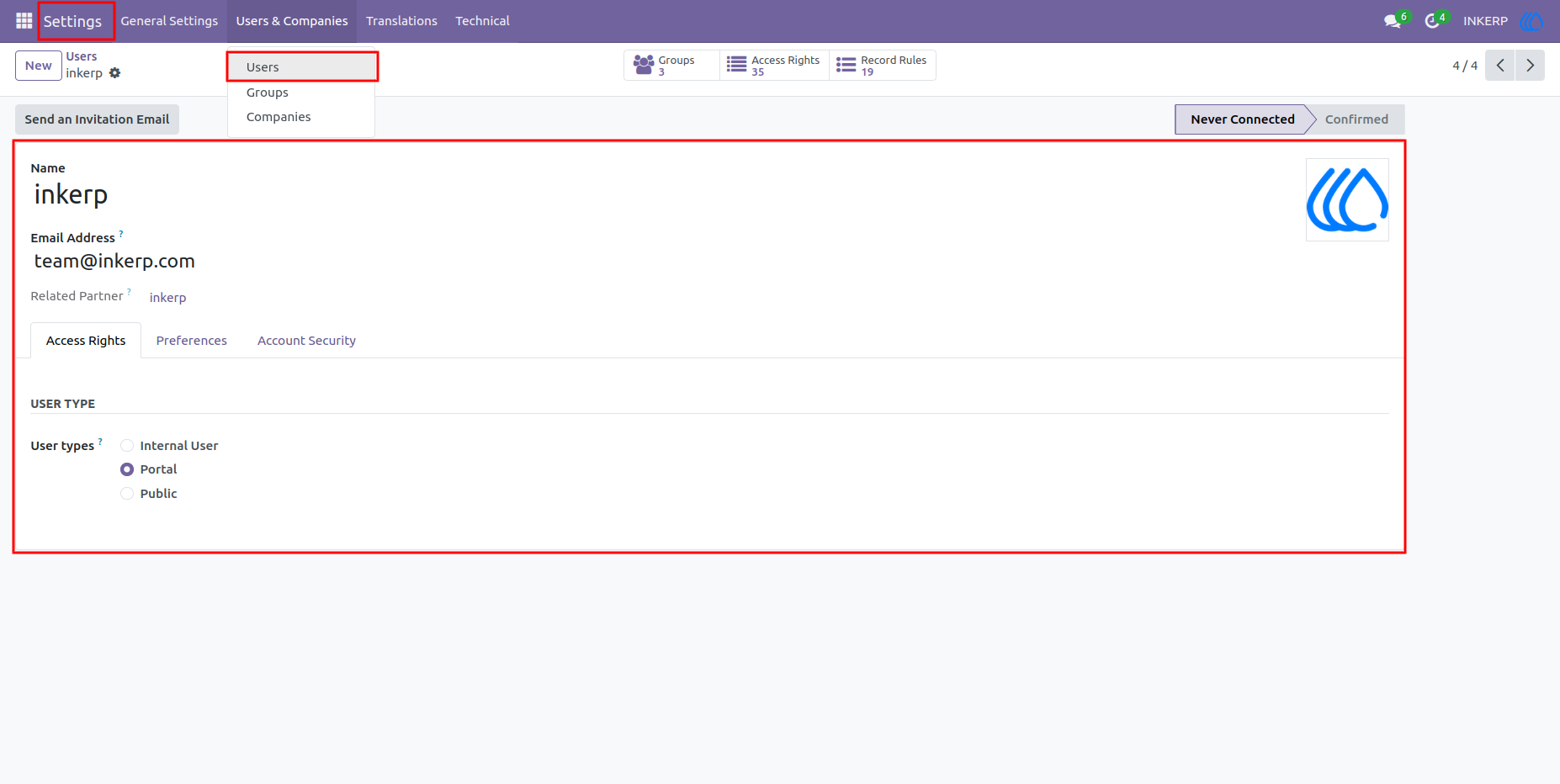
6.) Portal User Create :
If enabled in settings create portal user also created
User Guide