


Our Most Suggested Products


Website Disable Out of Stock Product Variant
Automatically add line through on out of stock product variants with a single setting. This app helps maintain a clean storefront and prevents customers from selecting unavailable items. Easy to configure and simple to manage
Video Tutorial

 Features
 Screenshots
 Support
 Service
Features
Auto Disable Out of Stock Variants :
Automatically disable out of stock product options in a way vatiant or attribute can select but can not add in cat, so customers only add items in cart which are in stock, reducing frustration and improving shopping flow.
Simple One Click Configuration :
Set up and manage inventory visibility with a single settin no coding or complex steps required. Big advantage of this is that this feature can be enable or disbale anytime.
Boost Conversions & Reduce Cart Abandonment :
Prevent customers from selecting out of stock items, leading to smoother checkout experiences and higher sales.
Screenshot
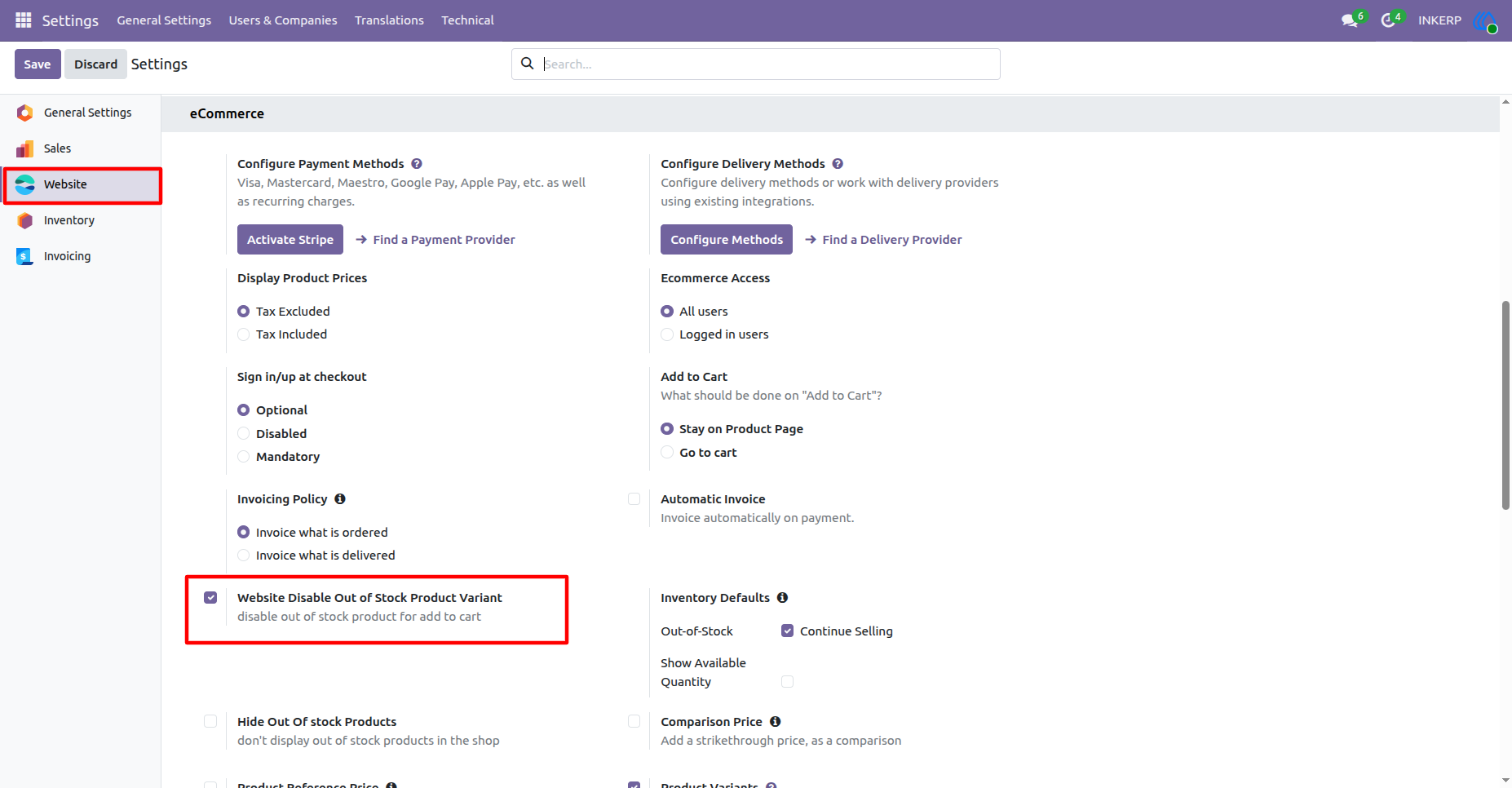
1.) Enable Feature From Setting of Website :
Disable of Out of Stock Product Variant is disabled by default. If want to use the feature of the app need to enable it first.
Navigation : Settings › Website › eCommerce
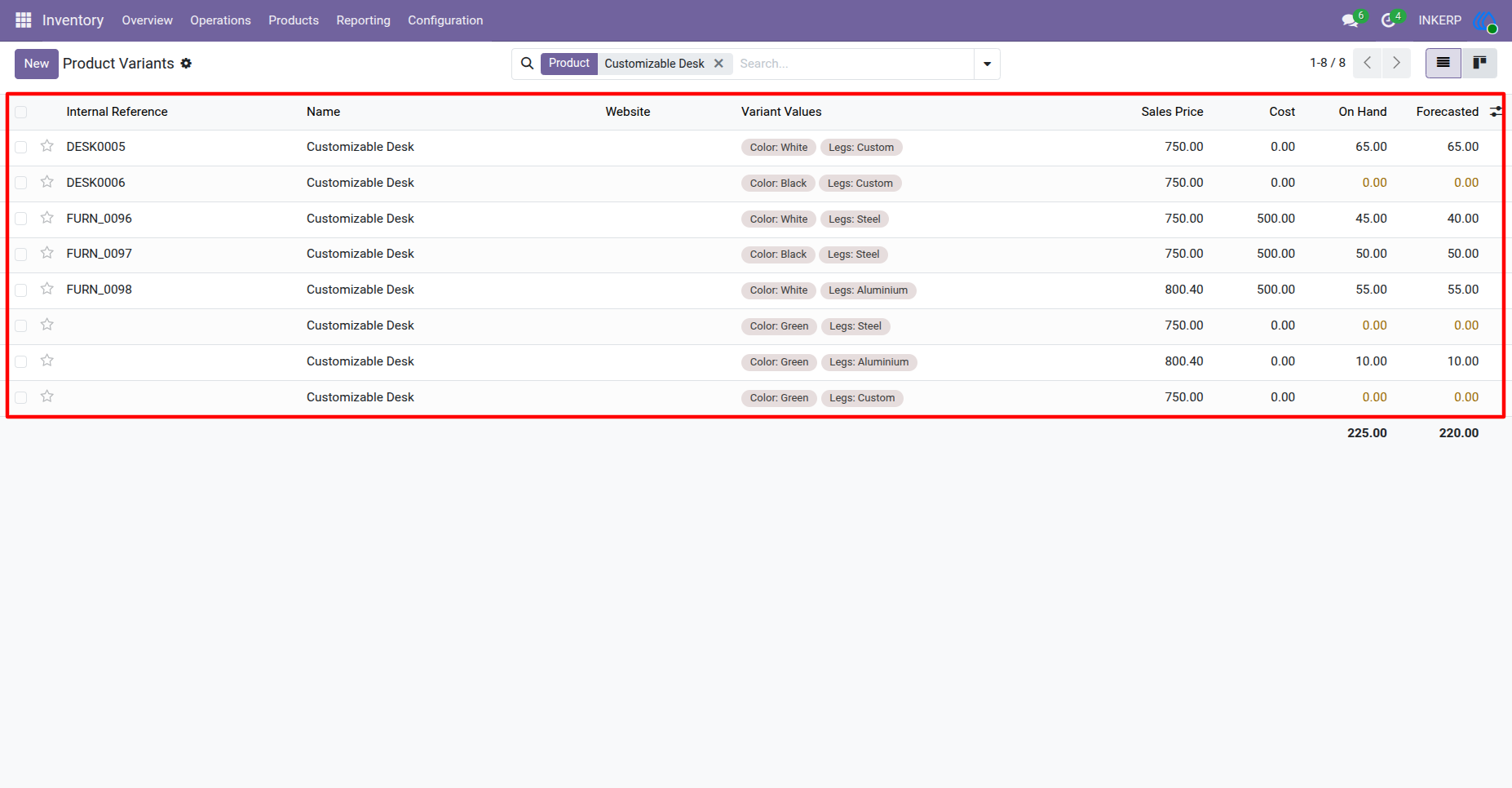
2.) Product Variants with Stock Detail :
Here are the list of product variant that are in sto ck and not in stock.
Navigation : Inventory › Products › Product Variants
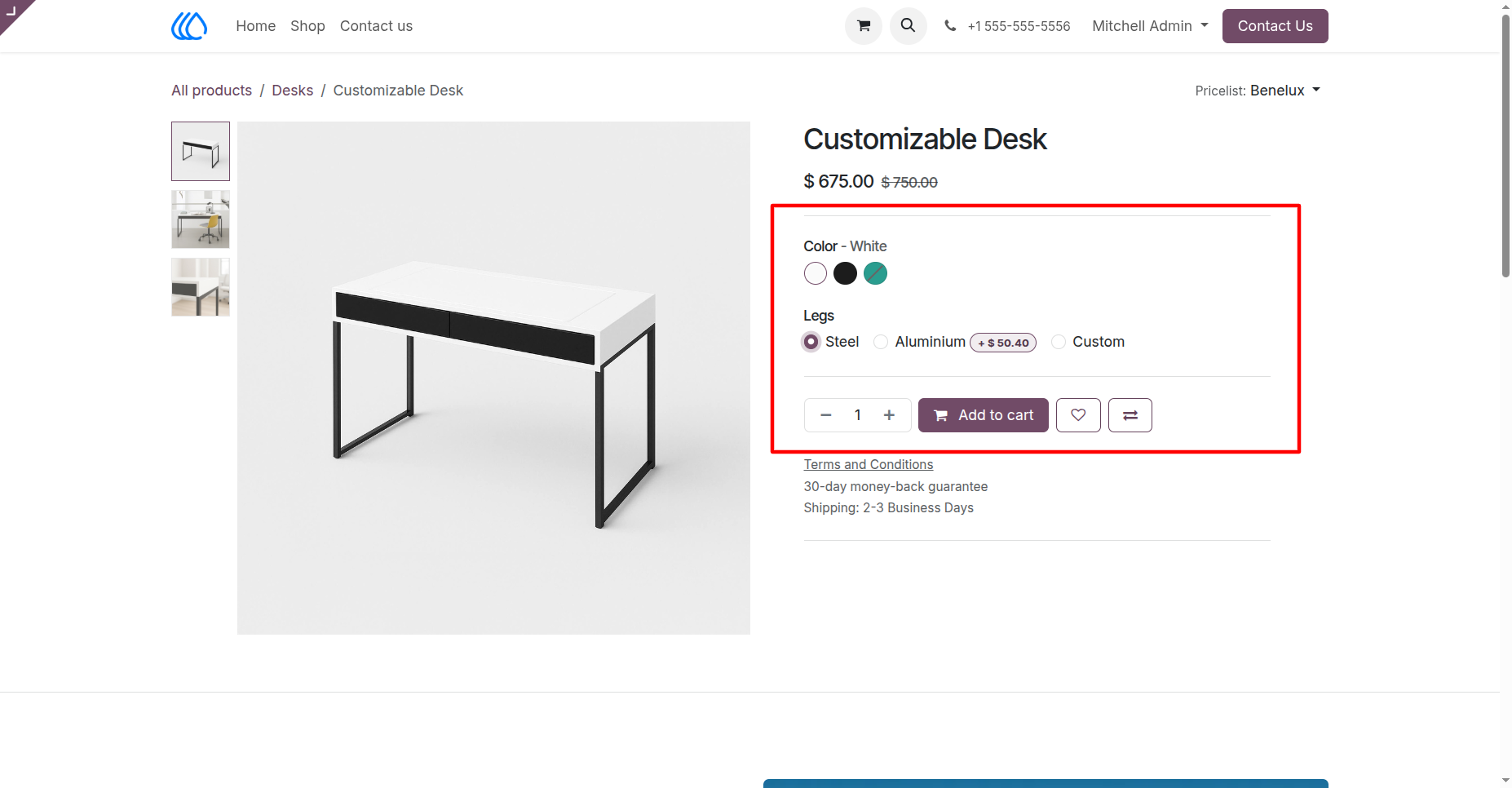
3.) Single Product View Of The Product in Website :
Here Product is display in a way cariant easly select.
The change here is that variant that is not in stock comes with line through effect, which is easy for customer that this variant of the product not in stock currently.
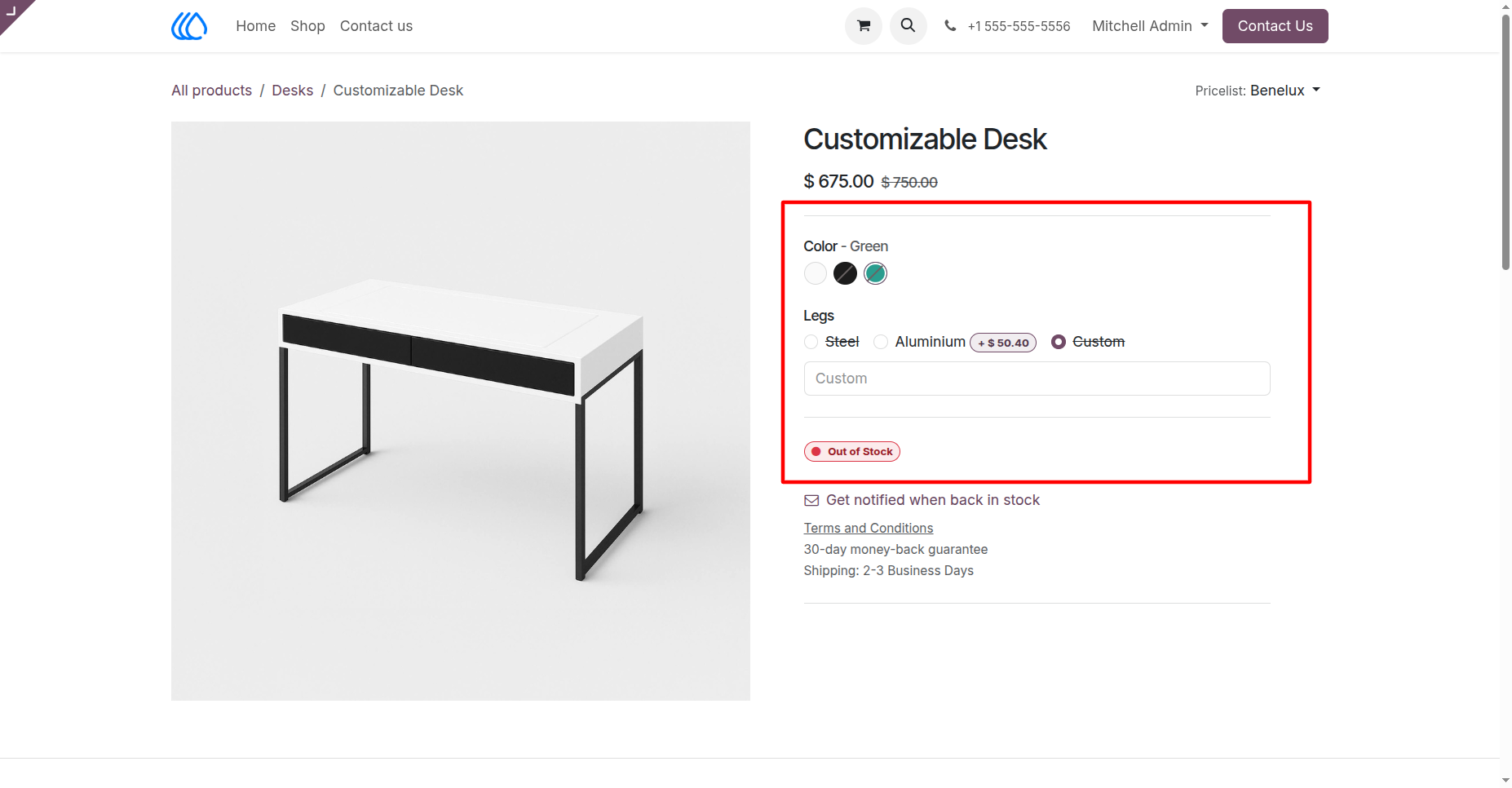
4.) Out of Stock Product Variant Selection :
Out of Stock Product Variant can select but add that product in cart is not possible .
User Guide