

Our Most Suggested Products


Shop Price Tiers Based On Quantity For Enterprise
This application provides a dynamic discount table that updates based on product variants and price list changes directly on the product page. The table adjusts automatically when variants or quantities are modified, ensuring accurate and real-time pricing. A key feature is the ability to enable or disable the discount table functionality directly from the settings, offering users full control over its activation. Whether used independently or in conjunction with quantity management systems, the tool accommodates minimum, maximum, and multiplier quantities, ensuring flexible pricing. This system delivers consistent, transparent pricing across all product variants, enhancing the overall user experience.
 Features
 Screenshots
 Support
 Service
Features
Dynamic Discount Table :
The discount table automatically updates based on product variant changes and price list adjustments, providing real time pricing and discounts on the product page.
Flexible Quantity Management :
The system supports minimum, maximum, and multiplier quantity management, allowing users to customize pricing rules based on the quantity of products selected.
Enable or Disable Functionality via Settings
User who have settings access, can easily enable or disable the discount table feature directly from the app settings, providing full control over when the feature is active.
Variant Specific Pricing Adjustments :
The discount table adjusts according to the selected product variant, ensuring accurate pricing based on specific product choices, whether size, color, or other attributes of it.
Screenshot
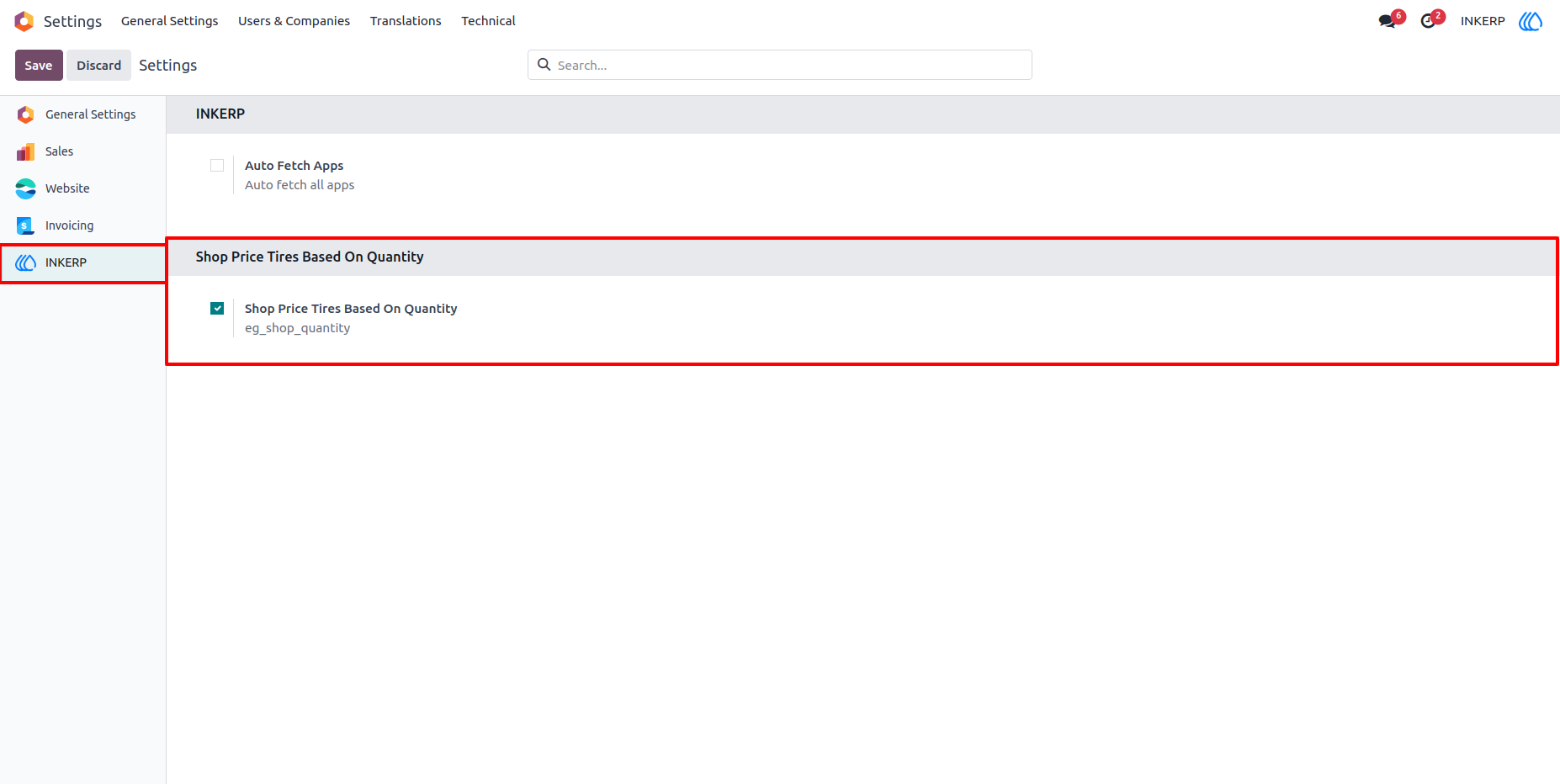
1.) Enable Shop Price Tires Based On Quantity :
Admin can enable or disable this according to requirement.
Navigation : Settings › INKERP
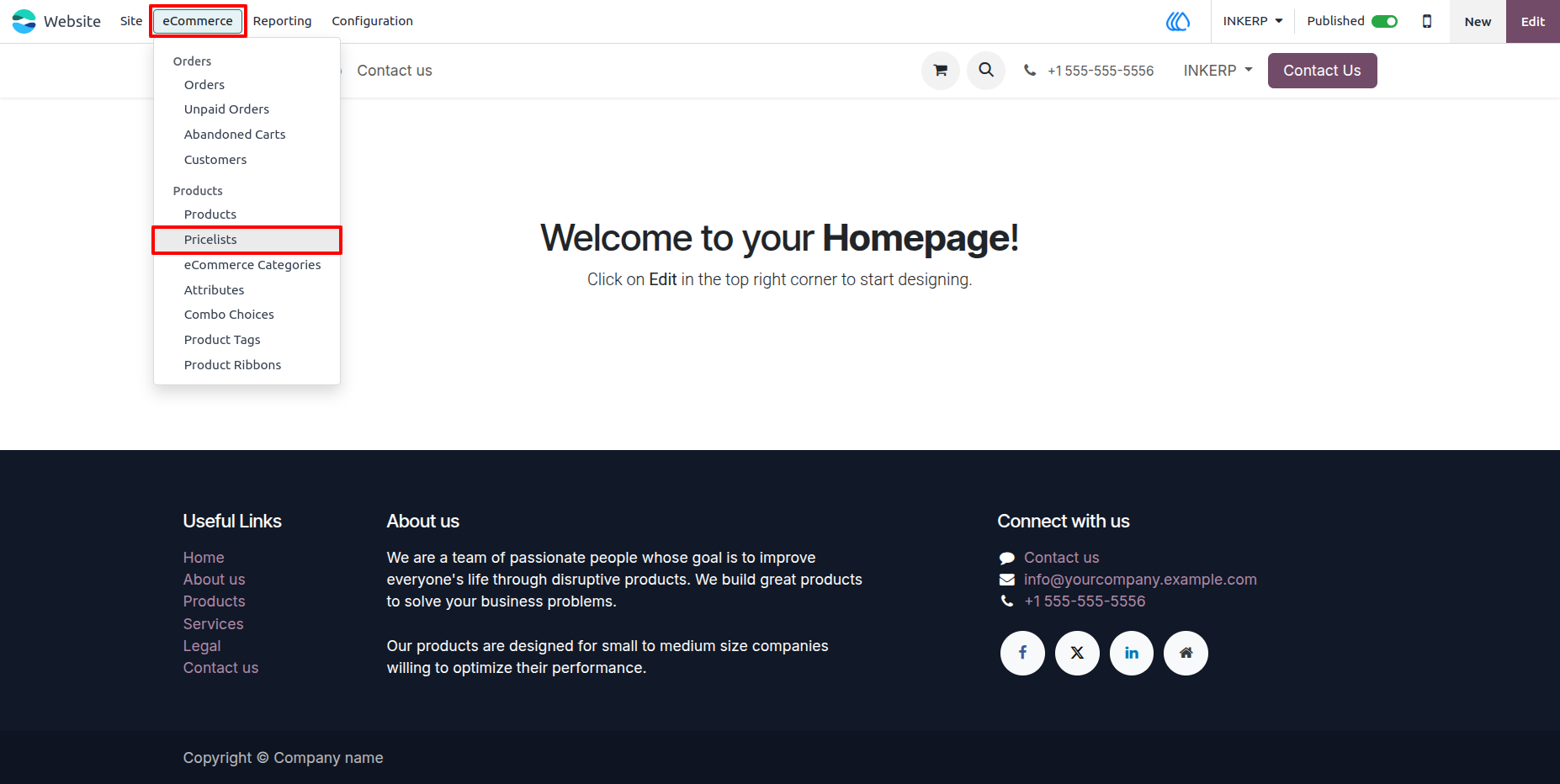
2.) Go To Pricelist To Configure Product With Discount:
Navigation : Website › eCommerce › Pricelist
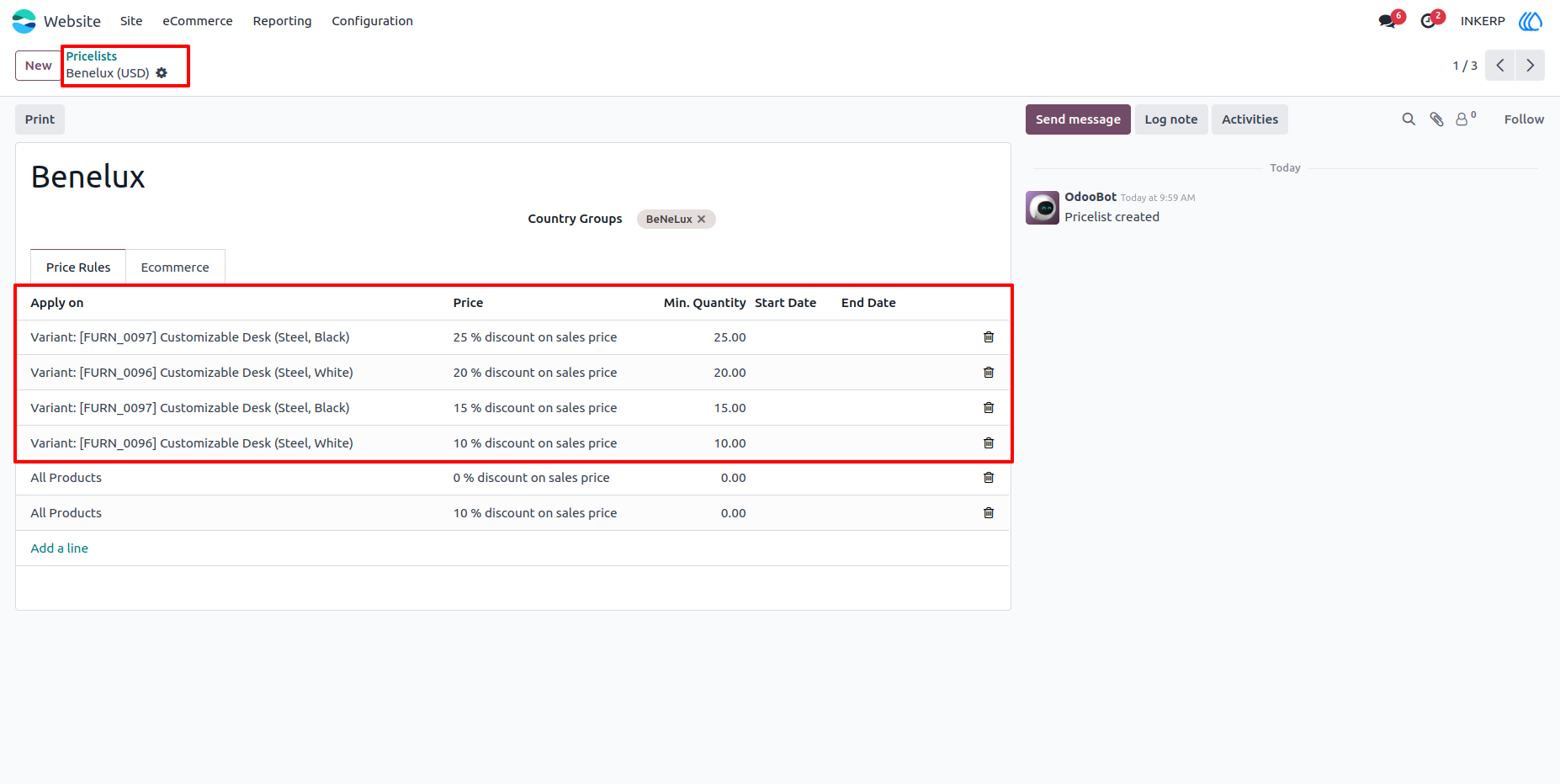
3.) Configure Products In Pricelist with Variant :
Configure pricelist with product variant, minimum quantity and discount by using which discount is apply automatically and also displa to the customer.
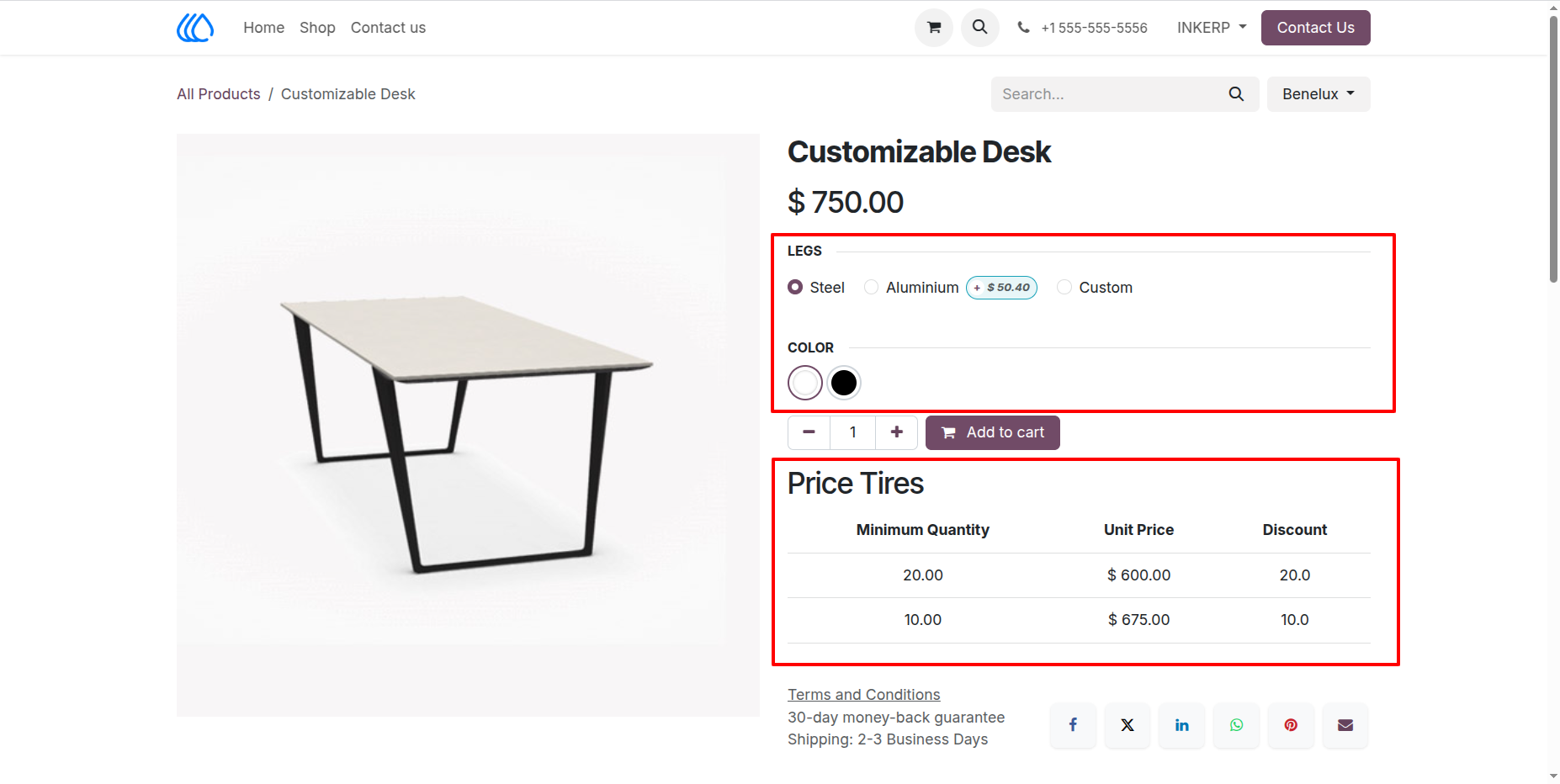
4.) Single Product Page With Condiguired Pricelist :
Single product page with pricelist and configuired variant selection.
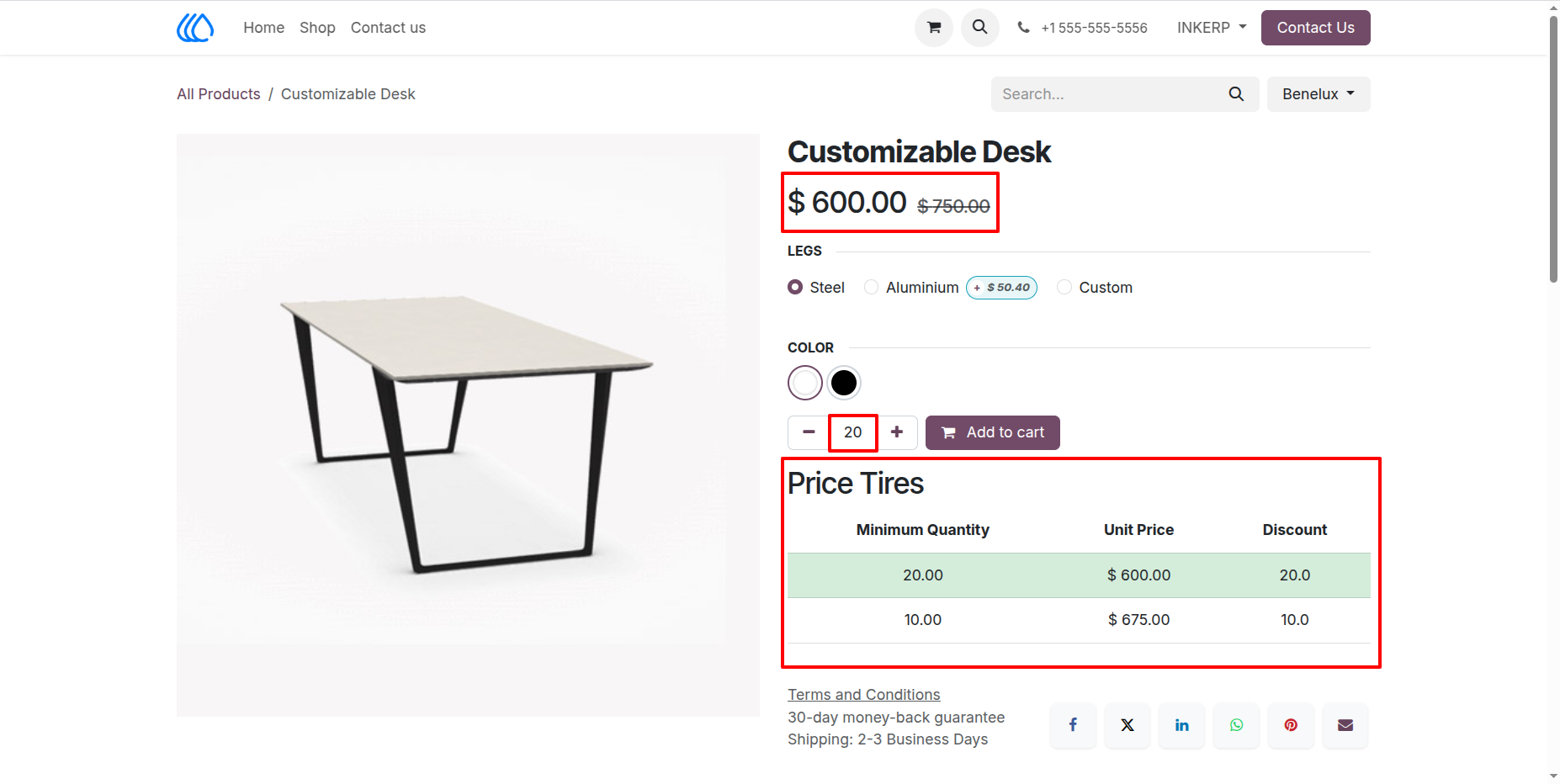
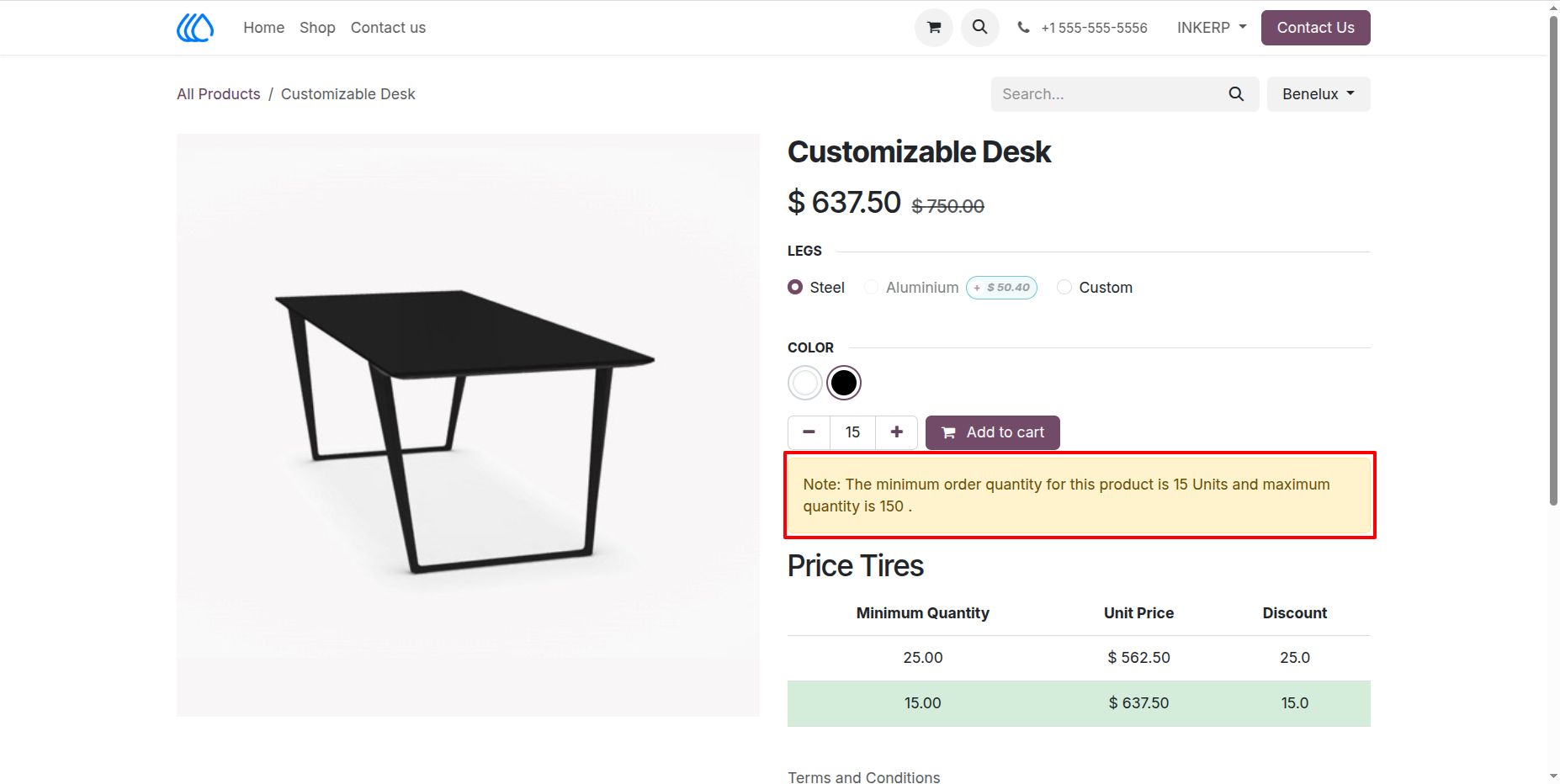
Pricel Tire Table automatically change and appeare and disappear according to variant and pricelist with minimum quantity, discount and price after discount.
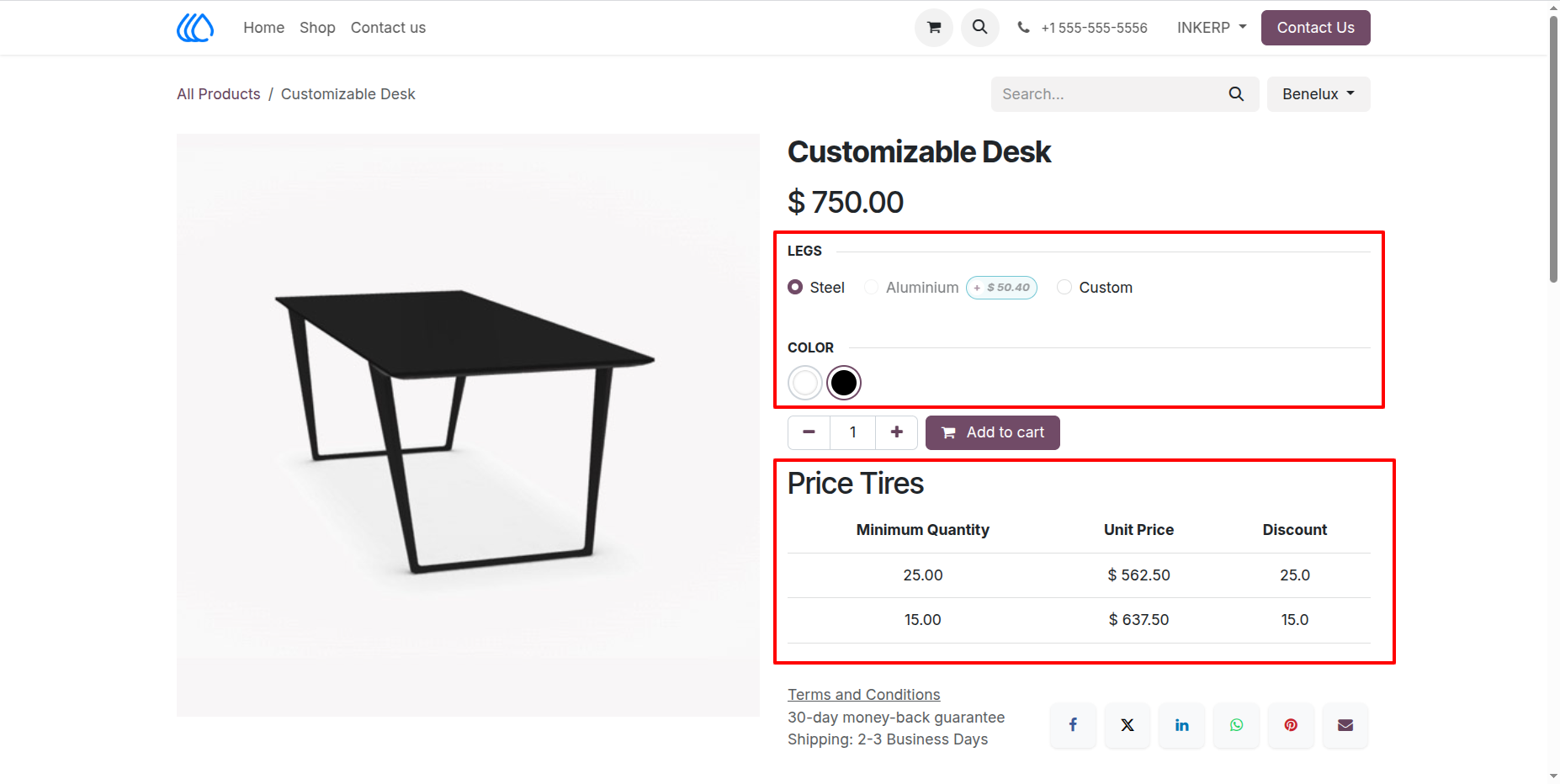
5.) Same Prosuct But Diffrent Varient :
Same product but another variant with other configuration of pricelist is change utomatically.
6.) Diffrent Pricelist or Unconfiguired Pricelist :
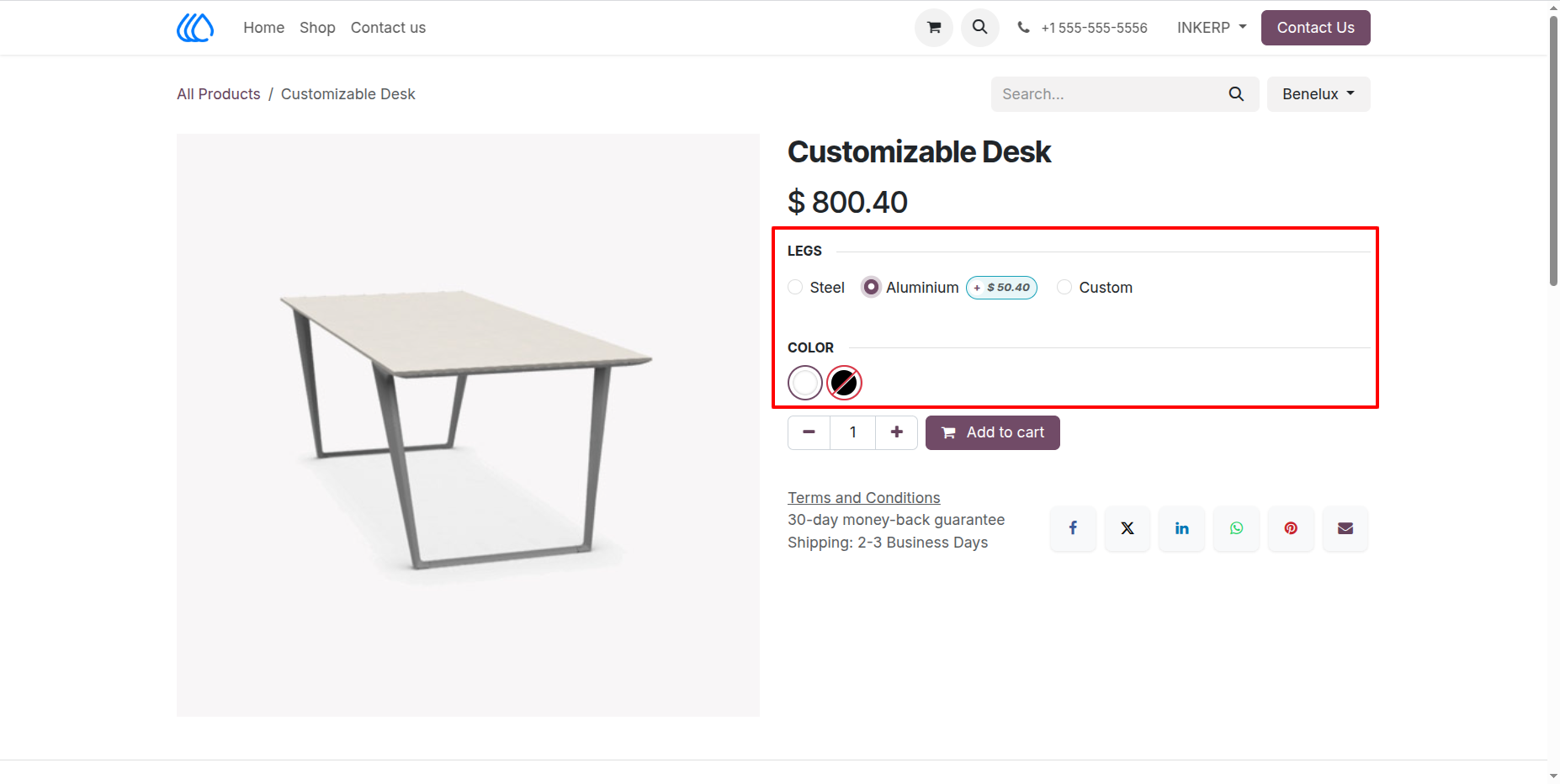
7.) Discount Apply On Price According to Quantity With Indication
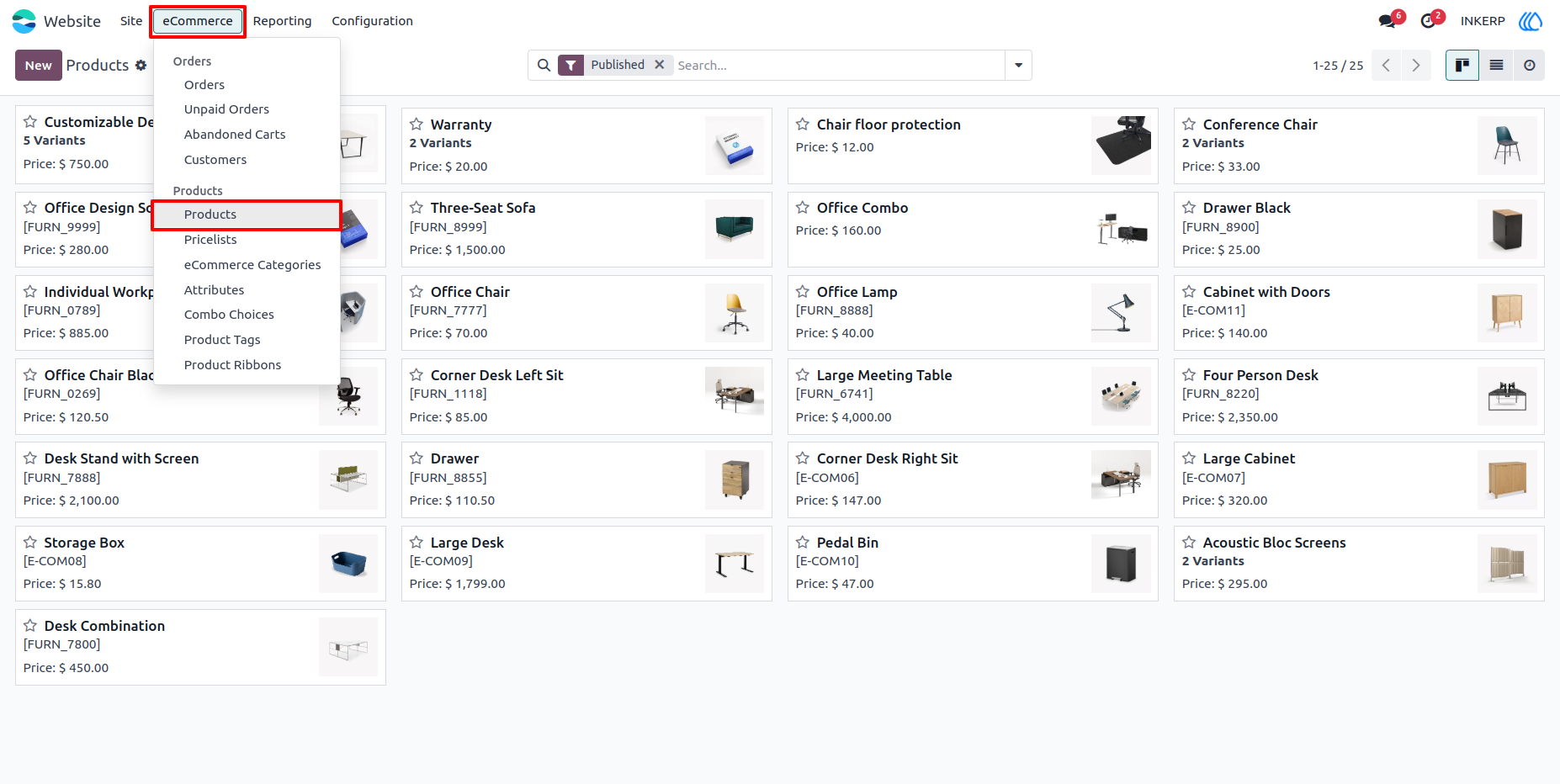
8.) Go To Products To Configure Minimum, Maximum and Multiples of Quantity
Navigation : Website › eCommerce › Products
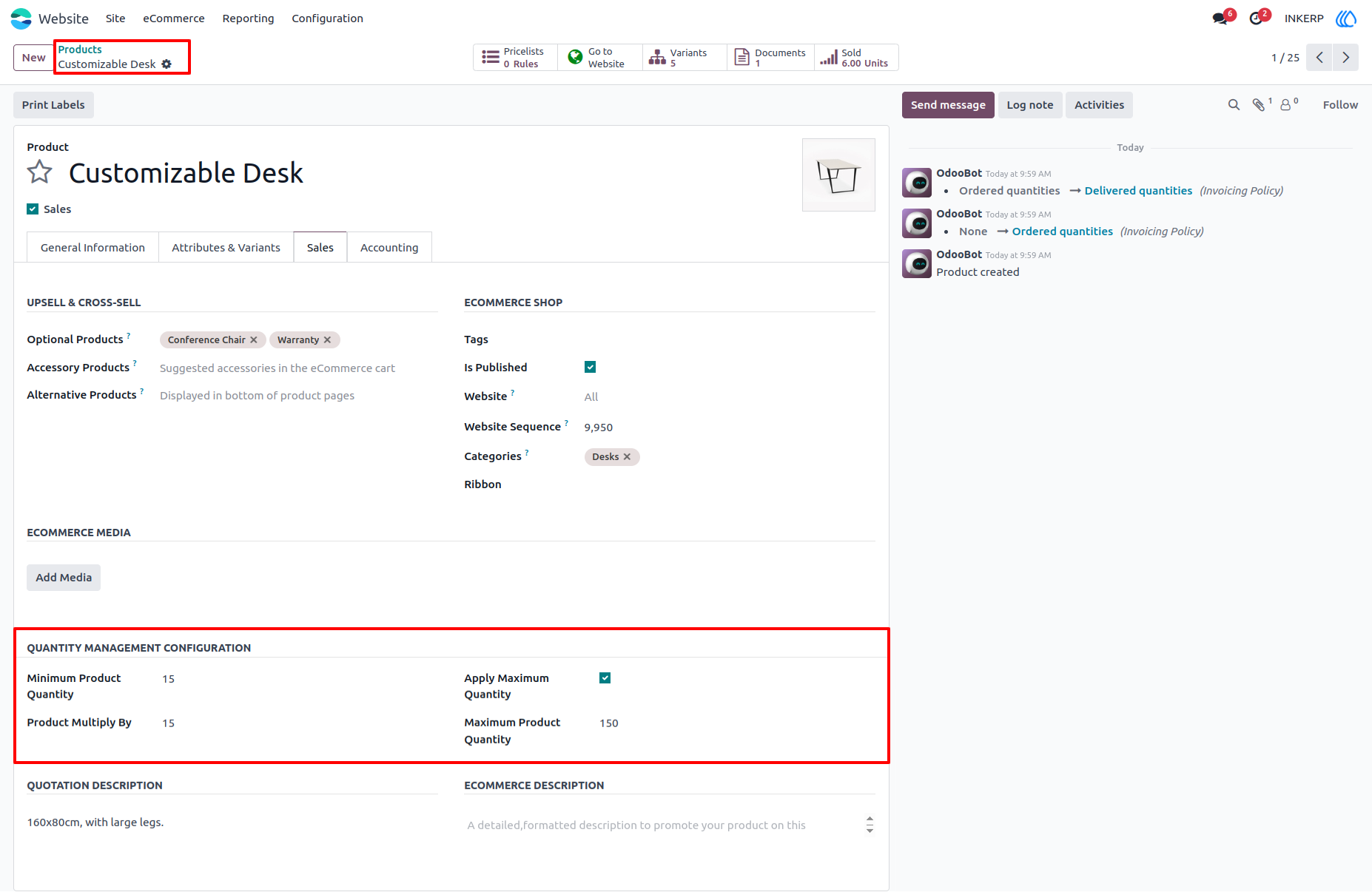
9.) Configure Minimum, Maximum and Multiples of Quantity :
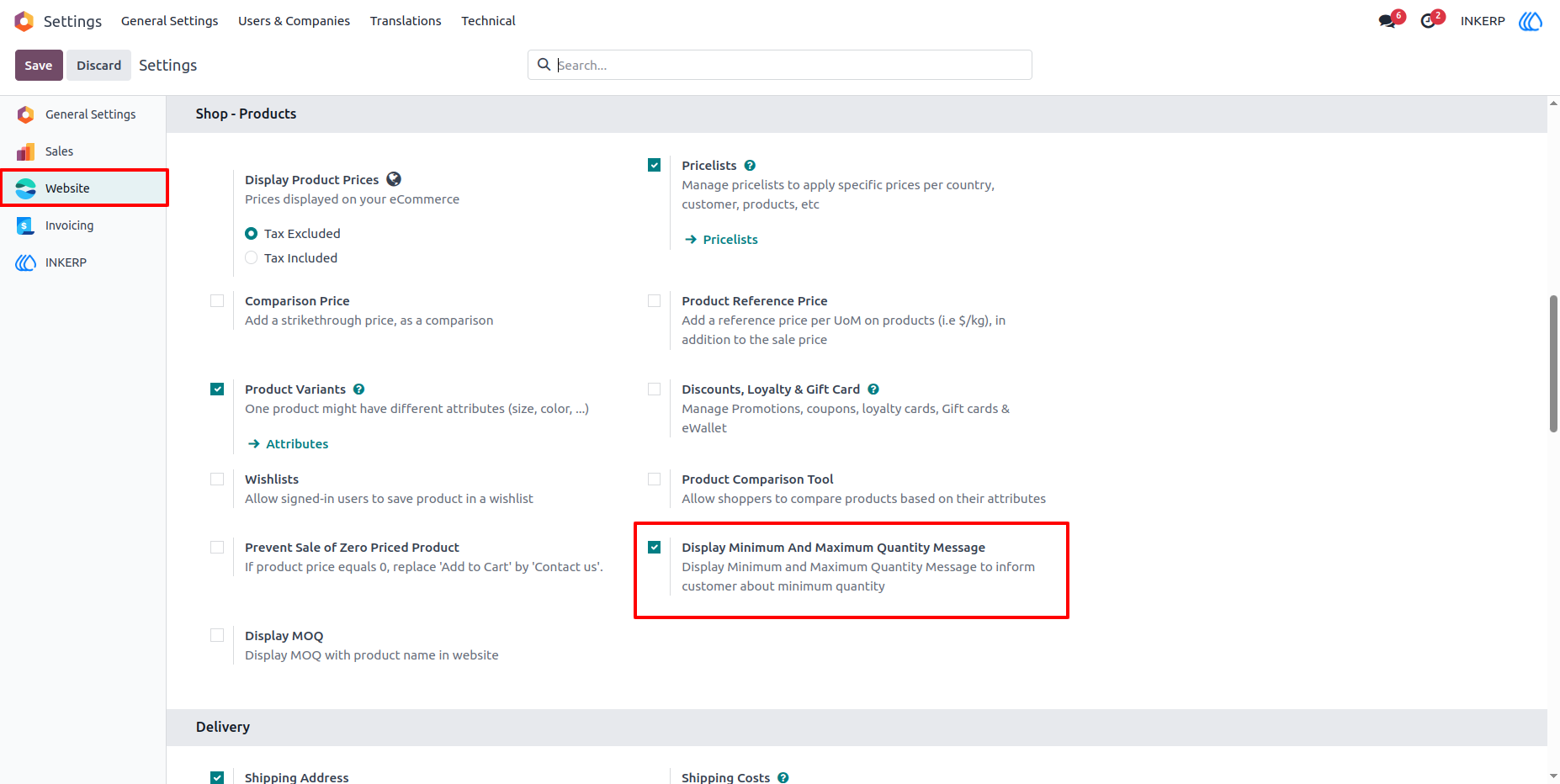
10.) Enable Disable Minimum and Maximum Quantity Message :
Navigation : Settings › Website › Shop Products
11.) Minimum and Maximum Quantity Message With Idication Table :
User Guide