


Our Most Suggested Products


Cancel Landed Cost
Easily cancel, reset, or delete landed costs in Odoo with this powerful module. Supports single and bulk cancellations, including valuation lines and stock layers. Ideal for correcting landed cost errors and keeping your stock valuation clean.
Video Tutorial

 Features
 Screenshots
 Support
 Service
Features
Cancel & Reset
Easily cancel any landed cost with a single click. Reset canceled records back to Draft for corrections. Edit and re-validate landed costs without hassle.
Delete Permanently
Completely remove landed cost records when no longer needed. Keep your data clean and organized in Odoo. Delete safely after cancellation for error-free records.
Bulk Actions
Save time by handling multiple landed costs at once. Cancel, reset, or delete directly from the list (tree) view. Streamline operations with powerful mass actions.
Smart Valuation Handling
Automatically unlink valuation and adjustment lines on cancel. Ensure accurate stock valuation at all times. Keep your accounting and inventory records consistent.
Screenshot
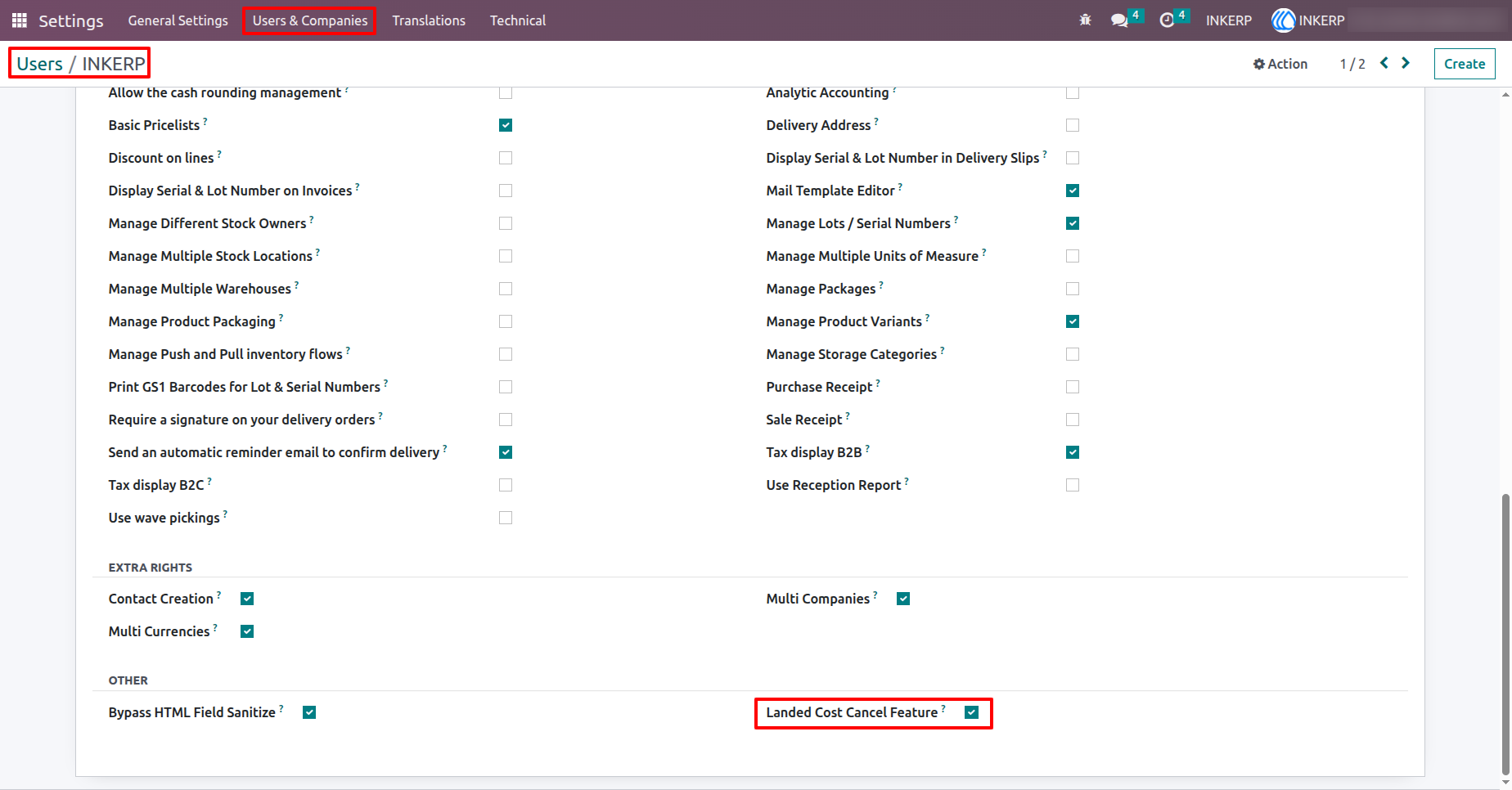
1.) Enable Landed Cost Cancellation
Grant users permission to cancel landed costs by enabling the "Landed Cost Cancel Feature" in their access rights. This option allows users to cancel, reset to draft, or delete landed costs based on the selected cancellation method. Ideal for inventory and accounting roles managing valuation adjustments.
Navigation : Settings › Users & Companies › Users
2.) Landed Cost Cancel Configuration
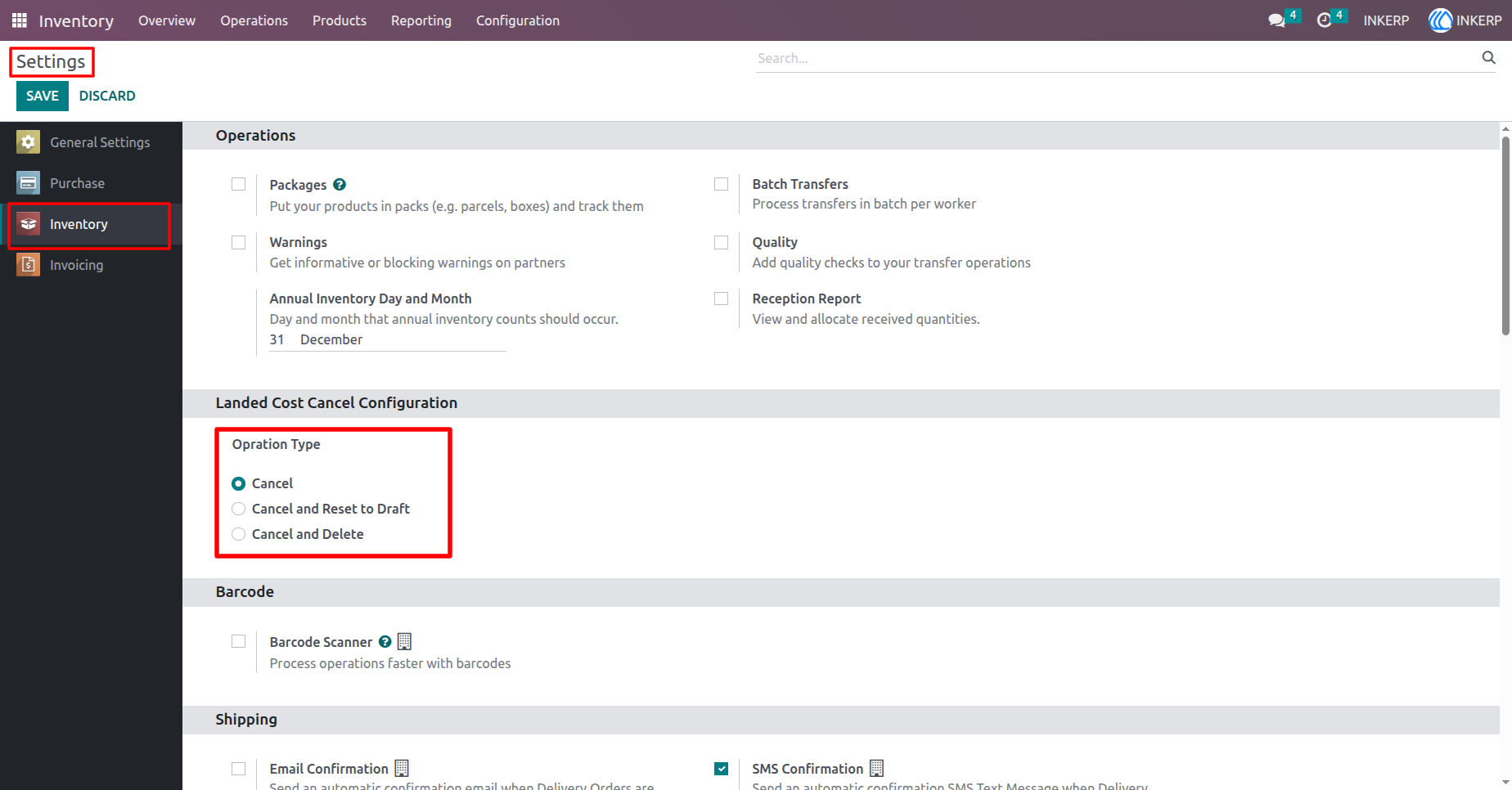
Choose how landed costs are handled when canceled:
Cancel Only : Marks the landed cost as Cancelled without further action.
Cancel and Reset to Draft : Cancels and resets the landed cost to Draft state.
Cancel and Delete : Cancels and completely removes the landed cost record.
Navigation : Settings › Inventory
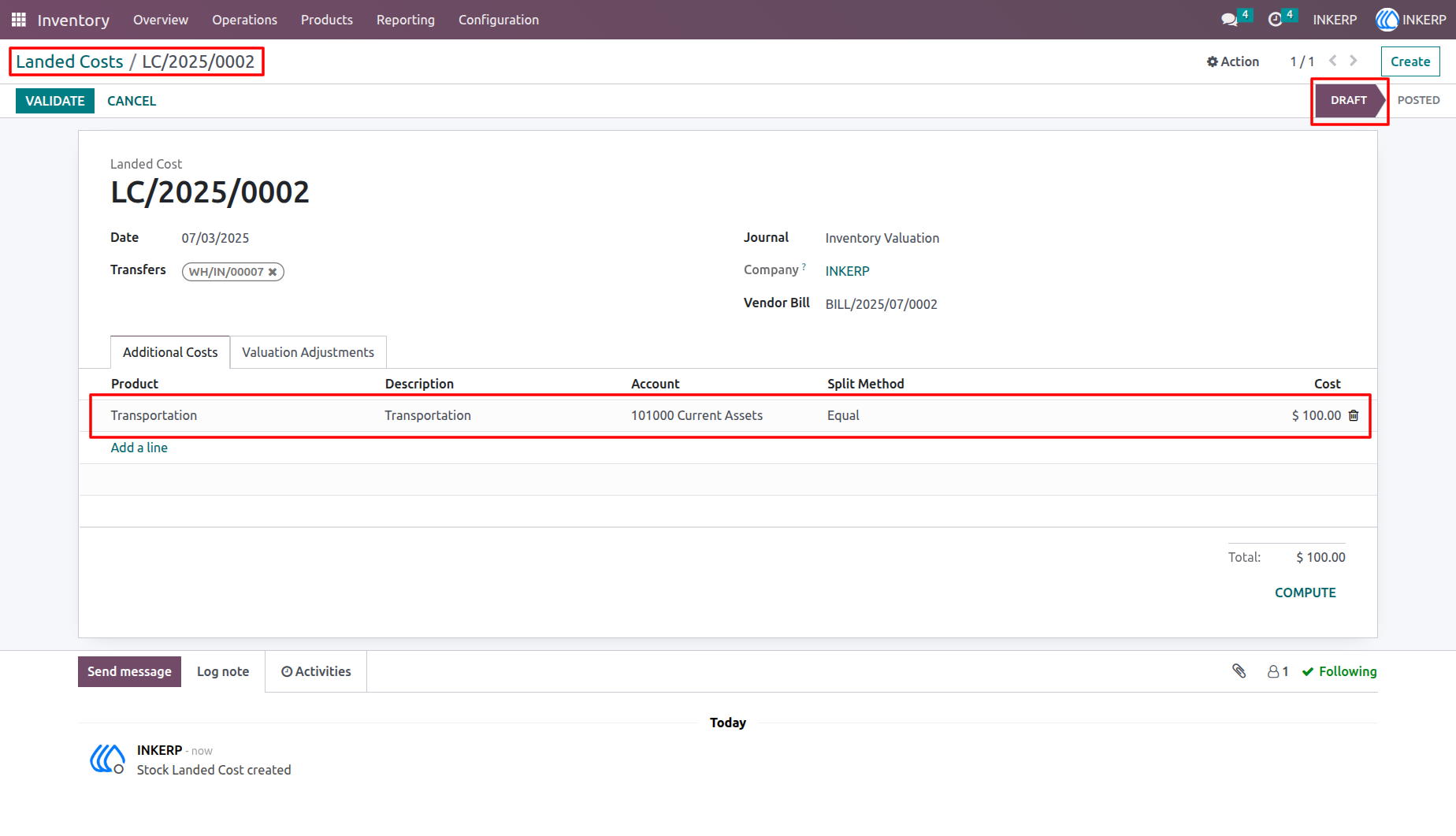
3.) Landed Cost Additional Cost Details
The Additional Costs tab lists extra charges like freight or insurance that affect product valuation. Each line item helps distribute costs accurately across related products.
Navigation : Inventory › Operations ›Landed cost › Landed cost form view
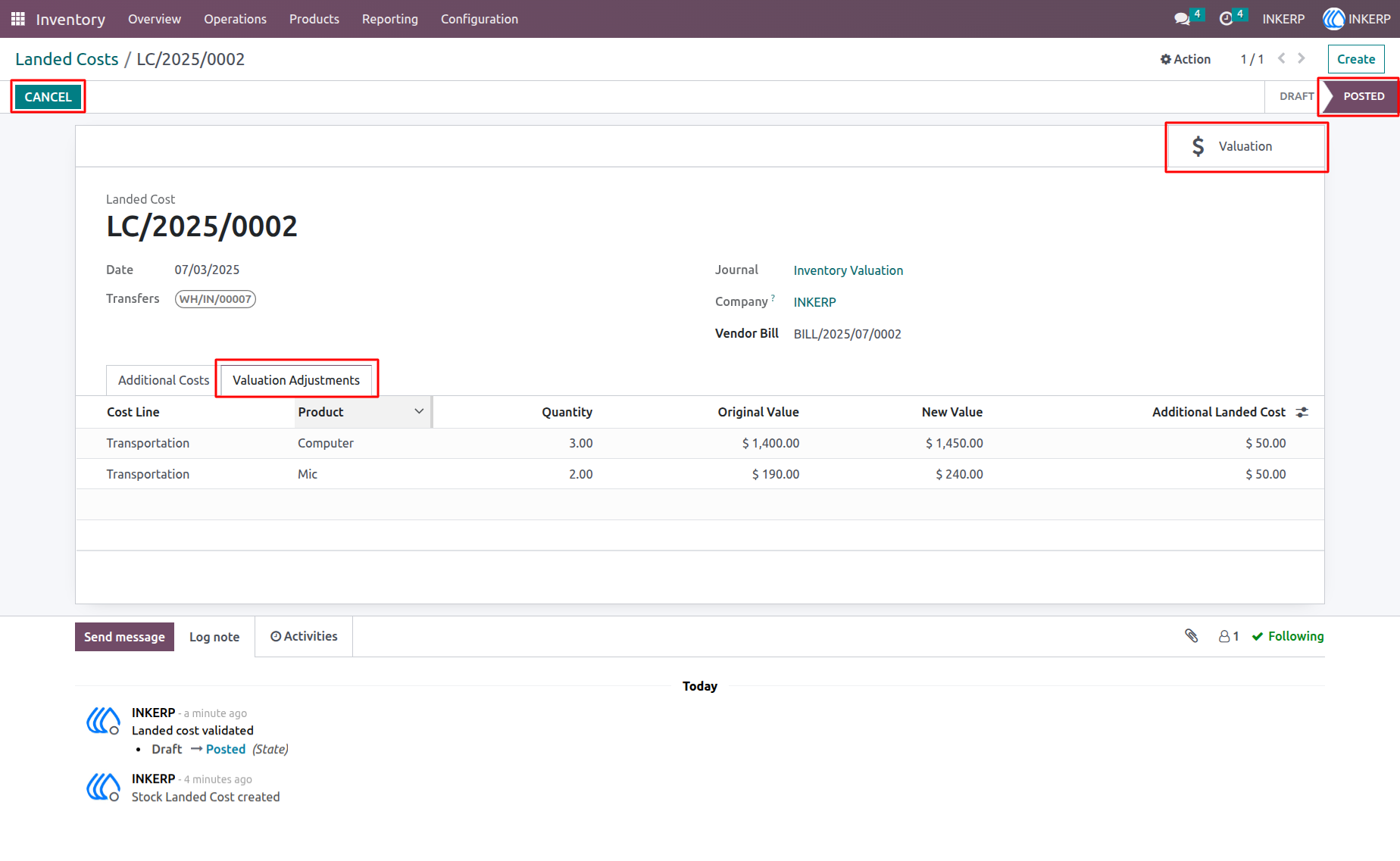
4.) Landed Cost Posted State
This landed cost is marked as Done, and you can see valuation details using the Valuation button. The Cancel button will either cancel, reset, or delete the landed cost depending on your settings.
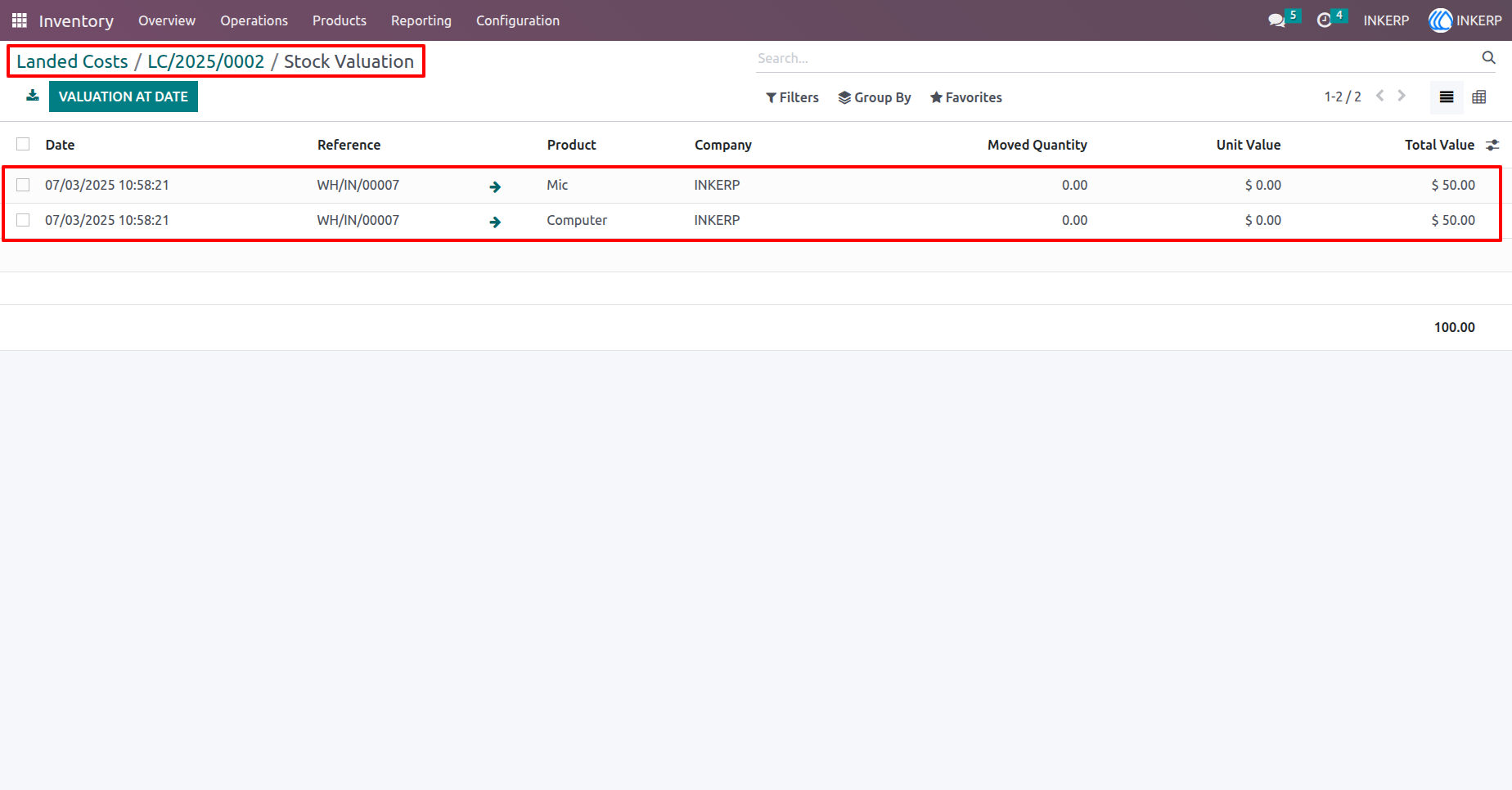
5.) Landed Cost Stock Valuation
View the stock valuation lines related to your landed cost record. This page appears after clicking the Valuation smart button on the landed cost form.
Navigation : Inventory › Operations ›Landed cost › Stock Valuation
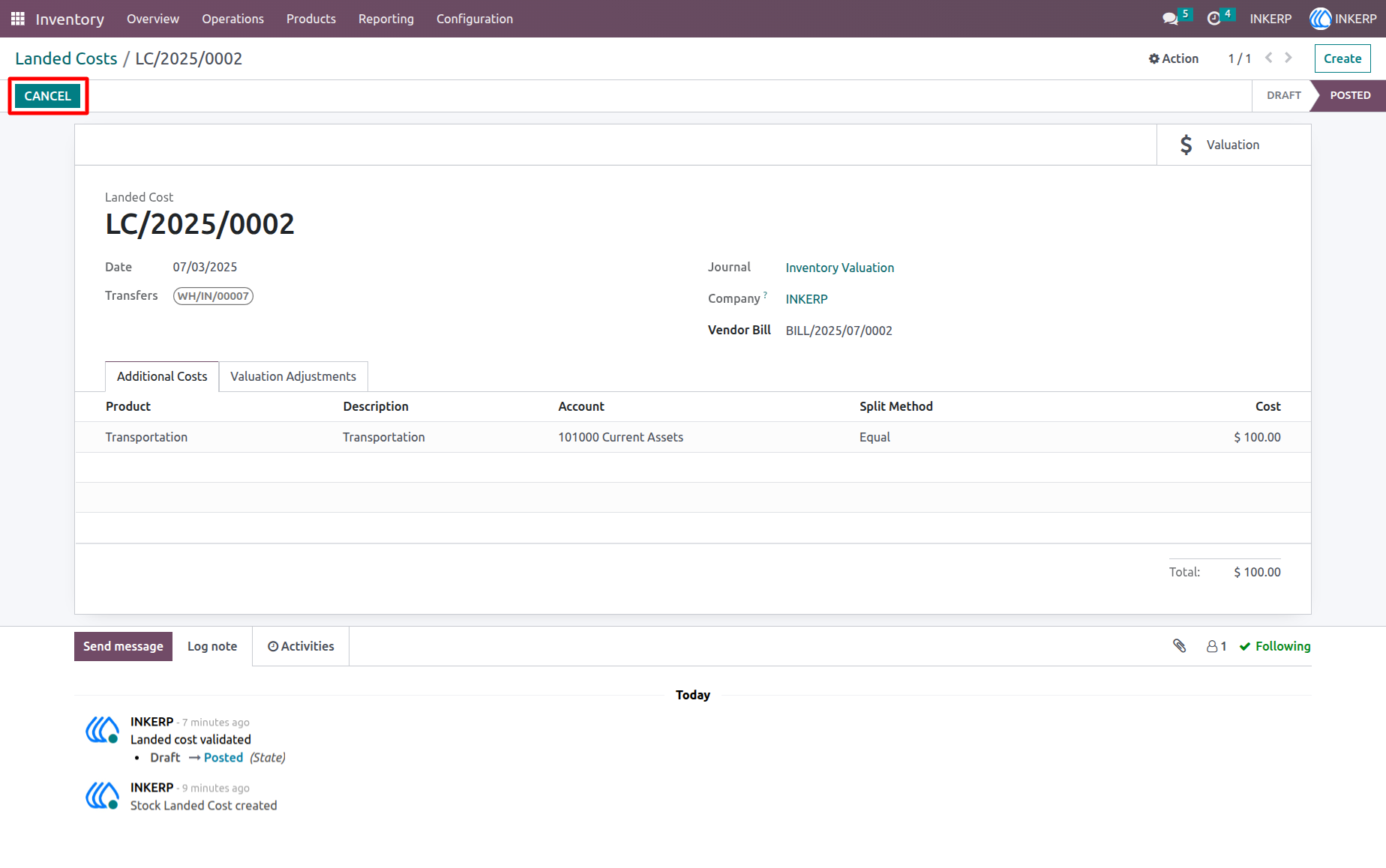
6.) Landed Cost Form Posted State (Before Cancel)
This landed cost is in the Posted (Done) state. The Cancel button is available to reverse or reset the landed cost based on your cancellation settings.
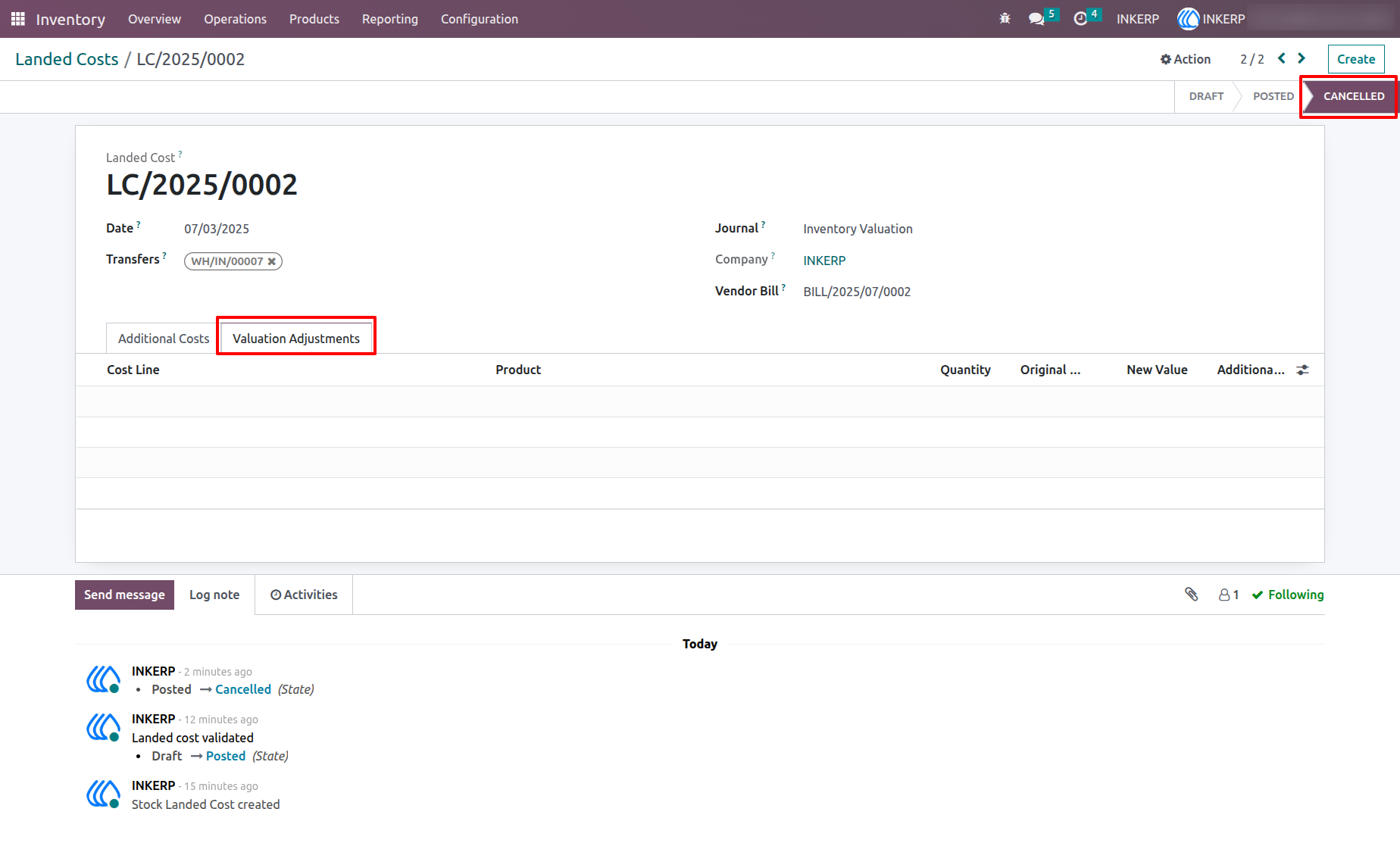
7.) Landed Cost Form Cancelled State (After Cancel)
The landed cost is now Cancelled. The valuation adjustment lines are unlinked, the Valuation button is hidden, and related valuation records are detached from this landed cost.
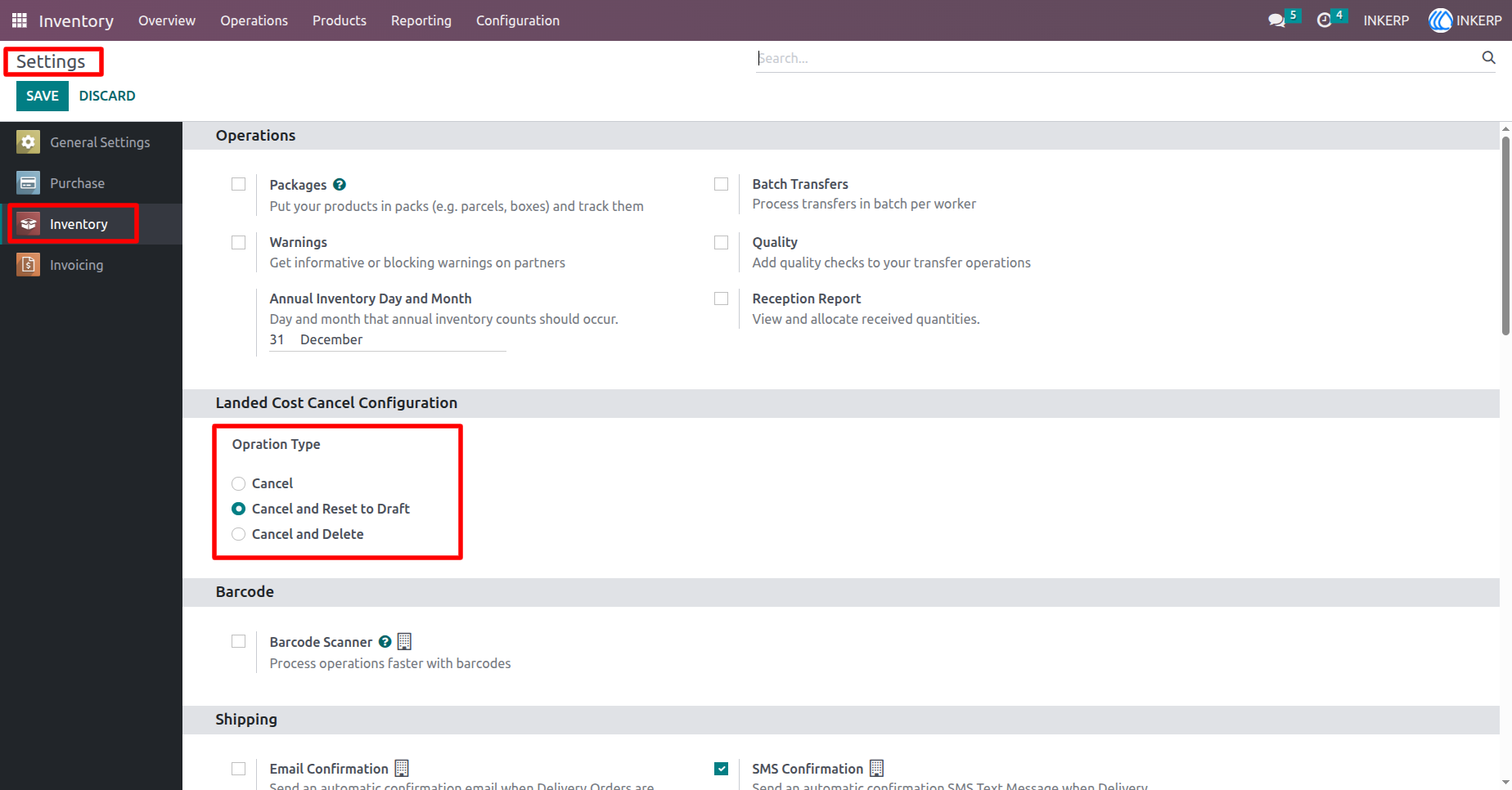
8.) Landed Cost Cancel Configuration
With this option selected, canceling a posted landed cost moves it back to the draft state. Valuation entries and adjustment lines are unlinked, allowing you to edit or update the landed cost again.
Navigation : Settings › Inventory
9.) Reset to Draft Landed Cost
Clicking Cancel will reset the landed cost to draft and unlink both valuation and valuation adjustment records for editing.
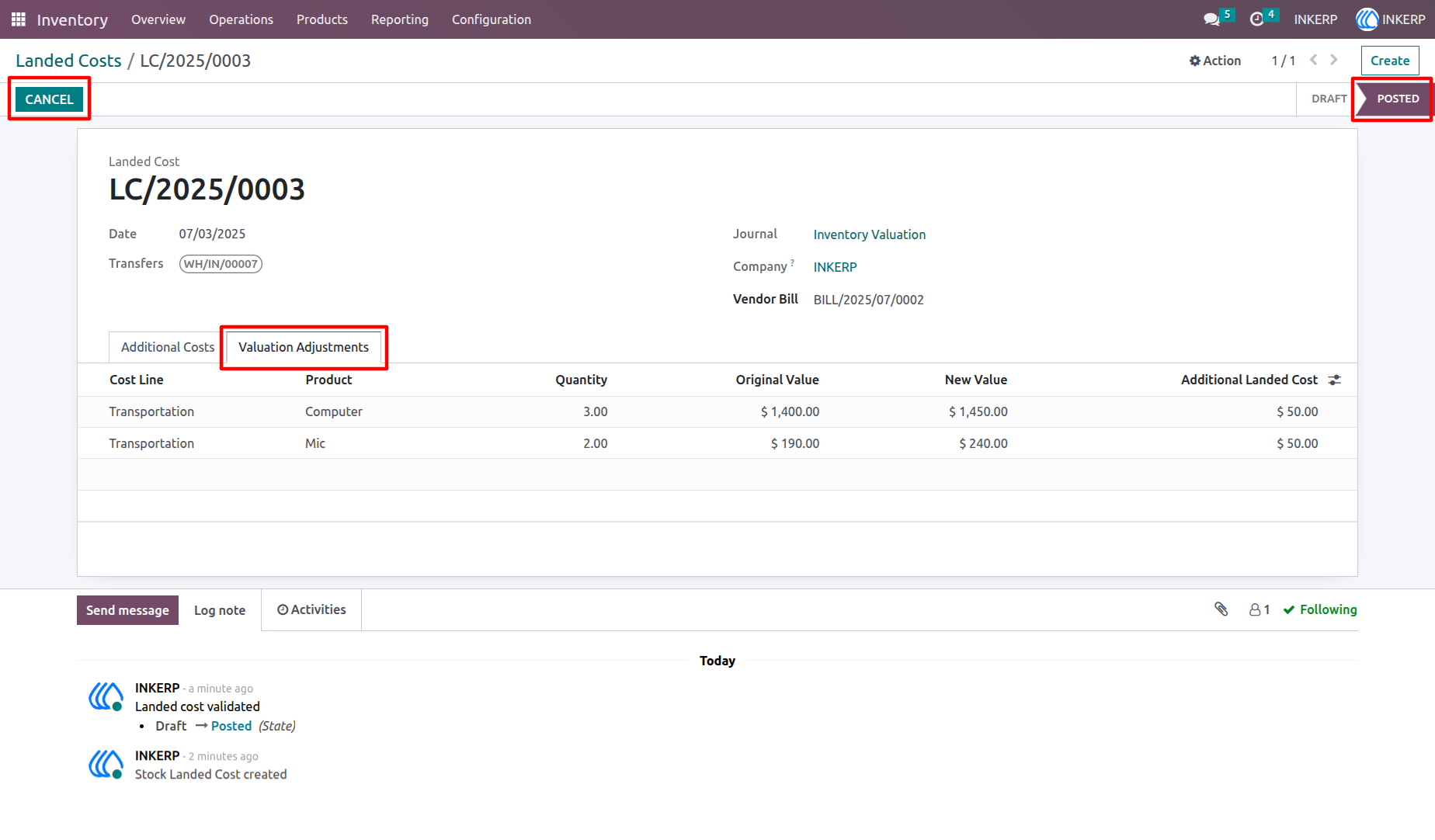
10.) Landed Cost Reset to Draft State
After clicking Cancel, the landed cost moves back to the draft state, and the valuation adjustment lines are unlinked for further editing.
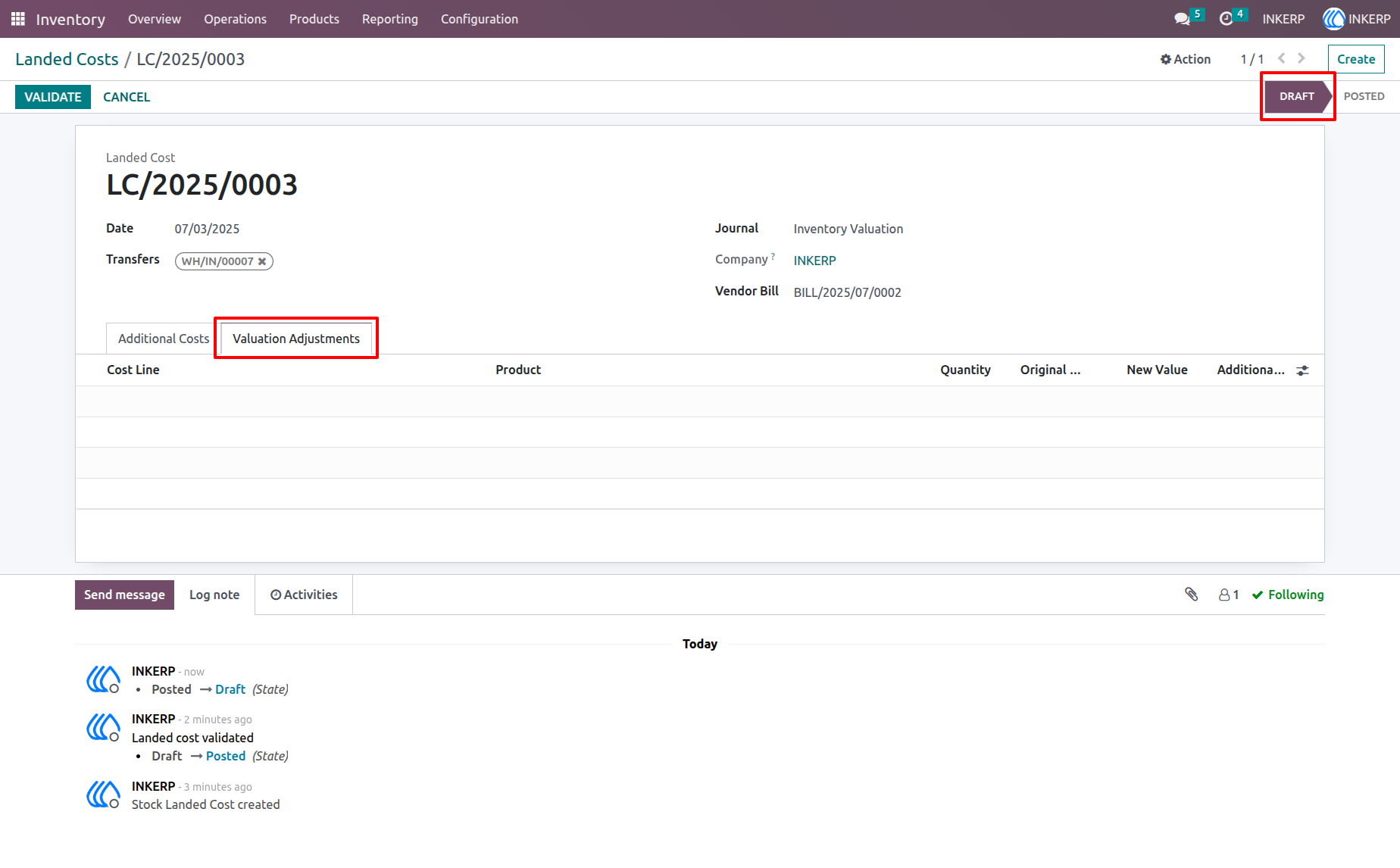
11.) Landed Cost Cancel Configuration
Selecting 'Cancel and Delete' will cancel the landed cost and then permanently delete it from the system upon confirmation.
Navigation : Settings › Inventory
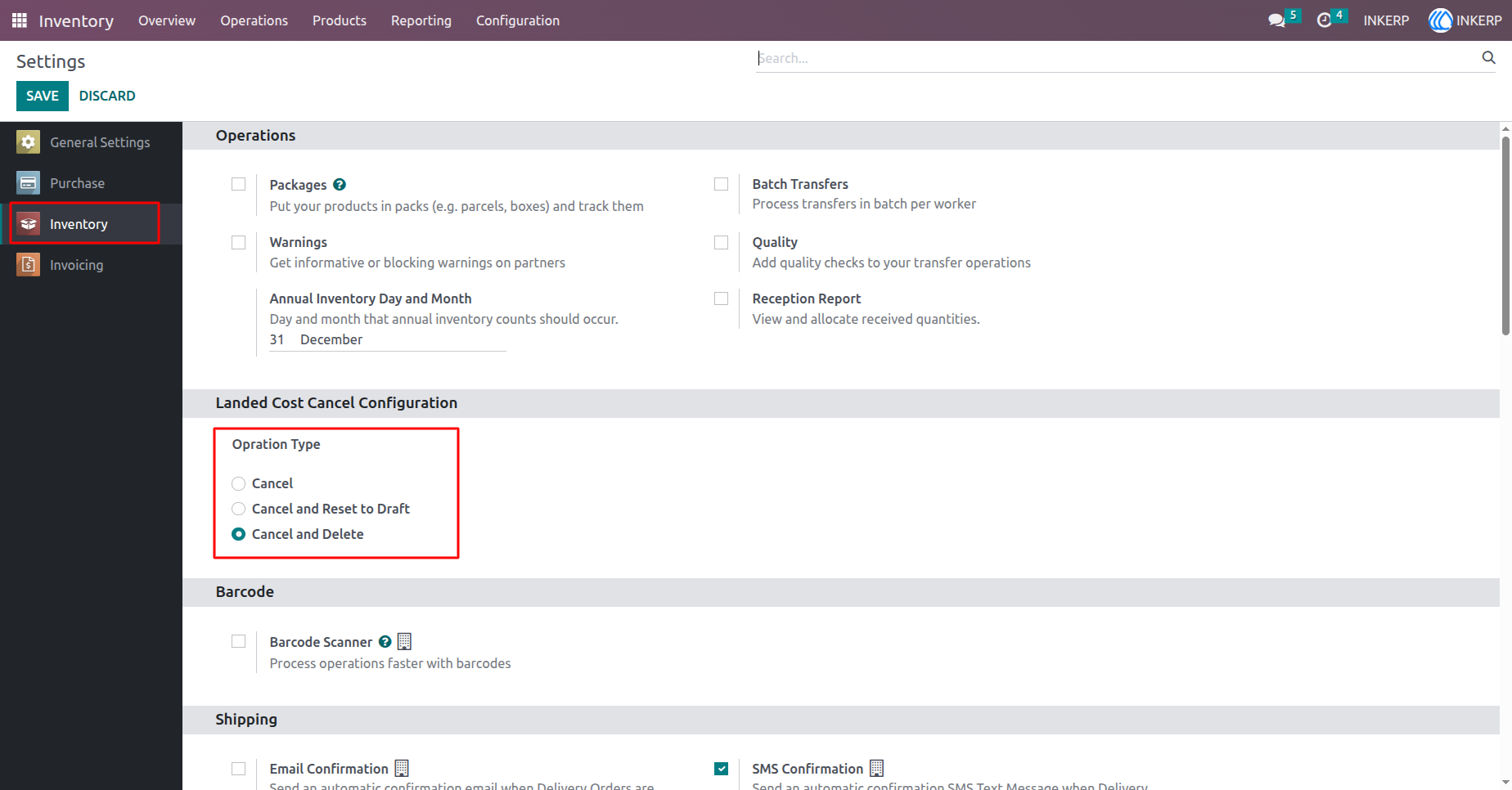
12.) Landed Cost Cancel and Delete Action
The landed cost is posted with valuation adjustment lines displayed. Clicking Cancel will cancel the landed cost and permanently delete it along with its related valuation records.
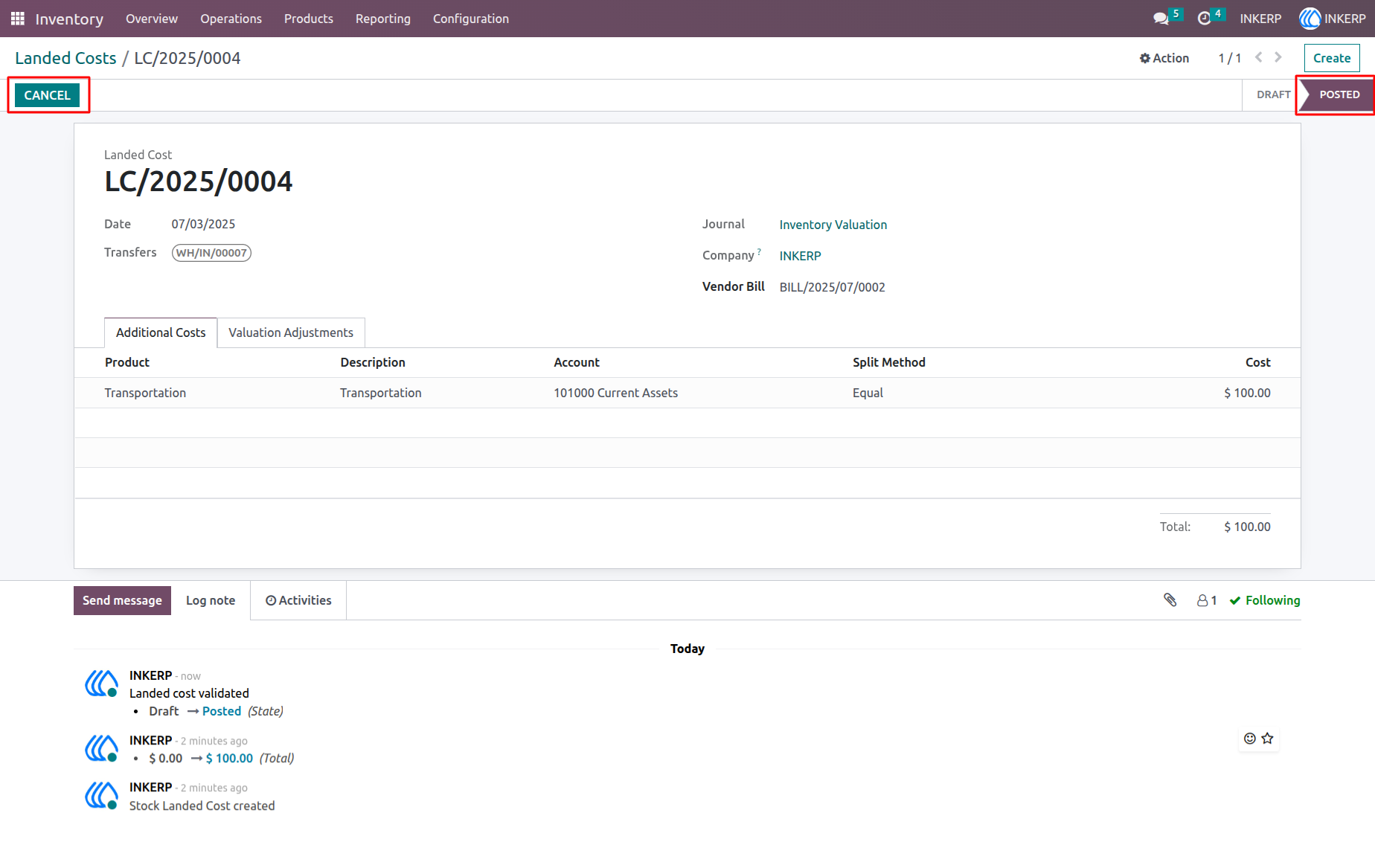
13.) Landed Cost List After Cancel and Delete
After clicking Cancel with the 'Cancel and Delete' option, the landed cost is removed and no longer appears in the list view.
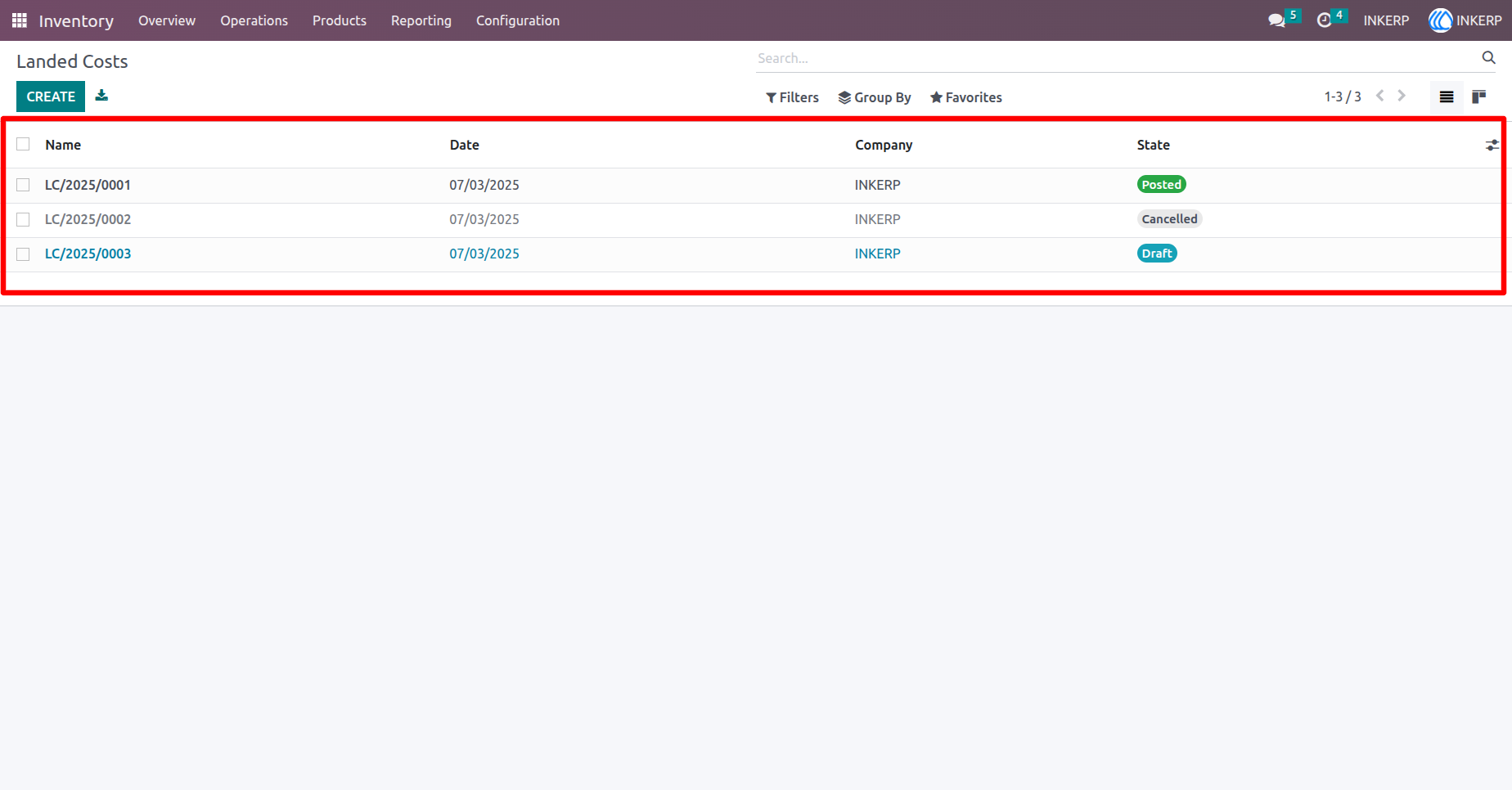
14.) Cancel Multiple Landed Costs
Select multiple landed cost records from the list and use the Cancel action button to cancel them all at once, streamlining bulk operations.
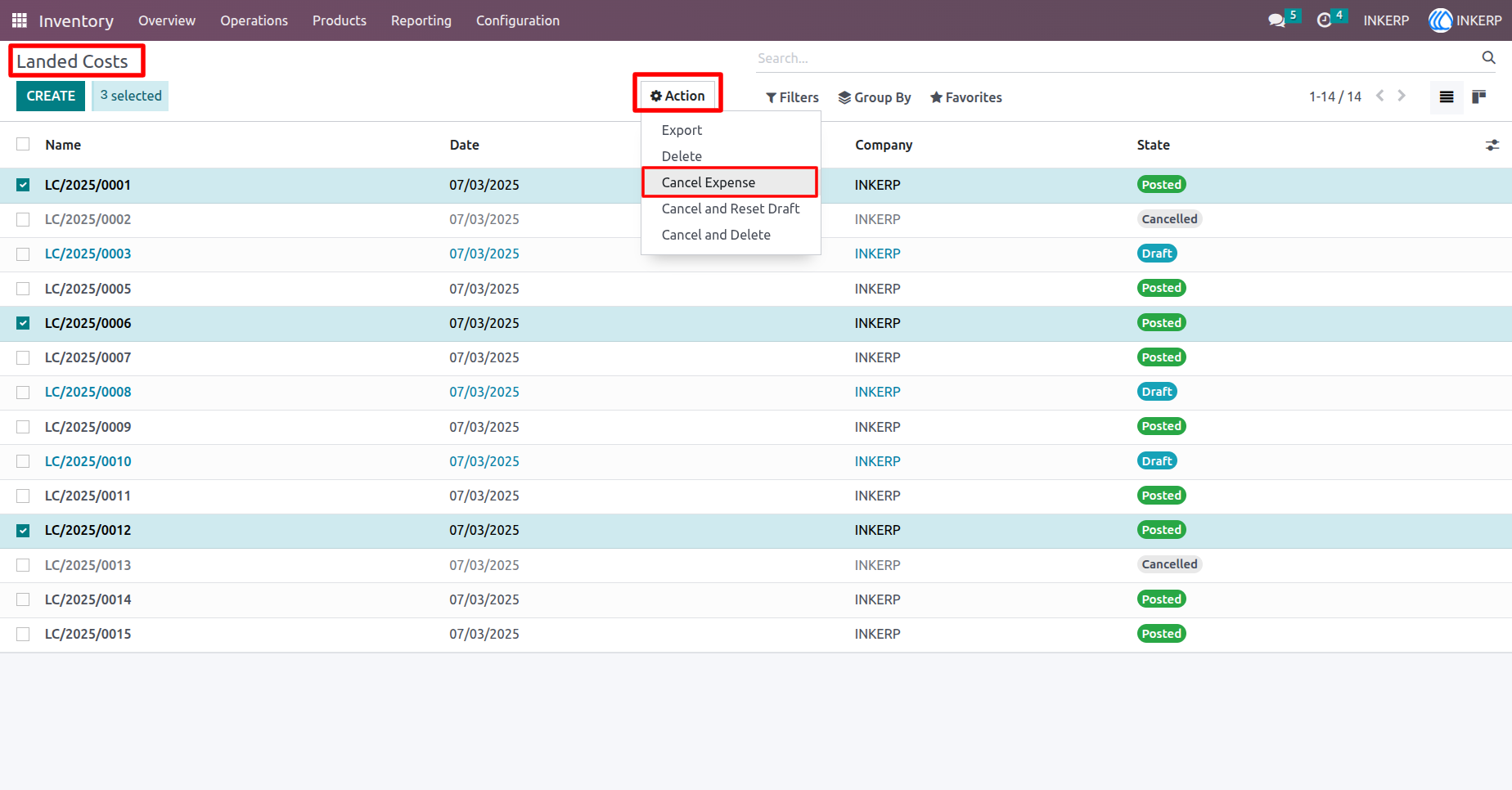
15.)Cancel Multiple Landed Costs
After performing the Cancel action from the tree view, the selected landed cost records are marked as canceled, and their related valuation and adjustment lines are unlinked.
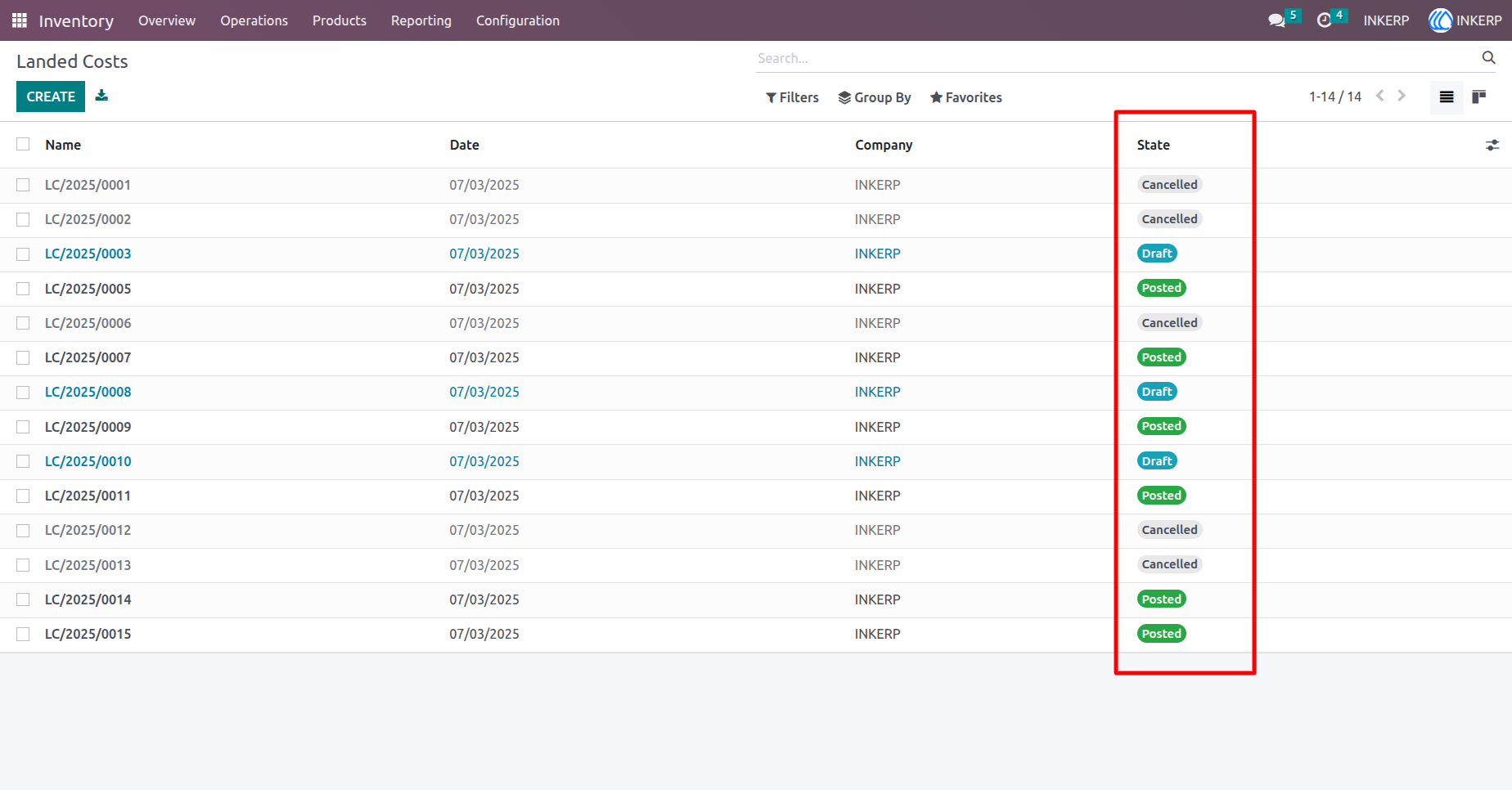
16.) Reset Multiple Landed Costs to Draft
From the tree view, select multiple landed cost records and use the Cancel and Reset to Draft option from the Action button. The selected records will be canceled and moved back to the draft state, with valuation and adjustment lines unlinked.
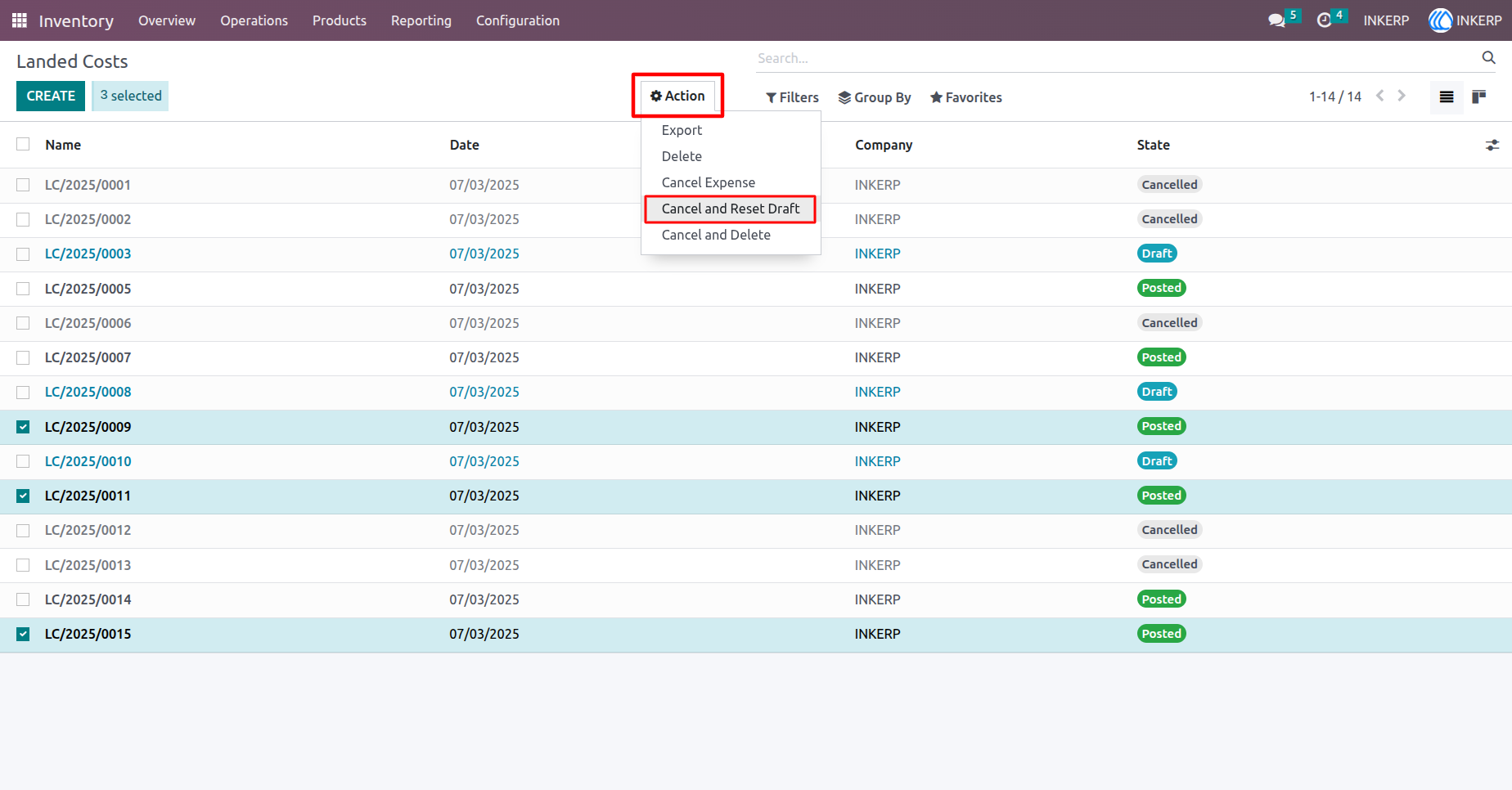
17.) Multiple Landed Costs Reset to Draft (After Action)
After clicking Cancel and Reset to Draft from the action menu, the selected landed cost records are now in the Draft state. Their valuation and adjustment lines have been unlinked, allowing further edits.
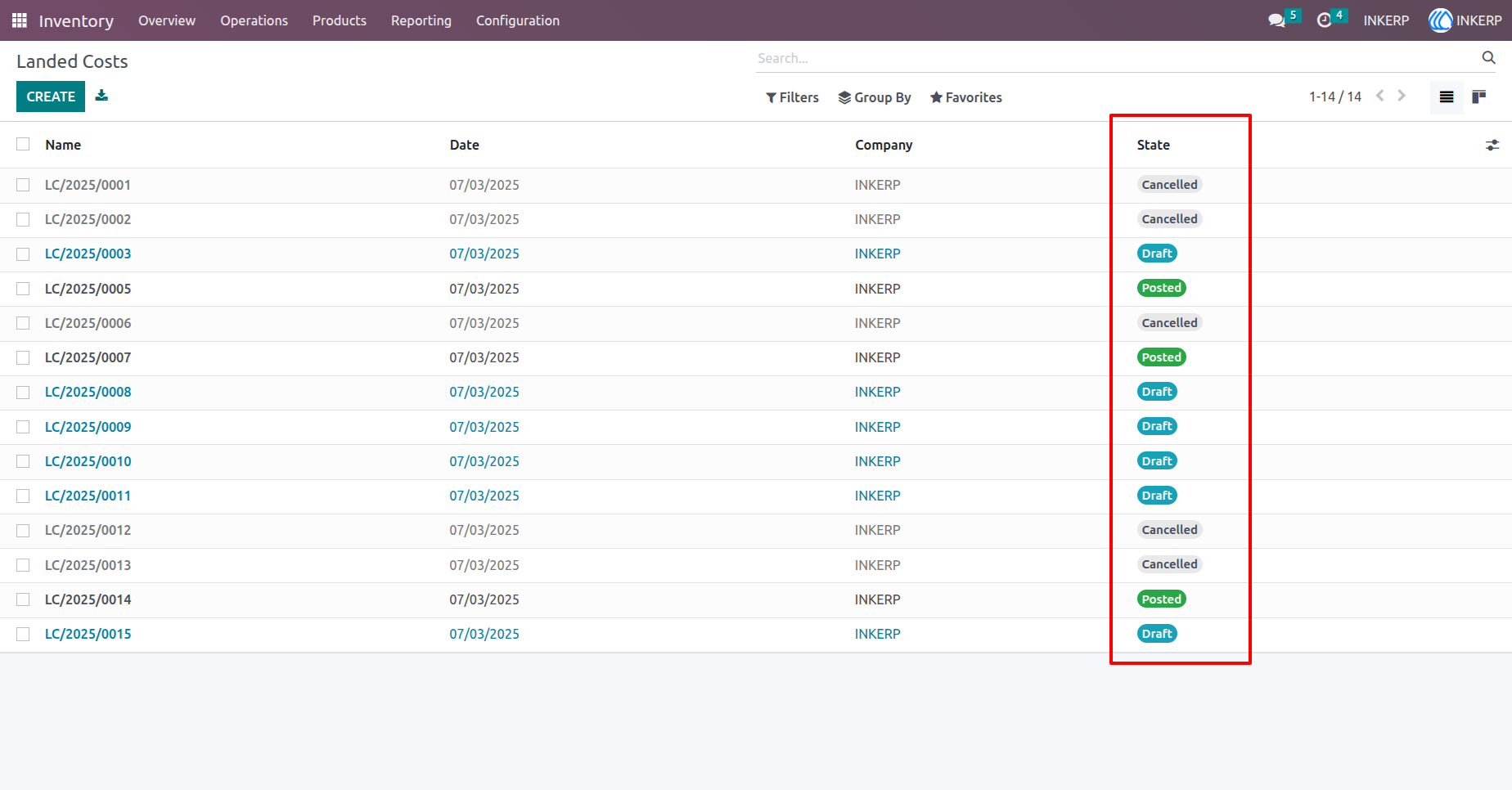
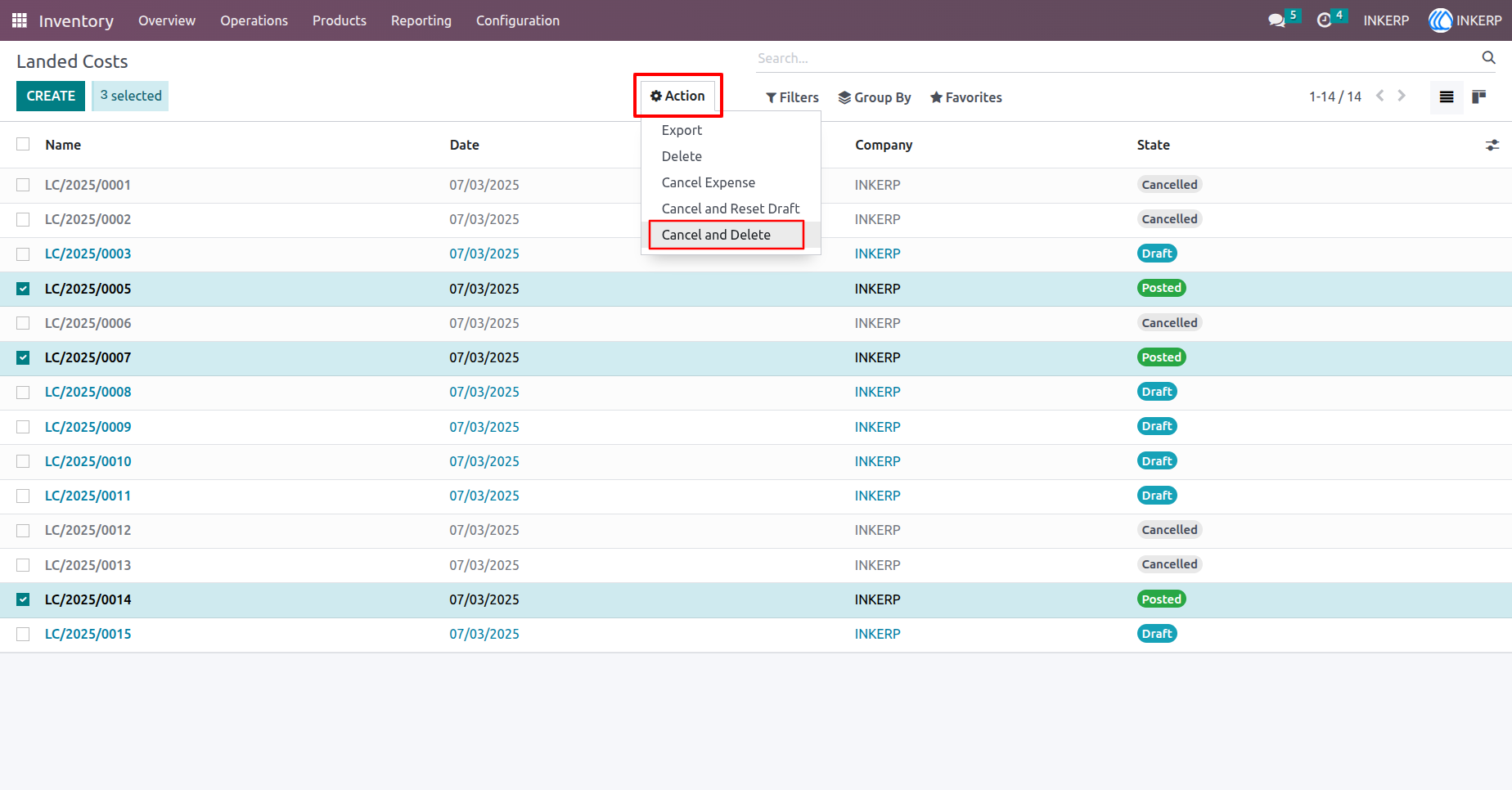
18.) Cancel and Delete Multiple Landed Cost
Select multiple landed cost records from the tree view. The Action menu shows the Cancel and Delete option, allowing you to cancel and permanently remove the selected records.
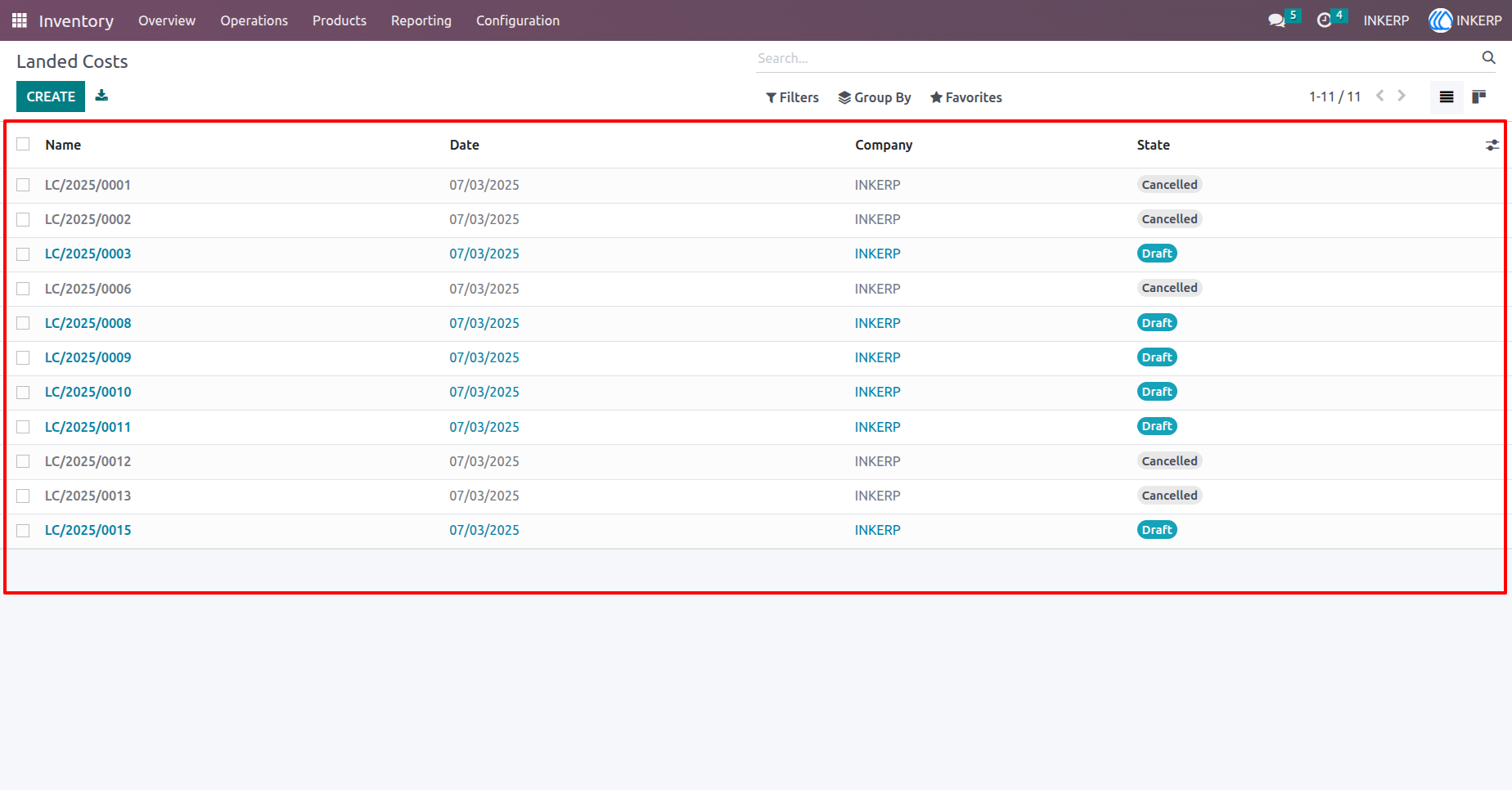
19.) Cancel and Delete Multiple Landed Costs (After Action)
After using the Cancel and Delete action from the tree view, the selected landed cost records are canceled and permanently deleted. All related valuation and adjustment lines are unlinked and removed from the system.
User Guide