

EXCLUSIVE CUSTOMER BENEFITS
FREE INSTALLATION
& 90 DAYS FREE SUPPORT!
No worries about installation! This module comes with free installation assistance and 90 days of free support, helping you get started smoothly and confidently.
✦ COMPLIMENTARY INSTALLATION & SUPPORT ✦
MORE VALUE • LESS HASSLE • A BETTER START
Our Most Suggested Products


Stock & Stock Product Barcode In Report
The Stock Product Barcode In Report module shows barcodes in various Stock reports like delivery notes and picking tasks. It's beneficial for speeding up processes and quickly reading stock details using a barcode scanner.
 Features
 Screenshots
 Support
 Service
Features
Stock Picking Barcode:
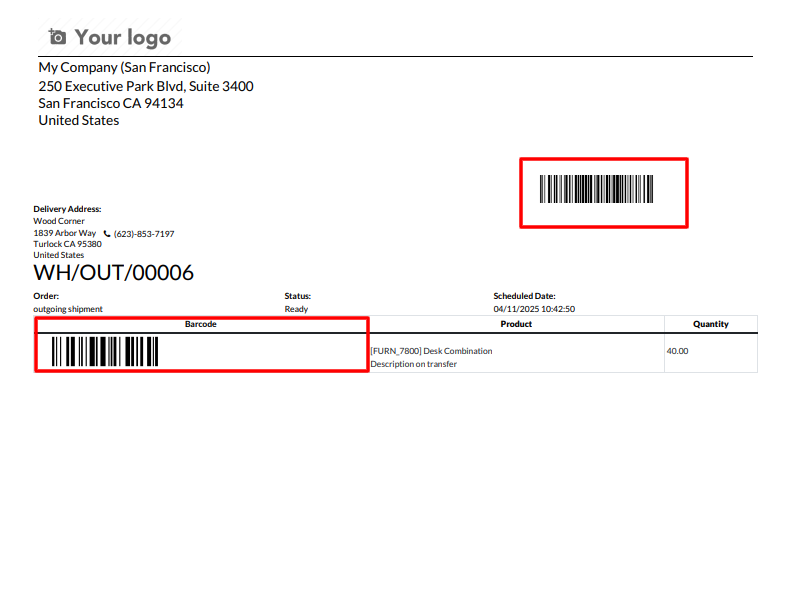
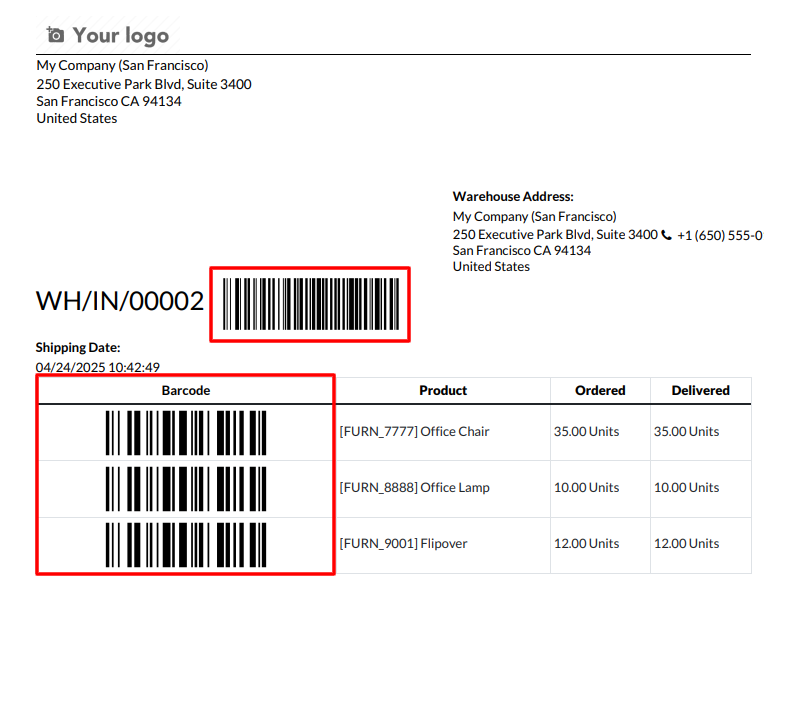
Stock Picking barcode is printed in stock reports, including delivery notes and picking tasks.
Stock Picking Product Barcode:
Stock Picking Product barcode is printed in stock reports, including delivery notes and picking tasks.
Custom Barcode Settings:
User can set product barcode configuration in inventory configuration and print product custom barcodes in reports.
Screenshot
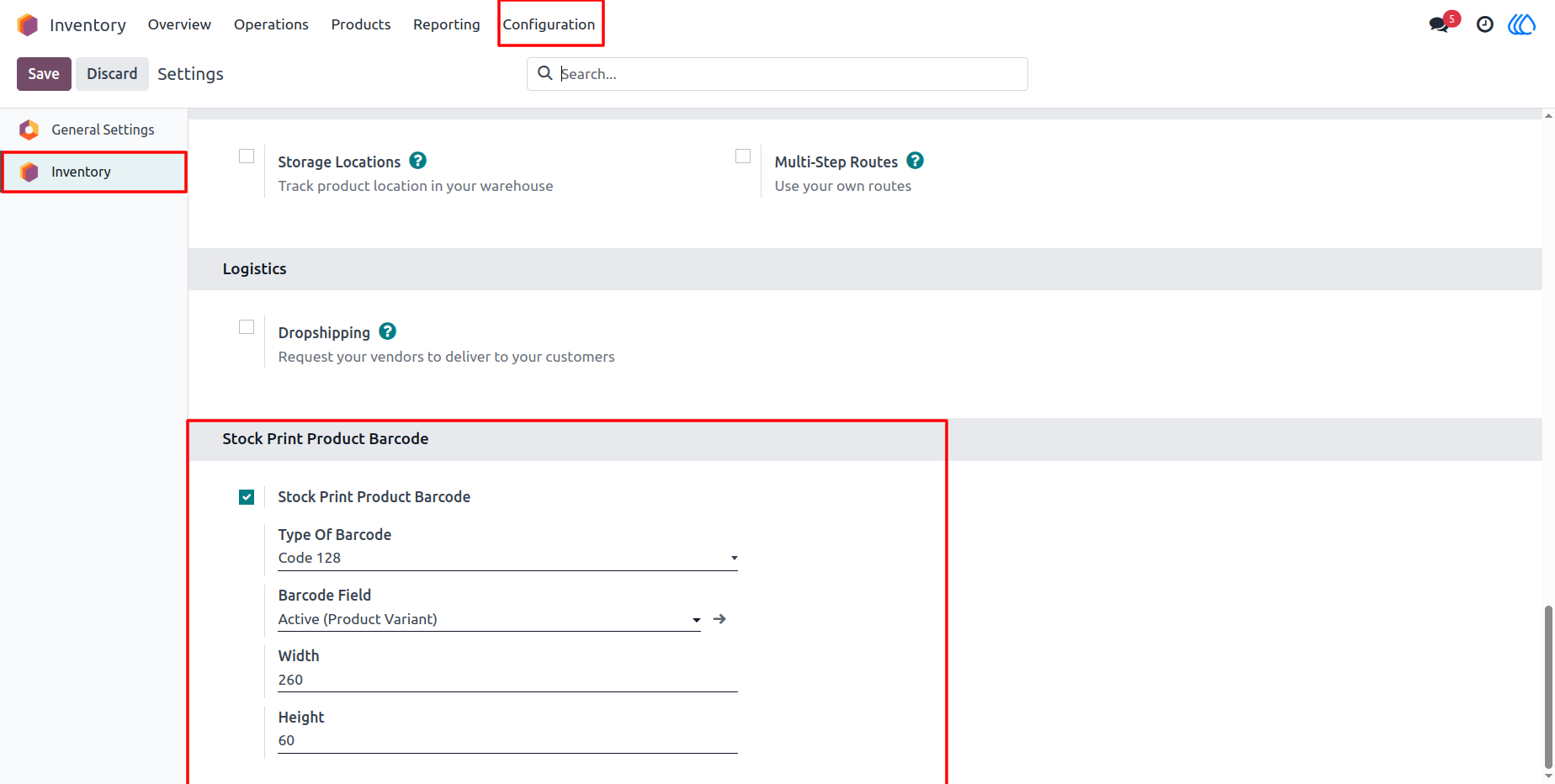
1) Inventory Configuration Menu
Stock product barcode configuration in Inventory configuration.
Navigation : Inventory › Configuration
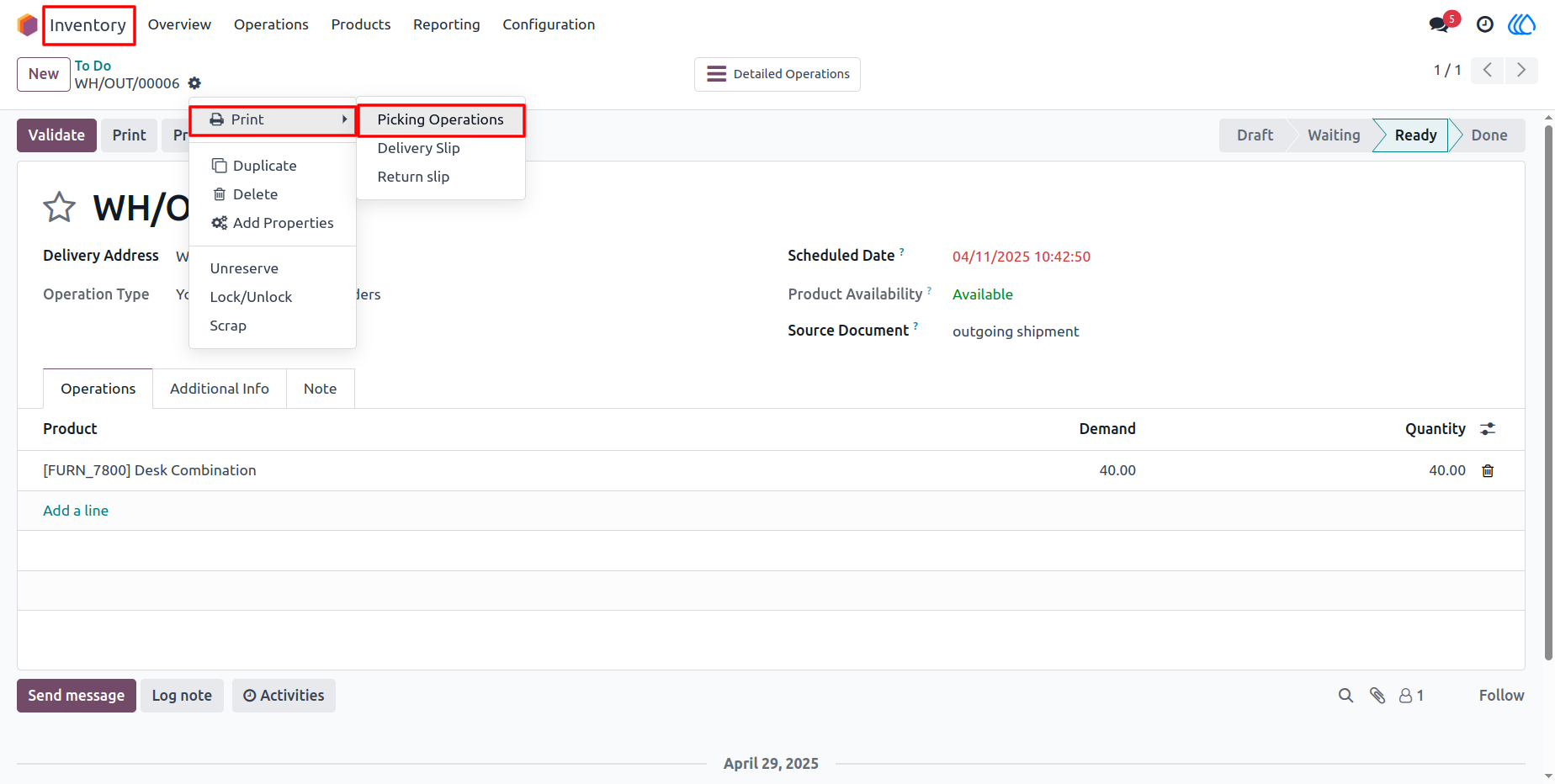
2) Stock Picking
Navigation : Stock Picking › Picking Operation.
3) Picking PDF Report
Navigation : Stock Picking › Picking Operation.
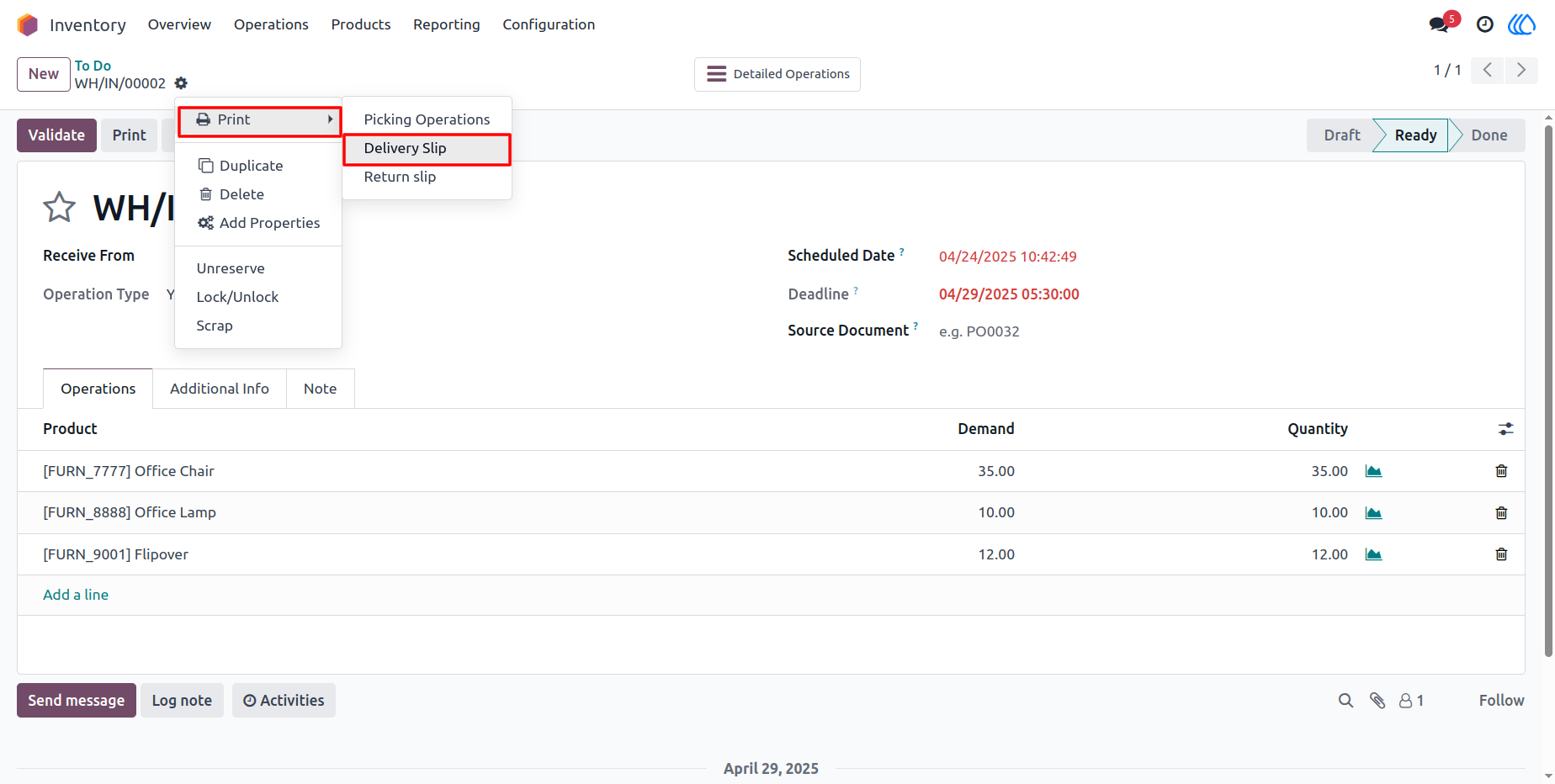
4) Stock Picking
Navigation : Stock Picking › Delivery Slip
5) Delivery Slip PDF Report
Navigation : Stock Picking › Delivery Slip
User Guide