

EXCLUSIVE CUSTOMER BENEFITS
FREE INSTALLATION
& 90 DAYS FREE SUPPORT!
No worries about installation! This module comes with free installation assistance and 90 days of free support, helping you get started smoothly and confidently.
✦ COMPLIMENTARY INSTALLATION & SUPPORT ✦
MORE VALUE • LESS HASSLE • A BETTER START
Our Most Suggested Products


Sale Order & Sale Product Barcode In Report
The Sale Product Barcode In Report module shows barcodes in various Sales reports like sales order, quotation order, sale pro-forma invoice. It's beneficial for speeding up processes and quickly reading sales orders details using a barcode scanner.
 Features
 Screenshots
 Support
 Service
Features
Sale Order Barcode:
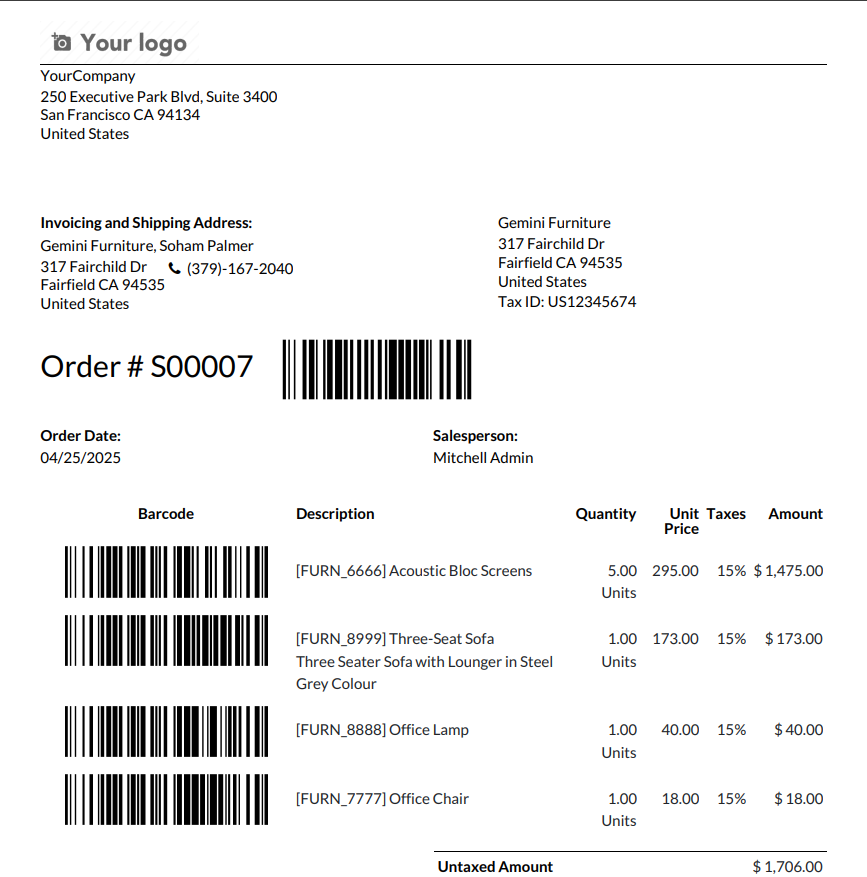
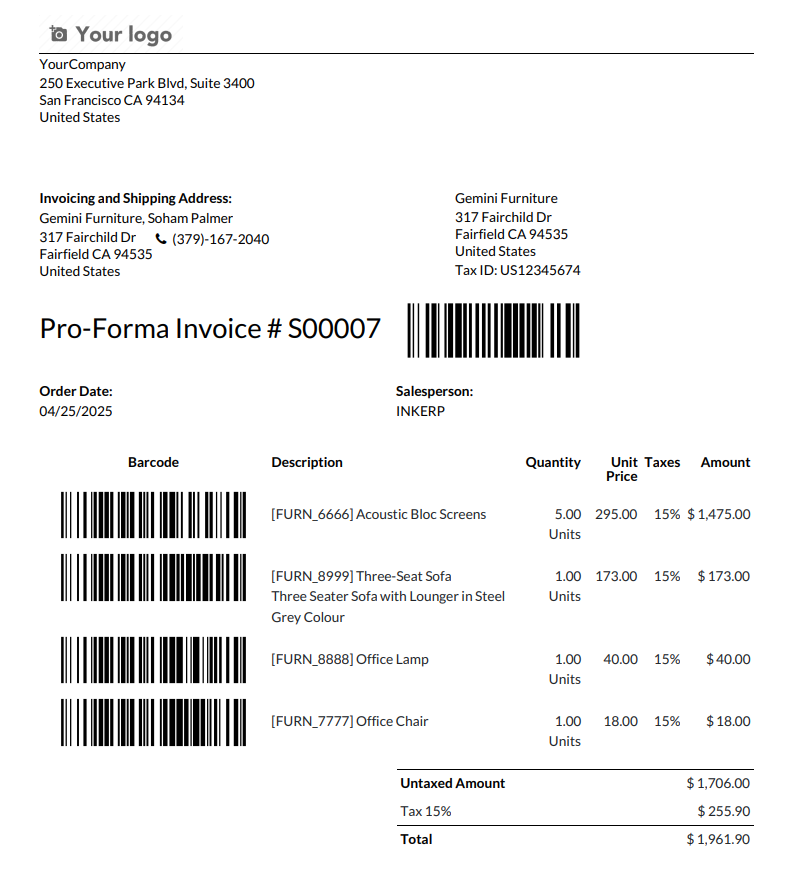
Sale order barcode is printed in sales reports, including quotations, sale orders and sale pro-forma invoice.
Sale Product Barcode:
Sale Product barcode is printed in sales reports, including quotations, sale orders and sale pro-forma invoice.
Custom Barcode Settings:
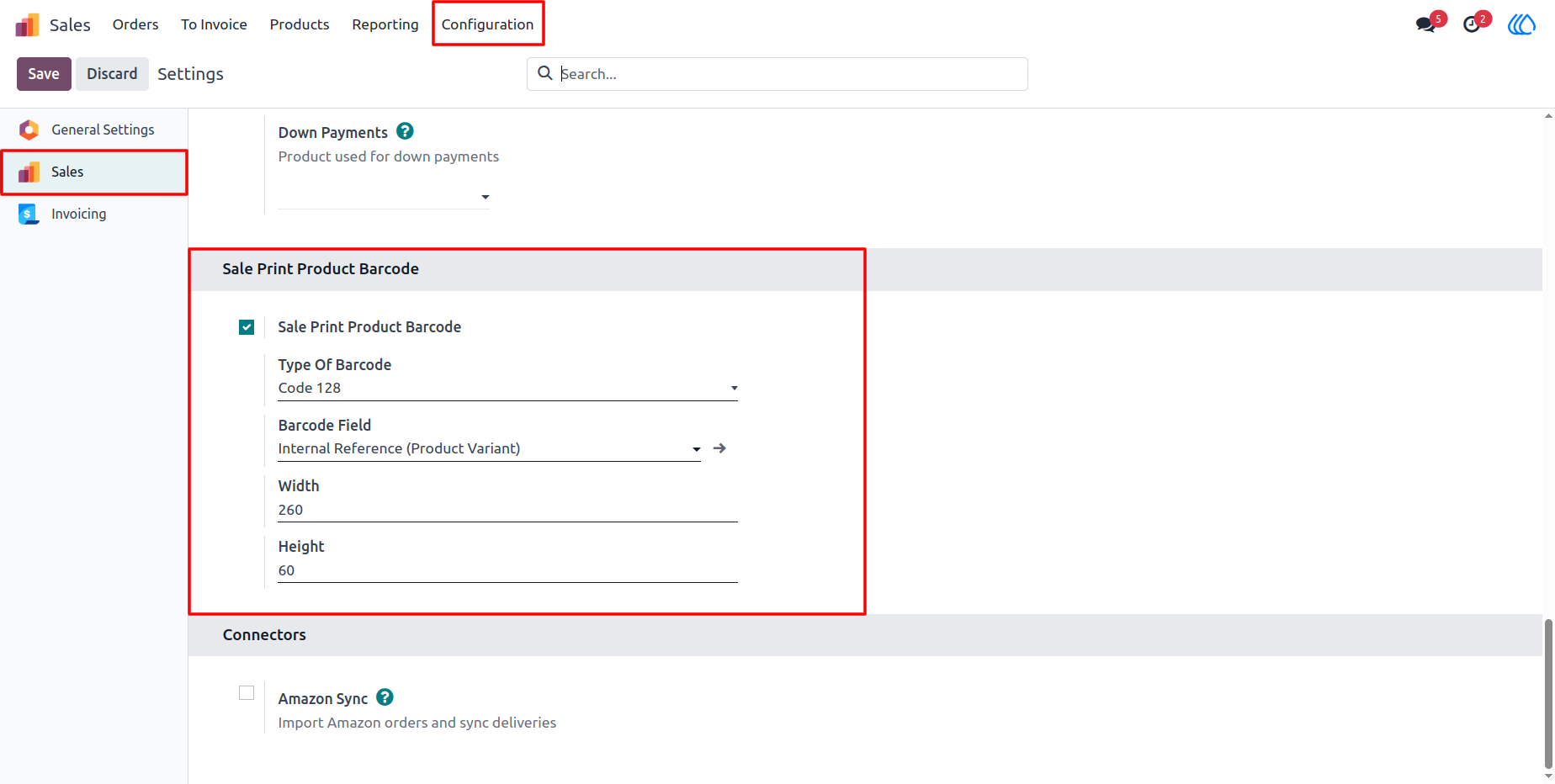
User can set product barcode configuration in sale configuration and print product custom barcodes in reports.
Screenshot
1) Sale Configuration Menu
Sale product barcode configuration in sales configuration.
Navigation : Sales › Configuration
2) Sale PDF Report
Navigation : Sales › Quotation / Order.
3) PRO-FORMA Invoice PDF Report
Navigation : Sales › PRO-FORMA Invoice.
User Guide