

Our Most Suggested Products


Sale Custom Product Label
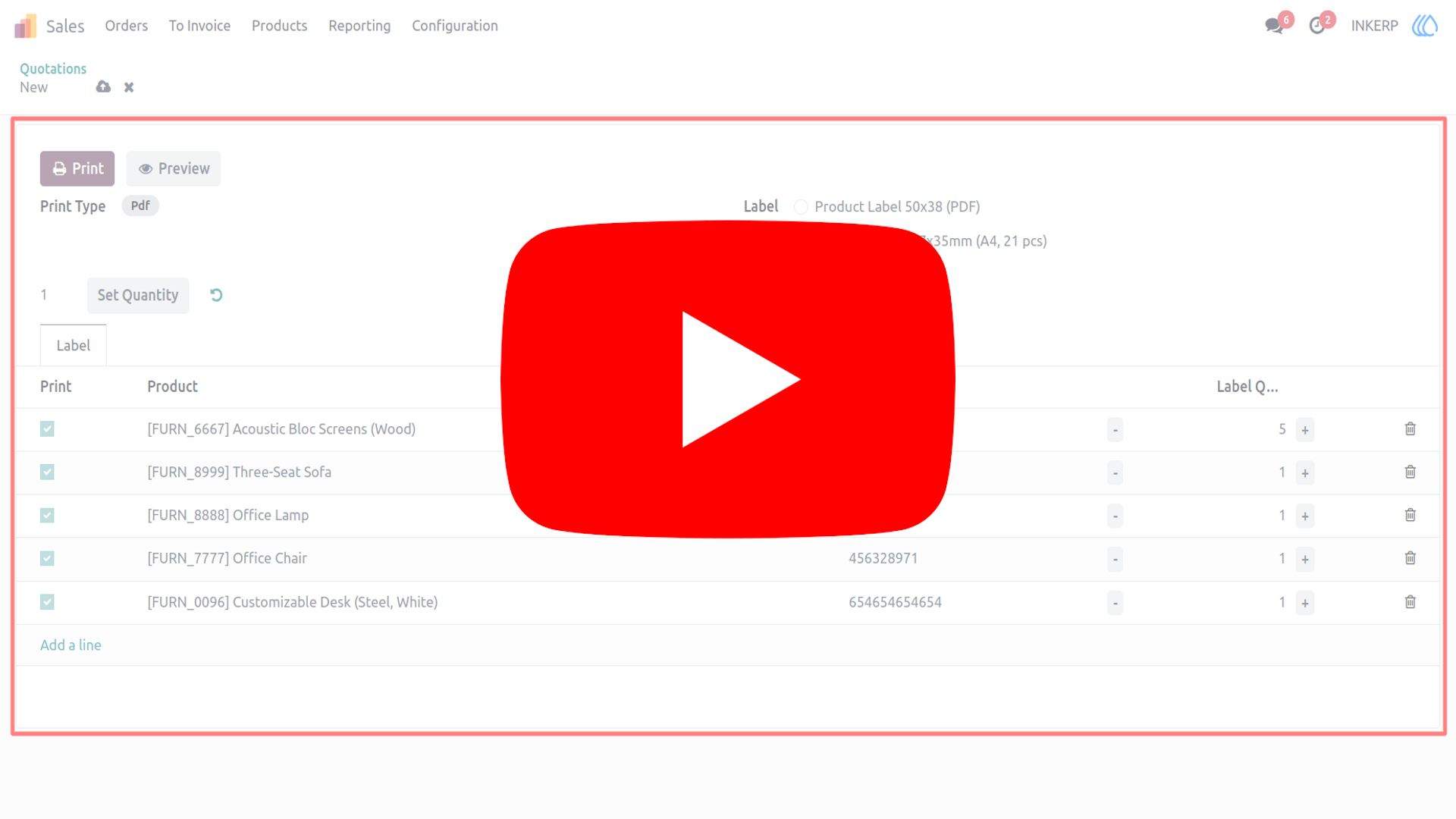
This module allows users to print product labels directly from a sales order. Each label includes the product quantity as specified in the order line.
Video Tutorial
 Features
 Screenshots
 Support
 Service
Features
Sale Order Selection :
The system supports selection of multiple sale orders within a single process, ensuring flexibility in handling operations. Additional products can also be added directly through the custom wizard. This functionality streamlines workflows and minimizes manual intervention during order processing.
Quantity Can Be Change :
Quantities for each product can be modified individually within the custom wizard to suit specific requirements. A bulk update option is also available, allowing the same quantity to be applied across multiple items simultaneously. This feature ensures accuracy and efficiency when managing large product lists.
Label Preview :
Labels can be previewed before printing to confirm correctness and clarity of information. The preview function reduces the risk of errors and ensures that the final output matches expectations. This capability enhances accuracy and reliability in the labeling process. Includes A4 (57x35mm) and Dymo (50x38mm) labels
Screenshot
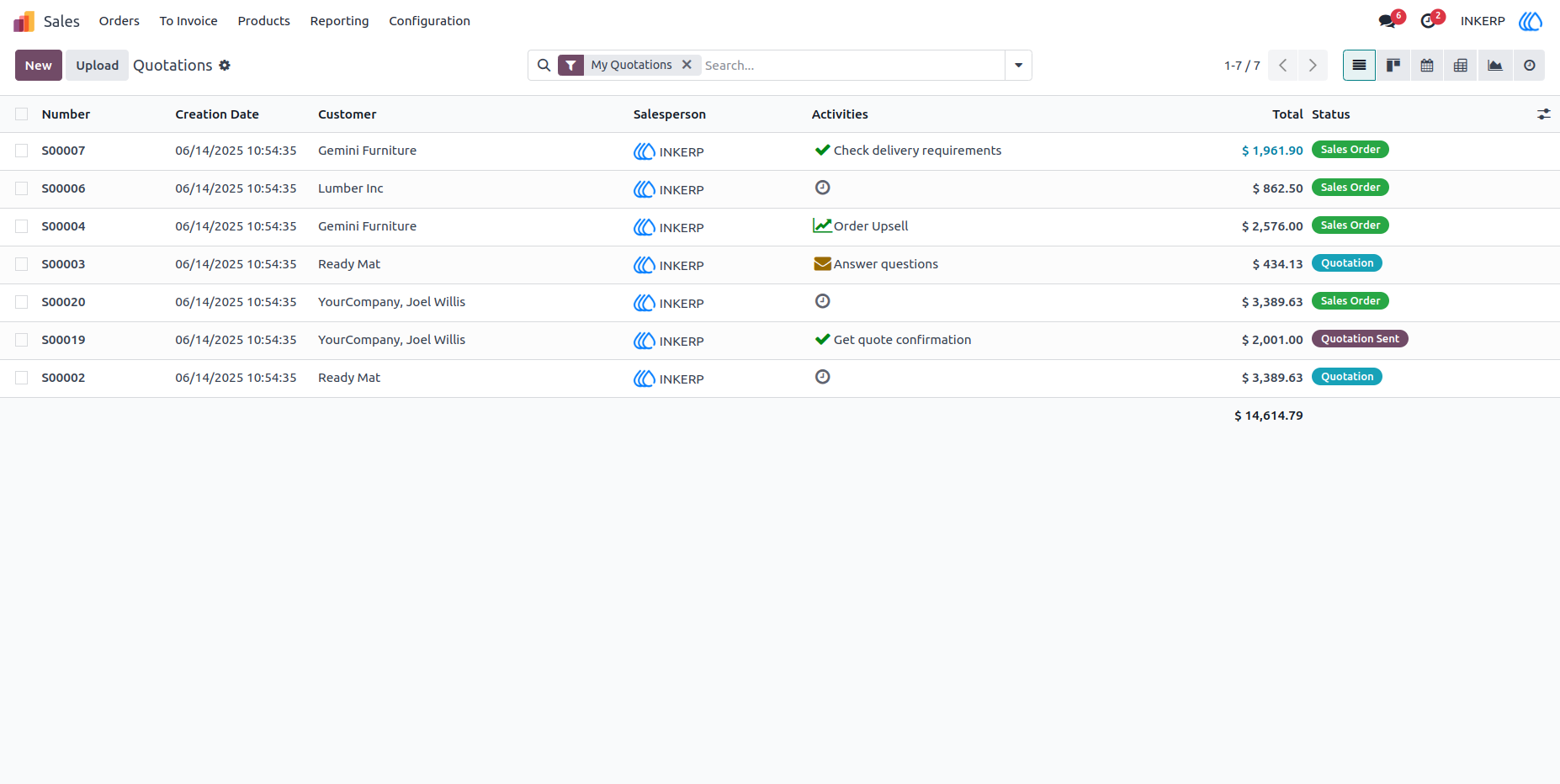
1.) Sale Order :
Go to sale order to selct and print label of product
Navigation : Sale › Orders
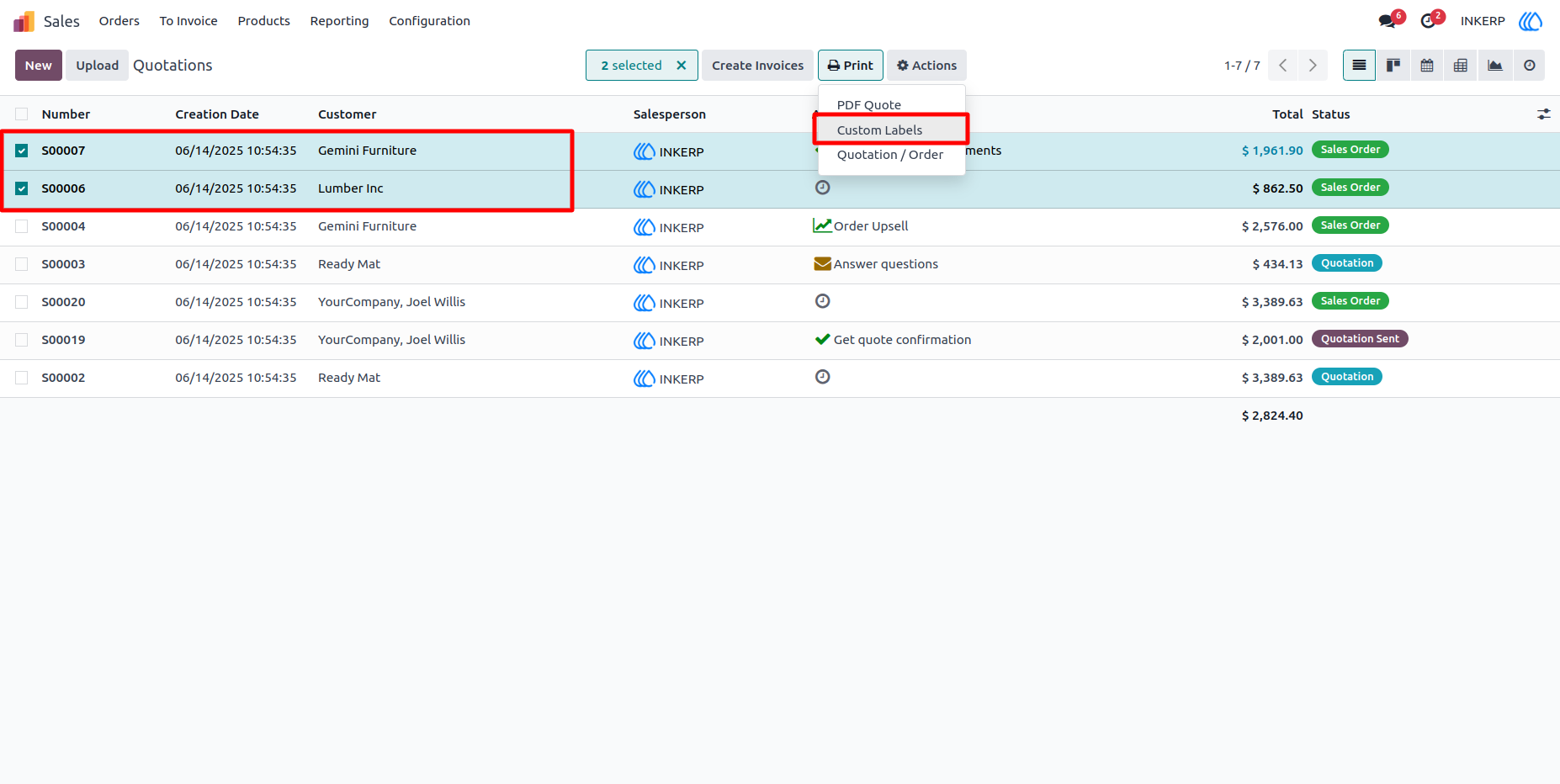
2.) Select Sele Orders :
Select Sale Orders Want to print Lable of product contained by that product and click on Custom Label from Print
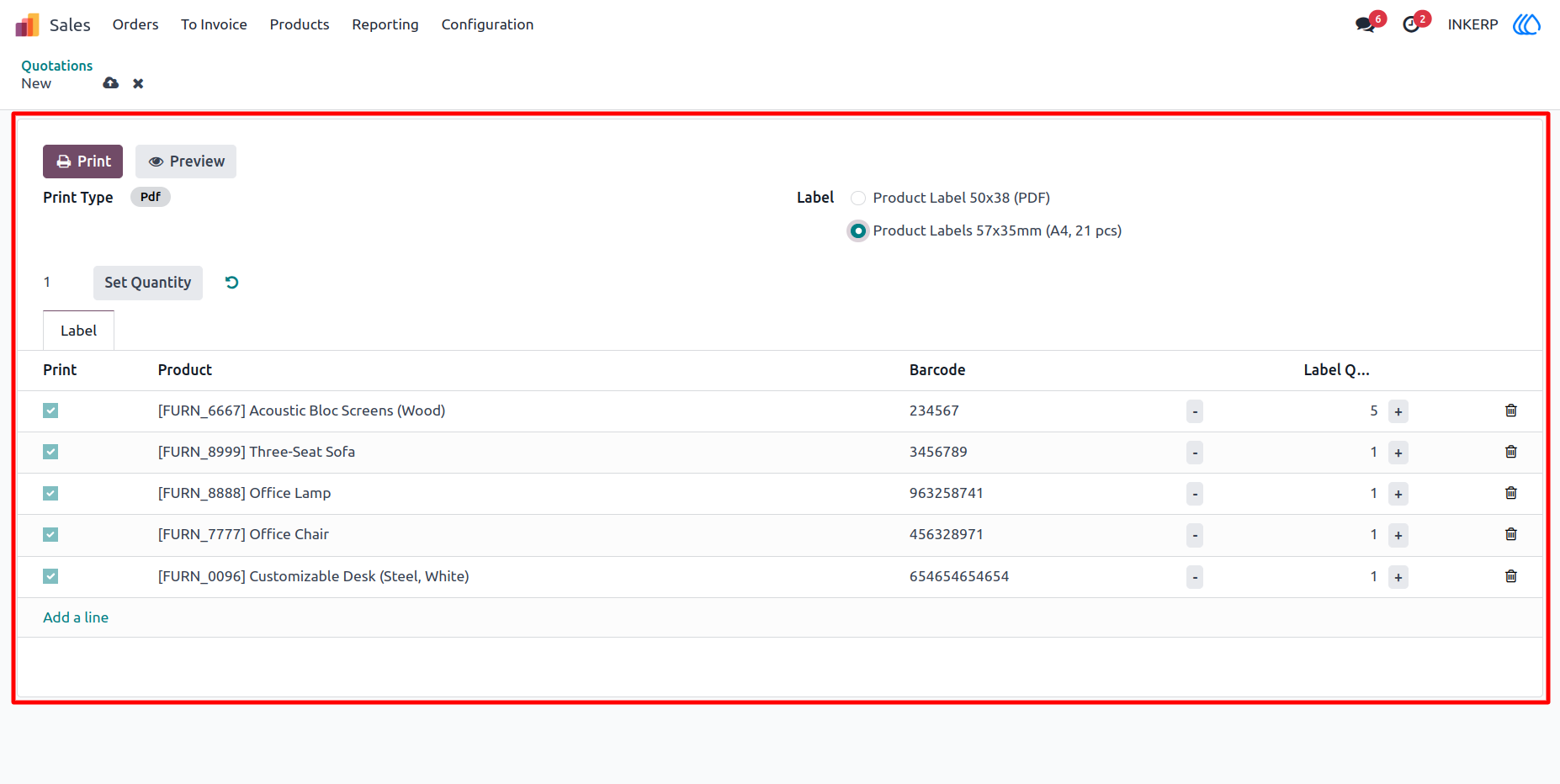
3.) Custom Wizard :
Custom Wizard is open with product data of Sale order which selected
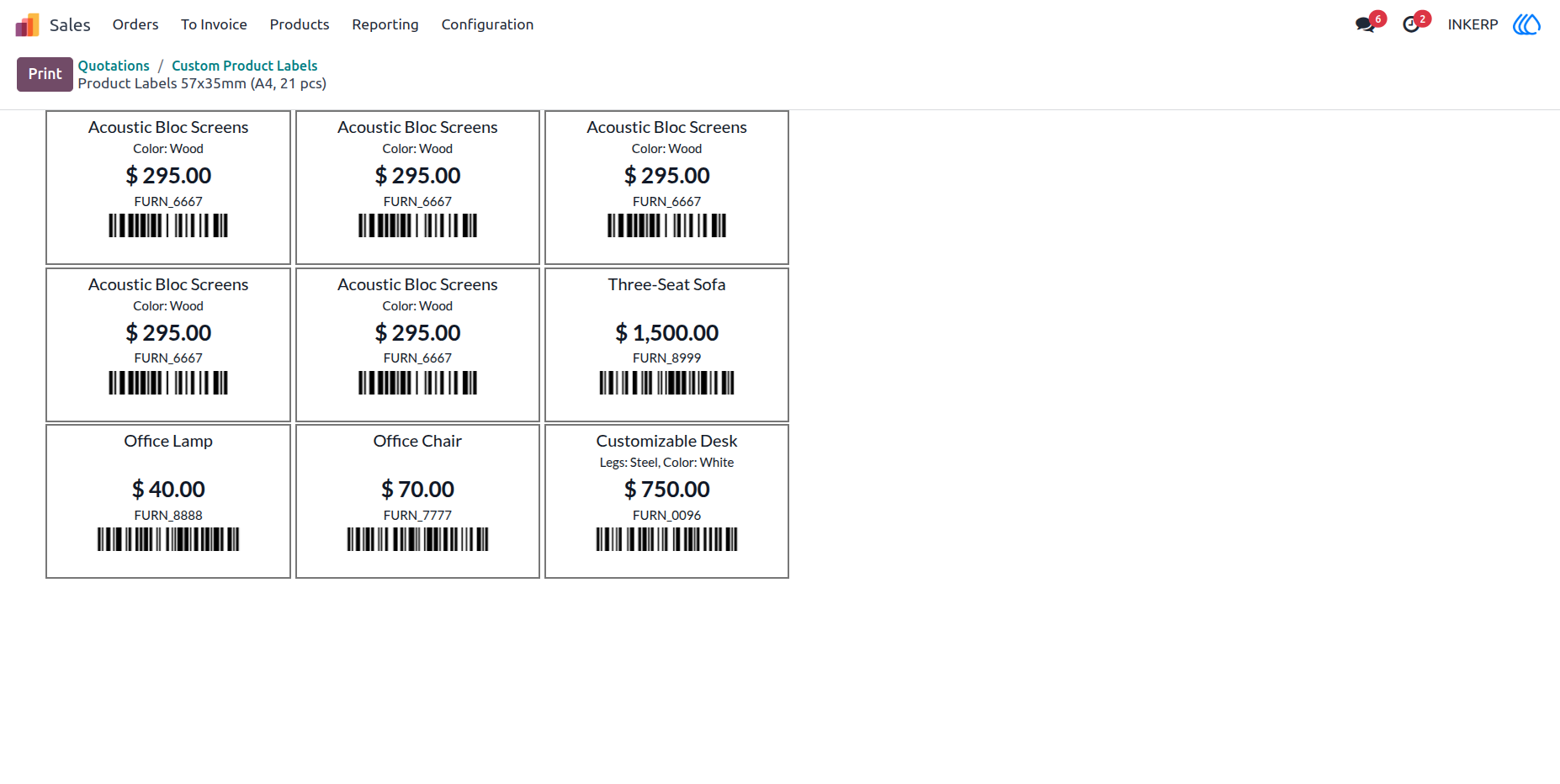
4.) Preview :
User Can see preview of selected Label here 57x35mm (A4, 21pcs)
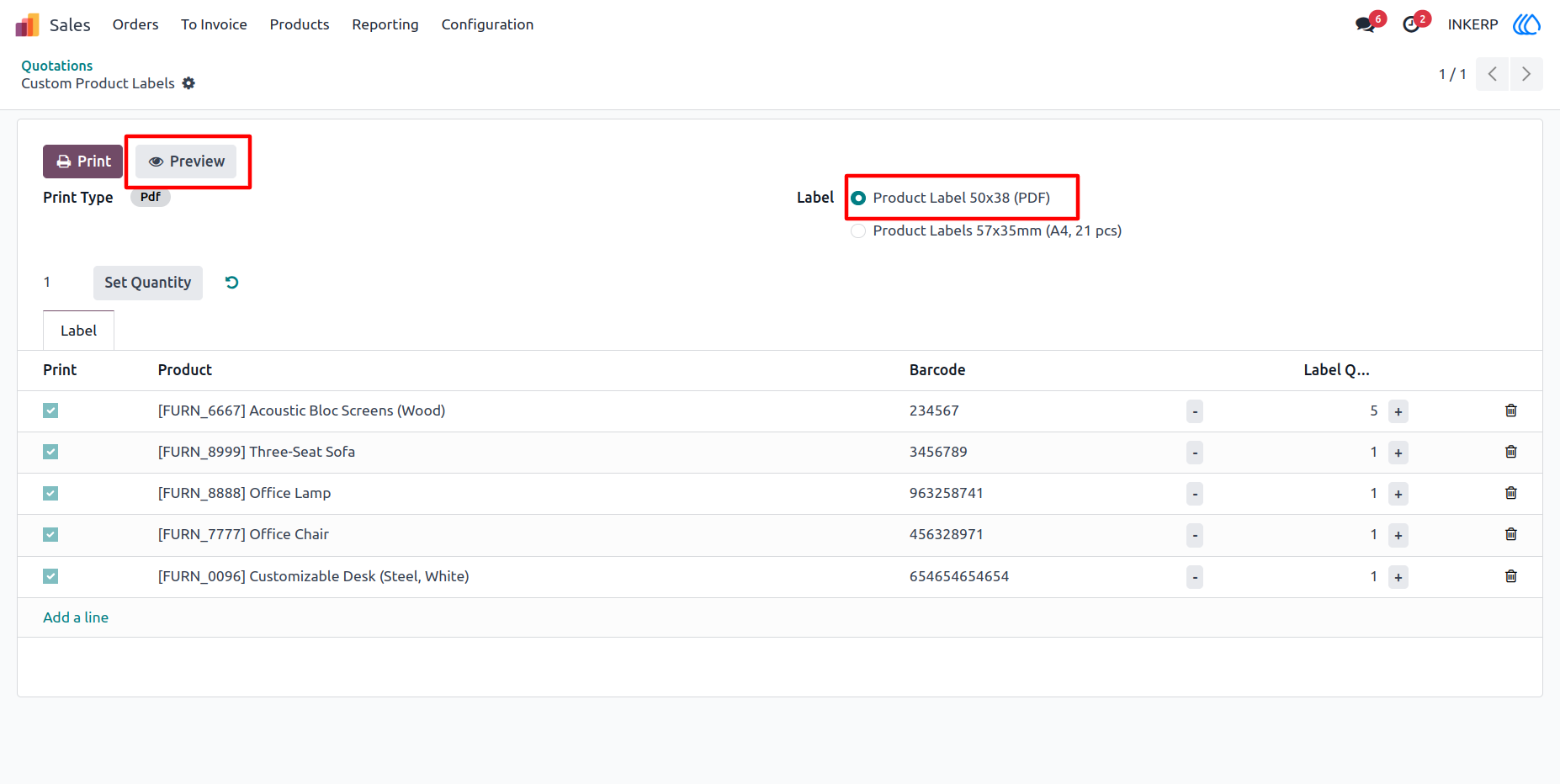
5.) Another Selection :
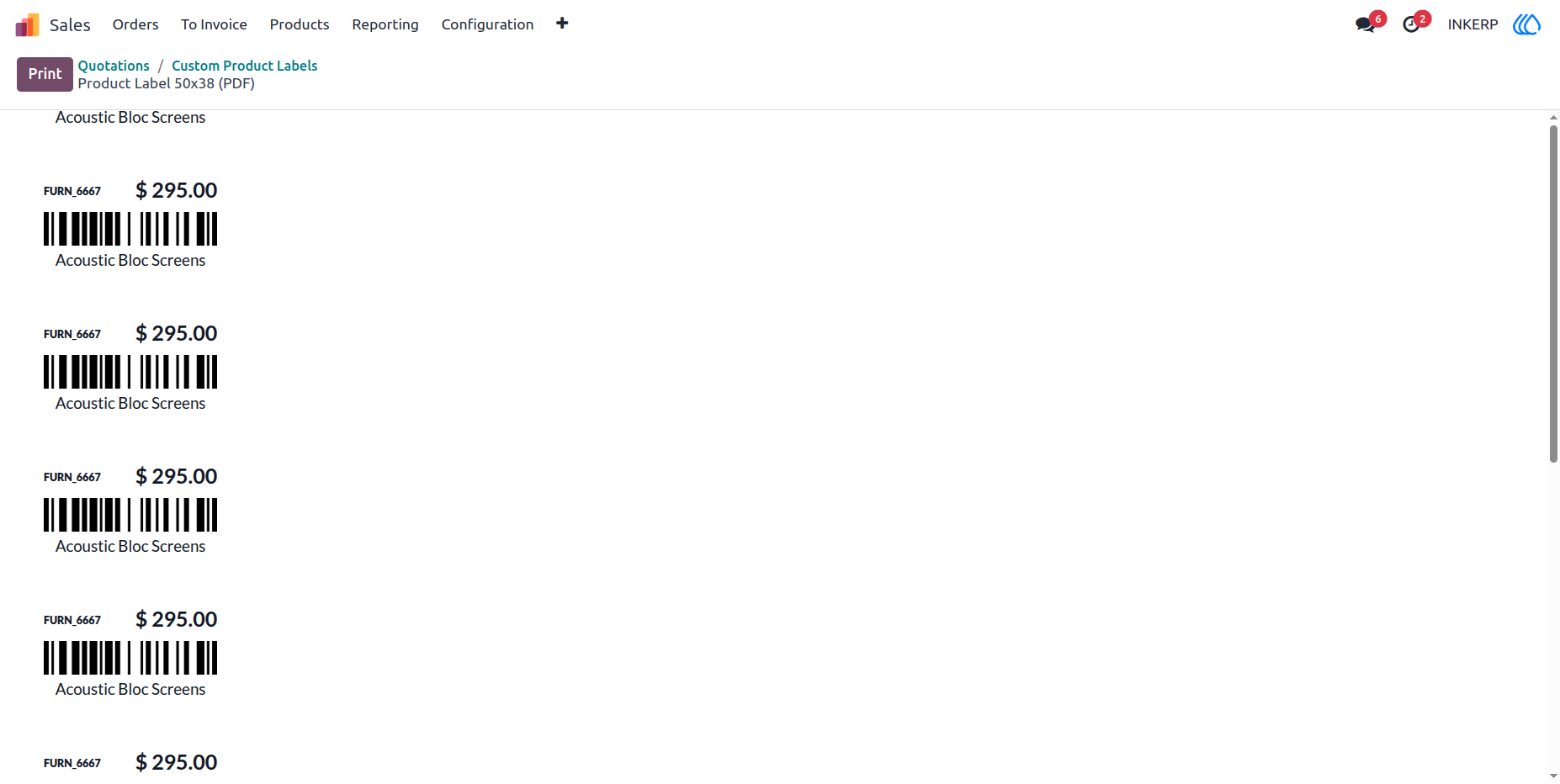
Selecte 50x38mm label for preview or print
6.) Preview :
Preview Of 50x38mm
User Guide