

Our Most Suggested Products


Sale Order Return Management for Odoo
The Sale Order Return Management app enables direct product returns from Sale Orders and Purchase Orders using a unified workflow. It simplifies return handling by removing dependency on delivery documents while maintaining consistency for both customer and vendor returns. The module supports partial and full returns with quantity validation and automatically links return records to their original documents for complete traceability.
 Features
 Screenshots
 Support
 Service
Features
Direct Order-Based Return Processing
The app allows product returns to be created directly from Sale Orders and Purchase Orders, eliminating the need to process returns through delivery documents. This approach simplifies daily operations and reduces unnecessary steps in the return workflow. Users can manage returns more efficiently while keeping a clear connection to the original order.
Controlled Quantity Validation and Traceability
The module enforces strict quantity validation to prevent returning more than the originally ordered amount. It supports both partial and full returns to accommodate real business scenarios. Every return record is automatically linked to its source document, ensuring accurate tracking, auditability, and complete return history.
Screenshot
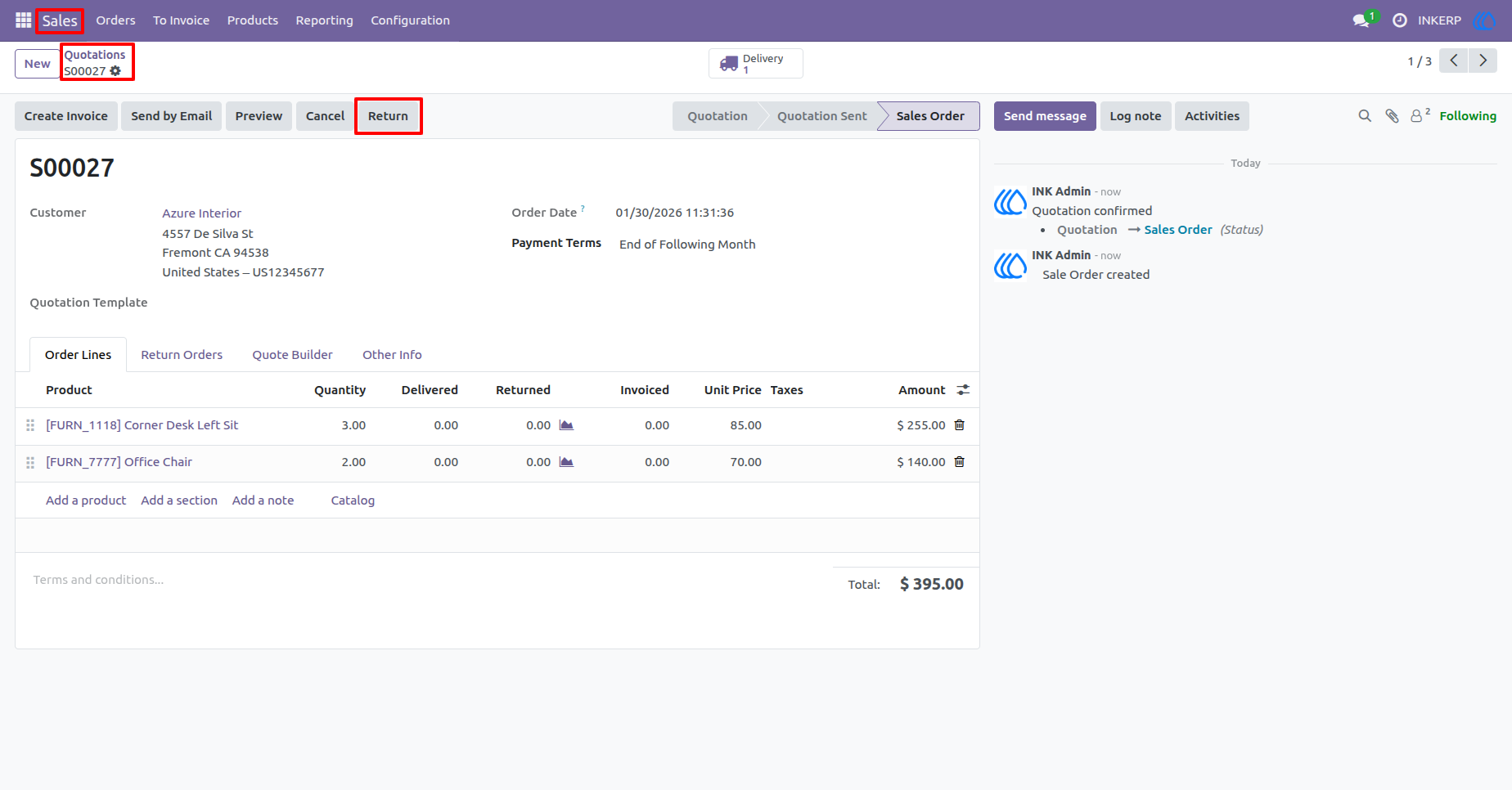
1.) Return Option on Sale Order
A Return button is available directly on confirmed Sale Orders, allowing users to initiate customer returns without switching to delivery or stock operations.
Navigation : Sale › Quotations › Quotation
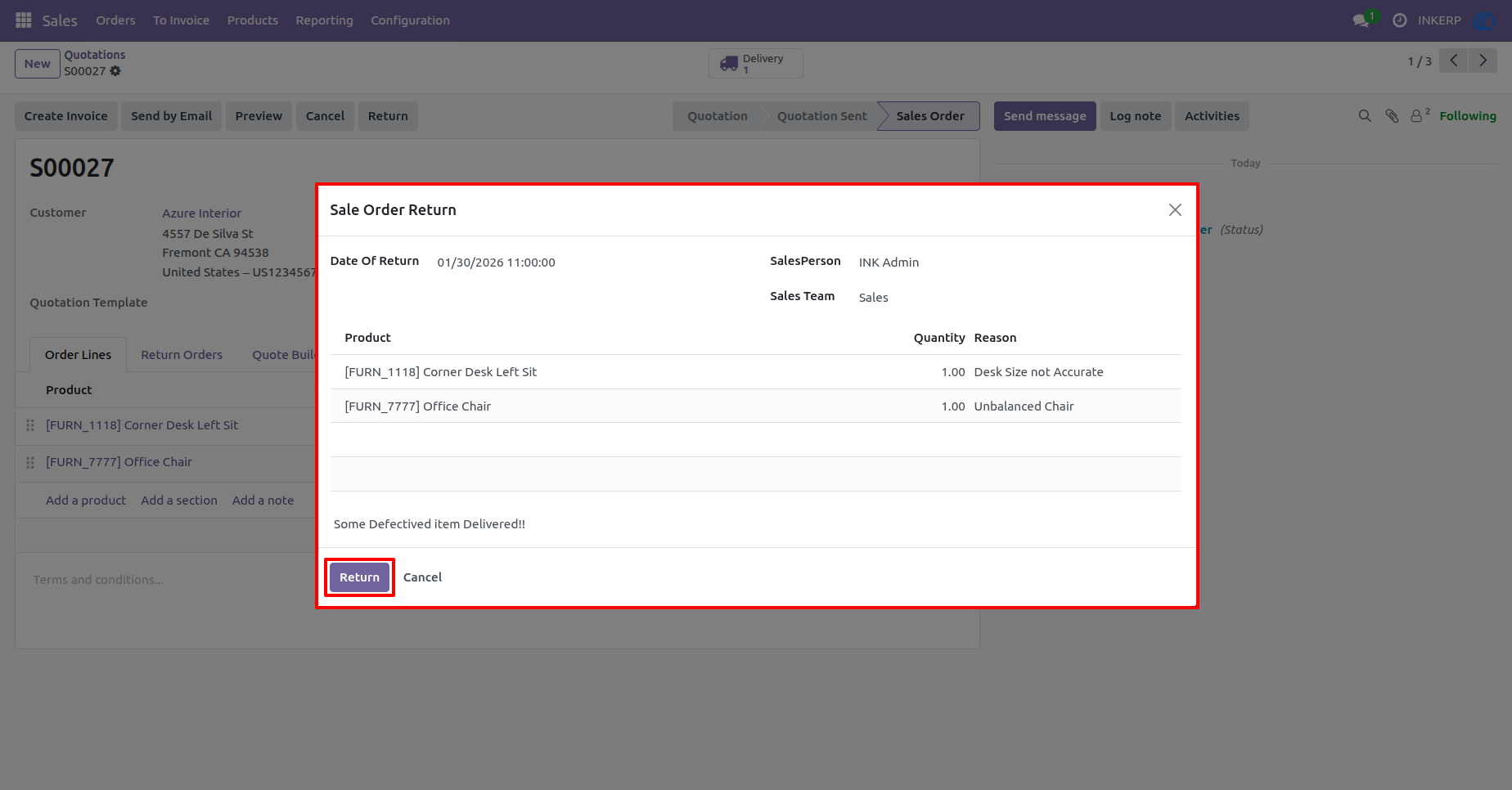
2.) Sale Order Return Wizard
The return wizard allows users to define return date, salesperson, team, returned products, quantities, and return reasons, ensuring structured and accurate return entries.
Navigation : Sale › Quotations › Return
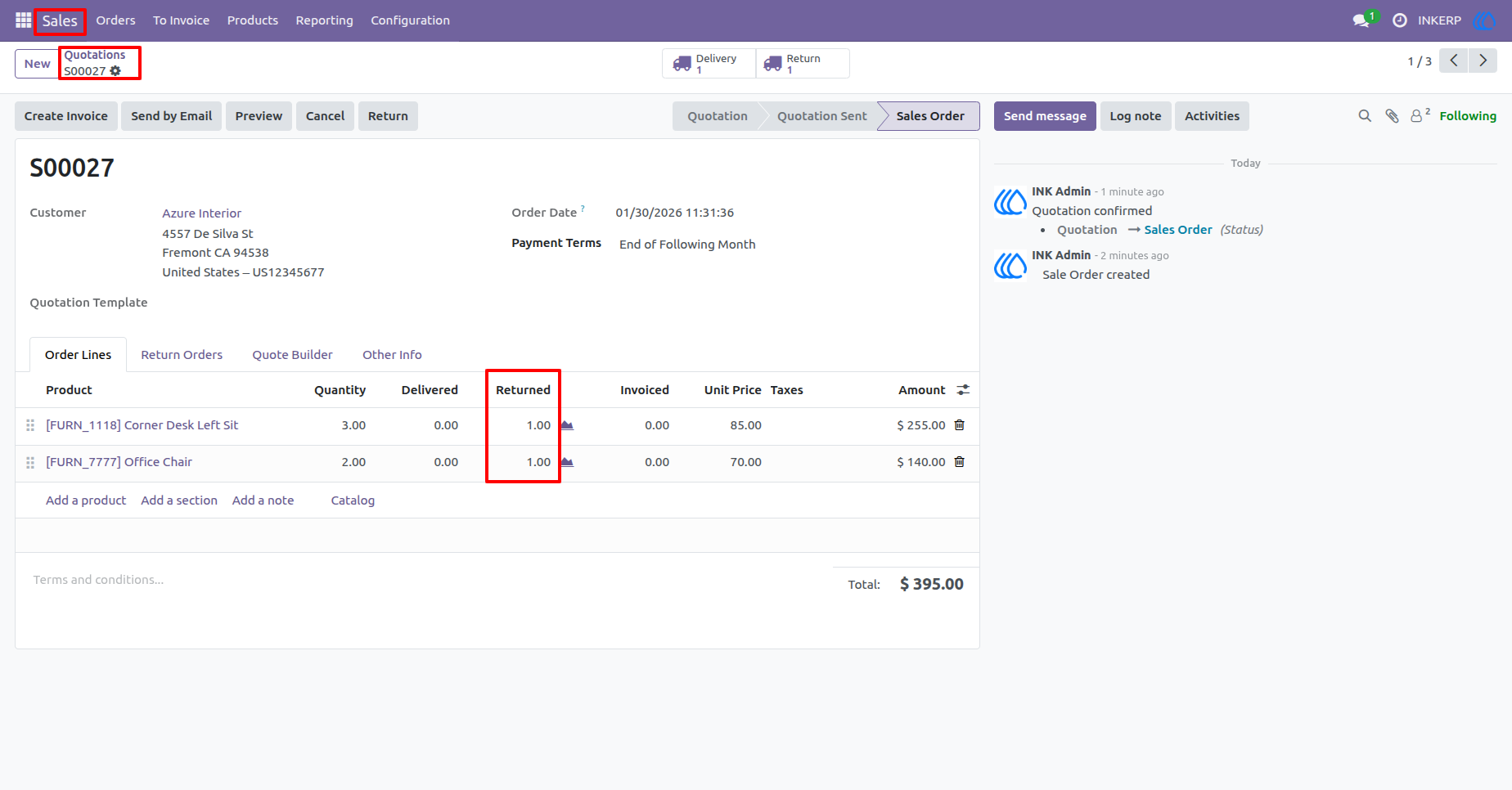
3.) Returned Quantity Tracking
Returned quantities are automatically updated on Sale Order lines and clearly reflected alongside ordered and delivered quantities for complete transparency.
Navigation : Sale › Quotations › Quotation
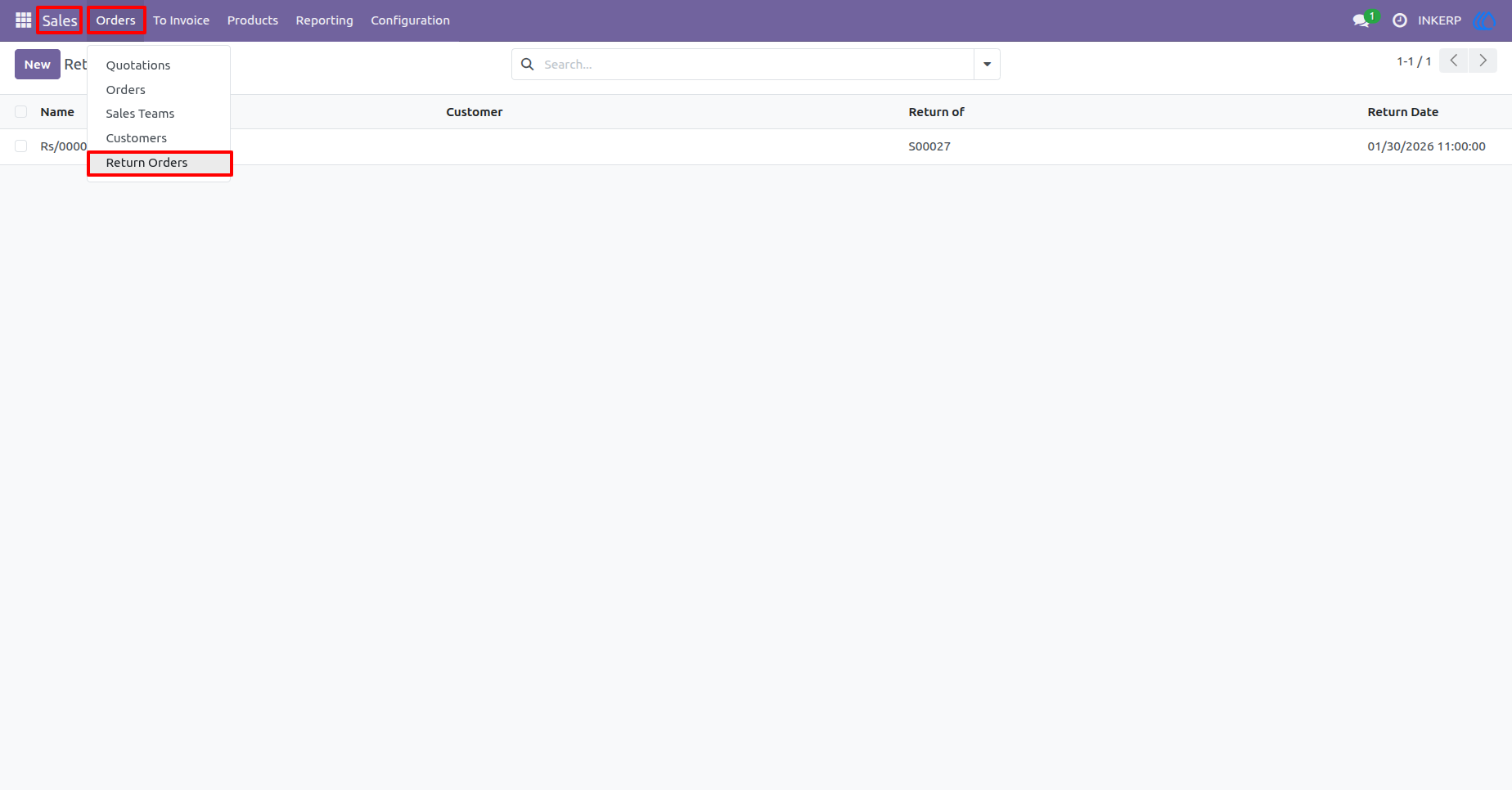
4.) Return Orders Menu Access
A dedicated Return Orders menu is added under Sales, providing quick access to all customer return records from a single location.
Navigation : Sale › Orders › Return Orders
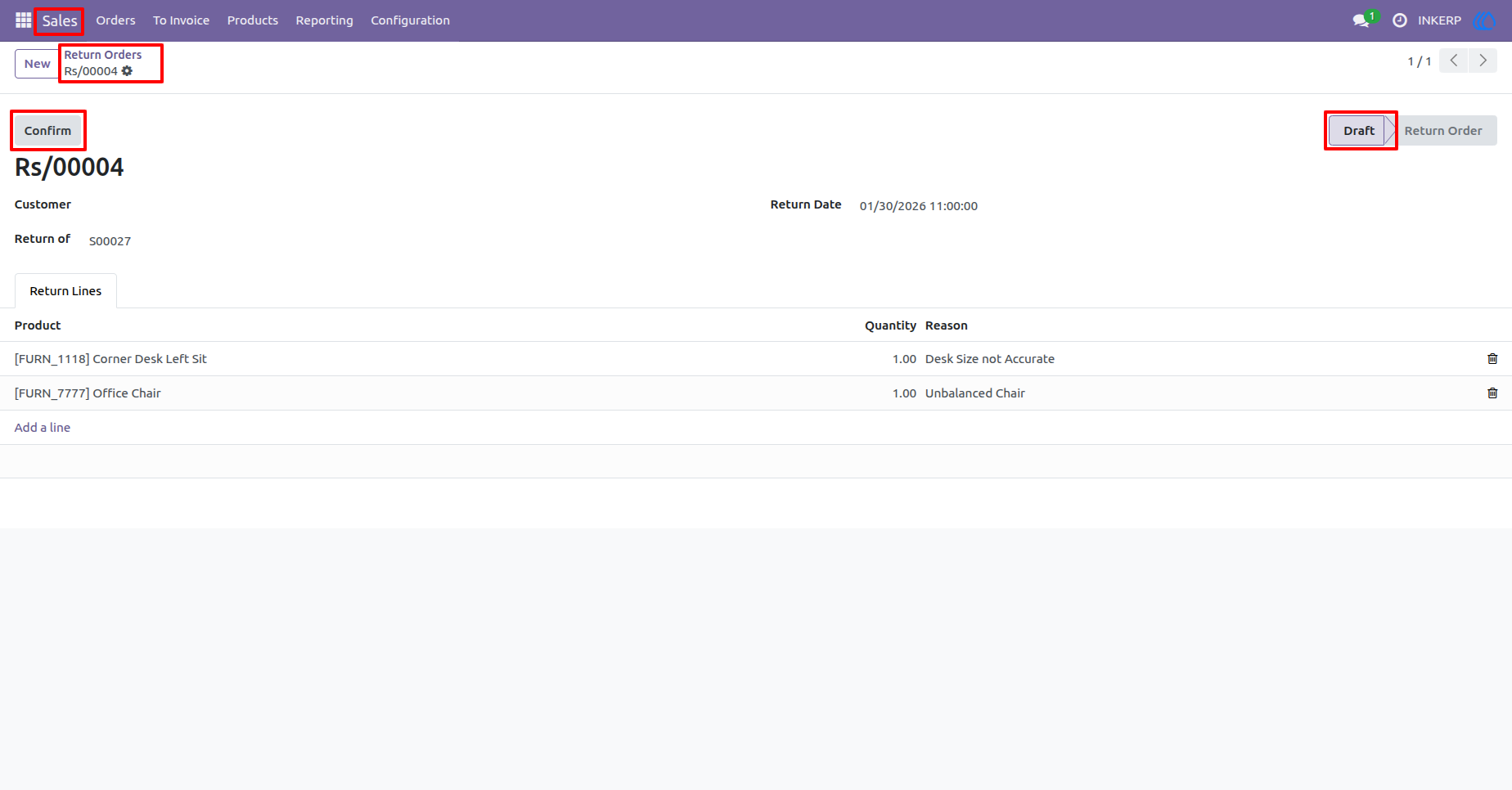
5.) Return Order Draft State
Each return order is created in a Draft state, allowing users to review, modify, or validate return details before confirmation.
Navigation : Sale › Orders › Return Order
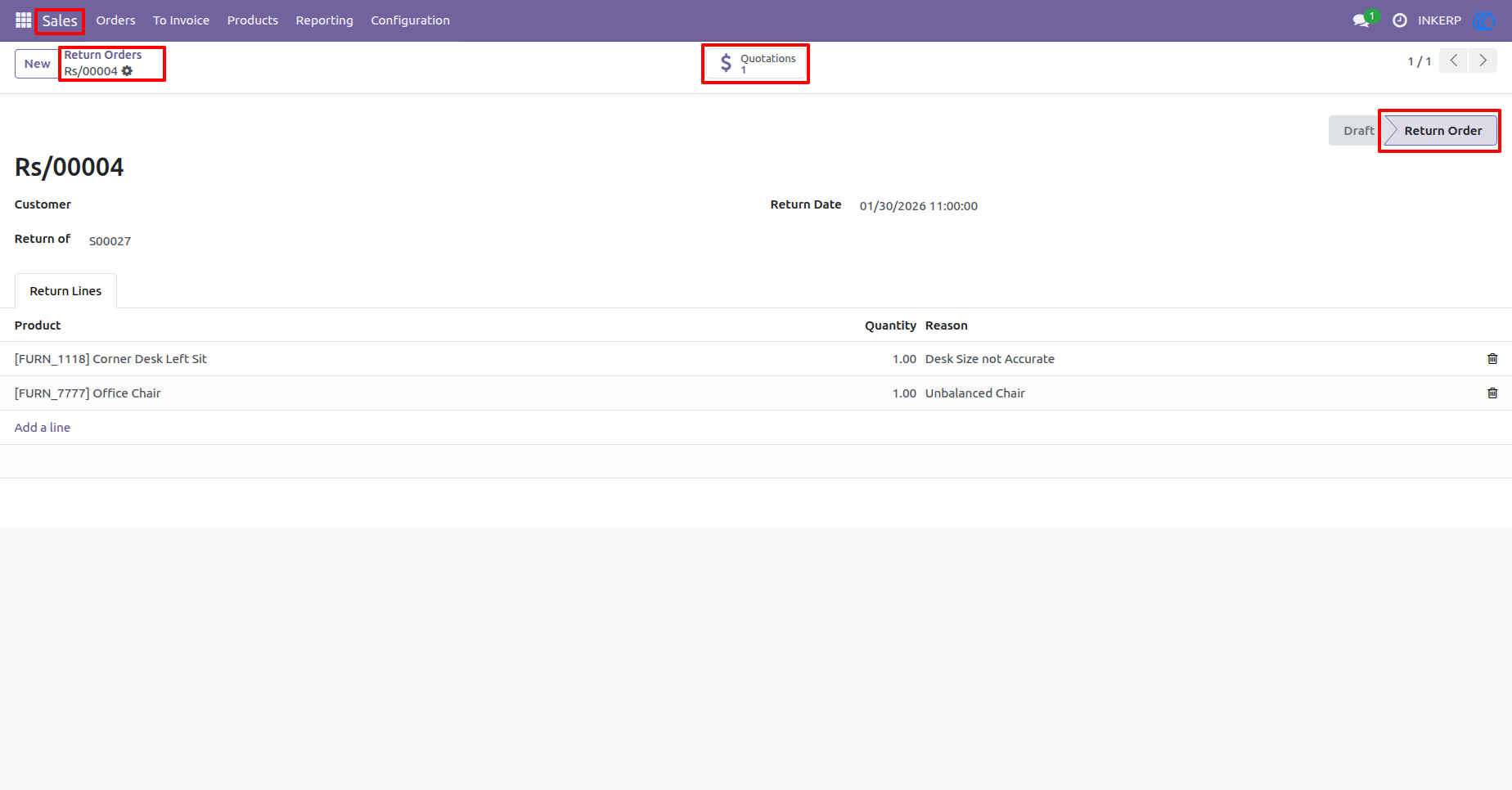
6.) Return Order Confirmation
Once validated, return orders move forward in the workflow while maintaining a direct reference to the original Sale Order for traceability.
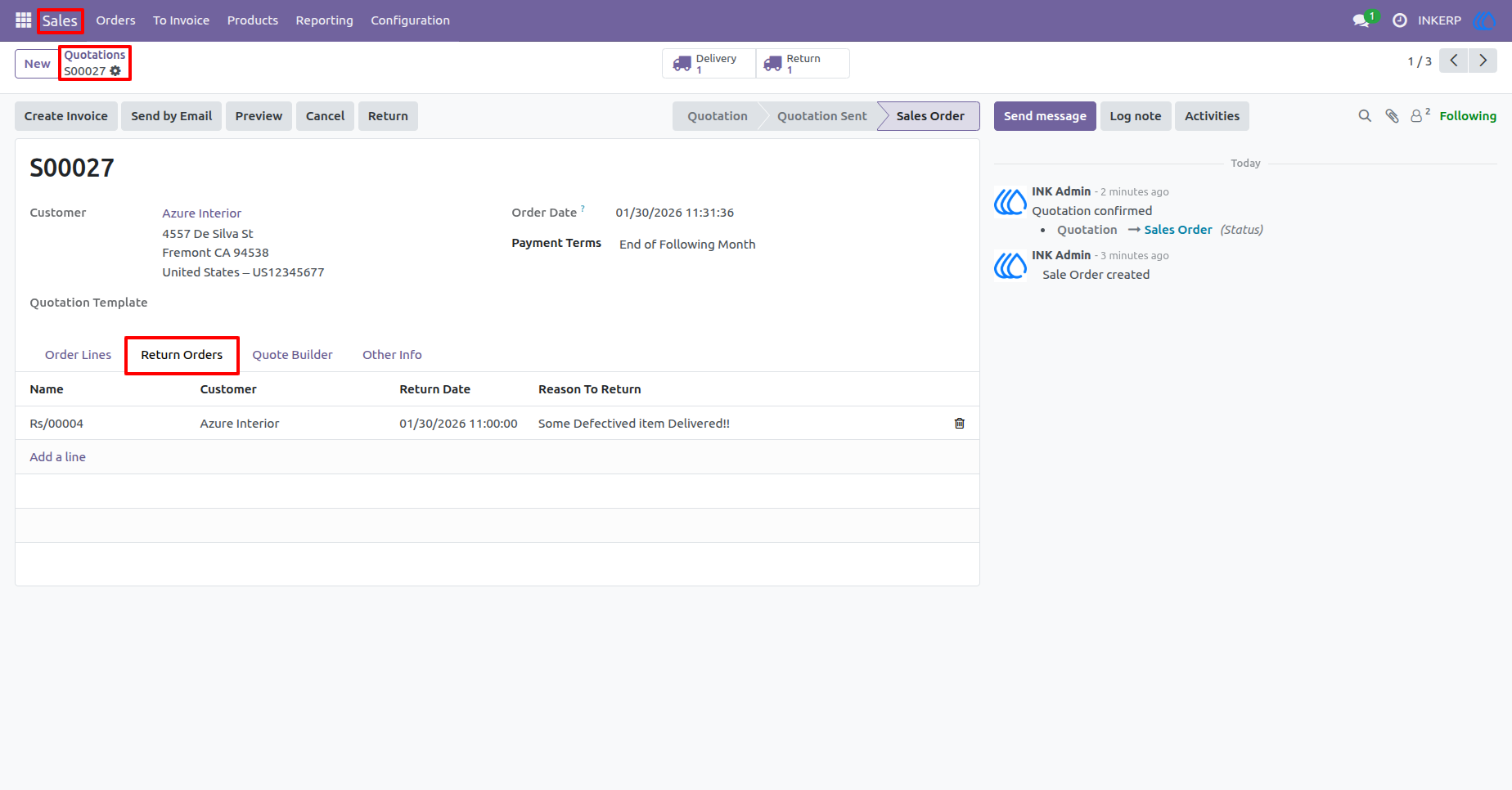
7.) Return Orders Tab on Sale Order
All related return records are listed inside the Return Orders tab of the Sale Order, providing a consolidated view of return history.
Navigation : Sale › Quotations › Quotation
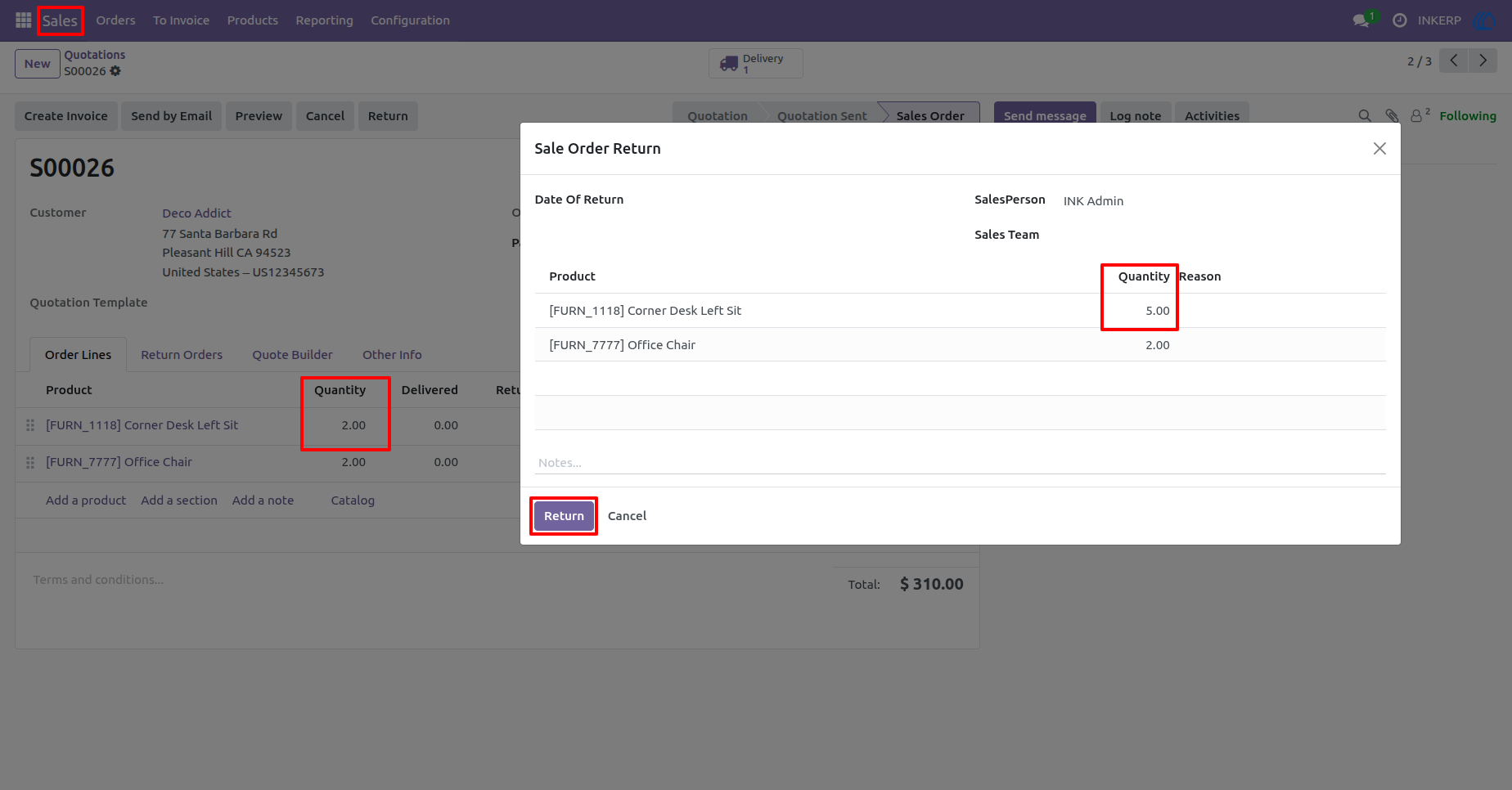
8.) Return Quantity Validation
The system enforces quantity validation by restricting returned quantities to the originally ordered amount and blocking excessive entries to maintain data accuracy.
Navigation : Sale › Quotations › Quotation
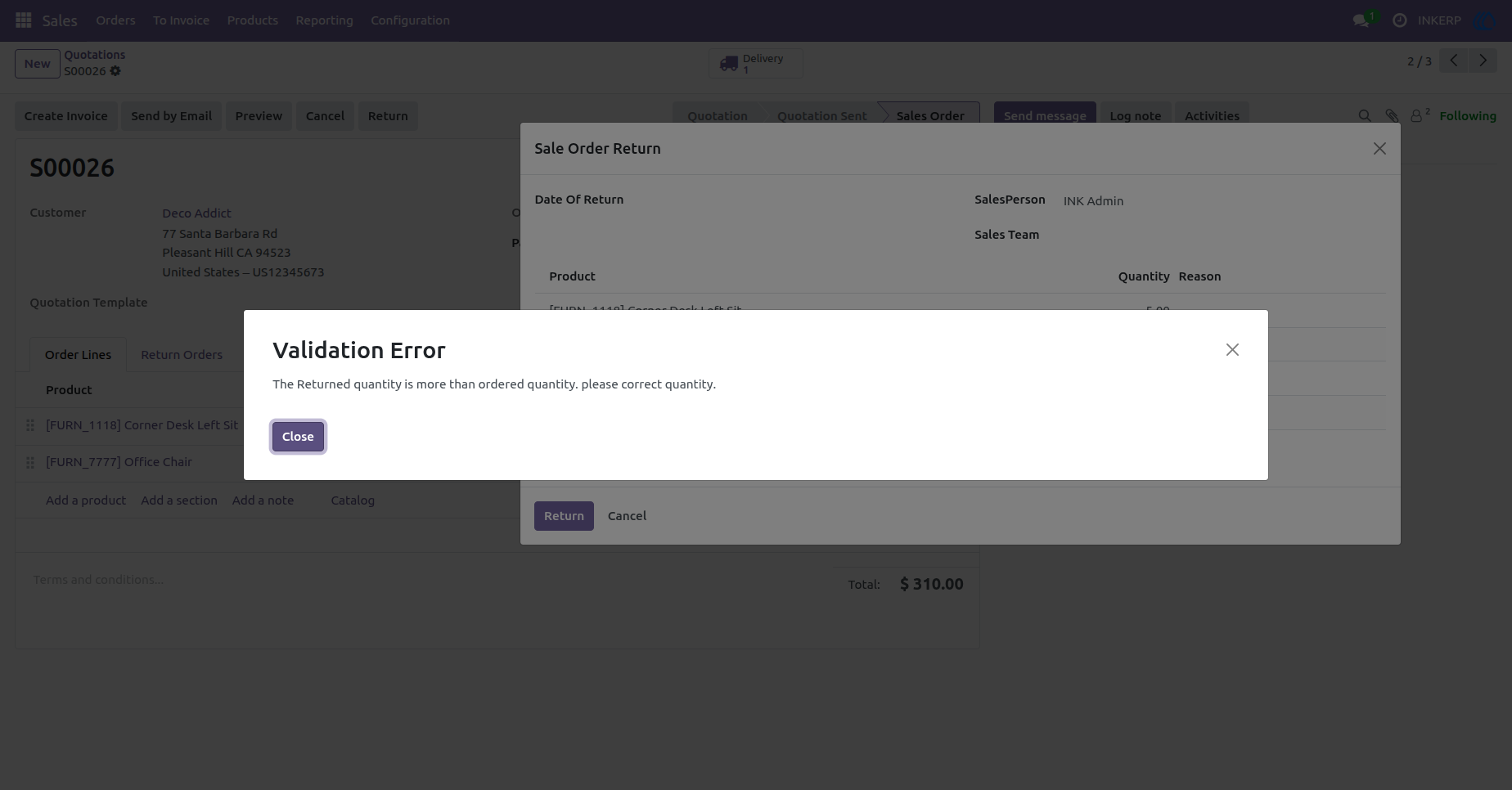
9.) Validation Error Notification
A clear validation message alerts users when entered return quantities exceed allowed limits, ensuring consistent and error-free return operations.
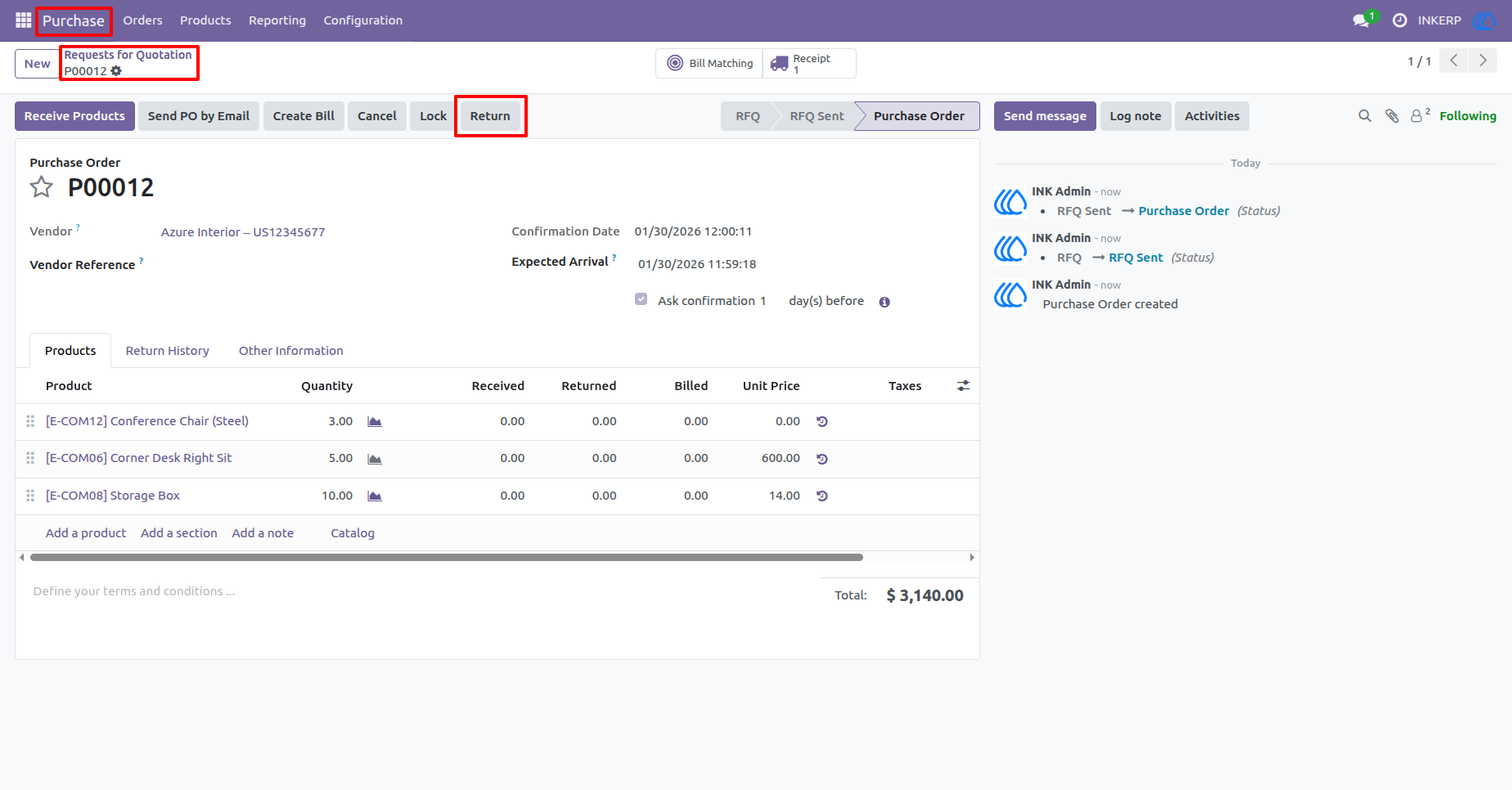
10.) Purchase Order Return Action
Purchase Orders include the same Return functionality available in Sale Orders, allowing users to process vendor returns using an identical workflow with product selection, quantity control, and validation.
Navigation : Purchase › Request for Quotations › Quotation
User Guide