

Our Most Suggested Products


Sale Order Recycle Bin
Recover deleted Sale Orders with ease using a Recycle Bin system in Odoo. Keep deleted records safely available for review and restoration when needed. Restore important Sale Order records quickly and avoid accidental data loss. Automatically remove old Recycle Bin records based on the configured retention days. Maintain a cleaner, safer, and more manageable Sale Order database.
 Features
 Screenshots
 Support
 Service
Features
Securely Store Deleted Sale Orders
Deleted Sale Order records are moved to the Recycle Bin instead of being permanently removed. This provides a safe place to review deleted records and helps prevent accidental data loss.
Restore Deleted Sale Order Records
Restore required Sale Order records directly from the Recycle Bin whenever needed. This makes it easy to recover important records that were deleted accidentally.
Automatic Recycle Bin Cleanup
Configure retention days to control how long deleted records remain in the Recycle Bin. Records older than the selected retention period are automatically removed to keep the database clean.
Screenshot
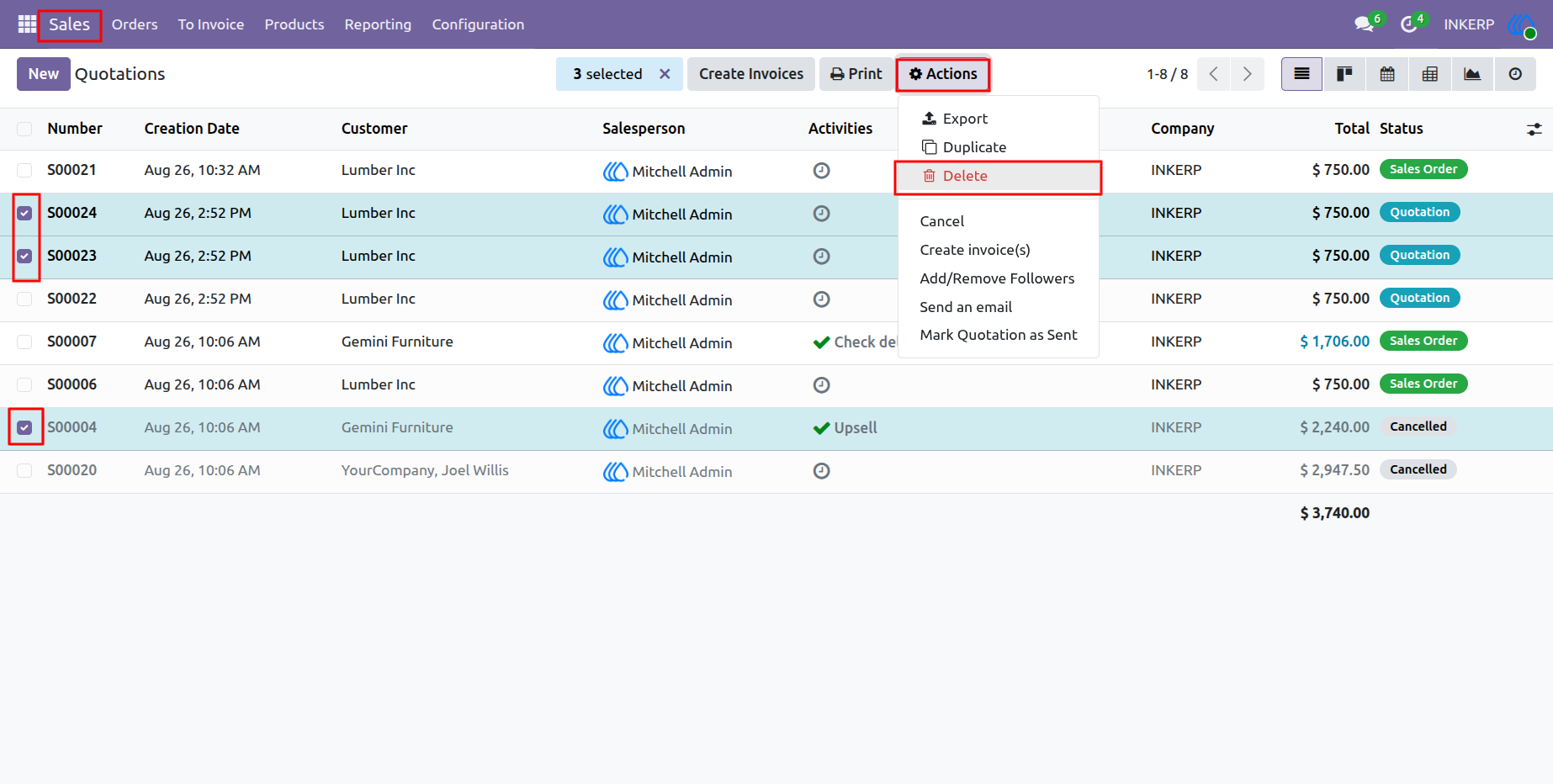
1.)Sale order Delete Record
Select one or more Sale Order records from the list view and use the Action button to delete the selected records. The selected Sale Orders are removed from the active list and safely stored in the Recycle Bin. This allows administrators to recover accidentally deleted records whenever required.
Navigation : Sales › Orders › Quotations
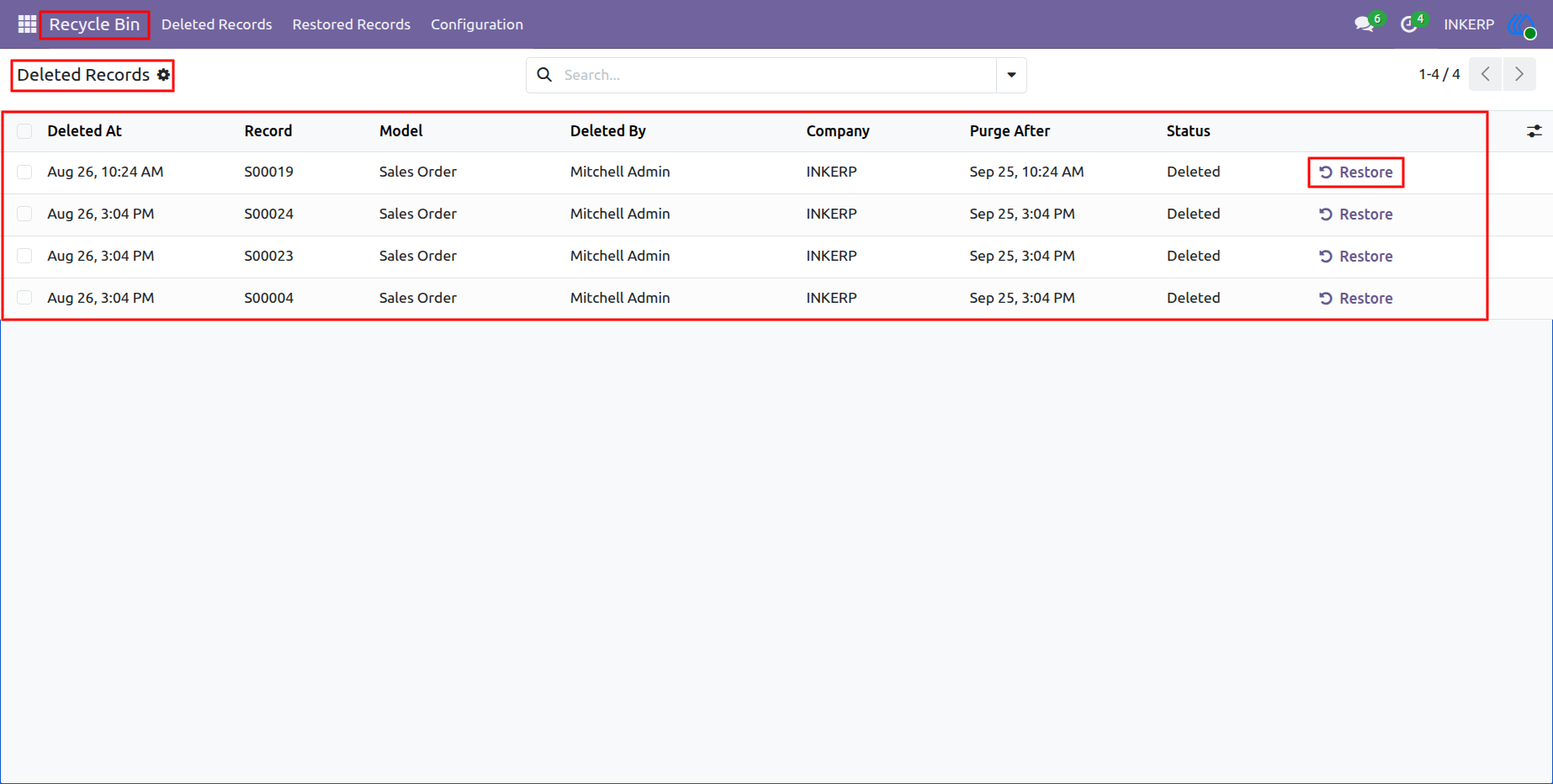
2.)Recycle Bin Deleted Record
Open the Recycle Bin to view all deleted Sale Order records stored for recovery. Review the available deleted records and select the Sale Order you want to manage. Restore a deleted Sale Order to bring it back into the Sale Order records whenever required. You can also permanently delete records from the Recycle Bin when they are no longer needed.
Navigation : Recycle Bin › Deleted Records
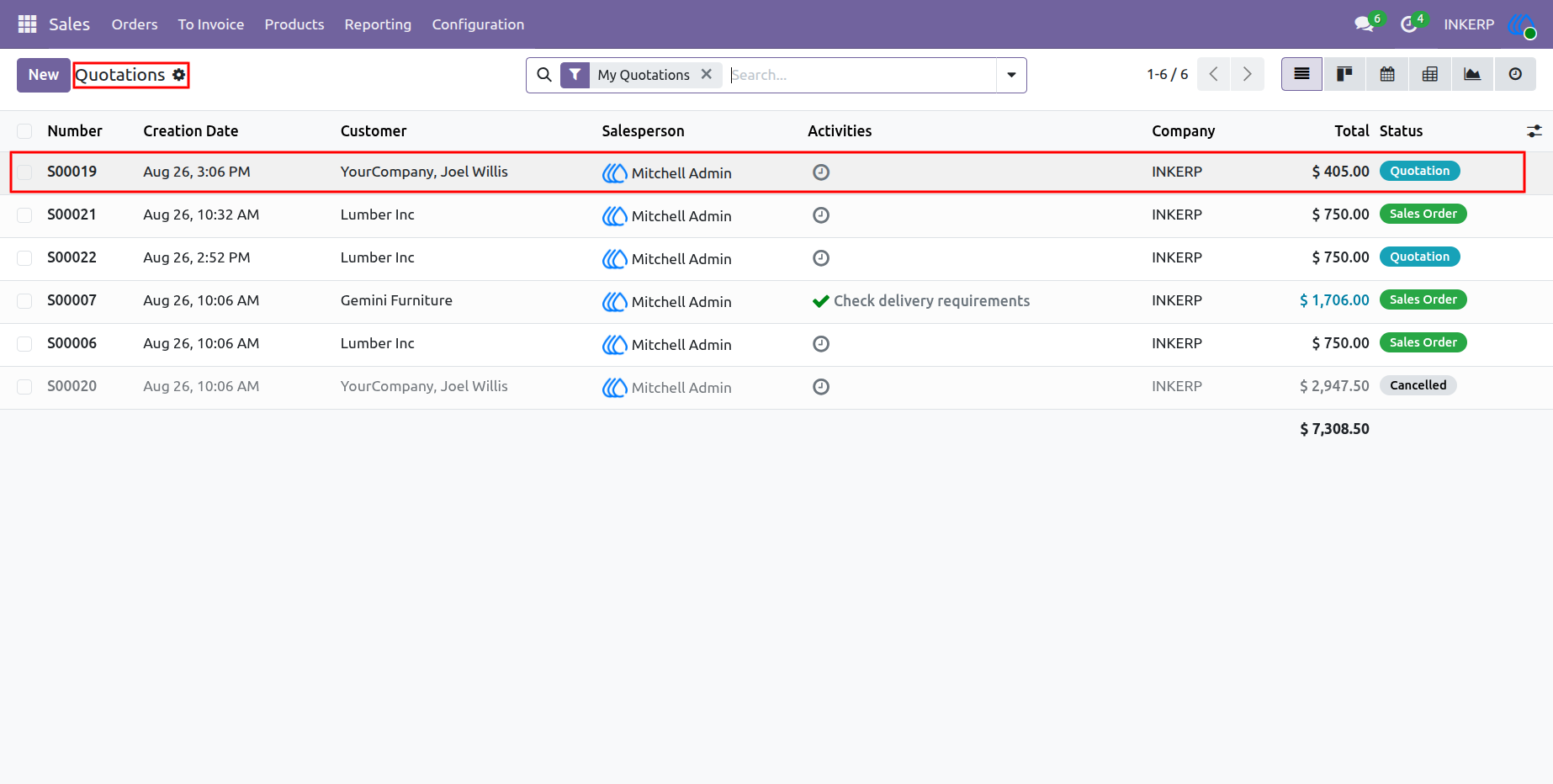
3.)Restored Sale Order Record
Restore the required Sale Order record directly from the Recycle Bin whenever it is needed. After restoration, the record is removed from the Recycle Bin and returned to the Sale Order section. Open the Sale Order list view to verify that the restored record is available again. This makes it easy to recover accidentally deleted Sale Orders without recreating them manually.
Navigation : Sales › Orders › Quotations
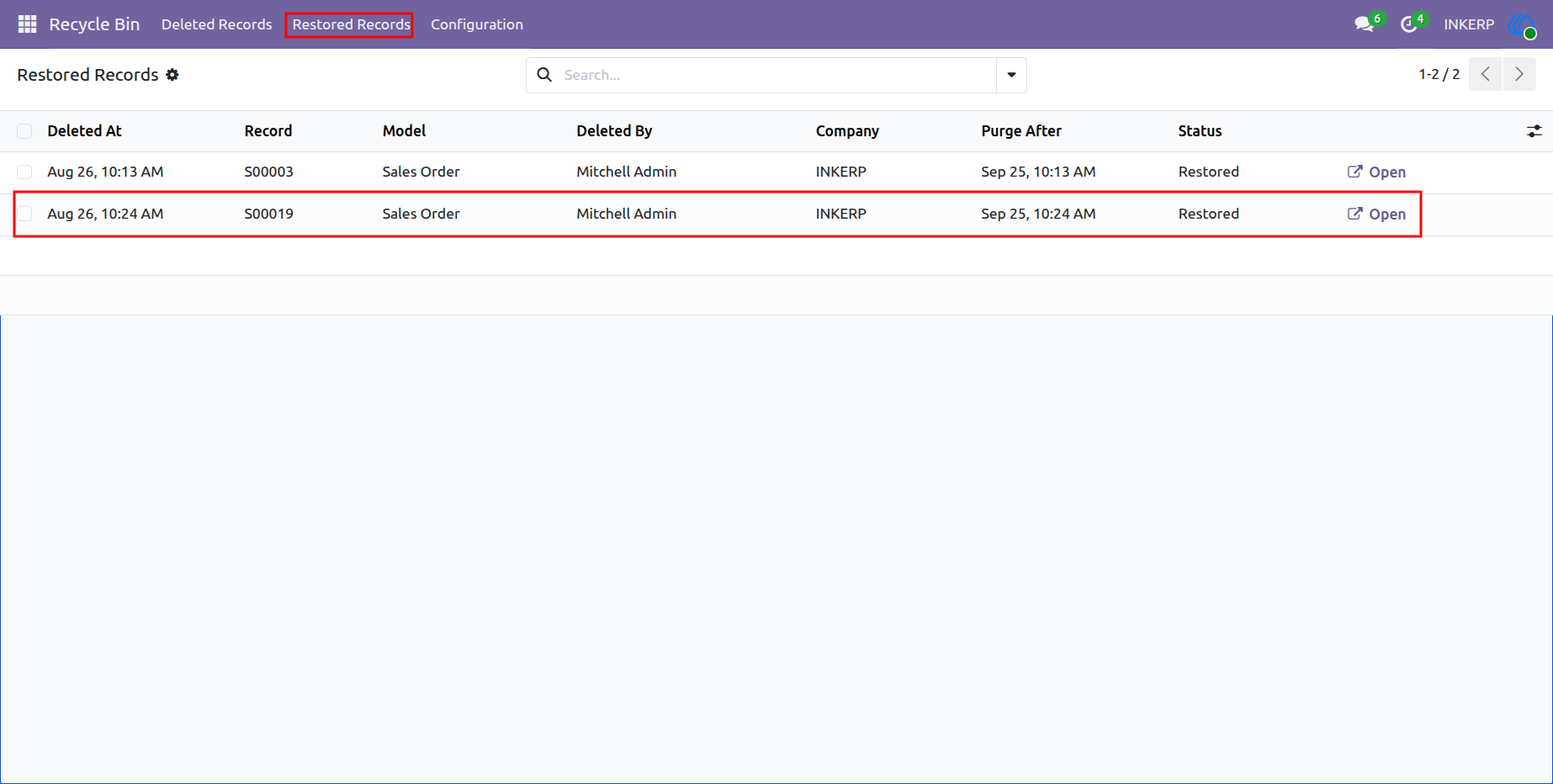
4.)Restored Record in Recycle Bin
Open the Recycle Bin and access the Restored Records menu to view Sale Orders that have been recovered. Restored records are stored separately in this menu for easy tracking and reference. Review the restored Sale Order details whenever required from the Restored Records section. This provides a clear history of recovered records and simplifies record management.
Navigation : Recycle Bin › Restored Records
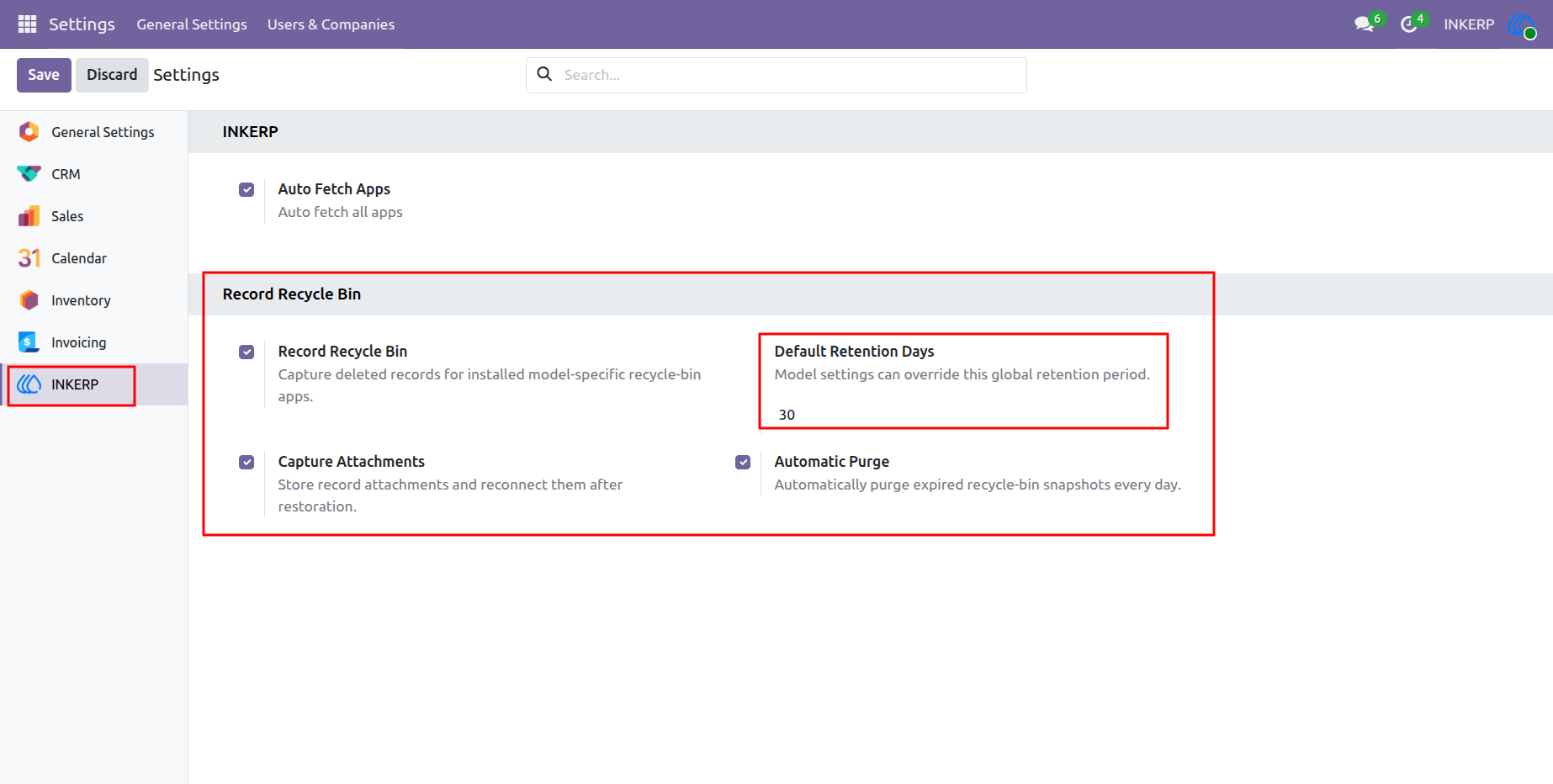
5.)Set Default Retention Days
Open the Settings menu to access the Default Retention Days field for Recycle Bin management. Set the number of days to define how long deleted Sale Order records should remain in the Recycle Bin. Once the configured retention period is reached, stored deleted records are automatically removed. This helps keep the Recycle Bin clean and prevents unnecessary deleted data from being stored for a long time.
Navigation : Settings › INKERP
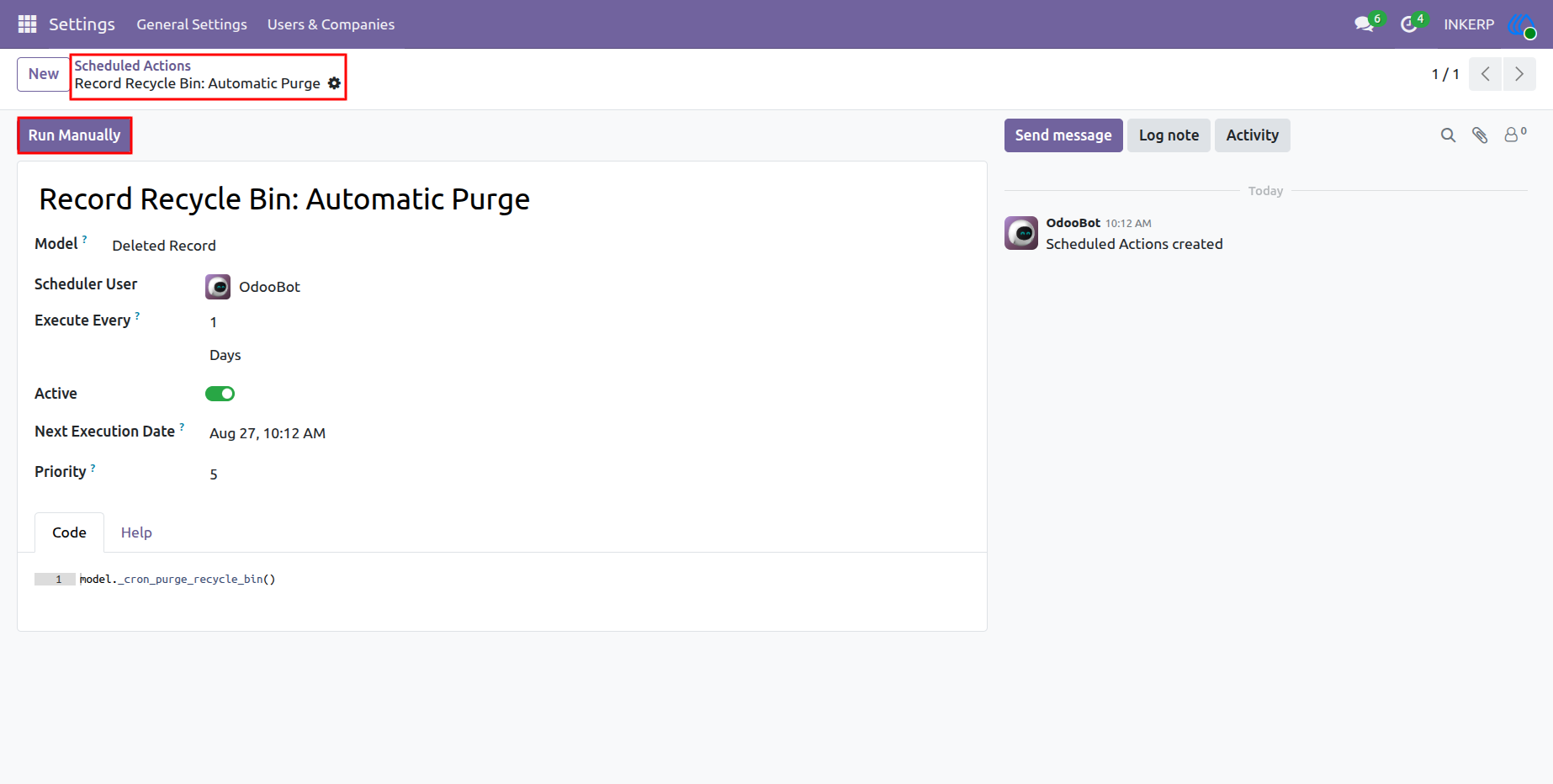
6.)Record Recycle Bin Schedule Action Run Manually
Open the Record Recycle Bin scheduled action to manage the automatic cleanup process. Click the Run Manually button to immediately execute the cleanup operation for expired deleted records. Records that have exceeded the configured retention period are automatically removed from the Recycle Bin. This allows administrators to manually trigger the cleanup process whenever required.
Navigation : settings › Technical › Scheduled Actions
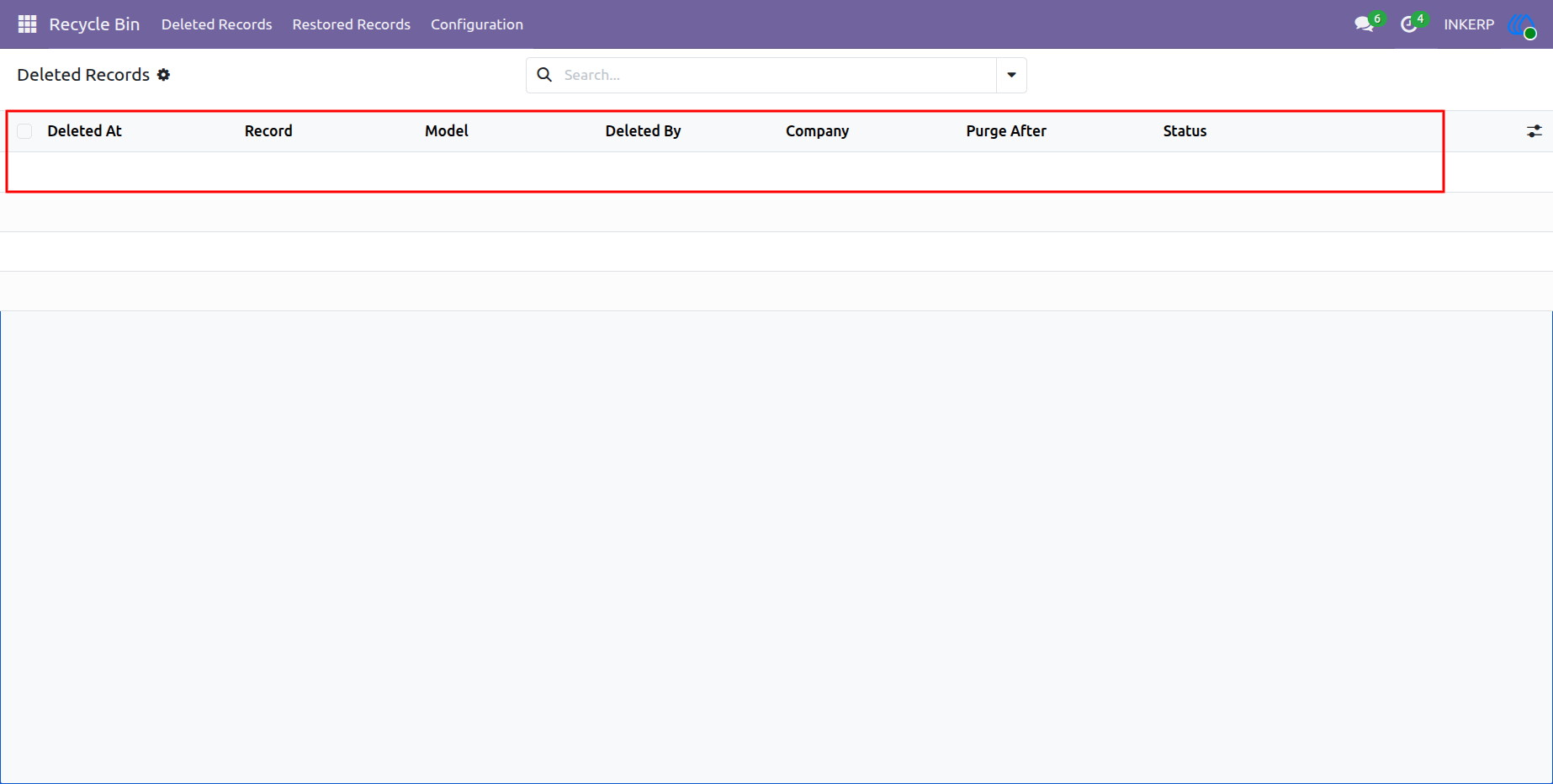
7.)Expired Deleted Records Can Be Permanently Removed
Expired deleted records can be permanently removed from the Recycle Bin after the configured retention period is reached. The cleanup process automatically identifies records that have exceeded the selected retention days. These expired records are permanently deleted from the Recycle Bin and can no longer be restored. This helps maintain a clean database and prevents unnecessary deleted records from being stored.
Navigation : Recycle Bin › Deleted Records
User Guide