

EXCLUSIVE CUSTOMER BENEFITS
FREE INSTALLATION
& 90 DAYS FREE SUPPORT!
No worries about installation! This module comes with free installation assistance and 90 days of free support, helping you get started smoothly and confidently.
✦ COMPLIMENTARY INSTALLATION & SUPPORT ✦
MORE VALUE • LESS HASSLE • A BETTER START
Our Most Suggested Products


Sale Order Record Display Limit
The module adds a setting in Sales Settings to control how many records should be displayed when opening the Quotations and Sales Orders list views.
Video Tutorial

 Features
 Screenshots
 Support
 Service
Features
Limit Sales Order Records
Applies the same limit to the Sales Orders list view, helping users manage large sales datasets more efficiently.
Limit Quotation Records
Applies the configured record limit to the Quotations list view, so only the defined number of quotation records are loaded initially.
Screenshot
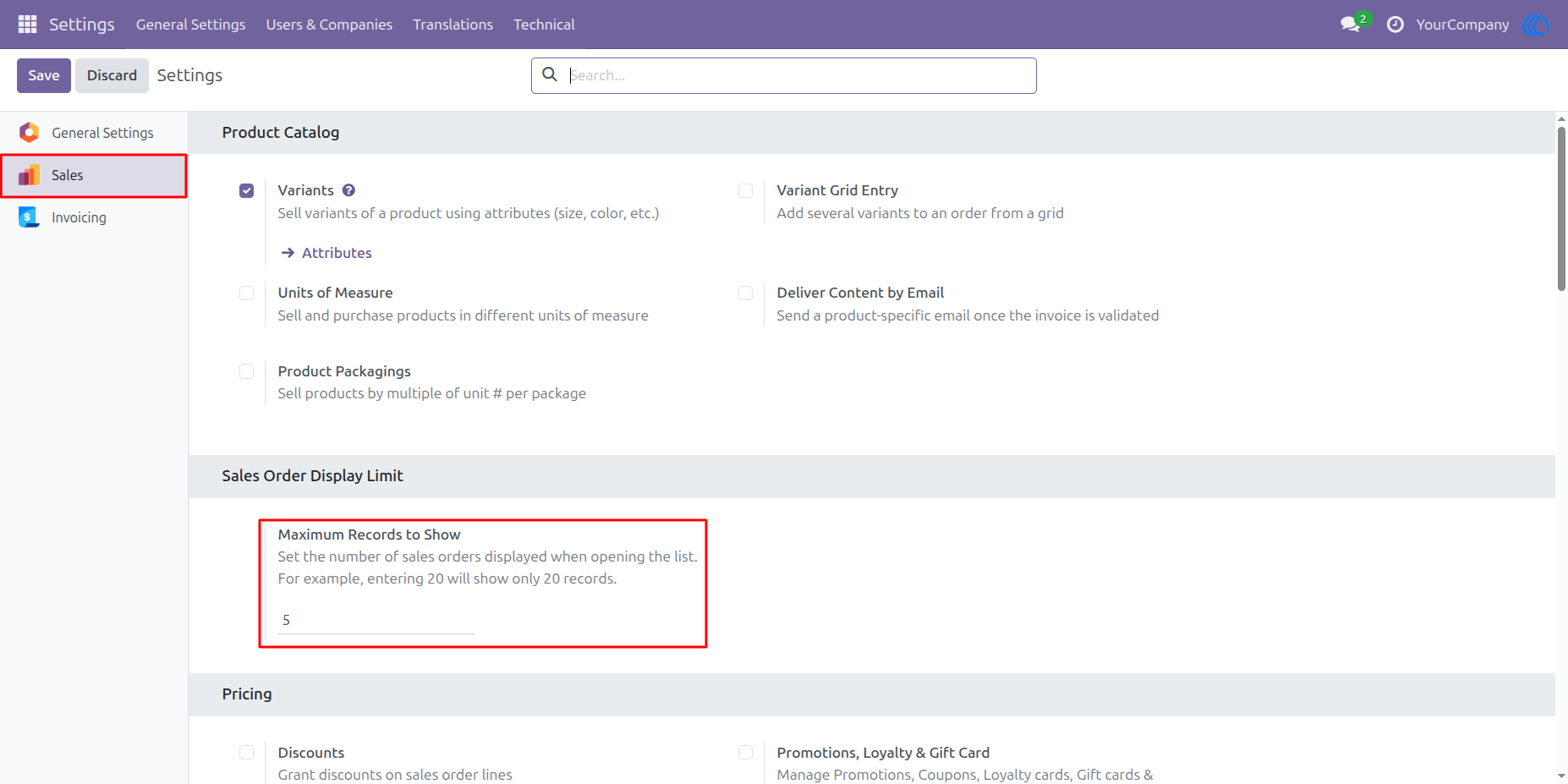
Configure Sales Order Display Limit
A new setting named Maximum Records to Show is available under Sales Settings. The user can enter the number of records that should appear when opening the quotation or sales order list.
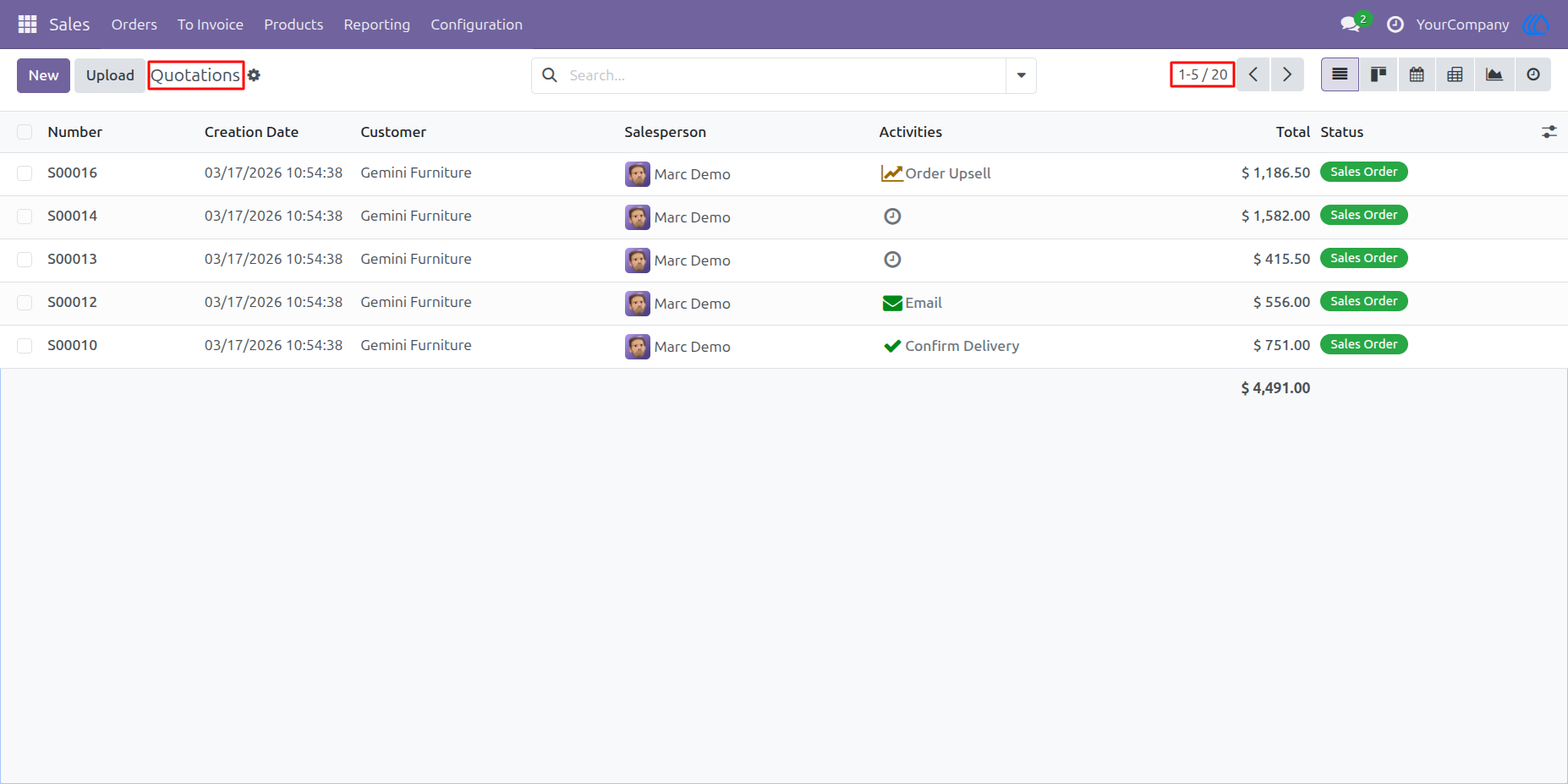
Quotation List Limited to Configured Records
The quotation list displays only the configured number of records. In this example, the setting is set to 5, so the list opens with only 5 quotation records visible out of the total available records.
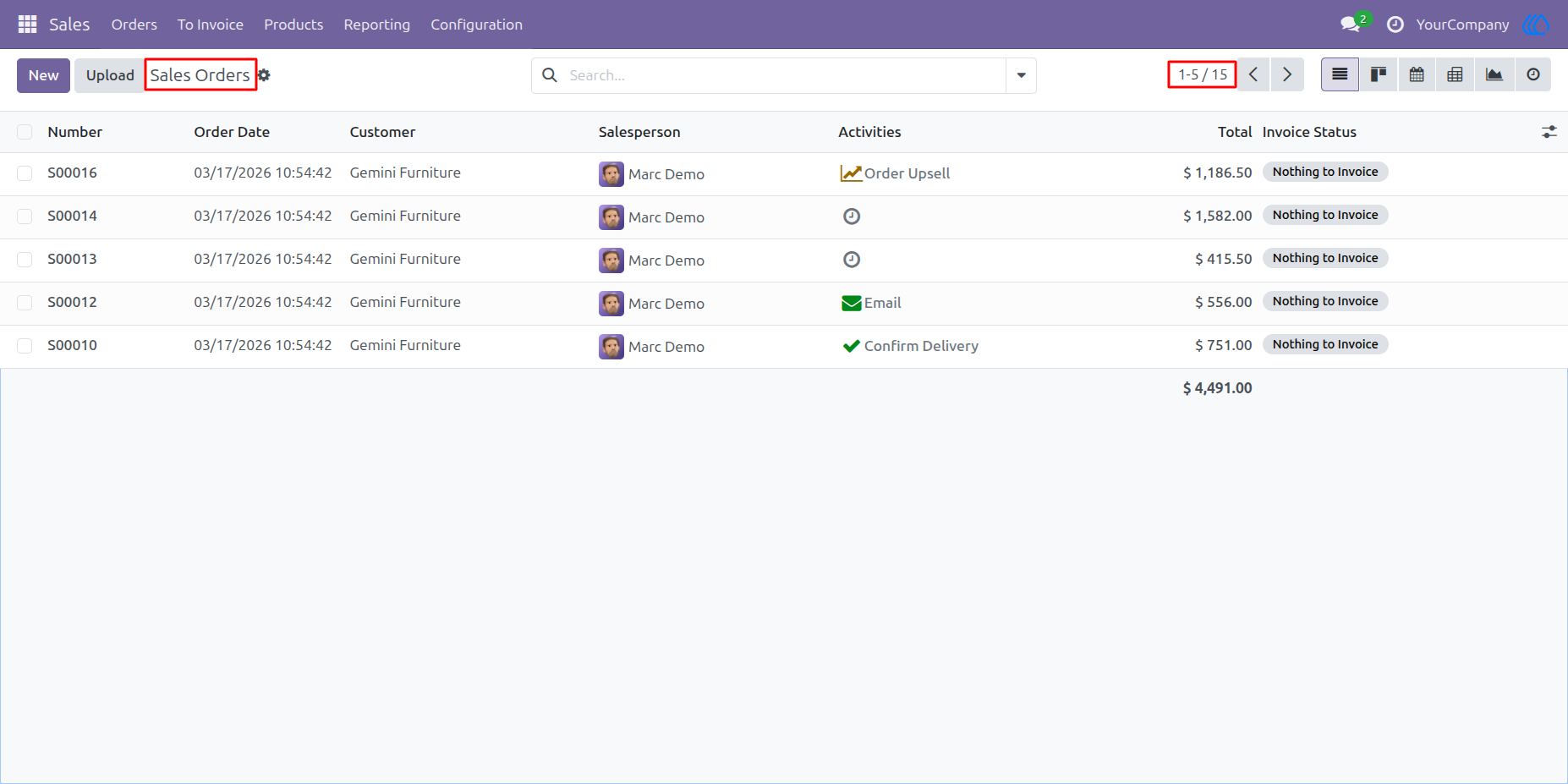
Sales Order List Limited to Configured Records
The same record limit is also applied to the Sales Orders list. Only 5 sales order records are loaded initially, helping users open large sales lists faster and work with a cleaner view.
User Guide