

Our Most Suggested Products


Resource Management
The Resource Management System is a complete, reliable solution built to track, organize, and allocate company assets. Whether your company needs to manage physical spaces like meeting rooms, high-value electronics like engineering laptops, or shared corporate vehicles, this application coordinates everything seamlessly. It removes manual paperwork and replaces it with a structured digital workflow.
 Features
 Screenshots
 Support
 Service
Features
Easy Resource Booking & Conflict Prevention
Users can easily request company assets like laptops, meeting rooms, or vehicles for specific dates and times. The system automatically stops double-booking if an item is already occupied, ensuring smooth operations without any scheduling clashes.
Manager Approval Workflow
Every resource request goes through a clear and structured approval process. Managers get full control to review pending requests, check asset details, and officially approve or reject.
Automated Invoicing for Paid Resources
If a requested asset is marked as premium or paid, the application automatically creates a billing invoice as soon as the manager approves it. This seamlessly connects your daily resource tracking with your accounting system.
Role Access & Organization
Keep your system secure by giving separate permissions to normal users and approving managers. You can also neatly organize all your company assets into main categories and sub-categories so items are always easy to find.
Screenshot
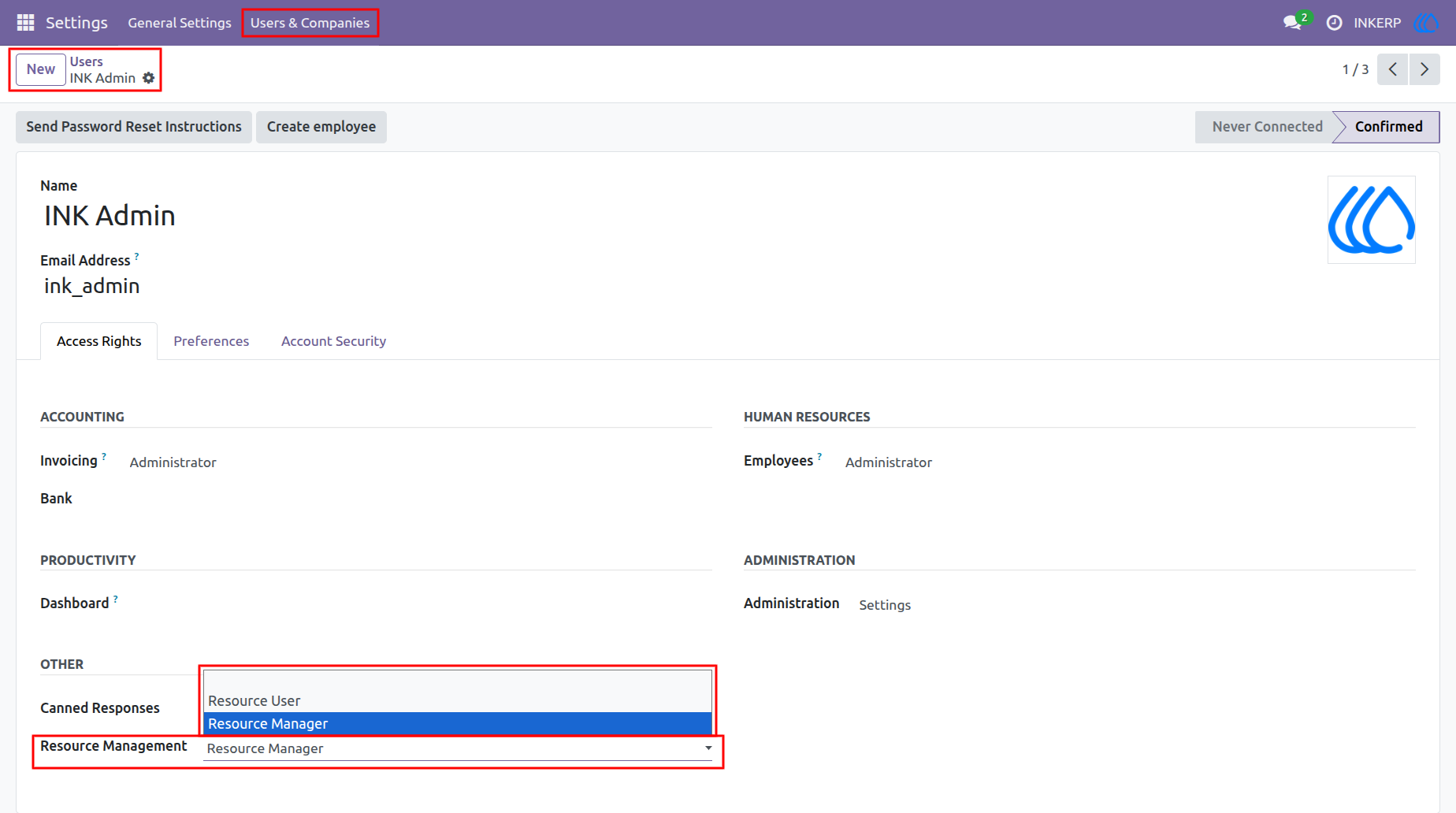
1.) Role Assignment
Define authorization levels by assigning specific operational roles to personnel. Grant administrative oversight or standard access to ensure secure operational boundaries.
Navigation : Settings › Users & Companies › Users
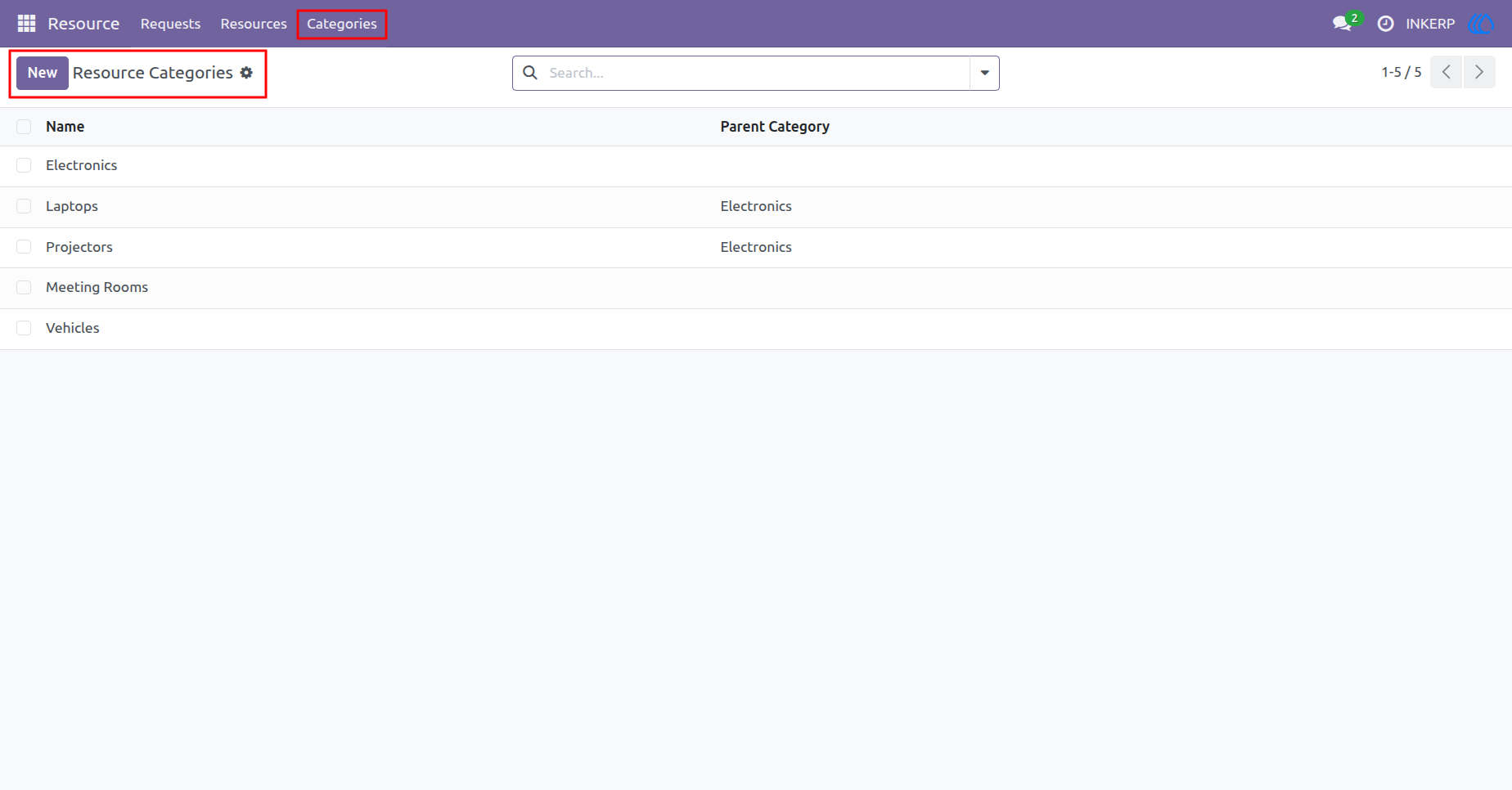
2.) Category Hierarchy
Establish a structured classification system for company assets. This organized taxonomy facilitates efficient tracking, filtering, and management of diverse inventory types.
Navigation : Resource › Categories
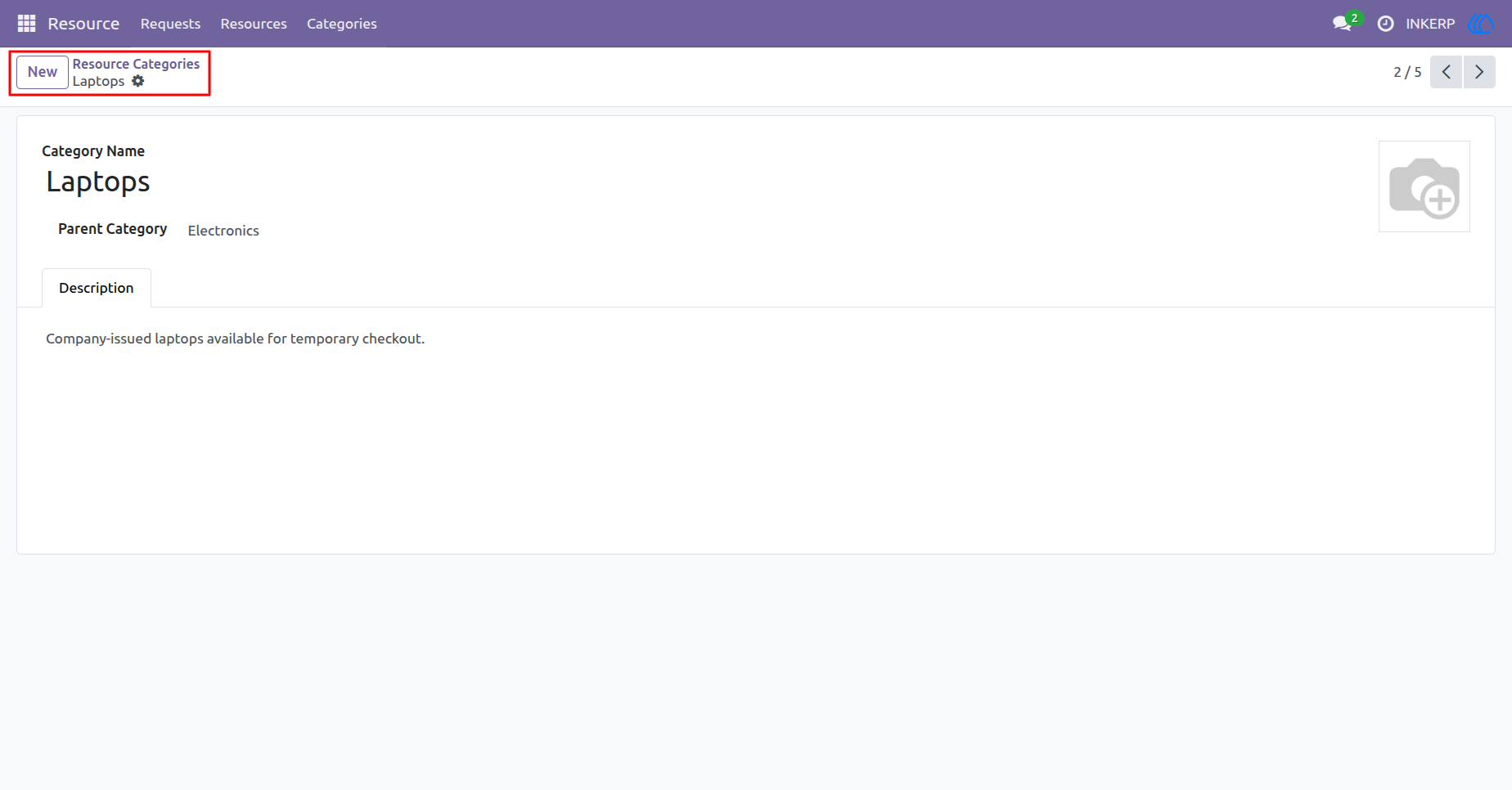
3.) Category Definition
Configure precise details for individual asset classifications, including hierarchical relationships and descriptive parameters. This ensures accurate categorization and streamlined reporting.
Navigation : Resource › Categories
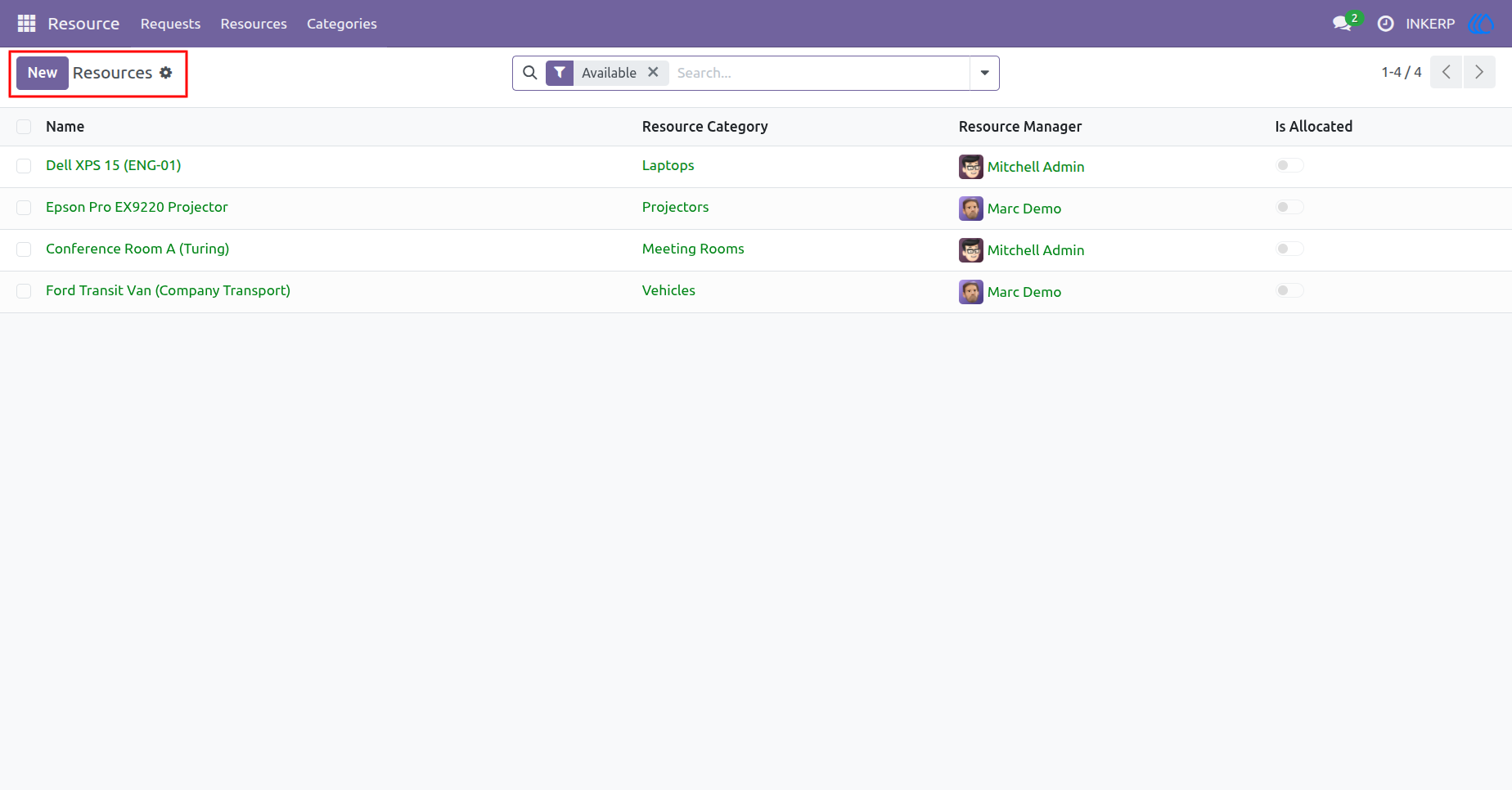
4.) Asset Directory
Monitor the comprehensive inventory of corporate assets at a glance. Quickly assess current allocation status, responsible managers, and categorization for optimal utilization.
Navigation : Resource › Resources
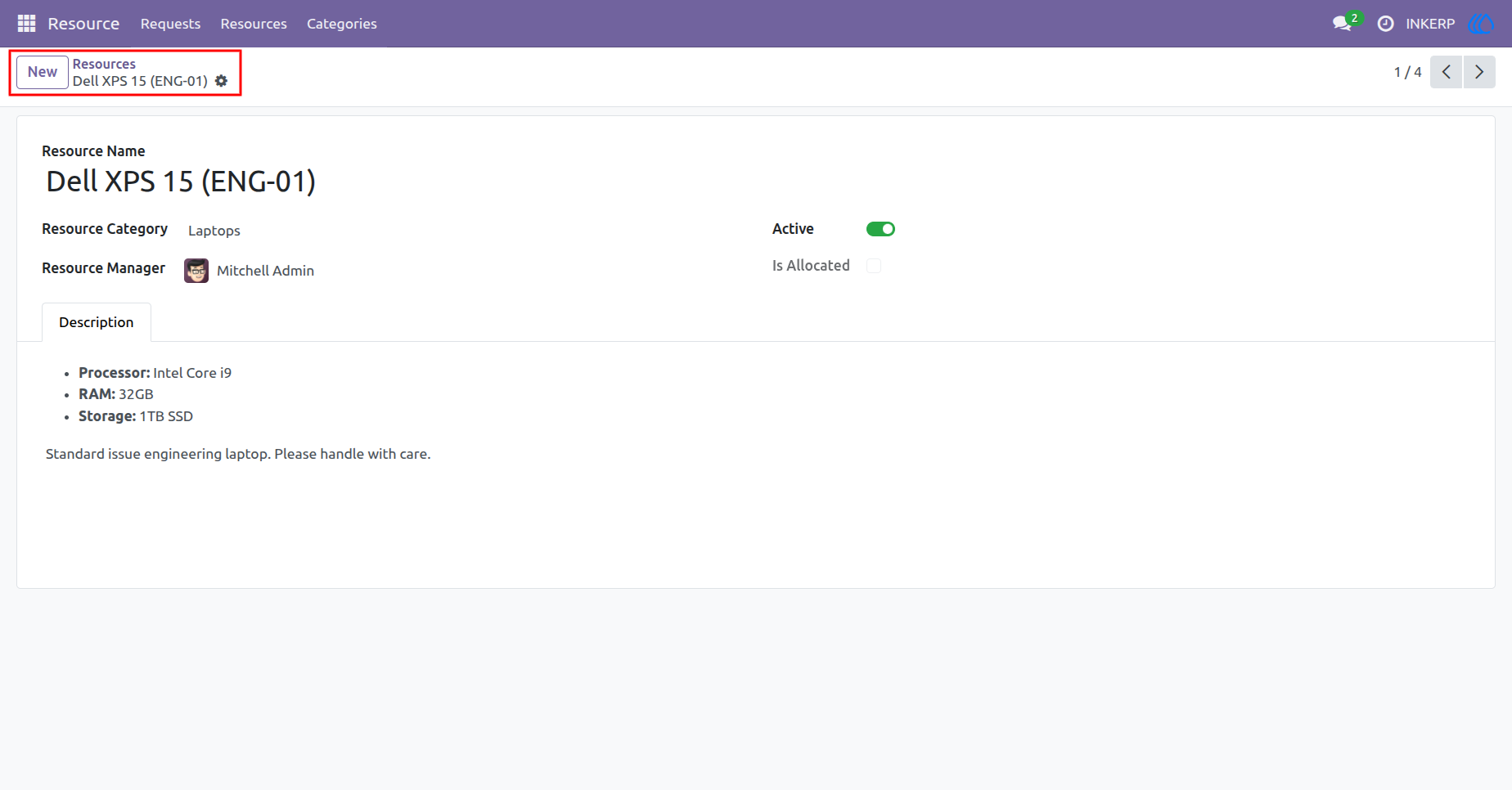
5.) Asset Configuration
Document specific asset details, assign managerial oversight, and maintain technical specifications. Track real-time availability and lifecycle status to maximize operational efficiency.
Navigation : Resource › Resources
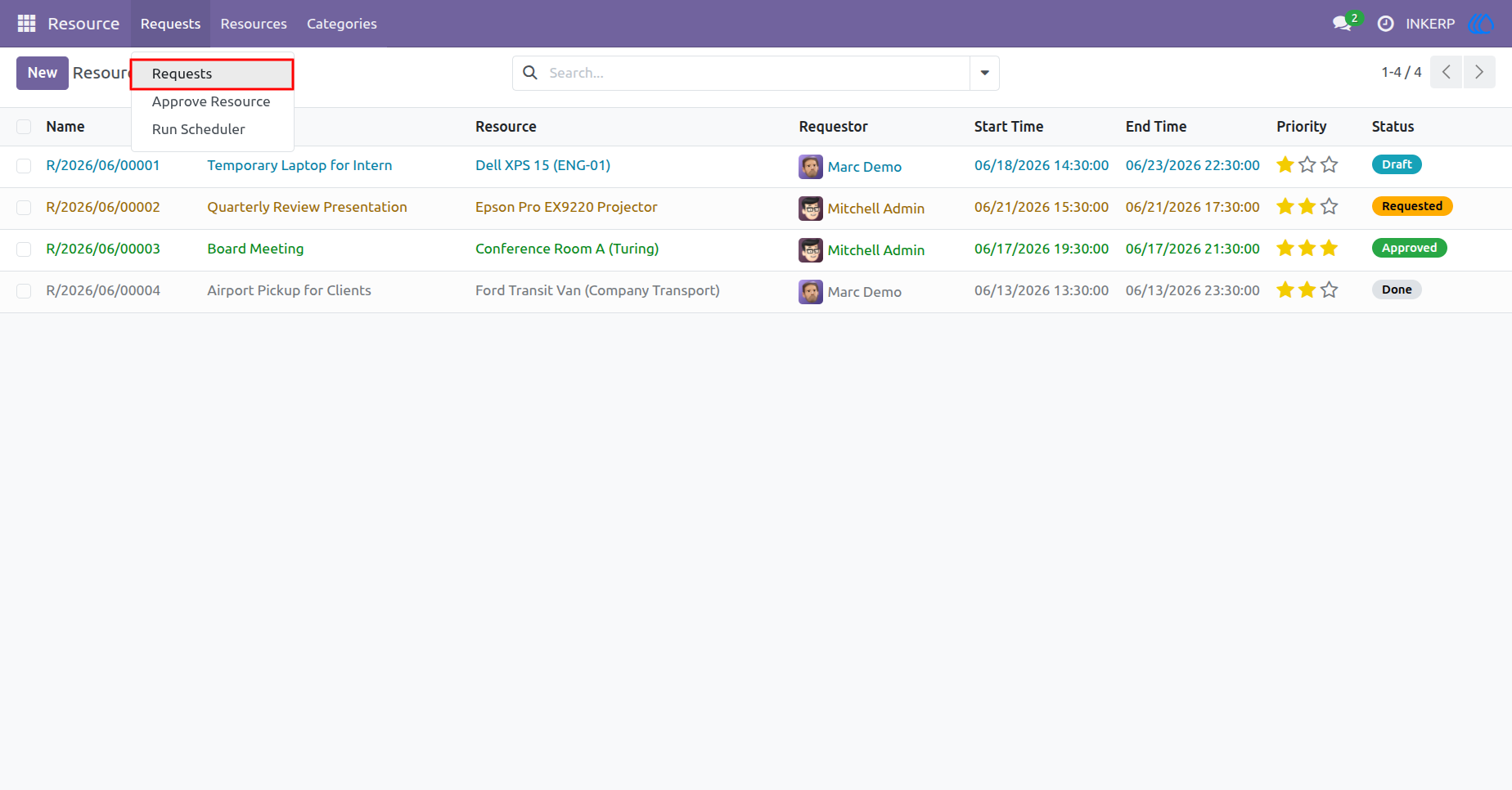
6.) Request Management
Navigate through the centralized repository of all operational demands. Access administrative tools for authorization workflows and automated scheduling processes directly from the top menu.
Navigation : Resource › Requests
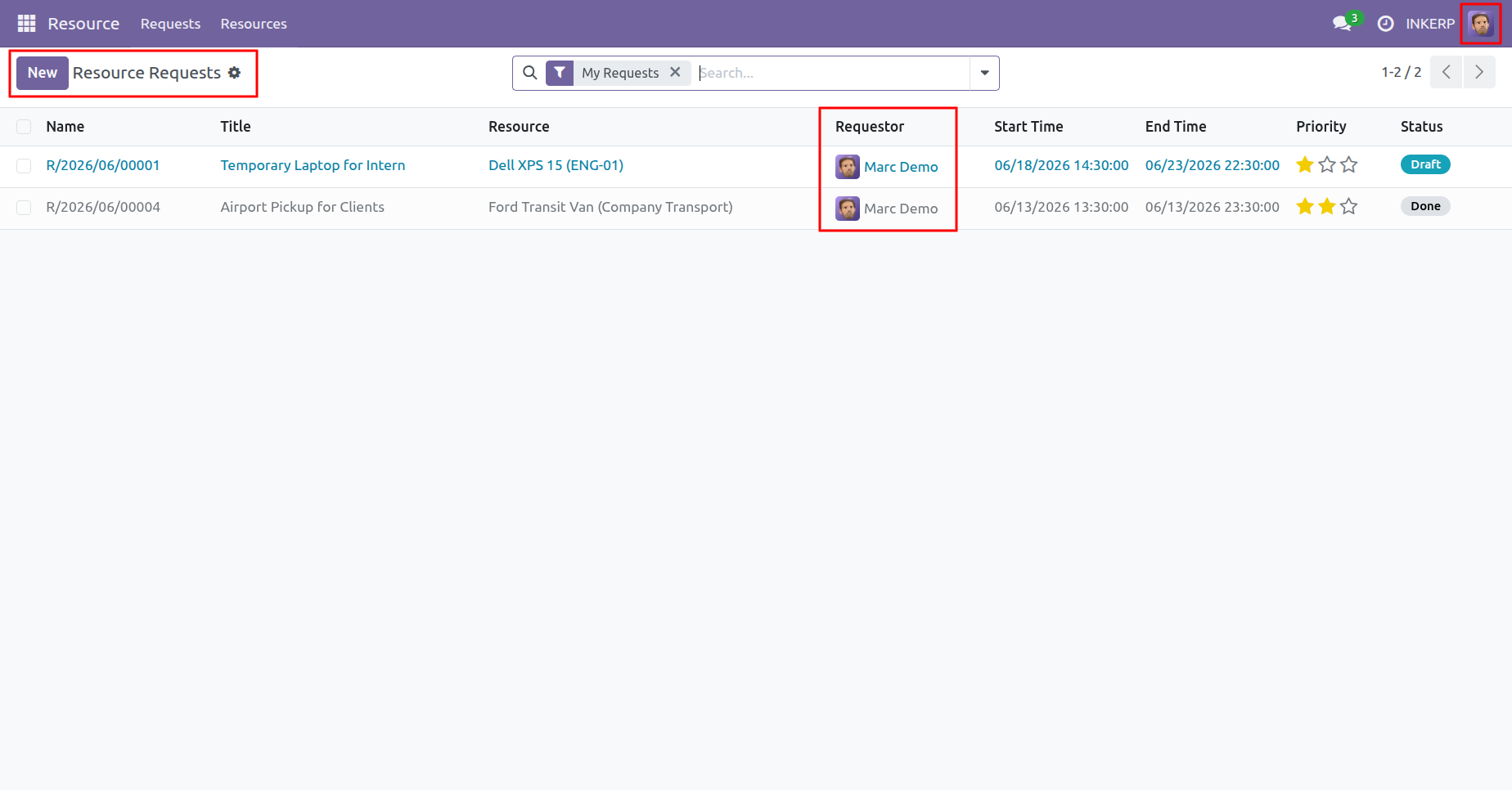
7.) User Request List View
Review and track the progression of personal operational requirements. Apply dynamic filters to isolate specific records, monitor approval stages, and manage upcoming asset utilizations.
Navigation : Resource › Requests
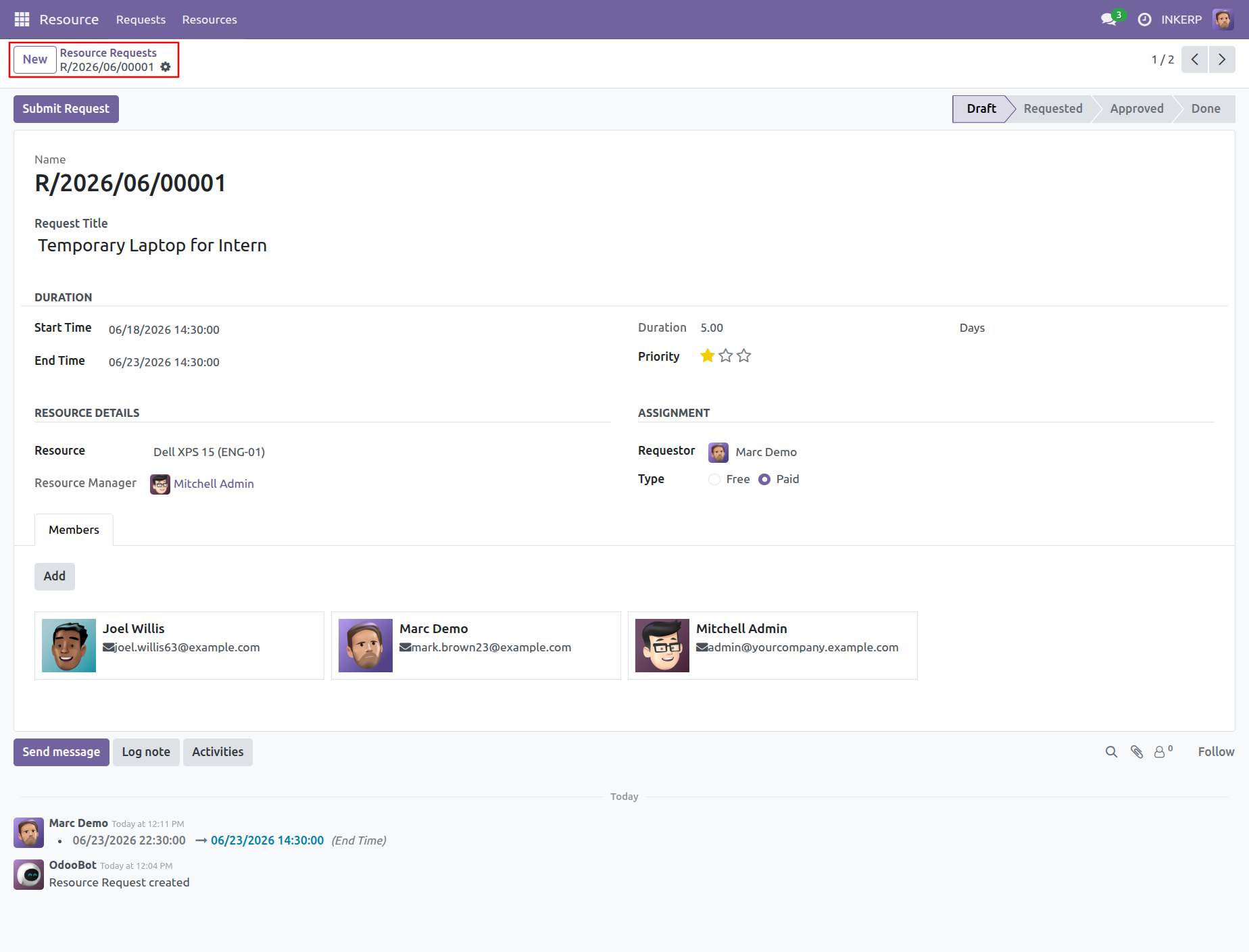
8.) Proposal Drafting
Formulate operational requirements by outlining asset specifics, utilization periods, and priority levels. Finalize the parameters before submitting the document to management for formal review.
Navigation : Resource › Requests
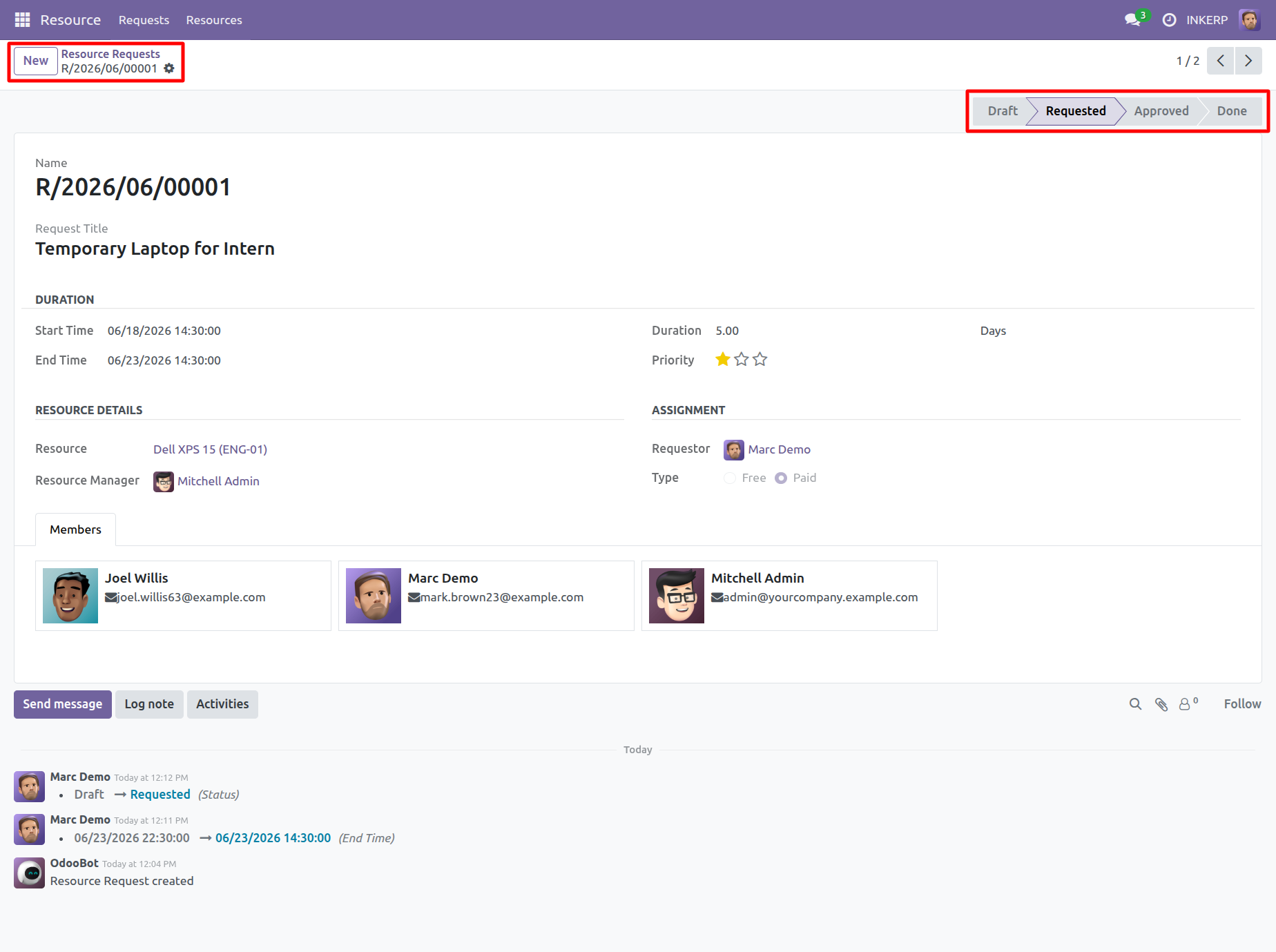
9.) Status Progression
Monitor the ongoing progression of submitted requirements through the organizational pipeline. The dynamic status indicator confirms successful routing to the designated administrative authority.
Navigation : Resource › Requests
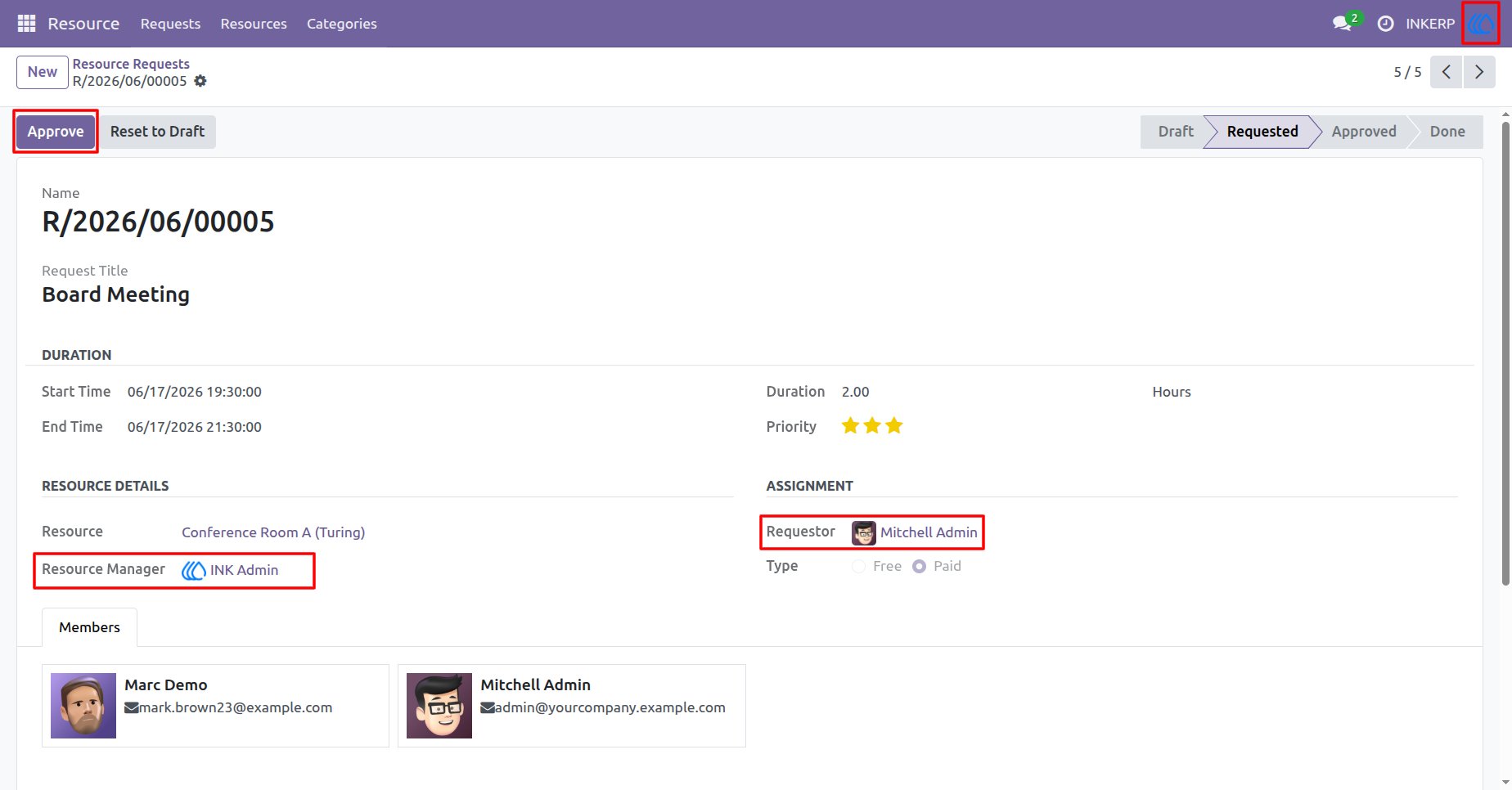
10.) Managerial Review
Evaluate pending asset allocations as a designated supervisor to enforce operational compliance. Execute final authorizations to officially secure the resource and update the workflow logic.
Navigation : Resource › Requests
11.) Allocation Conflict
Automated validation prevents scheduling overlaps by restricting assignments of currently occupied assets. This control mechanism ensures data integrity and operational availability.
Navigation : Resource › Requests
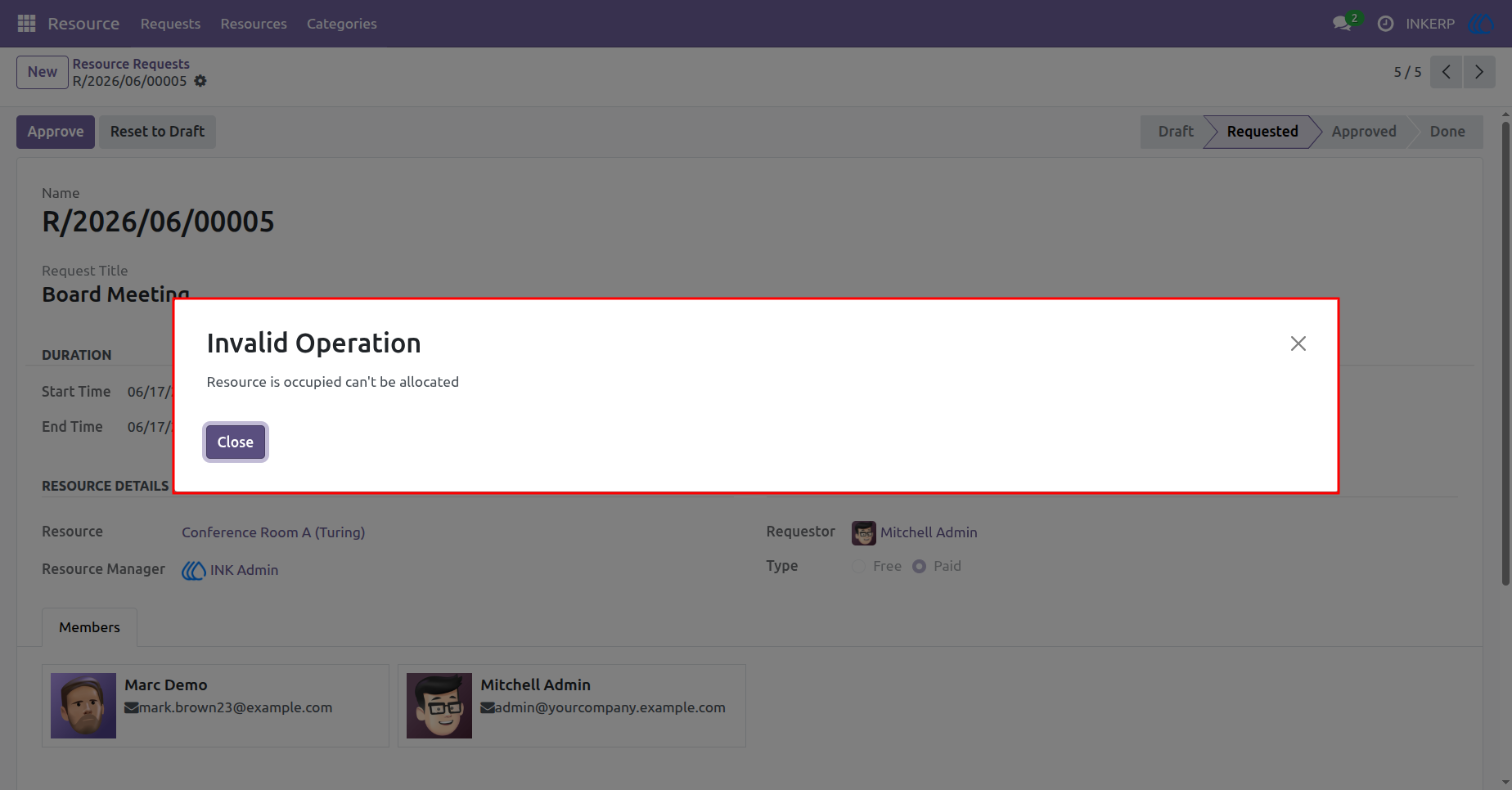
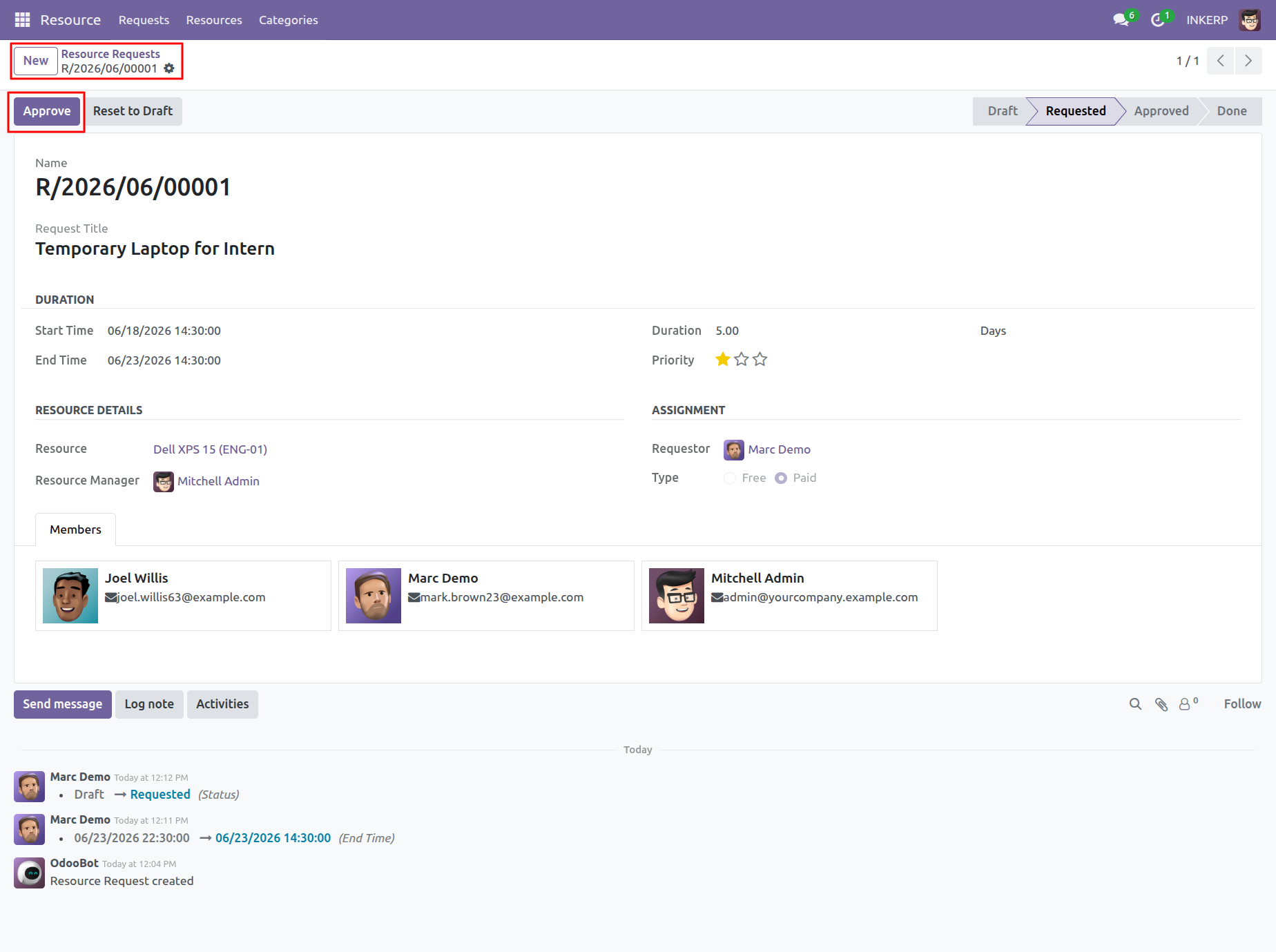
12.) Status Authorization
Advance the lifecycle of a drafted proposal by initiating the formal authorization workflow. Management personnel execute this action to confirm asset availability and user assignment.
Navigation : Resource › Requests
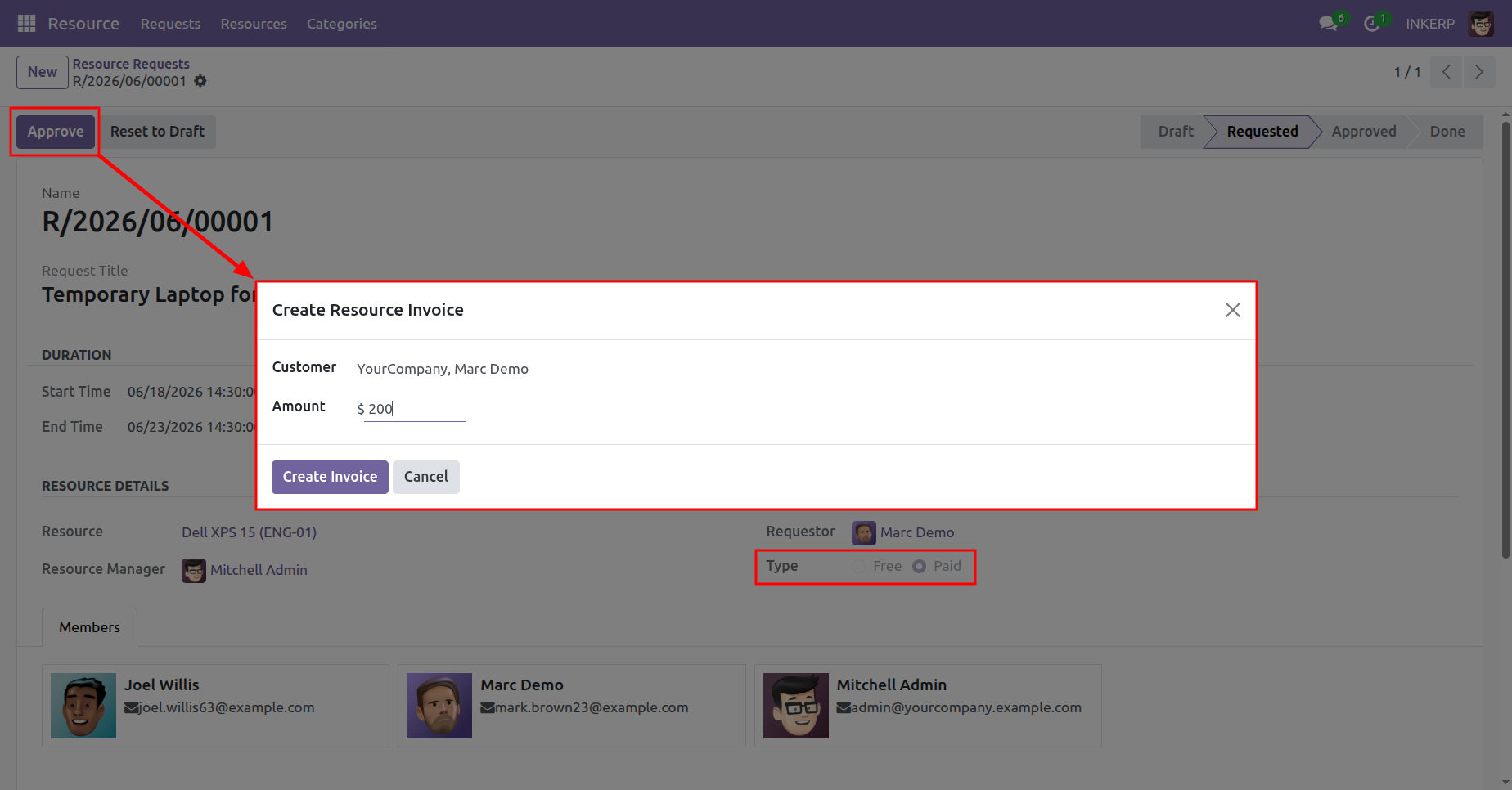
13.) Billing Initiation
Trigger financial workflows for premium asset allocations by specifying the associated customer and billing amount. This action seamlessly connects operational logistics with accounting protocols.
Navigation : Resource › Requests
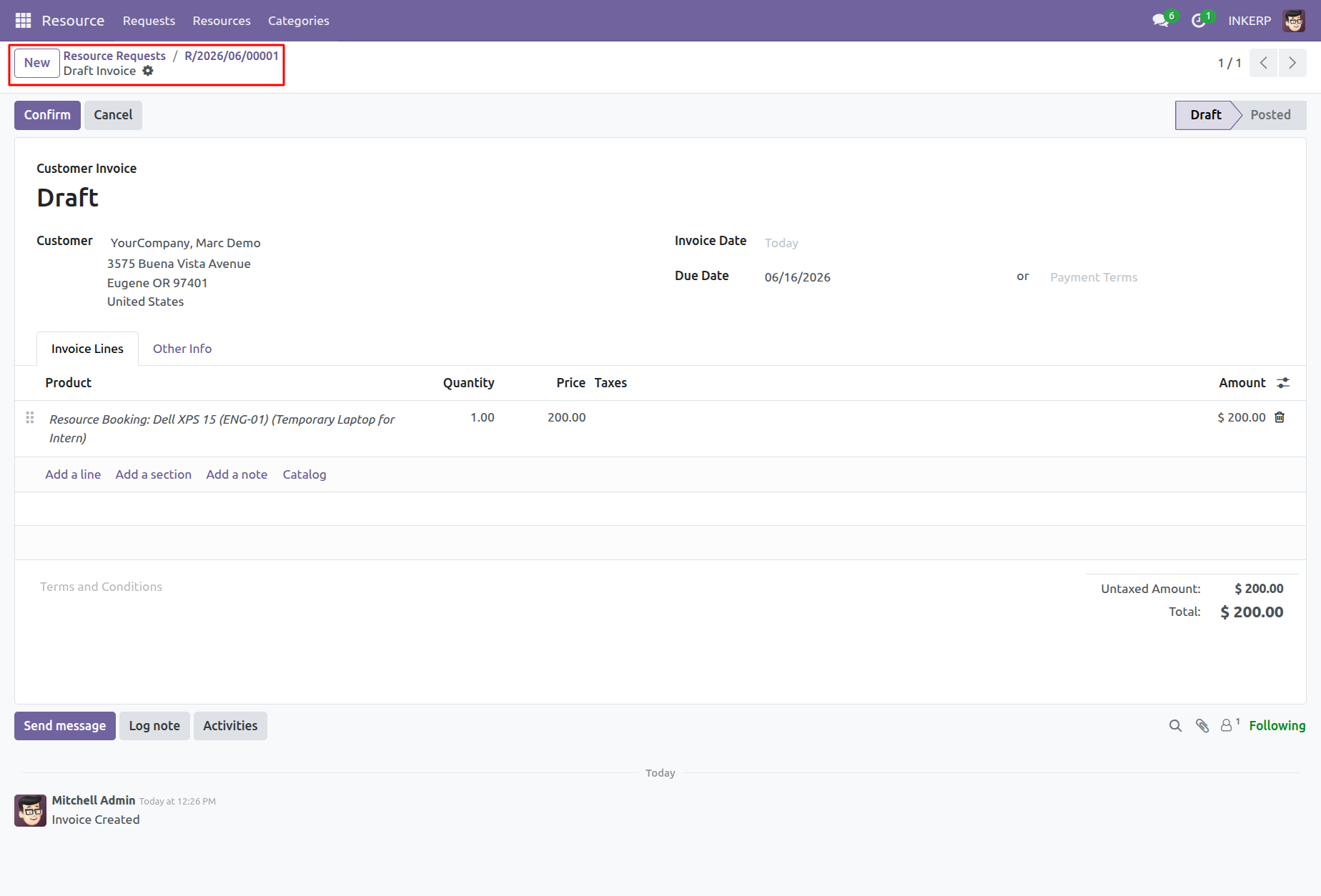
14.) Financial Document
Review the automatically generated billing draft containing detailed line items for the specific asset utilization. Verify financial figures before confirming the transaction within the accounting module.
Navigation : Resource › Requests › Invoice
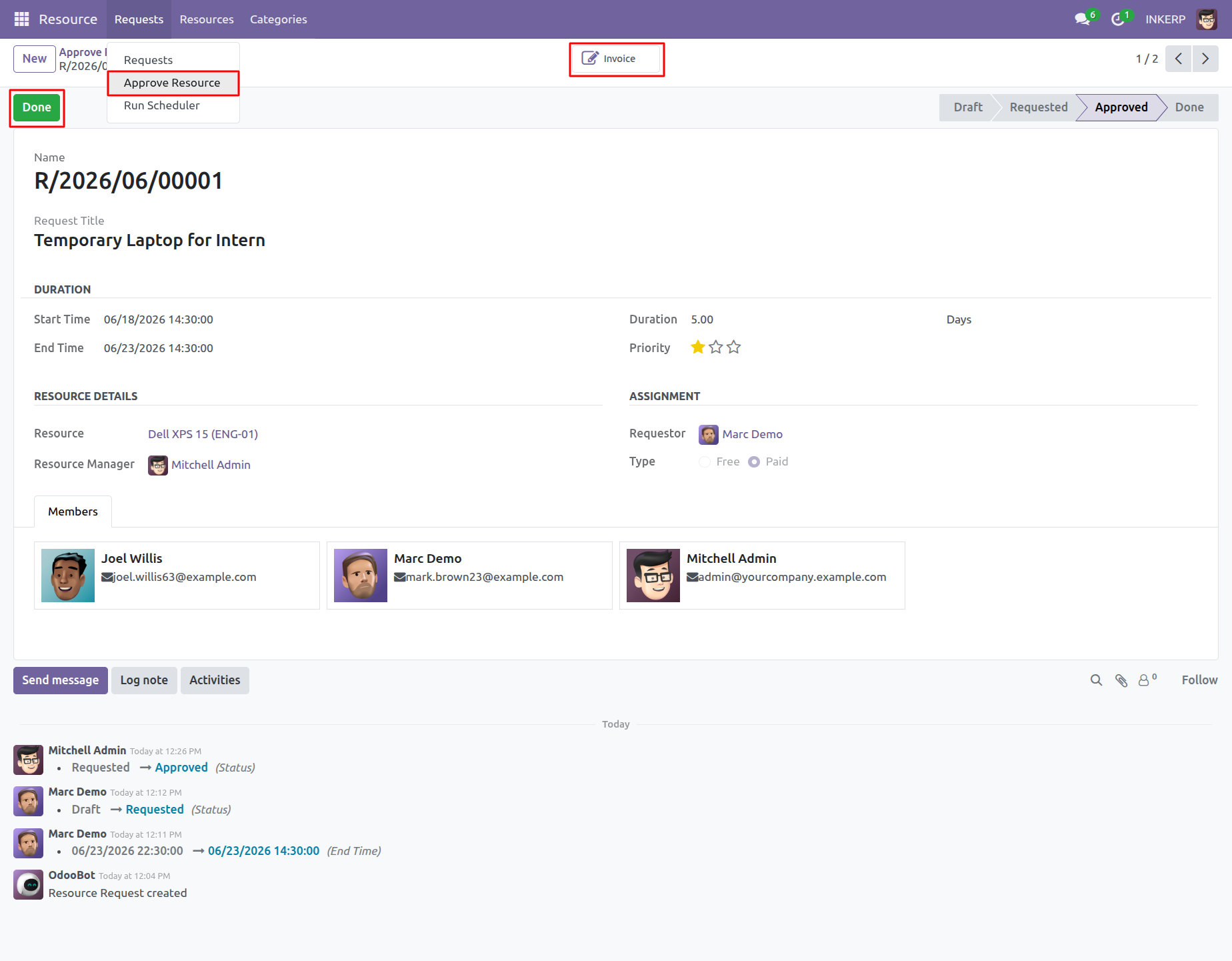
15.) Lifecycle Completion
Access associated financial documentation directly via integrated data links. Conclude the assignment by marking the record as completed once the utilization period successfully concludes.
Navigation : Resource › Requests
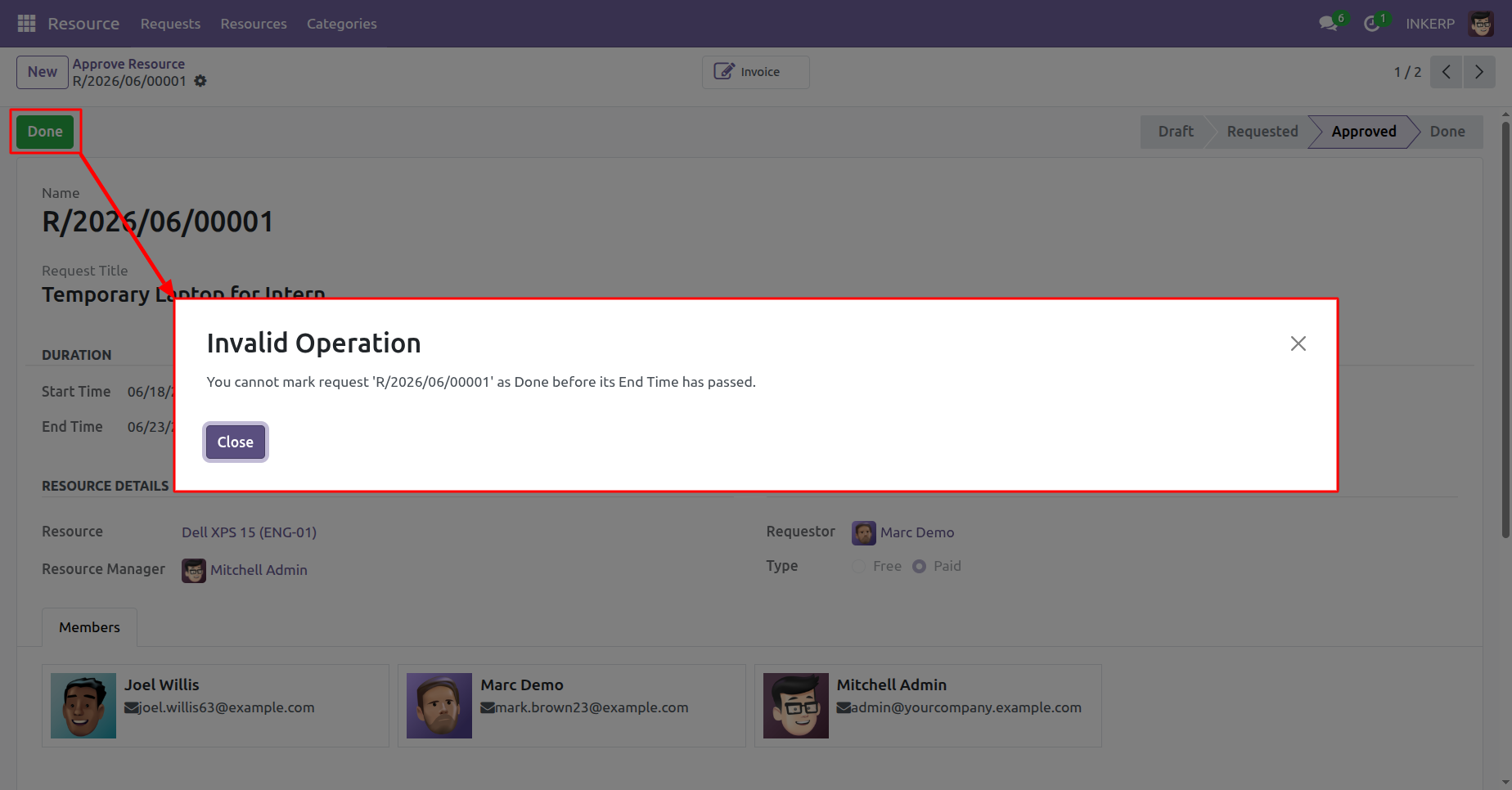
16.) Premature Closure
Enforce chronological accuracy through strict validation checks that prevent early termination of active assignments. Assets remain allocated until their designated duration officially expires.
Navigation : Resource › Requests
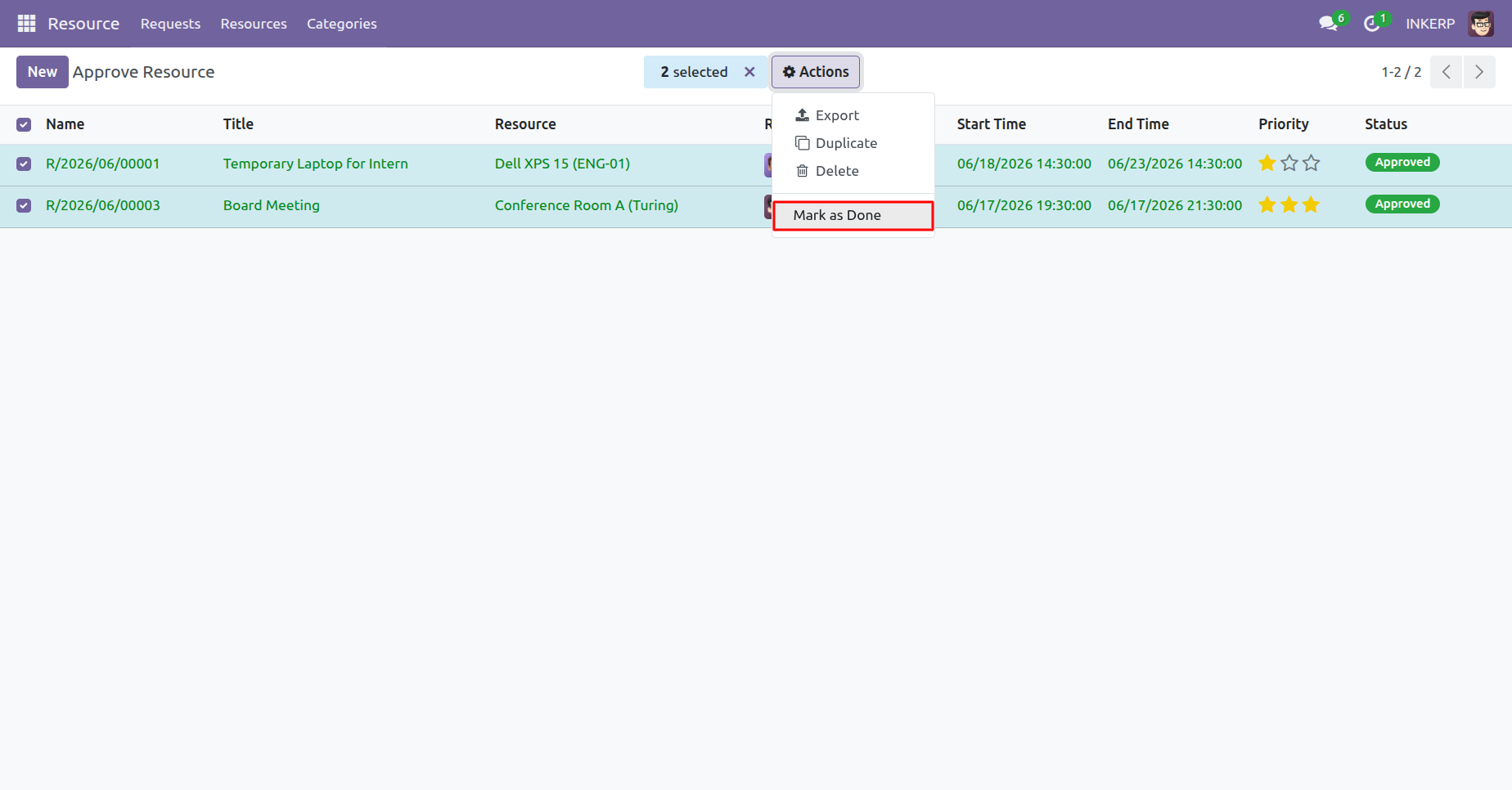
17.) Batch Processing
Execute bulk status updates across multiple selected records simultaneously to optimize administrative efficiency. This macro-level control accelerates routine maintenance of the asset database.
Navigation : Resource › Requests
18.) Automation Tools
Access background processing utilities designed to manage expired allocations autonomously. This operational tool minimizes manual oversight by auditing active usage timelines.
Navigation : Resource › Requests
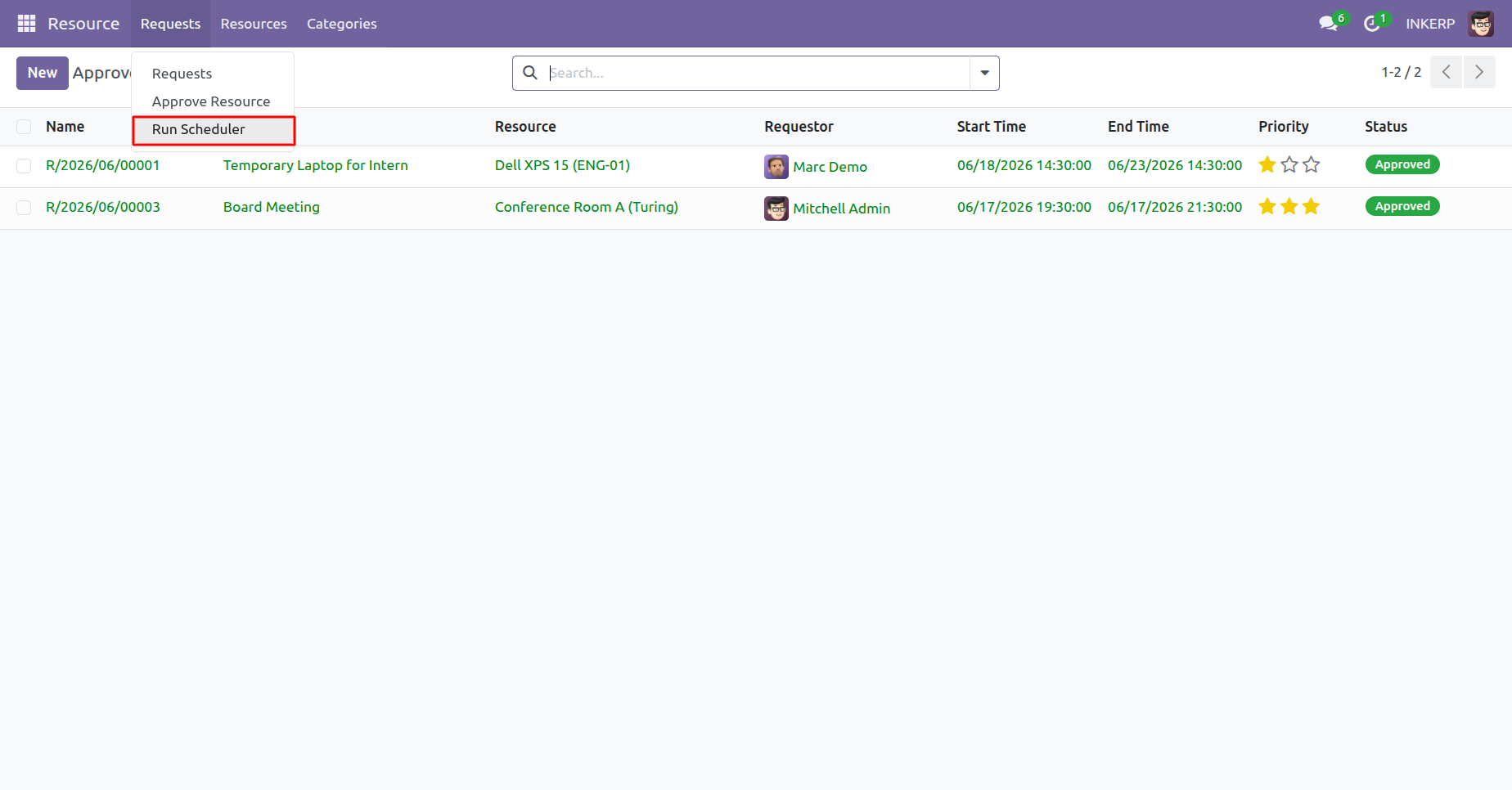
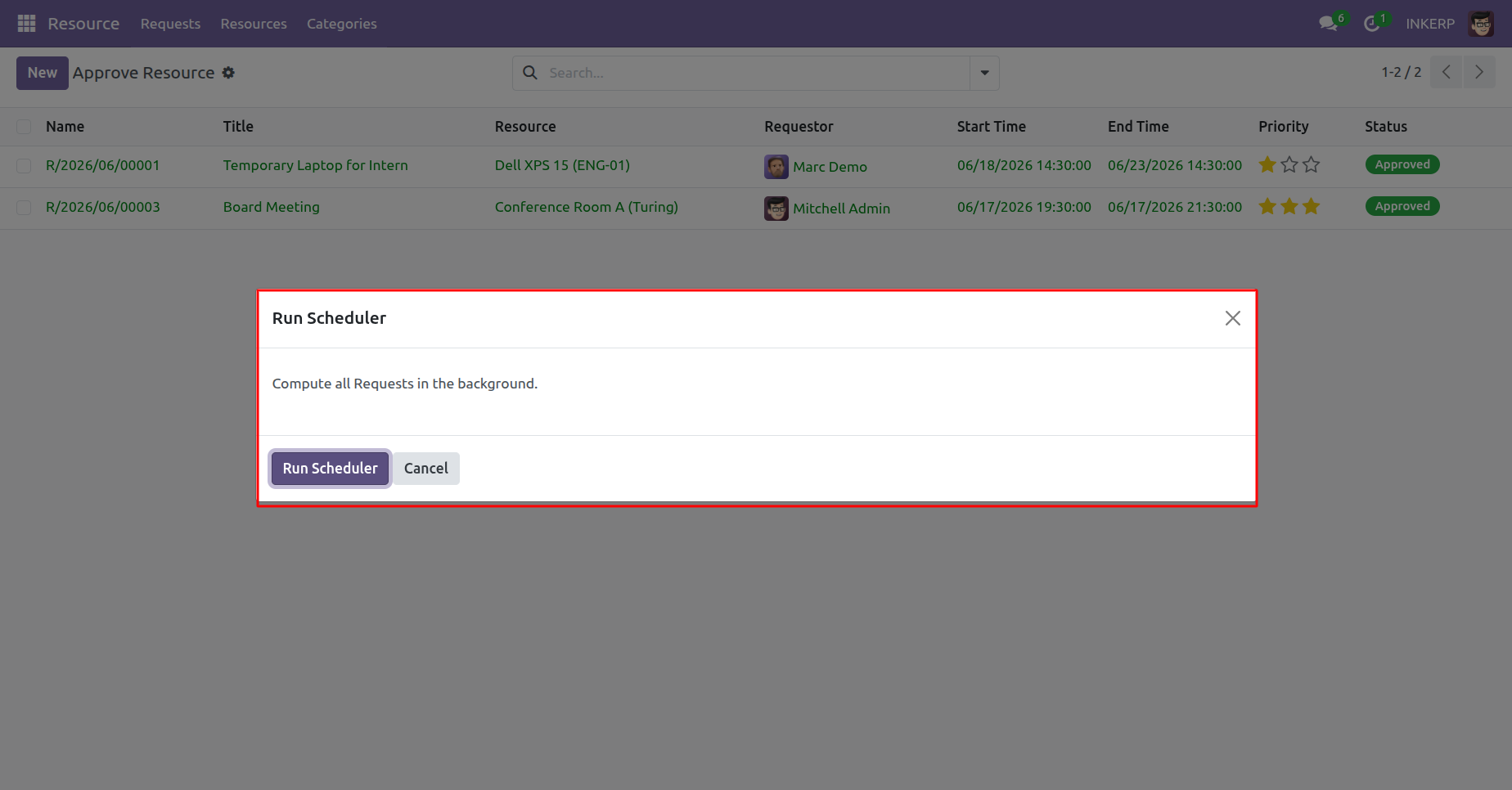
19.) Background Compute
Execute automated chronological audits to identify and update records whose allocation periods have elapsed. This maintenance routine ensures real-time accuracy of overall asset availability.
Navigation : Resource › Requests › Run Scheduler
User Guide