

Our Most Suggested Products


Repair Timesheet
The Repair Timesheet app automates time tracking and billing by generating instant timesheet records for assigned technicians directly from repair orders. It connects tracked hours to your sales workflow, automatically adding a default service product to quotations and invoices with a clear breakdown of employee hours. Furthermore, the app updates your repair order PDF reports to include technician details and total timesheet logs, ensuring accurate and transparent records for your customers.
 Features
 Screenshots
 Support
 Service
Features
Auto-Generate Timesheets
Create timesheets directly from the repair order with one click. Just select the technicians and enter the estimated time. The system adds timesheet lines for each employee automatically, which you can edit later to show the actual hours worked.
Quick Quotation and Invoice Billing
Convert logged repair hours into sales orders automatically. The app adds your chosen repair product to quotes and invoices, calculates the total cost, and creates a description showing the exact hours worked by each technician.
Screenshot
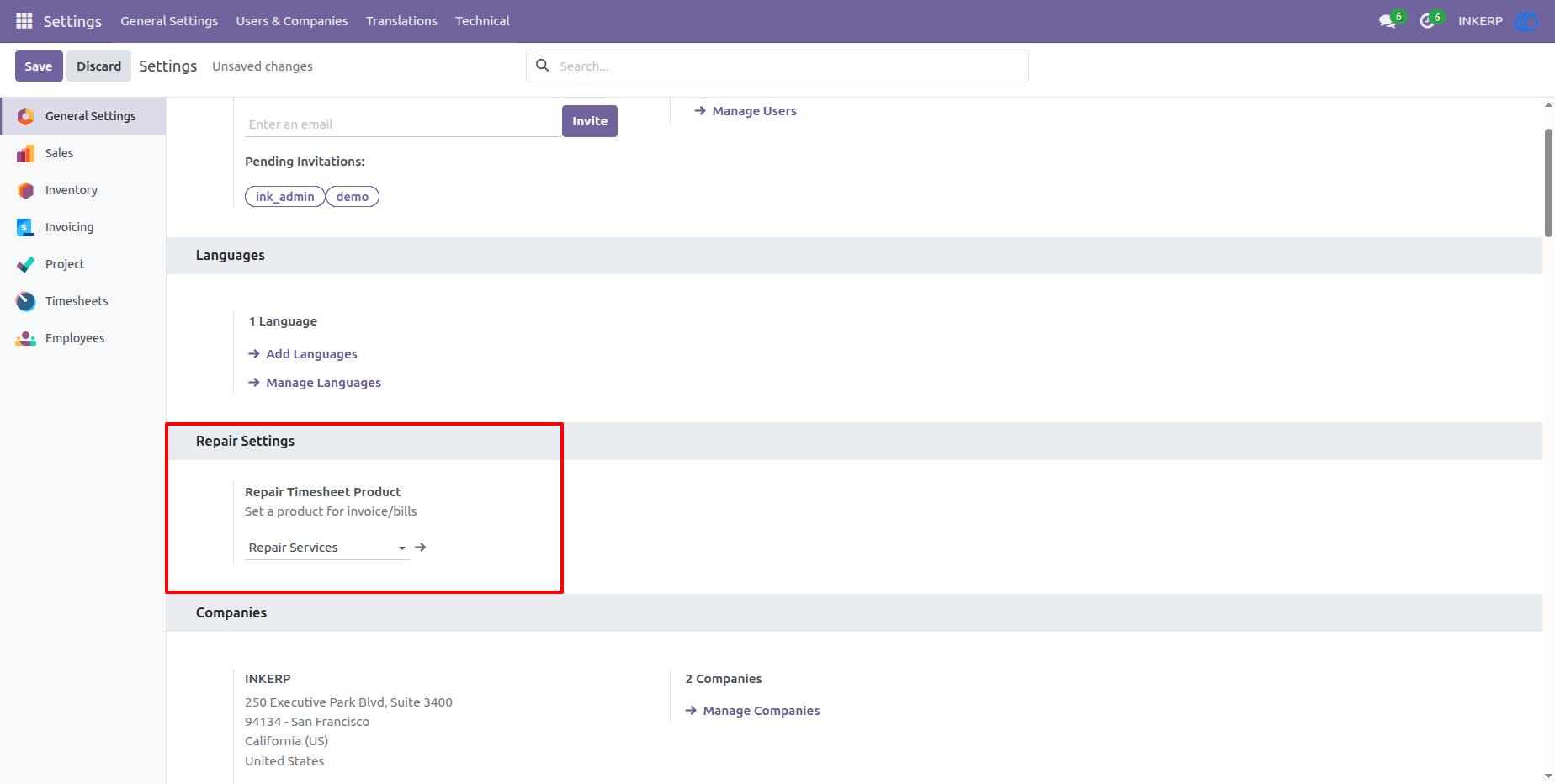
1.) Configuring the Repair Timesheet Product
The application allows administrators to define a specific product for invoicing repair services. Under the General Settings menu, a new "Repair Settings" section provides a field to select the default "Repair Timesheet Product".
Navigation : Settings › General Settings
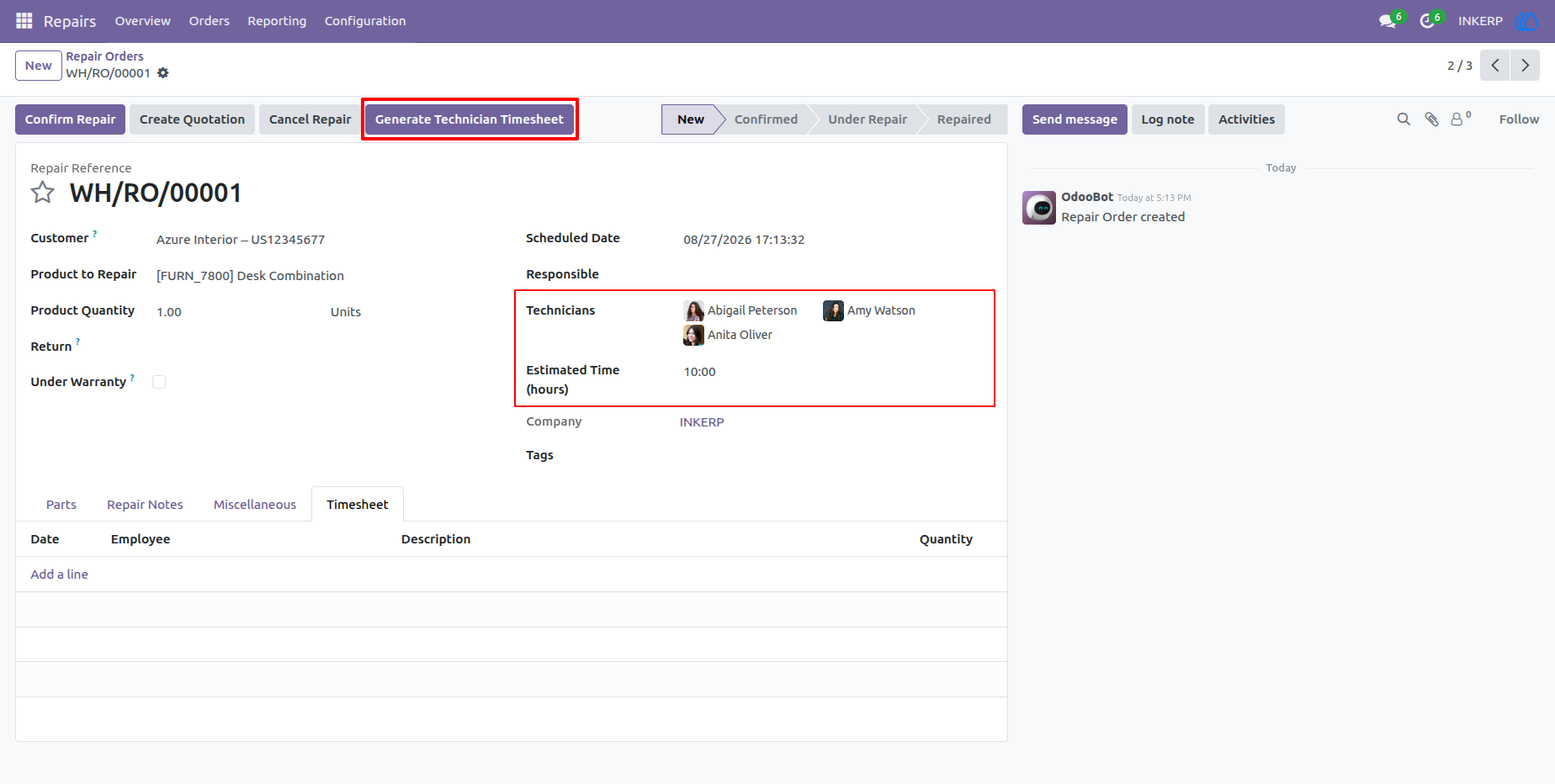
2.) Assigning Technicians and Estimated Time
On the repair order form, users can assign multiple technicians to a single repair job and define an overarching "Estimated Time (hours)" for the work. A prominent "Generate Technician Timesheet" button is available in the header to trigger the timesheet creation.
Navigation : Repairs › Repair Orders
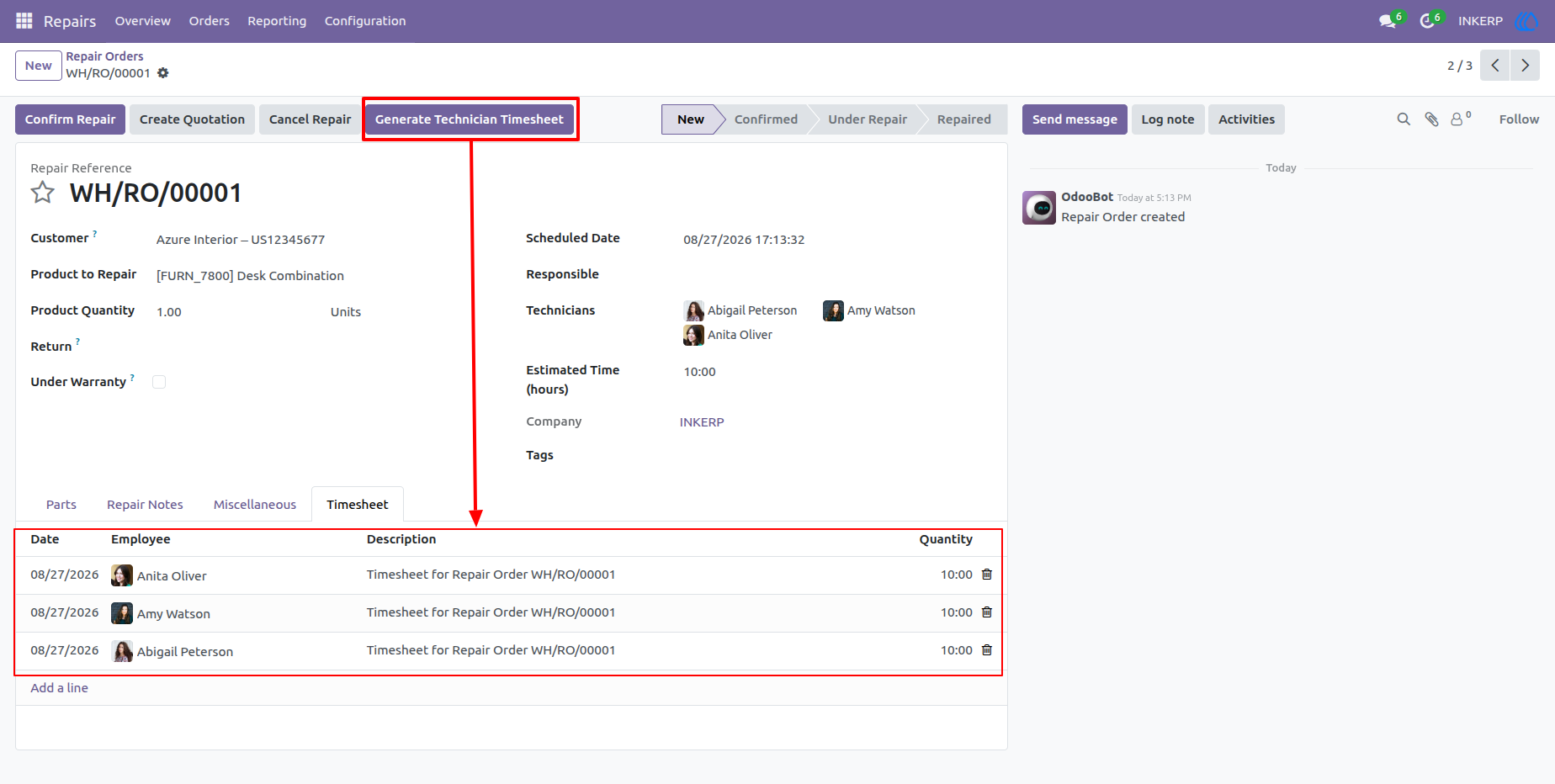
3.) Generating Timesheets
Clicking the "Generate Technician Timesheet" button automatically populates the Timesheet tab with individual records. The system creates a dedicated timesheet line for every assigned technician, pre-filling the description and applying the estimated time as the logged quantity.
Navigation : Repairs › Repair Orders
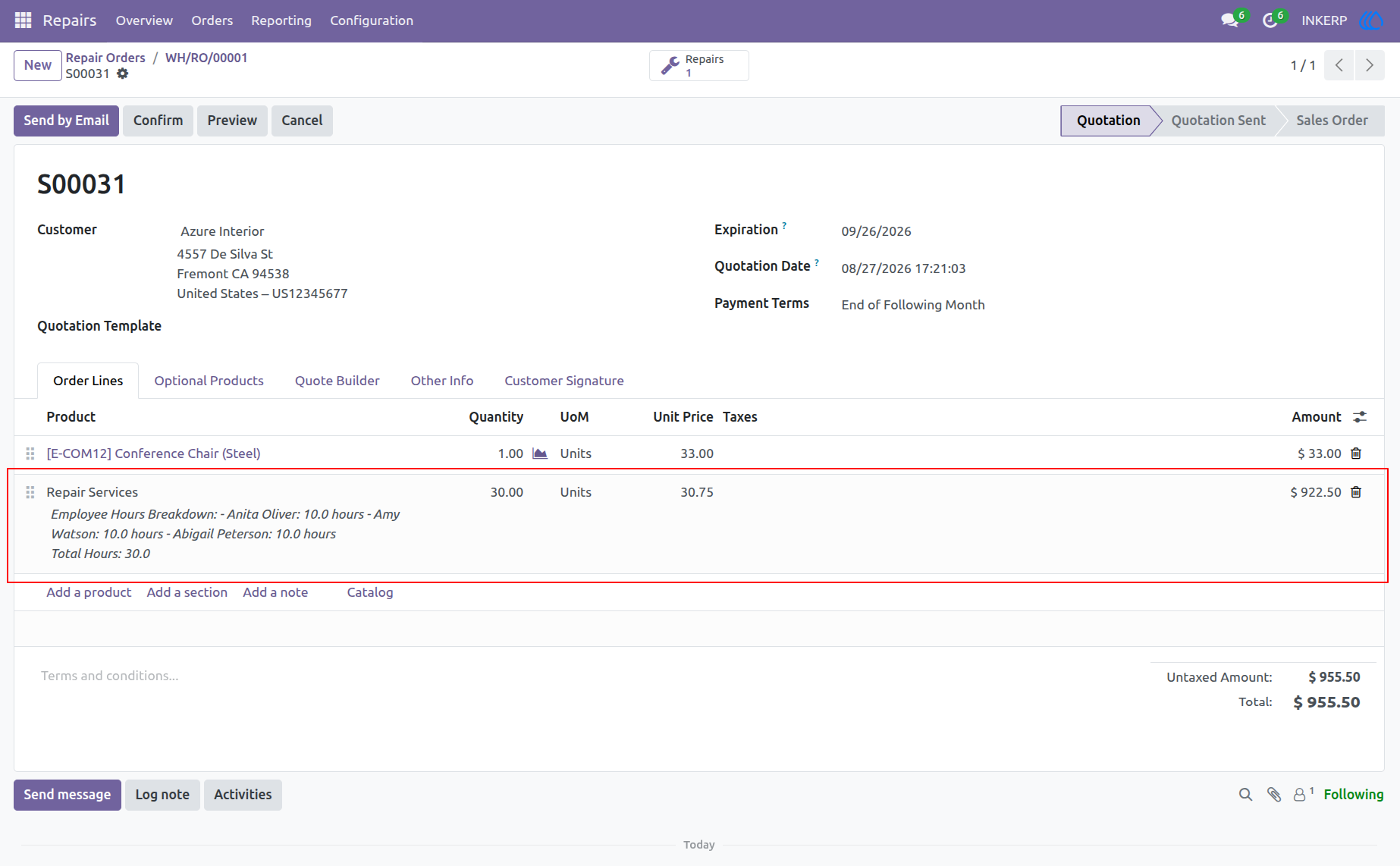
4.) Automated Quotation Line Creation
When generating a quotation from the repair order, the system automatically adds a sales order line using the predefined Repair Timesheet Product. The line's description automatically formats to show a detailed breakdown of hours per employee, and the total quantity calculates the sum of all logged timesheet hours.
Navigation : Repairs › Repair Orders › Quotation
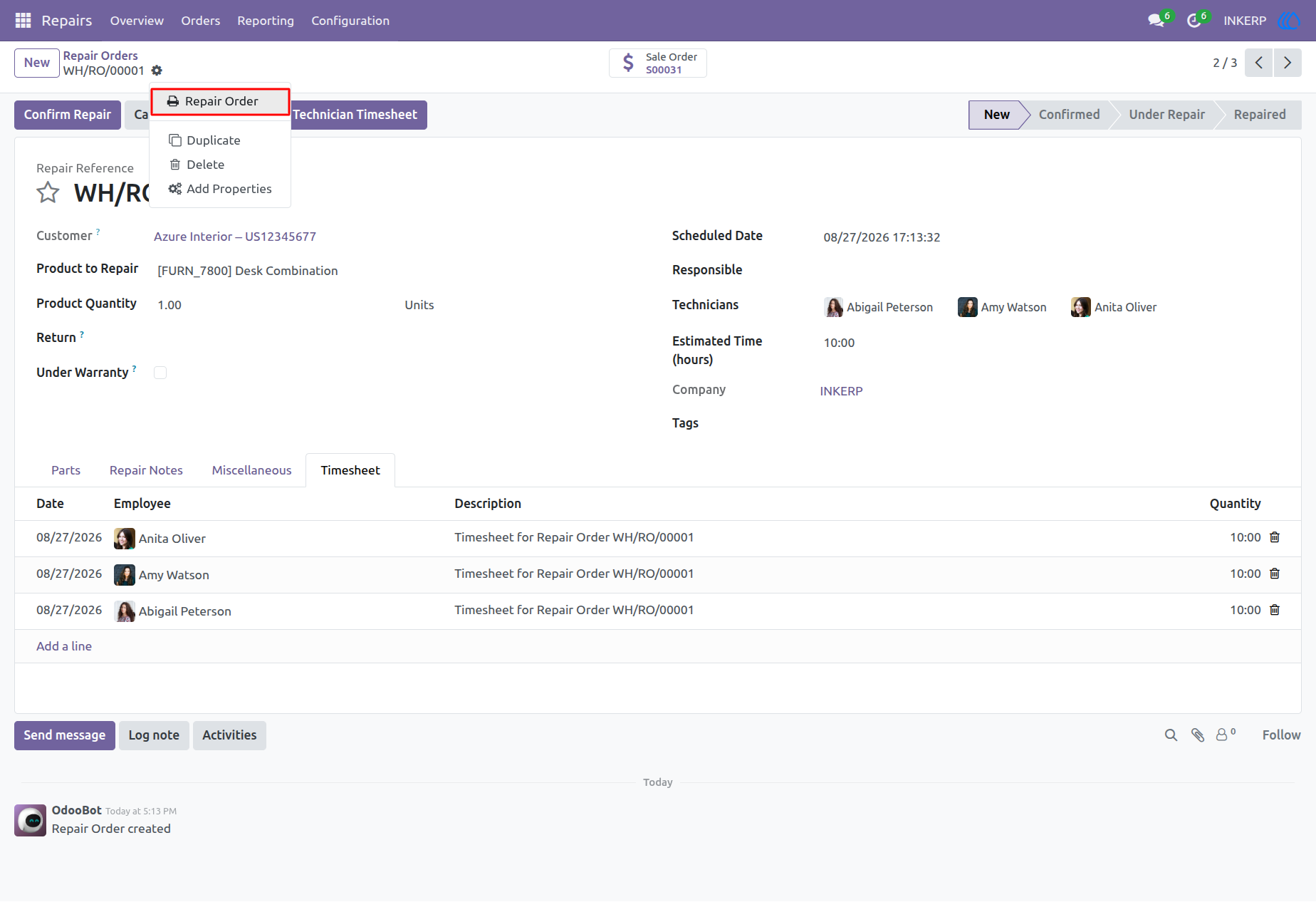
5.) Printing the Repair Order
Users can generate a formal PDF document of the repair job directly from the action menu. By clicking the print icon at the top of the interface, you can select the "Repair Order" option from the dropdown.
Navigation : Repairs › Repair Orders
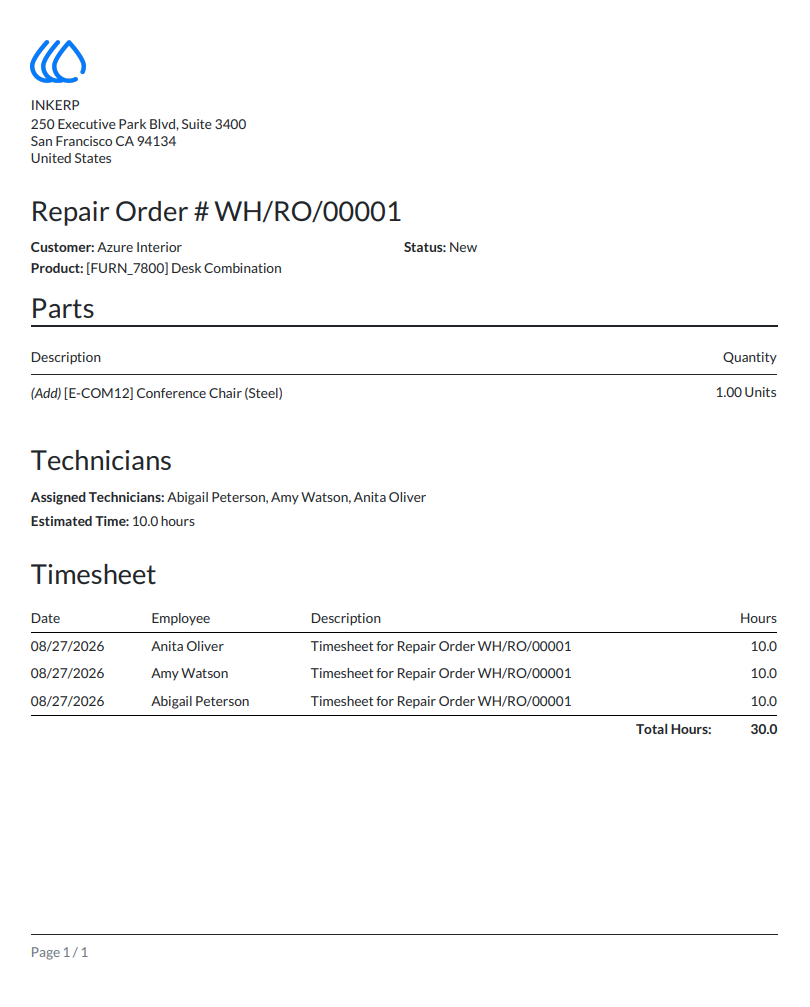
6.) Repair Order PDF Report
The custom PDF report cleanly organizes the repair details for the customer or internal records. It includes a "Technicians" section displaying the assigned personnel and estimated time, followed by a borderless "Timesheet" table that breaks down the date, employee, description, and hours, concluding with a total hours summary.
User Guide