

Our Most Suggested Products


Repair Orders Images
The Repair Order Images application enhances repair tracking by attaching a primary product photograph and a gallery of supporting pictures directly to repair records. All visual evidence seamlessly integrates into generated PDF documents, providing clients with clear proof of item conditions and completed work. Administrators maintain complete control over the functionality through a global configuration setting and automated file size tracking.
 Features
 Screenshots
 Support
 Service
Features
Image Management
Attach a primary product picture and multiple supporting photographs directly to repair records. Track file sizes efficiently and enable or disable the entire photo feature globally from the system settings.
PDF Documentation
Generate professional PDF documents that automatically include the main item picture and all supporting gallery photos. Deliver comprehensive visual proof to clients to build trust and ensure complete transparency.
Screenshot
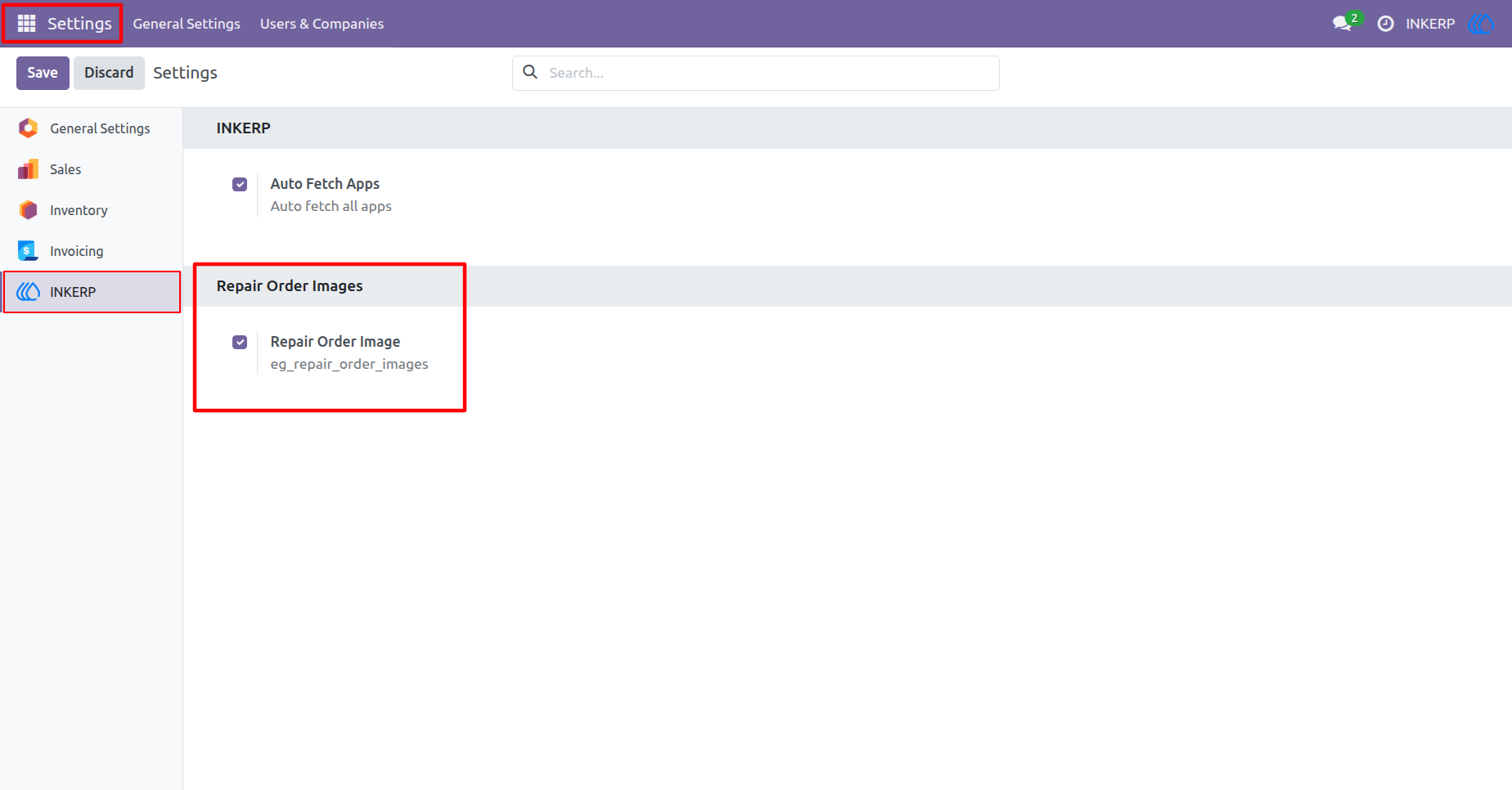
1.) App Configuration
"Repair Orders Images" is enabled by default, but the admin can toggle it on or off via INKERP settings. Disabling it will cause all app features to stop working, while enabling it will restore their functionality.
Navigation : Settings › INKERP
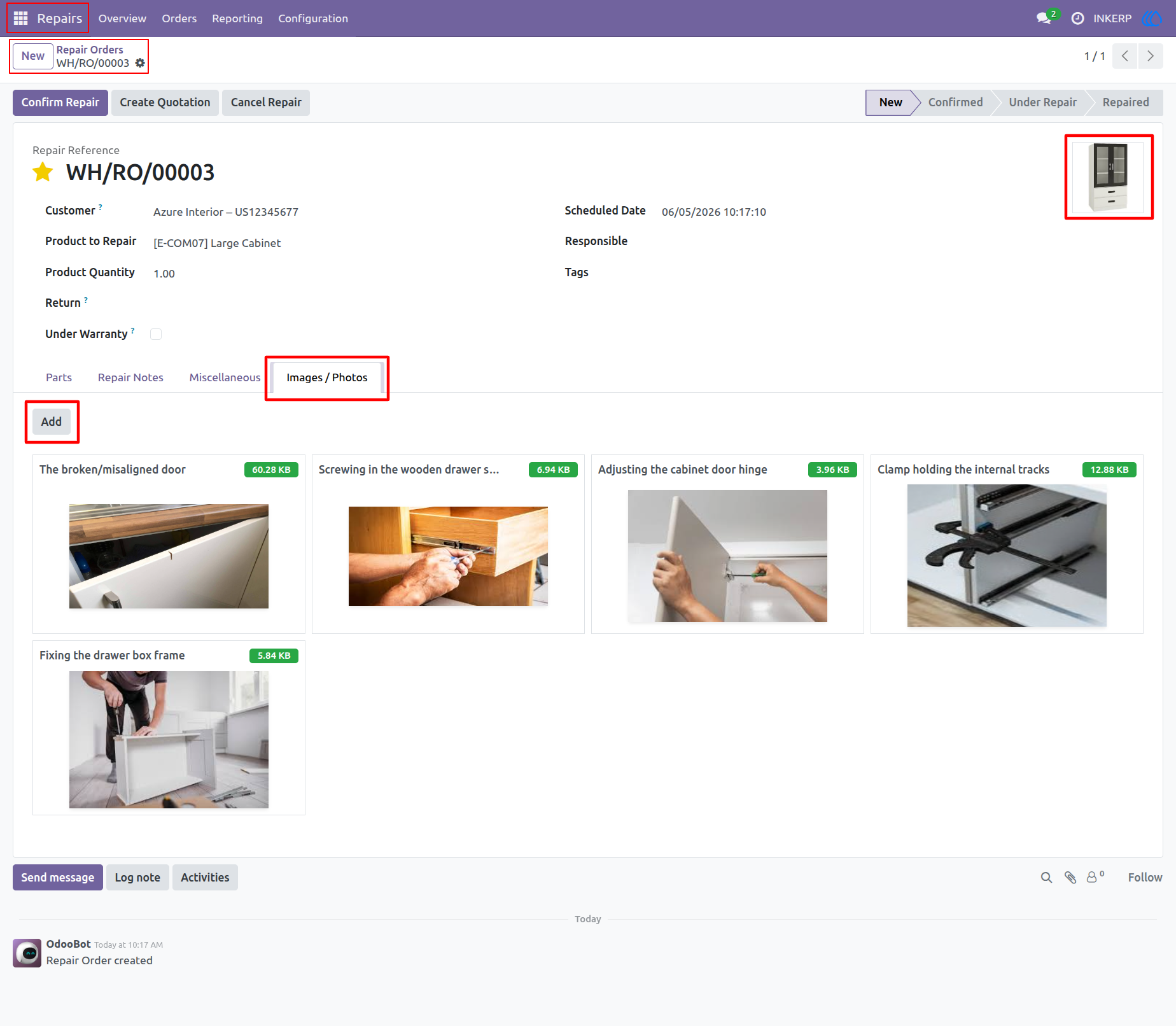
2.) Photo Management
Upload a main product picture and attach multiple supporting photos directly to the repair record. View all associated visual documentation instantly organized in a clean layout. Track repairs visually from start to finish.
Navigation : Repairs › Orders › Repair Orders
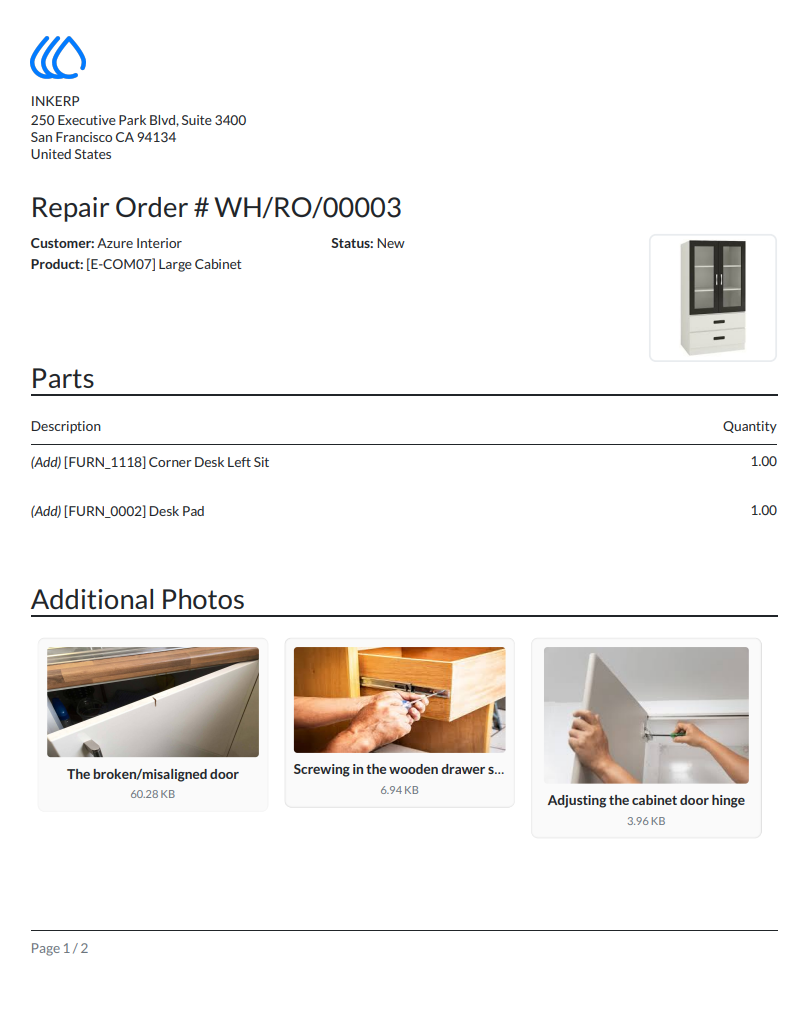
3.) Visual Report
Generate professional PDF documents that automatically include the main product picture and additional photo attachments. Provide clients with clear visual proof of the required repairs and parts. Build trust through complete transparency.
Navigation : Repairs › Repair Orders › Print
4.) Extended Gallery
User Guide