

Our Most Suggested Products


Repair Order Line Discount
The Repair Order Line Discount application enhances the native repair module by allowing users to apply custom discount percentages directly to individual parts and operation lines. These line-level discounts synchronize with the automatically generated quotations, sales orders, and invoices to prevent manual data entry. Ultimately, this integration ensures complete pricing accuracy and consistent billing from the initial repair phase through to final customer invoicing.
 Features
 Screenshots
 Support
 Service
Features
Line-Level Discount Management
Easily apply custom discount percentages to individual parts and operations directly within the Repair Order form. This granular control allows you to offer specific promotions, courtesy markdowns, or partial warranty discounts on specific components without affecting the overall pricing structure of the repair.
Automated Quotation Syncing
Automatically transfer your applied discount percentages from the Repair Order directly to the generated Quotation and Sales Order lines. This eliminates the need for redundant manual data entry, ensuring complete pricing consistency and preventing costly billing errors when transitioning from the repair phase to customer invoicing.
Screenshot
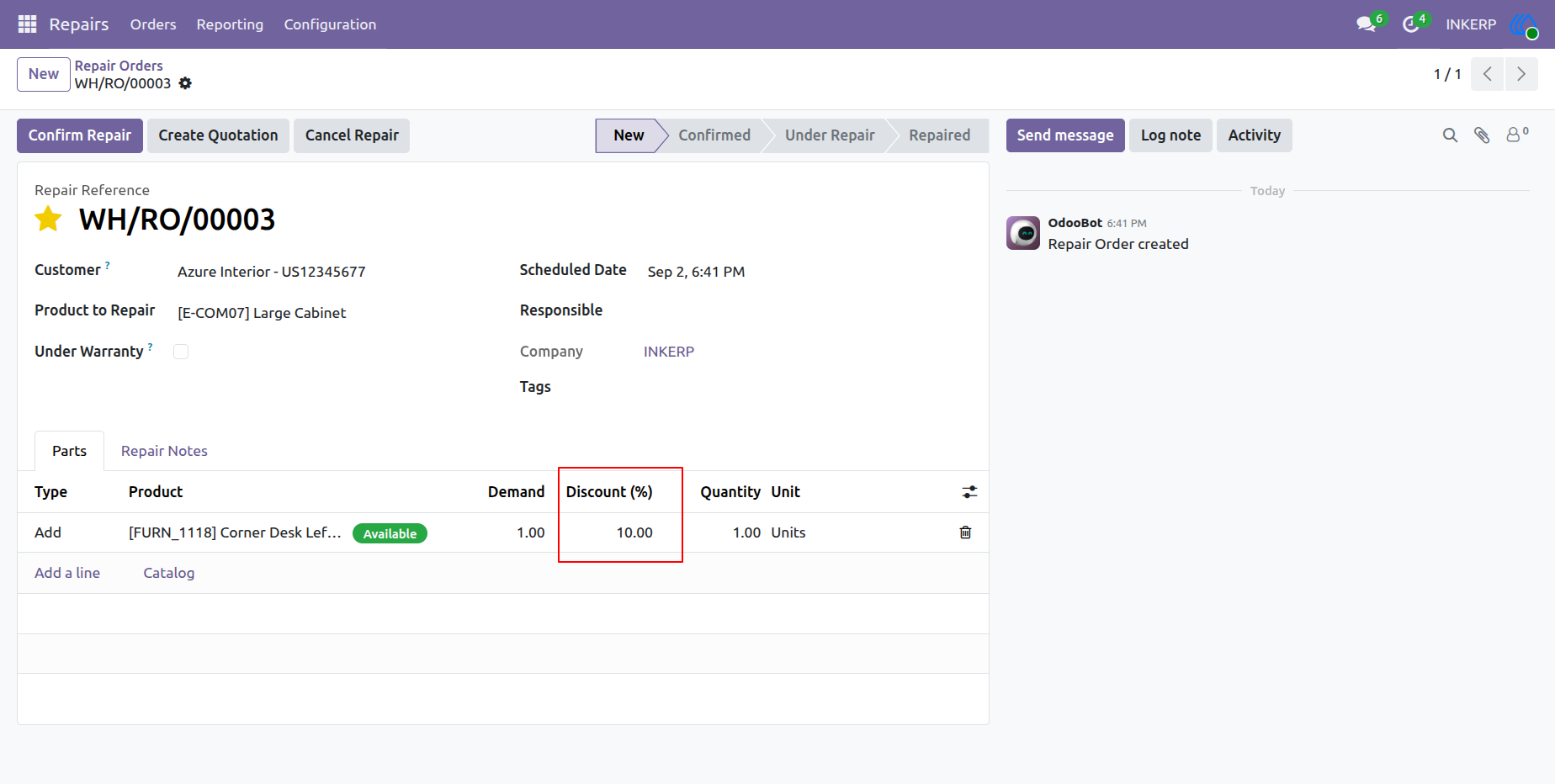
1.) Applying Discount on Repair Order Parts
Within the Repair Order form, navigate to the Parts tab to add the necessary replacement components. You can apply a specific discount directly to individual parts lines using the newly added Discount (%) column. This allows for quick, flexible pricing adjustments on specific items before generating a final quotation for the customer.
Navigation : Repairs › Orders › Repair Orders
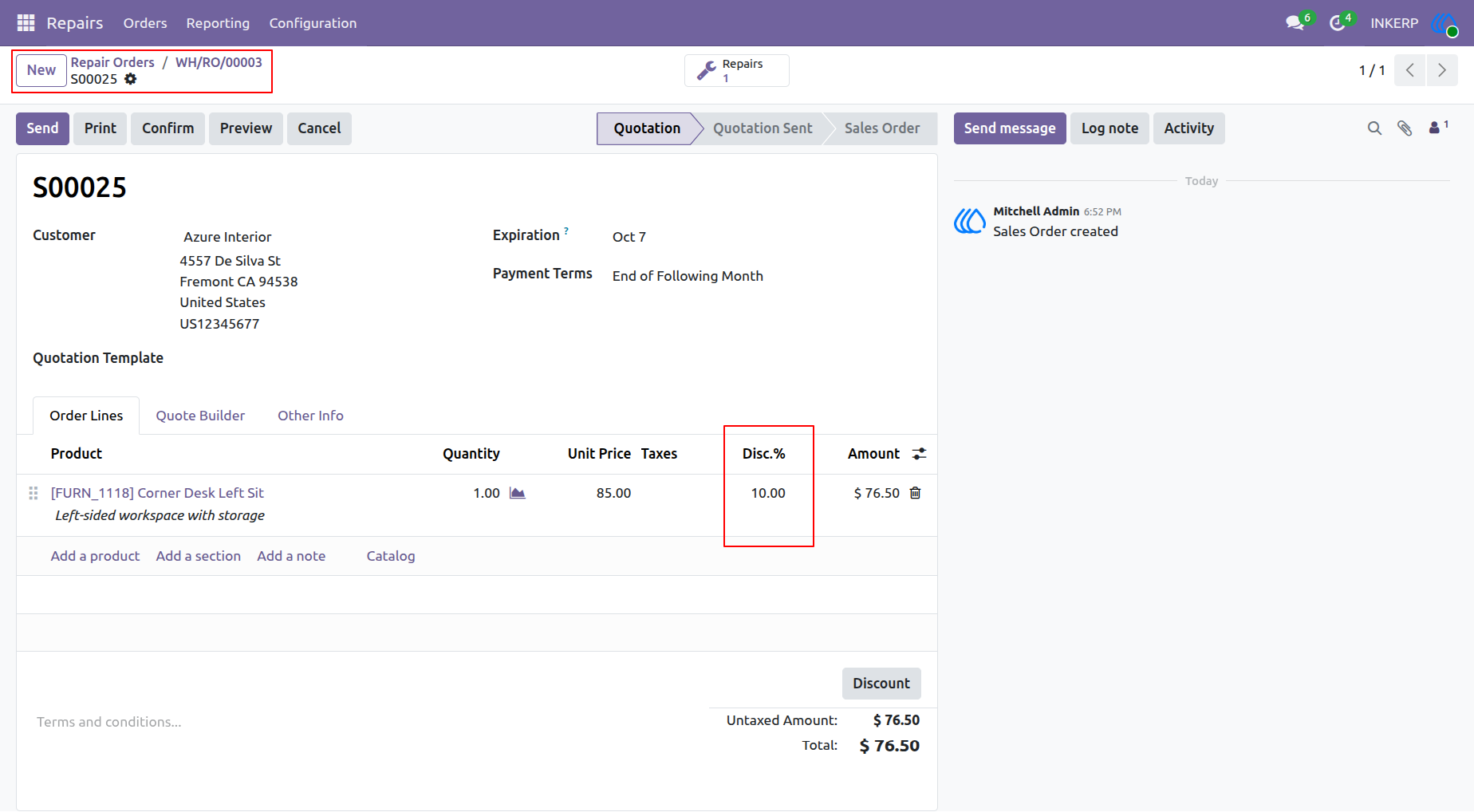
2.) Automated Discount Transfer to Quotation
Once the "Create Quotation" button is clicked on the Repair Order, a linked Sales Order is automatically generated. The discount percentage previously specified on the repair part seamlessly carries over to the Disc.% column in the Sales Order lines. The system automatically recalculates the untaxed amount and total, ensuring accurate billing without manual data entry.
Navigation : Repairs › Orders › Repair Orders
User Guide