

Our Most Suggested Products


Quick Search
The Quick Search module enhances the standard search capabilities in Odoo by enabling instant record lookup within the active model. It eliminates the need to navigate between different views or perform time-consuming manual searches, allowing users to quickly access relevant data with minimal effort. Designed for efficiency and ease of use, this module integrates seamlessly across multiple business areas such as Sales, Contacts, and Accounting, ultimately improving productivity, streamlining workflows, and delivering a faster, more intuitive user experience.
Video Tutorial
 Features
 Screenshots
 Support
 Service
Features
Instant Record Search
The module provides a powerful real-time search functionality that allows users to locate records instantly within the current module. Instead of navigating through multiple menus or applying filters manually, users can simply enter keywords to retrieve results immediately. This significantly reduces the time spent searching for specific records and ensures quick access to critical business information.
Time-Saving Efficiency
By eliminating the need for manual navigation and repetitive filtering, the module significantly improves operational efficiency. Users can retrieve records in seconds, allowing them to focus more on decision-making and less on system navigation.
Seamless Module Integration
Quick Search is designed to work effortlessly across various Odoo models, including Sales Orders, Contacts, and Invoices. This cross-functional compatibility ensures that users experience consistent search behavior regardless of the module they are working in.
Screenshot
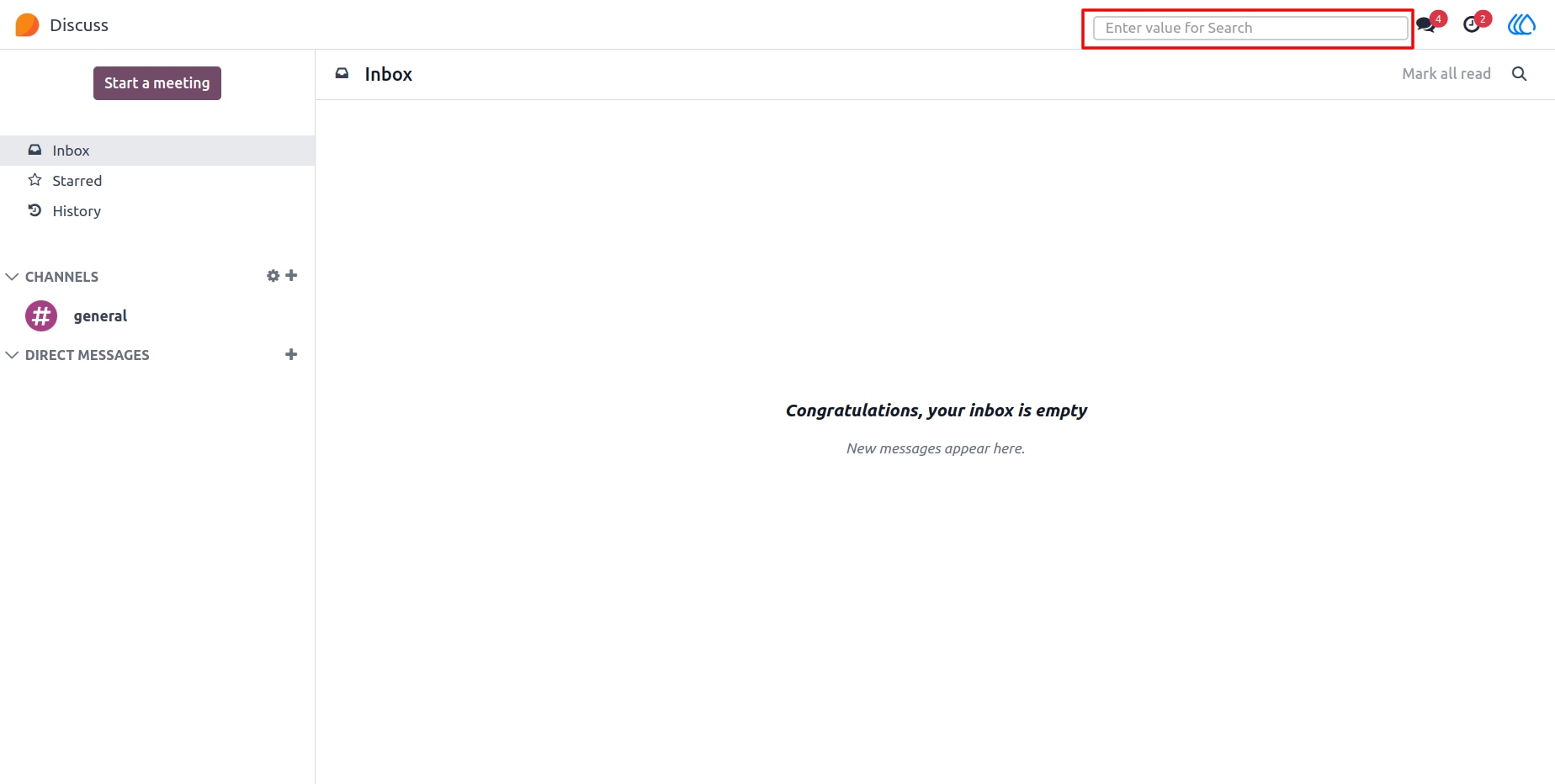
1.) Search Tab for Quick Lookup
A convenient search bar is integrated directly within the module, allowing users to enter keywords and instantly retrieve matching records. The experience feels fast and responsive, making it easy to locate information without interrupting workflow.
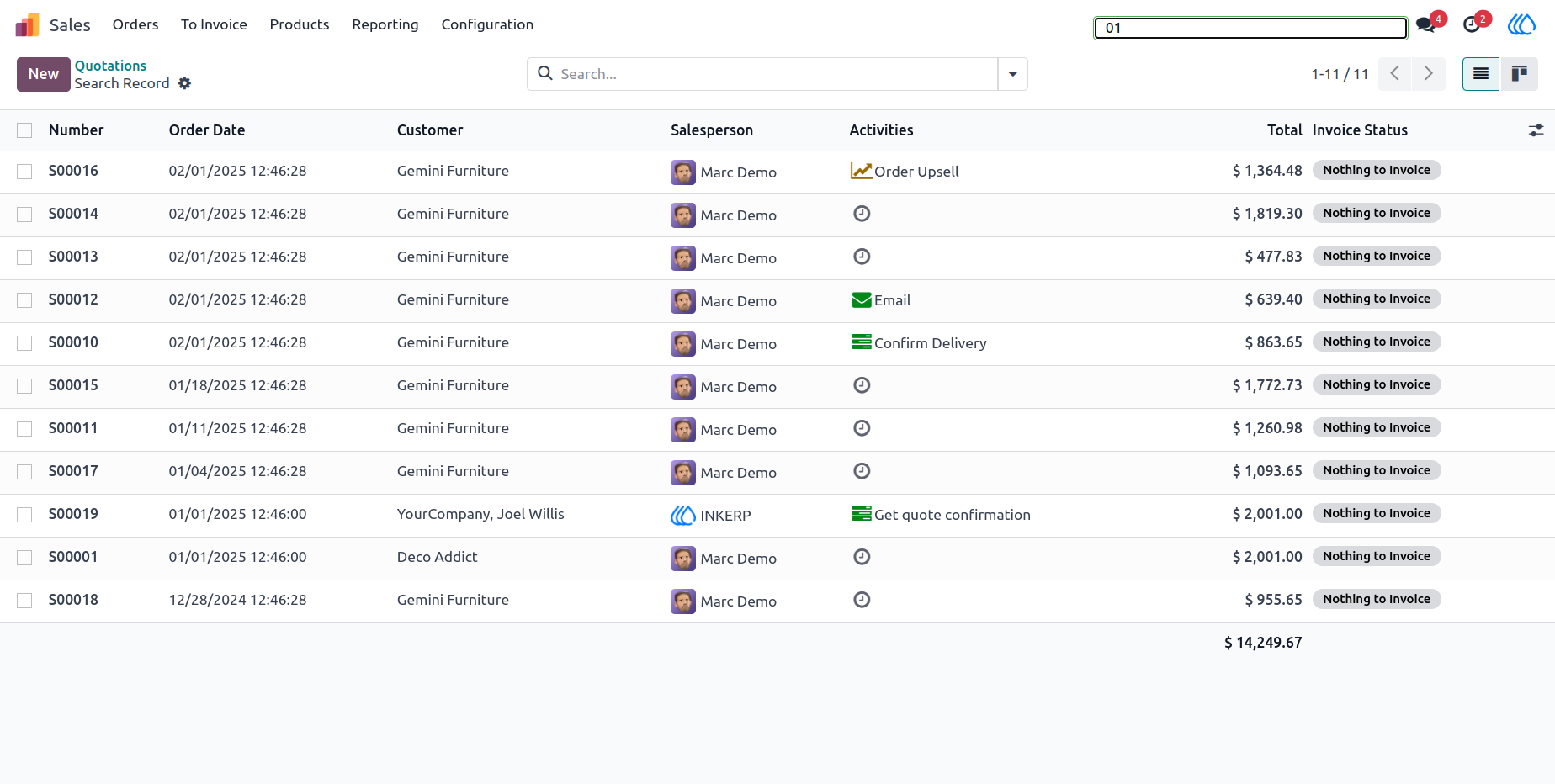
2.) Sales Order Search Example
Entering a reference such as “01” quickly filters and displays relevant sales orders. This makes it simple to track orders, verify details, or follow up with customers without browsing through long lists.
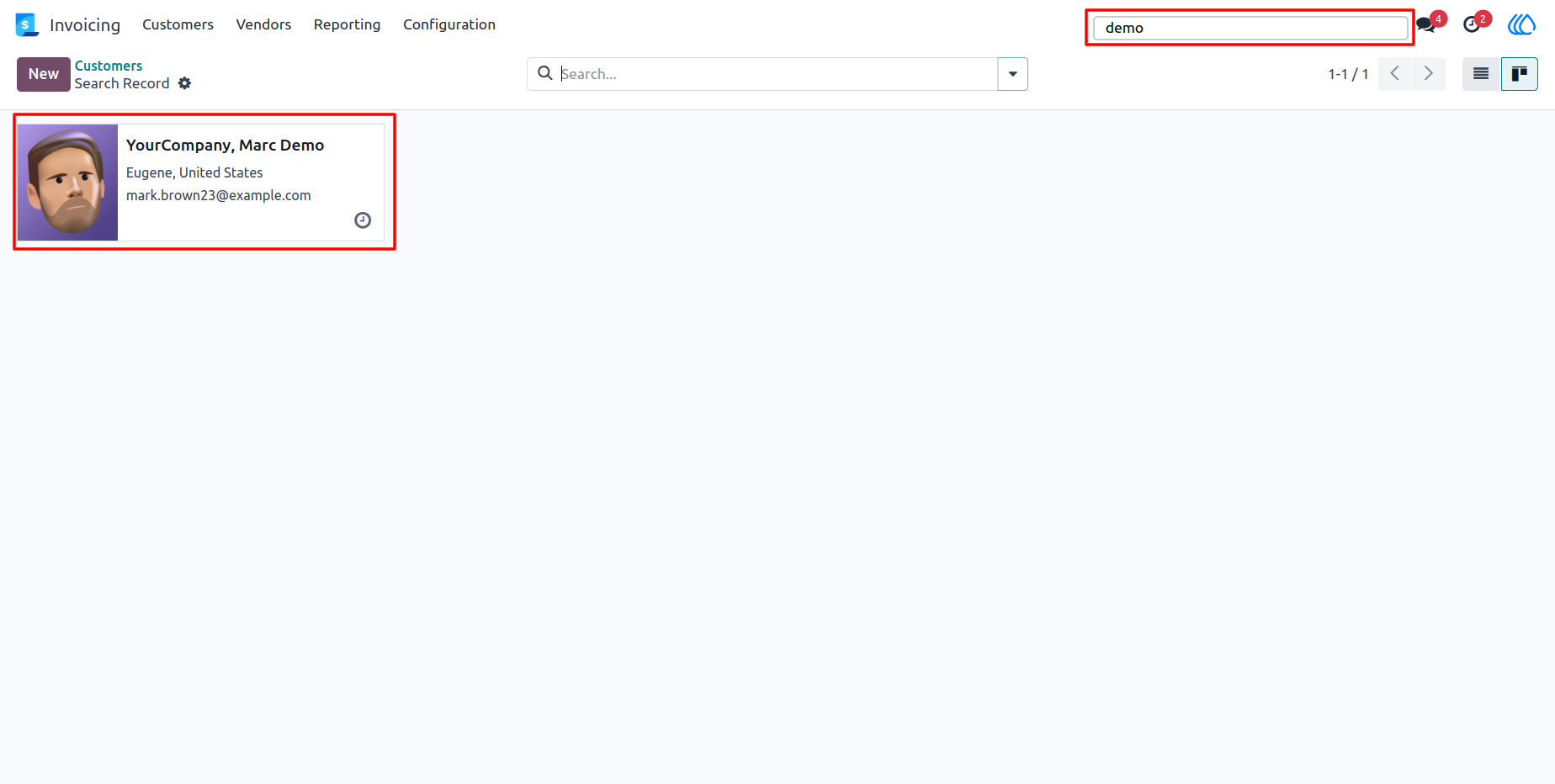
3.) Contact Search Example
Typing a keyword like “demo” immediately brings up related contact records. Finding customer details, communication information, or vendor records becomes effortless, supporting faster response times and better customer service.
User Guide