

Our Most Suggested Products


Purchase Order Record Display Limit
This module allows you to define a limit on the number of Purchase Order records displayed when opening the Purchase Order view. It helps improve system performance, reduce loading time, and provides a smoother user experience, especially when working with large datasets.
Video Tutorial
 Features
 Screenshots
 Support
 Service
Features
Purchase Order Display Limit Configuration
Configure the maximum number of Purchase Order and RFQ records displayed in list views directly from Purchase Settings. Administrators can easily define the desired record limit without any technical configuration.
Limit Requests for Quotation Records
Automatically restrict the number of RFQ records loaded when opening the Requests for Quotation menu. This helps users focus on relevant records while reducing unnecessary data loading.
Limit Purchase Order Records
Control how many Purchase Orders are displayed when accessing the Purchase Orders list view. The configured limit is applied automatically for a cleaner and more organized interface.
Screenshot
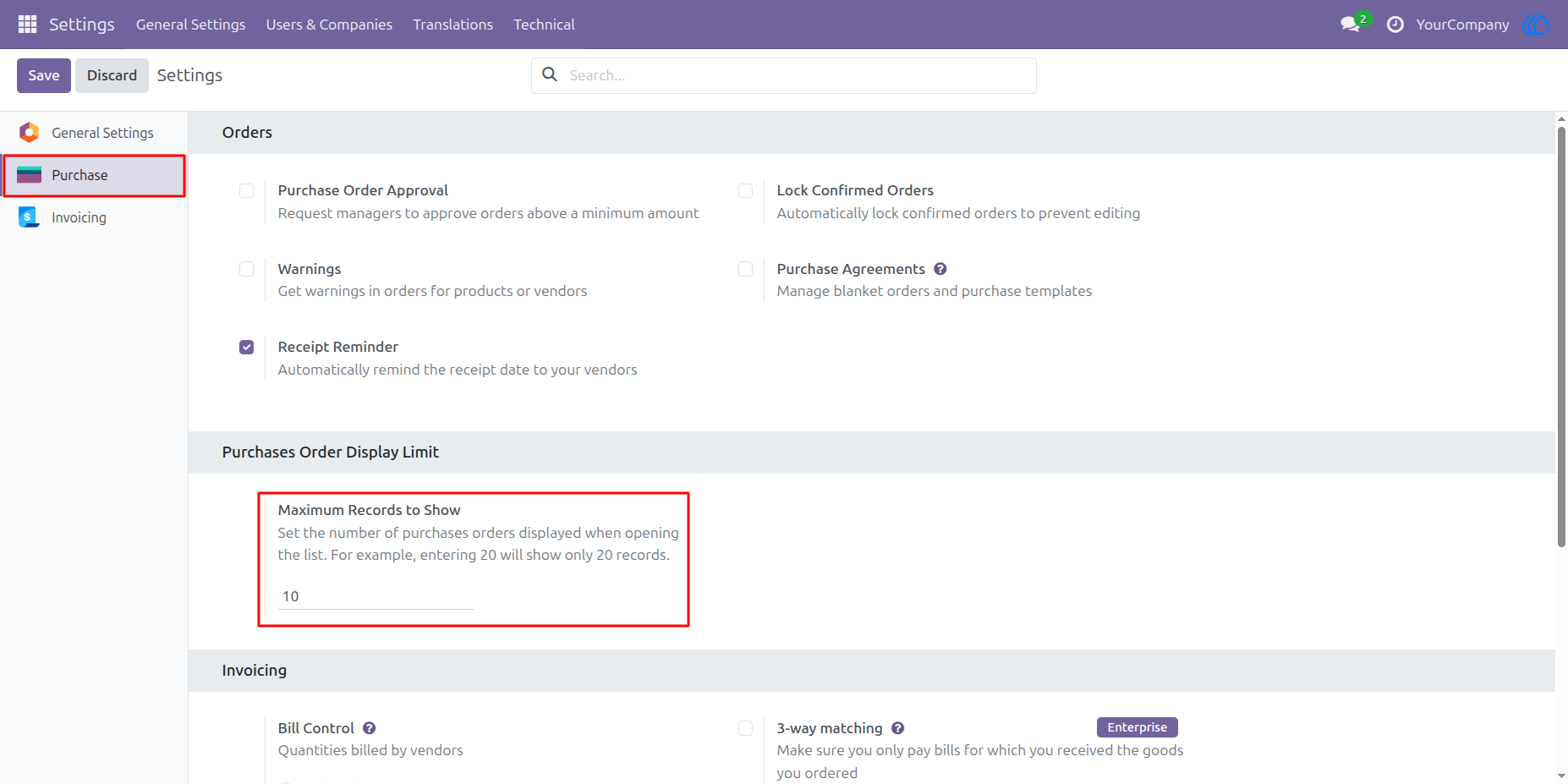
Configure Purchase Order Display Limit
Navigate to Purchase → Settings and define the maximum number of Purchase Order records to display in list views. Simply enter the desired record limit and save the settings. The configured value will be applied automatically to both Purchase Orders and Requests for Quotation (RFQs), helping users work more efficiently with large datasets.
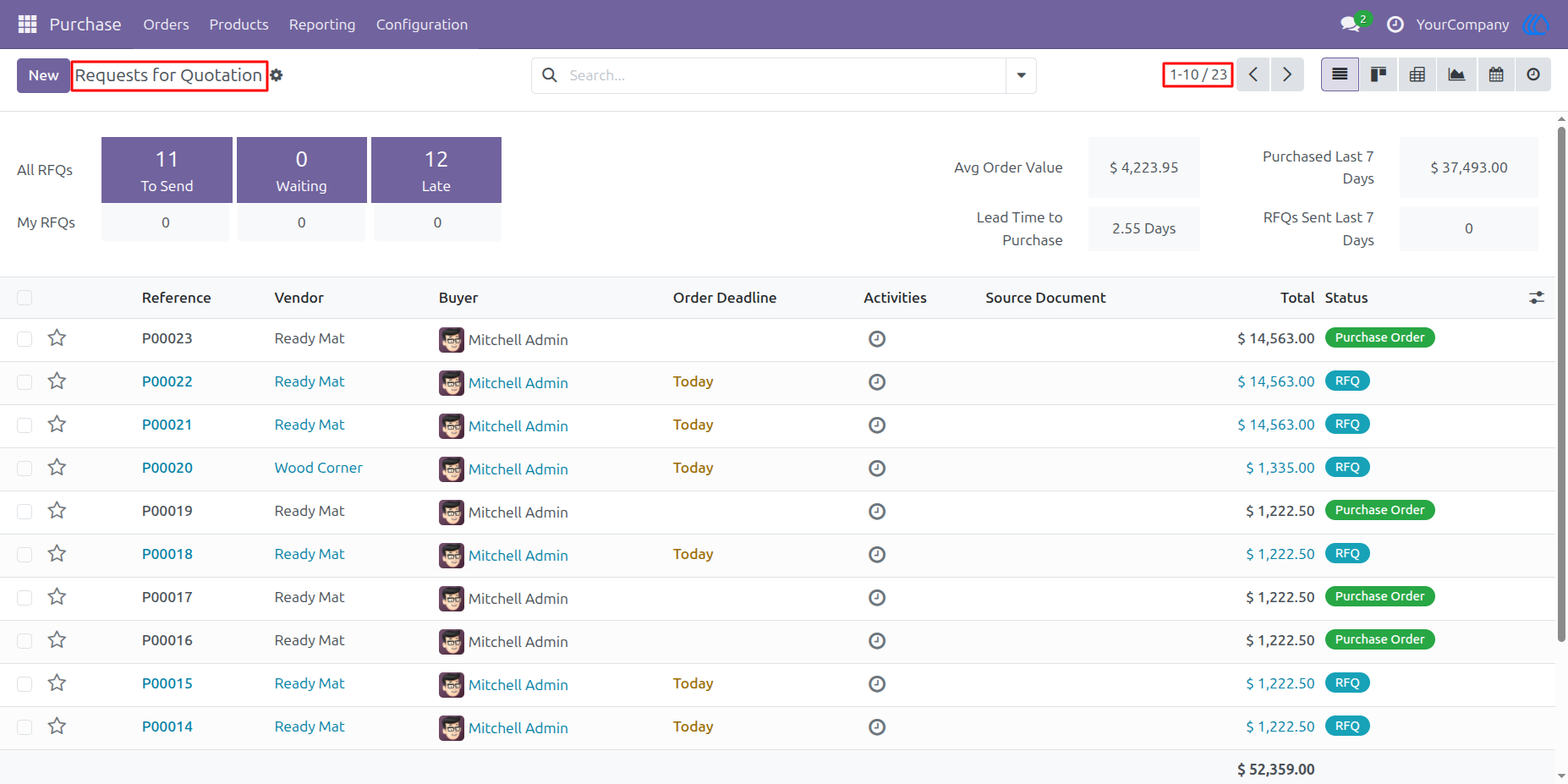
Limited Record Display in Requests for Quotation
After configuring the display limit, the Requests for Quotation list view will load only the specified number of records. This reduces screen clutter, improves navigation, and enhances system performance when managing a large number of RFQs.
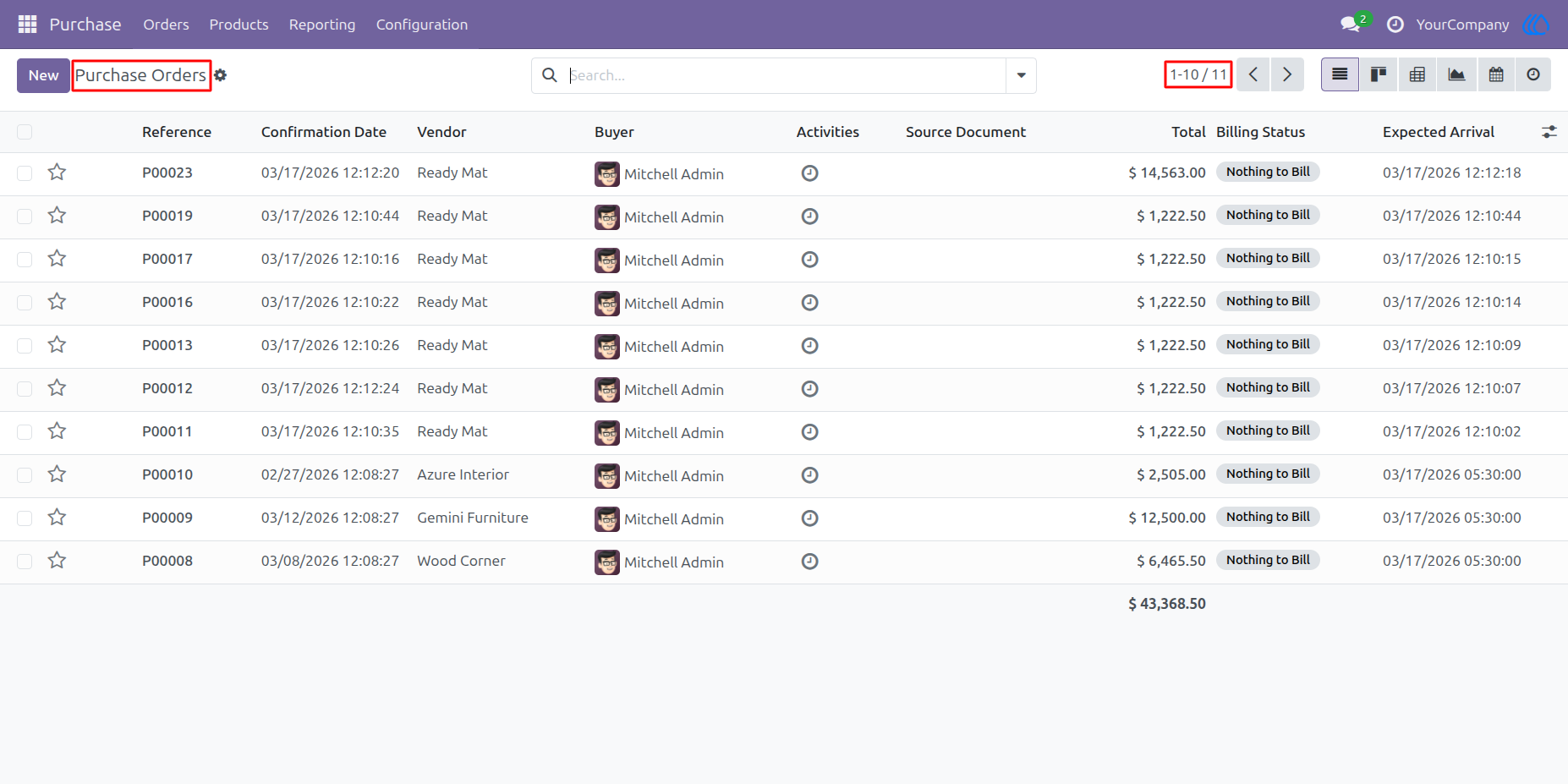
Limited Record Display in Purchase Orders
The configured record limit is also applied to the Purchase Orders list view. Only the defined number of records is displayed when opening the view, allowing users to access purchase data faster and work with a cleaner interface.
User Guide