


Our Most Suggested Products


Purchase Confirmation date
The Purchase Confirmation Date module streamlines the purchase process by allowing users to set a user-defined confirmation date for purchase orders in Odoo. By default, Odoo uses the current date and time when a user confirms a quotation, but with this module, users can easily configure the confirmation date without any complex setup.
 Features
 Screenshots
 Support
 Service
Features
User-defined Confirmation Date
This feature allows users to set a specific confirmation date for purchase orders, rather than using the default current date and time. With this customization, businesses can align purchase order confirmations with their internal workflows, making it easier to track purchase timelines and manage procurement processes more effectively.
Seamless Installation
o special configuration is required to use the module. After installation, the feature works right out of the box. Users can immediately start setting custom confirmation dates for their purchase orders, ensuring a hassle-free experience without the need for further adjustments or technical setup.
Screenshot
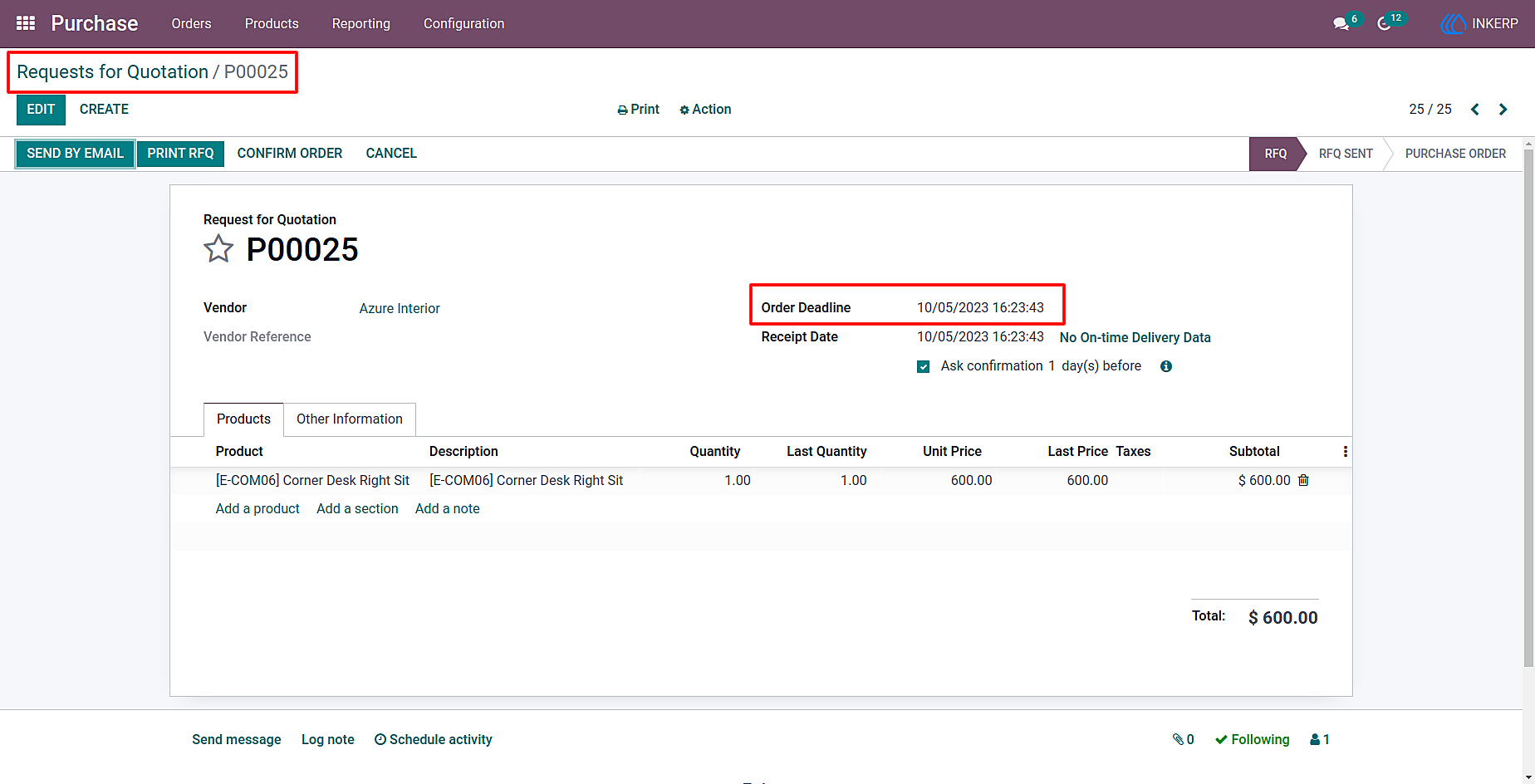
1.) RFQ Form View
In the Request for Quotation form, users can now conveniently set an order deadline date. This streamlined interface ensures that all necessary details for a purchase order are clear and easy to manage.
Navigation : Purchase › Orders › Request for Quotation.
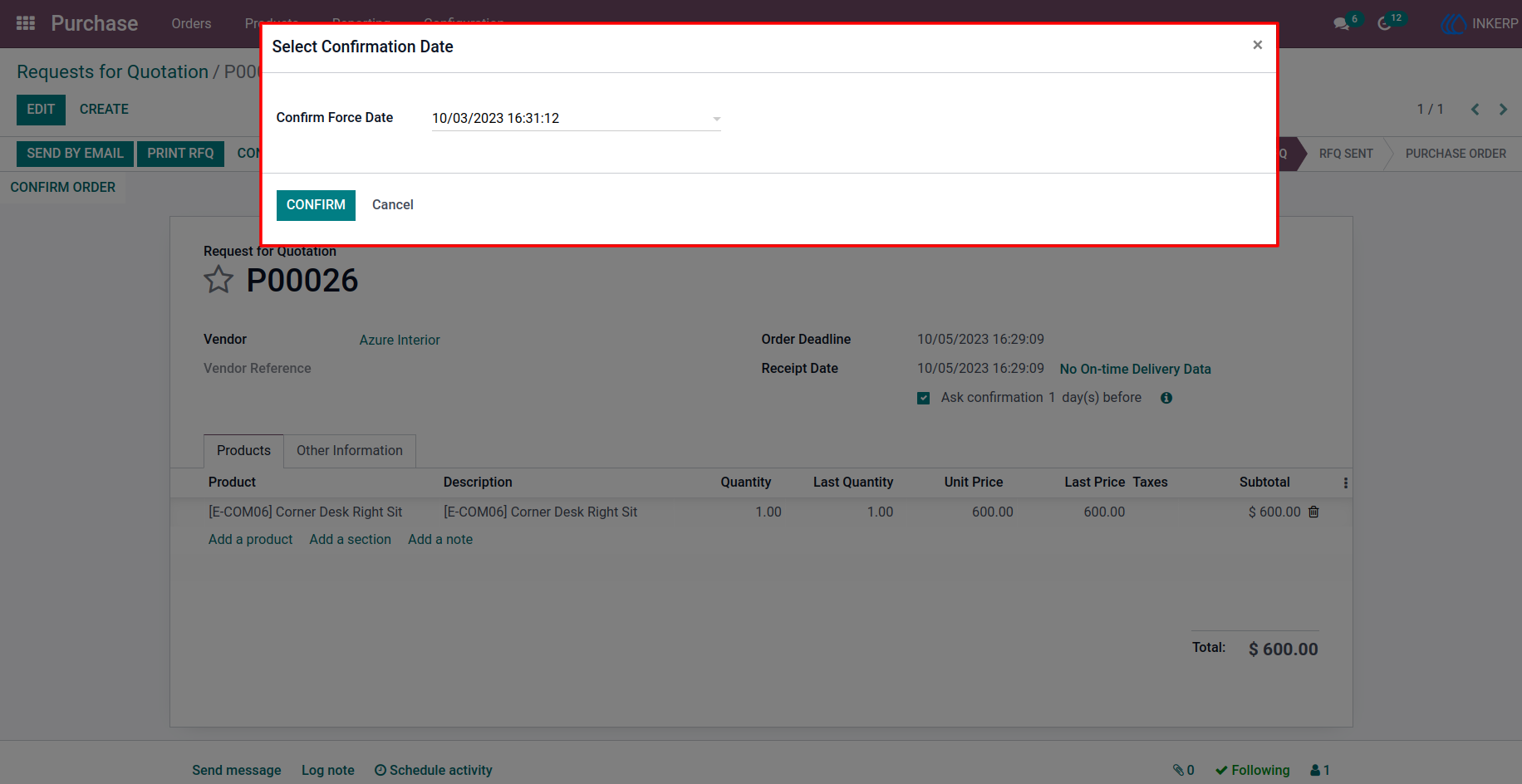
2.) Pop-up View
A helpful pop-up is triggered when setting the confirmation date, guiding users to select the correct date for their purchase order. This pop-up ensures clarity and reduces errors, improving the overall user experience.
User Guide