

Our Most Suggested Products


Product Style Size Color Brand
The Product Style Size Color Brand module enhances product management in Odoo by introducing structured attributes such as style, size, color, and brand for each product. This module helps businesses organize their product catalog more effectively, making it easier to categorize and manage large inventories.
 Features
 Screenshots
 Support
 Service

Features
Advanced Product Configuration
Easily enrich product records by configuring attributes such as style, size, color, and brand directly within the product form view. Dedicated fields for Product Style, Product Size, Product Color, and Product Brand ensure that every item is clearly defined and standardized.
Smart Filtering and Grouping
Quickly organize and analyze products using powerful filtering and grouping options based on color, style, brand, and size. This capability allows users to narrow down product lists effortlessly and view data in a more meaningful way.
Enhanced Search in Sales and Purchase Orders
Improve operational efficiency with advanced search functionality available directly in both sales and purchase order lines. Users can locate products using attributes like color, style, brand, and size without needing to remember exact product names.
Easy Configuration and Navigation
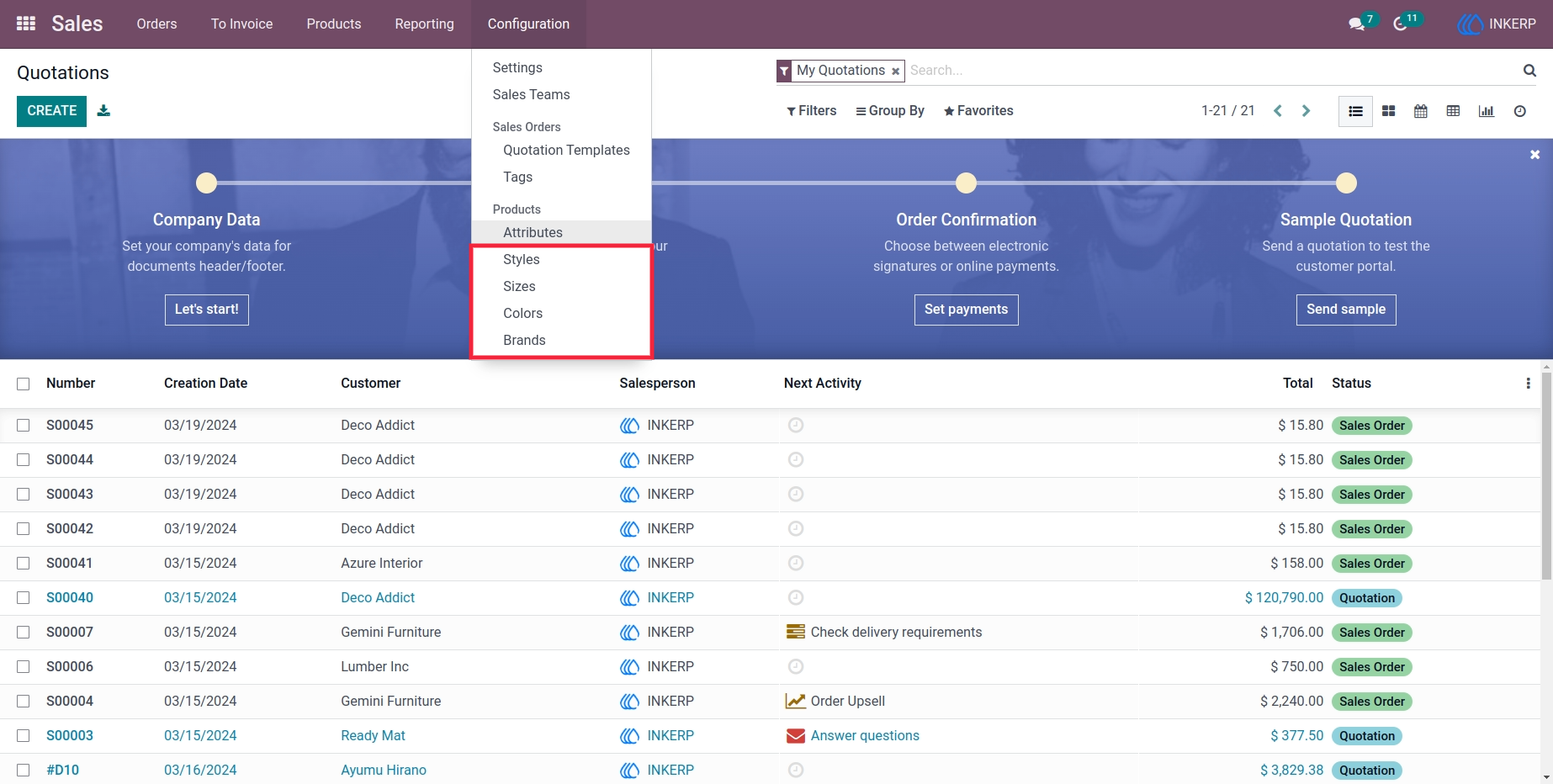
Managing product attributes is simple and accessible through a centralized configuration menu available under Sales → Configuration. From here, users can create and maintain styles, sizes, colors, and brands with ease.
Screenshot
1.) Product Configuration View
A well-structured product form enriched with additional fields for style, size, color, and brand, allowing users to define detailed product attributes in one place.
2.) Filtering Options
A flexible filtering system that enables users to quickly narrow down product lists based on key attributes like style, size, color, and brand. This capability helps users locate specific products without scrolling through extensive inventories.
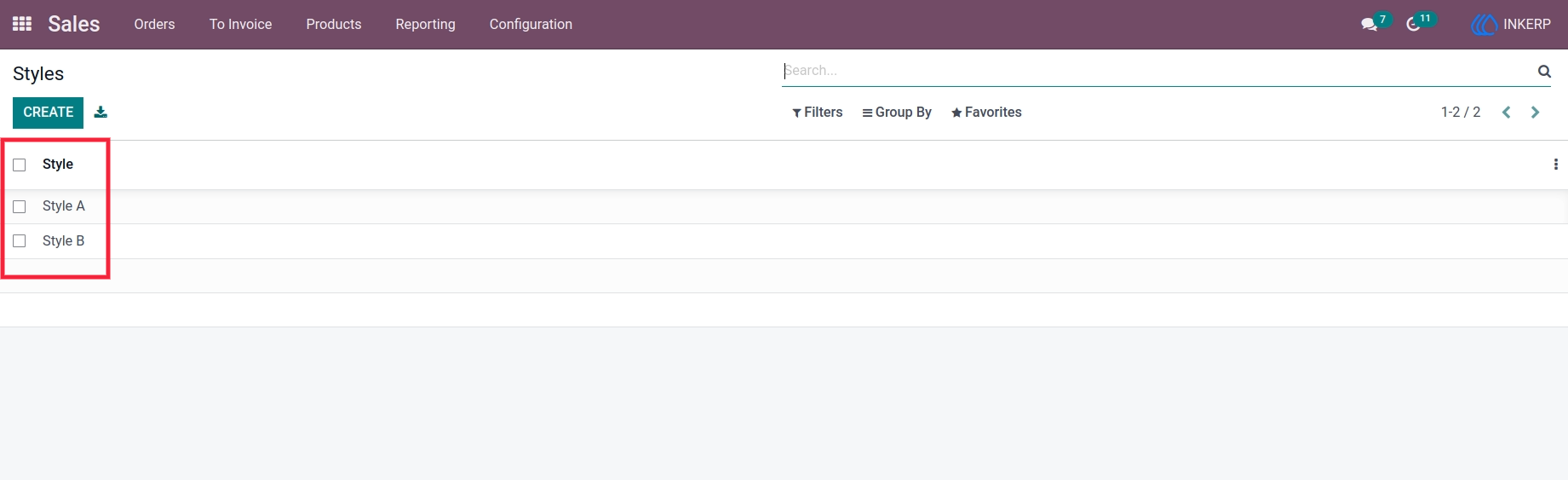
2.1) Product Style:
A dedicated configuration area where different product styles can be created and maintained. It allows businesses to define style categories that reflect their product range, ensuring consistency and better organization.
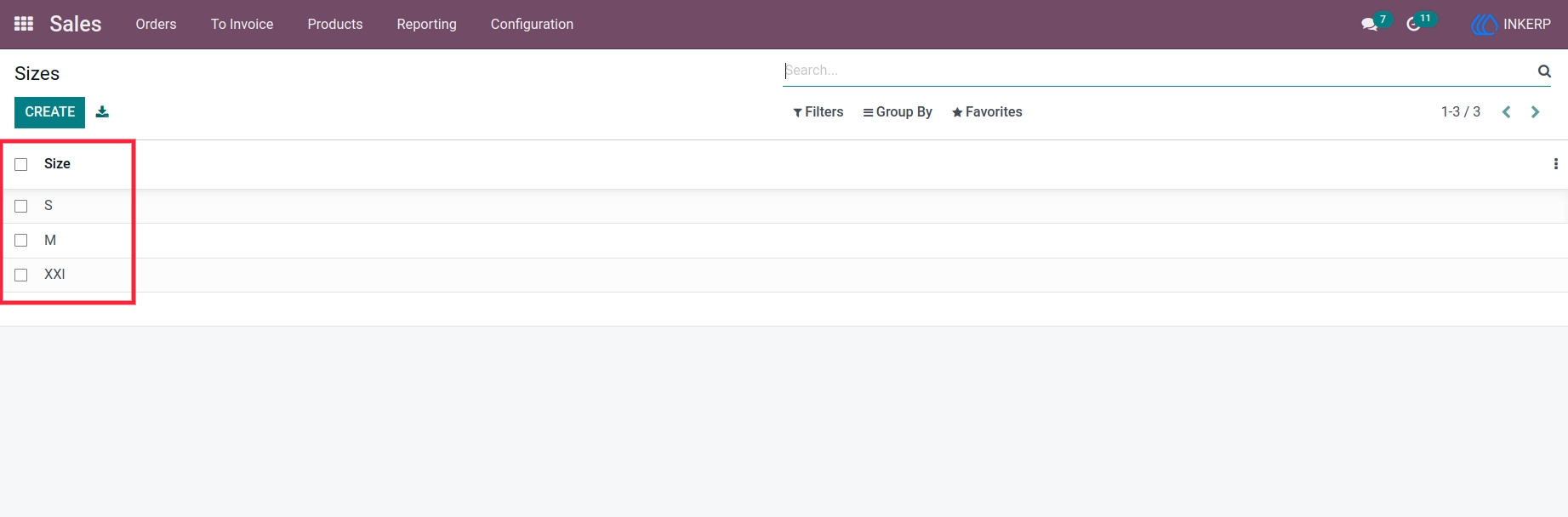
2.2) Product Size
A centralized setup for managing product sizes, making it easy to define and standardize size options across all products.
2.3) Product Color
An organized configuration space for defining product colors, enabling clear identification and filtering of items based on color variations.
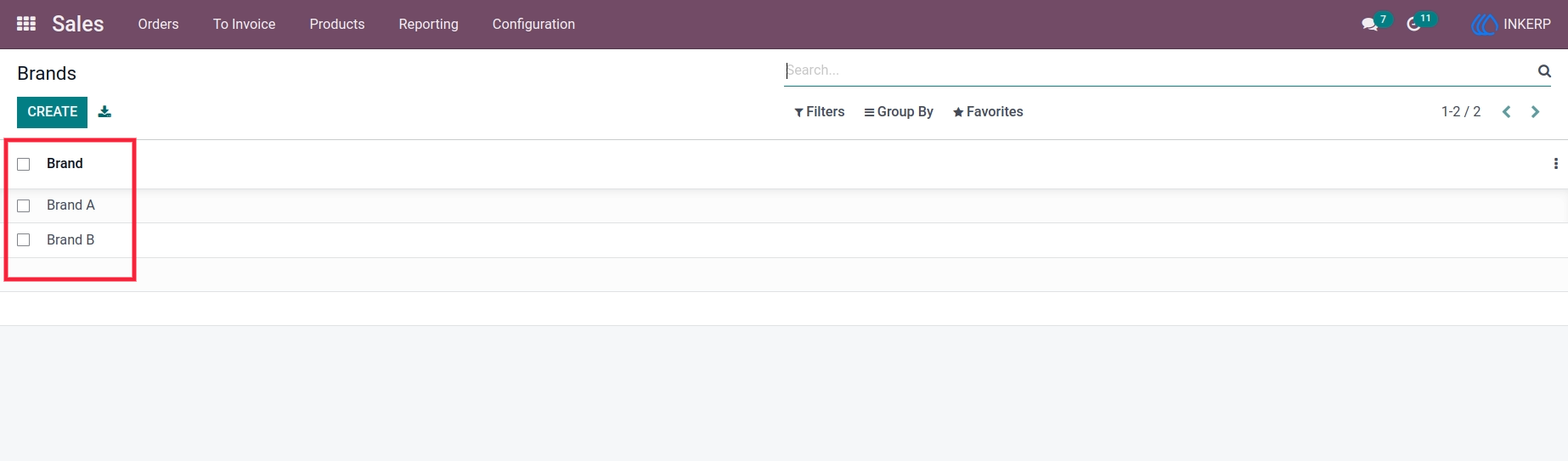
2.4) Product Brand
A structured interface for managing product brands, allowing users to categorize products based on their respective brands.
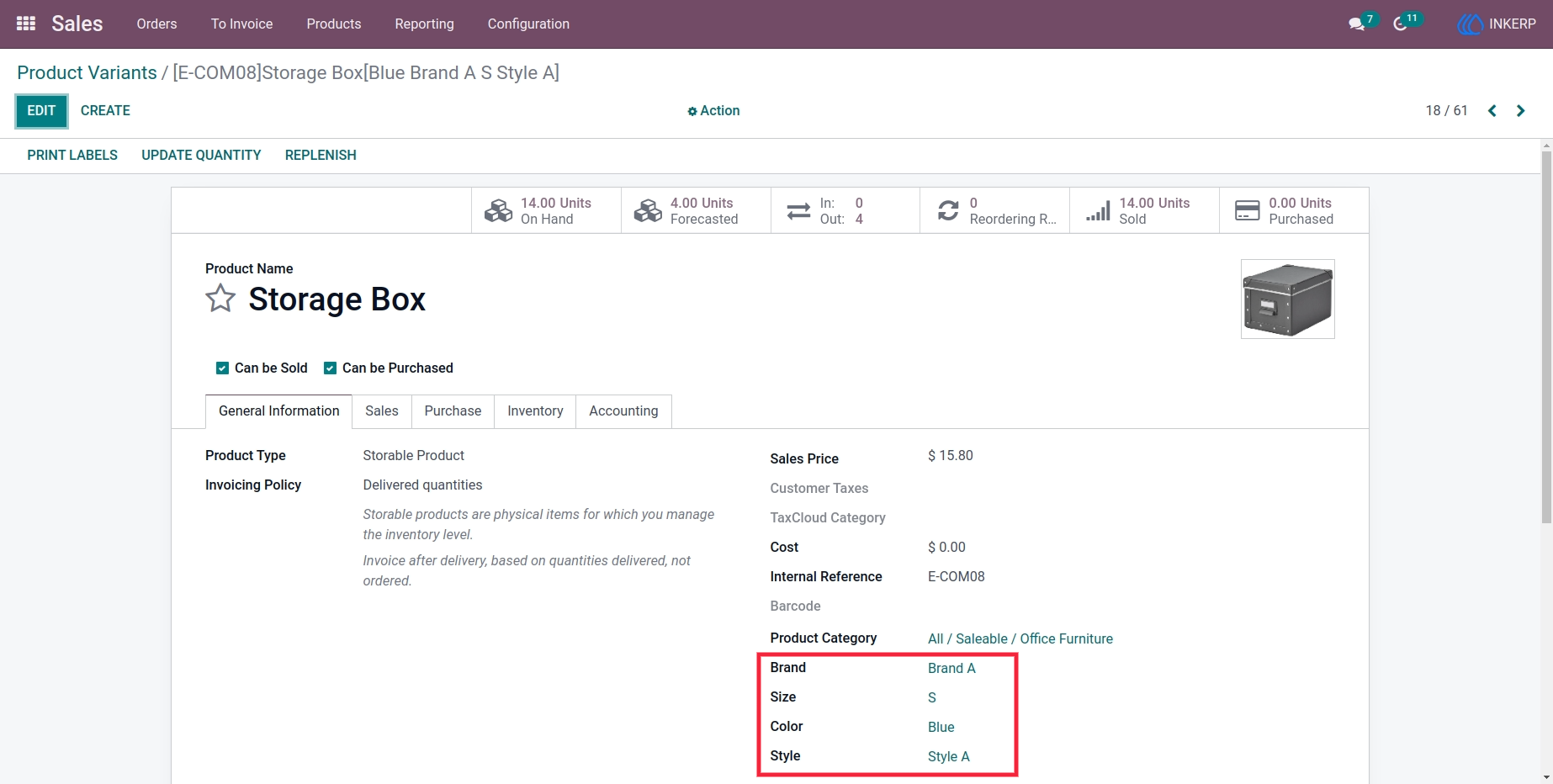
2.5) Product Attribute Overview
A consolidated view where all configured attributes style, size, color, and brand are visible together, providing a complete picture of product classification.
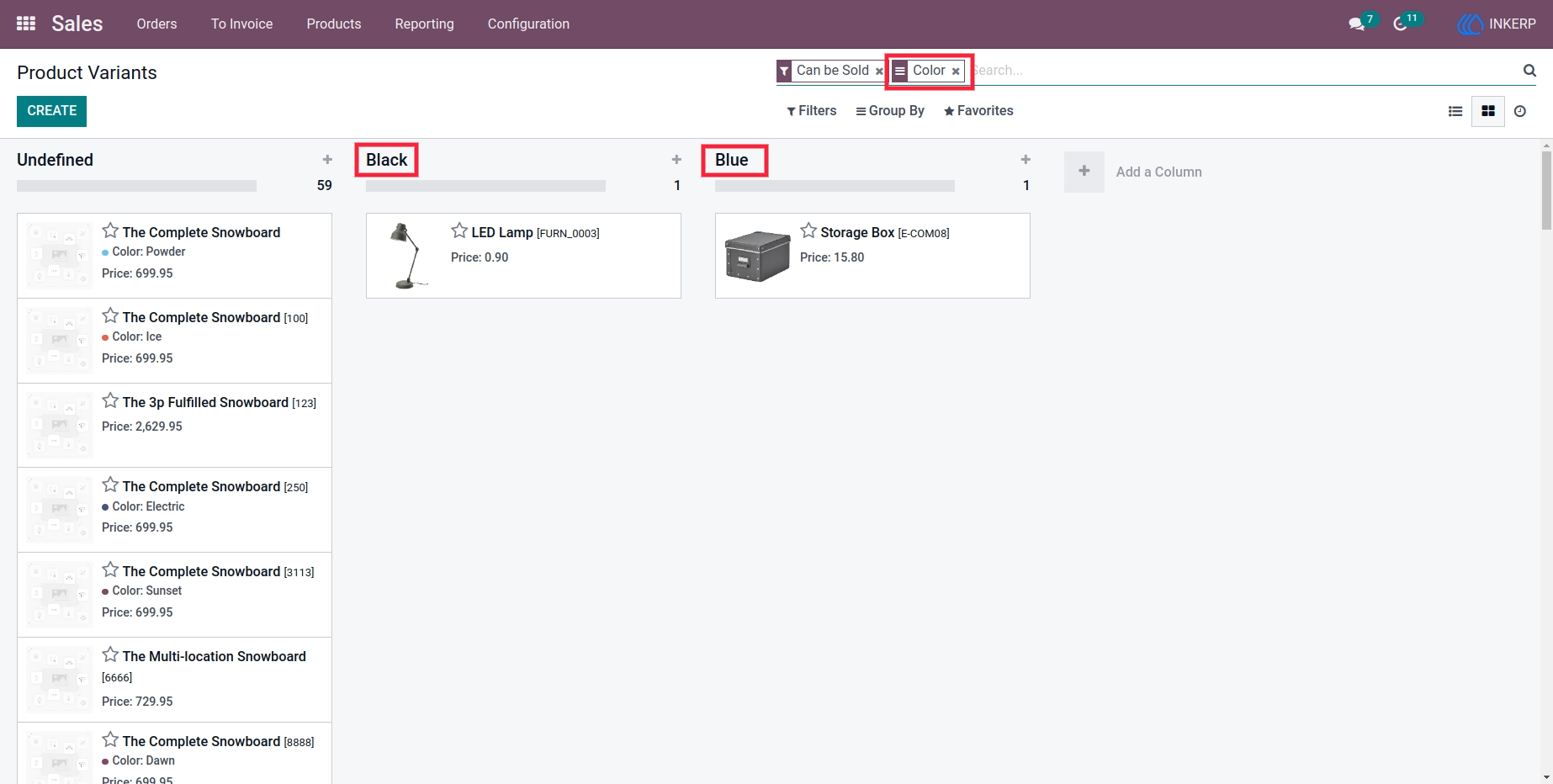
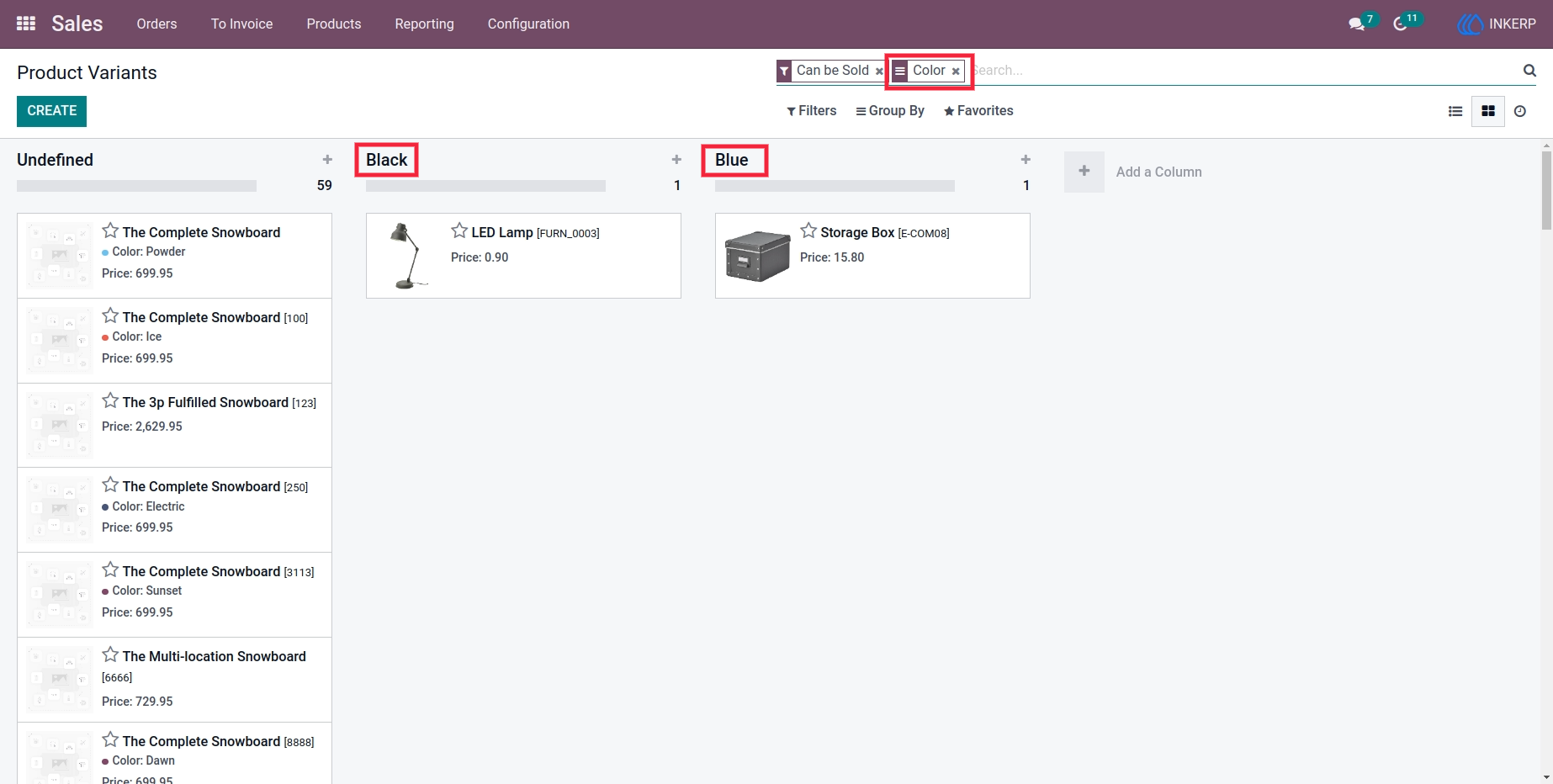
3.) Grouping Options
An organized product variant view that allows users to group products by attributes such as style, size, color, or brand.
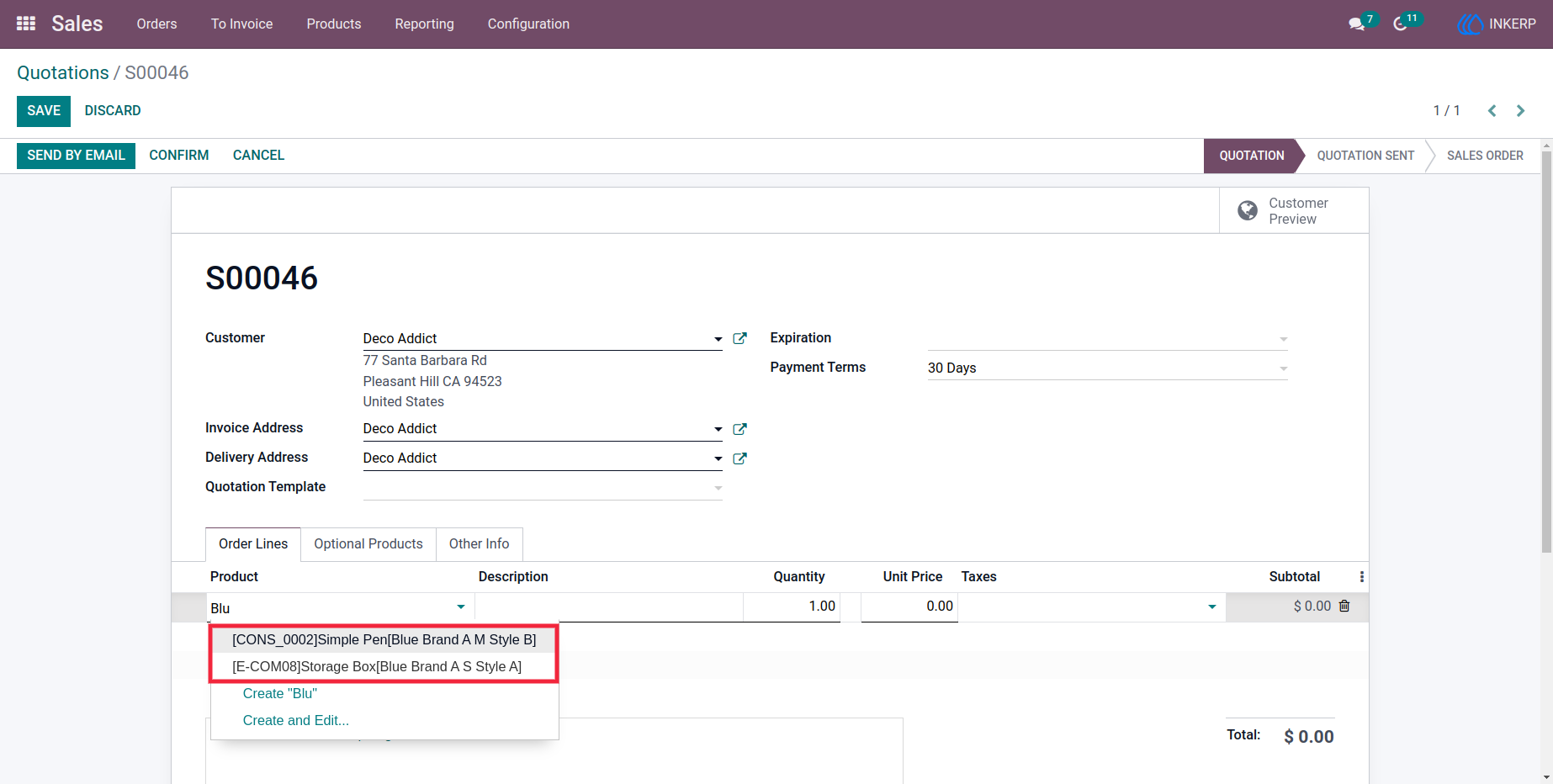
4.) Search in Sales Orders
A streamlined sales order experience where products can be searched using attributes like color, style, brand, and size.
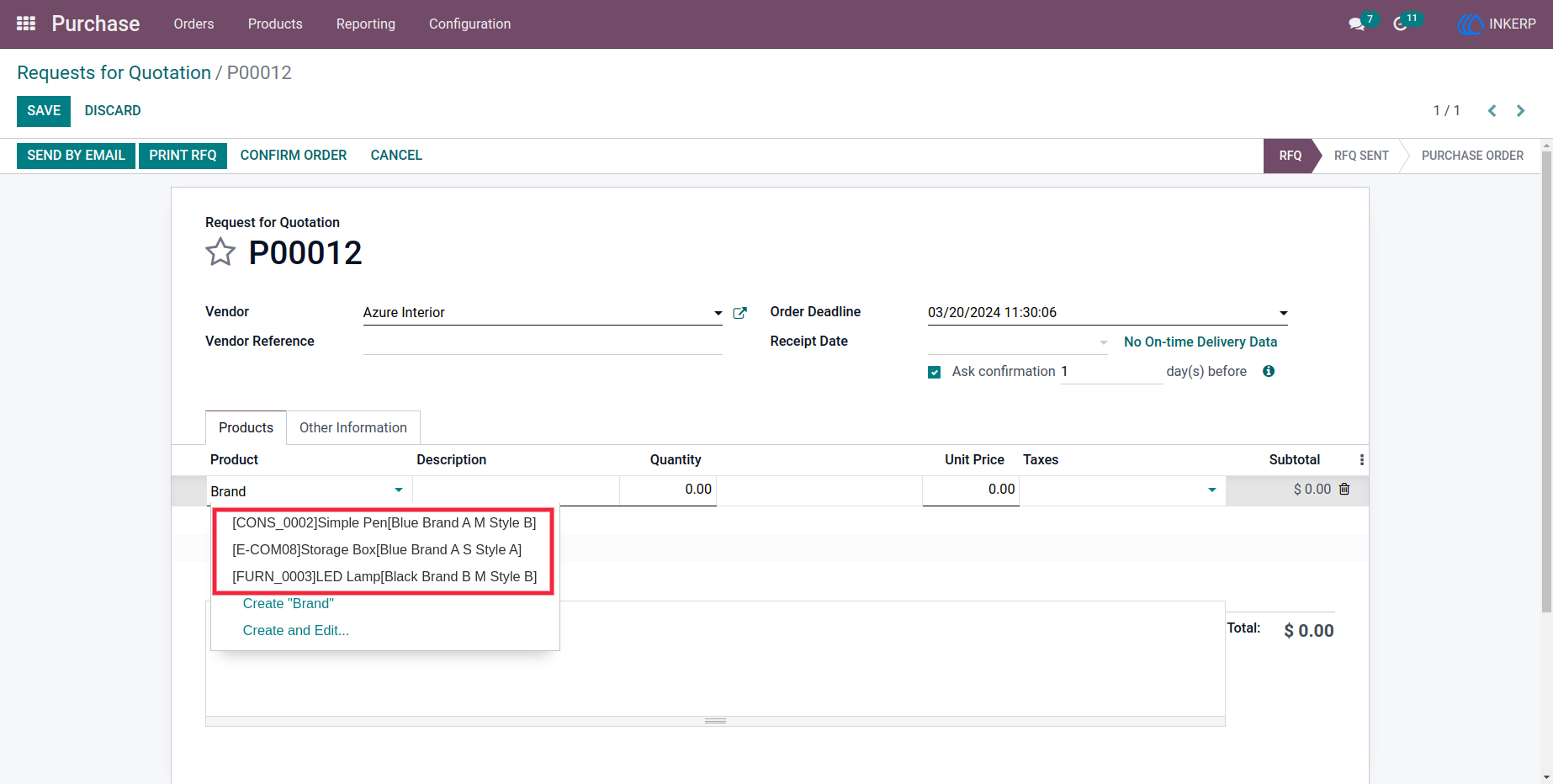
5.) Search in Purchase Orders
An enhanced purchase order workflow that allows users to find products using the same attribute-based search criteria.
User Guide