

Our Most Suggested Products


POS Today & Yesterday Filters
This module simplifies the standard Odoo Point of Sale experience by adding two essential filters Today and Yesterday directly into the Orders view. Instead of manually selecting date ranges or building custom filters, managers and accountants can now instantly view transaction data with a single click.
 Features
 Screenshots
 Support
 Service
Features
One-Click Today & Yesterday Filters
Access POS orders for Today and Yesterday instantly with a single click. These quick filters are added directly to the default search dropdown, eliminating the need to manually configure date ranges.
Faster Daily Sales Monitoring
Easily track current-day POS activity by instantly isolating today’s orders. This feature supports real-time sales monitoring, allowing managers and cashiers to quickly review transactions, validate performance, and manage active POS sessions more efficiently throughout the day.
Screenshot
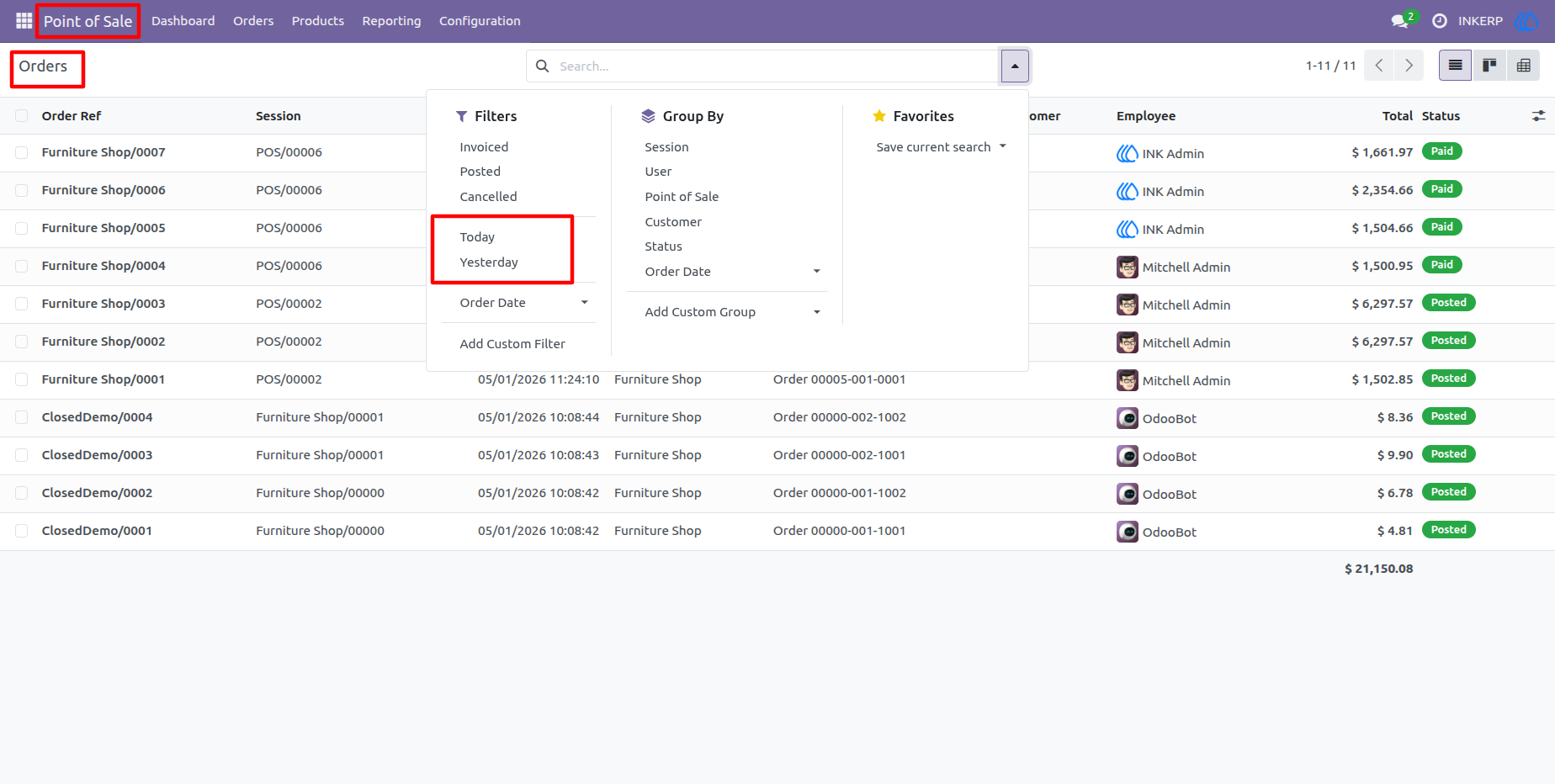
1.) Seamless Filter Integration
This view shows the Point of Sale Orders screen where the new Today and Yesterday filters have been integrated directly into the standard Odoo "Filters" dropdown menu.
2.) Real-Time Daily Order Tracking
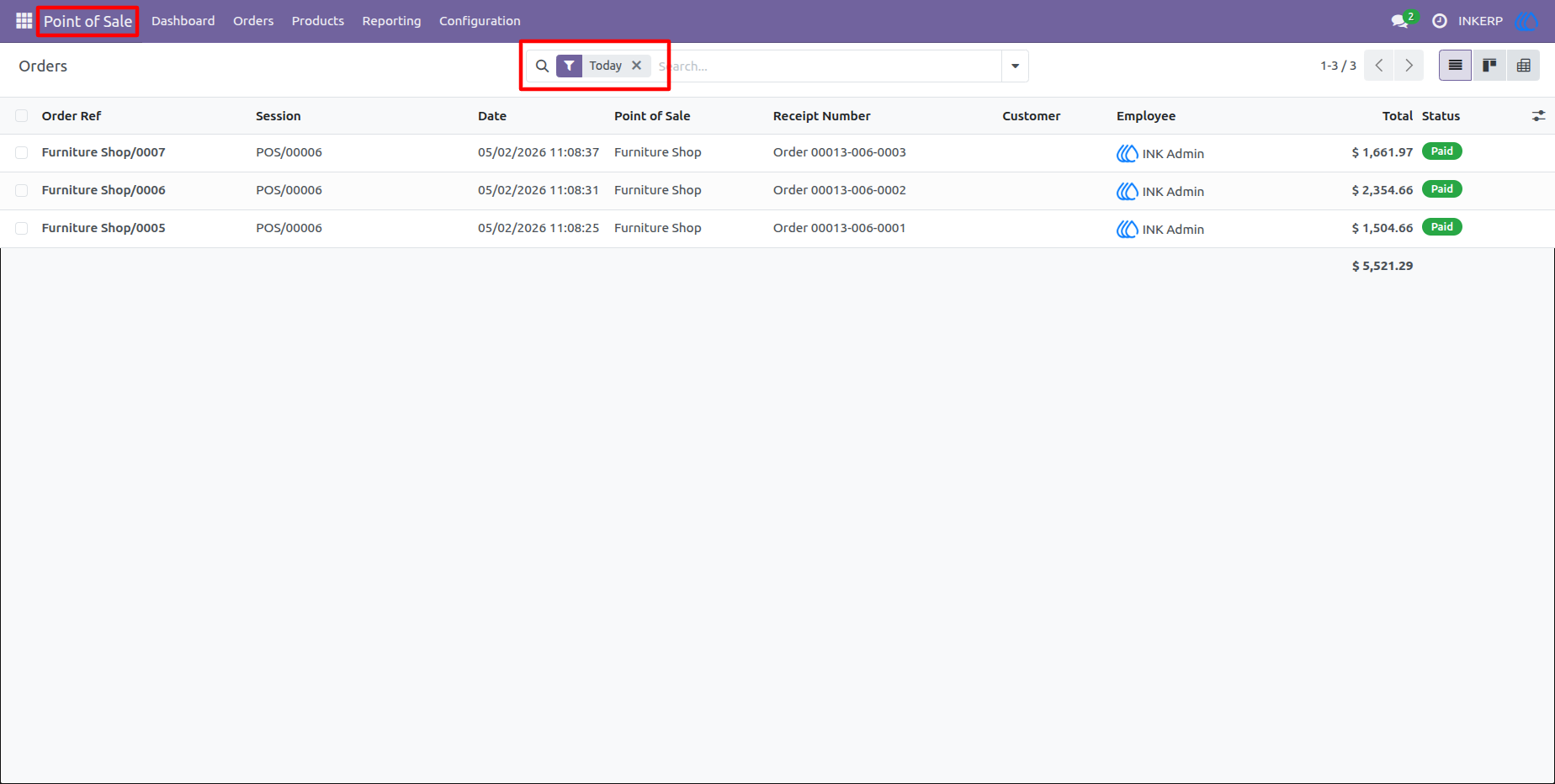
This screen demonstrates the Today filter in action within the Point of Sale backend. By selecting this option, the system instantly isolates and displays only the transactions processed on the current date, providing a clean list that helps managers monitor daily sales volume and totals at a glance.
3.) One-Click Historical Review
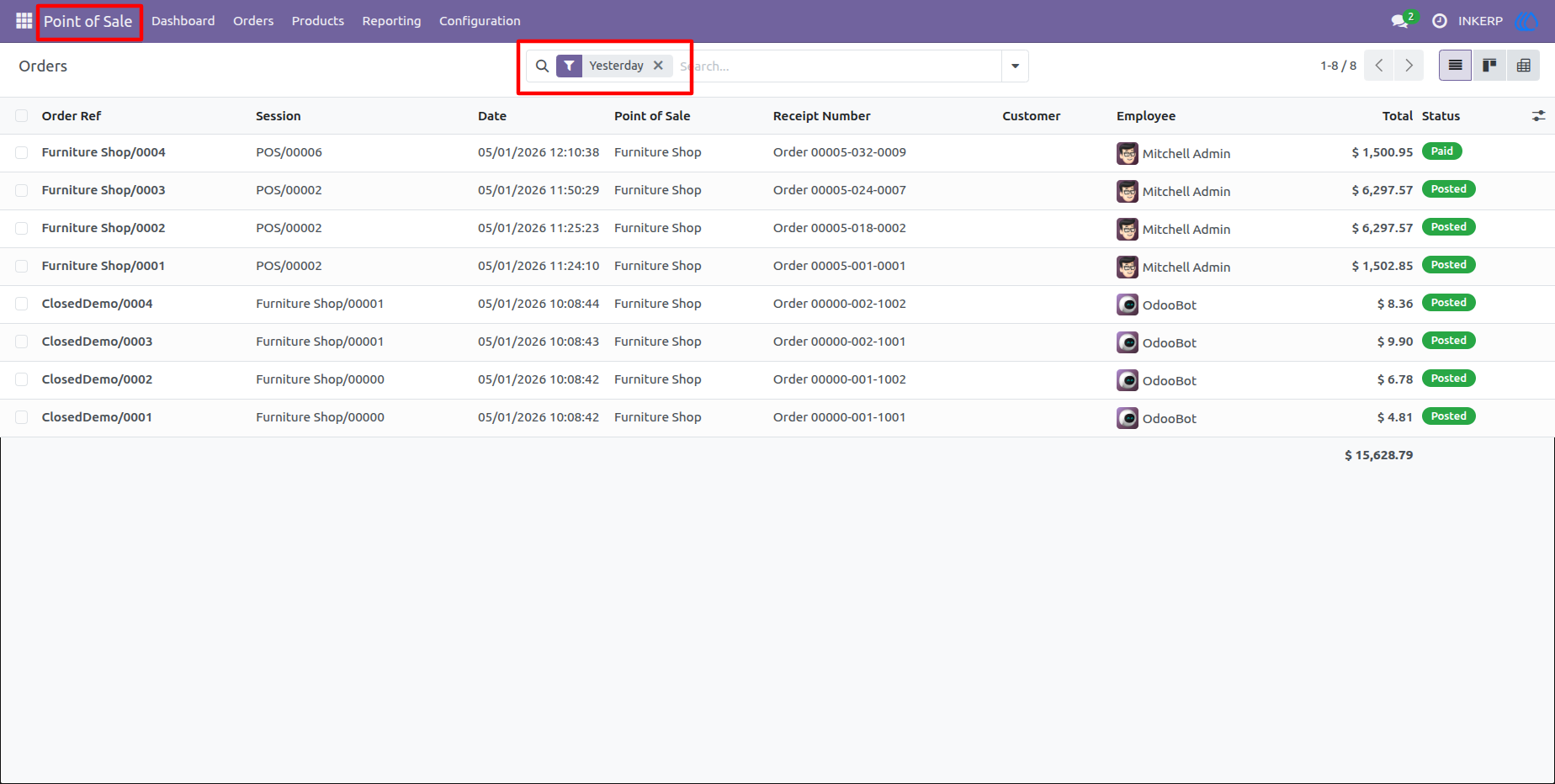
The Yesterday filter is shown here, filtering the list to only display orders from the previous calendar day. This focused view is essential for performing quick end-of-day audits or reconciling historical transaction data, allowing for efficient data verification without manual date range entry.
User Guide