

Our Most Suggested Products


POS Skip Payment Screen & Quick Payment
Speed up your Point of Sale workflow by skipping the payment screen and validating orders instantly with a predefined payment method.
 Features
 Screenshots
 Support
 Service
Features
Skip Payment Screen
This feature allows you to completely bypass the payment screen in the Odoo Point of Sale workflow. Once enabled, orders can be validated instantly without navigating through additional payment steps.
Default Payment Method Automation
Set a predefined payment method that will be automatically applied to every order when skipping the payment screen. This ensures consistency in transactions and eliminates the need for manual selection during each sale.
Quick Payment Button
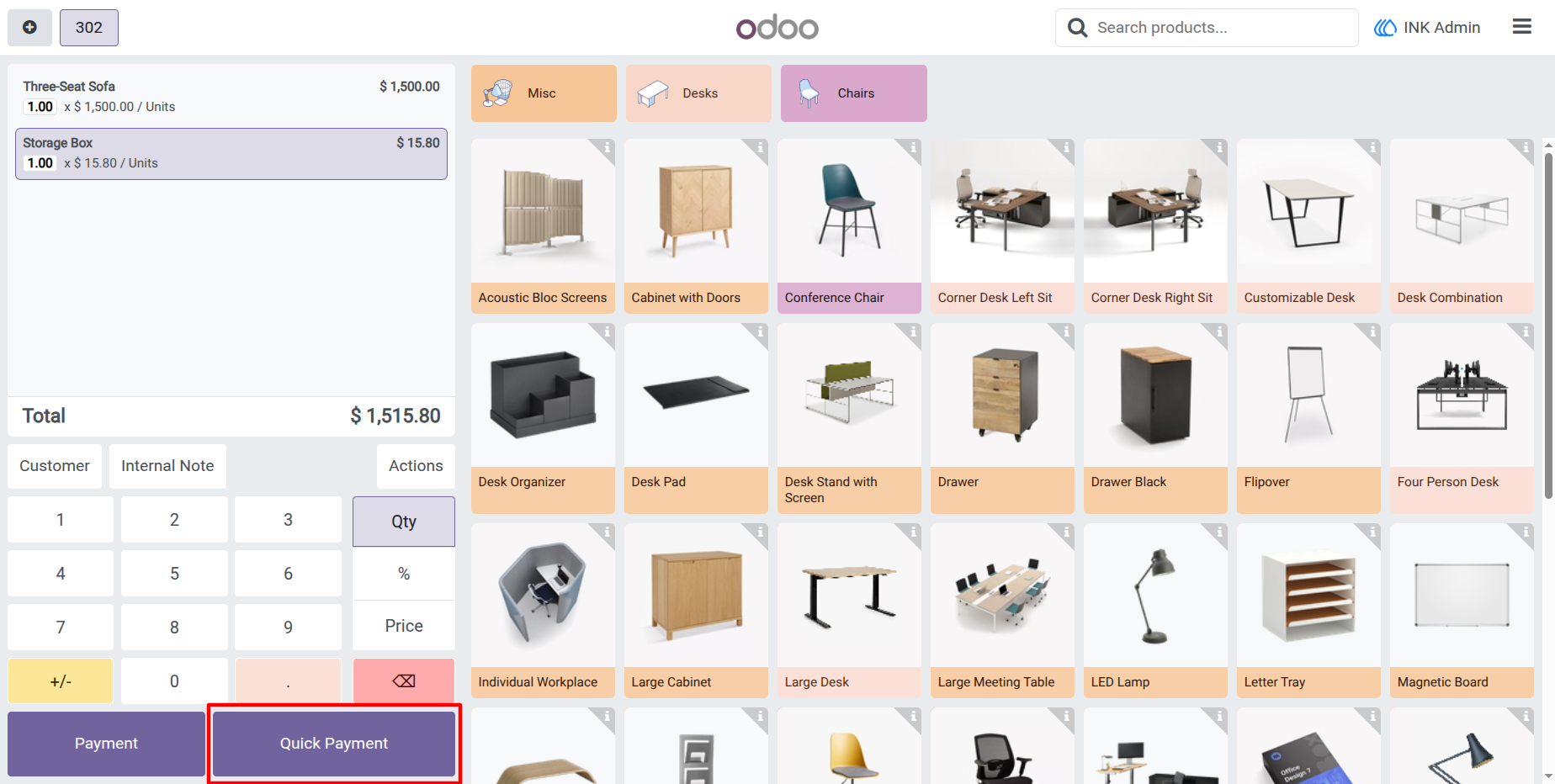
The Quick Payment button provides a one-click solution to instantly complete transactions directly from the POS screen. Instead of going through the full payment flow, users can validate orders immediately with the configured payment method.
Screenshot
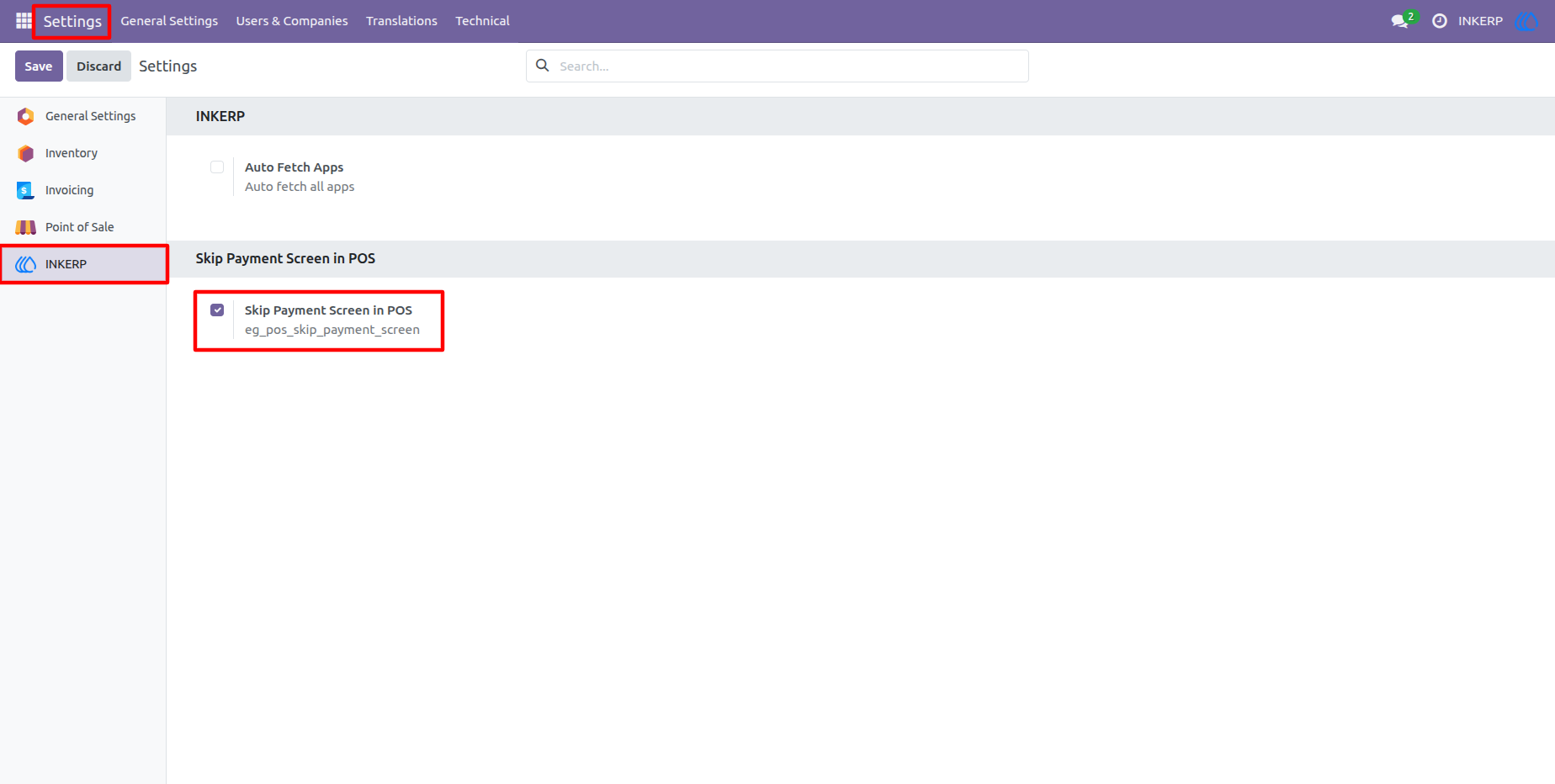
1.) Settings - Enable Skip Payment
Activate the option to skip the payment screen in POS. Once enabled, the system allows faster order validation without going through the standard payment flow in Odoo.
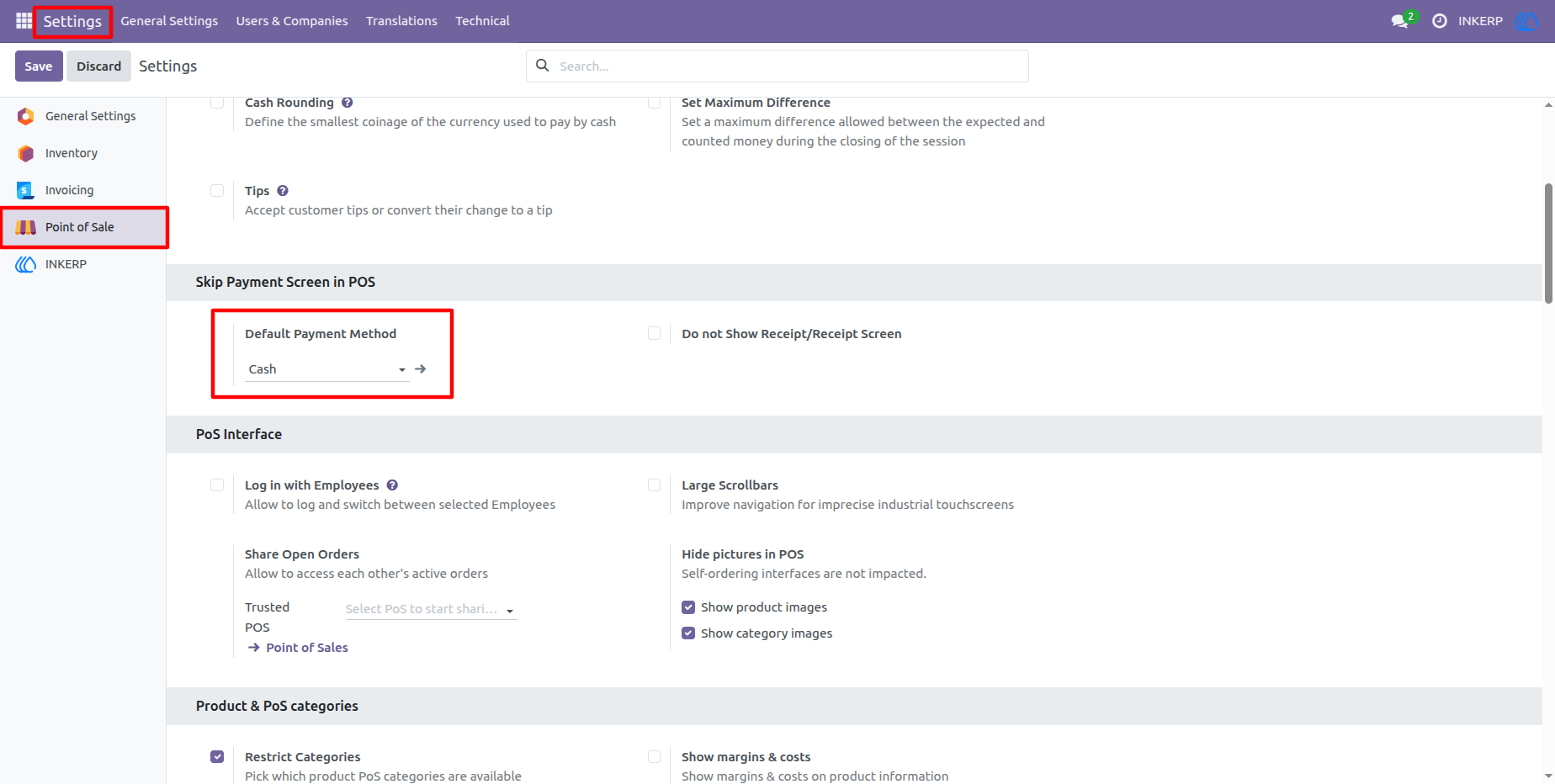
2.) POS Configuration - Default Payment Method
Choose a default payment method that will be automatically applied when skipping the payment screen. This ensures smooth and consistent transactions without manual selection.
3.) POS Screen - Quick Payment Button
Use the Quick Payment button to instantly validate orders with a single click. It simplifies the checkout process and helps speed up sales directly from the POS interface.
User Guide