

Our Most Suggested Products


Salesperson Assign and Shown on Receipts and Orders
Assign salesPerson to every order directly from your point-of-sale system. This automatically updates your records and displays the SalesPerson on orders, receipts, and your sales screen.
Video Tutorial

 Features
 Screenshots
 Support
 Service
Features
Assign Salesperson Directly in POS Orders
This feature allows cashiers to assign a salesperson to each order directly from the POS interface. It supports use of both cashier and salesperson roles in a single transaction, simplifying attribution when sales and payment roles differ.
Assign Salesperson at the Order Level
This module enables the selection of a salesperson for the whole sales order directly within the POS interface. Instead of choosing a salesperson per item, you designate one primary salesperson who is responsible for the entire order.
Visibility in Backend and Reports
Once the order with the assigned salesperson is synced, the salesperson name becomes visible in the backend Sales Orders and in various POS-related reports.
Screenshot
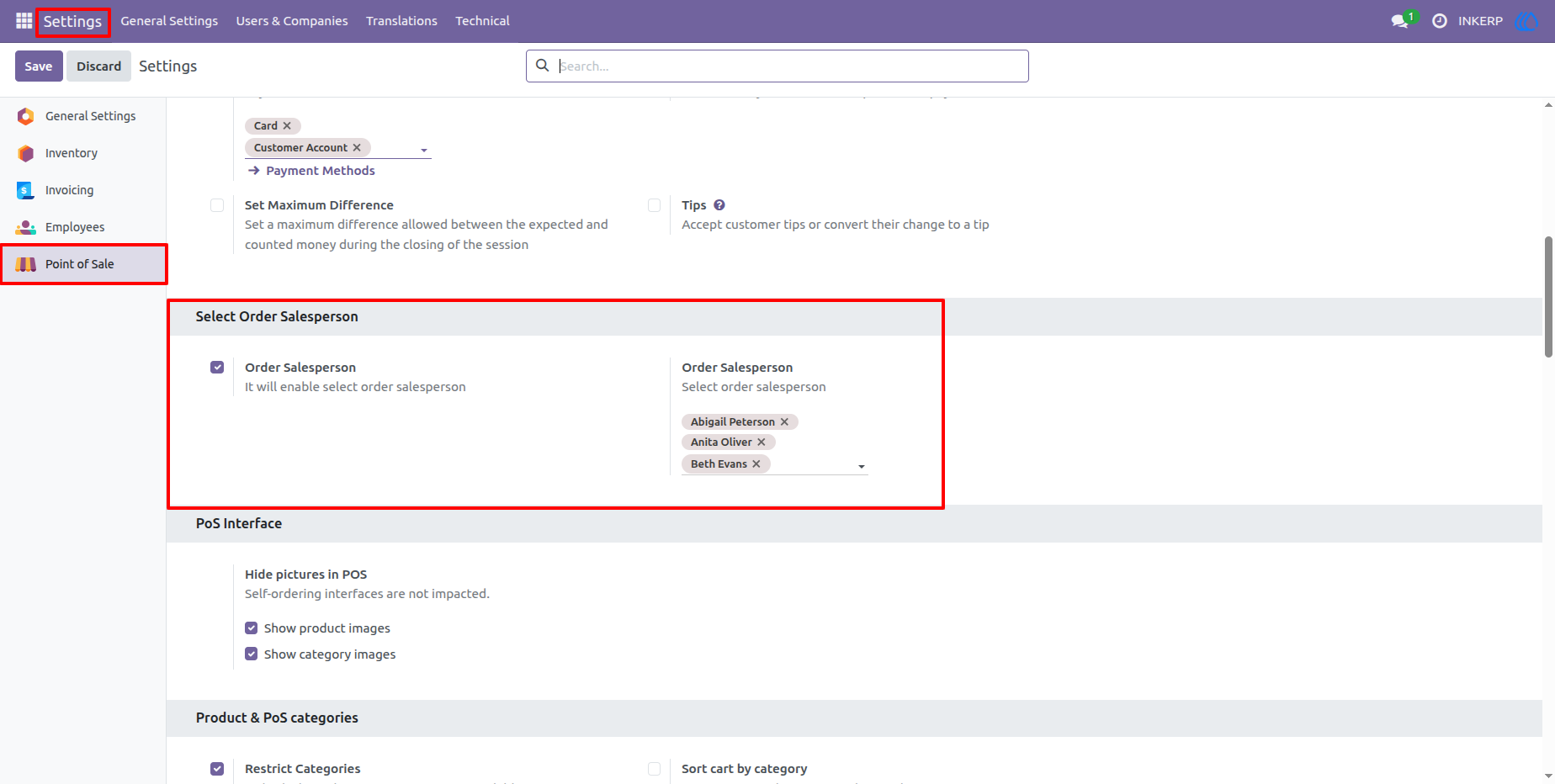
1.) POS Salesperson Configuration
Salesperson Configuration that allows add Salesperson for the Order.
Navigation : Setting › Point of Sale › Salesperson Order
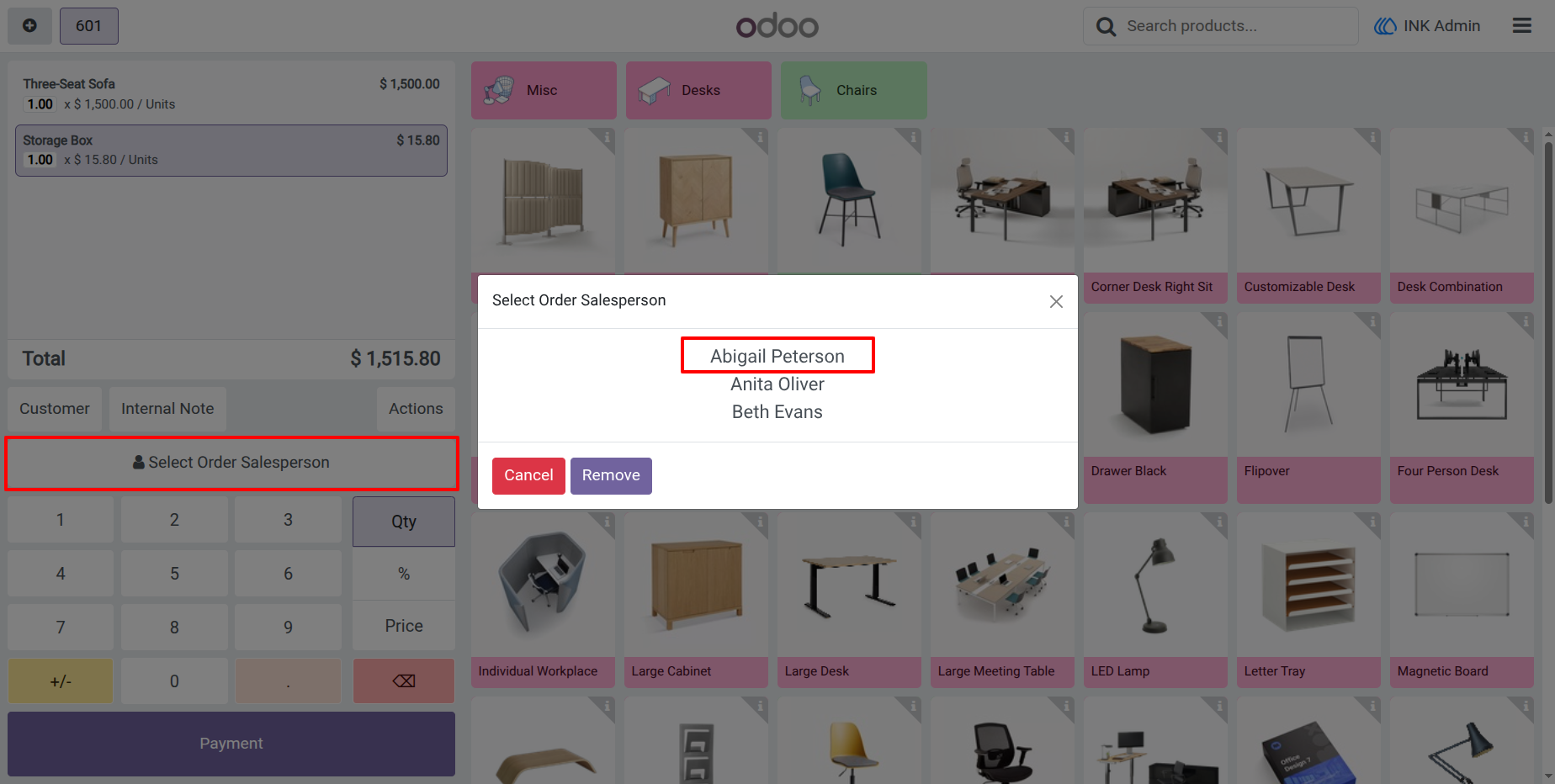
2.) Select Salesperson
When click on 'Select Order Salesperson' to open Salesperson list popup
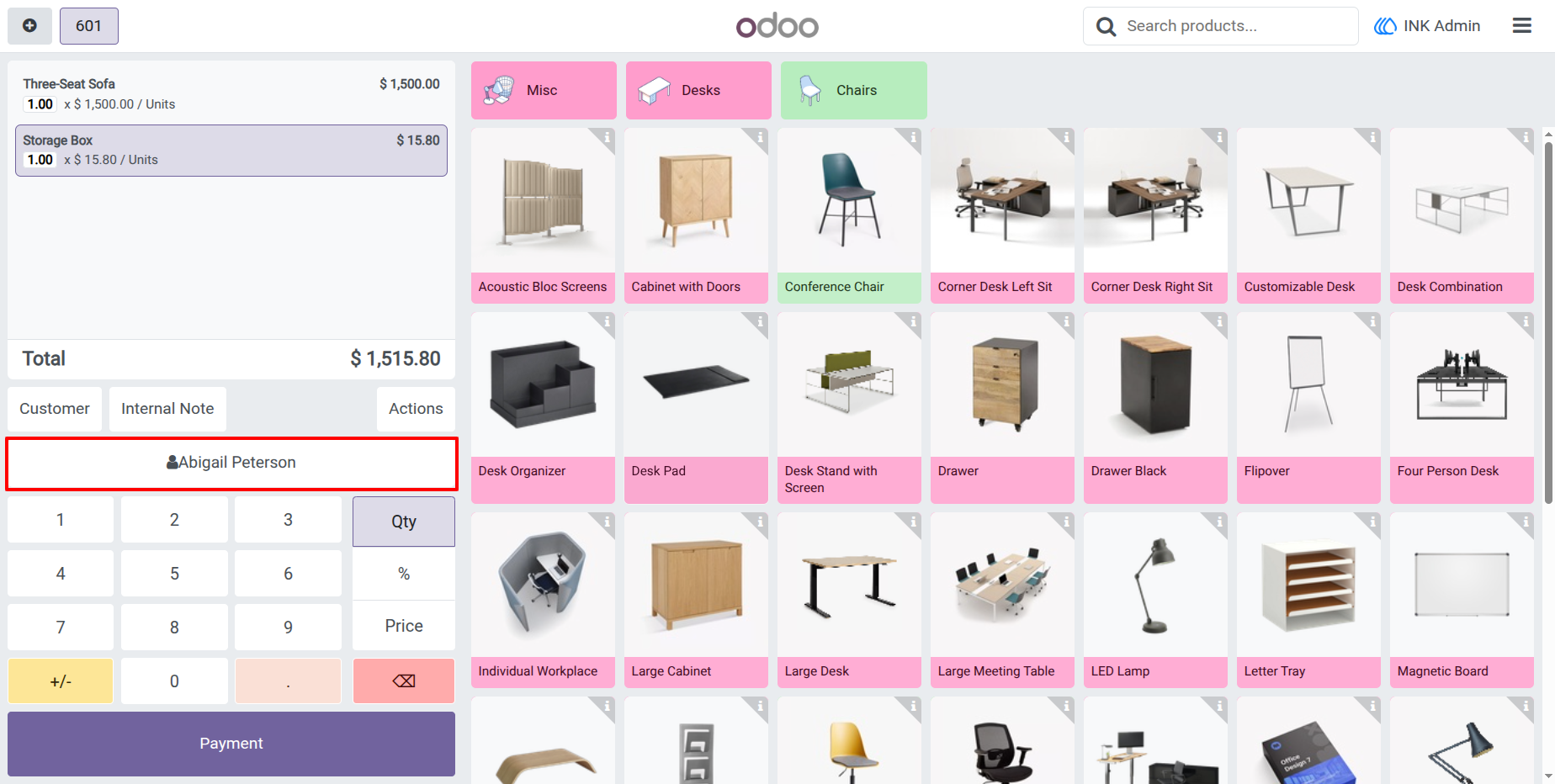
3.) add Salesperson in Order
When click on salesperson than the add in the order and Print name in POS Screen
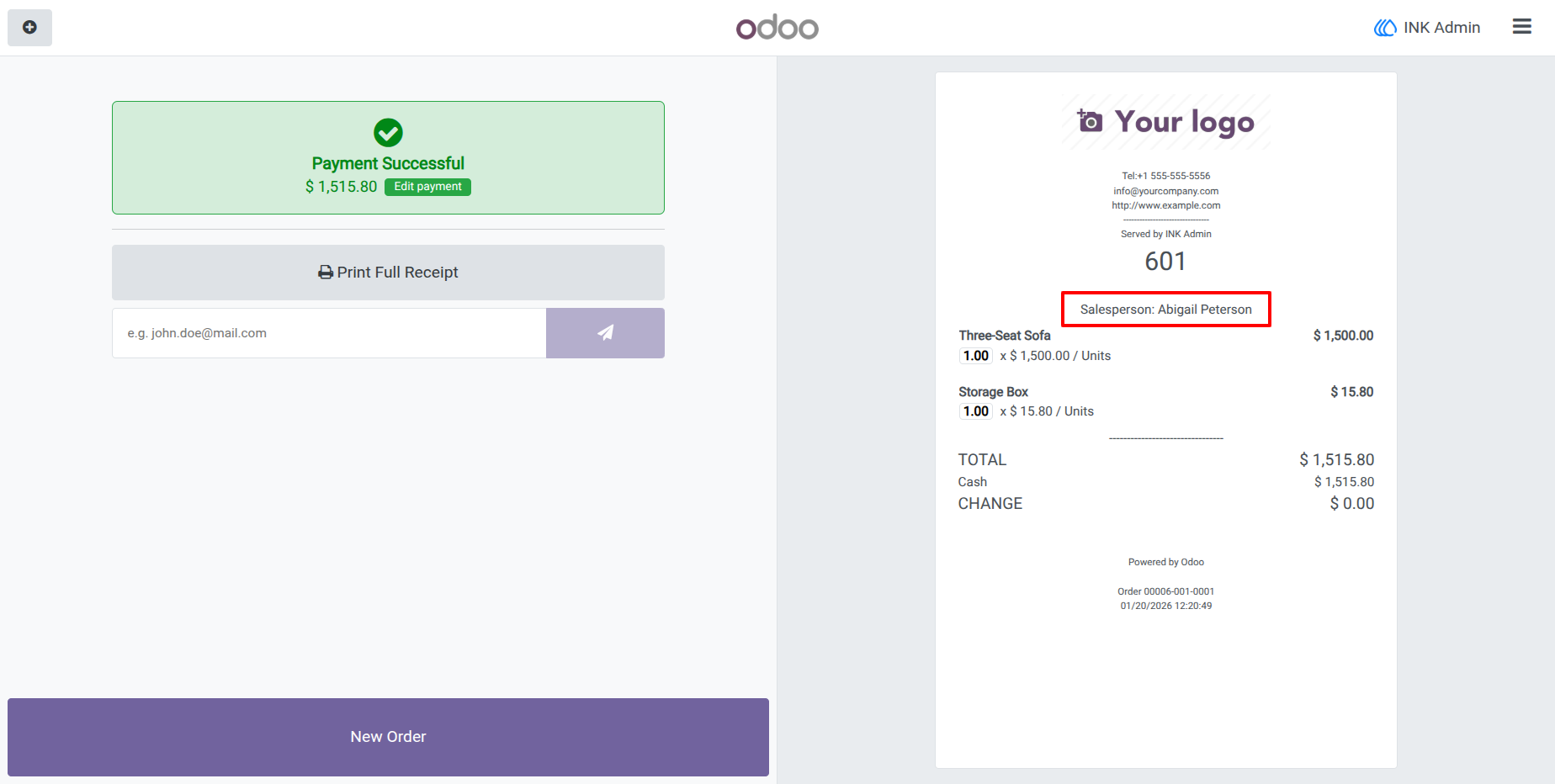
4.) Salesperson in Receipt
When add Salesperson in order than the print in POS Receipt
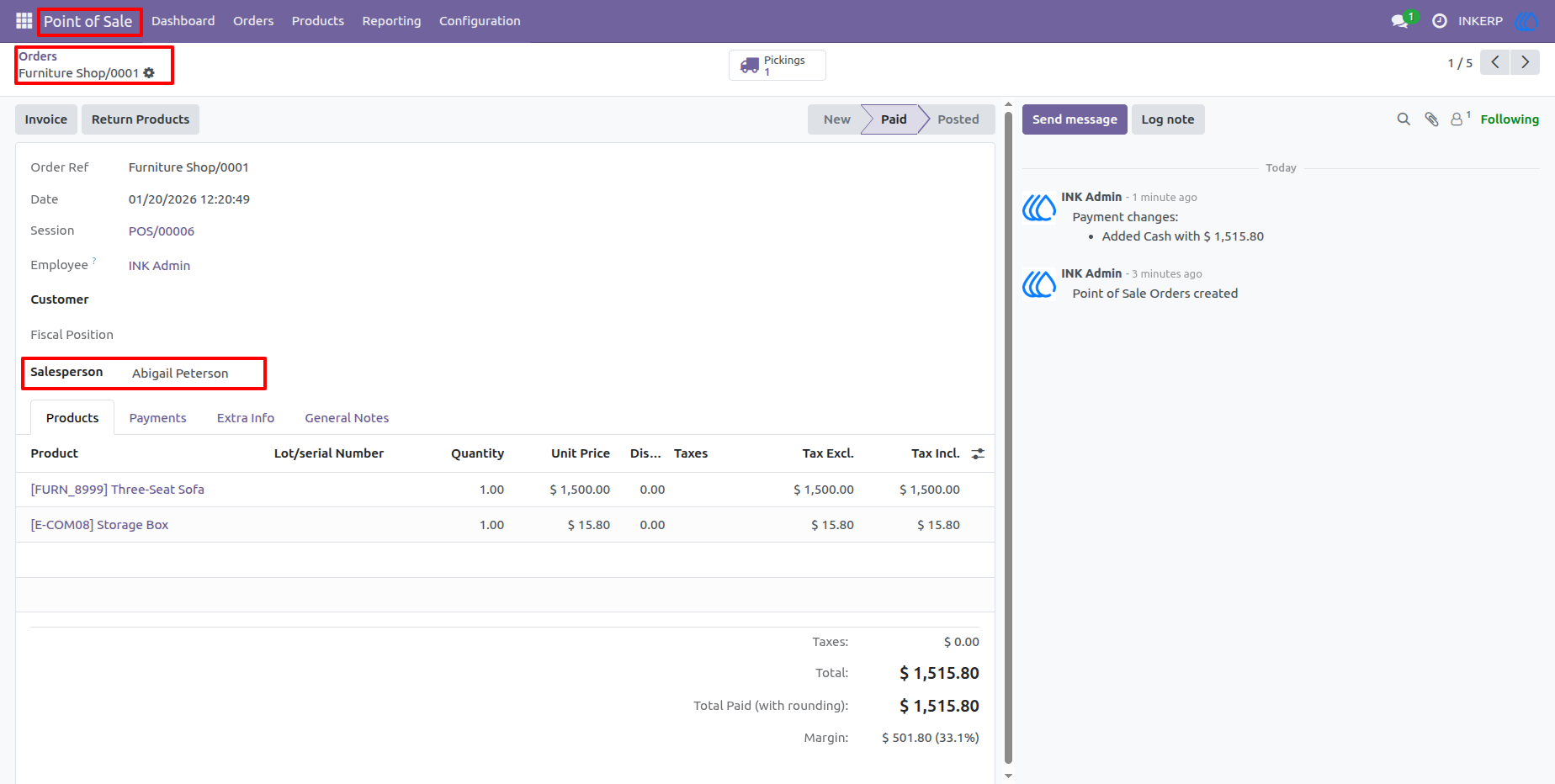
5.) Salesperson in POS Order
When Create POS Order than automatic Select the Salesperson
Navigation : Setting › Orders › Order
User Guide