

Our Most Suggested Products


POS Quantity Selector Easily Update Product Quantities in POS
Enhance your Odoo Point of Sale with the POS Quantity Selector! This intuitive module allows users to quickly increase or decrease product quantities during checkout with just a tap
 Features
 Screenshots
 Support
 Service
Features
Instant Quantity Adjustment via Plus/Minus Buttons
This feature empowers the POS cashier to increase or decrease the quantity of a selected product directly from the product tile by clicking intuitive “+” and “–” buttons. It streamlines operations by eliminating manual entry or repeated scanning, making it especially efficient for customers purchasing multiple units. This clickable interface contributes to faster cashier workflows and improves overall transaction speed.
Real-Time Quantity Display on Product Tiles
With this feature, each product tile dynamically shows the current quantity of that item added to the shopping cart. This immediate visibility prevents confusion over how many units are in the cart and facilitates quick adjustments without switching views.
Screenshot
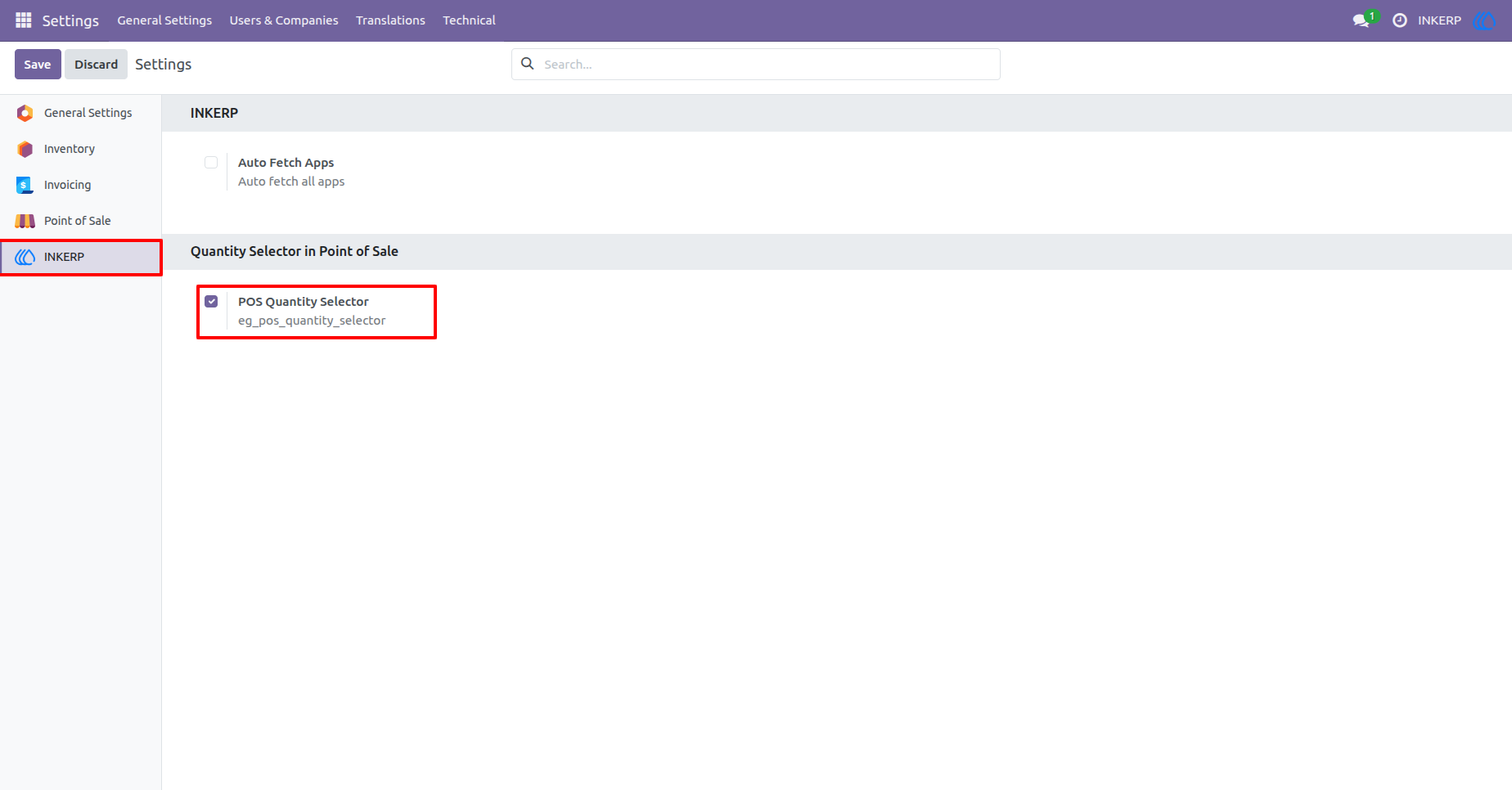
1.) Enable POS Quantity Selector from Settings
The administrator to enable the POS Quantity Selector from the INKERP settings. Once activated, cashiers can easily increase or decrease product quantities directly from the POS product grid using plus (+) and minus (−) buttons, improving speed and accuracy during sales.
2.) Display Cart Quantity Directly on Product
The POS product tile displays the current cart quantity on the product itself. When a product is added to the cart, the selected quantity appears on the product card, allowing the cashier to instantly see how many units are already in the order without checking the order line.
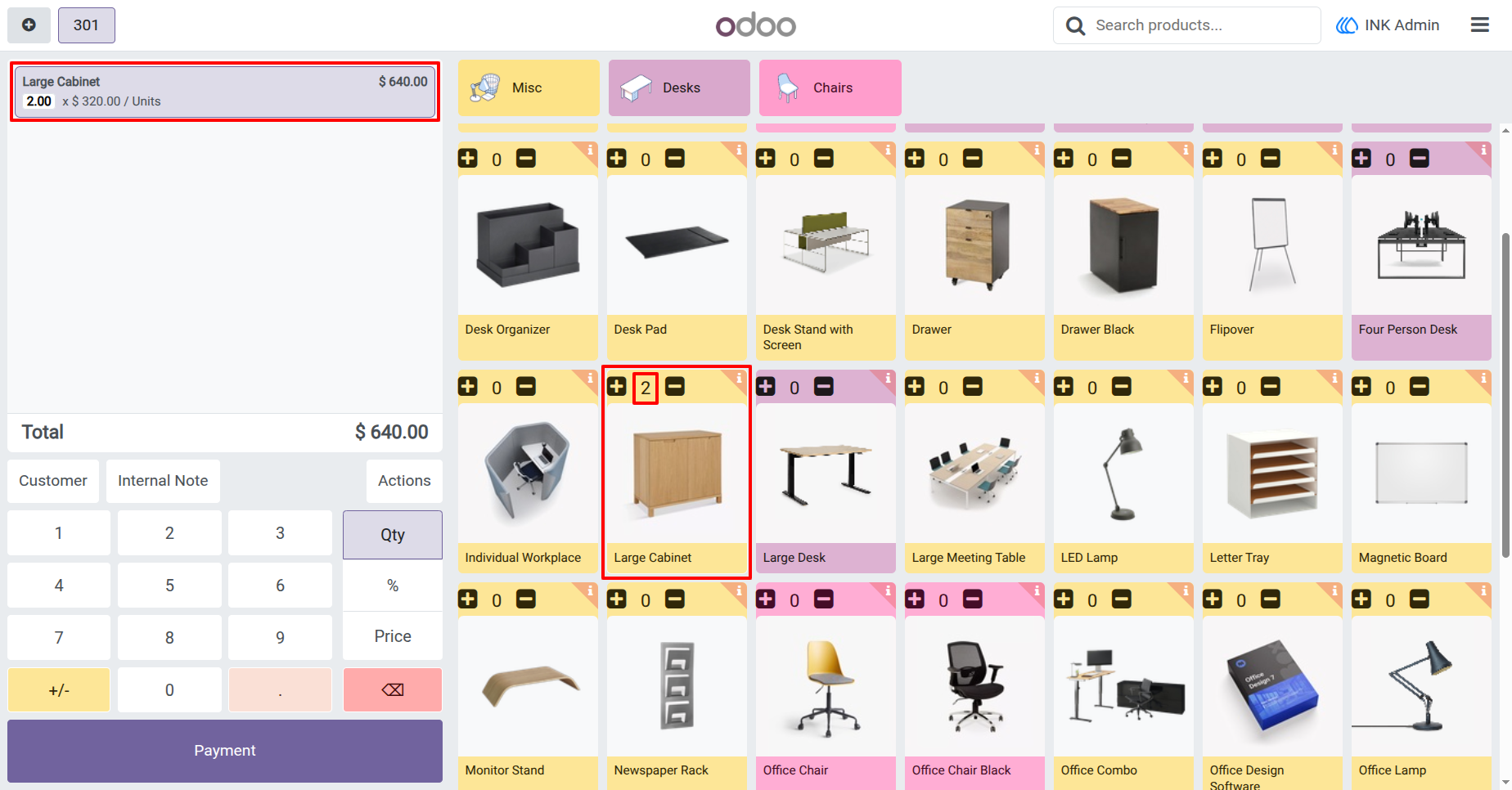
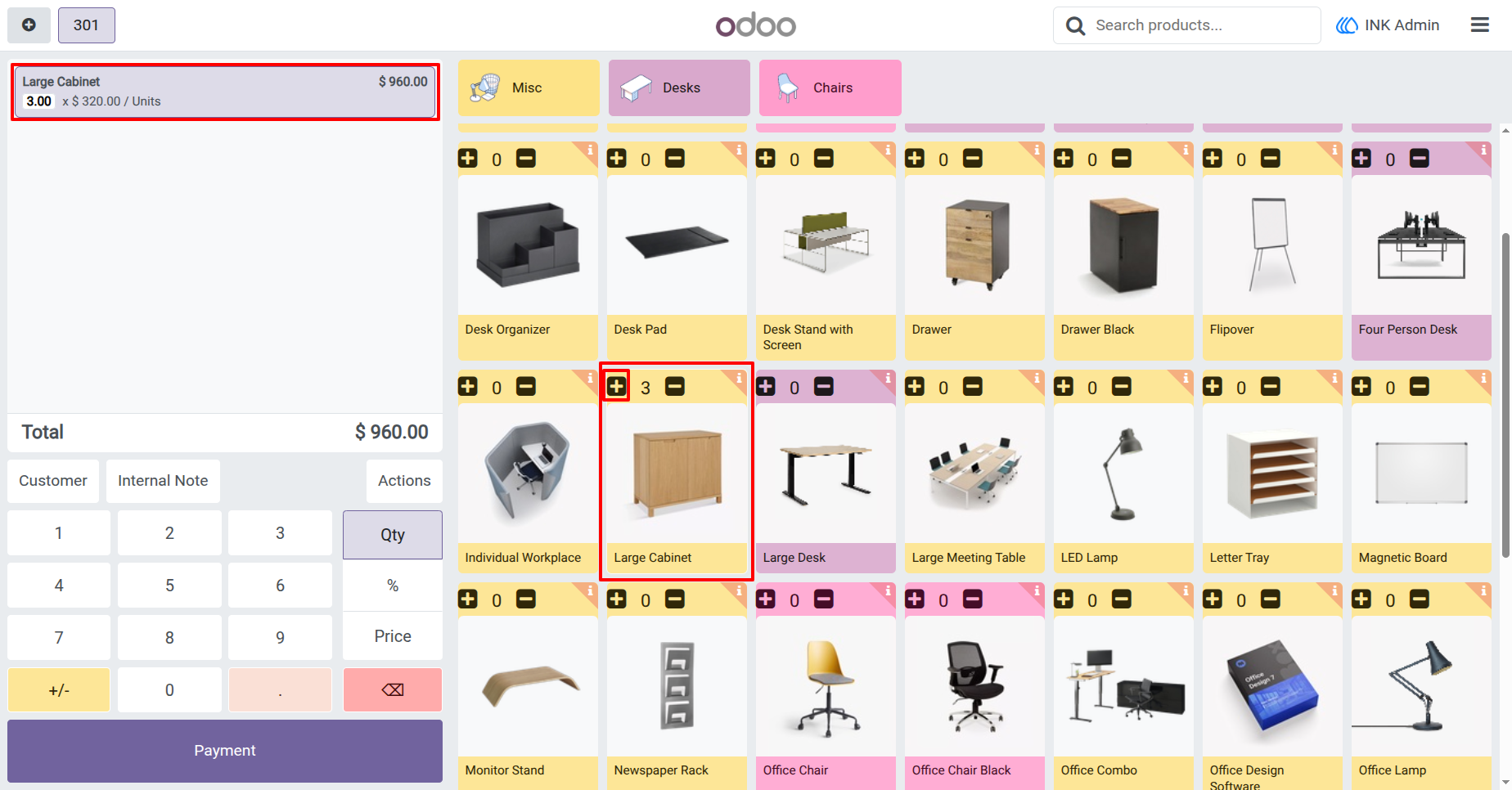
3.) Quickly Add Product Quantity from POS Screen
The cashier can add multiple quantities of a product by tapping the plus (+) button on the product card. The selected quantity is instantly updated in the order line, and the total amount is recalculated automatically in real time.
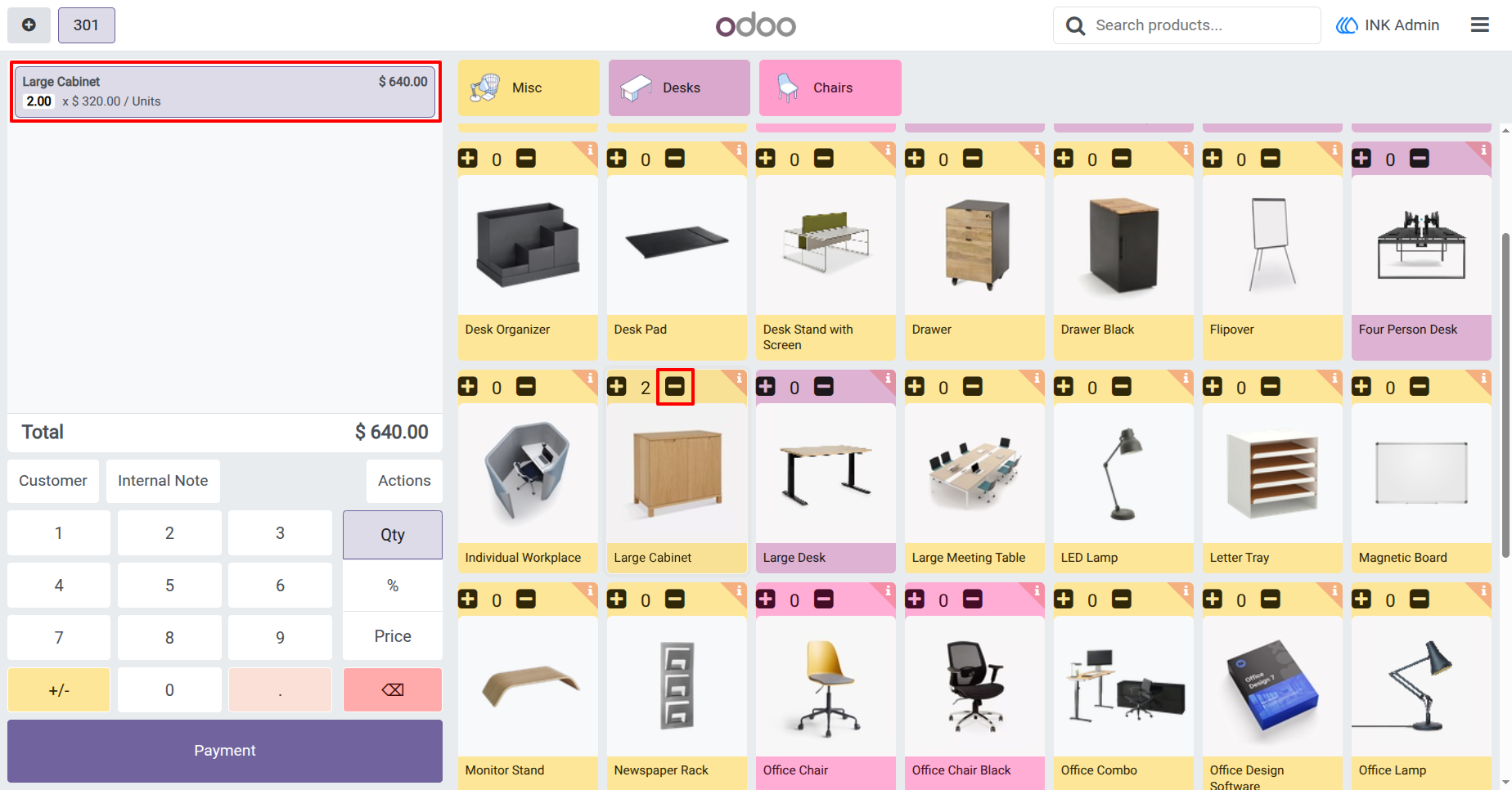
4.) Decrease Product Quantity Instantly
how the cashier can reduce the product quantity using the minus (−) button. The quantity and total price are updated instantly, ensuring fast corrections and smooth order management during checkout.
User Guide