

Our Most Suggested Products


POS Payment Method User Restriction
The POS Payment Method User Restriction module for Odoo provides administrators with precise control over the financial operations of their staff by restricting access to specific payment methods on a per-user basis. This utility ensures that employees only see and use the payment options authorized for their specific role or level of responsibility within the Point of Sale interface.
 Features
 Screenshots
 Support
 Service
Features
Granular User-Level Access Control
This feature allows administrators to define exactly which payment methods are visible and accessible to specific employees directly within their user profile. By utilizing a dedicated configuration field in the Point of Sale tab, you can select specific options such as "Cash" or "Card" to tailor the interface to each user's responsibilities.
Global Override and Flexible Management
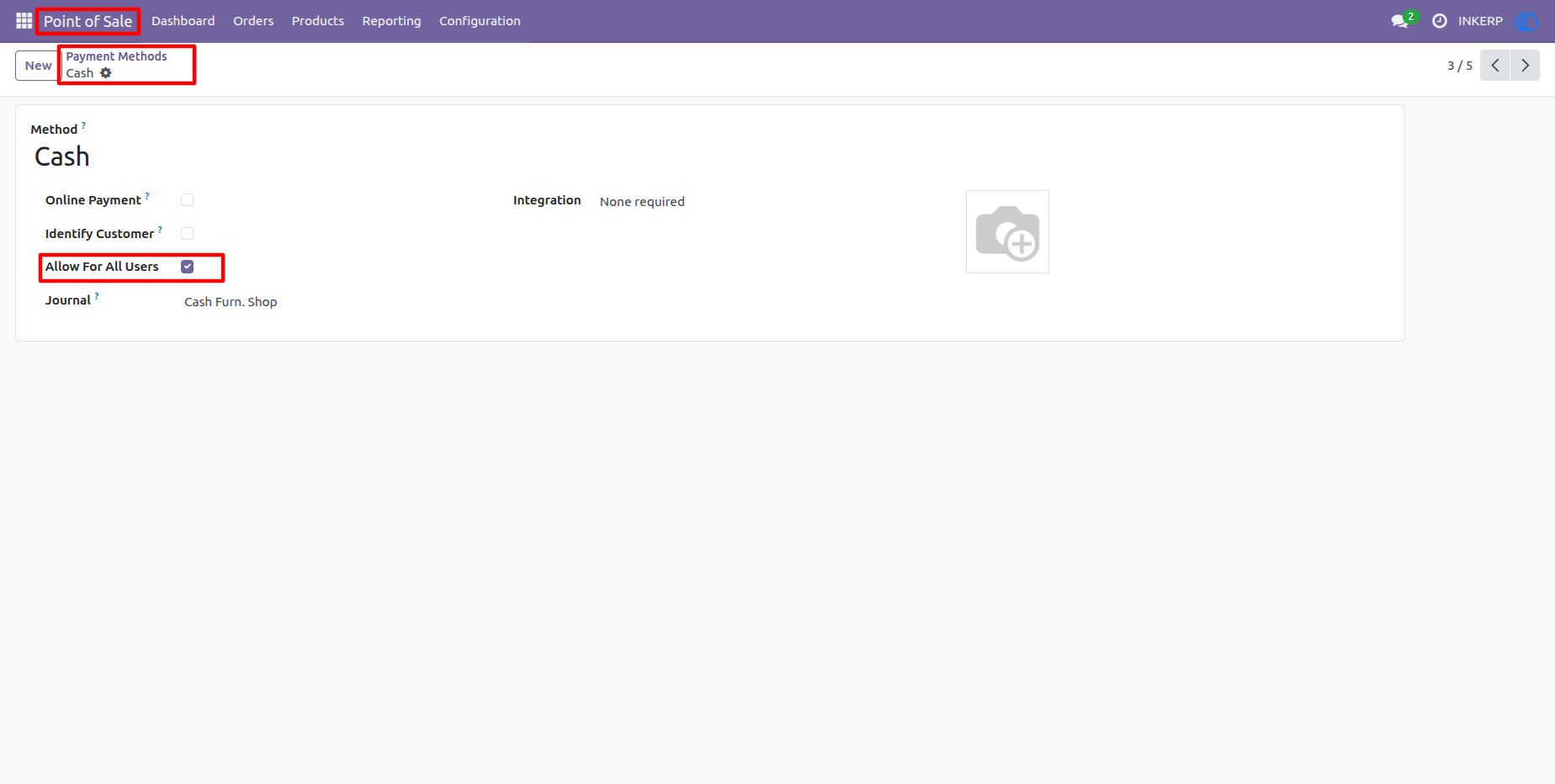
To streamline management for essential payment types, the module includes an "Allow For All Users" toggle located within the individual Payment Method settings. When this option is activated for a specific method, it bypasses individual user restrictions and remains available to every staff member regardless of their specific profile configuration.
Screenshot
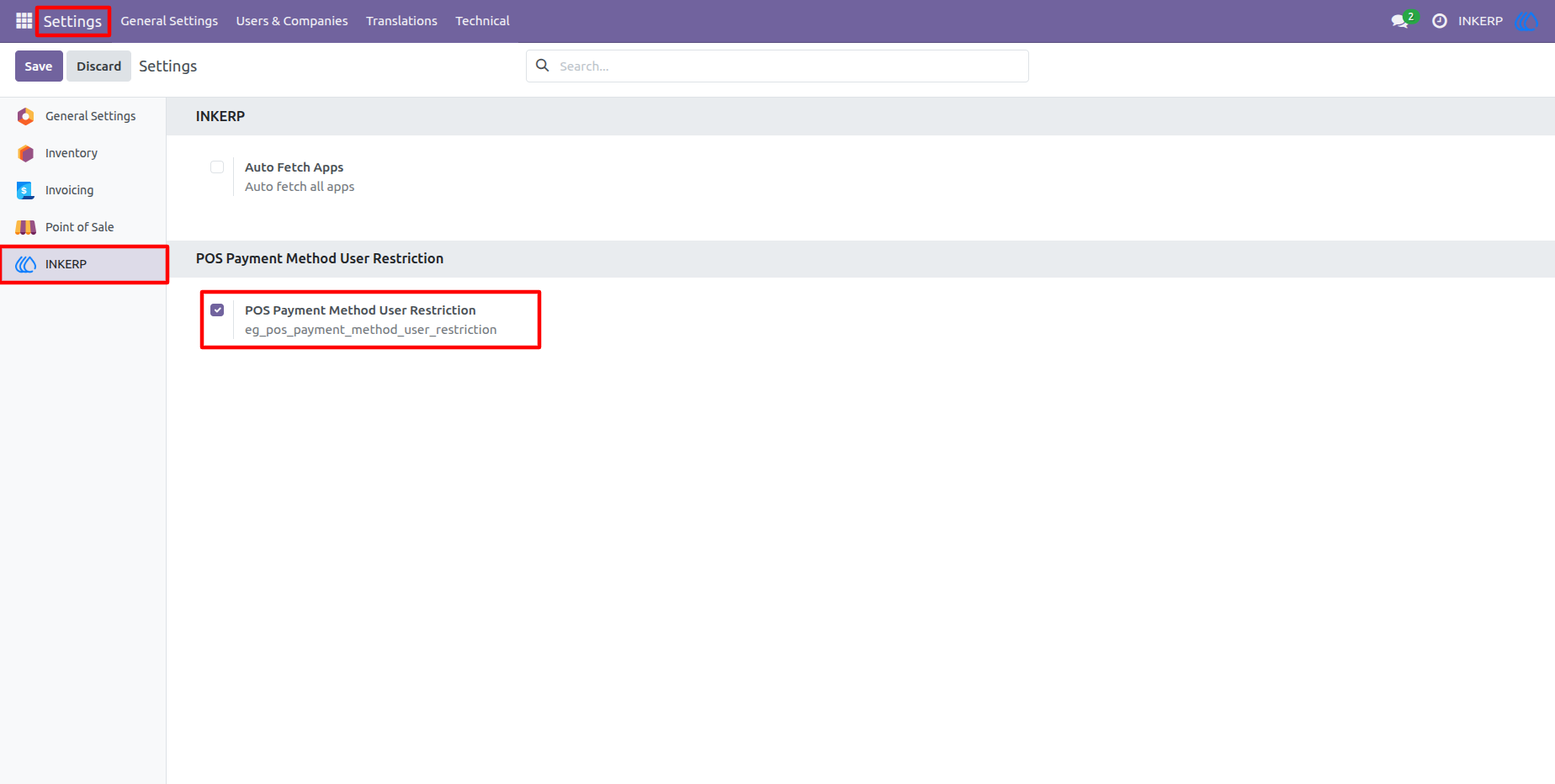
1.) Centralized Module Configuration
Enable the core functionality directly from the Odoo Settings menu under the INKERP section. This master toggle allows administrators to activate the restriction logic across the entire system with a single click, ensuring a quick and easy setup process.
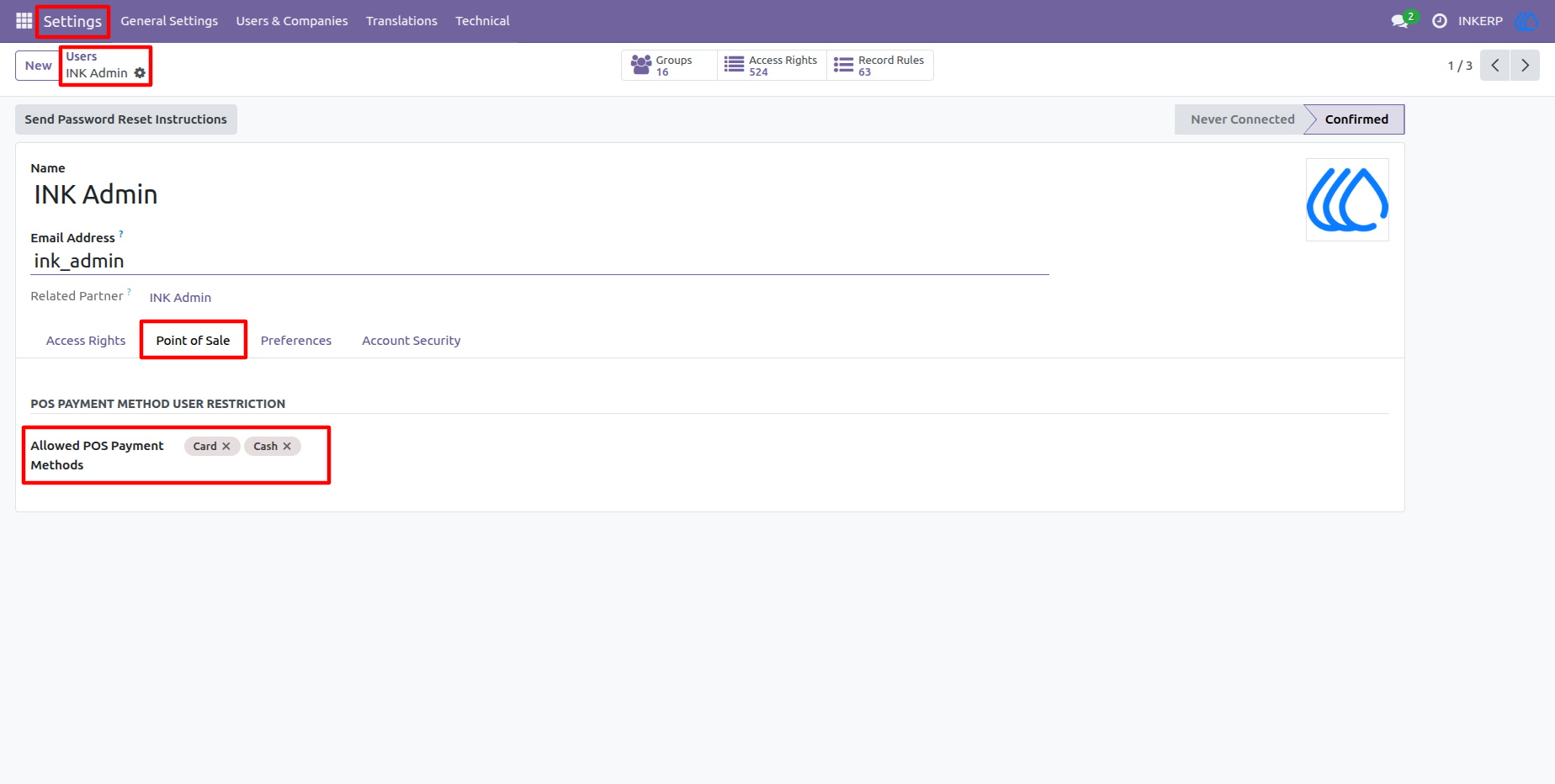
2.) Configuring Multi-Method Access
Inside the user profile for "INK Admin," both Cash and Card options are added to the "Allowed POS Payment Methods" field. This configuration grants the user full flexibility to process transactions using any available payment channel during their shift.
3.) Payment Visibility for Authorized Users
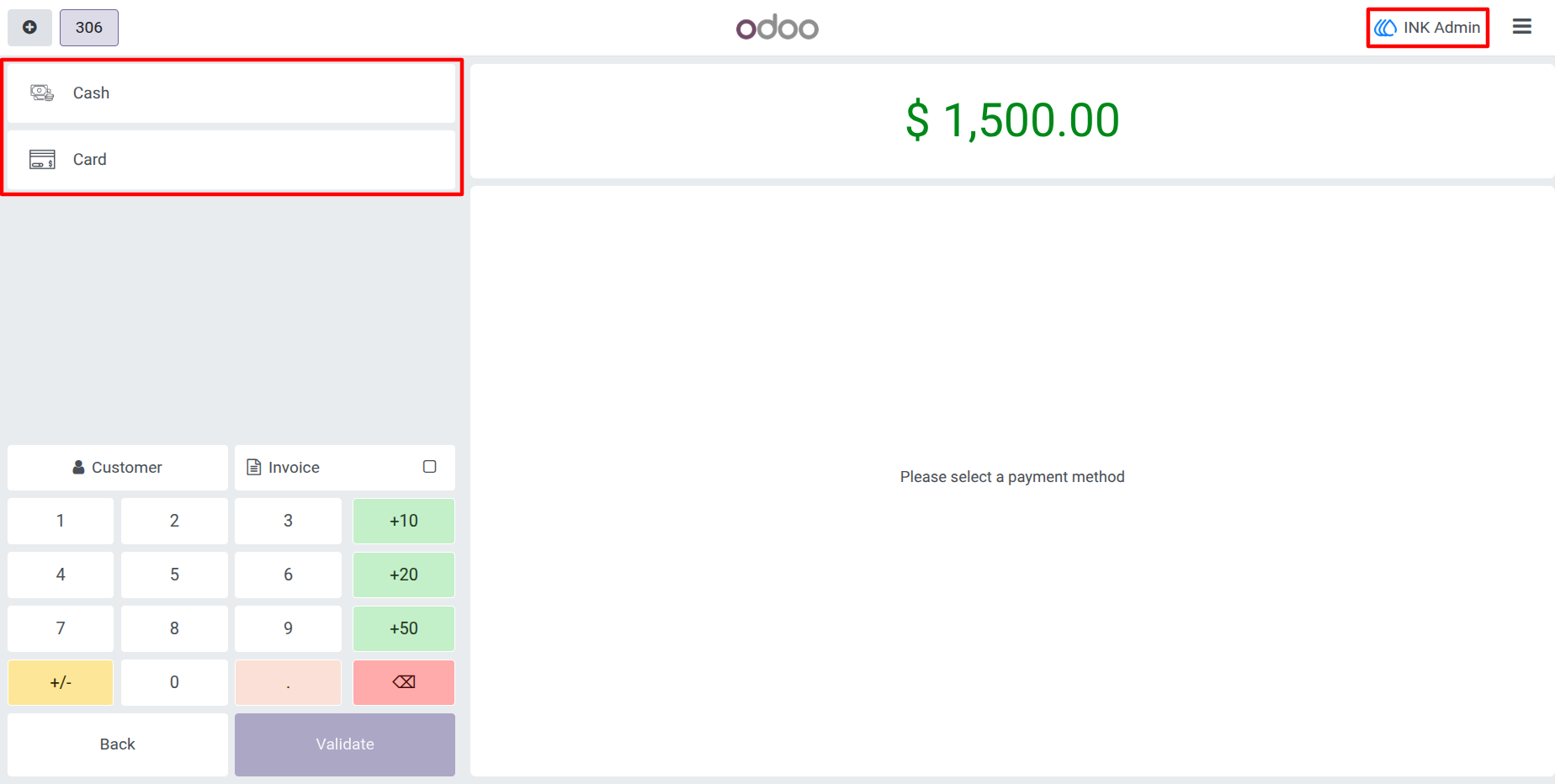
When the "INK Admin" logs into the Point of Sale, the interface dynamically displays both Cash and Card payment buttons. The system accurately reflects the user’s specific permissions, allowing for a seamless and unrestricted checkout experience.
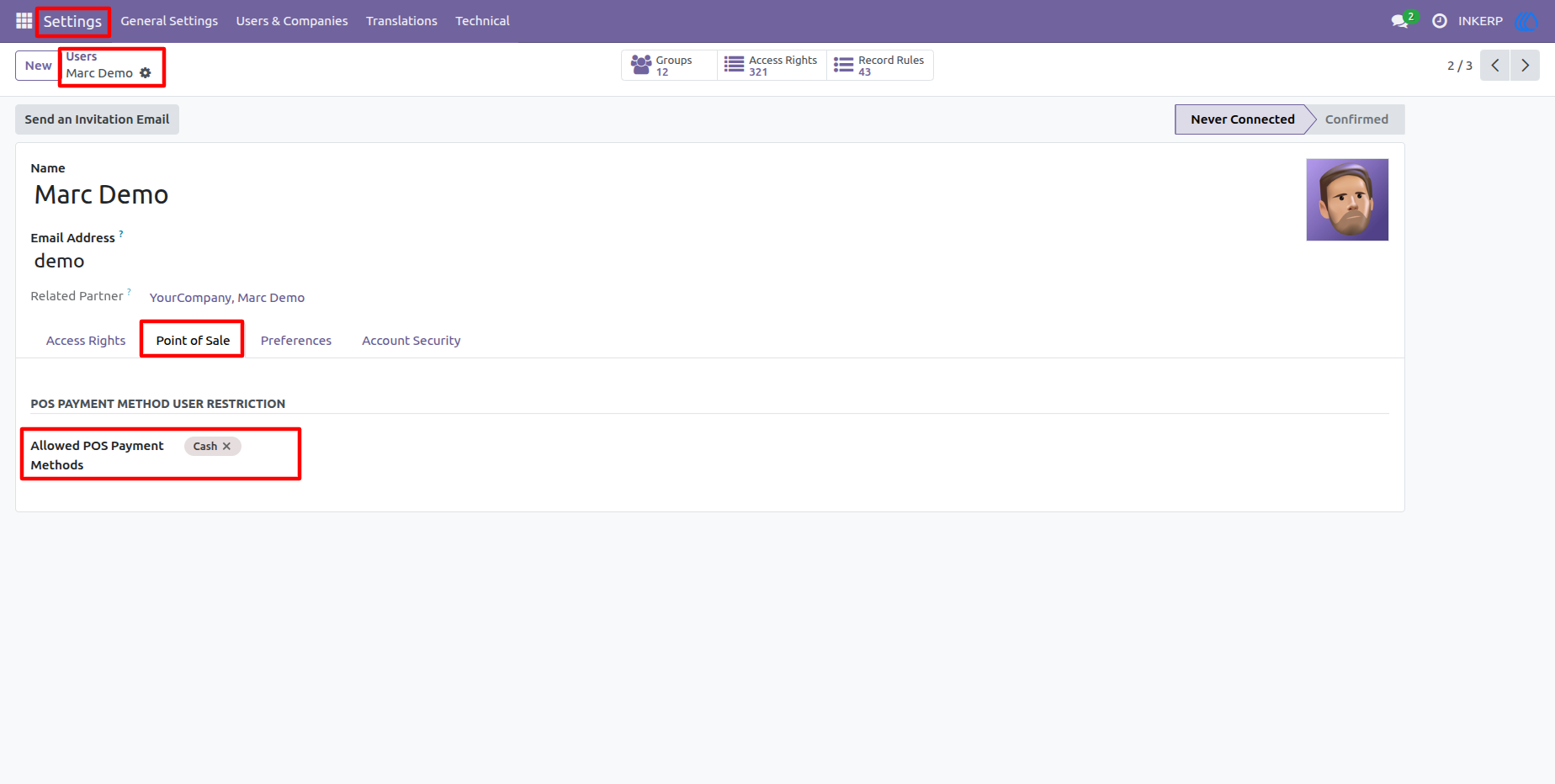
4.) Defining Limited Access for Standard Staff
For the "Marc Demo" user profile, the configuration is limited strictly to the "Cash" payment method. This granular control ensures that employees with specific roles are prevented from accessing complex or sensitive payment types that they are not trained to handle.
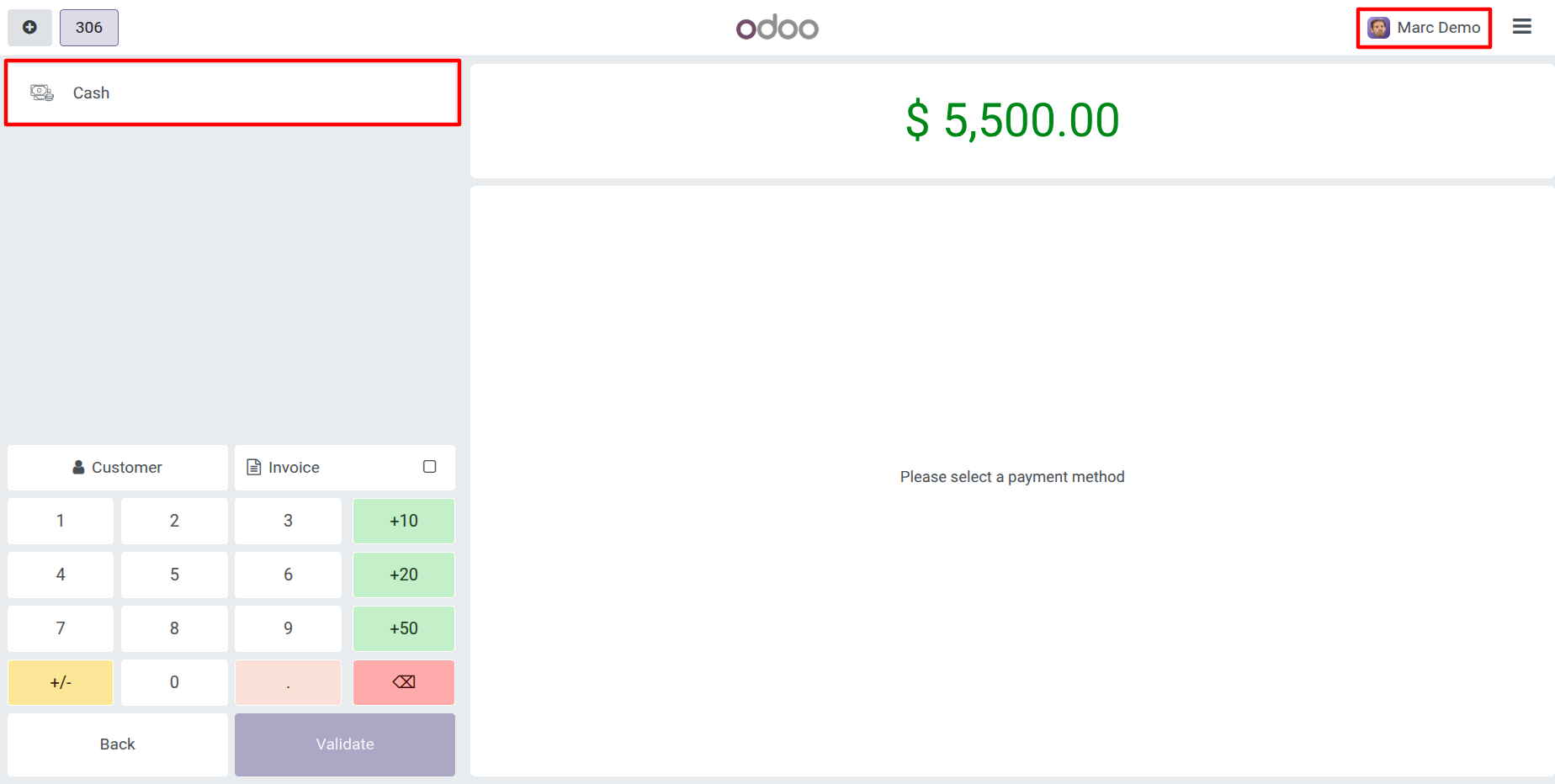
5.) Automated Payment Filtering in the POS
Upon reaching the payment screen, "Marc Demo" only sees the Cash option, as the Card button is automatically hidden by the module.
6.) Global Payment Availability Toggle
The "Allow For All Users" checkbox on the individual Payment Method form provides a convenient override for universal payment types. Activating this ensures that essential methods, like Cash, remain available to every team member regardless of their individual profile restrictions.
User Guide