

Our Most Suggested Products


Product image in Cart and Receipt in Point of Sale
This module enhances the Point of Sale experience by displaying product images directly in the order cart (order lines) and including them in printed POS receipts.
Video Tutorial
 Features
 Screenshots
 Support
 Service
Features
Visual Product Display in Order Lines
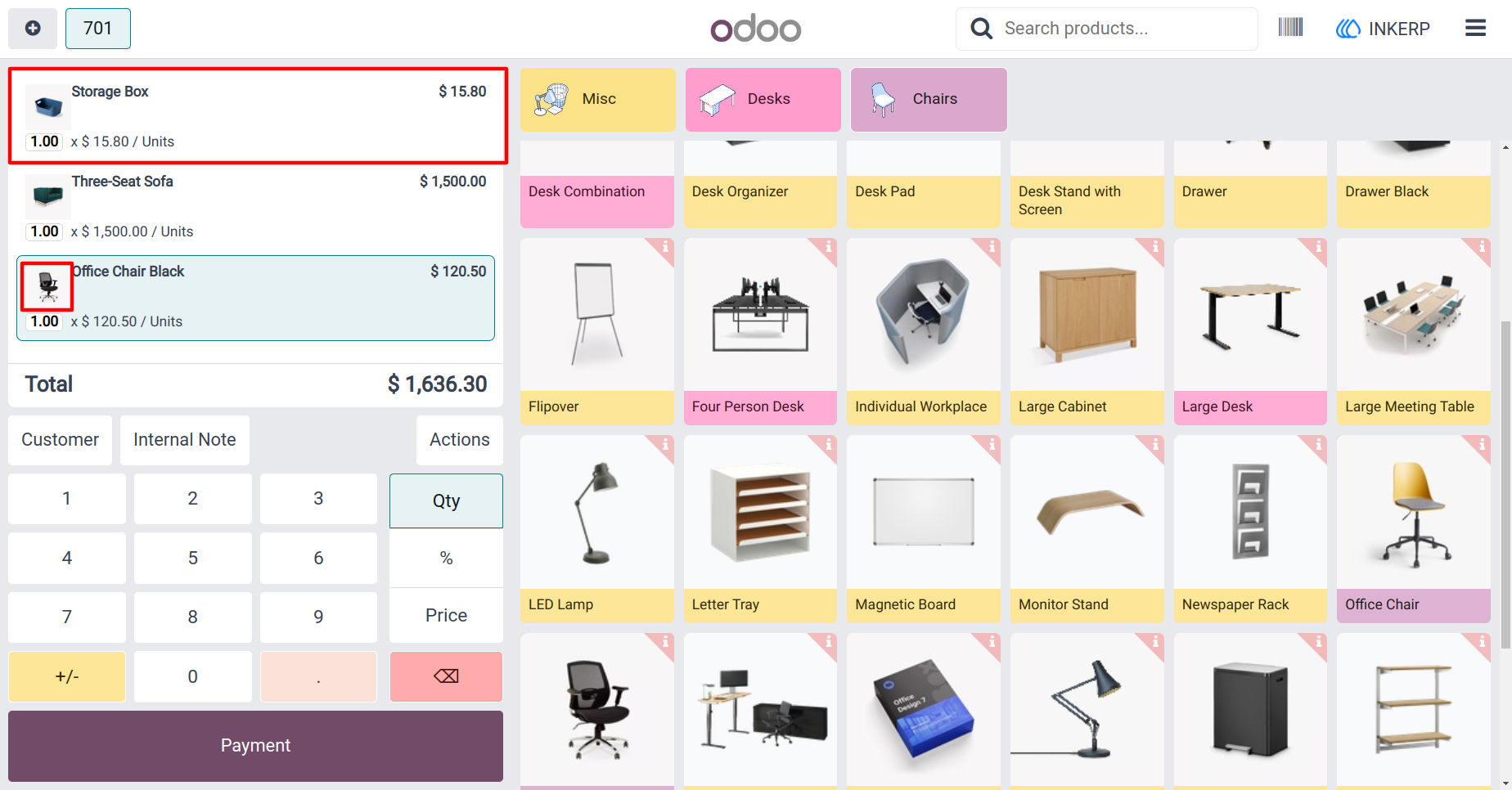
This feature enables each product in the POS order cart to visually display its corresponding image, making the order line more intuitive and engaging. By seeing the product image alongside the name and price, cashiers and customers get instant visual confirmation of items added-helping to reduce selection errors and improving checkout clarity.
Displayed on Printed Receipts
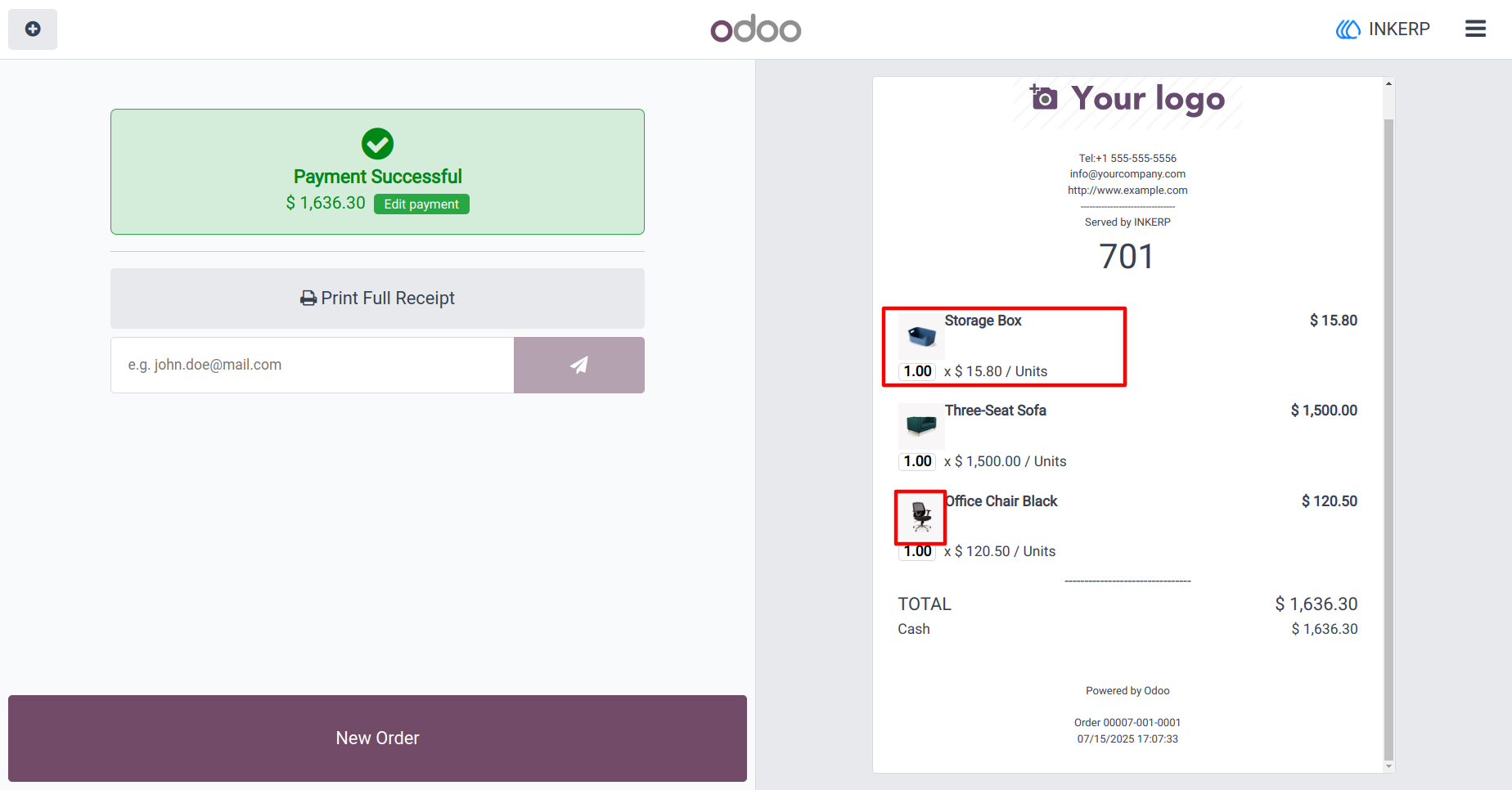
Beyond the POS screen, this module ensures that product images appear on printed receipts as well. This visual detail adds to the professional appearance of receipts and helps customers quickly verify their purchases, enhancing both customer satisfaction and the brand experience.
Easily Enabled via POS Configuration
Activating this capability is straightforward. Administrators simply navigate to Point of Sale Settings, choose the appropriate shop configuration, and enable the-Product image in Orderline option to begin benefiting from visual displays immediately.
Screenshot
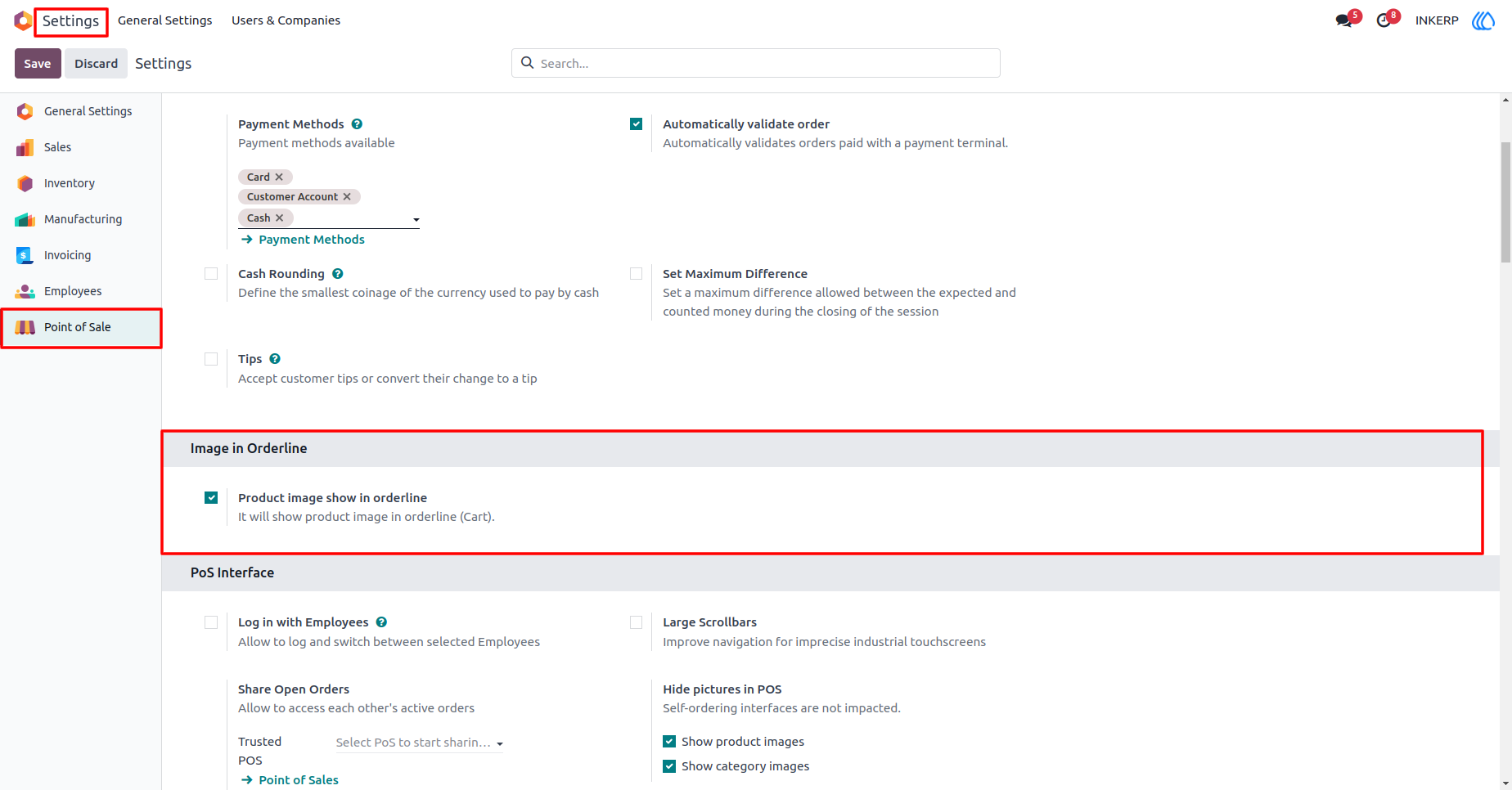
1.) Enable Product image in Orderline.
Enable Setting for Show Image in POS Orderline and Receipt
Navigation : Setting › Point of Sale › Enable Product Image in Orderline
2.) Product image in Cart(Oderline)
Show Product Image in Orderline
3.) Product image in Receipt
Show Product Image in Receipt
User Guide