

Our Most Suggested Products


POS Invoice Print Without Download
Streamline your retail checkout process with POS Invoice Print Without Download. This essential module eliminates the friction of unwanted PDF downloads during the POS validation process, allowing your cashiers to print invoices directly to your receipt printer without needing to save files to the local disk.
 Features
 Screenshots
 Support
 Service
Features
Silent POS Invoice Printing Without File Download
This feature allows POS invoices to be printed directly without downloading PDF files to the local system. During POS order validation, the invoice report is generated and sent straight to the printer using a hidden browser print process. This eliminates unnecessary file storage, reduces system clutter, and ensures a smooth, distraction-free checkout experience for cashiers.
Automatic Invoice Printing After POS Validation
When an order is marked as To Invoice, the system automatically prints the invoice immediately after POS validation is completed. The module securely captures the generated invoice ID from the backend and triggers printing only once the invoice is fully created. This ensures reliable, accurate invoice printing without manual intervention or repeated actions.
Manual Invoice Reprint Button on POS Receipt Screen
A dedicated “Print Invoice Without Download” button is added to the POS Receipt Screen for invoiced orders. This allows users to reprint invoices on demand without opening or saving PDF files again. It is especially useful for customer reprints, audit purposes, or handling printer issues while maintaining a fast and clean POS workflow.
Screenshot
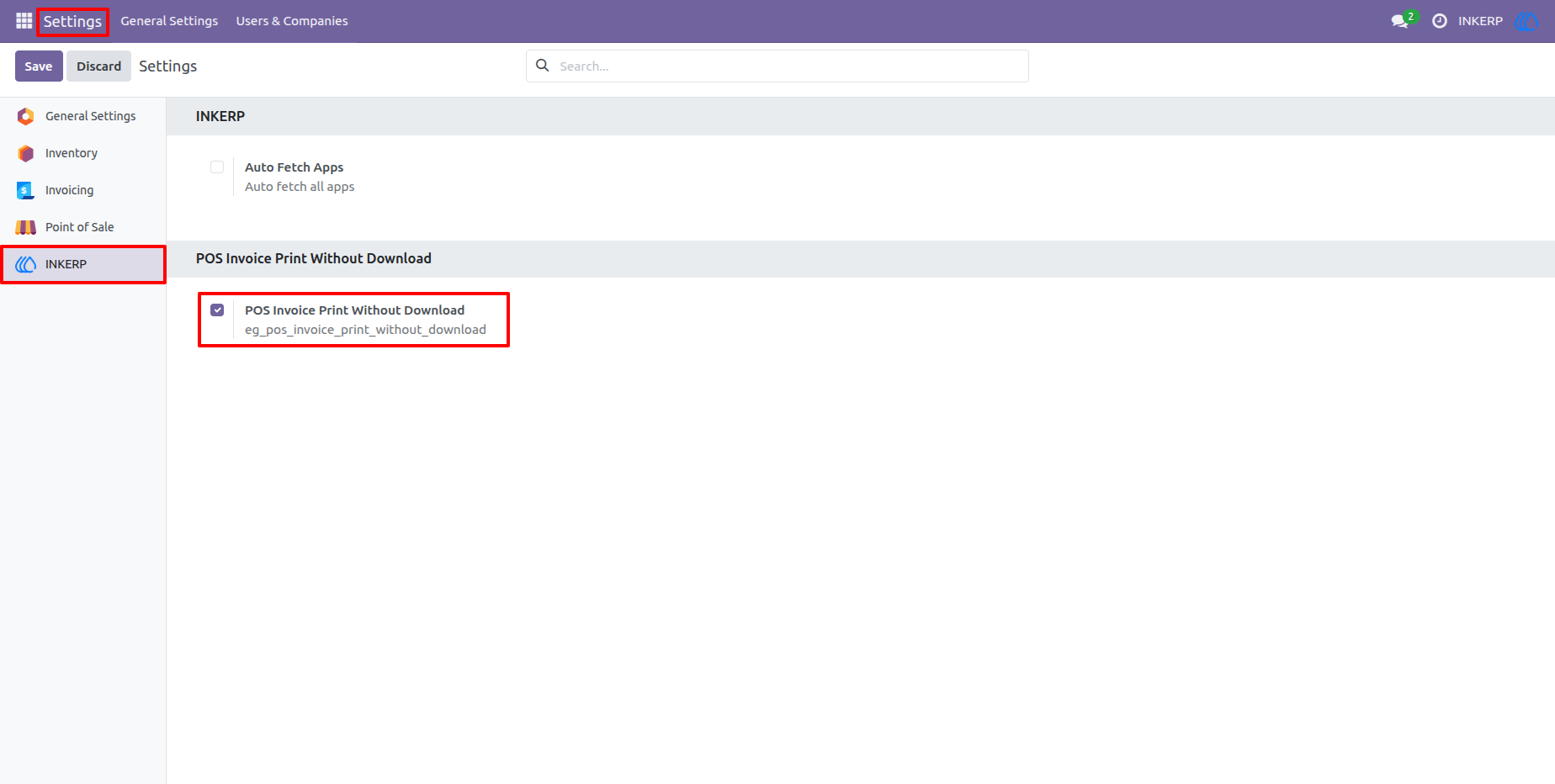
1.) POS Invoice Print Without Download - Settings Configuration
Administrators to enable or disable the POS Invoice Print Without Download feature from the Odoo Settings menu. Once enabled, the POS system will bypass automatic PDF downloads and allow direct invoice printing from the POS interface.
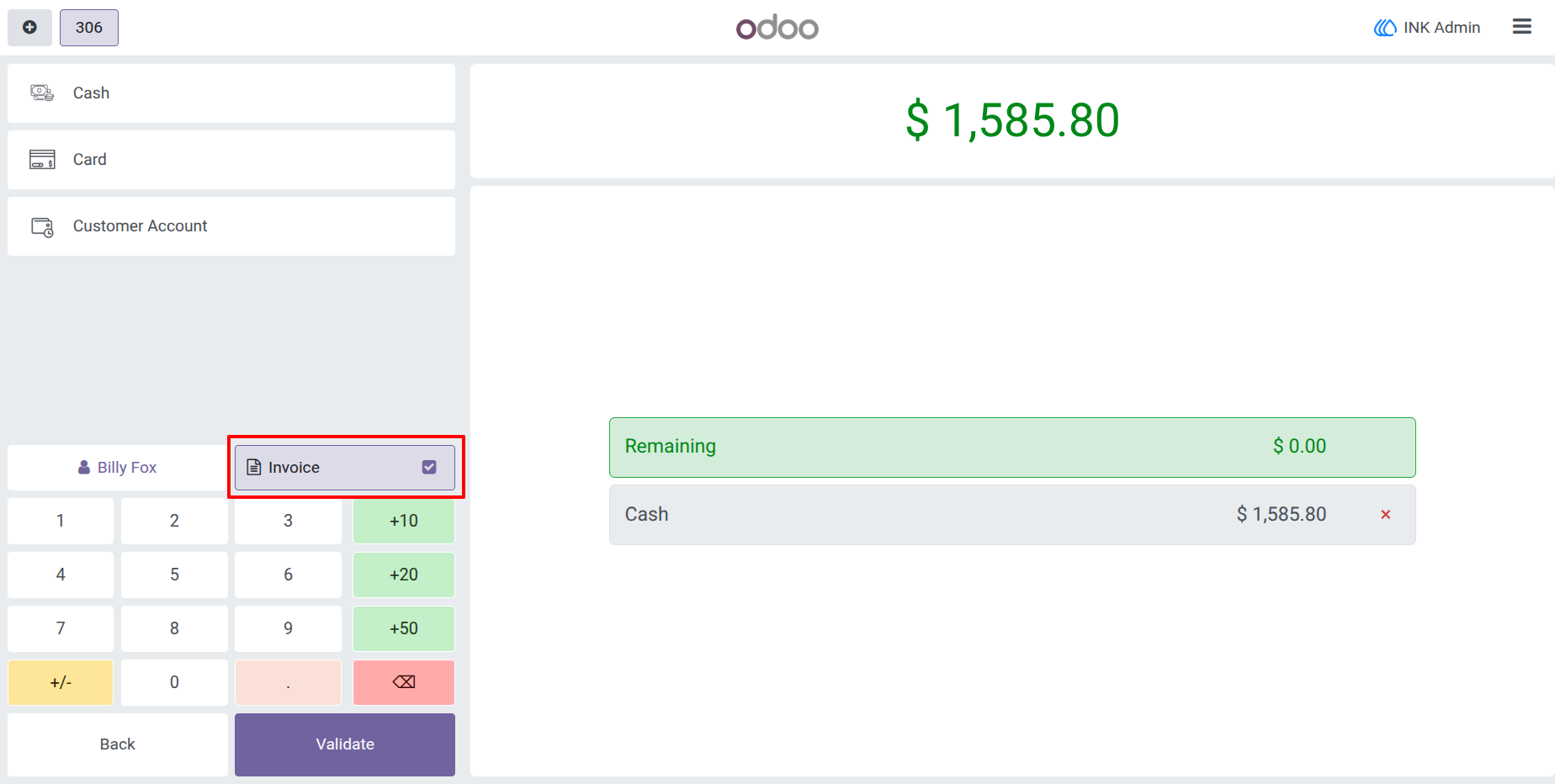
2.) Enable Invoice Creation During POS Payment
On the POS payment screen, the cashier can enable the Invoice option before validating the order. When this option is selected, the system ensures that an official customer invoice is generated after payment confirmation.
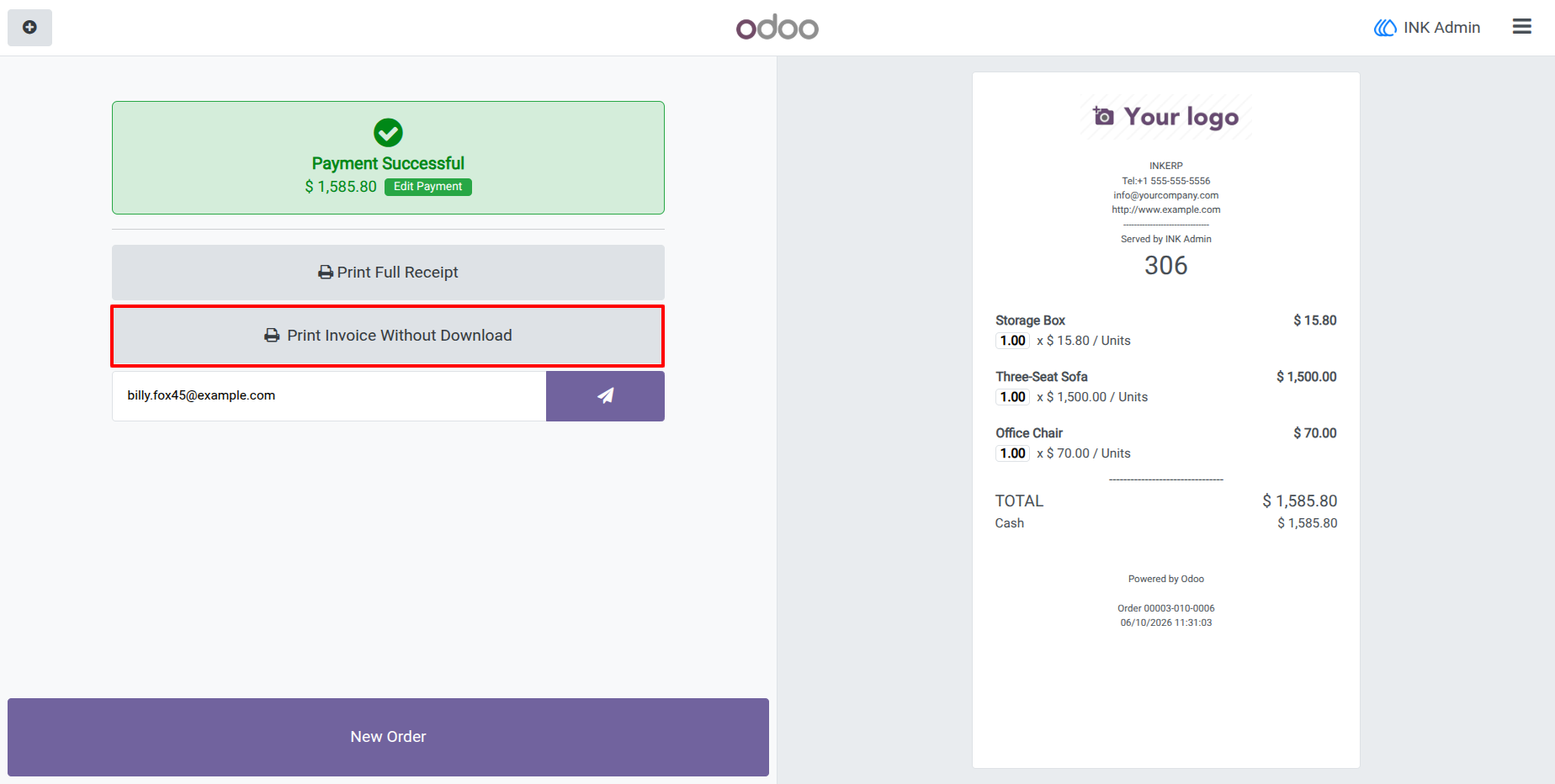
3.) Print Invoice Without Download Button on Receipt Screen
After successful payment, a new “Print Invoice Without Download” button appears on the POS Receipt Screen. This button allows the cashier to instantly print the customer invoice directly to the printer without opening or saving the PDF file.
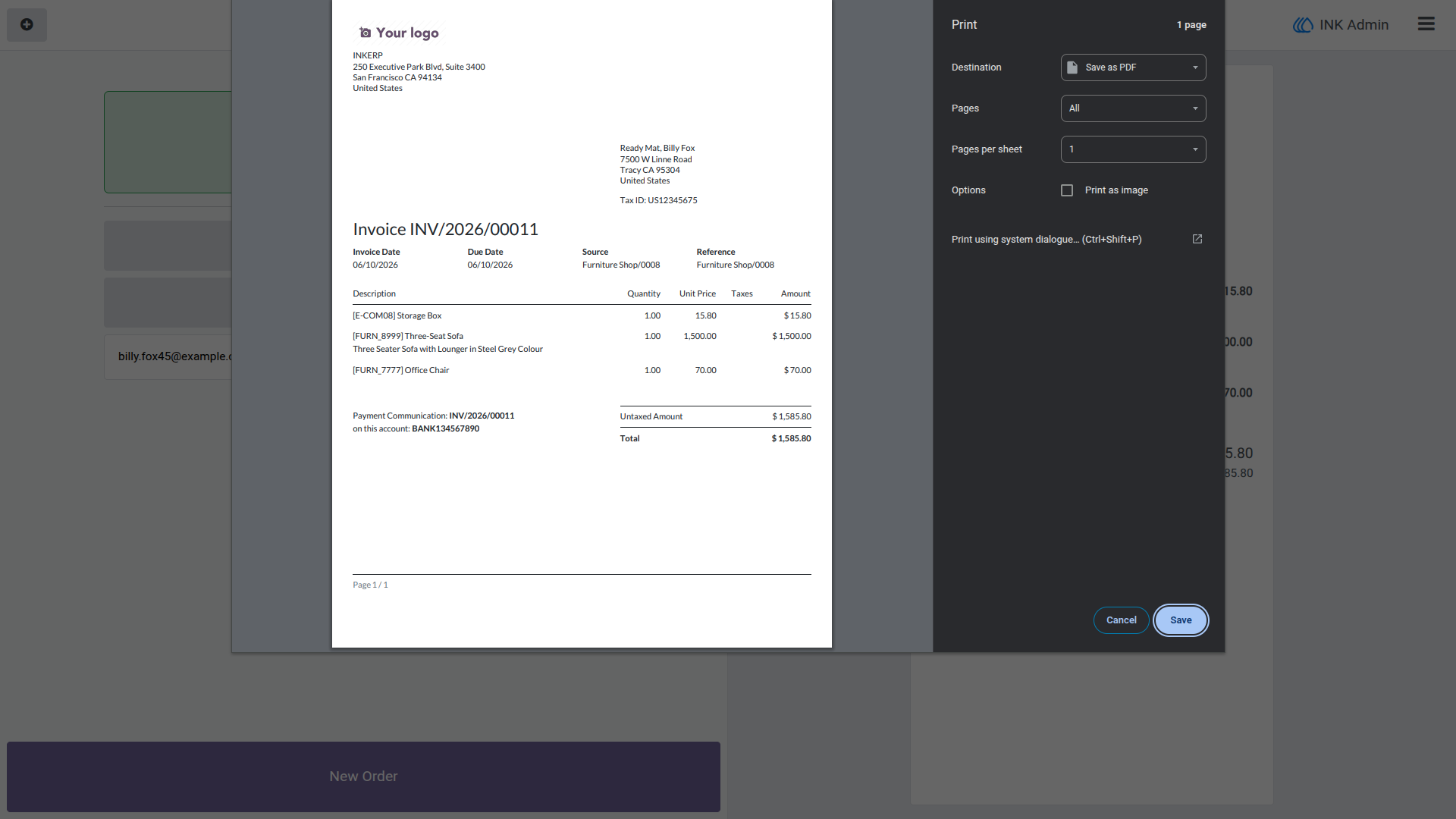
4.) Direct Browser Invoice Print Without PDF Download
This screen shows the invoice being sent directly to the browser’s print dialog without triggering a file download. The invoice opens silently in the background and is printed using the configured printer settings.
User Guide