

Our Most Suggested Products


Odoo POS - Customer Order History
Enhance your Odoo Point of Sale with a powerful feature to instantly access customer order history. With this app, POS users can view a customer past orders directly from the POS screen with just one click. The system shows full details such as order reference, date, session, purchased products, and total amount.
Video Tutorial

 Features
 Screenshots
 Support
 Service
Features
Instant Customer Order History Access
Quickly view a customer’s complete order history directly within the POS screen. With a single click, your staff can instantly access details like order references, dates, and purchased items. This saves time and eliminates the need to navigate to backend menus, improving service efficiency.
Comprehensive Order Details View
Each past order includes full details such as session information, purchased products, quantities, and total amounts. This feature ensures POS users have all the necessary data at their fingertips, enabling them to handle customer inquiries or complaints with confidence and accuracy.
Improved Customer Experience & Upselling
By reviewing a customer purchase history, staff can offer personalized recommendations or promotions based on previous orders. This not only builds stronger relationships with customers but also opens up opportunities for upselling and increasing revenue.
One-Click Navigation & User-Friendly Interface
The system is designed for speed and simplicity, allowing POS users to access customer histories with just one click. Its clean, intuitive interface ensures even new staff members can use it effortlessly, reducing training time and potential errors during busy operations.
Screenshot
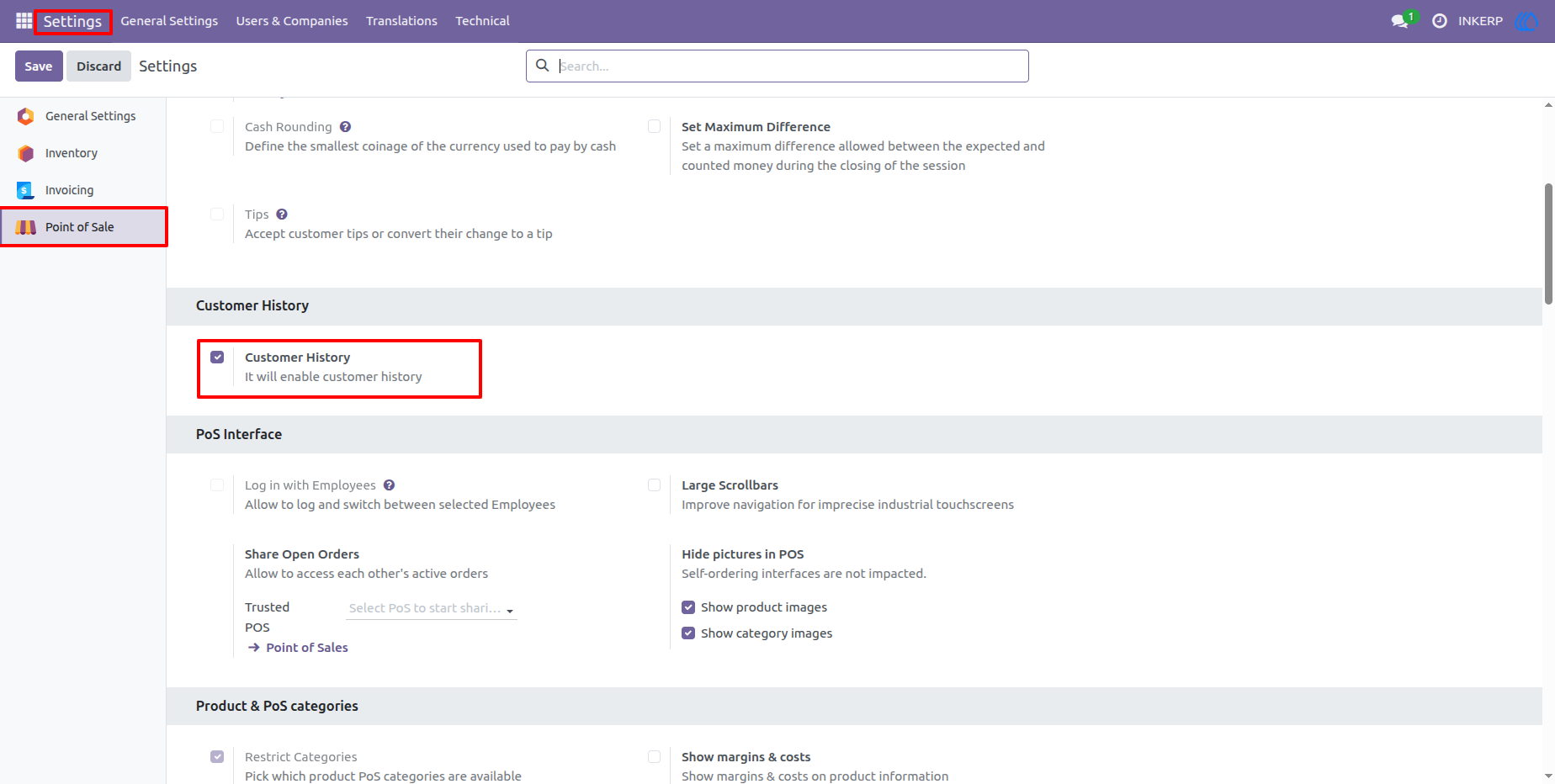
1.) Enable Customer History in POS Settings
Go to Point of Sale - Settings and enable the Customer History option. Once activated, POS users will have access to customer order history directly from the POS interface.
Navigation : Setting › Point of Sale › Customer History
2.) Access Customer History from POS Actions
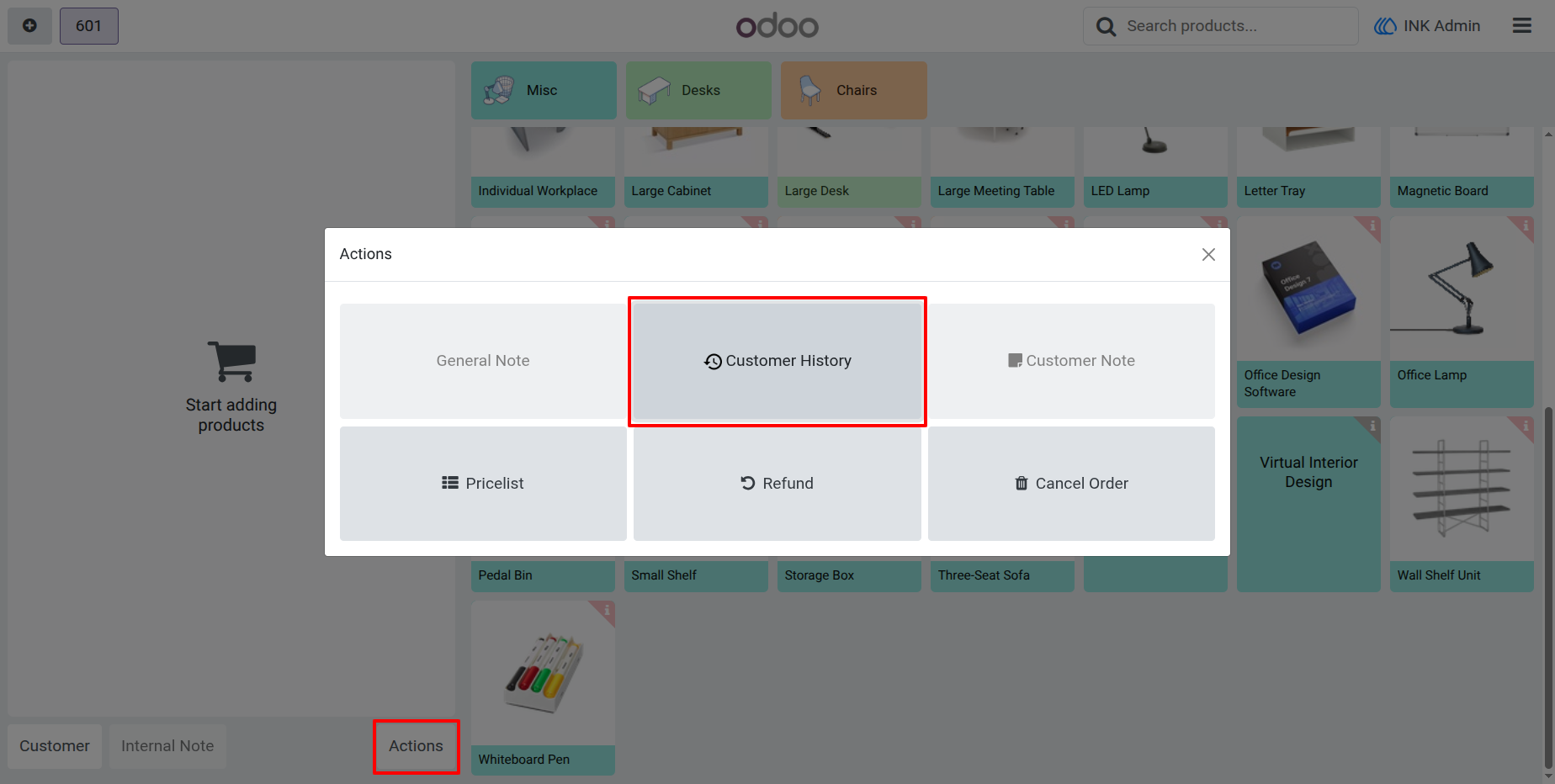
Inside the POS session, click on the Actions button. A popup appears with multiple options - select Customer History to view the past orders of the chosen customer.
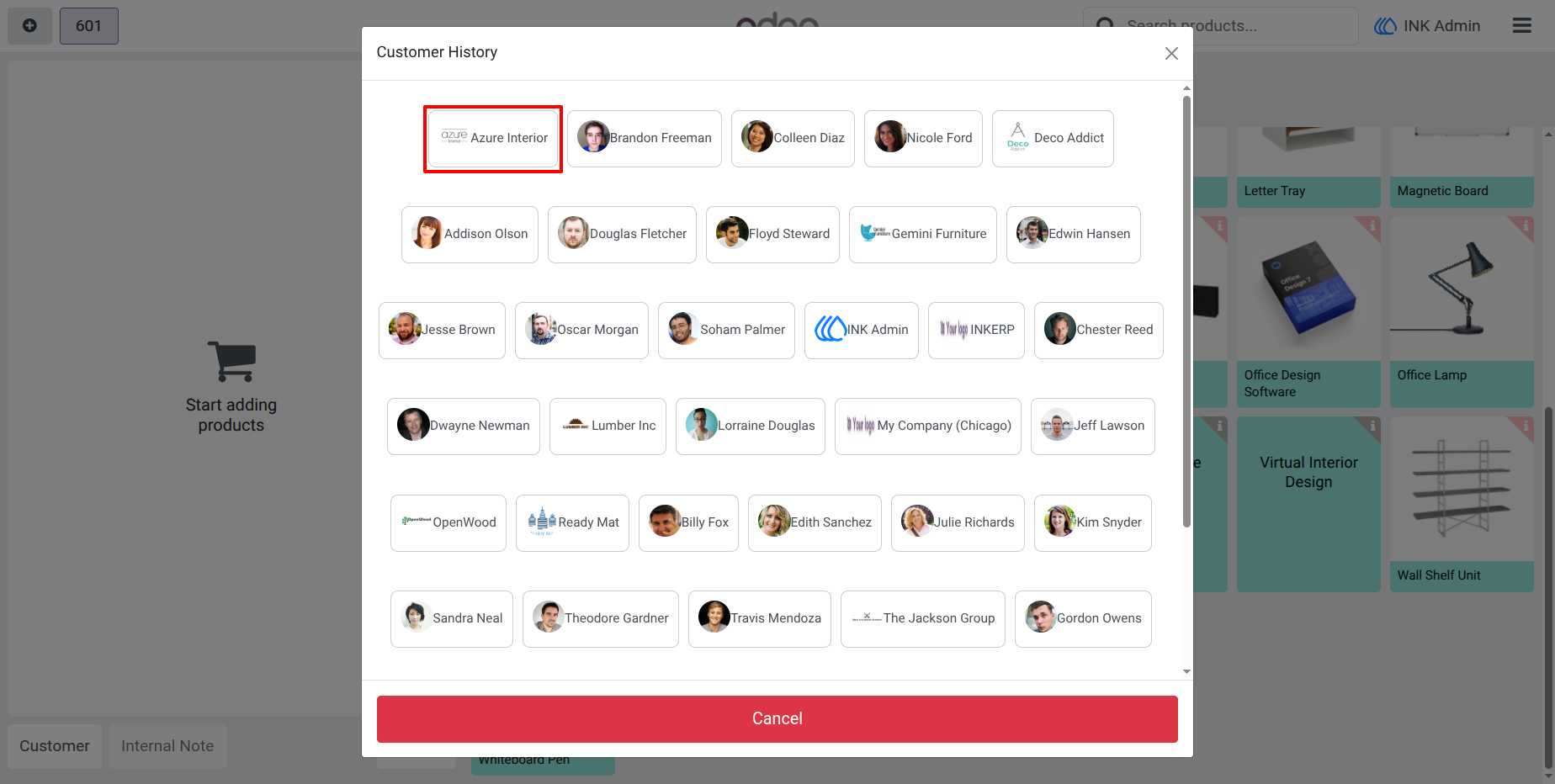
3.) Customer Selection Popup
A list of customers is displayed for selection. Choose the customer whose purchase history you want to check. This allows quick lookup for repeat buyers.
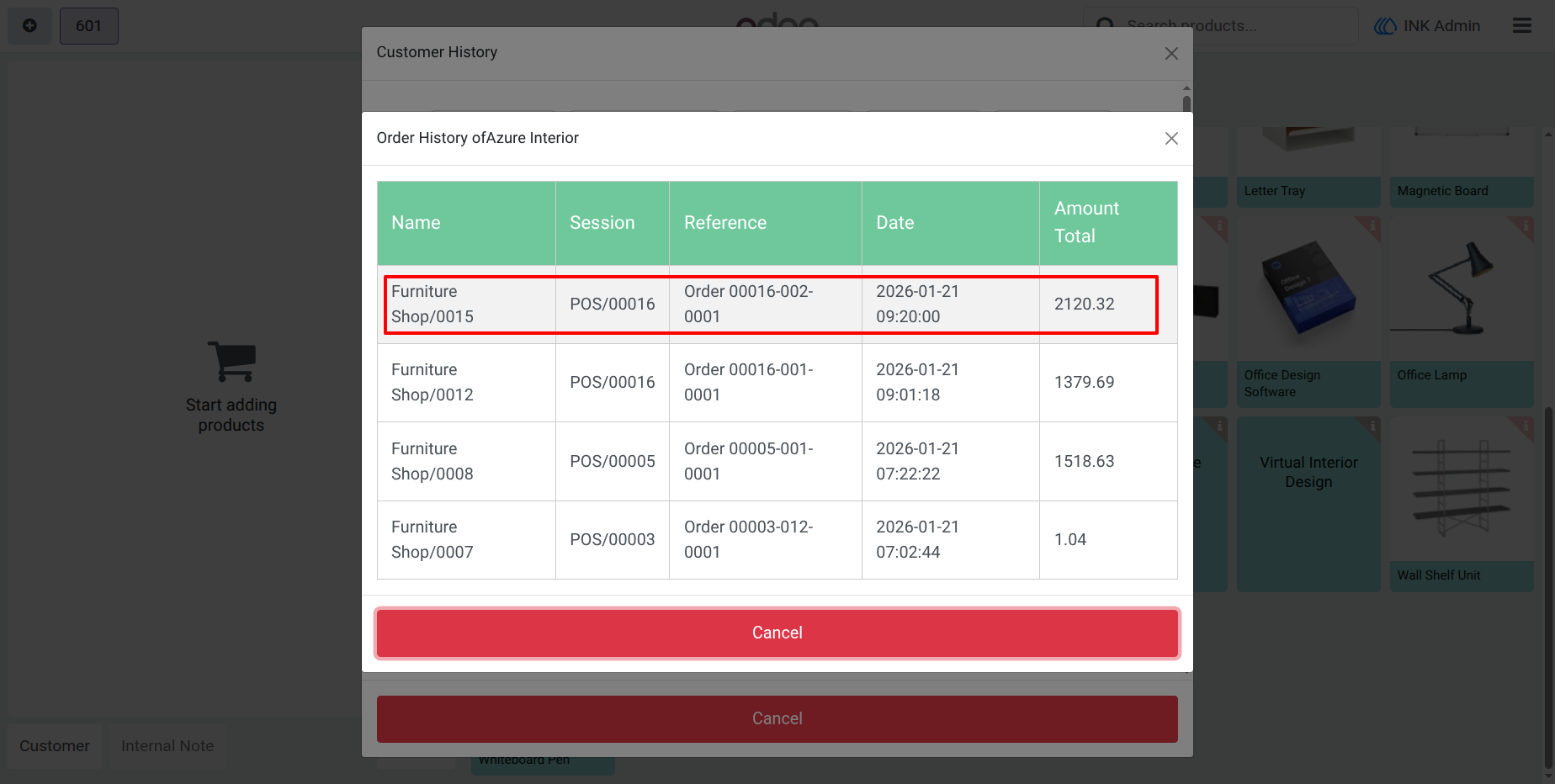
4.) Customer Order History List
View all past transactions of the selected customer in a structured table. The list includes Order Reference, Session, Date & Time, and Total Amount for easy review.
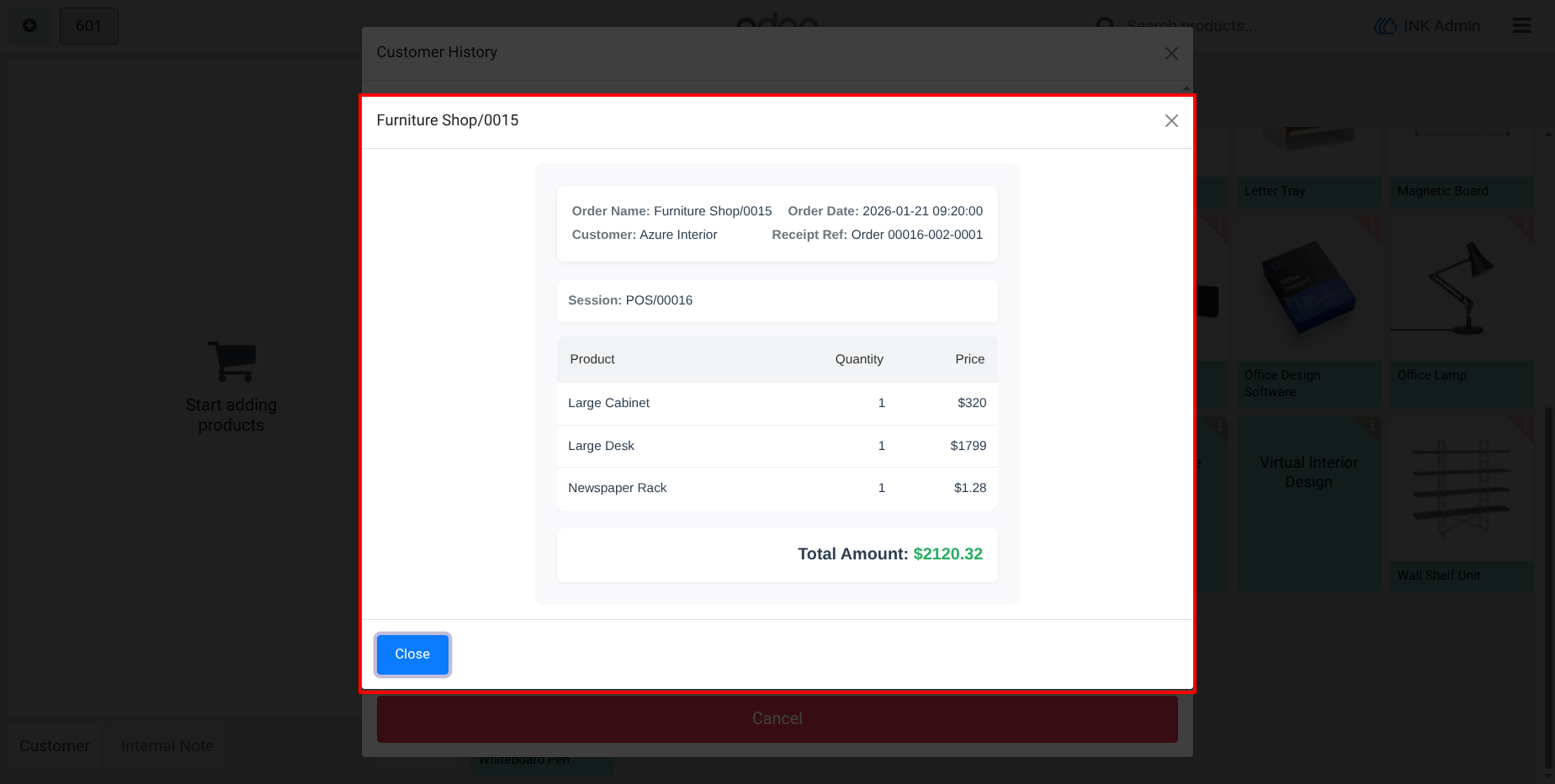
5.) Detailed Order View
Click on any order to open full details. The popup displays order name, customer, session, receipt reference, products purchased, quantities, prices, and the final total amount.
User Guide