

Our Most Suggested Products


POS Barcode Info Mode
POS Barcode Info Mode is a smart utility that transforms your Odoo Point of Sale into a powerful, real-time inventory lookup tool. By adding a convenient toggle button to your POS navigation bar, cashiers can instantly switch the barcode scanner between standard checkout and "Info Mode." Instead of accidentally adding items to a customer's cart during a simple price check, scanning a barcode in Info Mode opens a beautifully designed dashboard revealing live financials, multi-warehouse stock levels, and logistics data.
 Features
 Screenshots
 Support
 Service
Features
One-Click Smart Intercept Mode
Transform your standard barcode scanner into a powerful product lookup tool with a single, convenient click. By toggling the "Info Mode" button directly from the POS navigation bar, cashiers can safely scan items to view details without accidentally adding them to a customer's active cart.
Real-Time Multi-Warehouse Dashboard
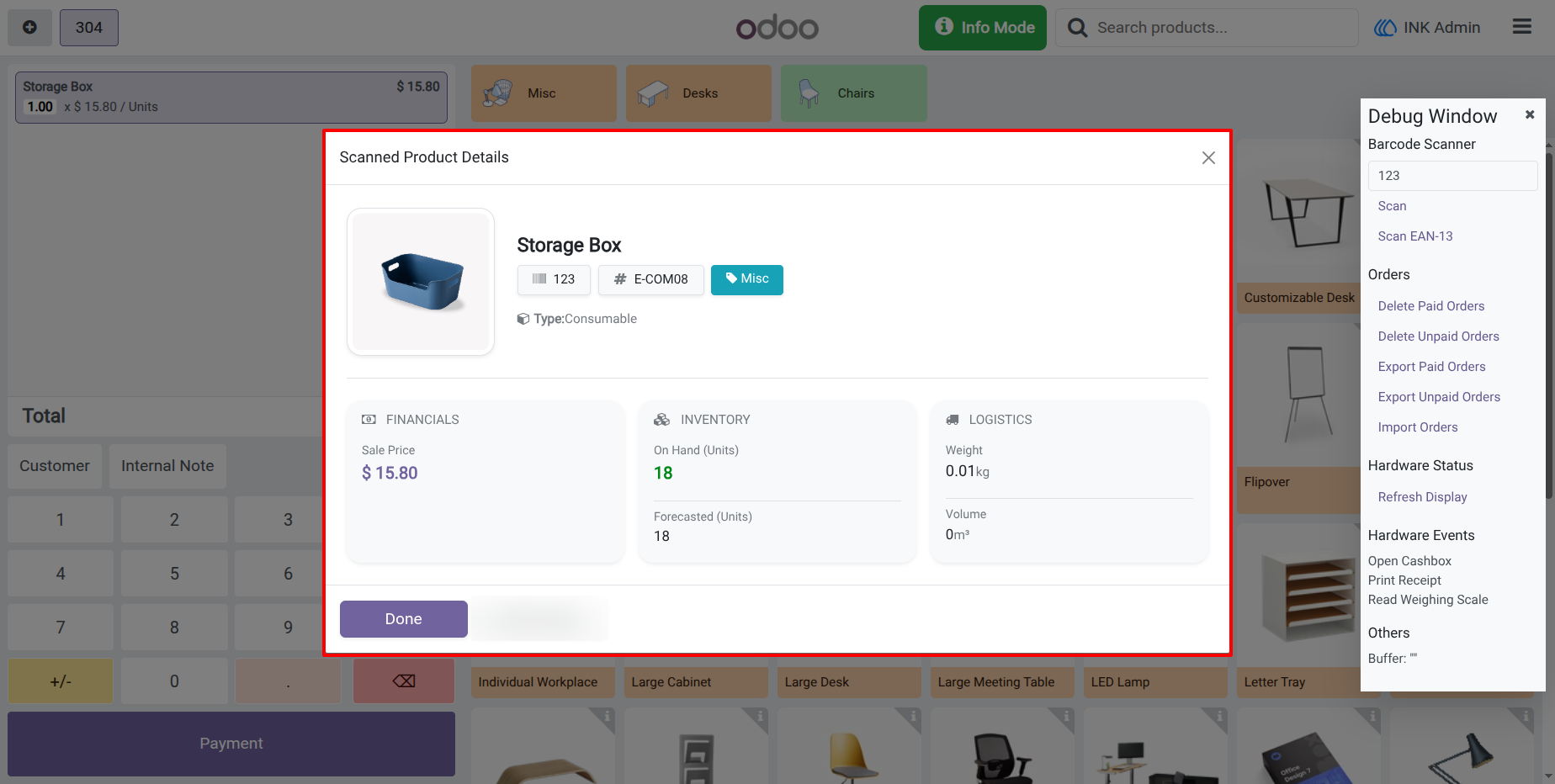
Scanning a product in Info Mode instantly generates a beautifully organized popup dashboard displaying critical financial, inventory, and logistics data. Cashiers can view live "On Hand" and "Forecasted" stock quantities across all configured warehouses without ever having to leave the POS screen or open the backend inventory app.
Screenshot
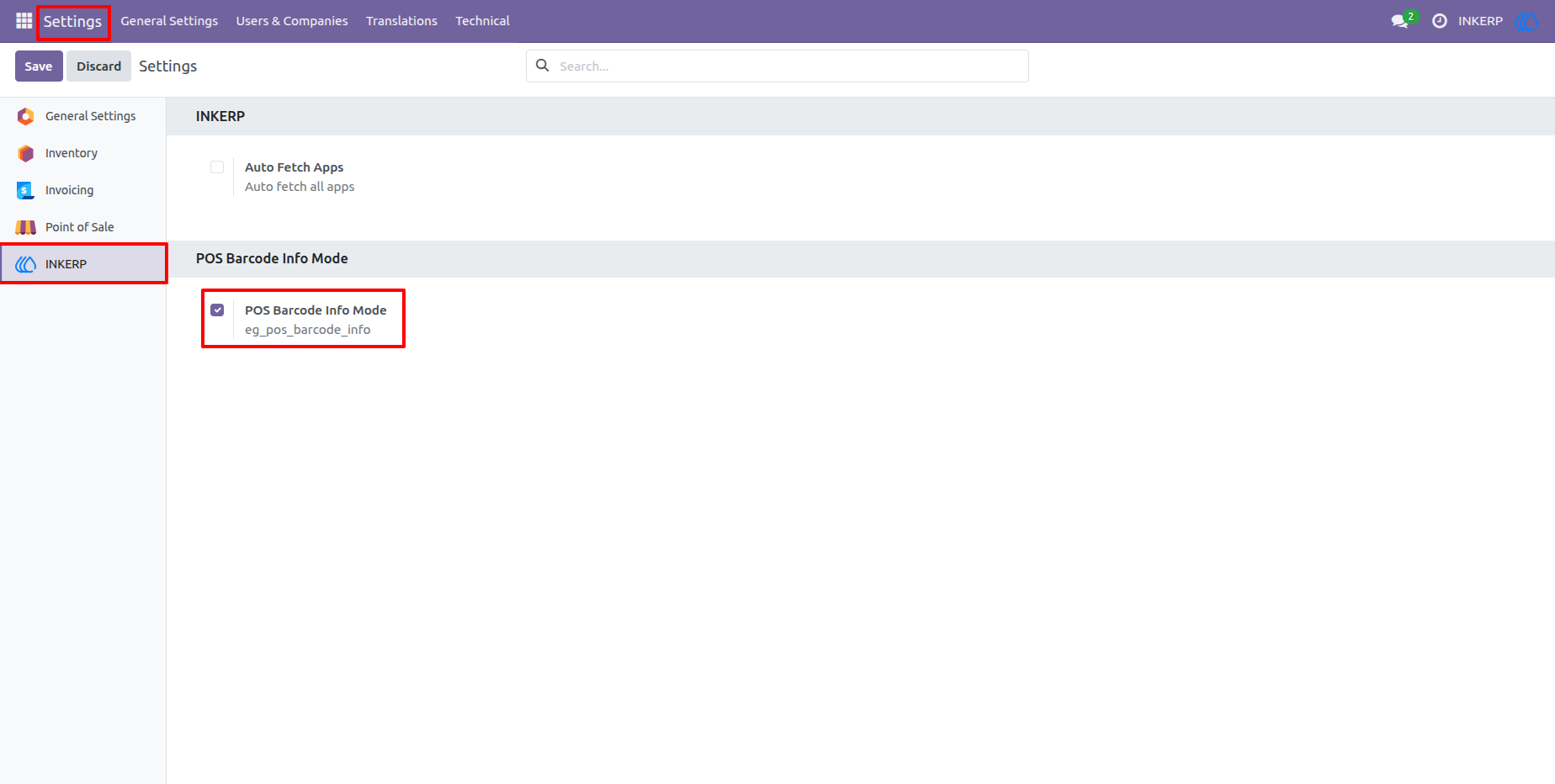
1.) Backend Configuration
Effortlessly manage your settings via the dedicated INKERP configuration panel. Simply check the box to enable the POS Barcode Info Mode and get started immediately with no complex setup required.
2.) Standard POS Scan Mode
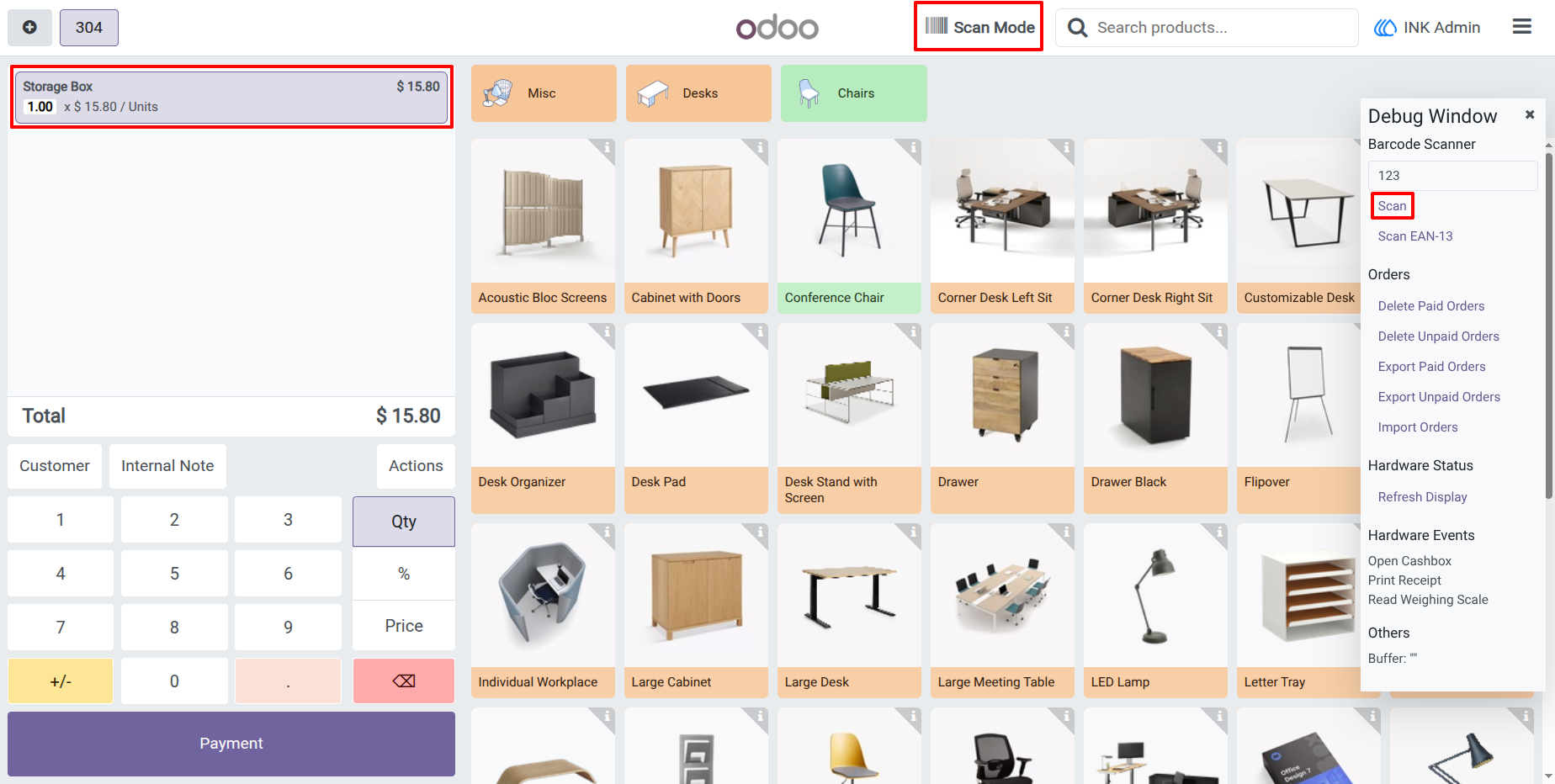
By default, your Point of Sale operates in standard mode. Scanning a barcode automatically adds the item to the current order, ensuring a fast and familiar checkout experience for your cashiers.
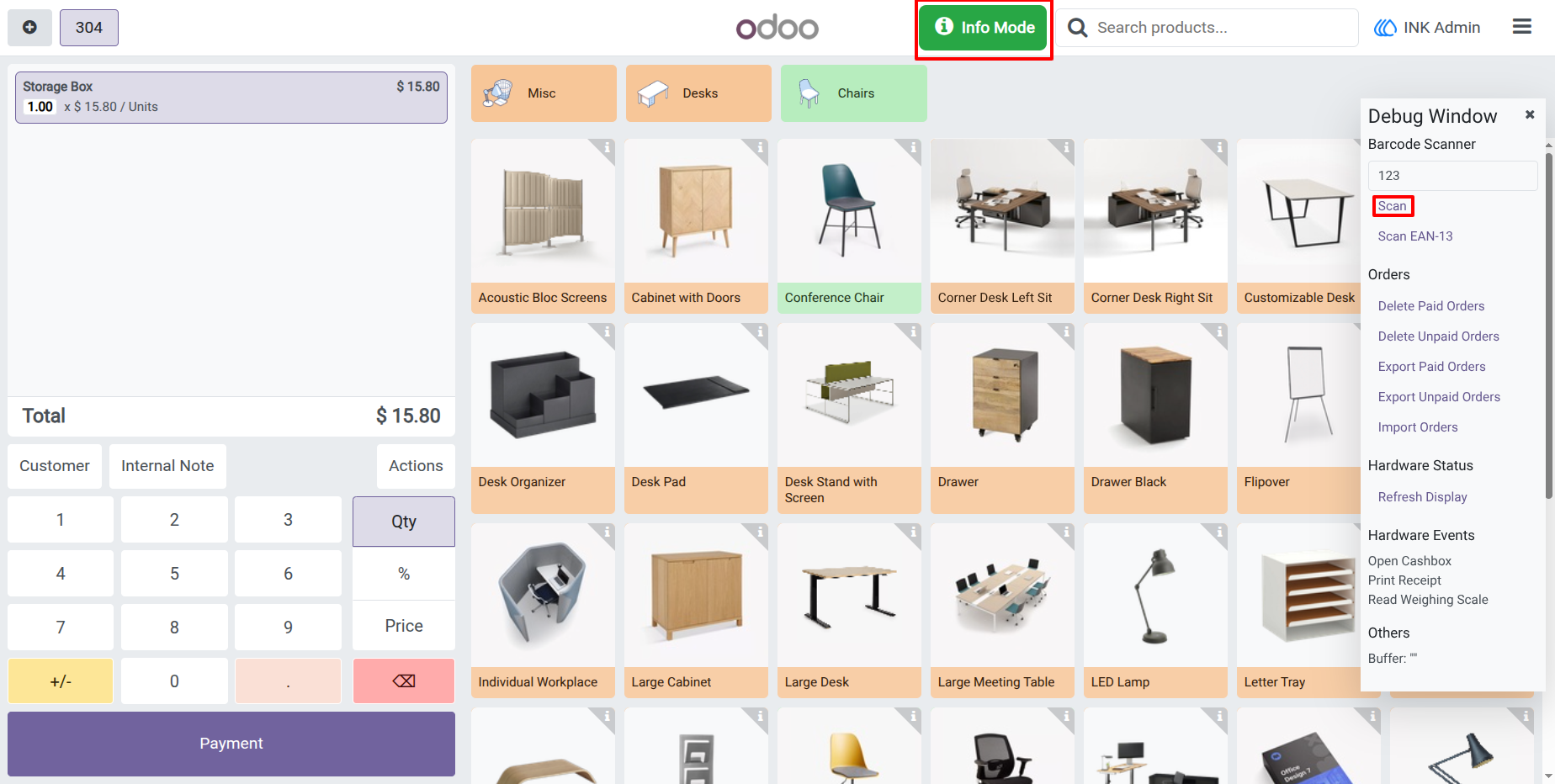
3.) Active Info Mode
Switch to "Info Mode" with a single click on the Navbar. The button turns green to indicate that the scanner is now ready to intercept barcodes, allowing you to lookup product data without creating new order lines.
4.) Scanned Product Details Popup
Unlock a complete view of your inventory and financials. The professional popup displays the product image, stock levels across all warehouses, margin analytics, and logistics data, with an integrated "Edit Product" shortcut for quick catalog updates.
User Guide