

Our Most Suggested Products


POS Auto Clear Search
POS Auto Clear Search eliminates unnecessary friction at the checkout counter. Automatically clearing the search bar immediately after a product is added to the cart saves cashiers from manually backspacing or deleting previous search terms.
 Features
 Screenshots
 Support
 Service
Features
Instant Search Reset
Maintain a constantly clean and ready-to-use Point of Sale interface with this automated reset functionality. The exact moment a selected product is successfully registered and added to the current customer's order, the active search field is instantly wiped clean.
Easily Configurable
Retain complete control over your terminal workflows with a straightforward, centralized administrative toggle. System administrators can easily enable or disable the auto-clear functionality globally by simply navigating to the main Odoo configuration settings.
Screenshot
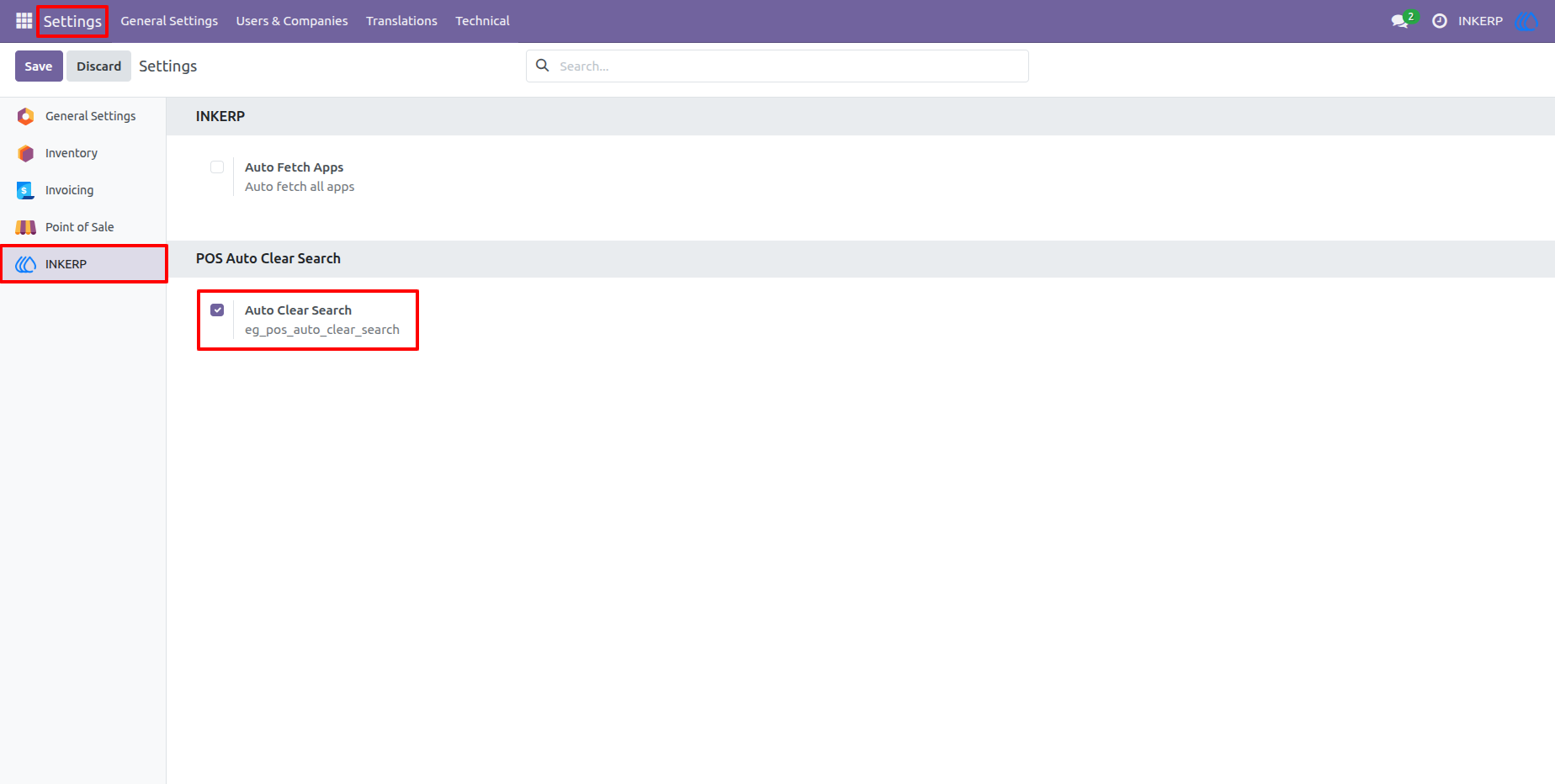
1.) One-Click Global Configuration
Easily manage the auto-clear behavior directly from your Odoo general settings. Administrators can enable or disable the feature globally across all Point of Sale sessions with a simple checkbox, requiring zero technical setup or complex configuration.
2.) Intuitive Product Searching
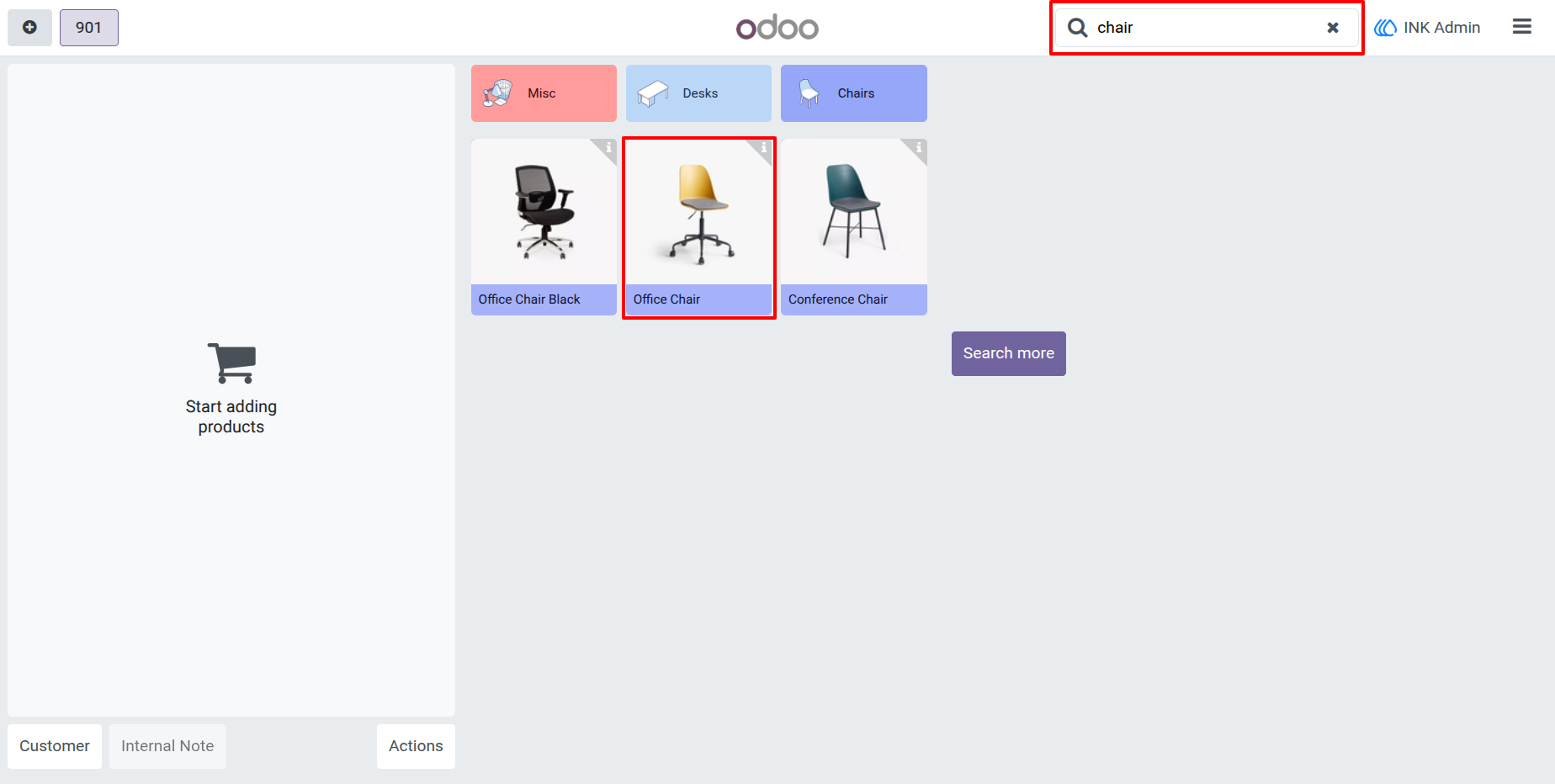
Cashiers can quickly locate specific items by typing keywords into the standard POS search bar. The interface instantly filters the available inventory to display matching products, streamlining the selection process for busy checkout counters.
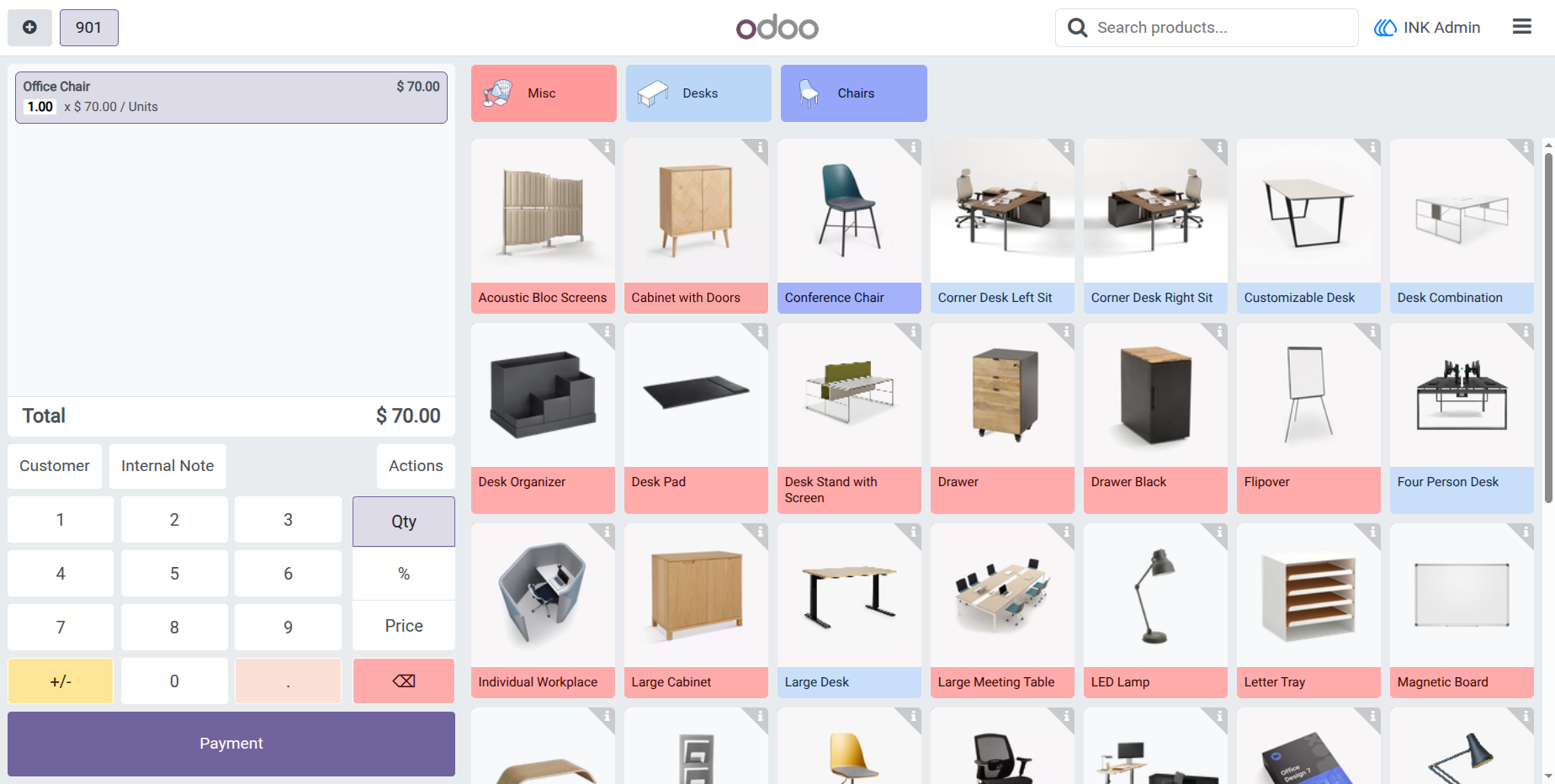
3.) Automated Search Reset
The exact moment a product is clicked and added to the customer's cart, the active search query is automatically wiped clean. The full product catalog is instantly restored to the screen, allowing the cashier to immediately search for the next item without manually deleting previous keystrokes.
User Guide