

Our Most Suggested Products


POS Advanced Product Ordering
Transform the way products are displayed in your Odoo Point of Sale with POS Advanced Product Ordering, a powerful solution designed to improve product browsing, streamline cashier operations, and enhance the overall checkout experience. This module allows users to instantly sort products by Name (A–Z), Name (Z–A), Price (Low to High), Price (High to Low), Newest First, or Best Sellers, giving businesses greater control over how products are organized and presented within the POS interface. In addition, product sales counts are displayed directly on product cards to help identify top-performing items, while recently added products are automatically highlighted with a visually distinctive "New" badge.
 Features
 Screenshots
 Support
 Service
Features
Smart Product Sorting
Give your cashiers complete control over product organization with advanced sorting options directly inside the Odoo POS interface. Products can be instantly sorted by Name (A–Z), Name (Z–A), Price (Low to High), Price (High to Low), Newest First, or Best Sellers, helping users quickly locate products and adapt the product display to different sales strategies.
Best Seller Product Ranking
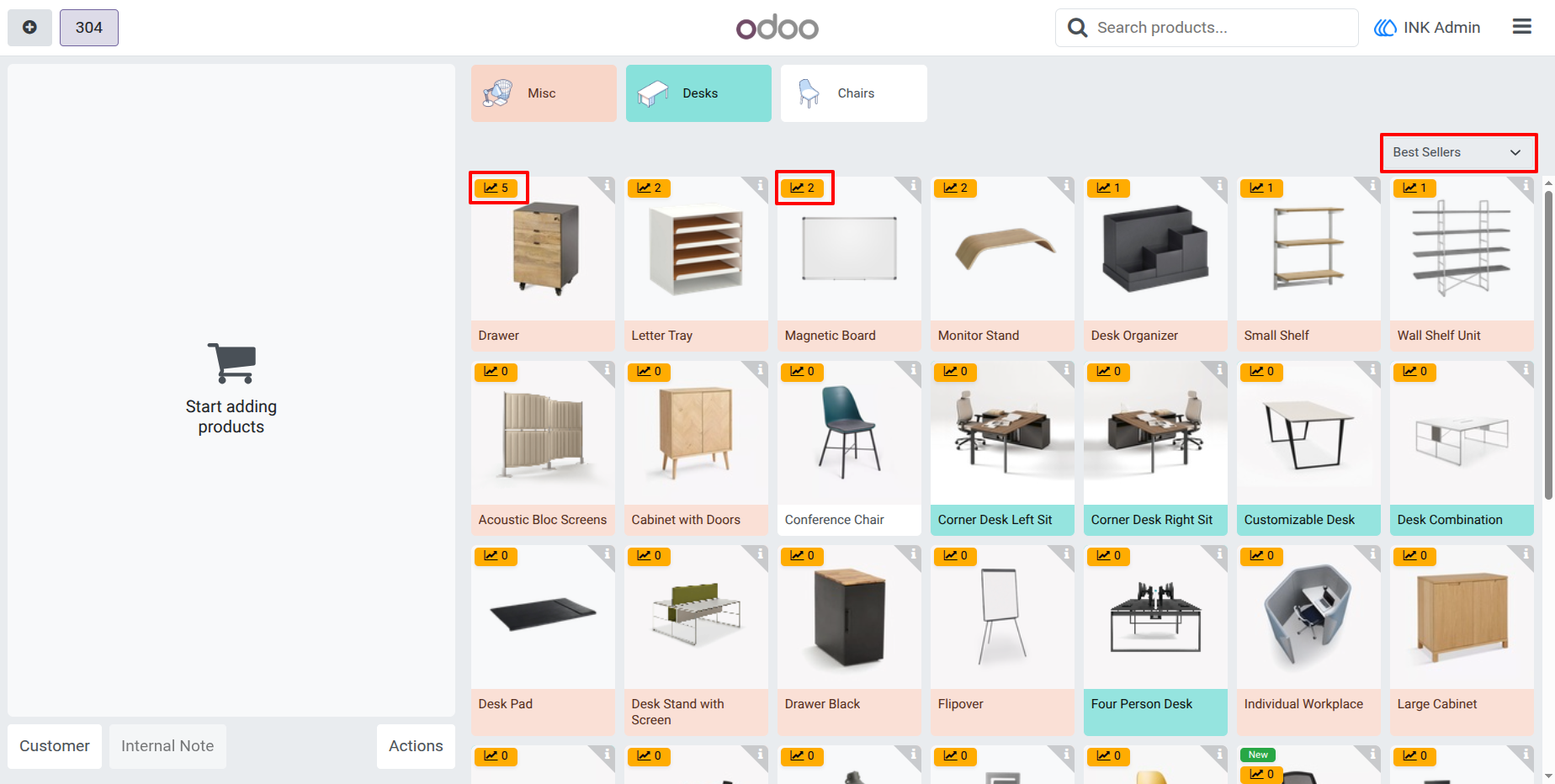
Easily identify and promote your most popular products with built-in sales-based product ranking. The module displays product sales counts directly on each product card and allows products to be sorted by Best Sellers, ensuring that high-performing items remain visible and accessible.
New Product Highlighting
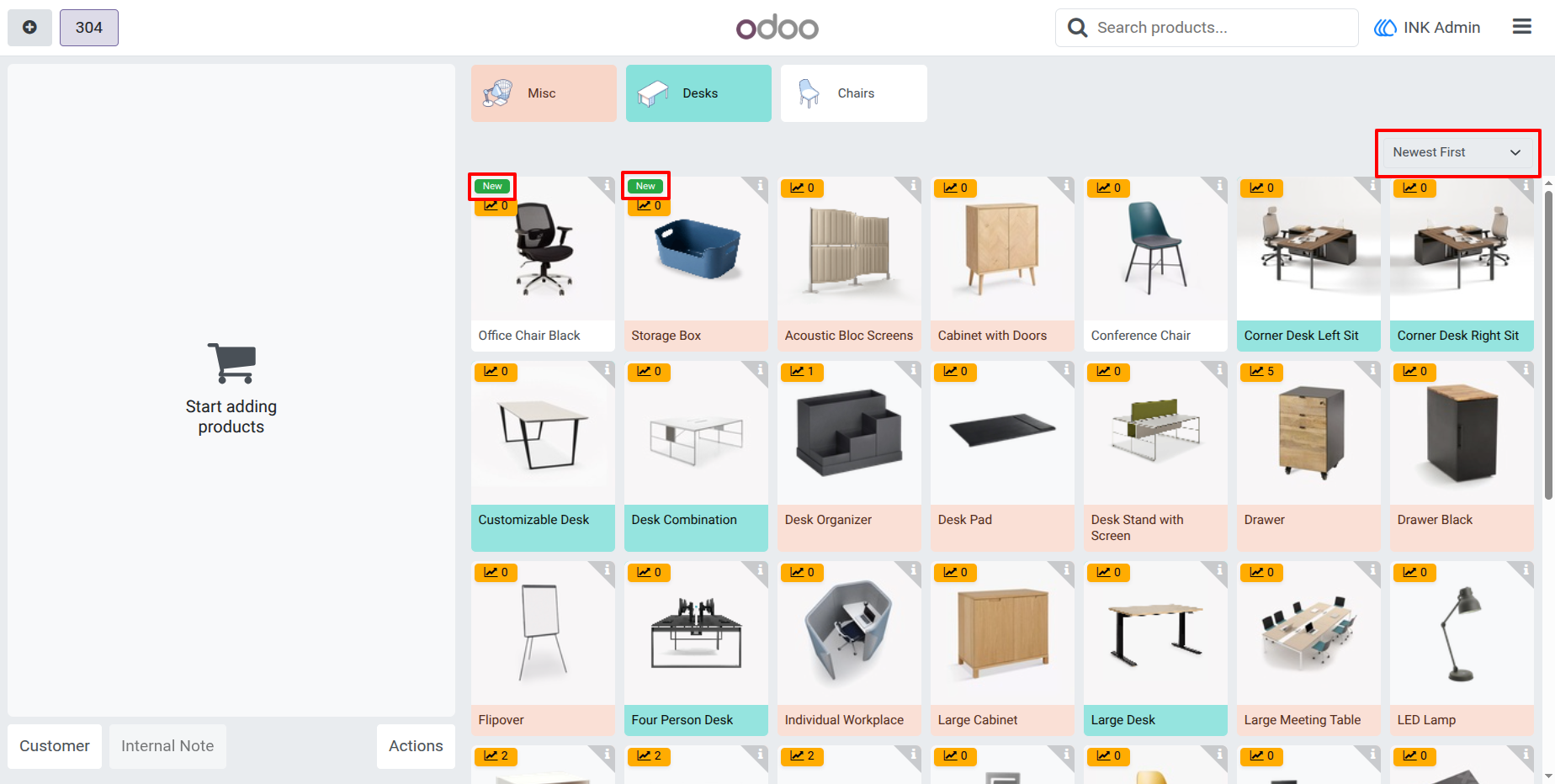
Boost the visibility of newly added products with automatic New badges displayed on product cards. When products are recently created, they are visually highlighted, making them stand out from the rest of the catalog and helping businesses draw attention to new arrivals. Combined with the "Newest First" sorting option, this feature provides an effective way to promote fresh inventory and encourage customer engagement with recently launched products.
Screenshot
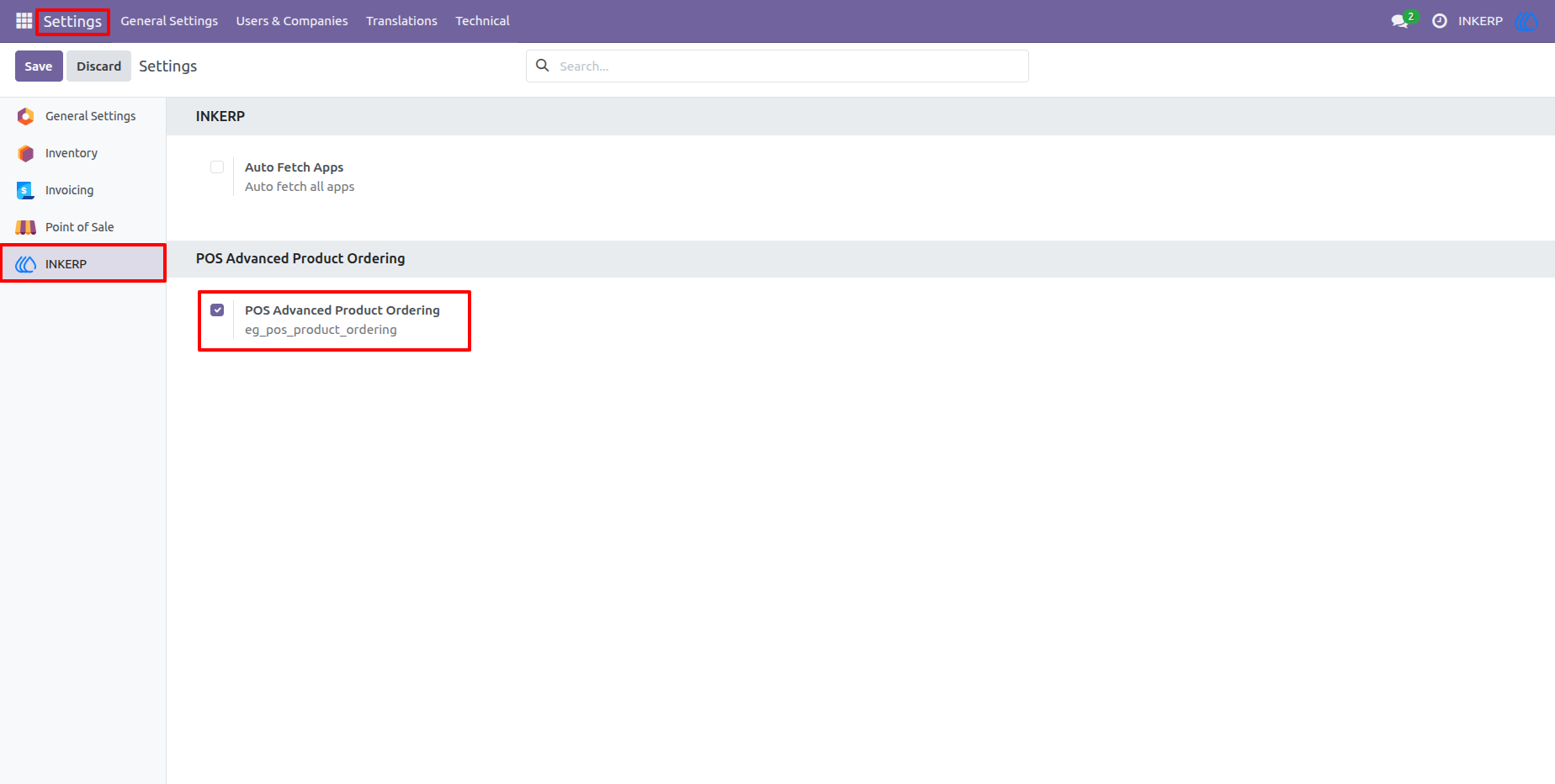
1.) : Easy Master Configuration
Effortlessly manage your POS experience from a dedicated INKERP settings tab. Enable or disable the "Advanced Product Ordering" features globally with a single click, ensuring seamless control across all your retail locations.
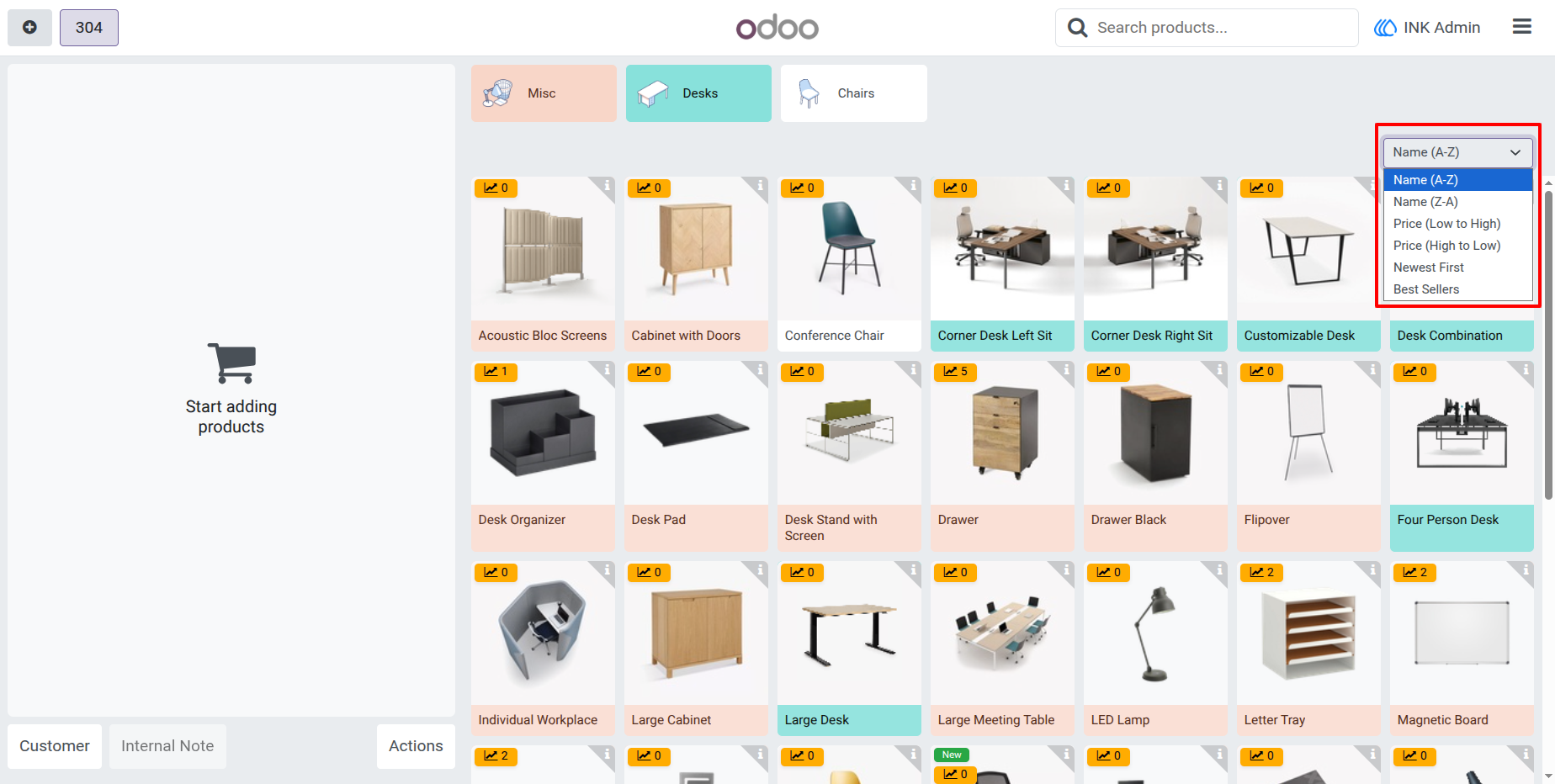
2.) Seamless Sorting Options
Empower your staff with a user-friendly dropdown menu integrated directly into the POS interface. Sort your entire product catalog instantly by Name, Price, Date, or Sales performance, ensuring the right products are always within reach.
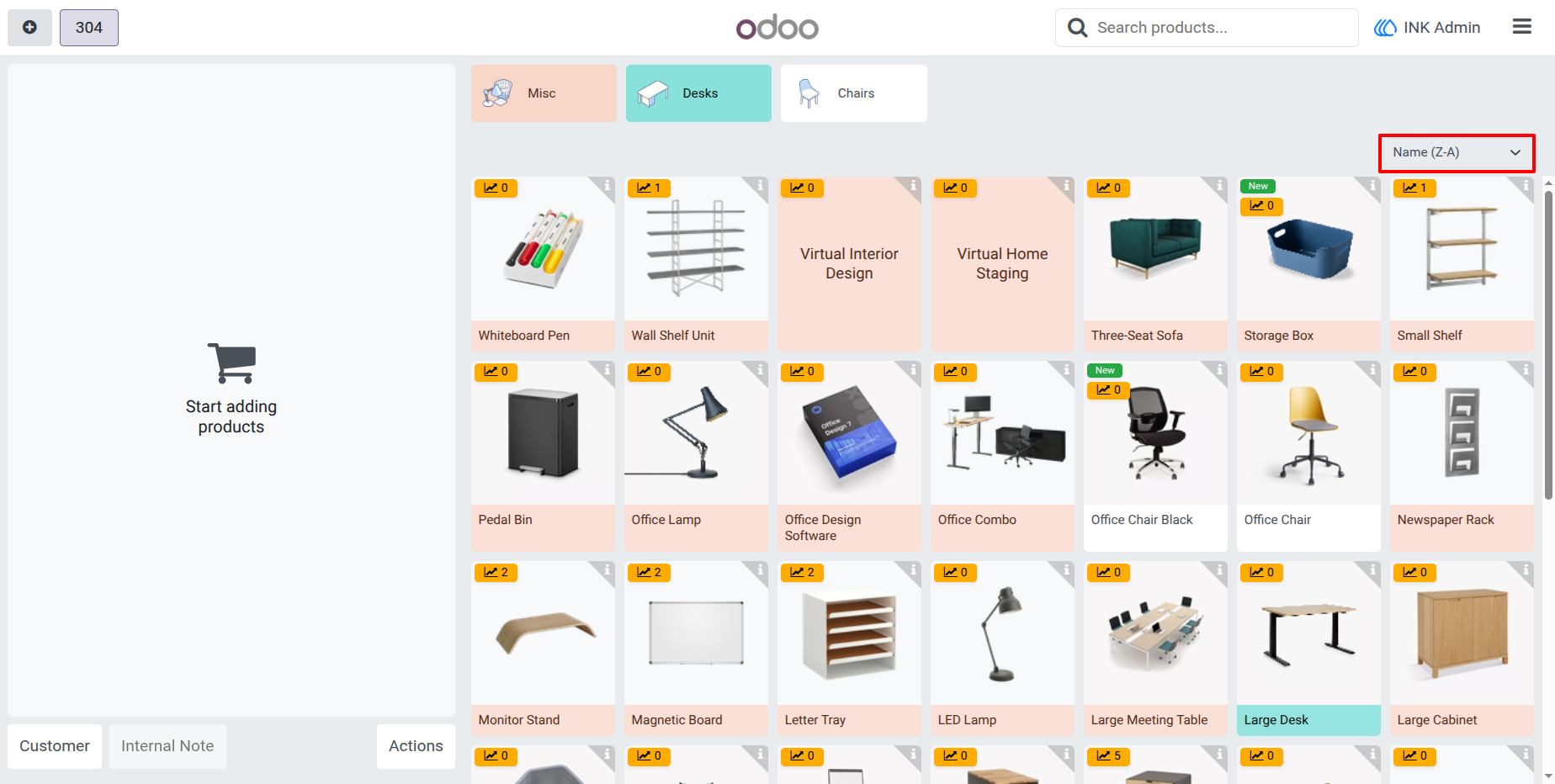
3.) Organized Product Browsing
Effortlessly locate specific items using advanced alphabetical sorting. Whether sorting A-Z or Z-A, your POS grid updates instantly, reducing navigation time and helping cashiers find products in seconds.
4.) Highlight New Inventoryc
Keep your customers and staff updated on the latest arrivals. Products added to your system within the last 15 days are automatically flagged with a sleek "New" badge, perfect for promoting fresh stock at the point of sale.
.5) Insightful Best Sellers View
Identify your high-performing products at a glance. When sorted by Best Sellers, each product card prominently displays a sales badge showing total units sold, helping staff make data-driven recommendations during every transaction.
User Guide