

Our Most Suggested Products


Order Type in Point of Sale
The Order Type in Point of Sale module enhances POS by enabling businesses to classify and manage sales orders based on predefined order types such as Dine-In, Takeaway, Delivery, or Service.
Video Tutorial

 Features
 Screenshots
 Support
 Service
Features
Predefined Order Type Selection in POS
This feature lets cashiers classify each transaction on the spot by selecting from a list of predefined order types-such as Dine-In, Takeaway, Delivery, or Service directly within the POS interface.
Order Type Visibility on Receipts
Every receipt printed (or displayed) from the POS will include the selected order type, providing clarity to both staff and customers about how the order is to be fulfilled. This transparency is especially useful when differentiating between in-store pickups, deliveries, or dine-in services.
Back-End Integration and Reporting
Beyond the POS interface, the chosen order type is carried through to the backend order records, ensuring consistent data flow.
Screenshot
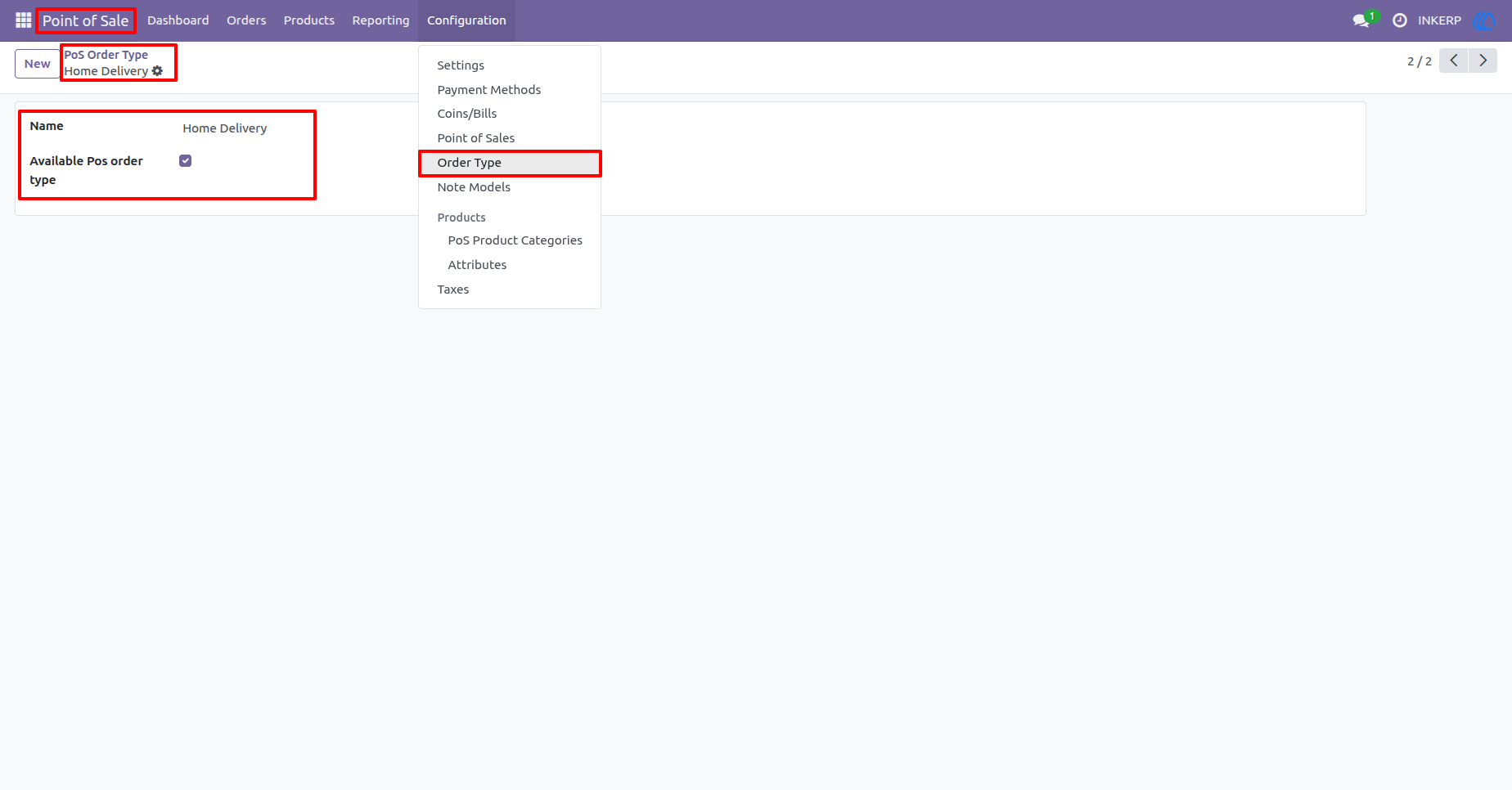
1.) Create and Manage POS Order Type
This screen lets you create and manage POS order types (e.g., Dine-In, Takeaway, Home Delivery) to categorize orders and make them selectable in the POS interface.
Navigation : Point of Sale › Configuration › Order Type
2.) Configure POS Order Types
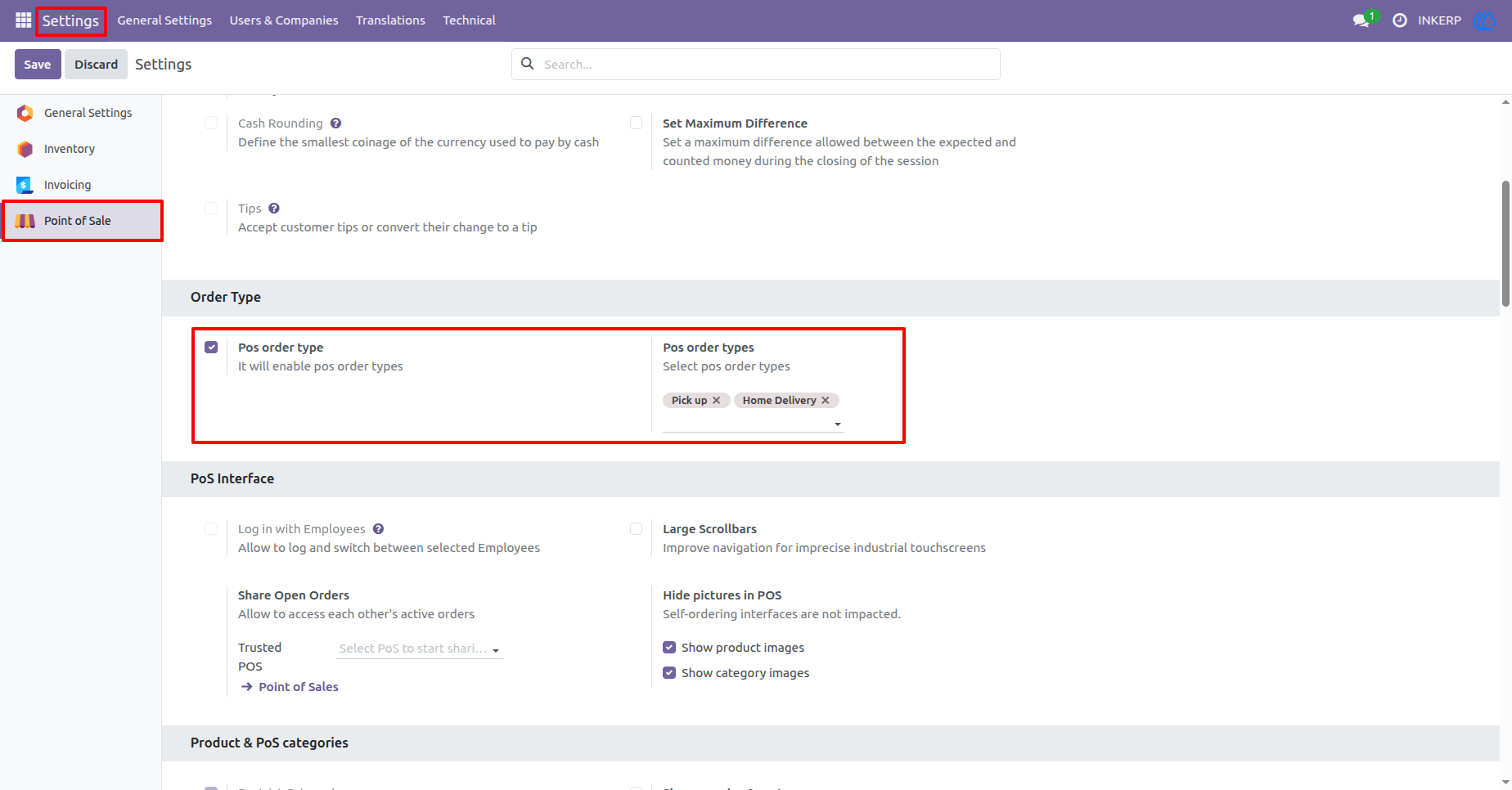
Enable and configure POS order types in the settings to assign specific types, like Home Delivery or Pickup, for your Point of Sale sessions.
Navigation : Setting › Point of Sale › Order Type
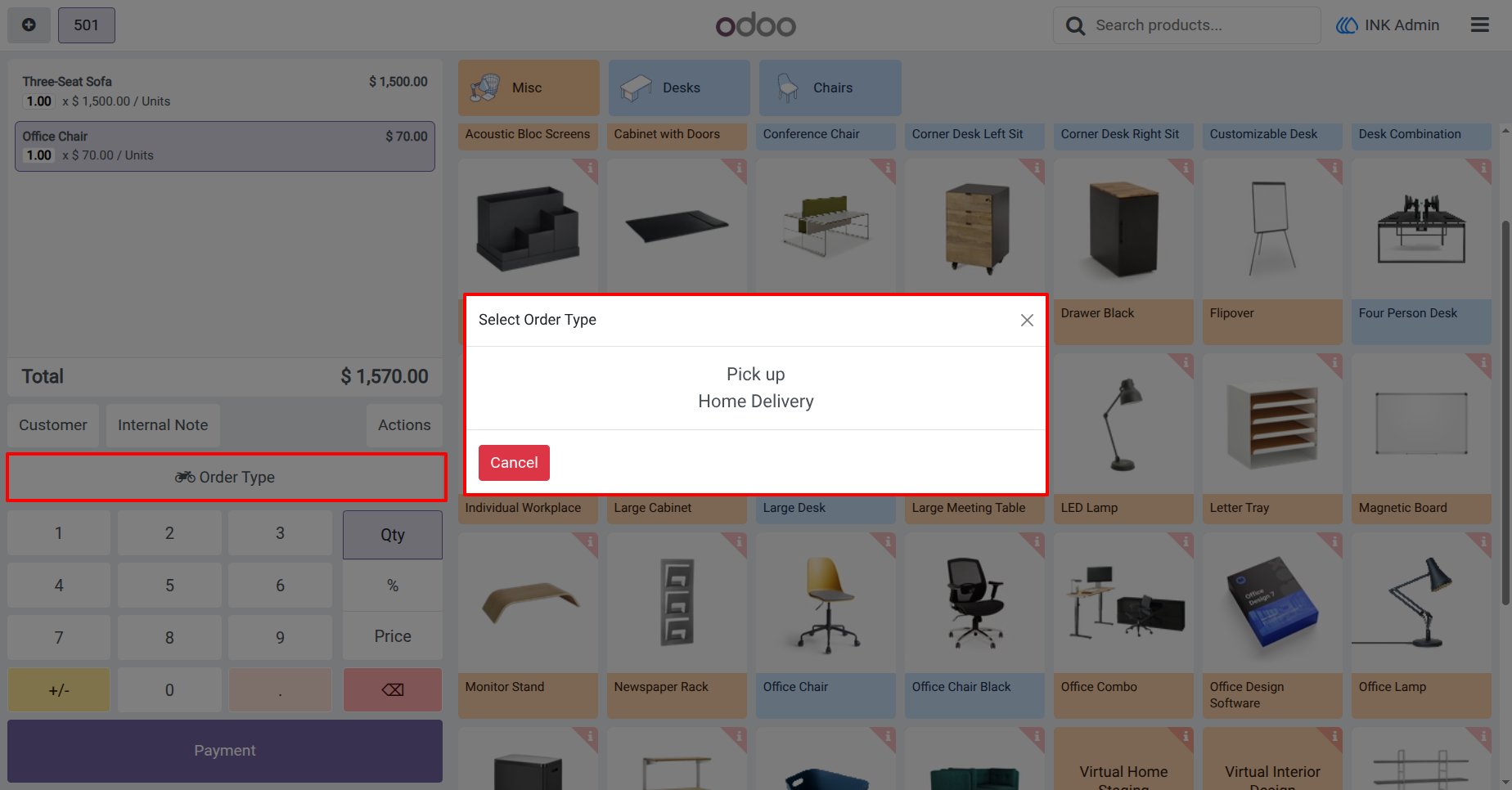
3.) Select POS Order Type
Choose the appropriate order type (e.g., Home Delivery or Pickup) directly from the POS interface to categorize the order before proceeding with payment.
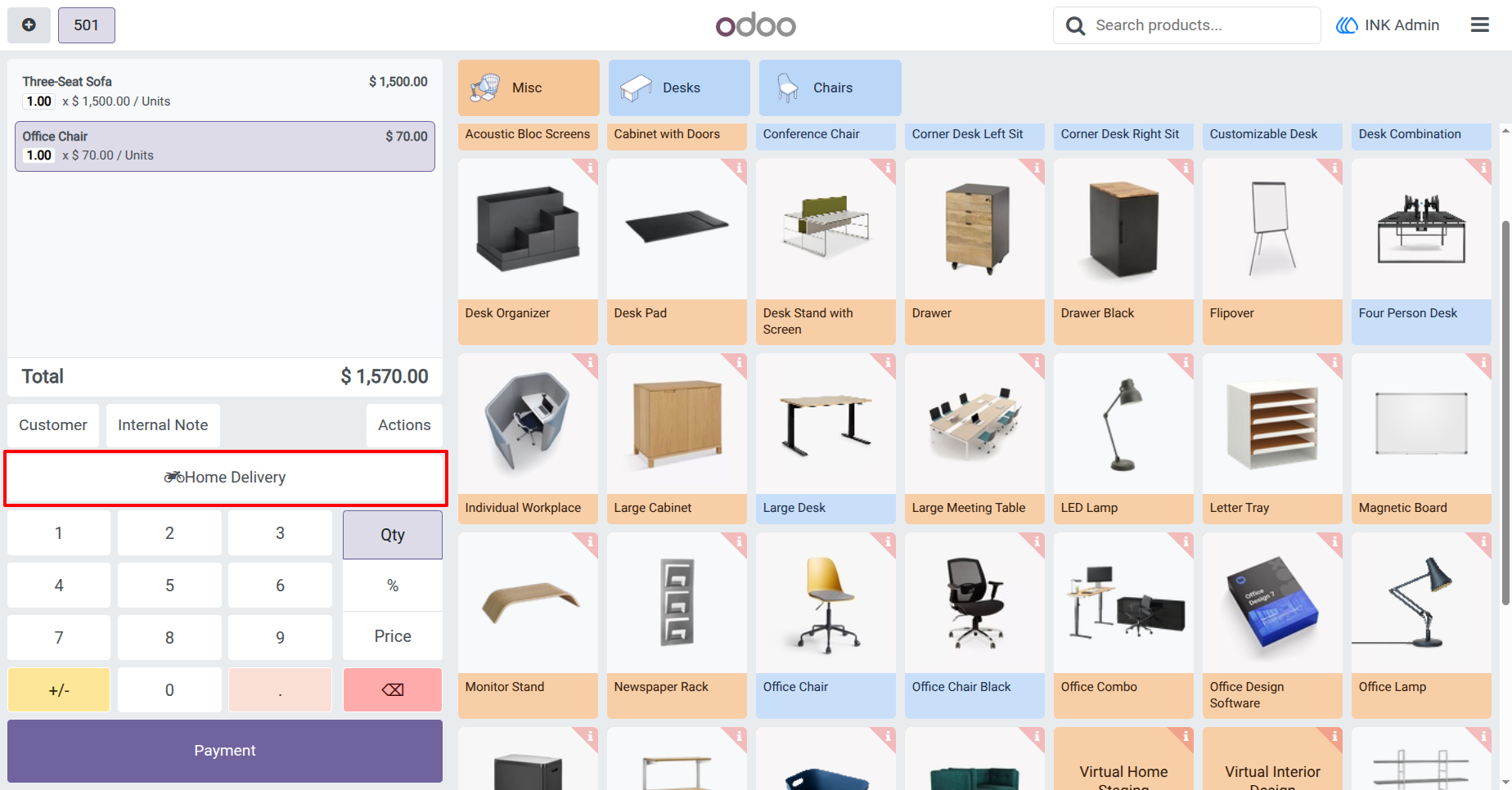
4.) Show Selected POS Order Type
The chosen order type (e.g., Home Delivery) is displayed on the POS screen, ensuring clear identification before proceeding with the payment process.
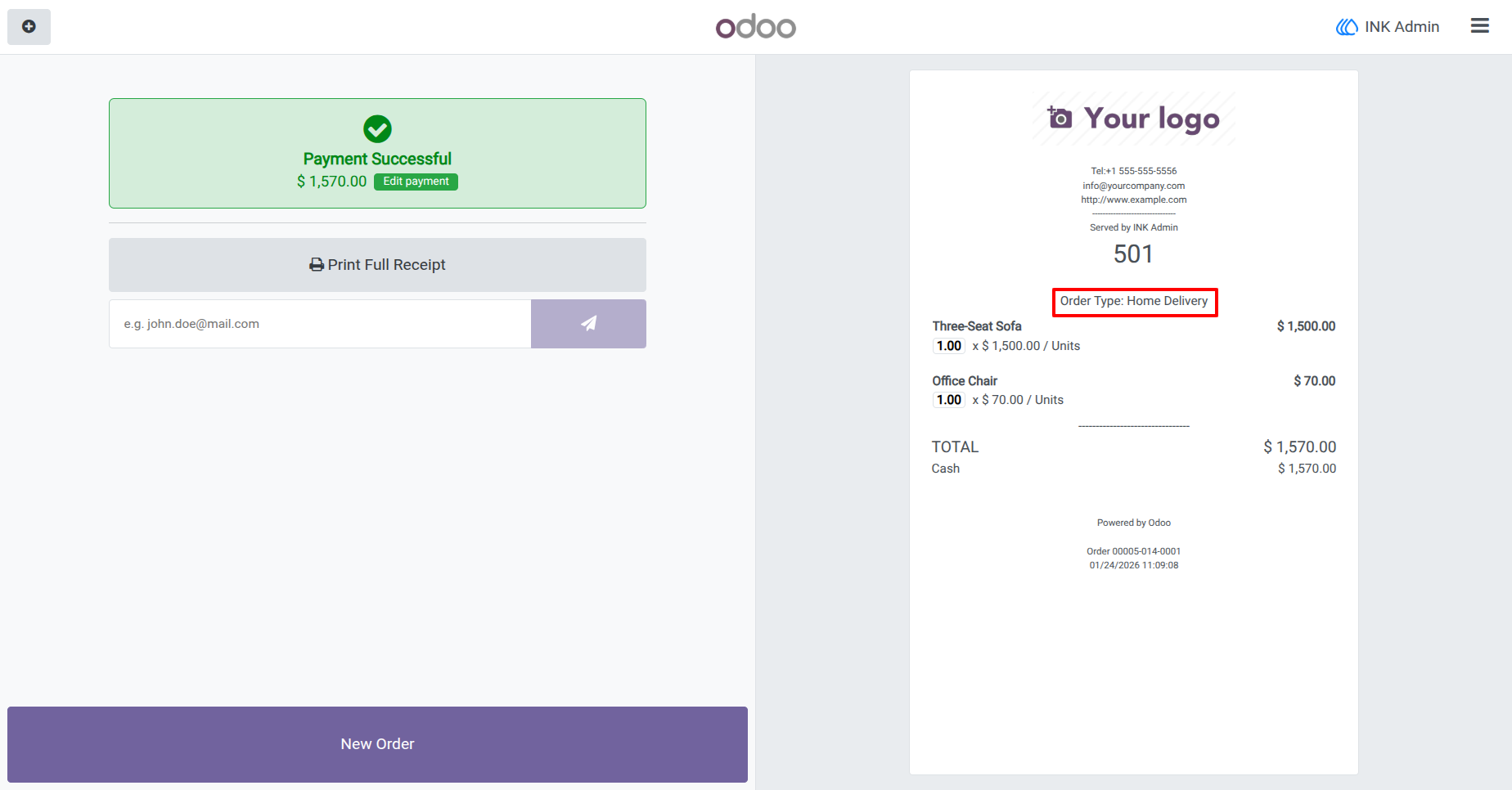
5.) Order Receipt with POS Order Type
The selected order type (e.g., Home Delivery) is printed on the customer receipt, ensuring clear communication for both staff and customers.
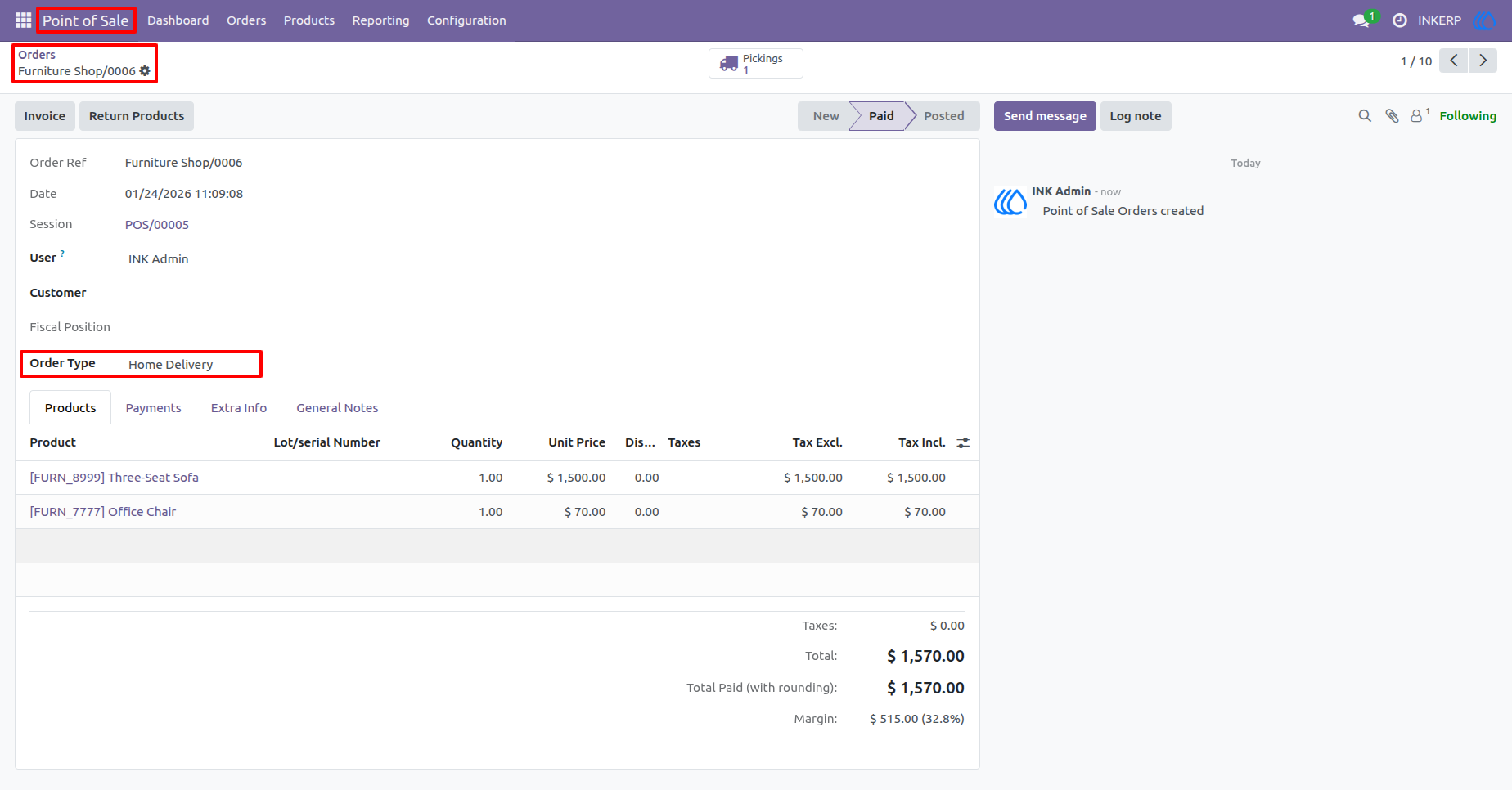
6.) POS Order Details with Order Type
View the complete order details in the backend, including the selected order type (e.g., Home Delivery) for better order tracking and management.
Navigation : Point of Sale › Orders › Order
User Guide