

EXCLUSIVE CUSTOMER BENEFITS
FREE INSTALLATION
& 90 DAYS FREE SUPPORT!
No worries about installation! This module comes with free installation assistance and 90 days of free support, helping you get started smoothly and confidently.
✦ COMPLIMENTARY INSTALLATION & SUPPORT ✦
MORE VALUE • LESS HASSLE • A BETTER START
Our Most Suggested Products


POS Custom Logo & Receipt Branding
Enhance your Odoo Point of Sale experience with POS Custom Logo & Receipt Branding a simple yet powerful module that lets you personalize your PoS interface and printed receipts with your own logo.
 Features
 Screenshots
 Support
 Service
Features
Custom POS Logo Configuration
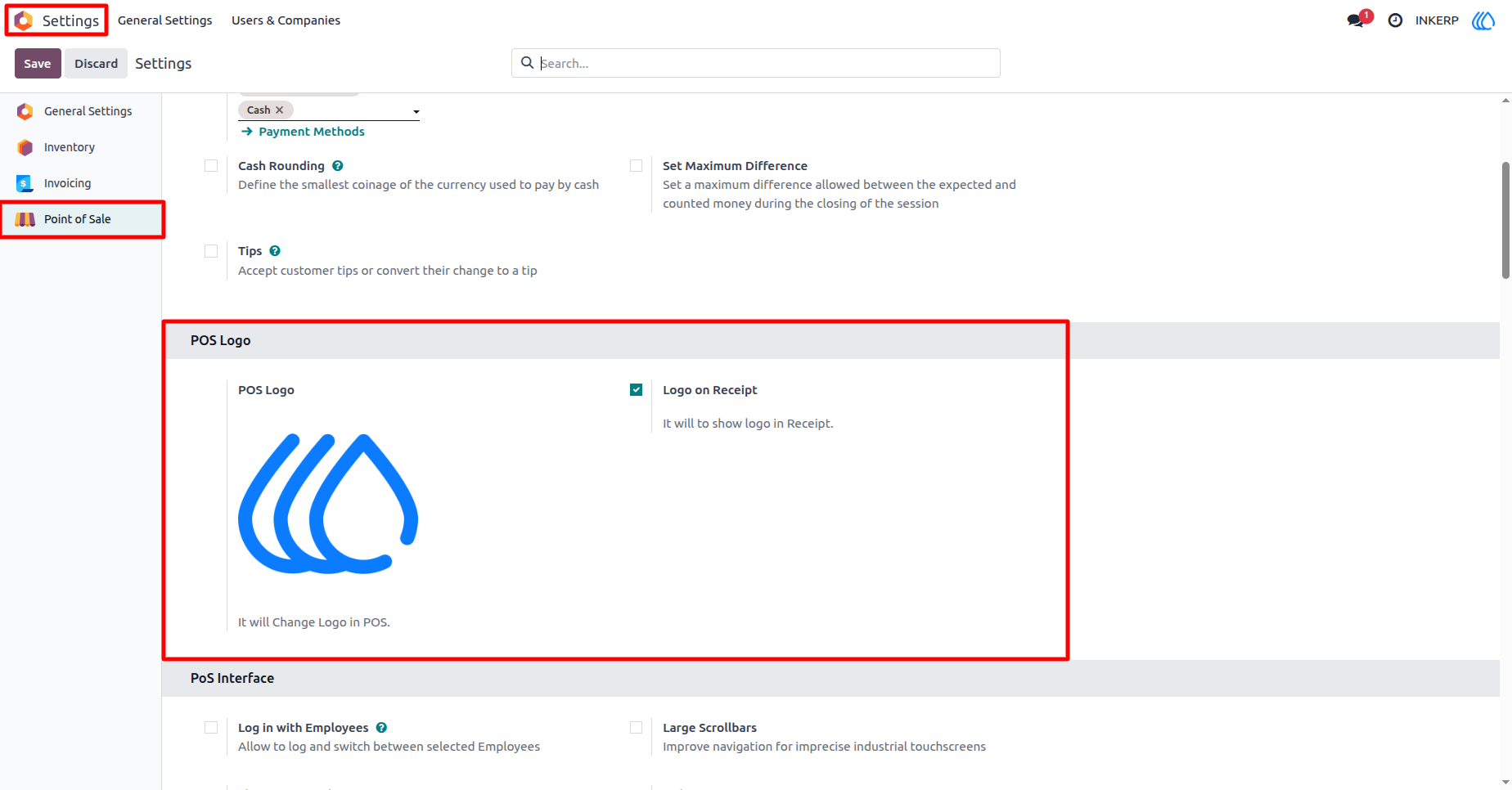
Easily upload and manage your Point of Sale logo directly from the Odoo Settings menu. The module adds a POS Logo section under Settings Point of Sale, allowing you to personalize your PoS interface with your brand identity.
Logo on Printed Receipts
Strengthen your brand recognition by printing your logo on every customer receipt. With a simple toggle option called Logo on Receipt, you can decide whether to include your uploaded logo on printed and electronic receipts.
Screenshot
1.) POS Logo Configuration in Settings
This screen shows how easily you can configure your custom PoS logo directly from Odoo’s general settings. Under the Point of Sale section, a new POS Logo field lets you upload your desired image, while the Logo on Receipt option allows you to enable or disable logo printing on customer receipts.
Navigation : Setting › Point of Sale › POS logo
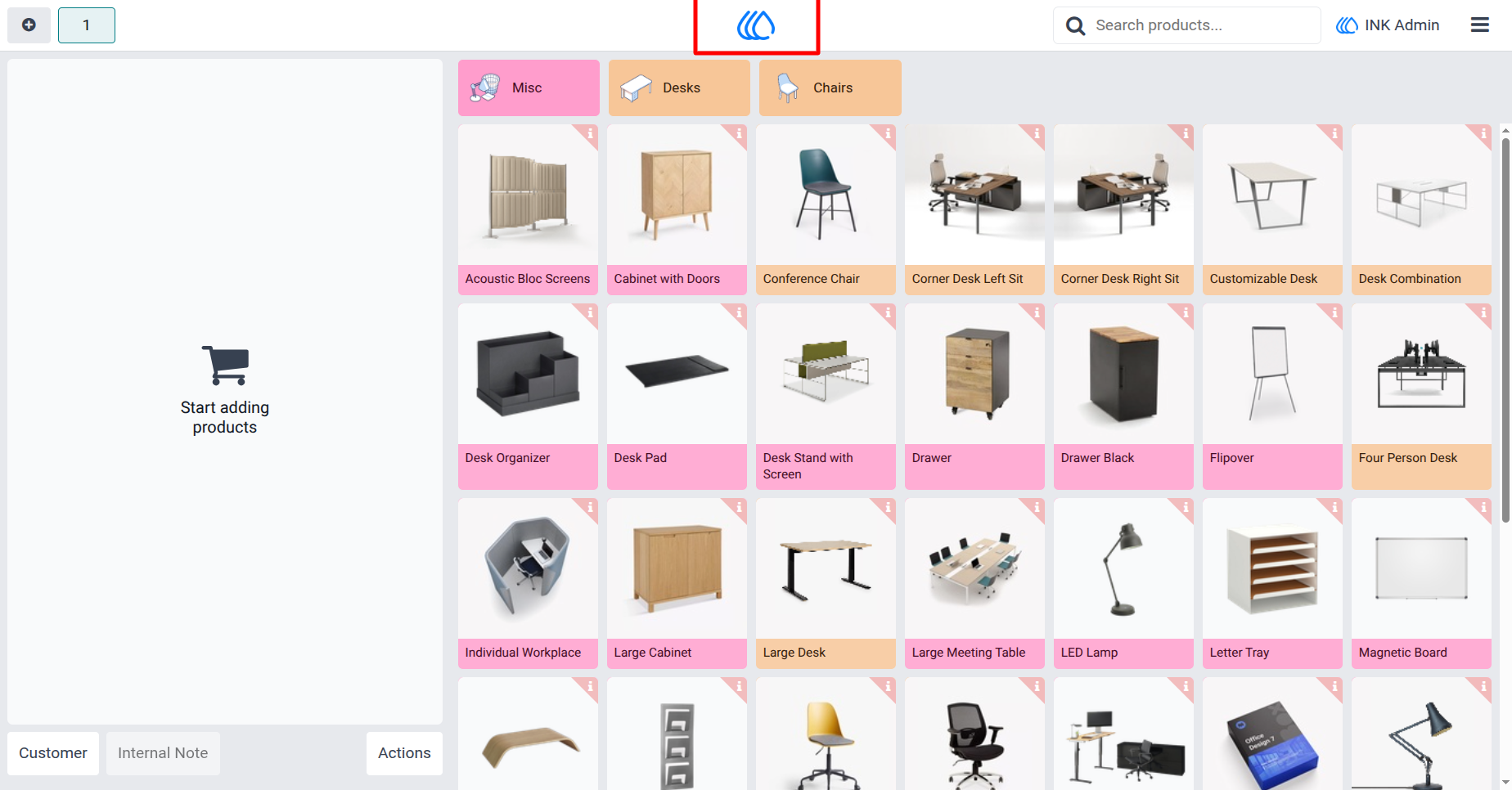
2.) Custom Logo Displayed in POS Interface
Once the logo is uploaded, it automatically appears at the top center of the PoS interface, as shown in this screen. This provides a professional and branded look to your sales environment, ensuring that your business identity is visible to both employees and customers during transactions.
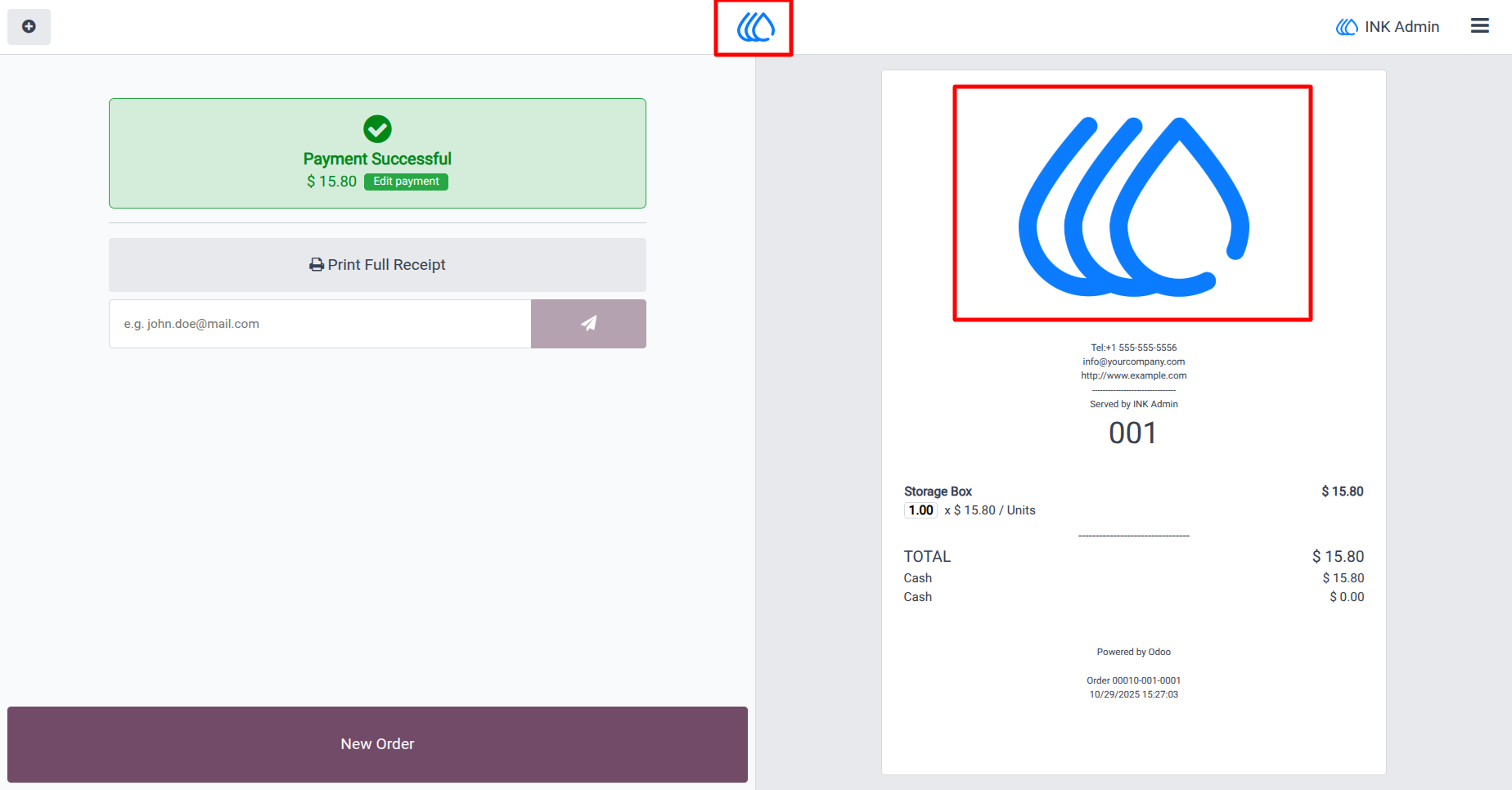
3.) Logo on Printed POS Receipt
This screen highlights how the custom logo appears on the printed customer receipt. After a successful payment, the logo is displayed clearly at the top of the receipt, reinforcing your brand identity in every transaction.
User Guide