

Our Most Suggested Products


Number of Days in PO
The Number of Days in PO module is a practical utility designed to enhance visibility and tracking within the Odoo Purchase management ecosystem. By automatically calculating the age of each Purchase Order from its creation date, this application empowers procurement teams to monitor lead times and pending requests at a glance.
 Features
 Screenshots
 Support
 Service
Features
Automated Aging Calculation
This feature introduces a dynamic "Number of Days" field that automatically computes the time elapsed since a Purchase Order was first generated. Instead of just seeing a static creation date, users are presented with a real-time count of days, providing instant context on the urgency or age of the document.
Precision Procurement Filtering
The module enhances Odoo’s native search functionality by allowing users to filter and group purchase records based on their specific age in days. By entering a specific number into the search bar, procurement managers can isolate all orders created exactly that many days ago or use the data to create custom reporting views.
Screenshot
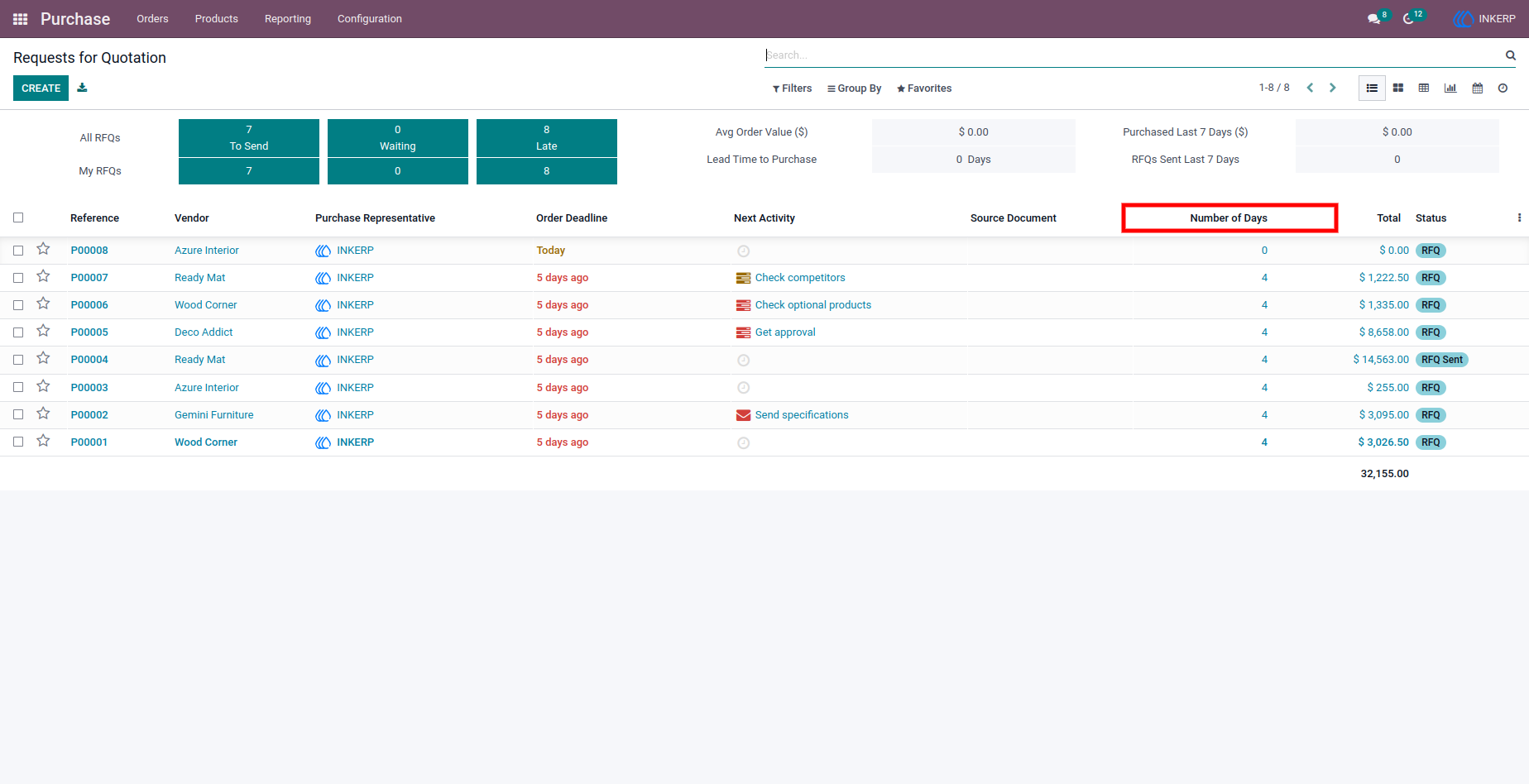
1.) Quotation list view
Here user can see the field named 'Number of Days' where they can see that how many days ago that purchase order has been created.
Navigation : Purchase › Orders › Requests for Quotation view
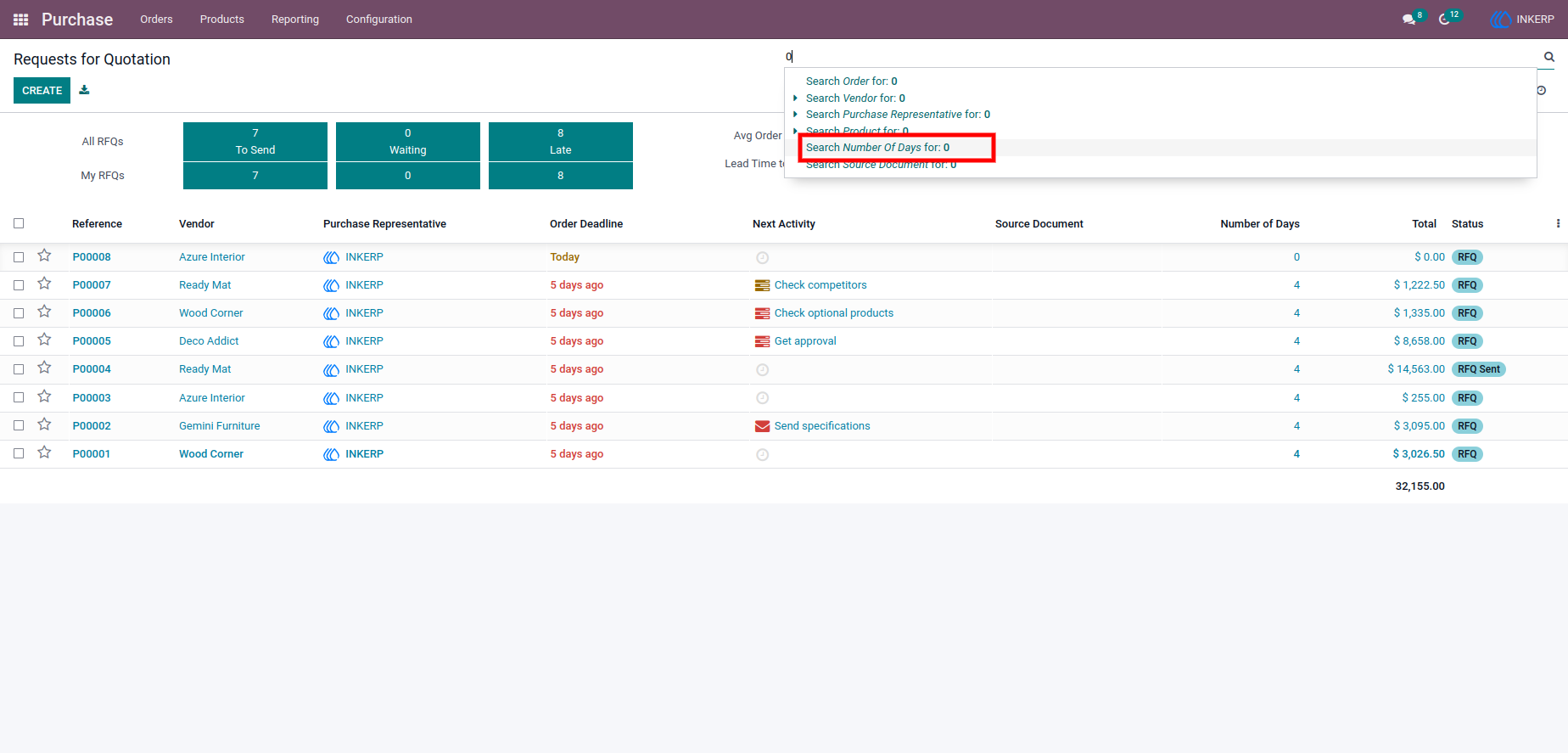
2.) Purchase Requests for Quotation view
Here user can search any number of day for get the listed purchase Order for that day, enter number and select "Number of Day" in list of search field.
Navigation : Purchase › Orders › Requests for Quotation view
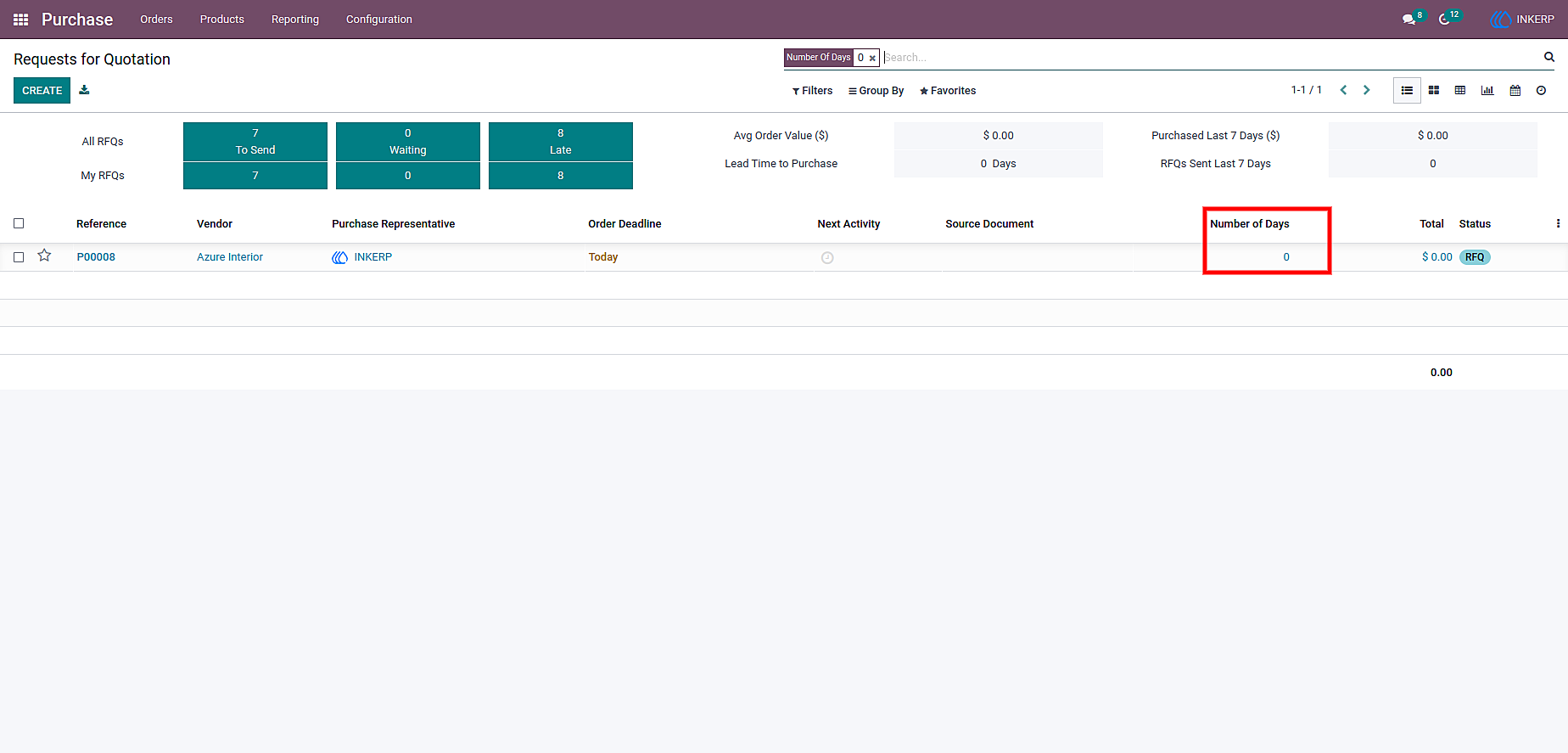
3.) Purchase Quotation list view
Here you can see, purchase order searched by number of days
User Guide