


Our Most Suggested Products


Multi Branch Invoice
The Multiple Branch Invoice module enables branch-specific invoicing in Odoo by allowing invoices and credit notes to be tagged with a branch. It ensures that each user can only view, create, and manage invoices for the branches they’re assigned to. This adds accuracy, clarity, and security to multi-branch financial operations. Perfect for companies managing multiple locations or outlets and requiring branch-level billing, segregation, and reporting.
Video Tutorial

 Features
 Screenshots
 Support
 Service
Features
Assign Branch to Invoices
Adds a Branch field to customer invoices, vendor bills, and credit notes. Branch is auto-filled based on the users current branch.
Restrict Invoice Access by Branch
Users can only see and manage invoices and credit notes for their assigned branch, ensuring data separation and compliance.
Auto-Assign Branch in Invoicing Flow
Branch set in related sale/purchase orders is automatically carried forward to the invoice, maintaining consistency across transactions.
Branch Filters in Invoice Views
Add branch filters and group-by options in tree, kanban, and search views making branch-level navigation simple and quick.
Screenshot
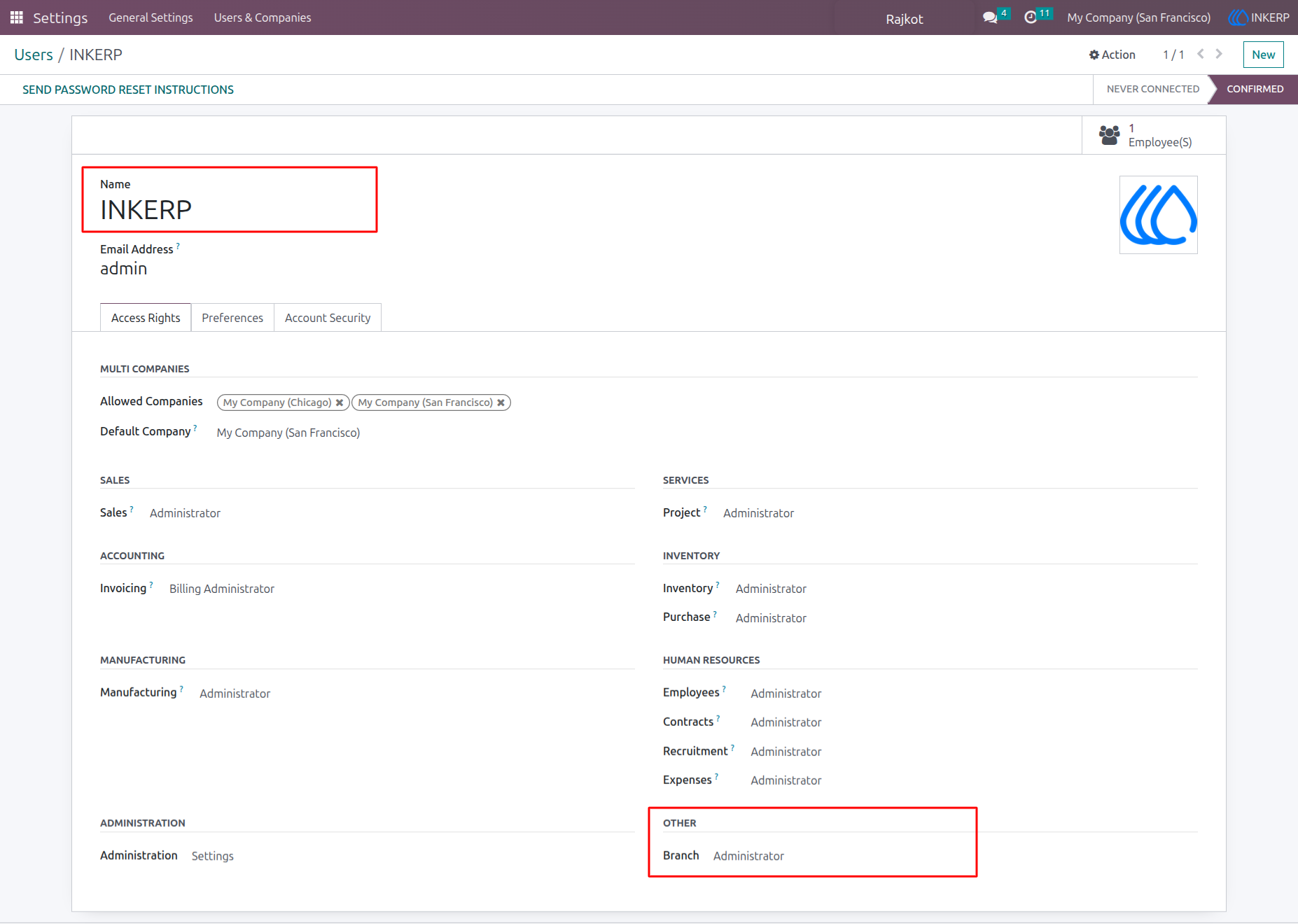
1) Branch Admin Access Assign
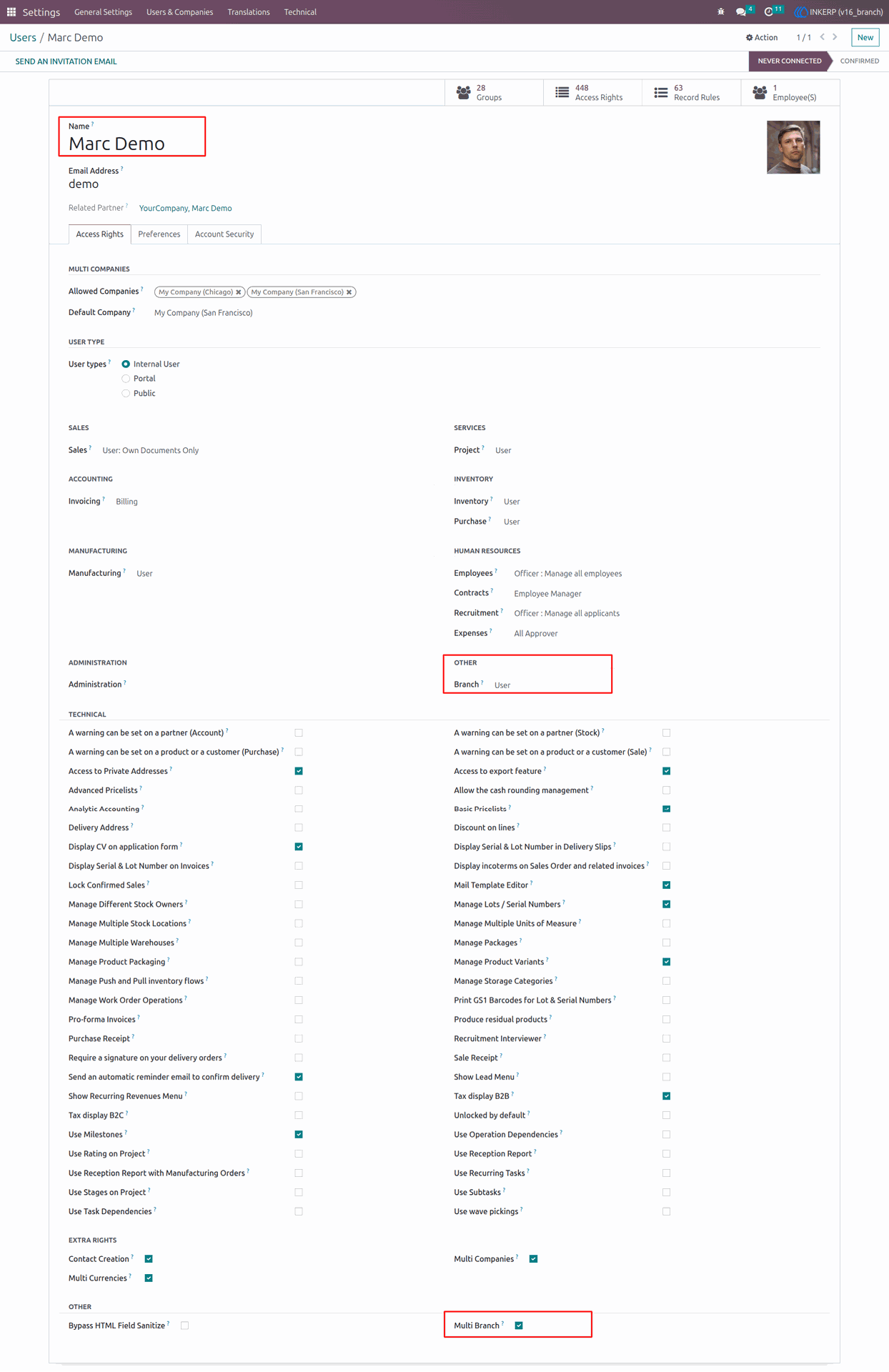
2) Branch User Access Assign
Marc Demo now has Branch and Multi-Branch access.
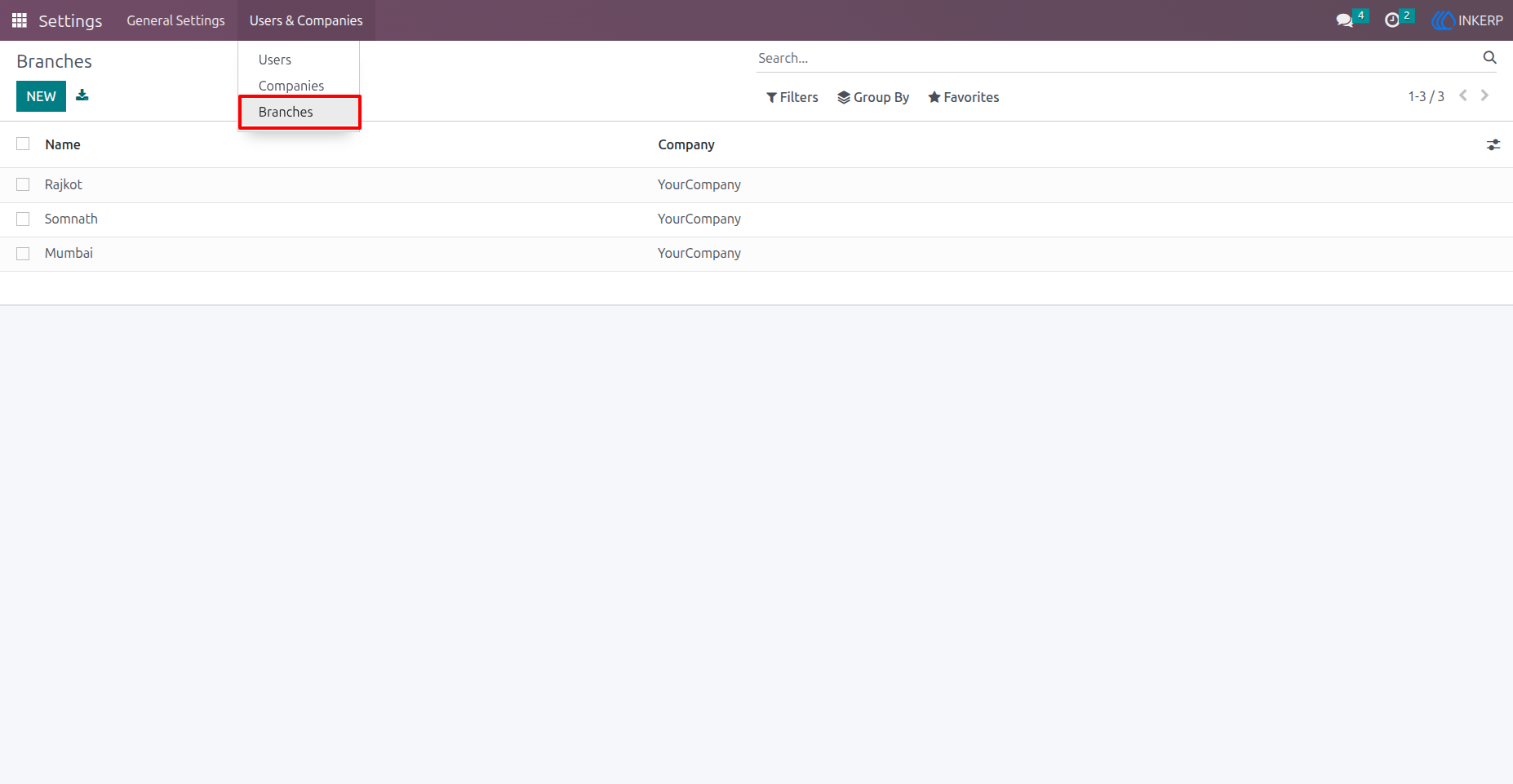
3) Branch View
Navigation : Settings > Users & Companies > Branches
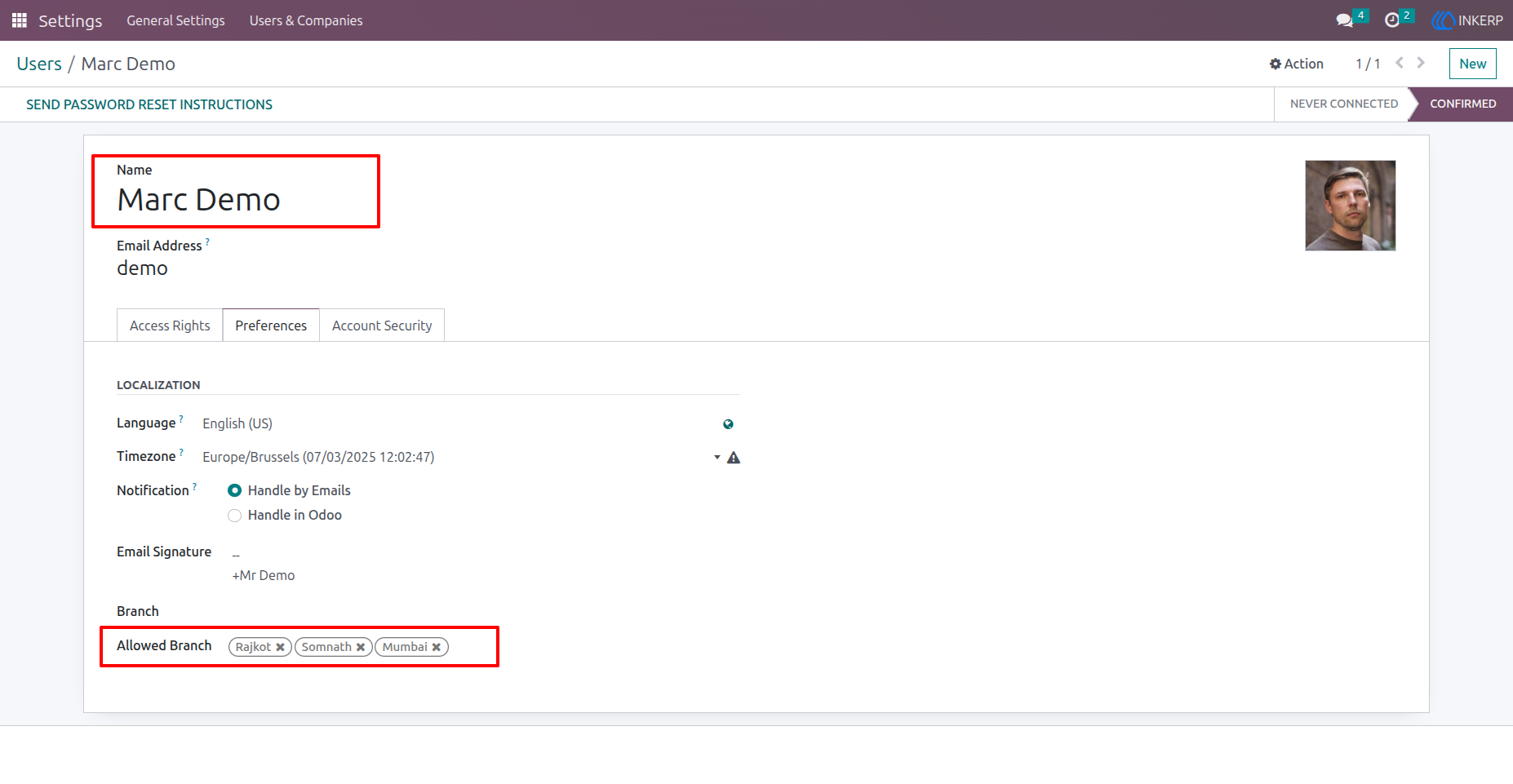
4) Assign multiple Branches to user.
Marc Demo now has access to multiple branches.
Navigation : Settings > Users & Companies > Users
5) Branch Selection User Side
Marc Demo can easily switch branches anytime.
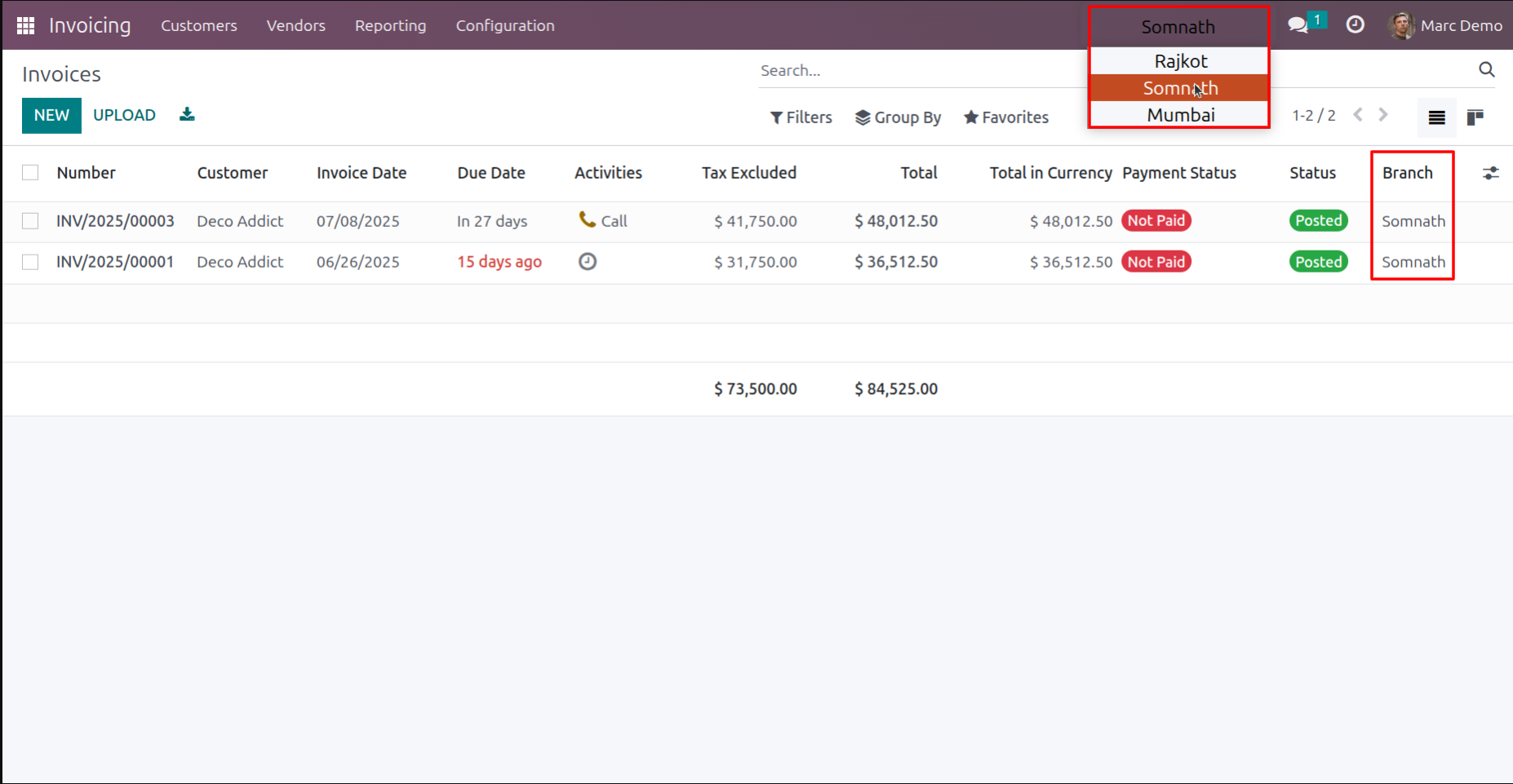
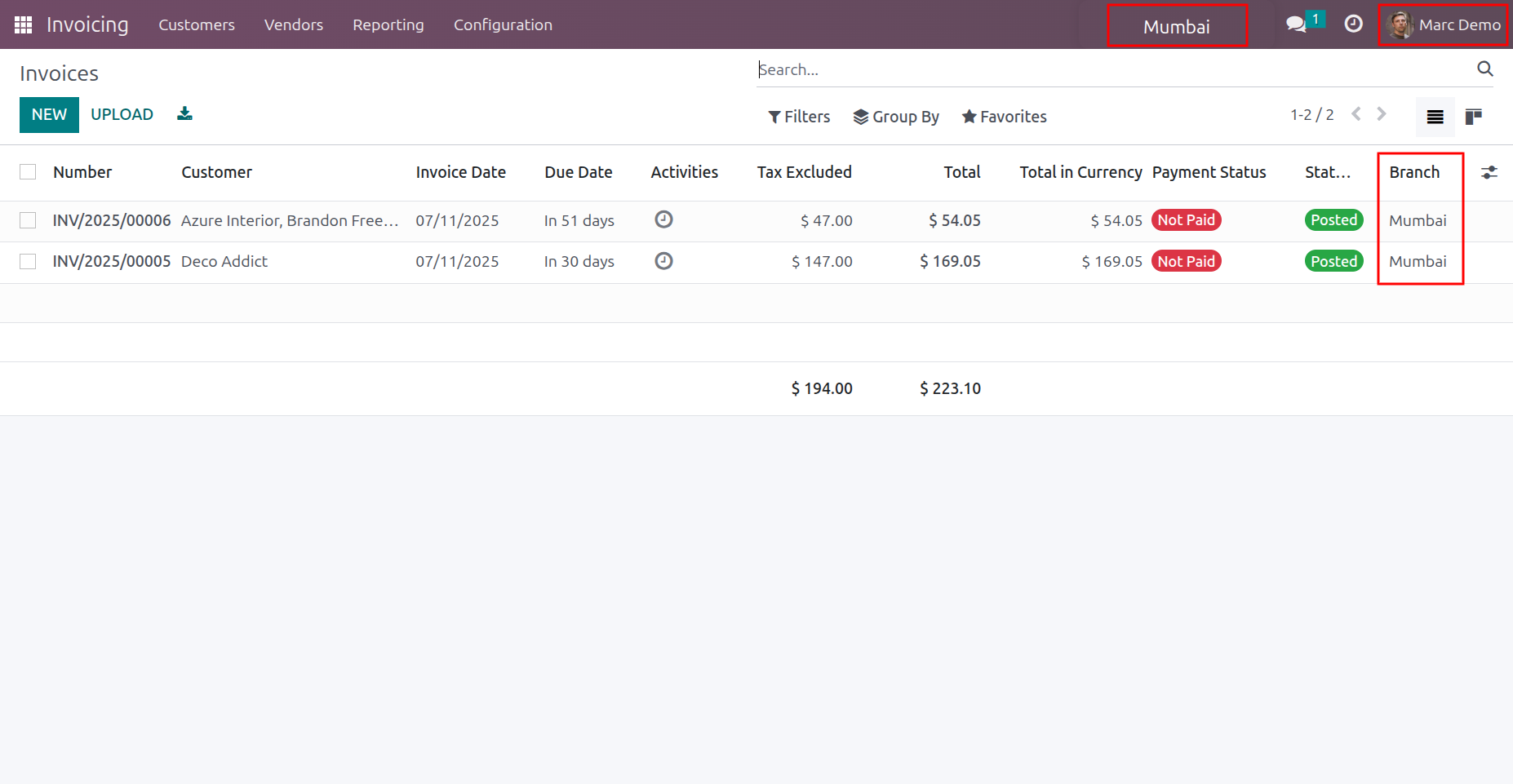
6) Branch based Record visibility
Here marc demo changed his current branch into Mumbai.Marc Demo now sees only Invoices from the Mumbai branch.
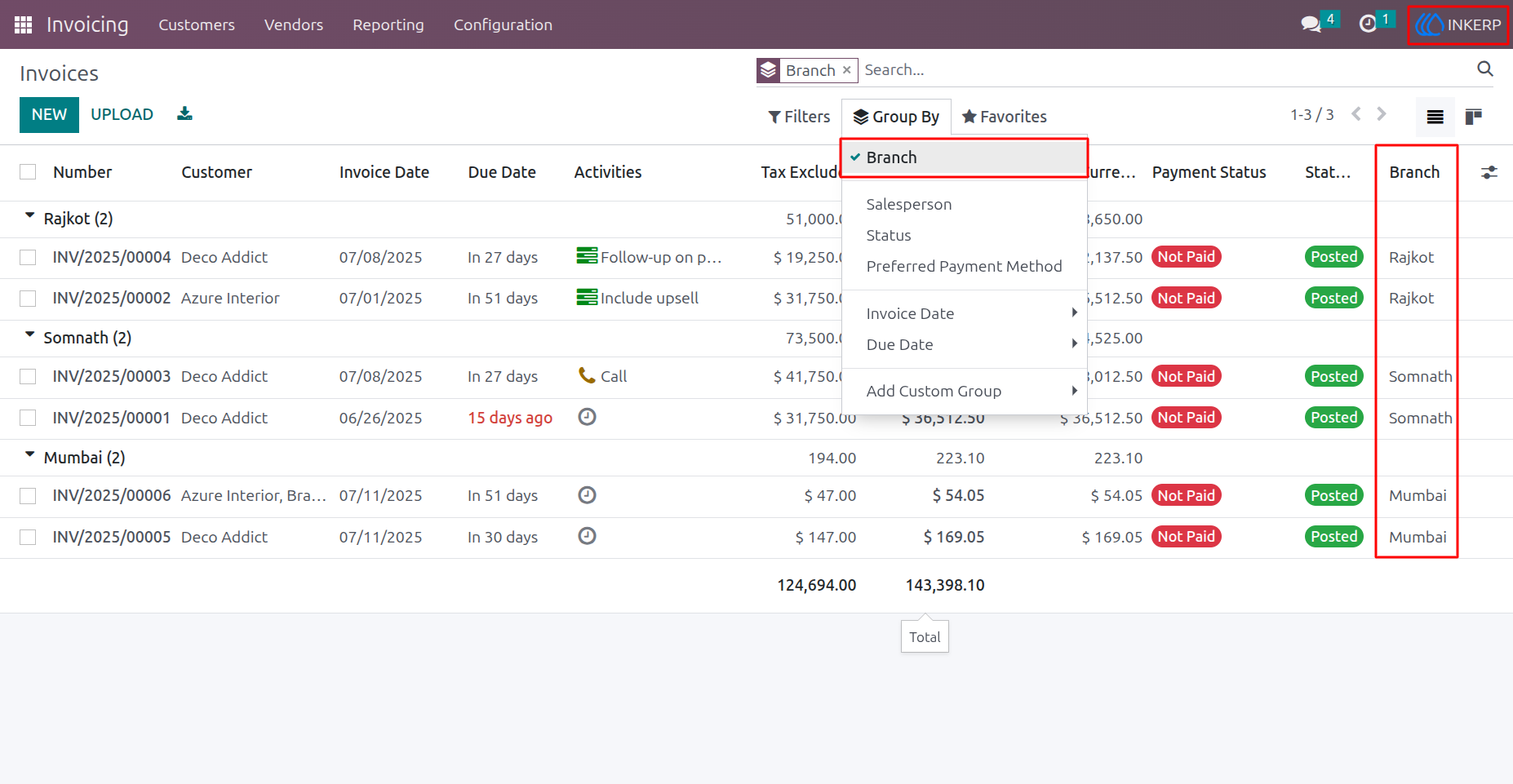
7) Admin Access invoices
Admins have unrestricted access to all Invoices, and users can view them with convenient grouping options.
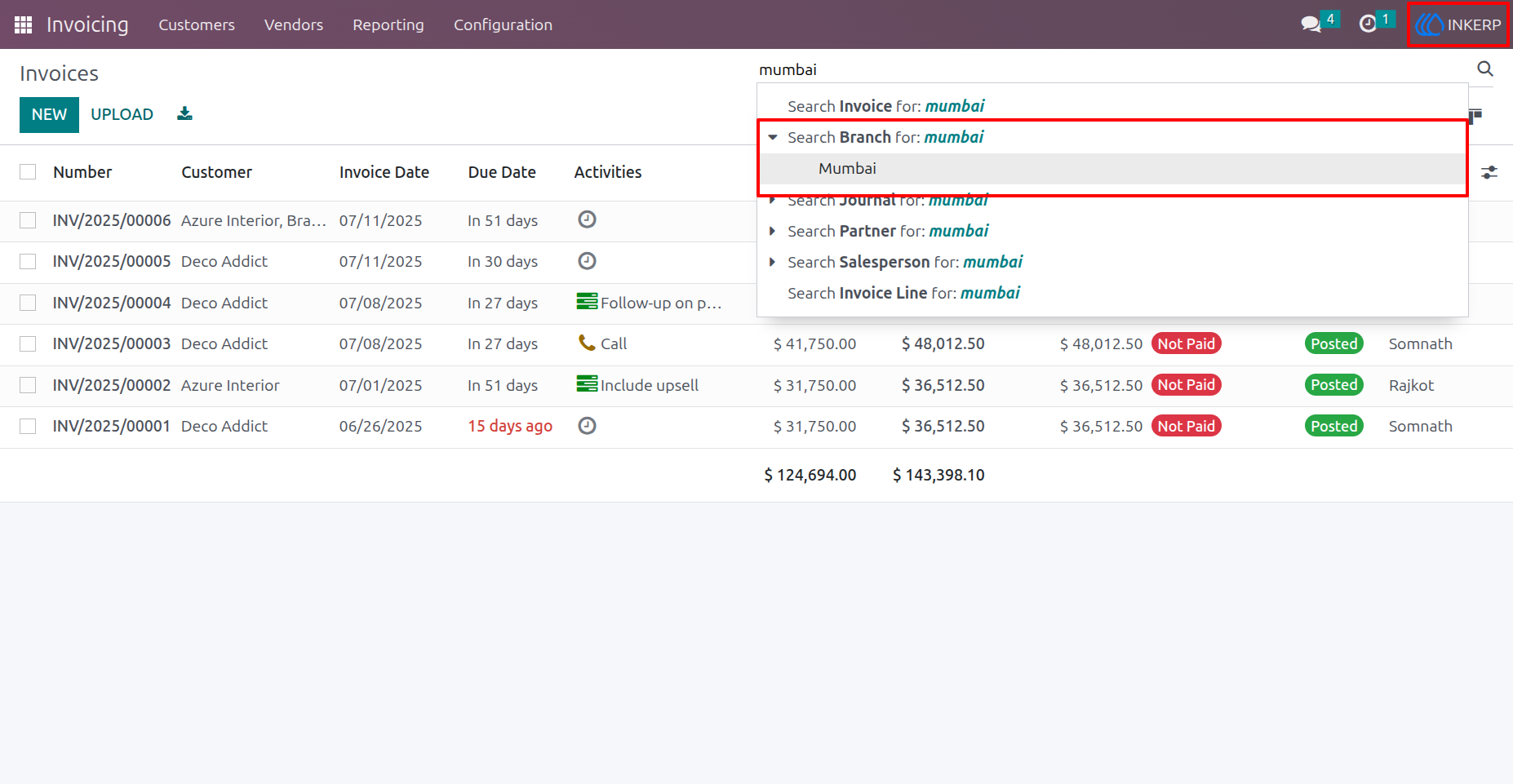
8) Invoices Filter By Branch
Search Invoices quickly by branch.
User Guide