

Our Most Suggested Products


Merge Product Packaging
The Merge Product Packaging module automatically consolidates identical product lines with different packaging into a single, unified line within Delivery Orders. It applies this exact same logic to Manufacturing Orders, generating one consolidated production run instead of fragmented operations. The original packaging details remain fully traceable within a dedicated reference tab, ensuring accurate final parcel preparation.
 Features
 Screenshots
 Support
 Service
Features
Intelligent Supply Chain Consolidation
Automatically aggregates identical product demands across both logistics and manufacturing workflows. The engine seamlessly intercepts standard Make-To-Order routing, merging fragmented sales lines into unified delivery transfers and single, optimized production runs.
Granular Demand Traceability
Preserves specific customer packaging requirements without disrupting standard sales operations. Dedicated reference points within fulfillment and production records ensure warehouse and assembly personnel possess precise instructions for final parcel preparation.
Centralized Rules Management
Offers secure, global configuration parameters to independently govern consolidation logic. Administrators maintain complete authority to activate or bypass aggregation behaviors across both inventory processing and factory scheduling.
Screenshot
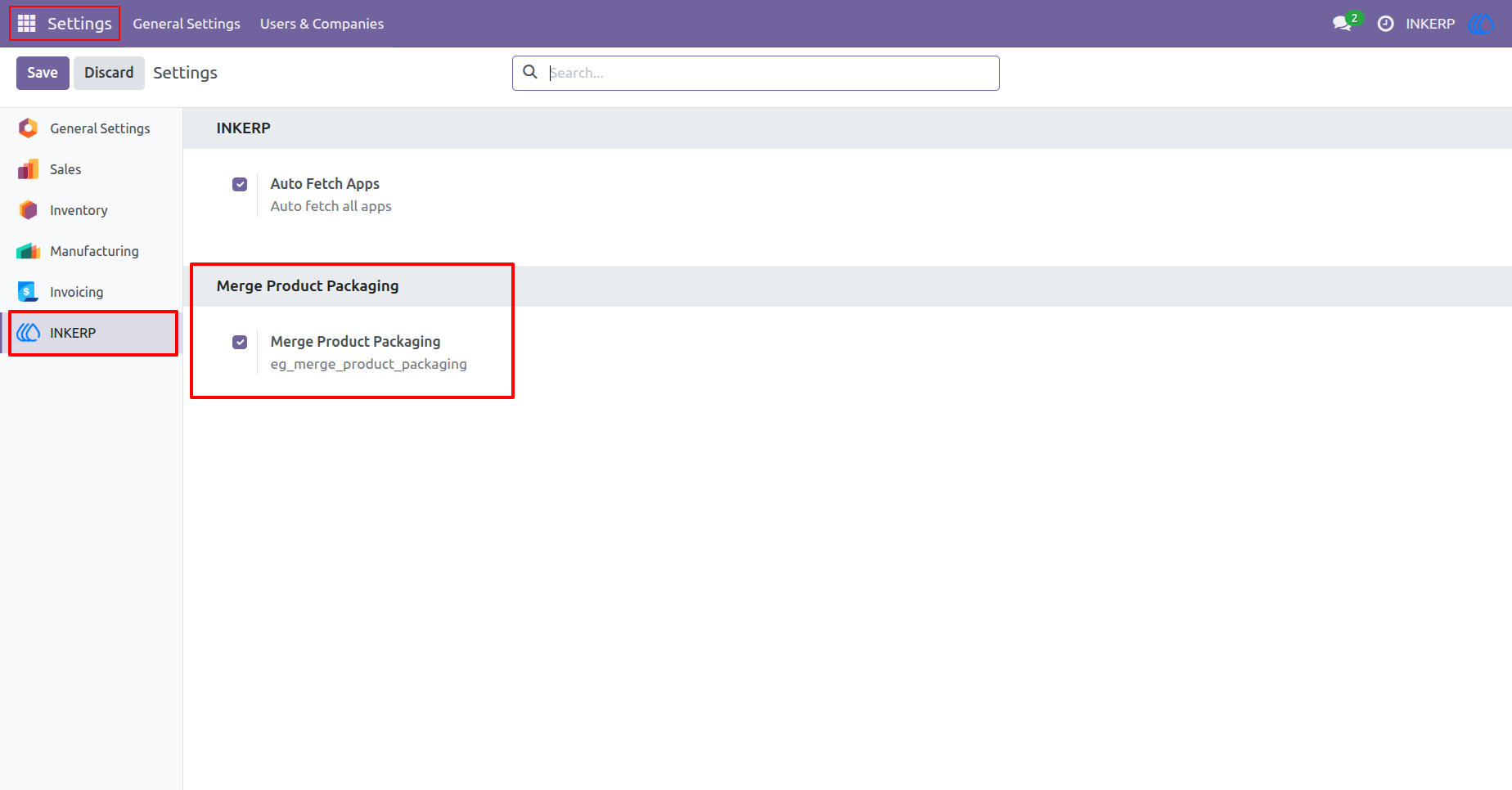
1.) Global Activation
"Merge Product Packaging" is enabled by default, but the admin can toggle it on or off via INKERP settings. Disabling it will cause all app features to stop working, while enabling it will restore their functionality.
Navigation : Settings › INKERP
2.) Sales Order Entry
Add multiple order lines for the exact same product using distinct packaging units. Once all customer requirements are logged, validate the transaction to trigger the automated consolidation sequences.
Navigation : Sales › Orders › Quotations
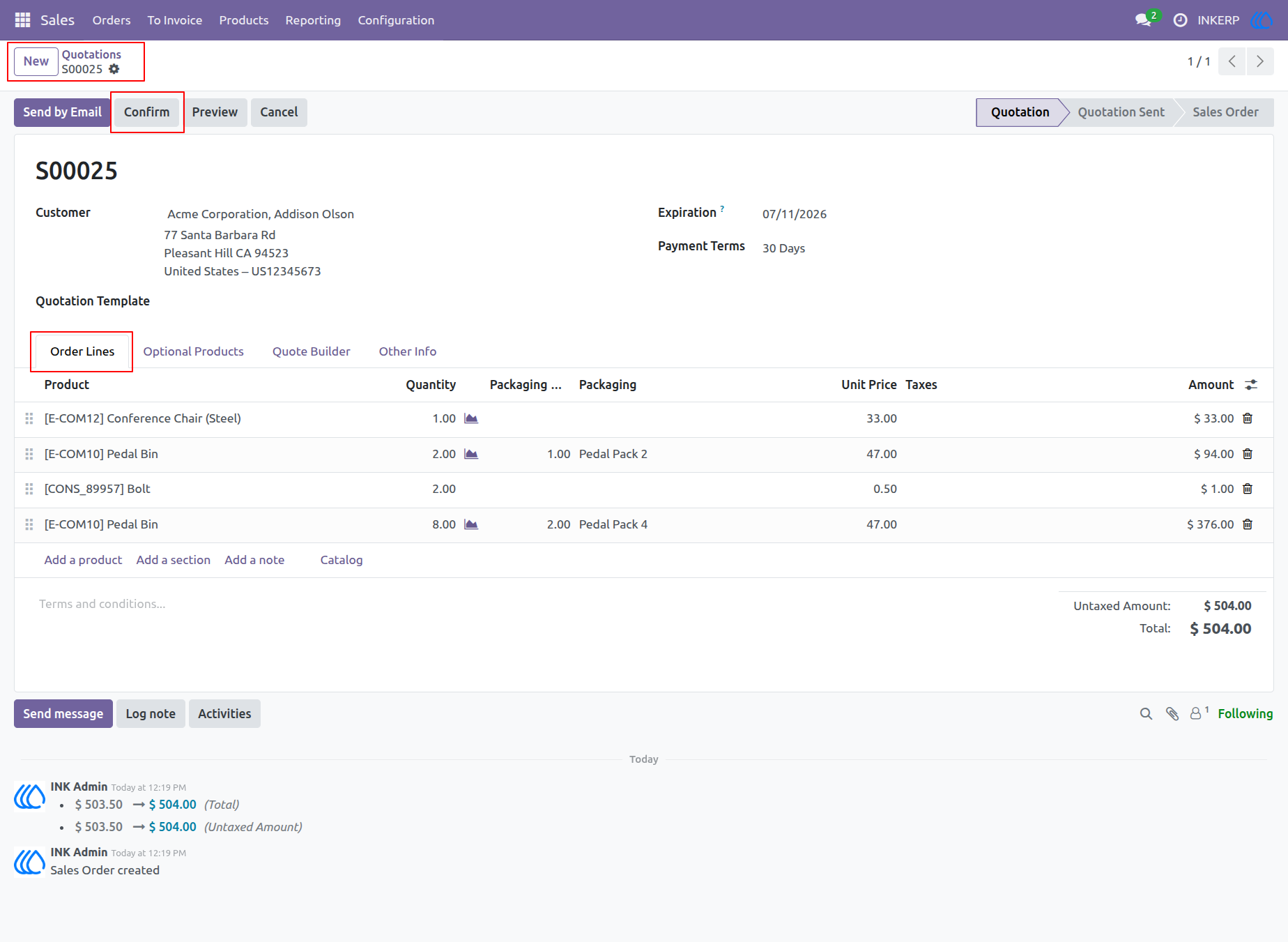
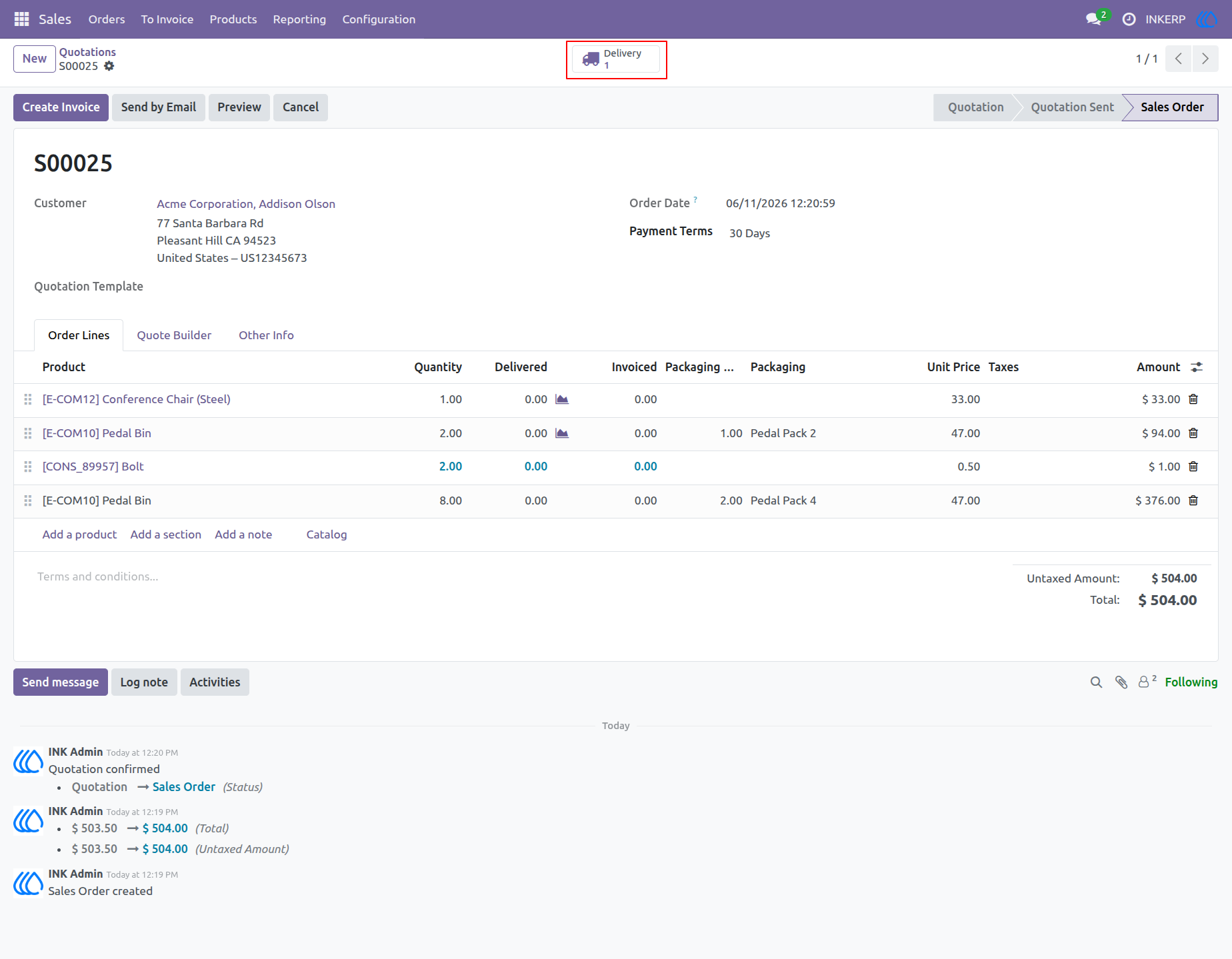
3.) Delivery Generation
Validating the quotation instantly processes the logistics requirements. Access the associated stock transfers directly from the generated quick link to review the automated consolidation.
Navigation : Sales › Orders › Quotations
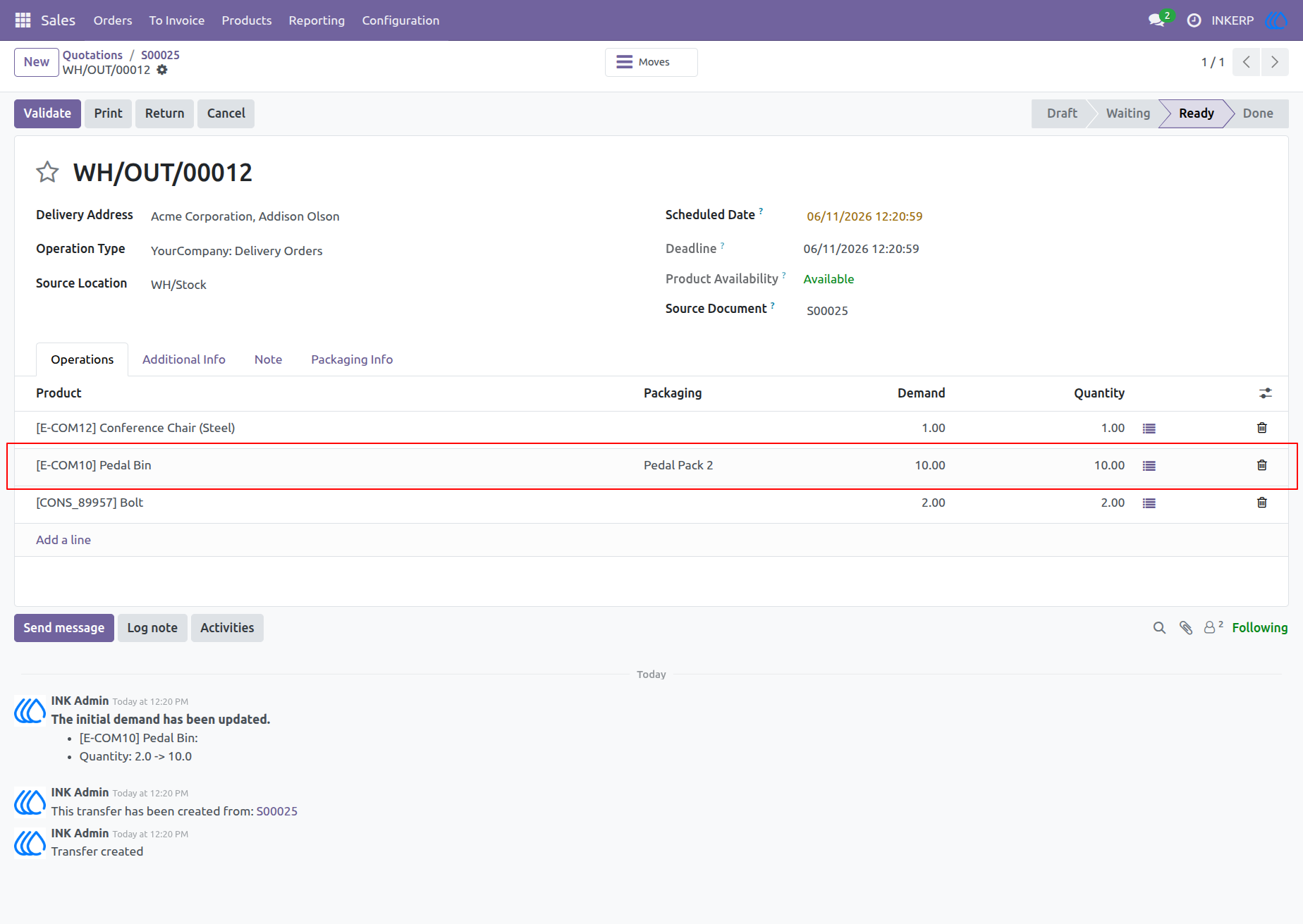
4.) Merged Operations
The system automatically aggregates the previously separated product lines into a single, unified quantity. This optimizes warehouse picking procedures by combining identical product demands.
Navigation : Sales › Sales Order › Delivery
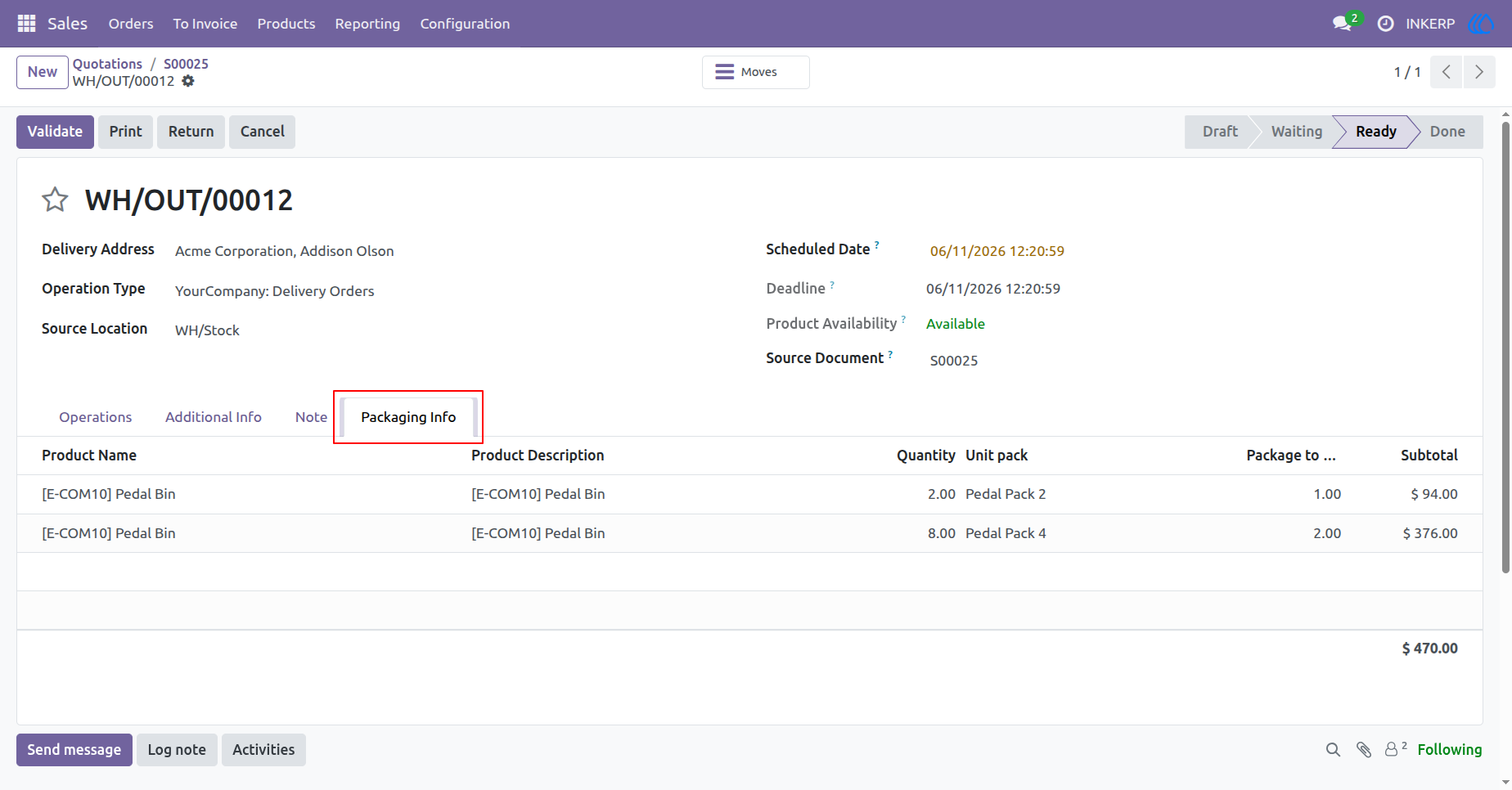
5.) Packaging Reference
Review the original, granular packaging requests directly within the logistics record. This dedicated section preserves specific customer requests for packing and final shipment verification.
Navigation : Sales › Sales Order › Delivery
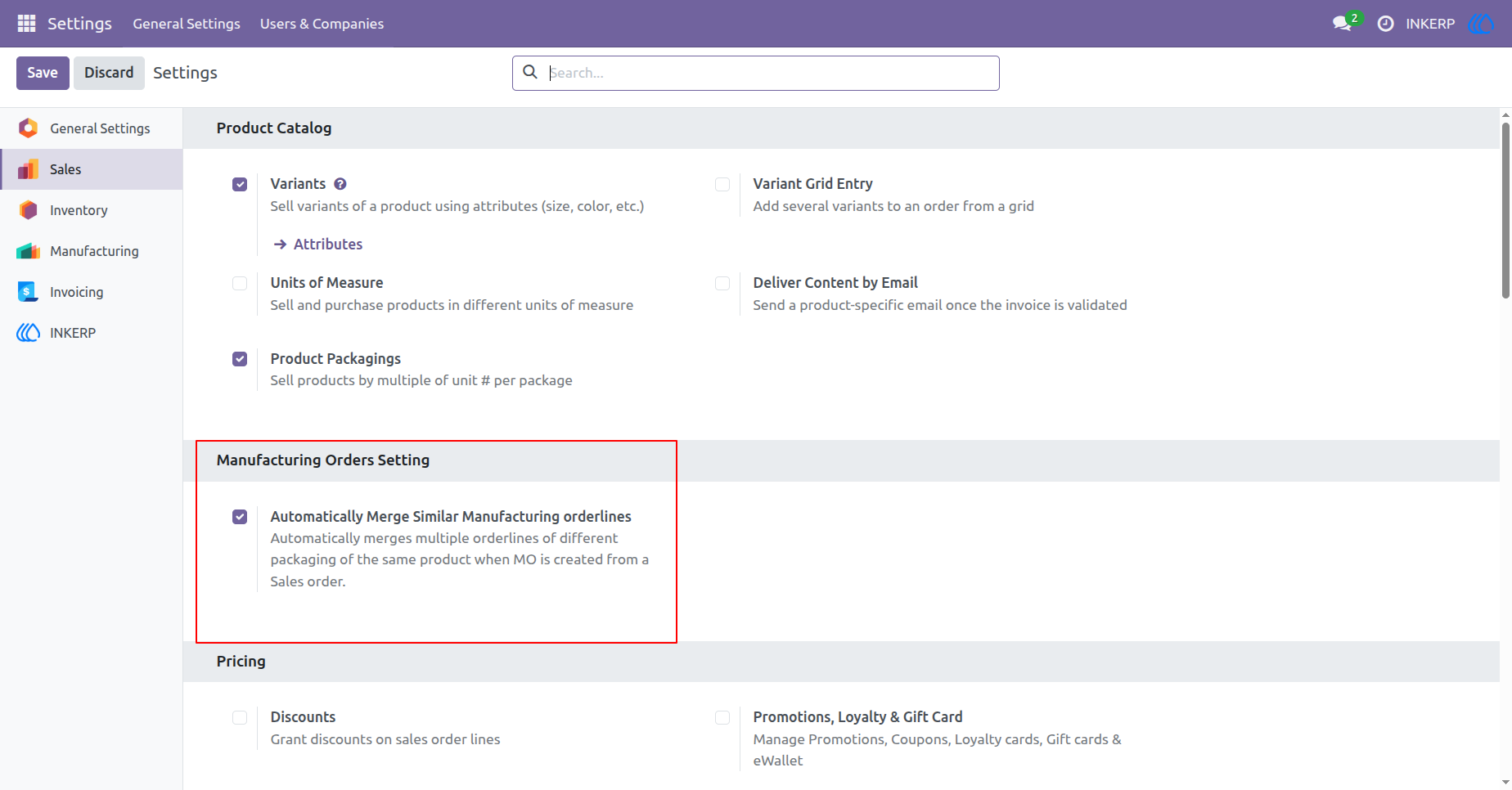
6.) MRP Configuration
Toggle the specific parameter to extend the consolidation logic into production workflows. This ensures manufacturing orders mirror the optimized, aggregated quantities seen in logistics processing.
Navigation : Settings › Sales
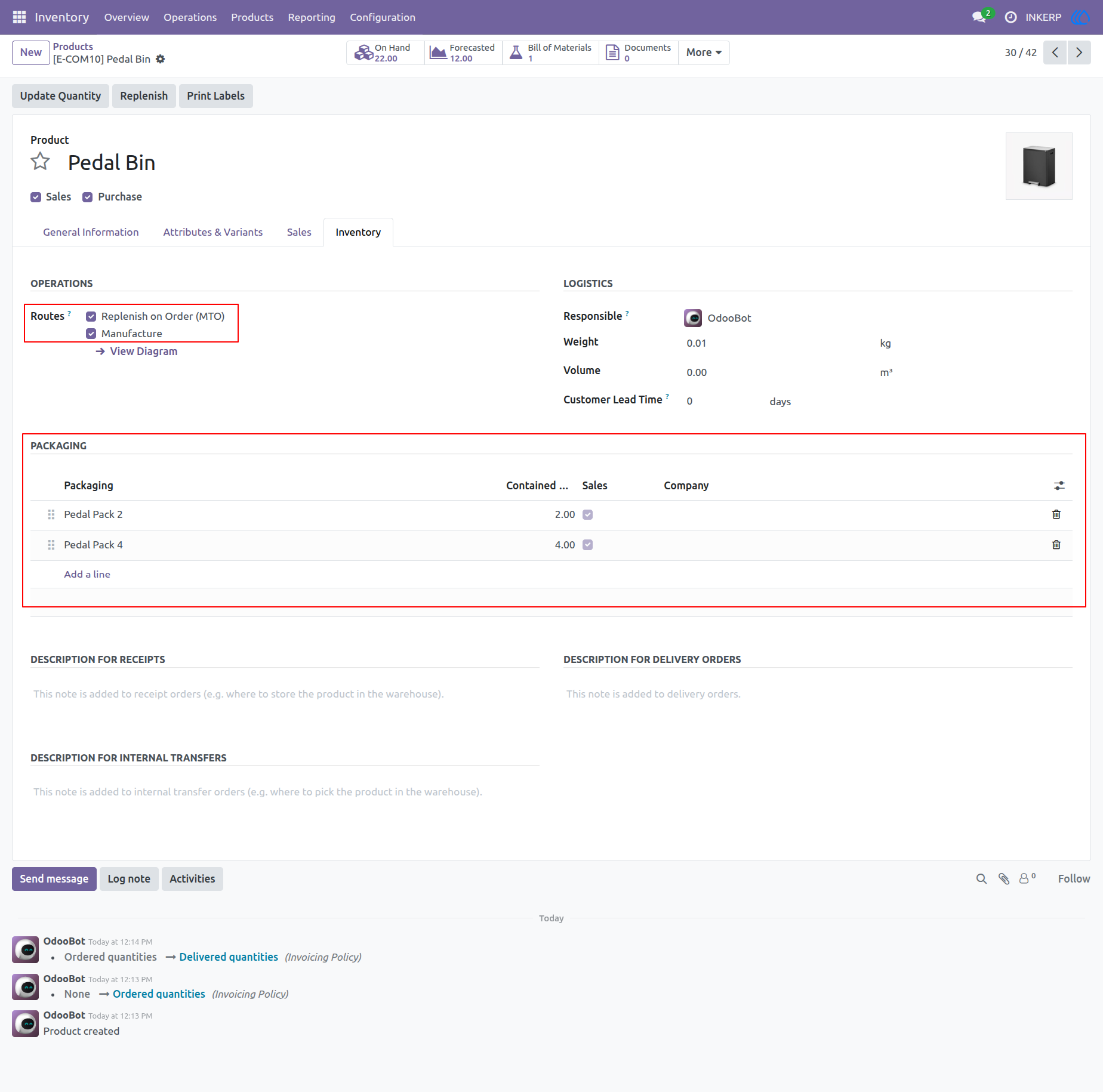
7.) MTO Configuration
Configure the product routing to trigger automated production upon customer demand. Define specific unit capacities here to enable accurate tracking throughout the supply chain cycle.
Navigation : Inventory › Products
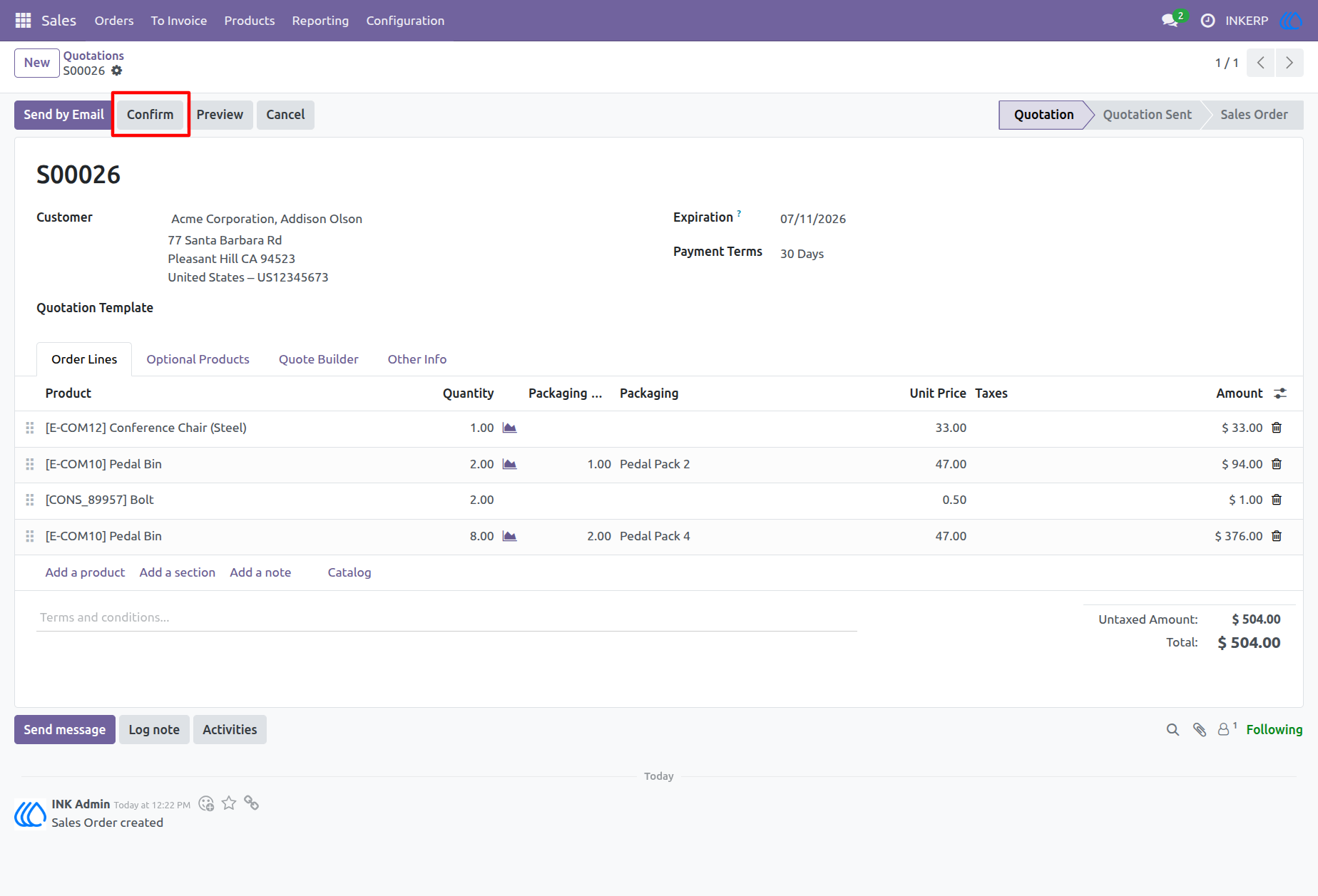
8.) Trigger Production
Process a new customer request containing multiple packaging variations for a manufactured item. Validating this record initiates the Make-To-Order sequence based on the predefined routing rules.
Navigation : Sales › Orders › Quotations
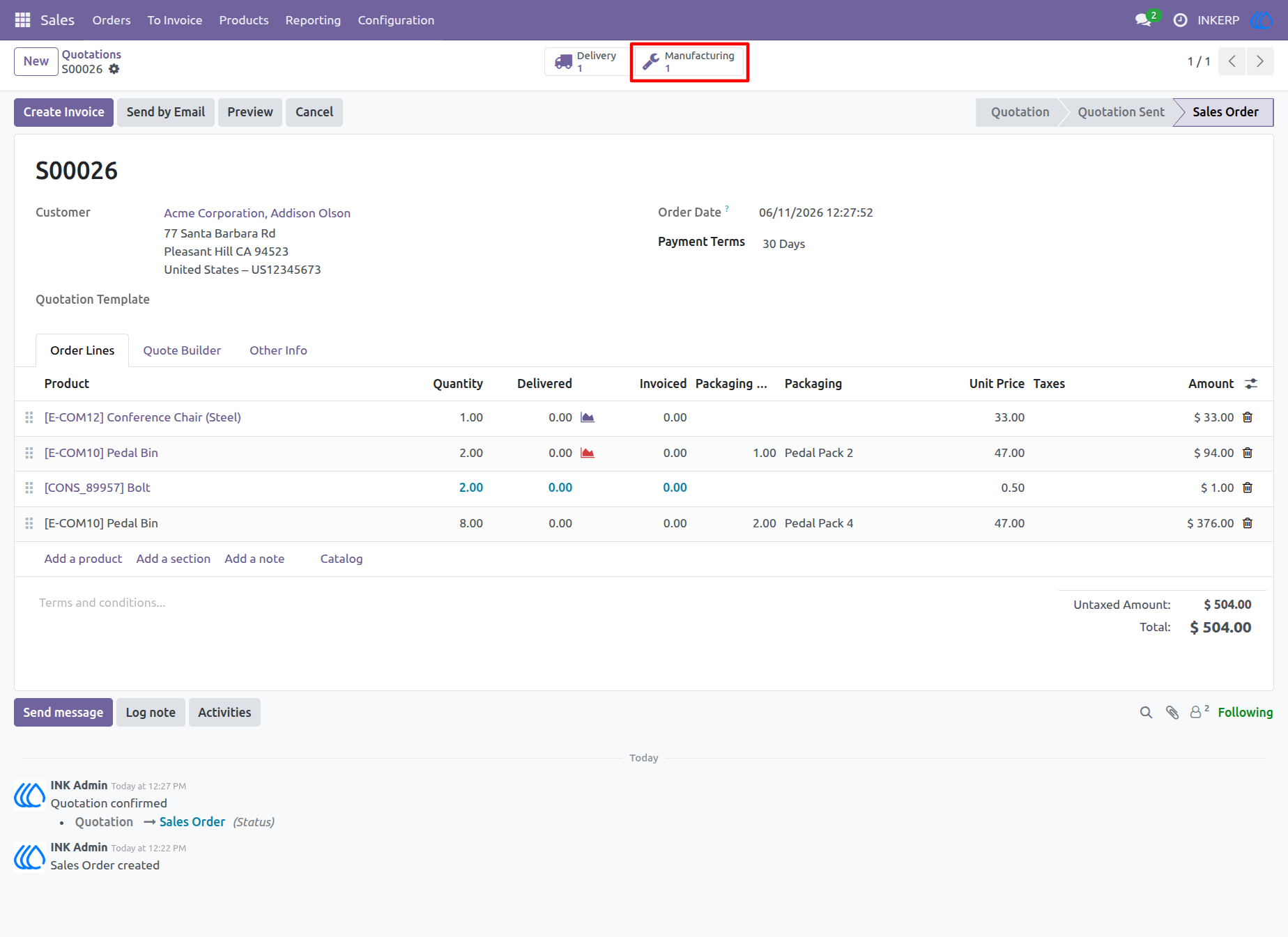
9.) Production Linkage
The automated procurement rules instantly generate the required production records. Navigate seamlessly to the related work orders using the newly generated quick access link.
Navigation : Sales › Orders › Quotations
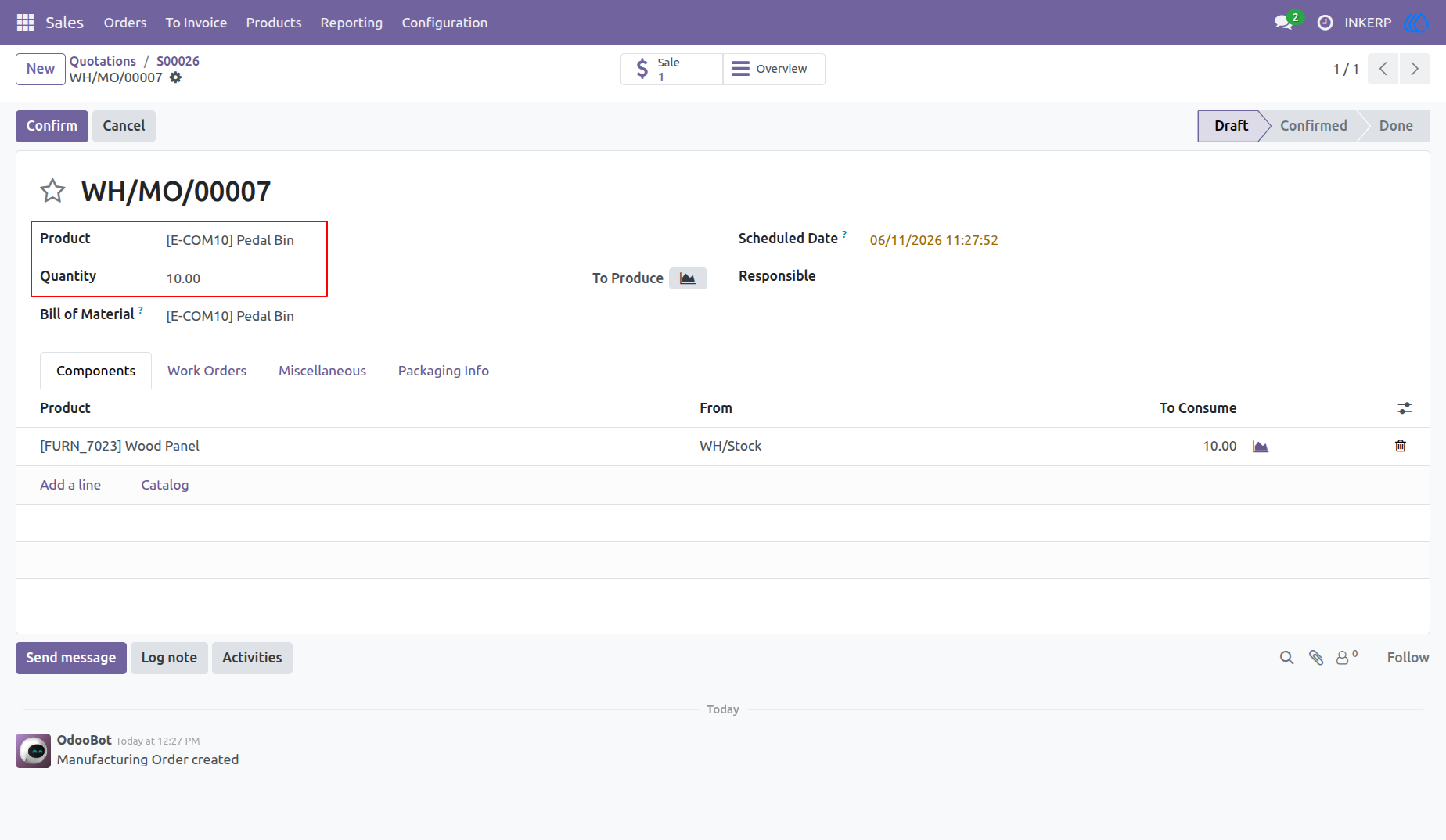
10.) Consolidated MO
Observe the finalized production request featuring a single, unified quantity. The system successfully bypasses standard separation rules to schedule one optimized manufacturing run.
Navigation : Sales › Sales Order › Manufacturing
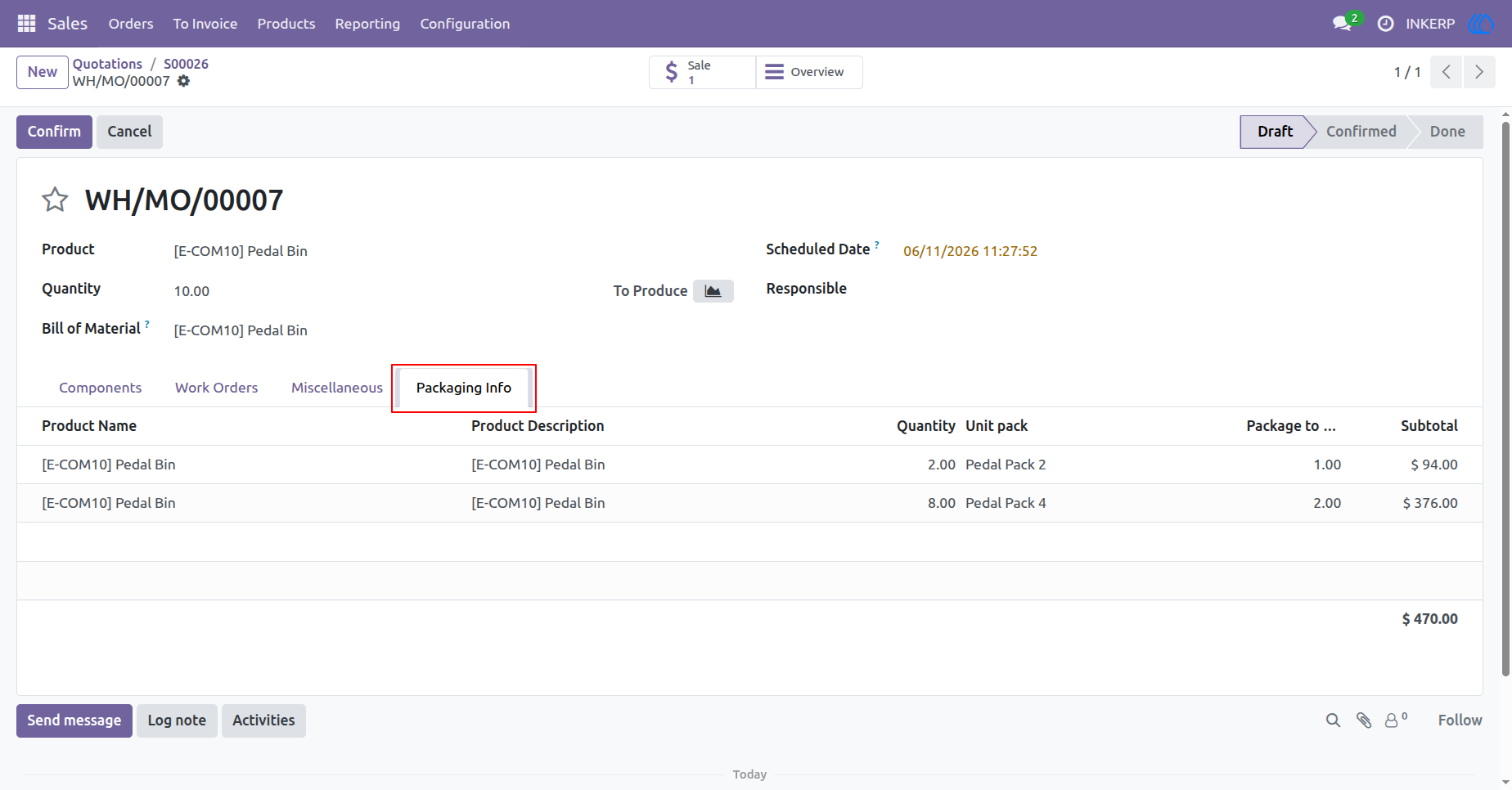
11.) Production Details
Access the specific customer grouping mandates preserved directly within the production record. Floor workers utilize this breakdown for accurate final assembly and preparation.
Navigation : Sales › Sales Order › Manufacturing
User Guide