

Our Most Suggested Products


Mass Product Available/Not Available in POS
The Mass Product Available/Not Available in POS app provides an efficient way to manage product visibility in point of sale systems. It enables bulk actions to mark multiple products as available or unavailable, reducing manual effort and improving operational speed. This functionality can be controlled directly from Inkerp settings, allowing flexible activation or deactivation as needed.
 Features
 Screenshots
 Support
 Service
Features
Bulk Product Point of Sale Availability
Quickly mark multiple products as available in the point of sale system with a single action. This reduces manual updates and ensures that items are instantly visible for transactions.
Bulk Product Point of Sale Unavailability
Effortlessly set multiple products as unavailable when needed. This helps maintain accurate inventory visibility and prevents unavailable items from appearing in sales operations.
Flexible Settings Control
The functionality can be enabled or disabled directly from Inkerp settings. This provides full flexibility to activate bulk availability management only when required.
Screenshot
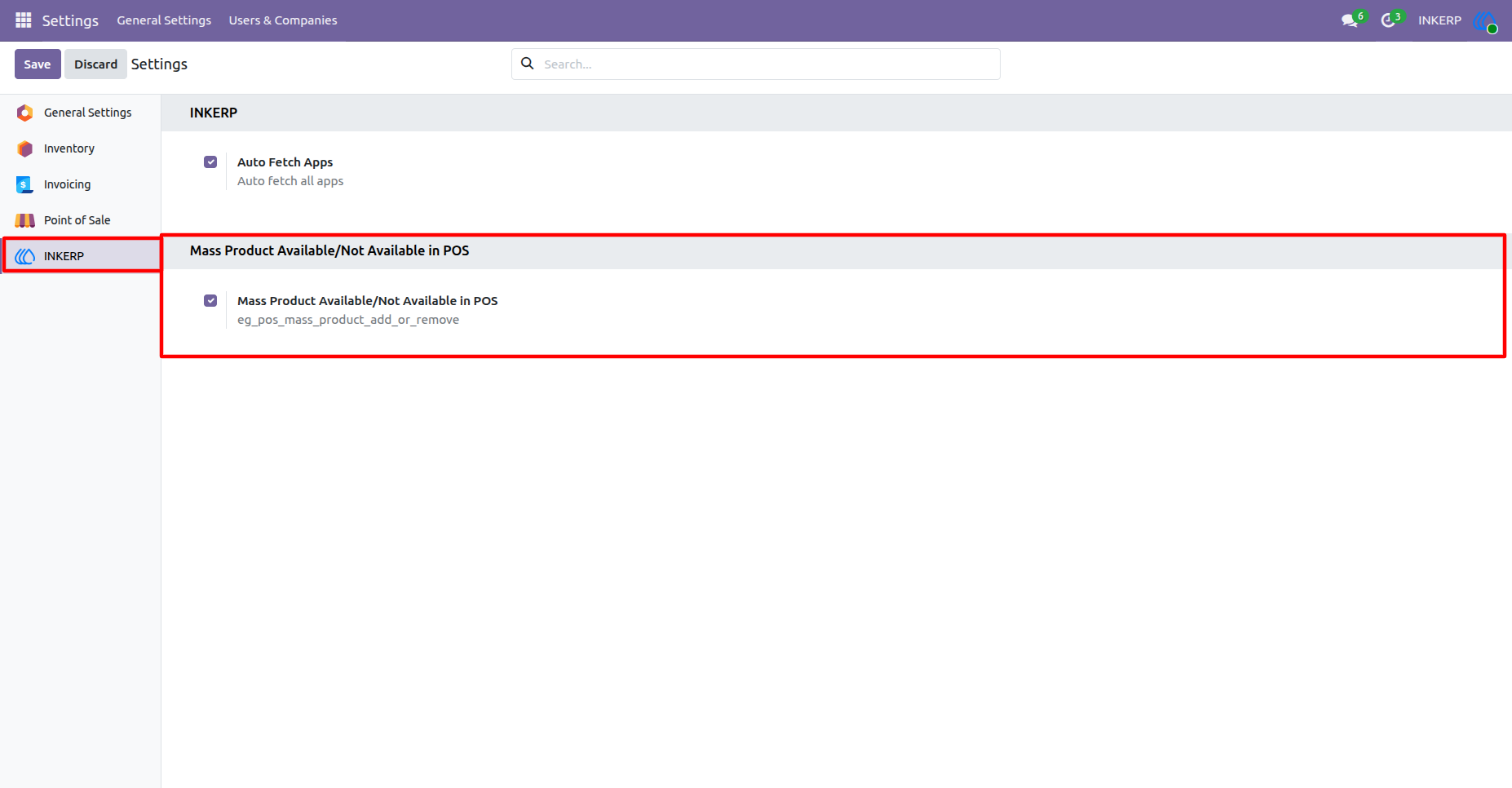
1.) Enable Mass Product Available/Not Available in POS :
By default Mass Product Available/Not Available in POS is enabled but it can be enable or disable as per need from the settings of INKERP.
Navigation : Settings › INKERP
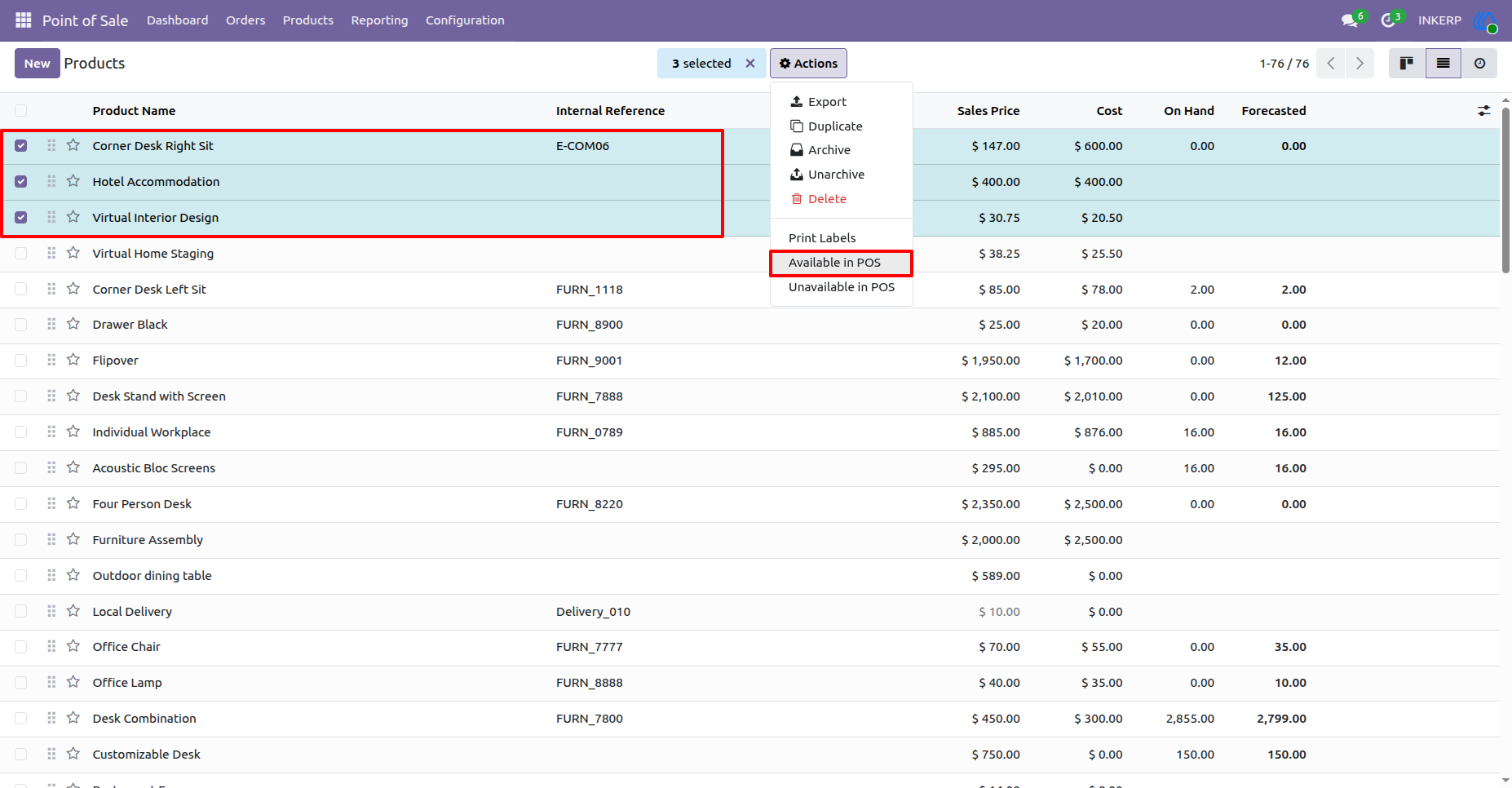
2.) Select Product to Availbale in Point Of Sale :
Navigation : Point of Sale › Products › Products
3.) Product Availbale in Point Of Sale :
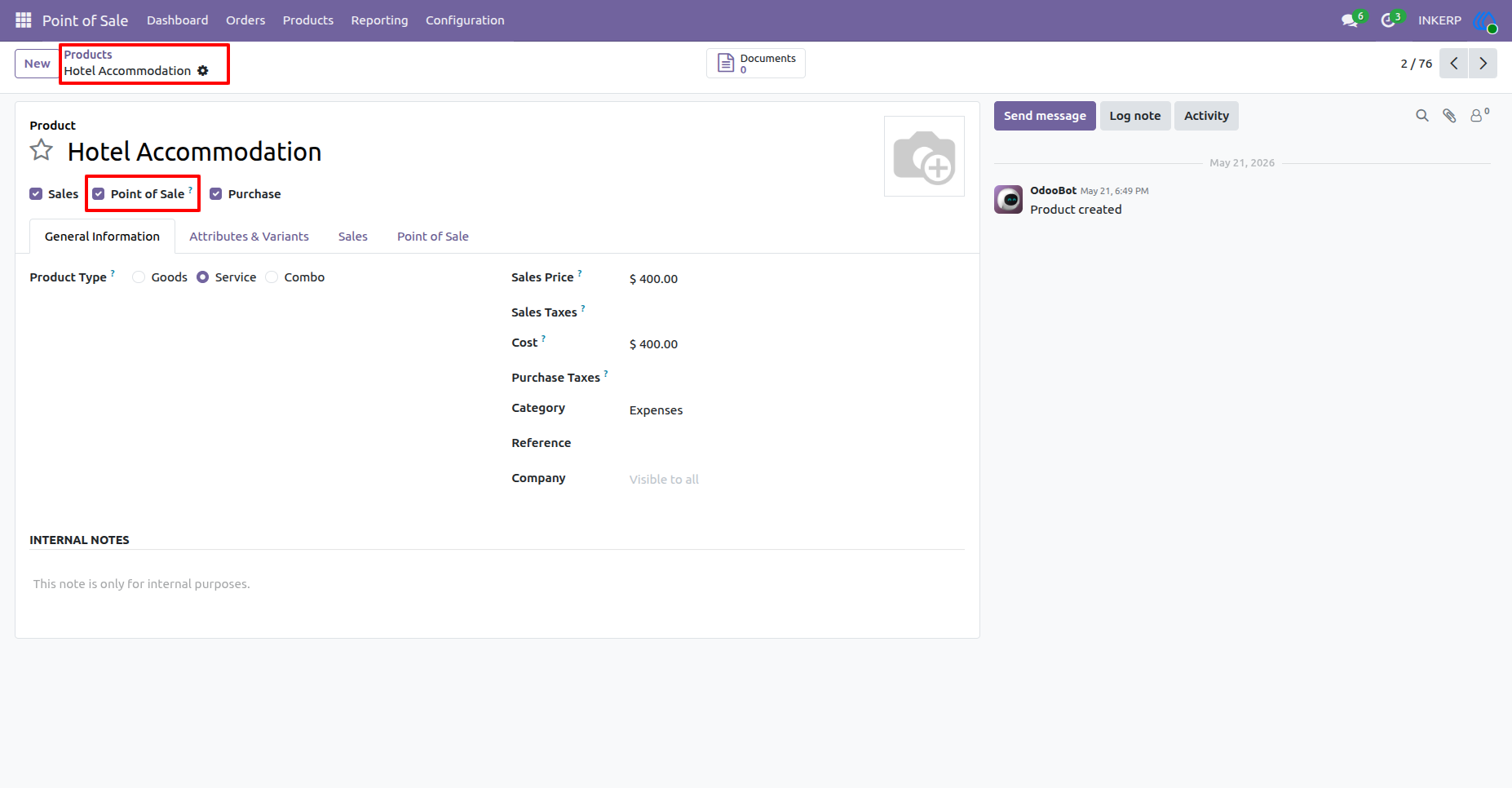
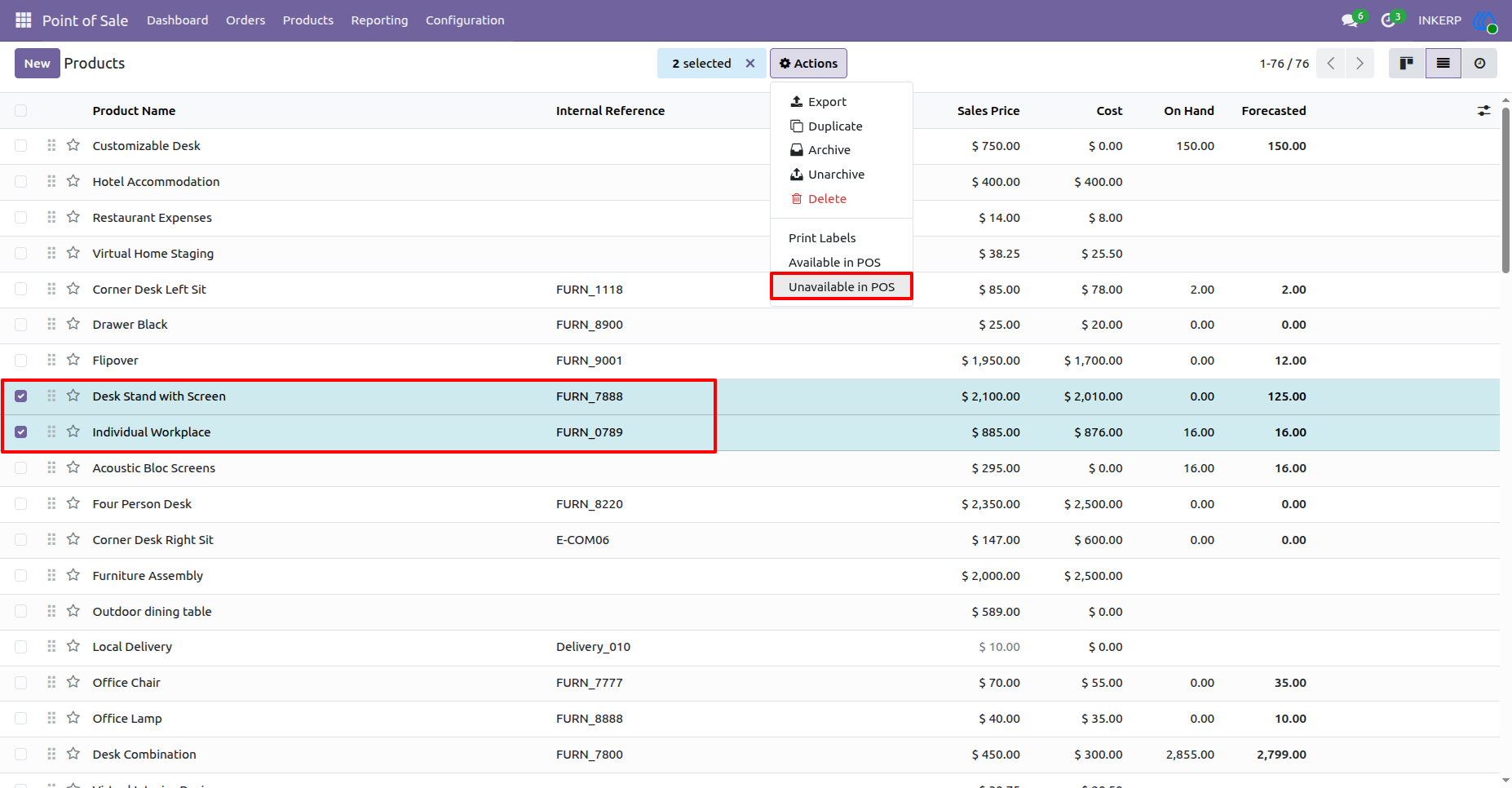
4.) Select Product to Unavailbale in Point Of Sale :
Navigation : Point of Sale › Products › Products
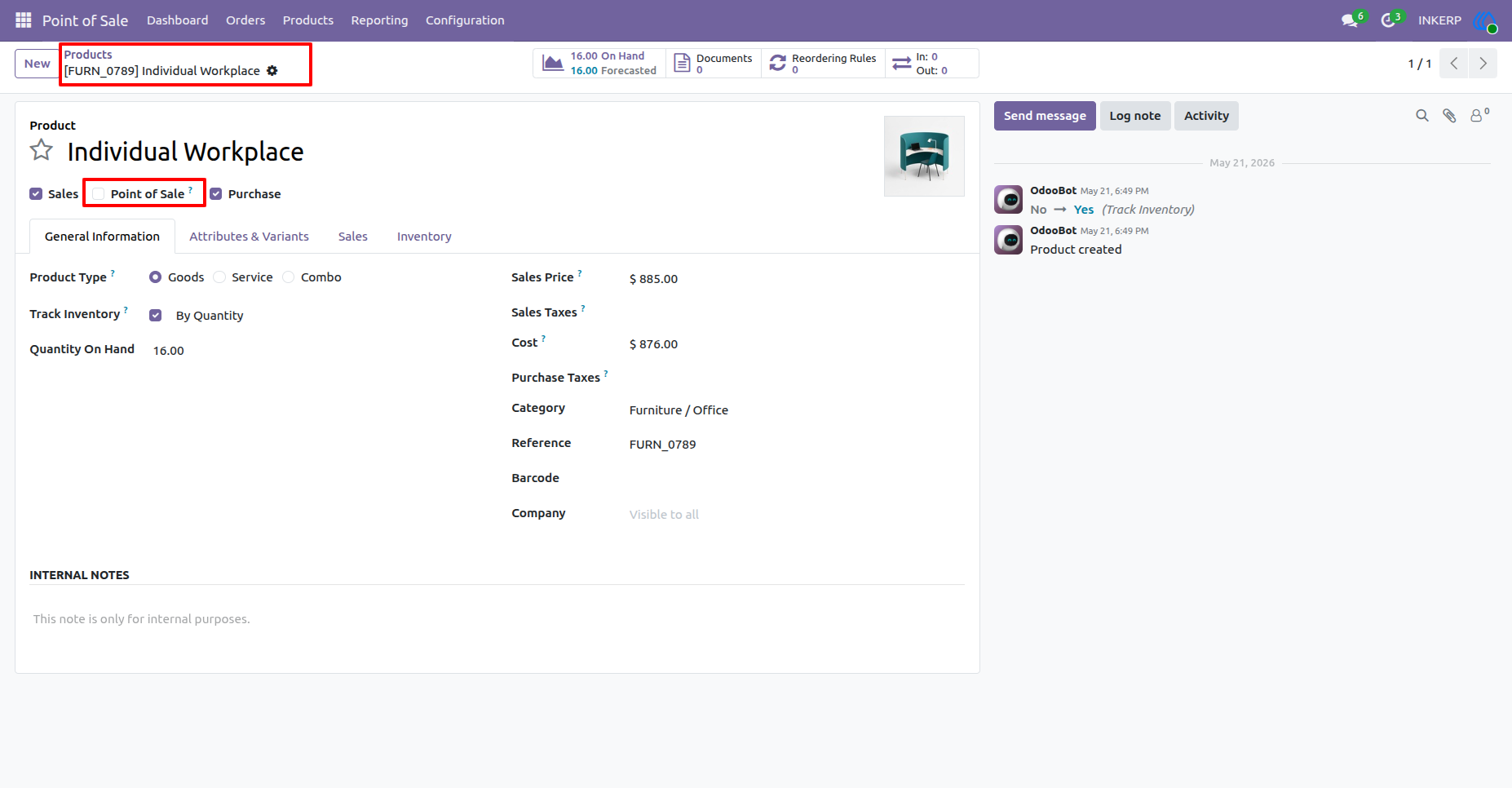
5.) Product Unavailbale in Point Of Sale :
User Guide