

Our Most Suggested Products


Lead Progress Based on Stage
Easily monitor your CRM leads with a dynamic progress bar that updates automatically based on the lead’s stage. Enhance sales visibility, performance tracking, and forecasting.
 Features
 Screenshots
 Support
 Service
Features
Dynamic Lead Progress Bar
Displays a visual progress bar inside each lead or opportunity form. Progress is calculated automatically based on the stage the lead is currently in. Helps sales users instantly understand where a lead stands in the sales pipeline.
Stage-Based Progress Calculation
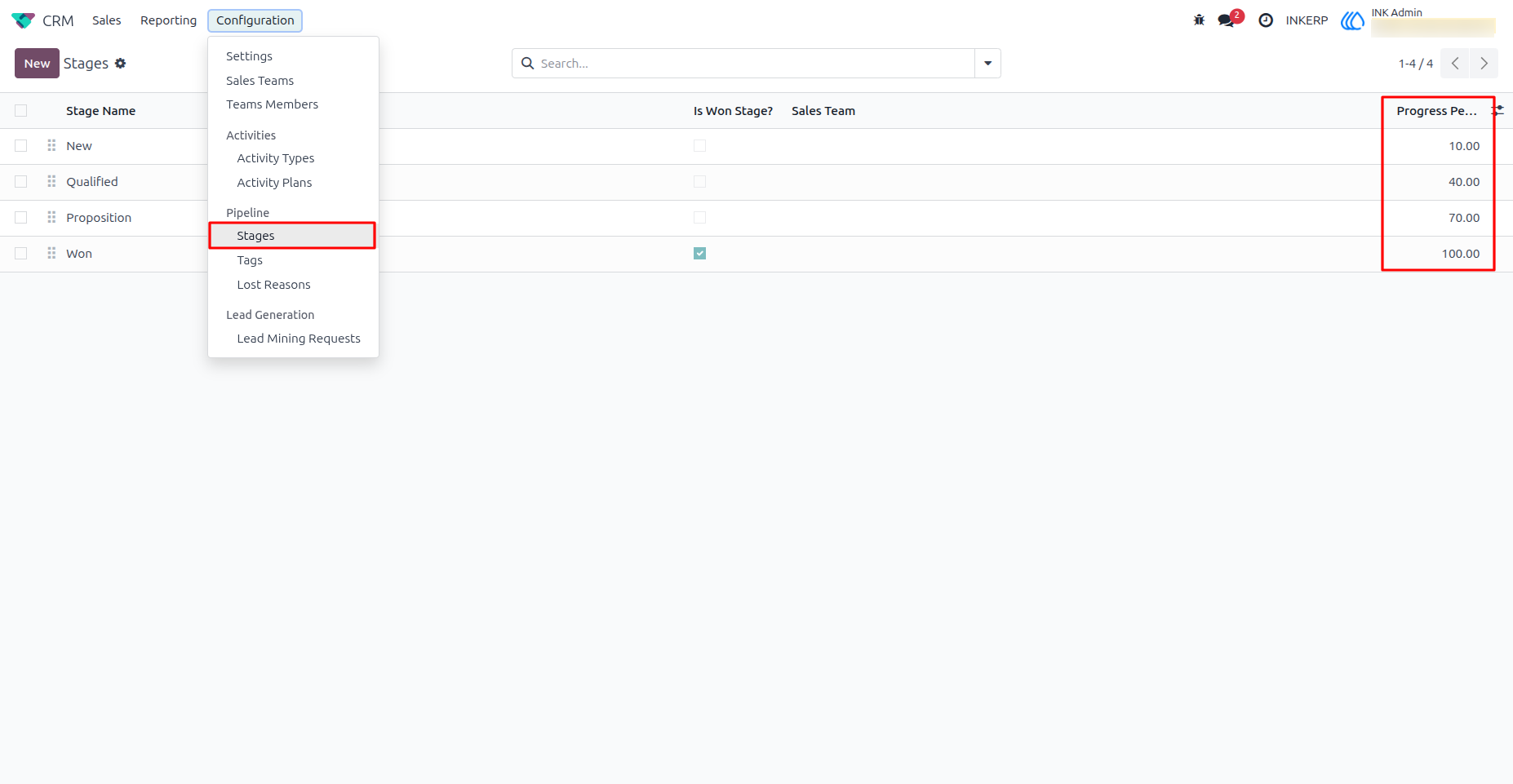
Each stage in the CRM pipeline can be assigned a specific percentage value (e.g., New = 10%, Qualified = 40%, Won = 100%). As the lead moves through stages, the progress bar updates accordingly.
Customizable Progress Mapping
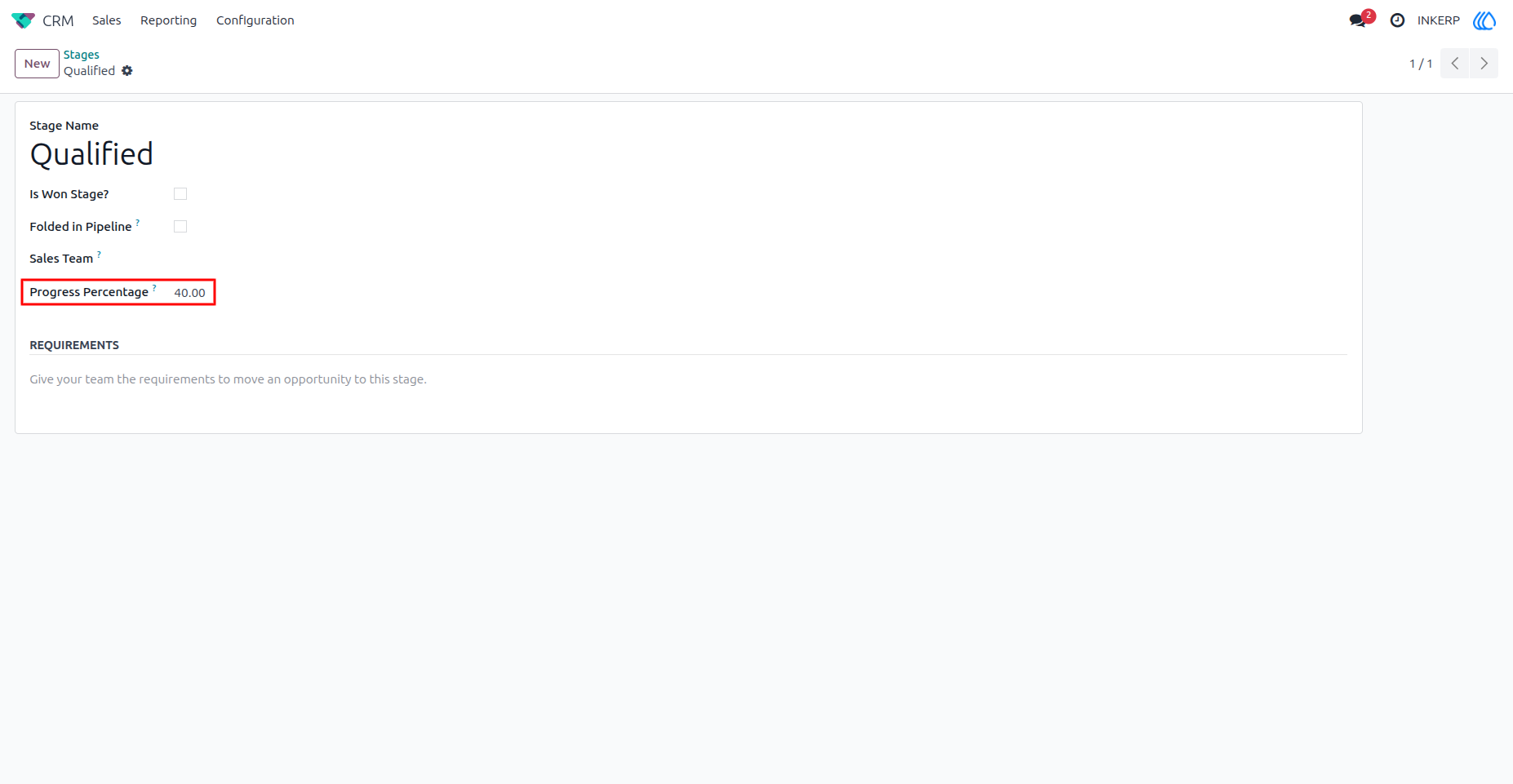
Admins or managers can configure custom progress percentages per stage from settings or stage form.
Automatic Real-Time Updates
The module automatically updates the progress bar when a lead’s stage changes no manual refresh required. Ensures data accuracy and real-time visibility across the CRM system.
Screenshot
1) Assign Percentage In Leads Stages
2) Admin Assigns Percentage in Stage
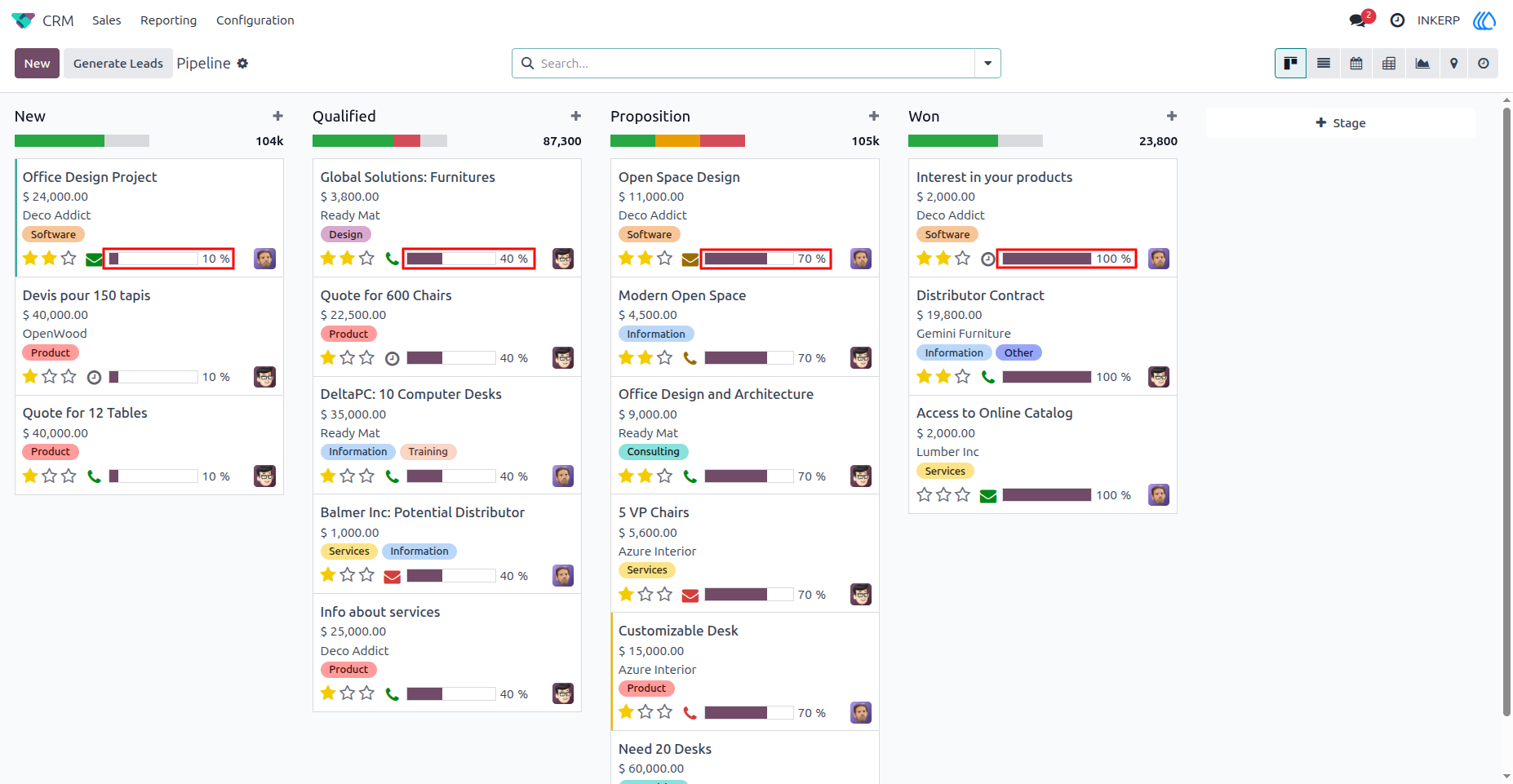
3) Progress Bar in Lead Kanban View
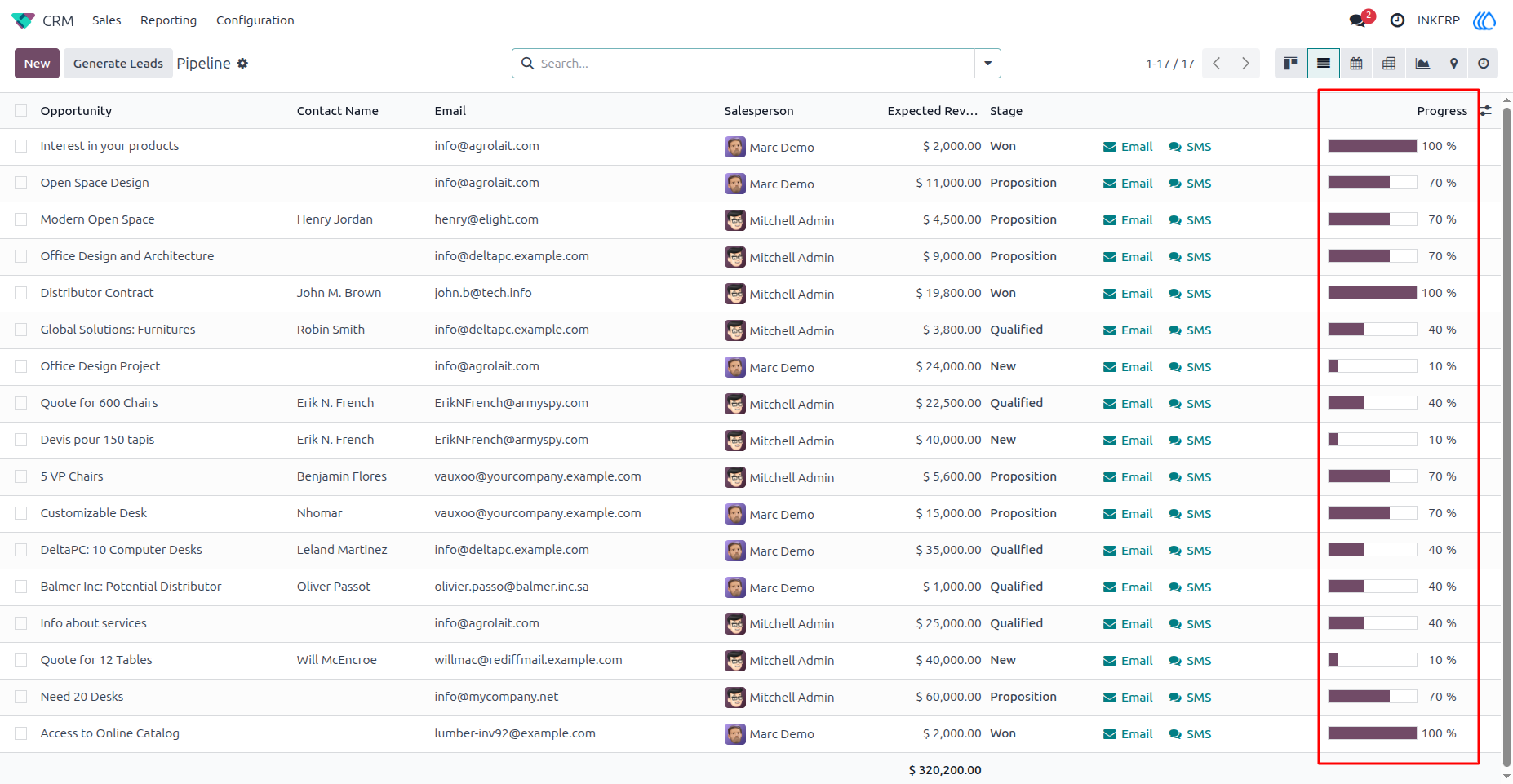
Here, lead progress is assigned based on their stages. As you can see, leads in the "New" stage have 10% progress, leads in the "Qualified" stage have 40%, leads in the "Proposition" stage have 70%, and leads in the "Won" stage have 100% progress on the progress bar.
4) Progress bar In List View
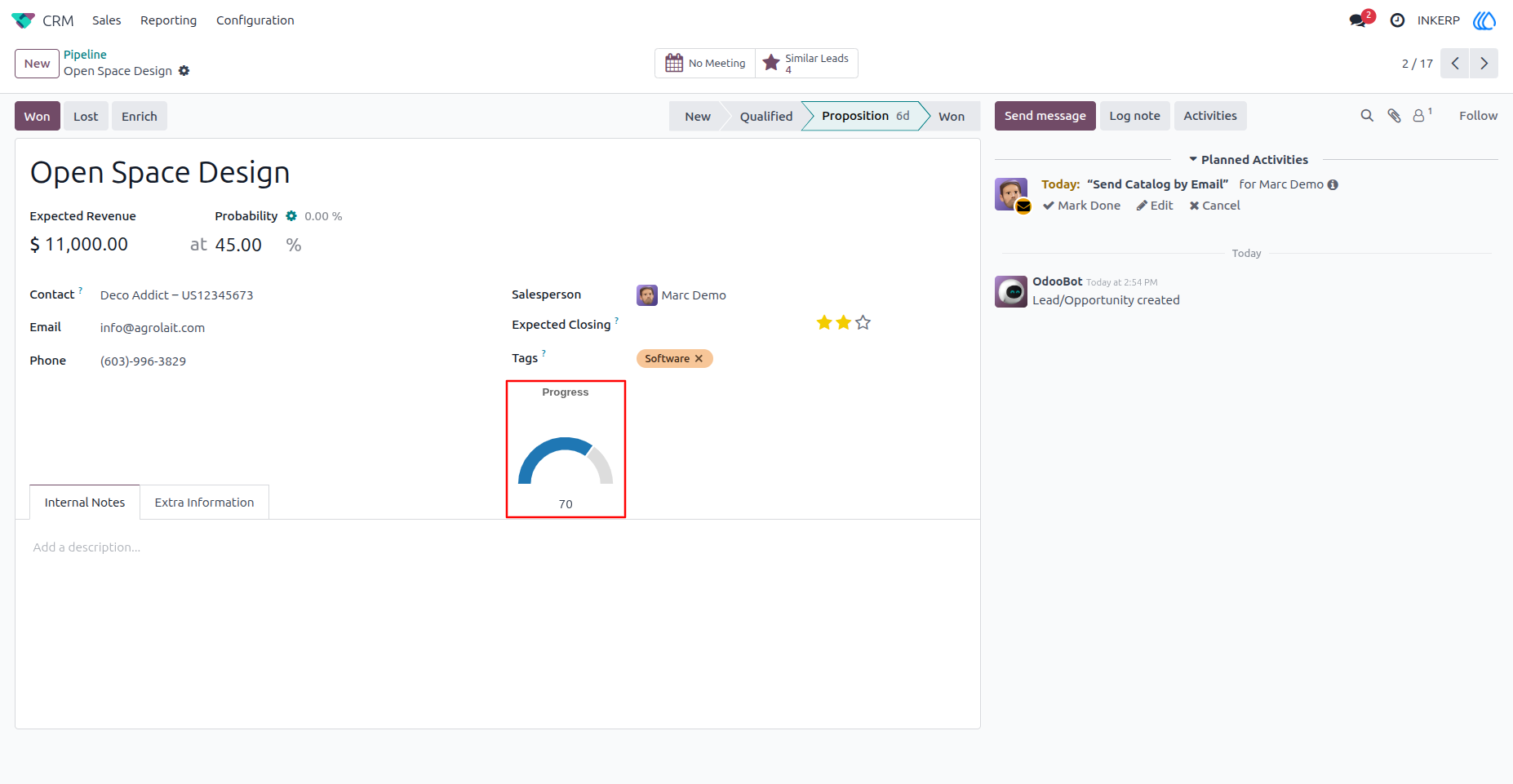
5) Progress Bar In Form View
User Guide