

Our Most Suggested Products


Inventory Coverage Report
The Inventory Coverage Report module enhances Odoo’s inventory management capabilities by providing comprehensive insights into stock movement and availability over a selected period. It enables users to generate detailed reports in both PDF and Excel formats, combining key data such as opening and closing stock, sales, and purchase activity.
 Features
 Screenshots
 Support
 Service
Features
Date Filter for Selected Period
Date Filter for Selected Period Easily generate reports for a specific timeframe by applying a custom date range. This functionality allows users to focus on particular business periods, such as monthly, quarterly, or yearly performance.
Opening and Closing Stock
Gain clear visibility into stock levels at both the beginning and end of the selected period. This feature provides a complete picture of inventory movement and helps track how stock evolves over time.
Sales and Purchase Count
Track the number of sales and purchases for each product within the selected period. This insight helps evaluate product performance and demand across different timeframes.
Warehouse Filtering
Focus reports on specific warehouses to analyze inventory at a granular level. This feature is particularly useful for businesses managing multiple storage locations.
Excel and PDF Report Generation
Generate reports in both Excel and PDF formats to suit different business needs. Excel files allow for deeper analysis, customization, and data manipulation, while PDF reports provide a clean and professional format for sharing.
Screenshot
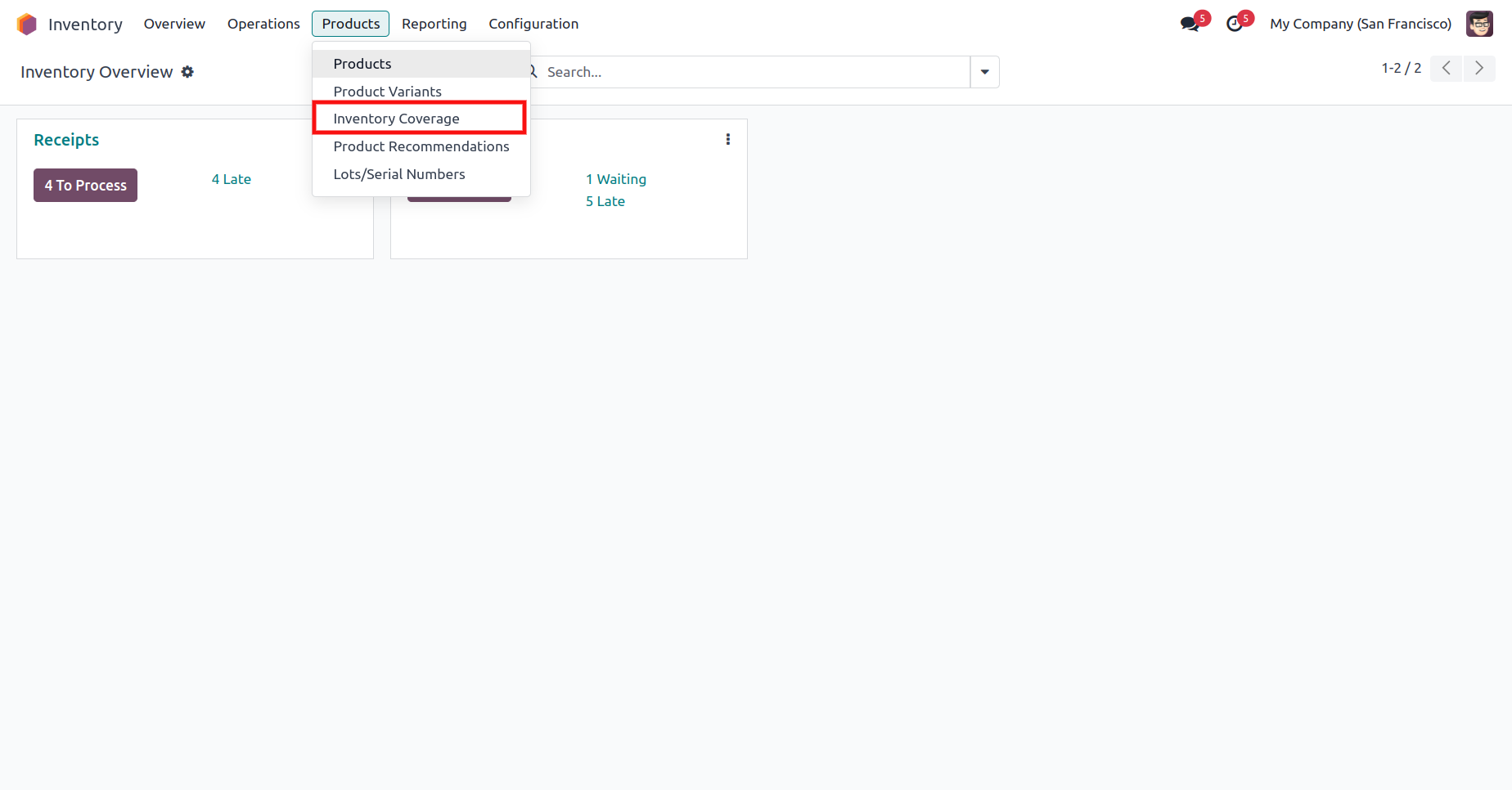
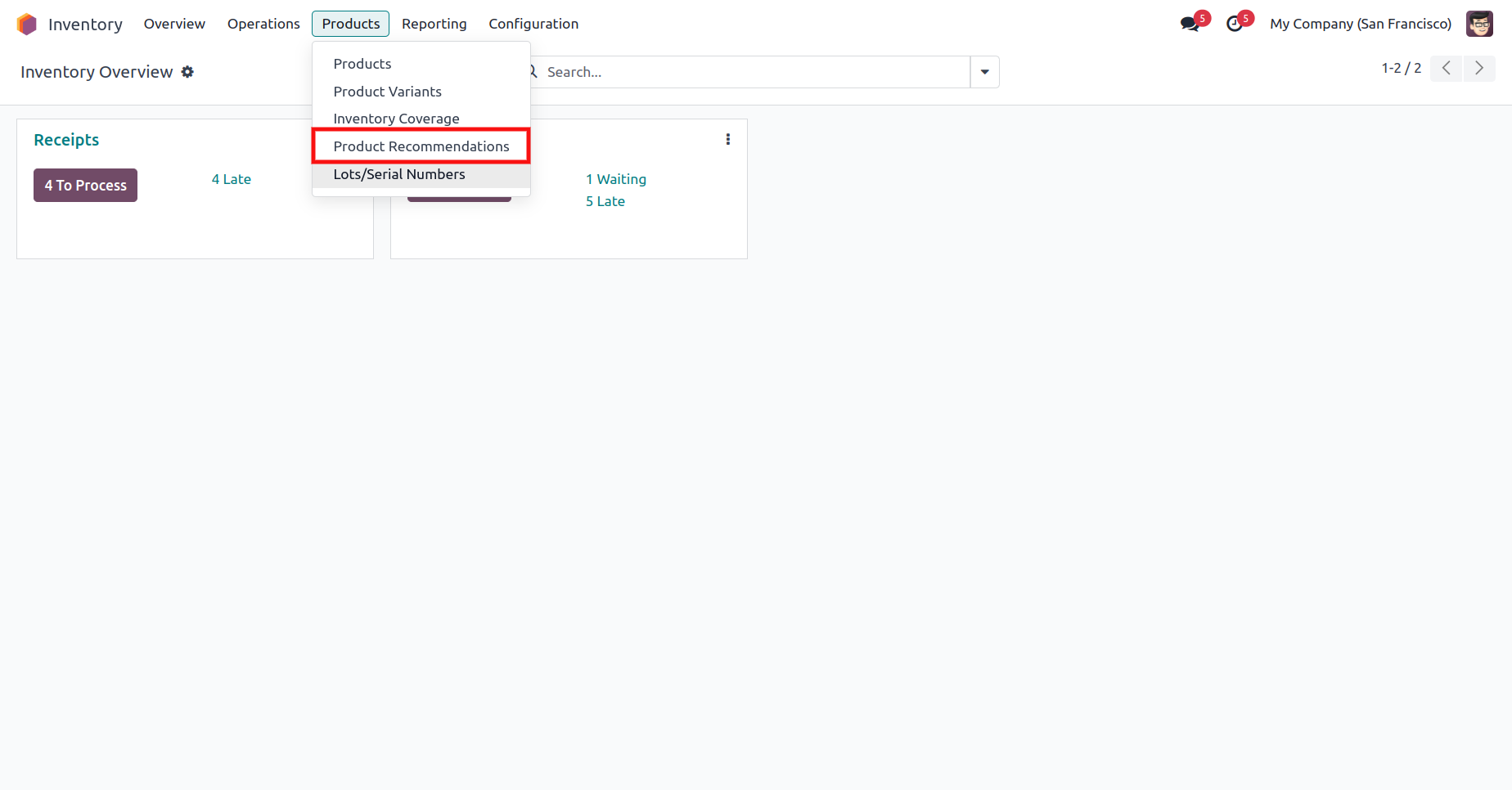
1.) Inventory Coverage Menu
Quick access to the Inventory Coverage feature is available directly within the Inventory module, ensuring a smooth navigation experience.
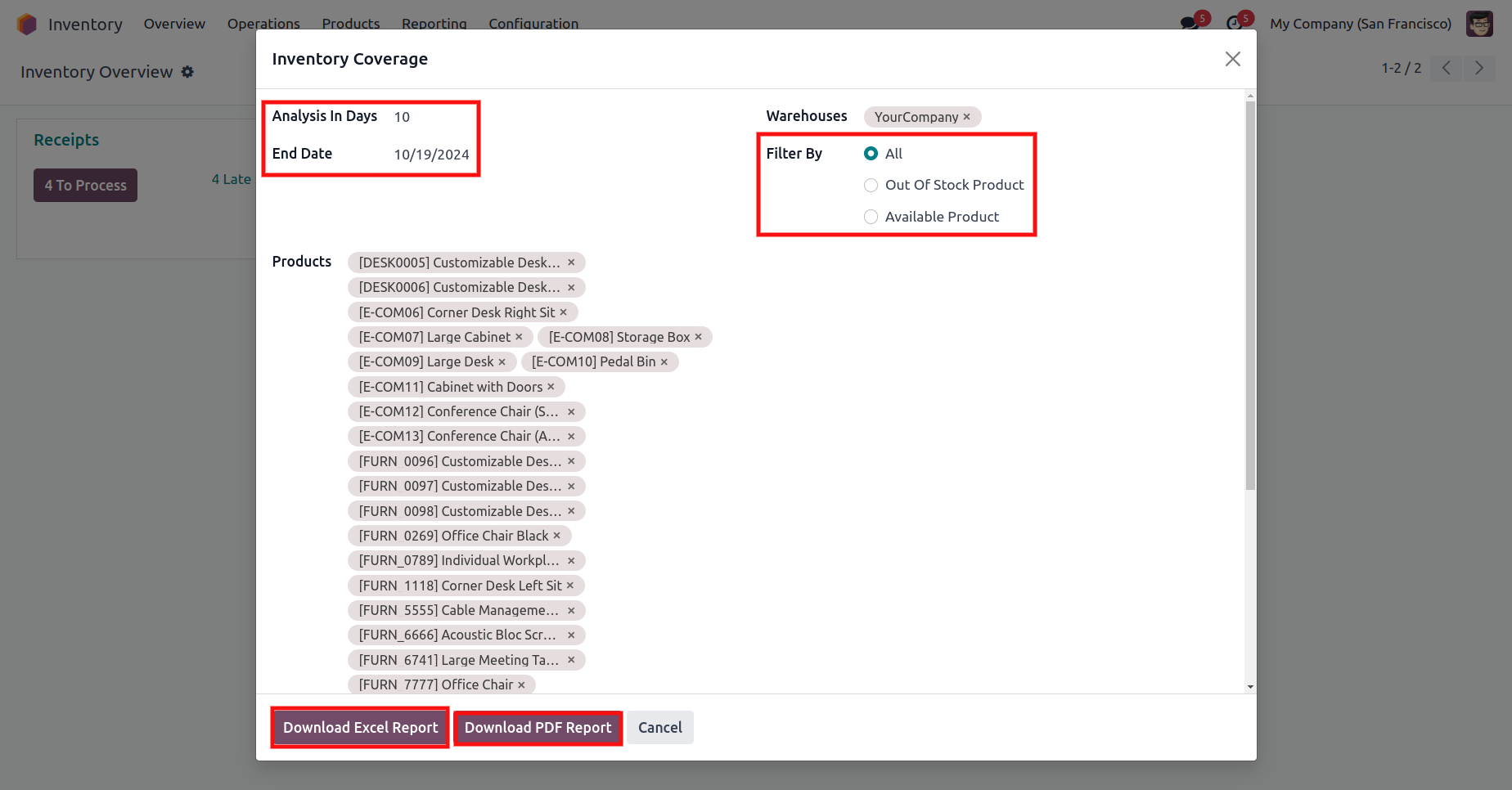
2.) Filter Selection for Warehouse and Product
Flexible filtering options allow users to define a specific date range, warehouse, and product before generating the report.
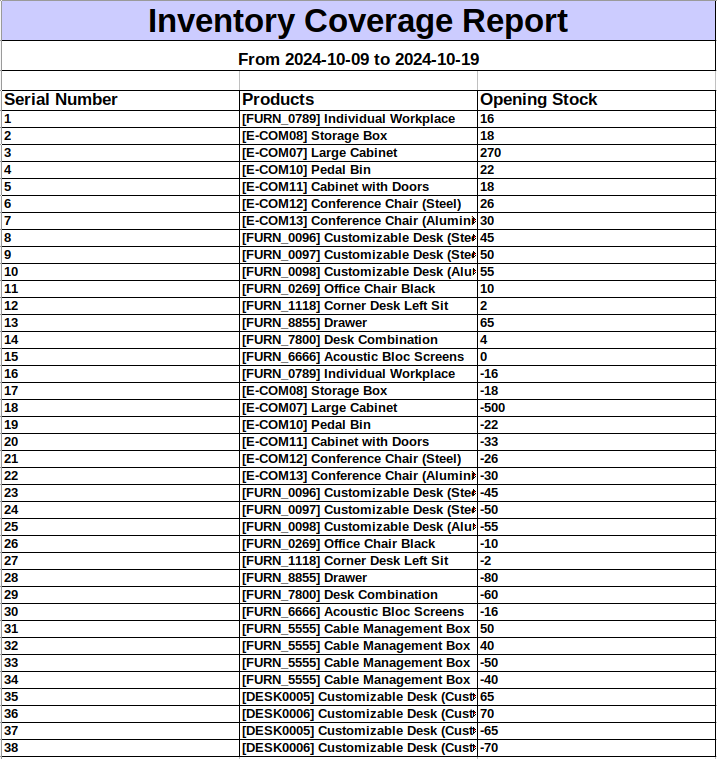
3.) Inventory Coverage Excel Report
A well-organized Excel report delivers structured inventory data that can be easily analyzed, sorted, and customized.
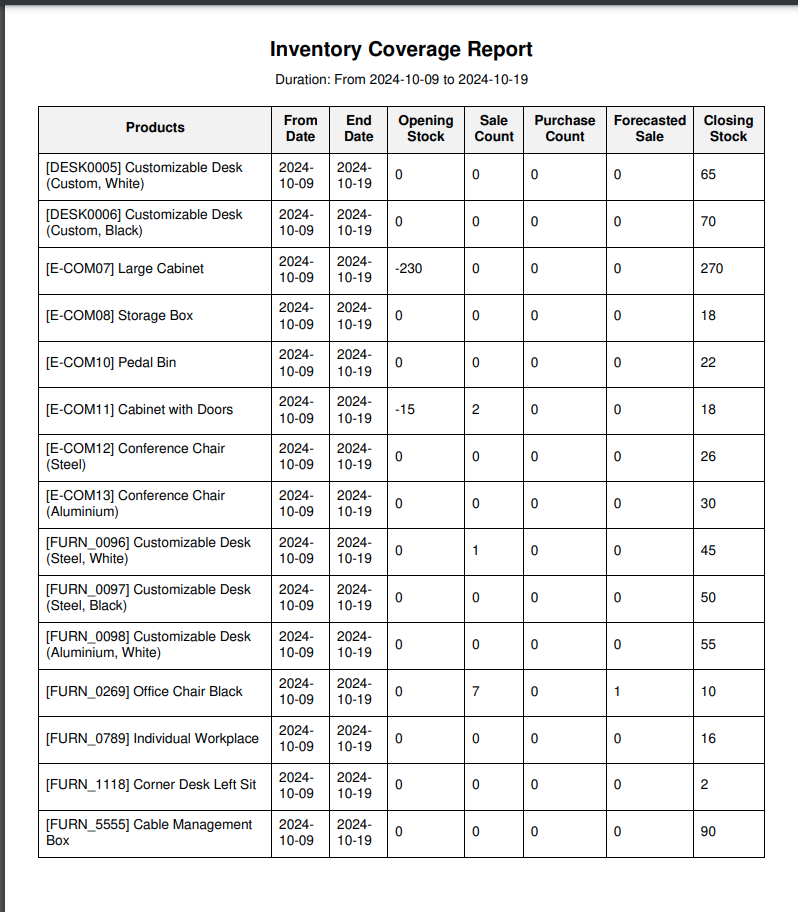
4.) Inventory Coverage PDF Report
A clean and professionally formatted PDF report presents inventory data in a clear and concise manner.
5.) Product Recommendation Menu
An additional menu option provides access to product recommendation insights, helping users explore opportunities based on vendor and warehouse data.
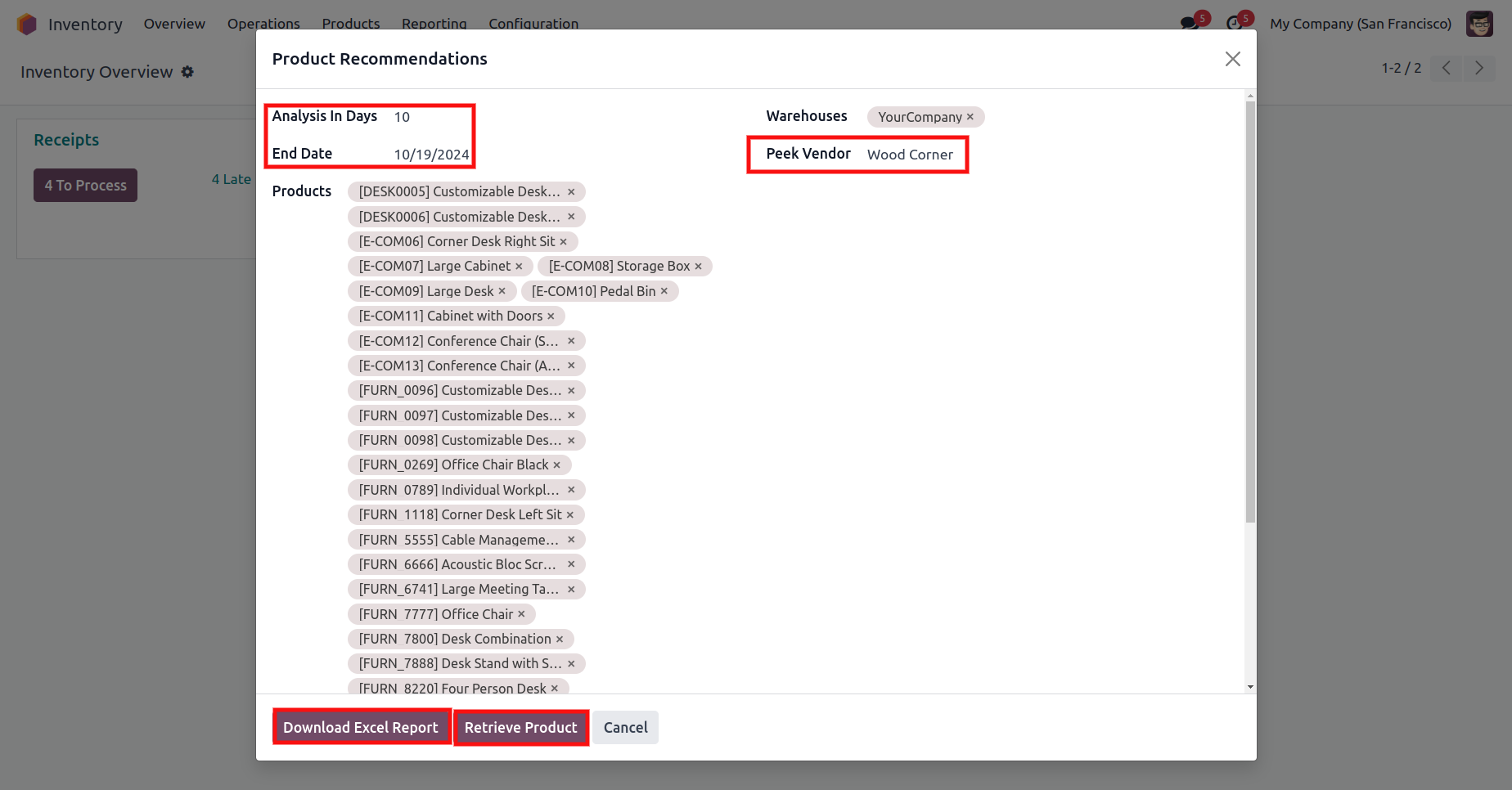
6.) Filter Selection for Warehouse and Vendor
Users can refine recommendation reports by selecting relevant criteria such as date range, warehouse, and vendor.
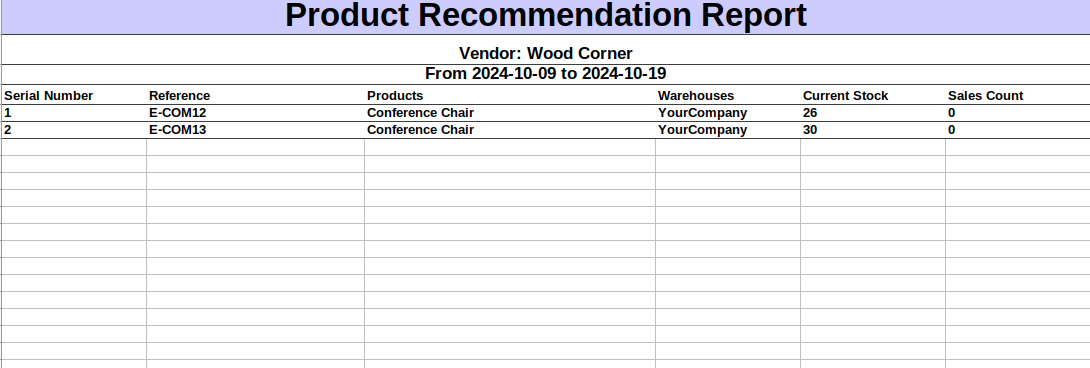
7.) Product Recommendation Excel Report
The Excel-based recommendation report offers detailed, filter-based data that supports in-depth evaluation.
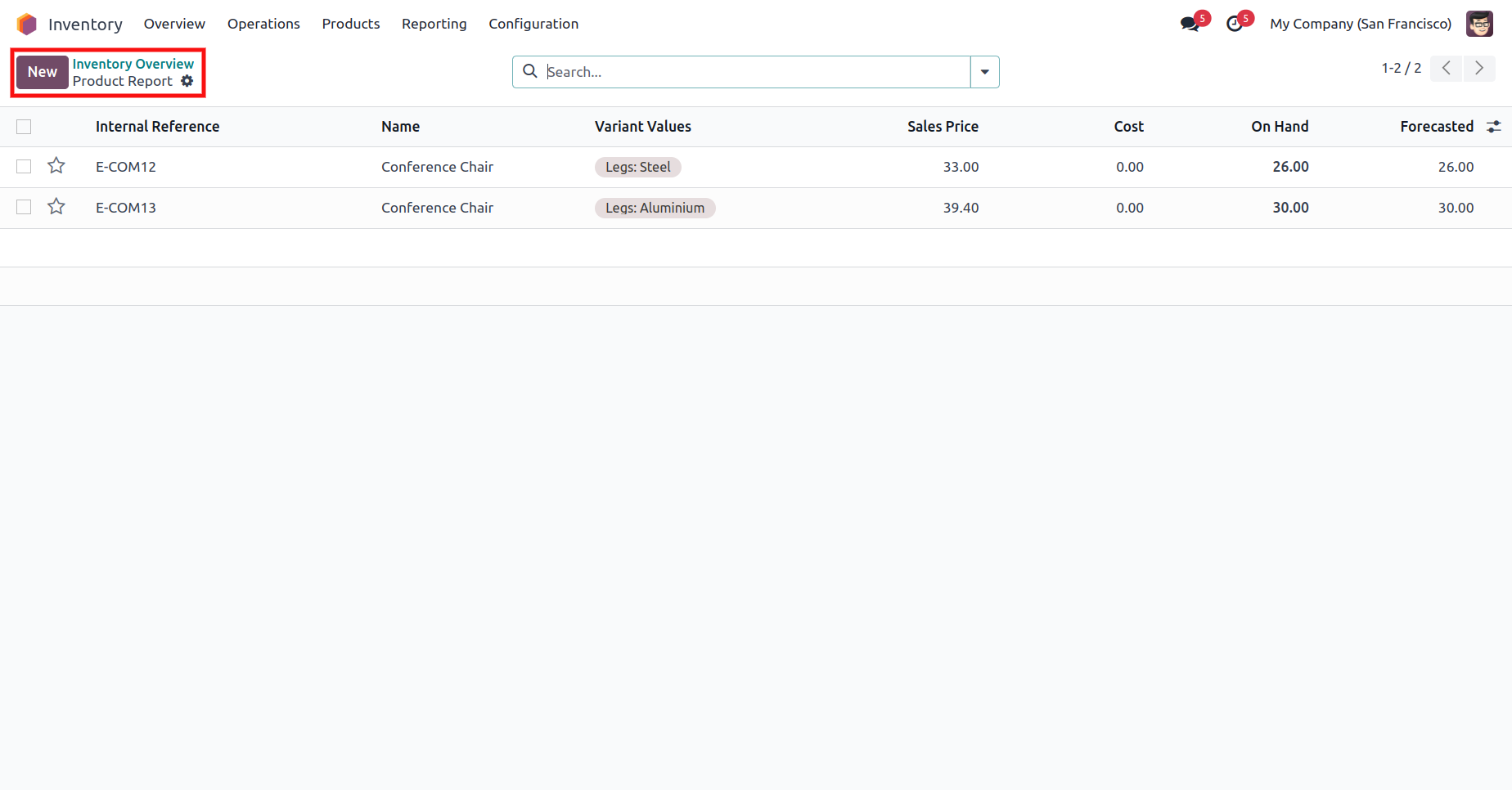
8.) Product Recommendation Details
A comprehensive view of product recommendations provides clarity on suggested actions based on selected parameters.
User Guide