

EXCLUSIVE CUSTOMER BENEFITS
FREE INSTALLATION
& 90 DAYS FREE SUPPORT!
No worries about installation! This module comes with free installation assistance and 90 days of free support, helping you get started smoothly and confidently.
✦ COMPLIMENTARY INSTALLATION & SUPPORT ✦
MORE VALUE • LESS HASSLE • A BETTER START
Our Most Suggested Products


All in One Summary in Customer
All-in-One Summary in Customer This module provides a comprehensive overview of key partner-related activities, including sales, purchases, invoices, deliveries, meetings, and tasks. It enables efficient tracking and management of crucial business interactions in a single, unified interface.
 Features
 Screenshots
 Support
 Service
Features
Instant Access:
View customer records without searching multiple menus.
Everything in One Place:
All interactions and transactions are neatly organized.
Saves Time:
Get a quick snapshot of partner-related data in just a few clicks.
Screenshot
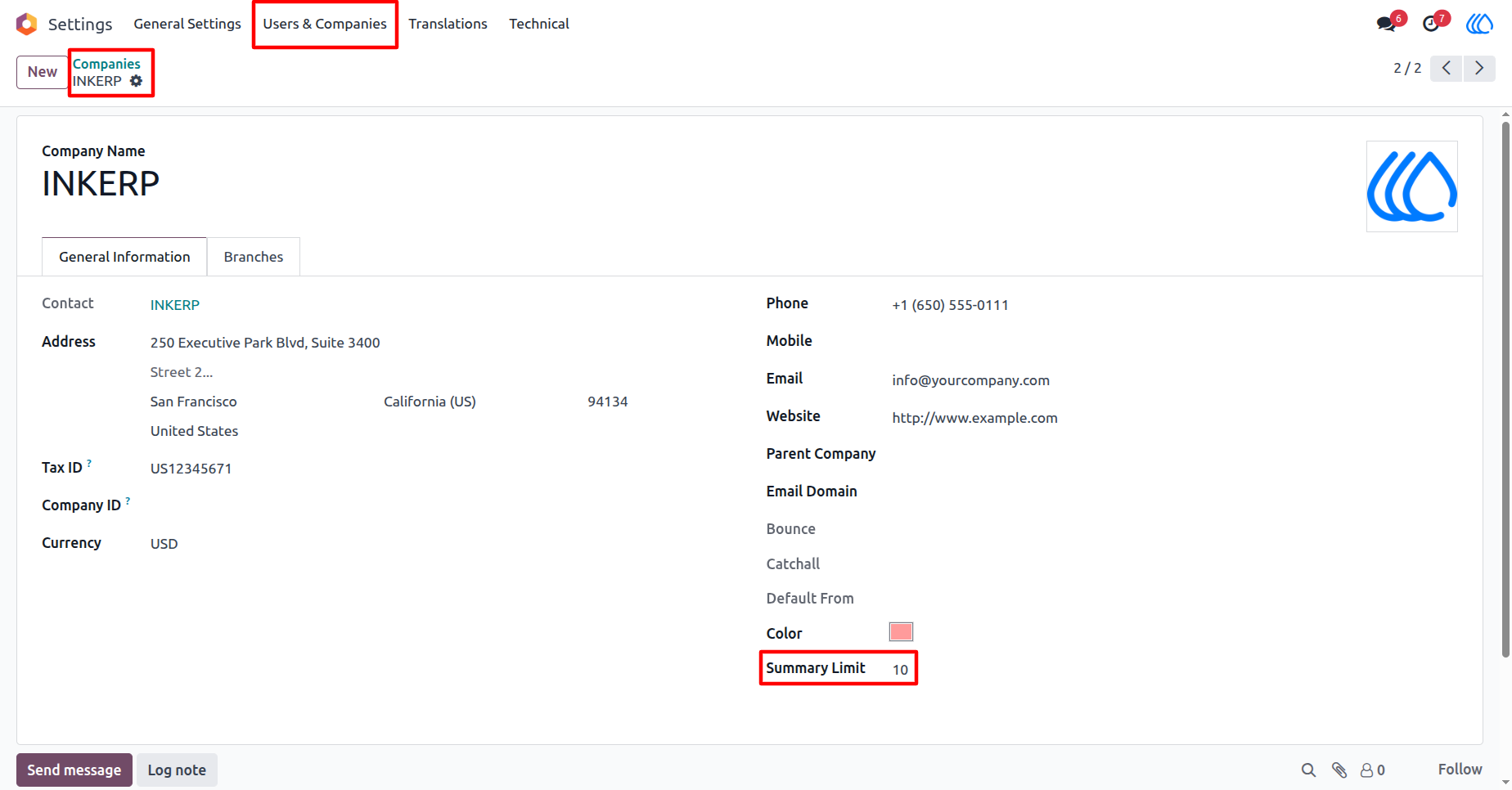
1) Company Form View
Inside Companies Settings set Summary Limit for records to display.
Navigation : Settings › Users & Companies › Companies
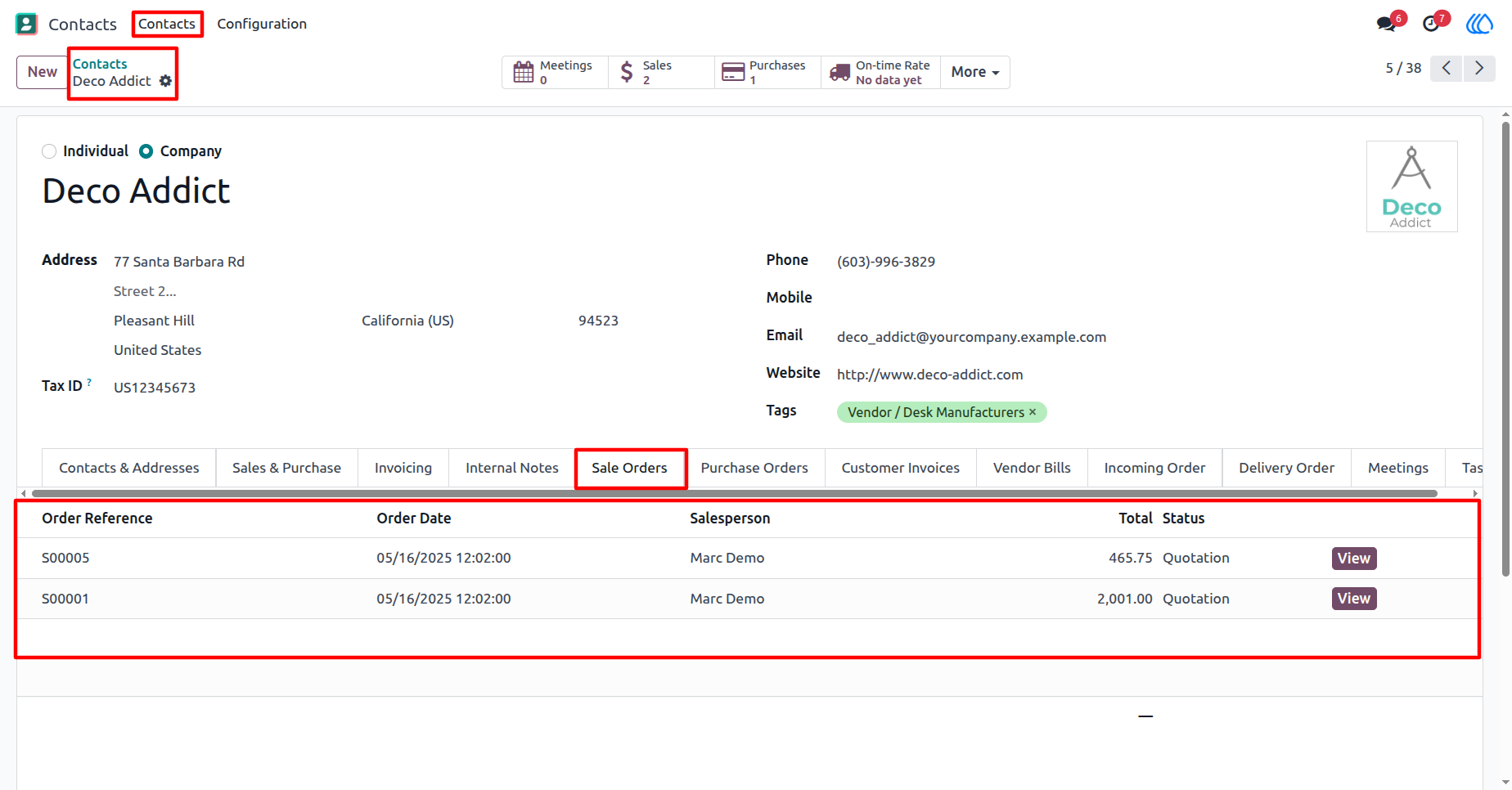
2) Partner "Sale Orders" tab View
Inside Contact/Partner record in new tab "Sale Orders", display last records of that partner as per limit.
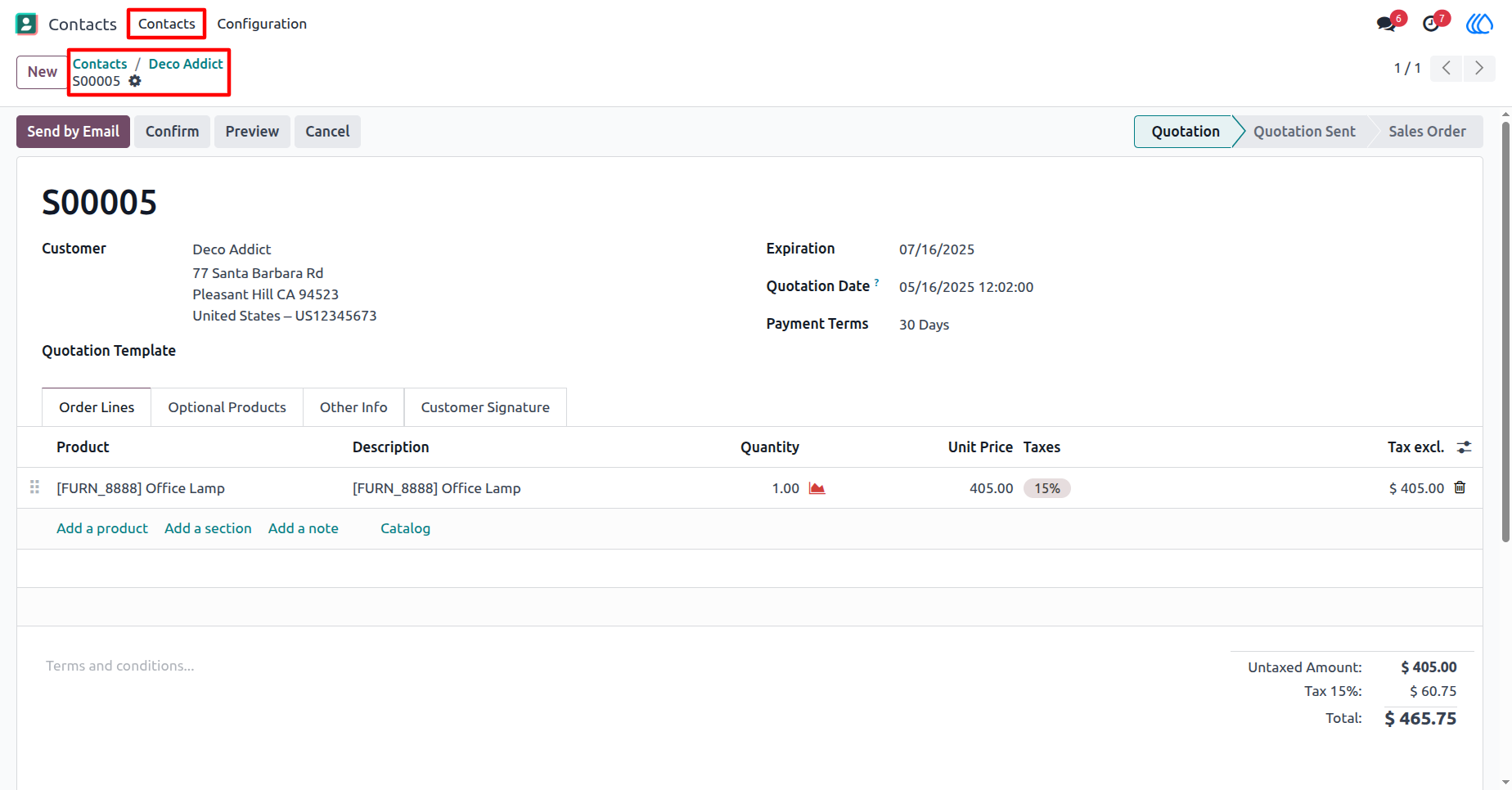
3) Partner Sale Order View
On "View" button of "Sale Orders" records, redirects to that sale order.
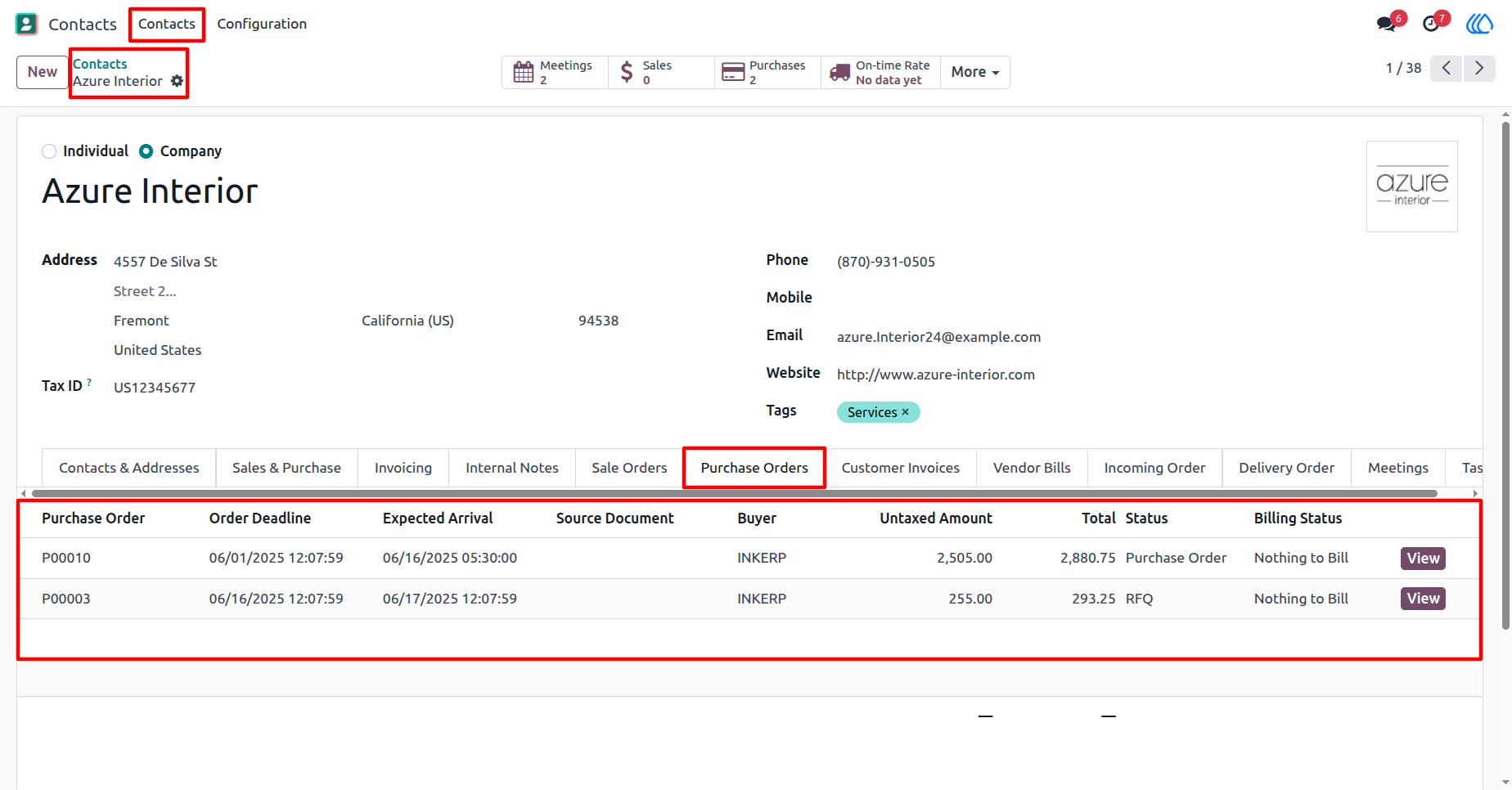
4) Partner "Purchase Orders" tab View
Inside Contact/Partner record in new tab "Purchase Orders", display last records of that partner as per limit.
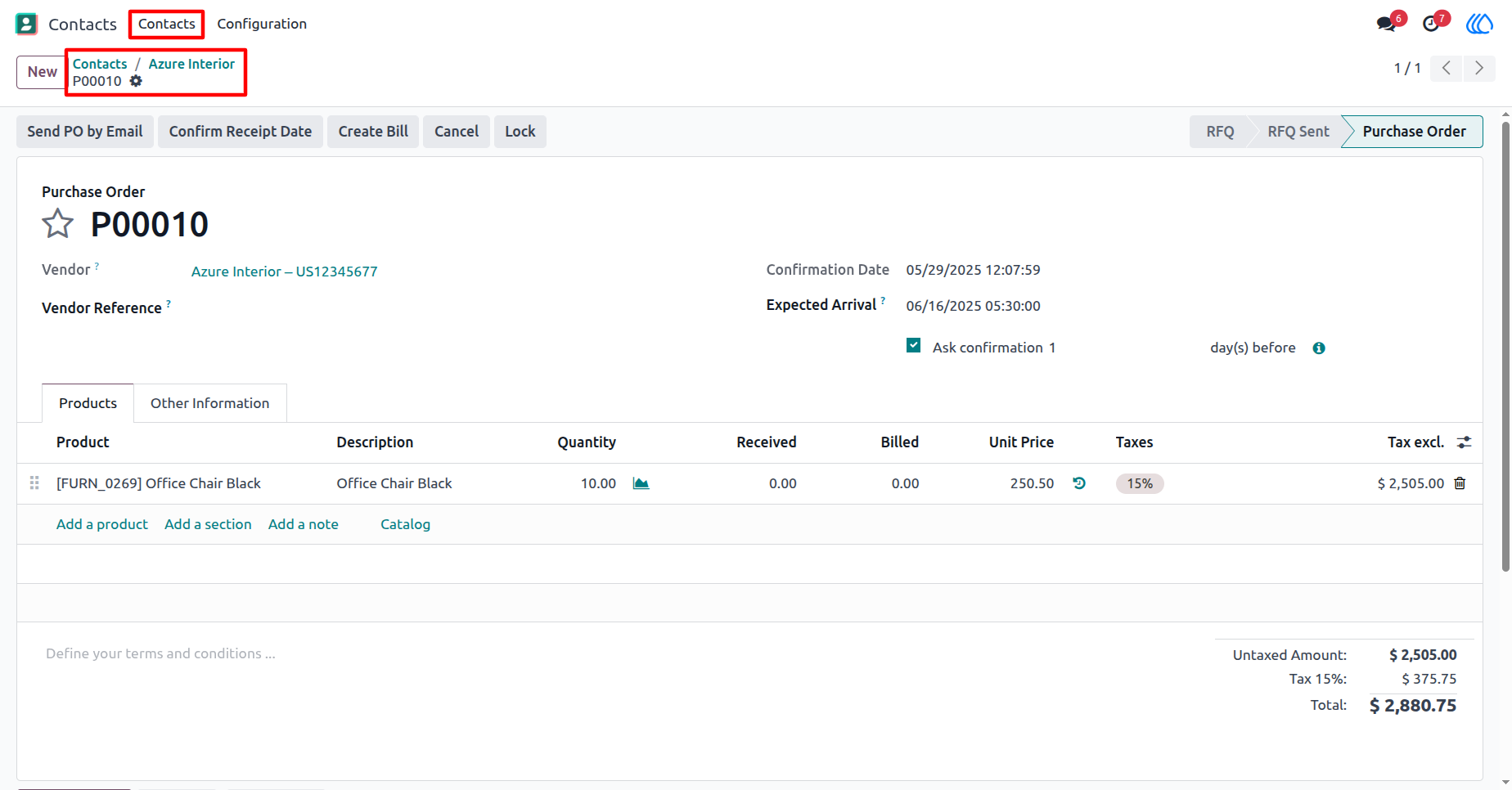
5) Partner Purchase Order View
On "View" button of "Purchase Orders" records, redirects to that purchase order.
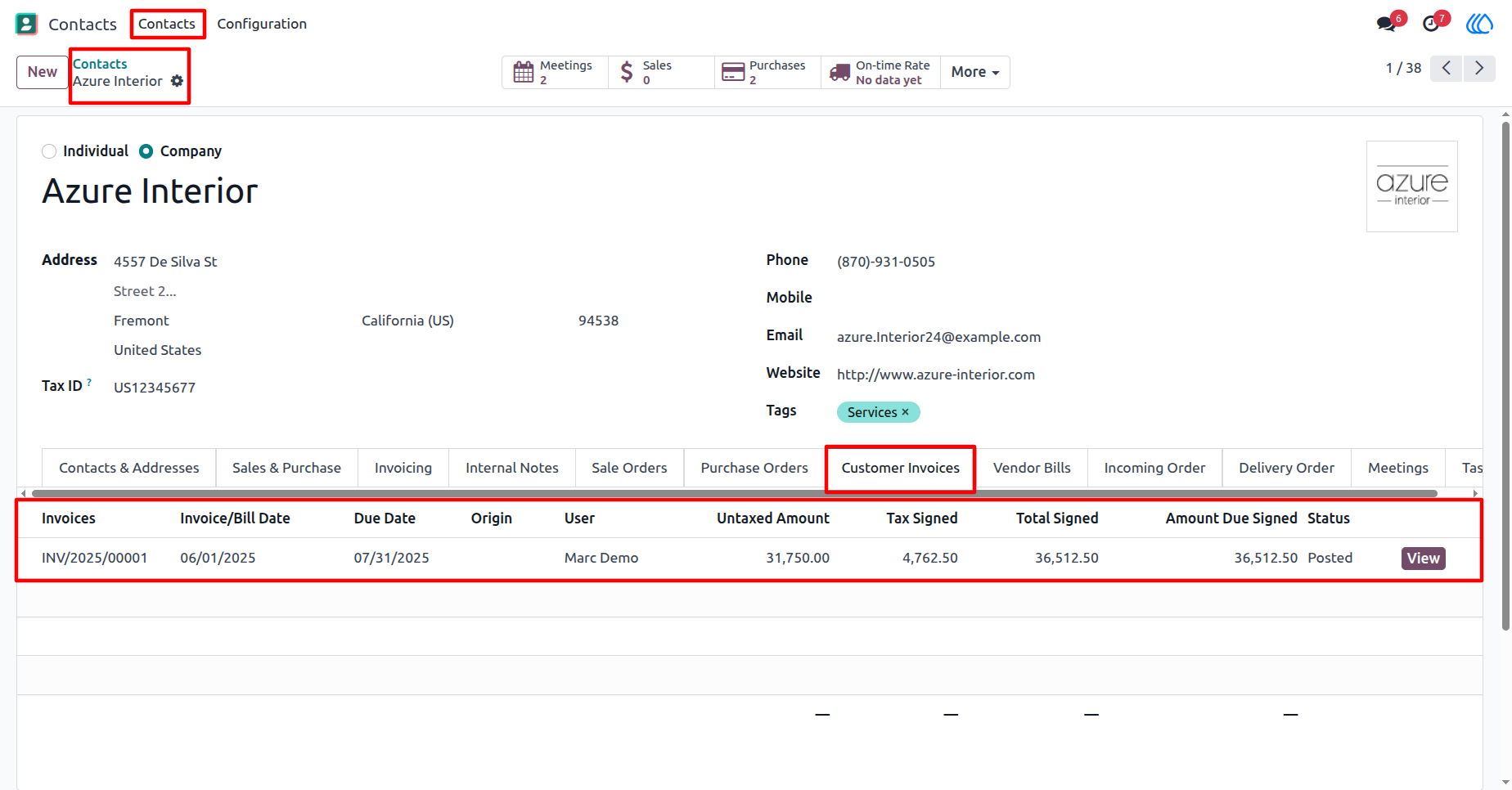
6) Partner "Customer Invoices" tab View
Inside Contact/Partner record in new tab "Customer Invoices", display last records of that partner as per limit.
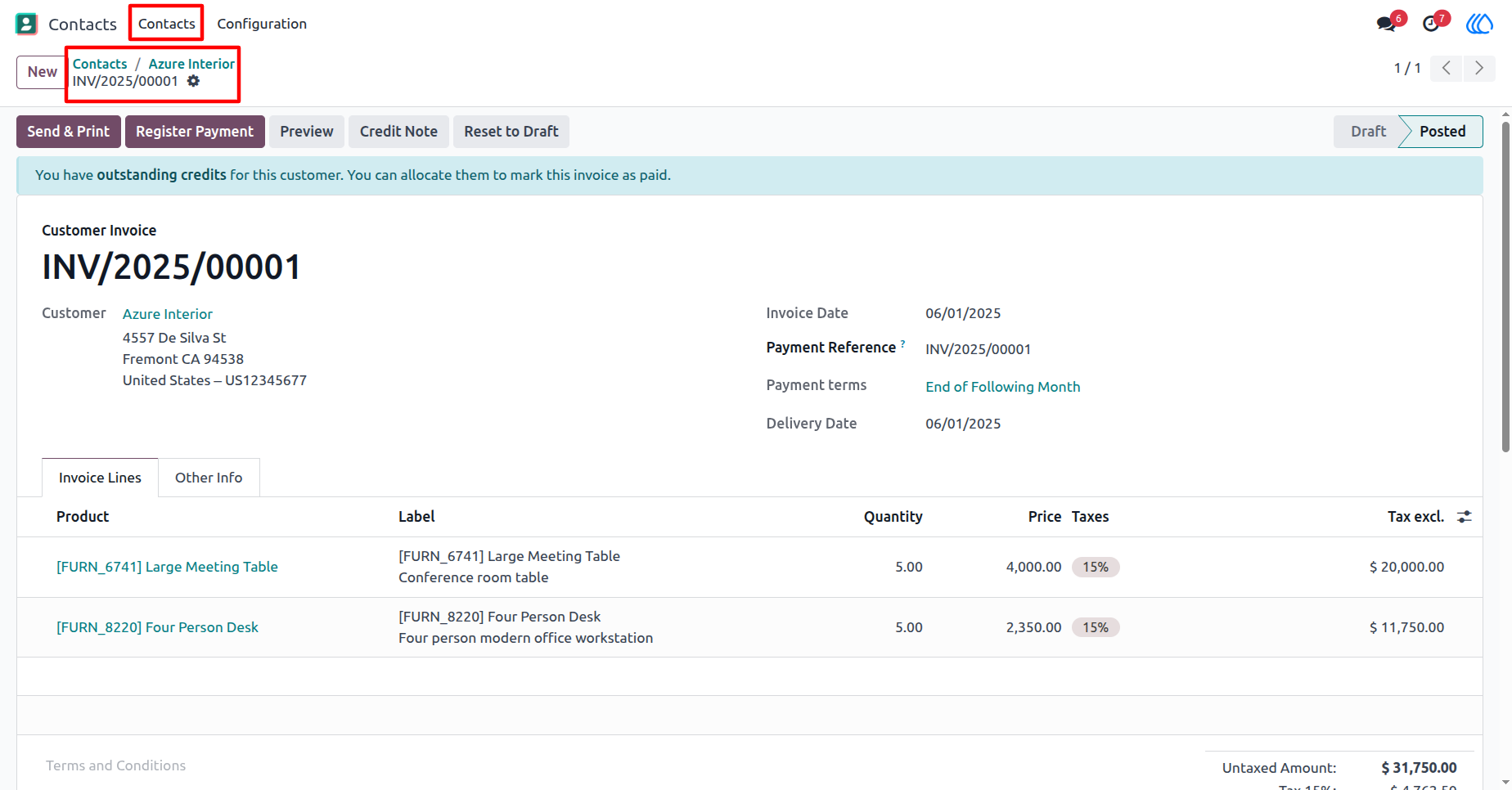
7) Partner "Customer Invoices" View
On "View" button of "Customer Invoices" records, redirects to that customer invoices.
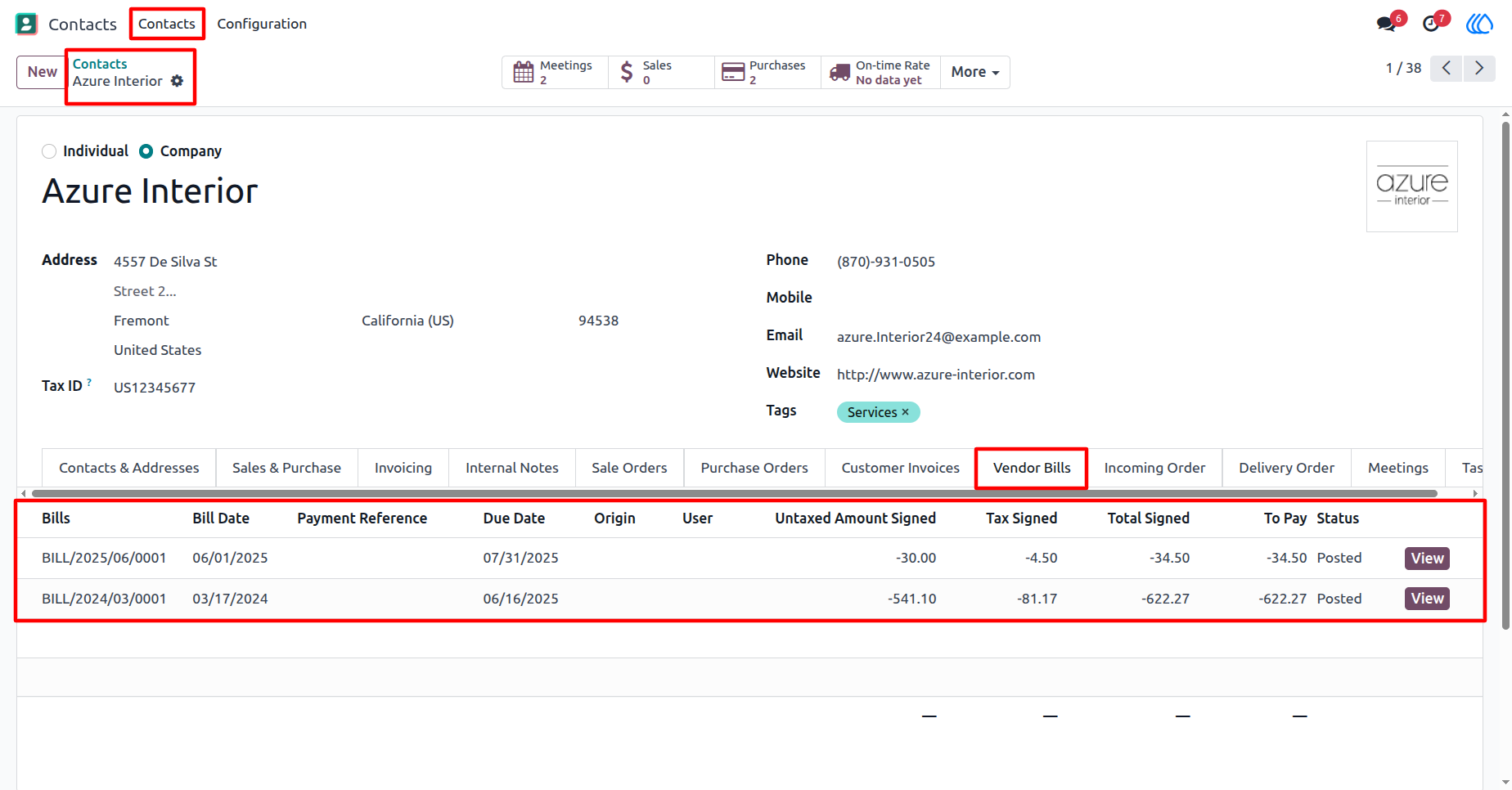
8) Partner "Vendor Bills" tab View
Inside Contact/Partner record in new tab "Vendor Bills", display last records of that partner as per limit.
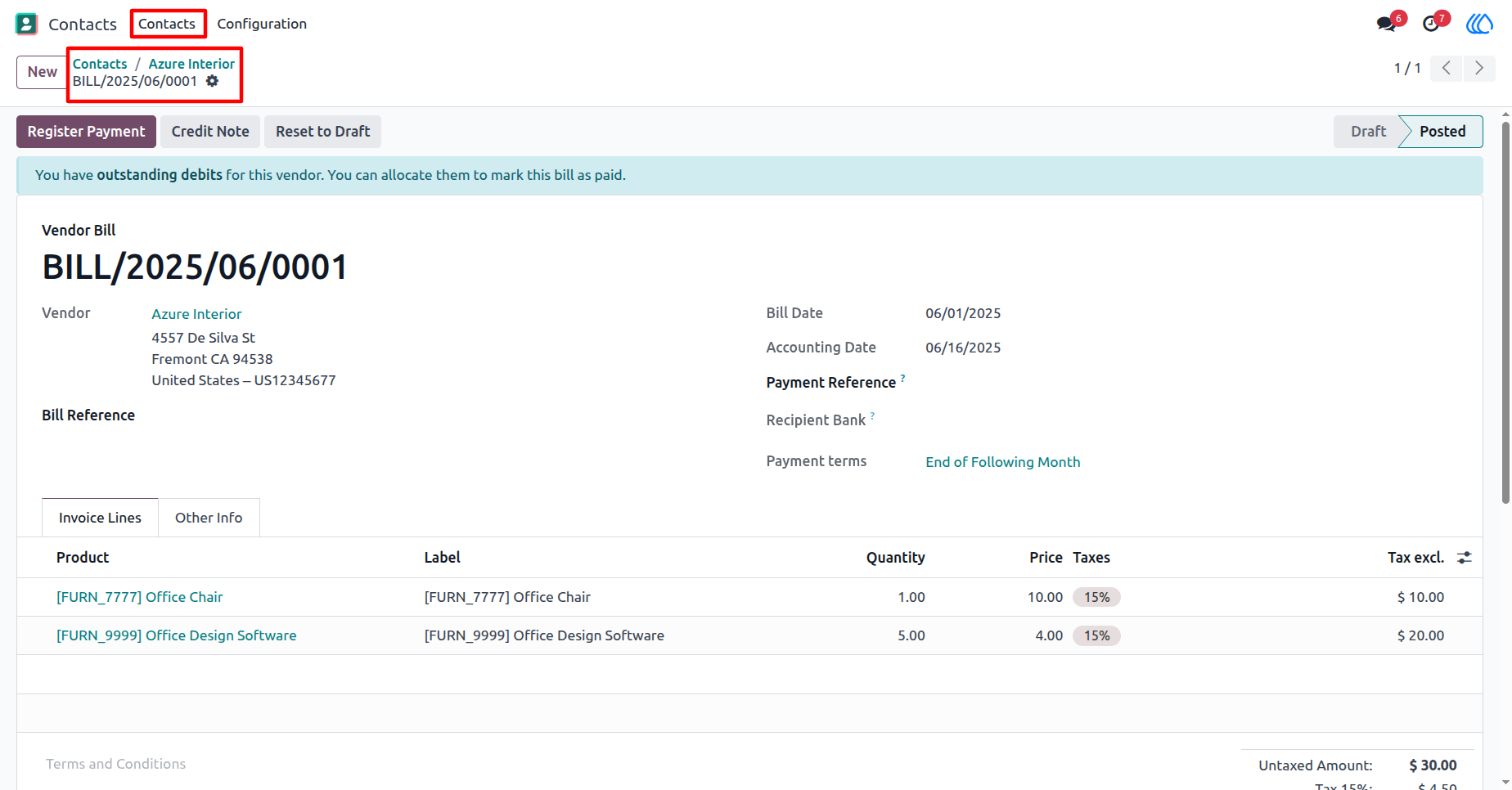
9) Partner "Vendor Bills" View
On "View" button of "Vendor Bills" records, redirects to that vendor bills.
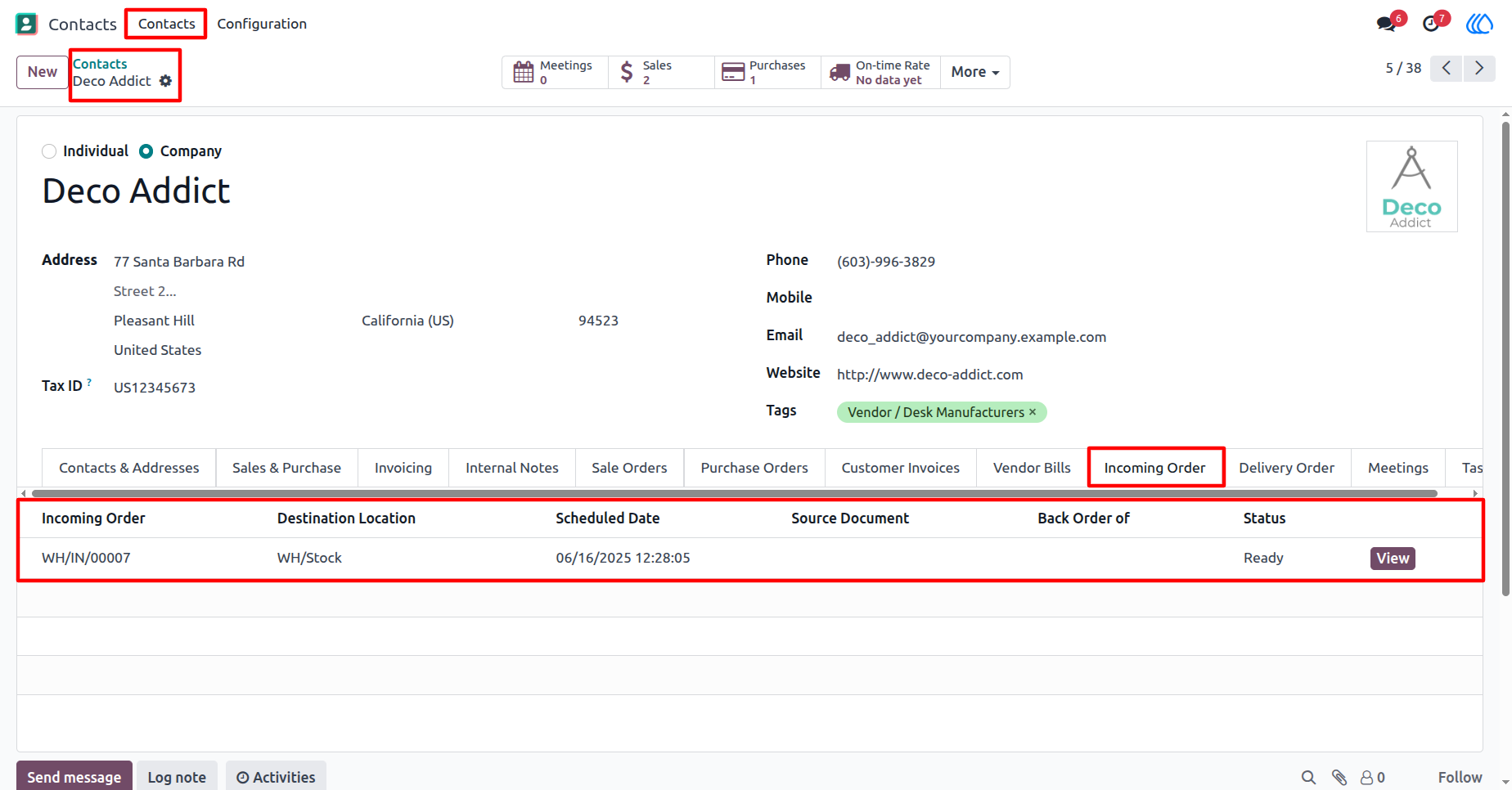
10) Partner "Incoming Orders" tab View
Inside Contact/Partner record in new tab "Incoming Orders", display last records of that partner as per limit.
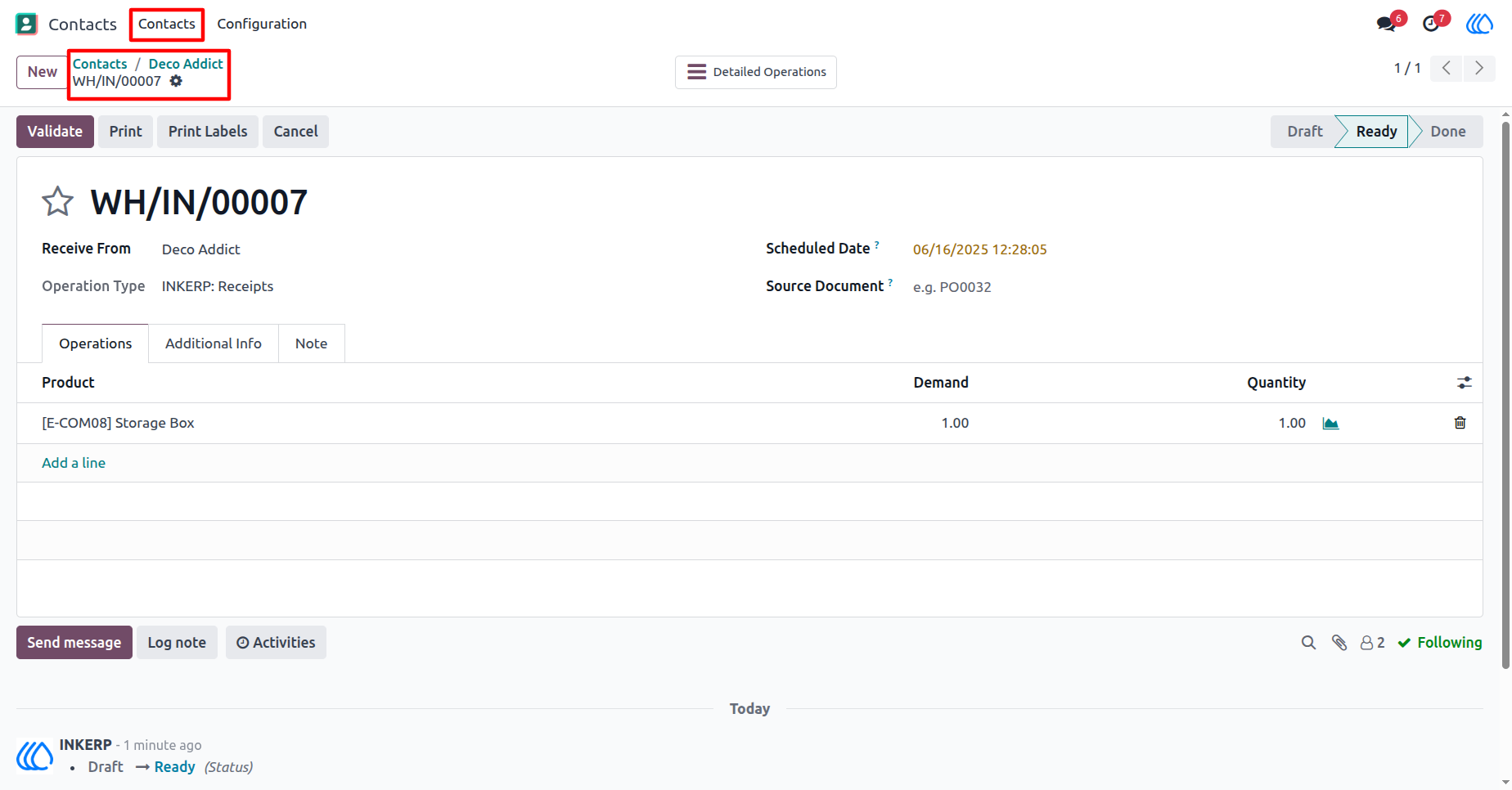
11) Partner "Incoming Orders" View
On "View" button of "Incoming Orders" records, redirects to that incoming orders.
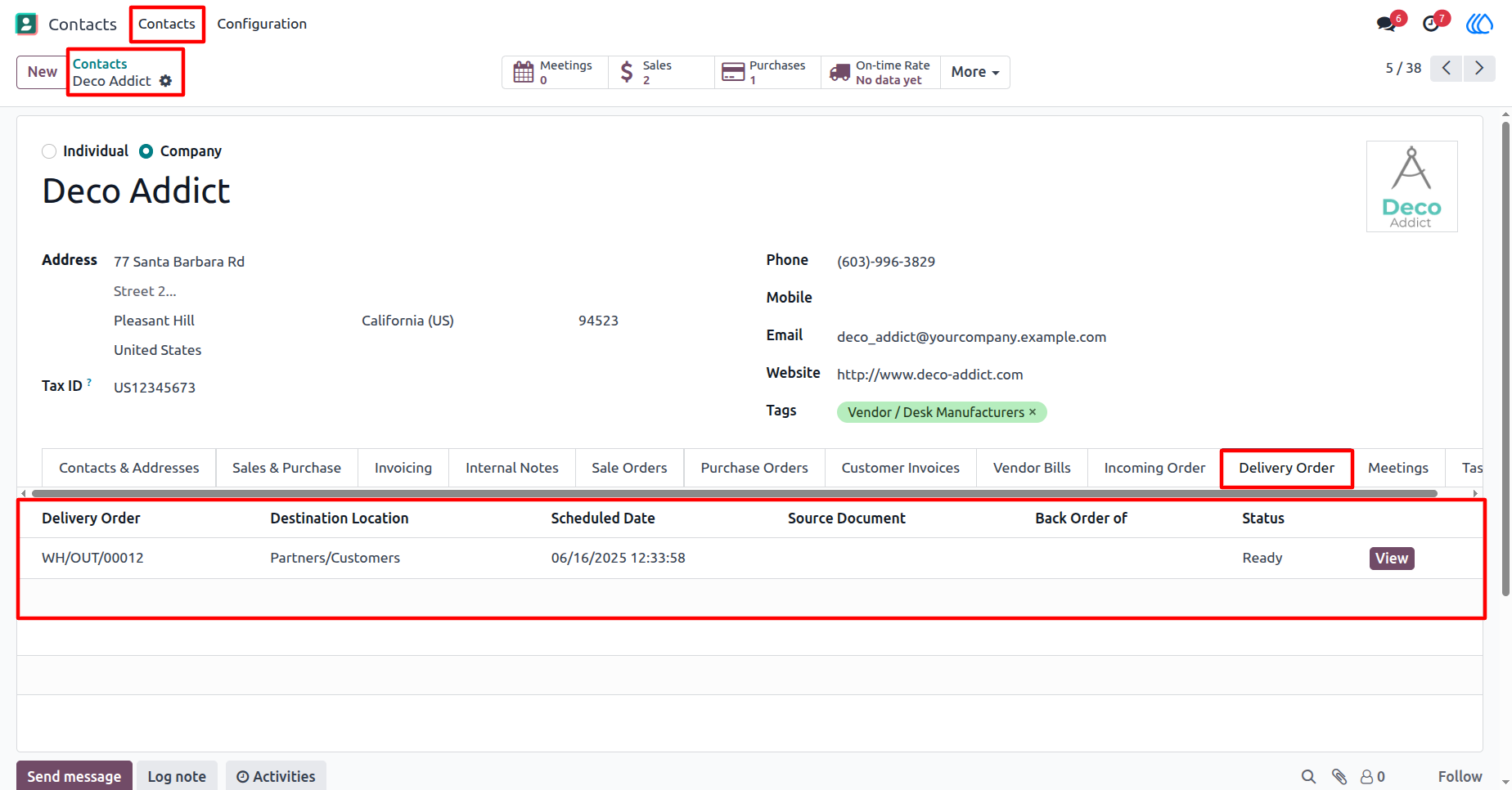
12) Partner "Delivery Orders" tab View
Inside Contact/Partner record in new tab "Delivery Orders", display last records of that partner as per limit.
13) Partner "Delivery Orders" View
On "View" button of "Delivery Orders" records, redirects to that delivery orders.
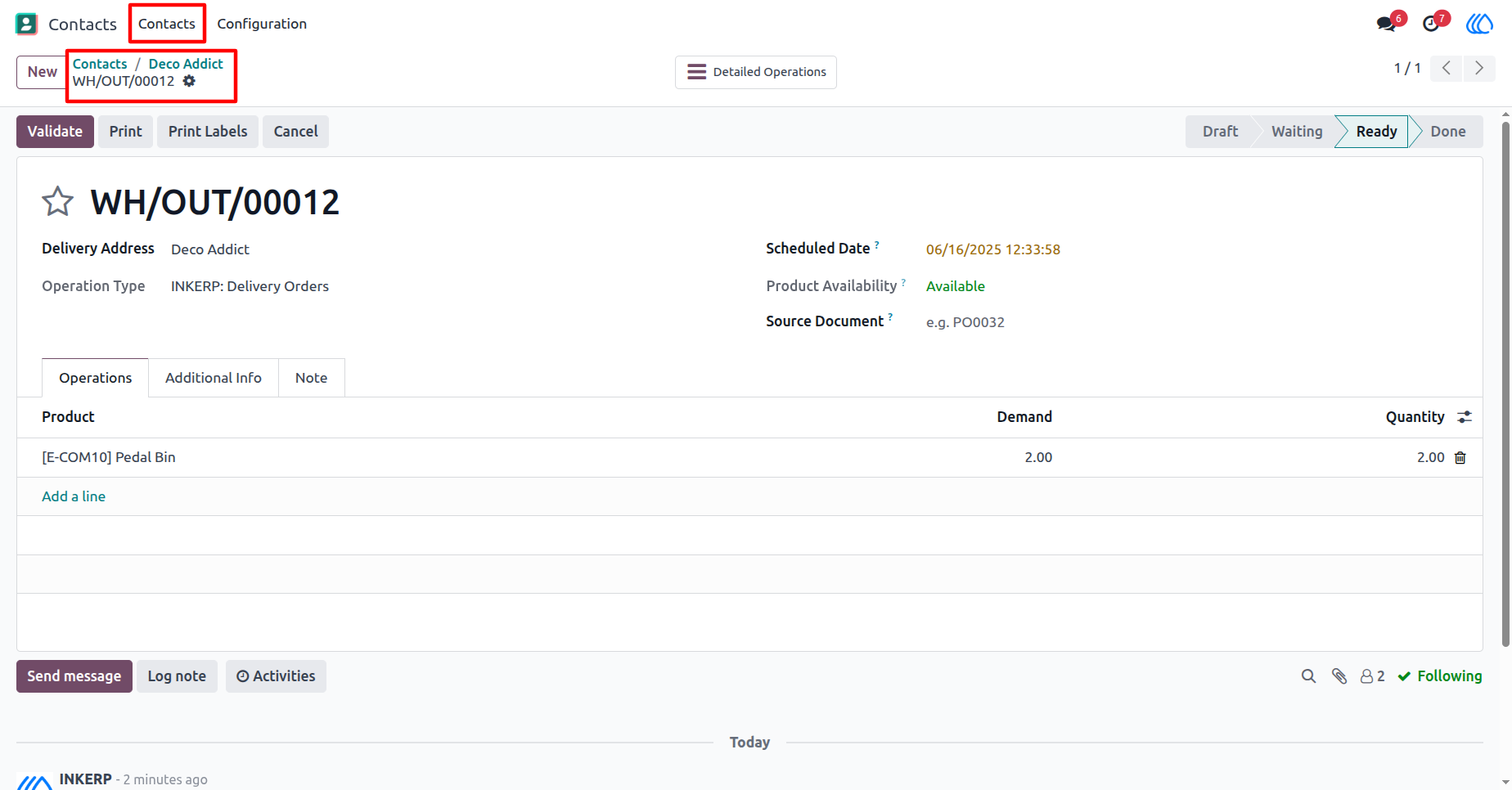
14) Partner "Meetings" tab View
Inside Contact/Partner record in new tab "Meetings", display last records of that partner as per limit.
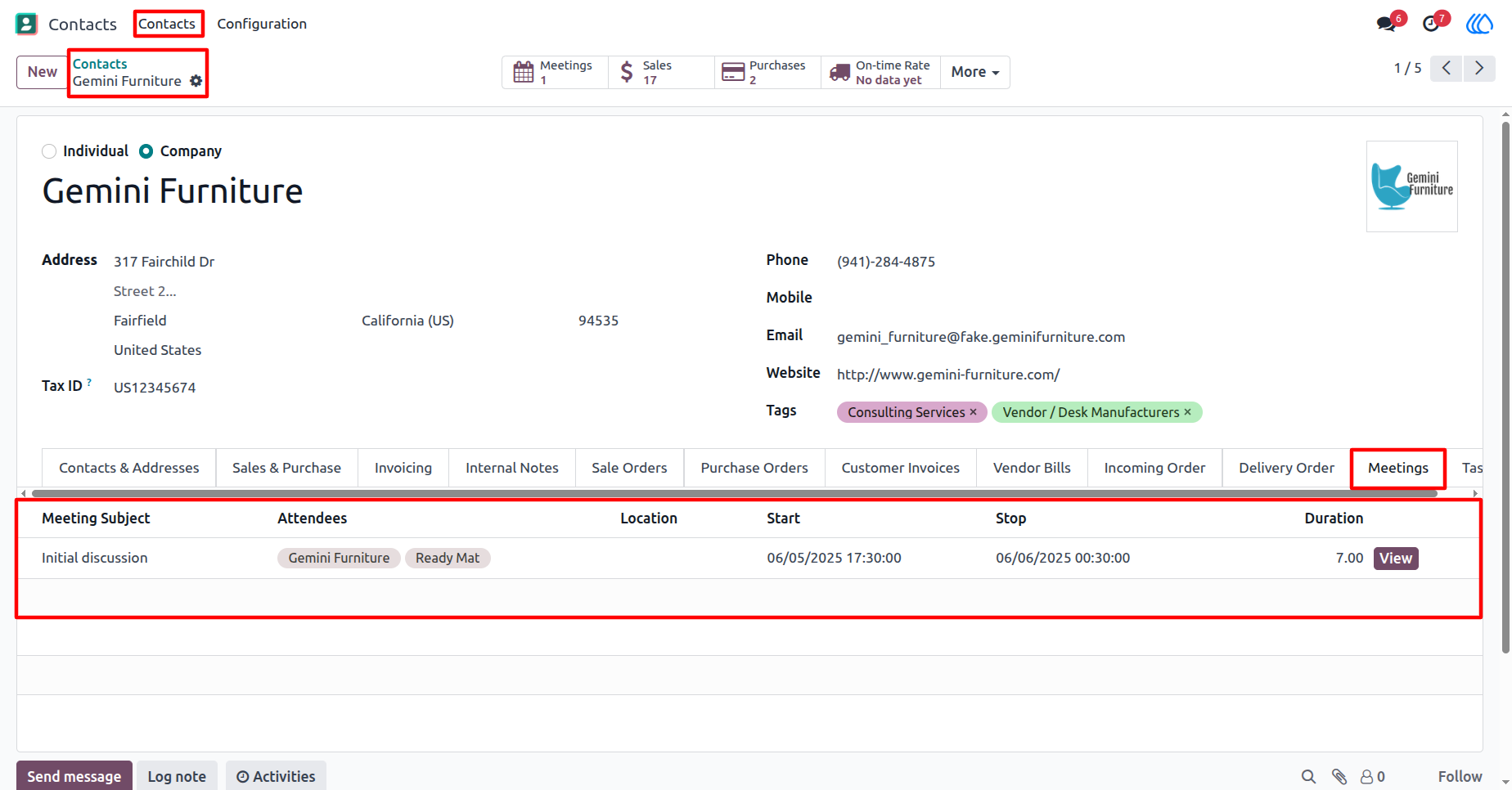
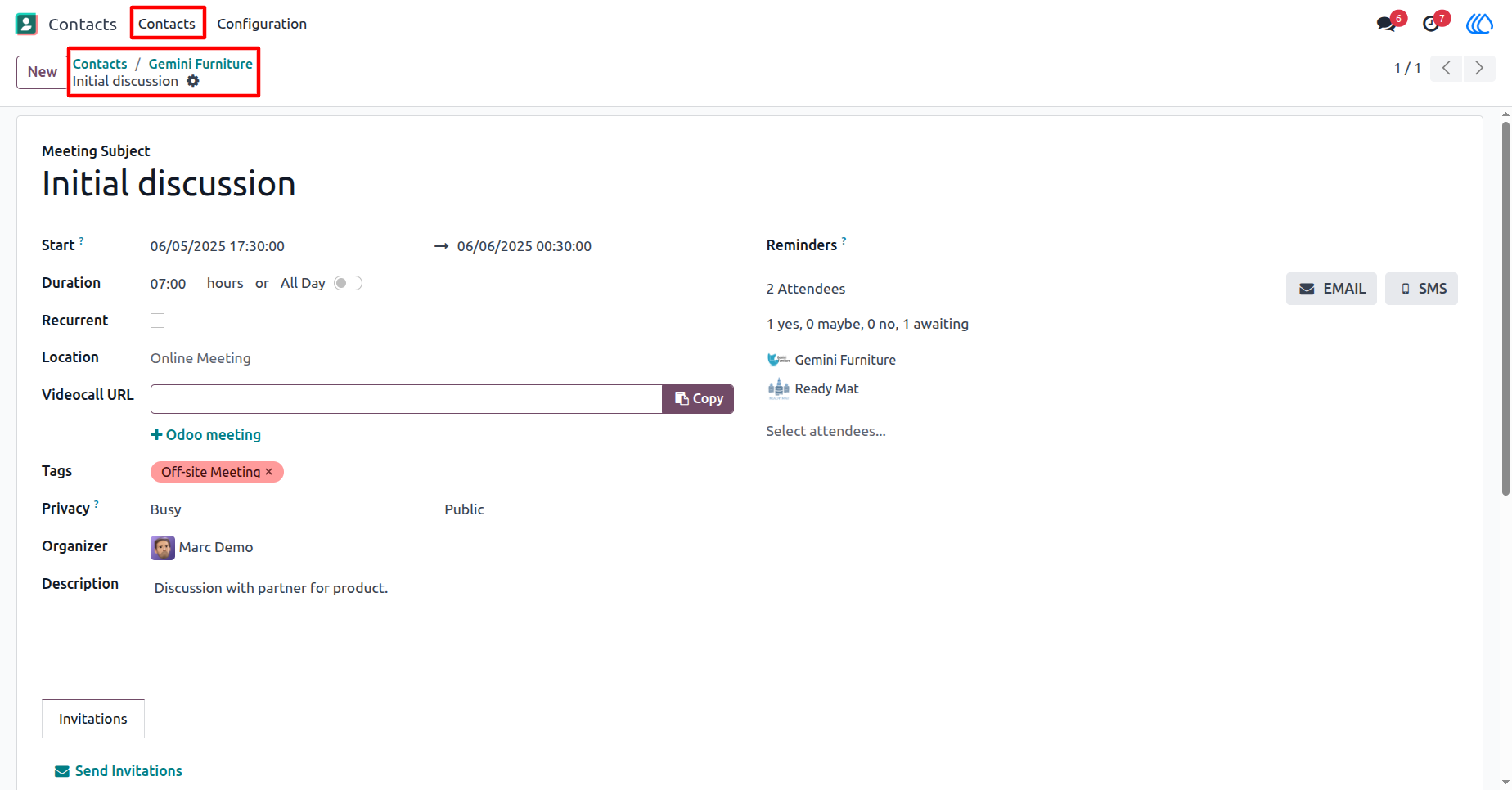
15) Partner "Meetings" View
On "View" button of "Meetings" records, redirects to that meeting.
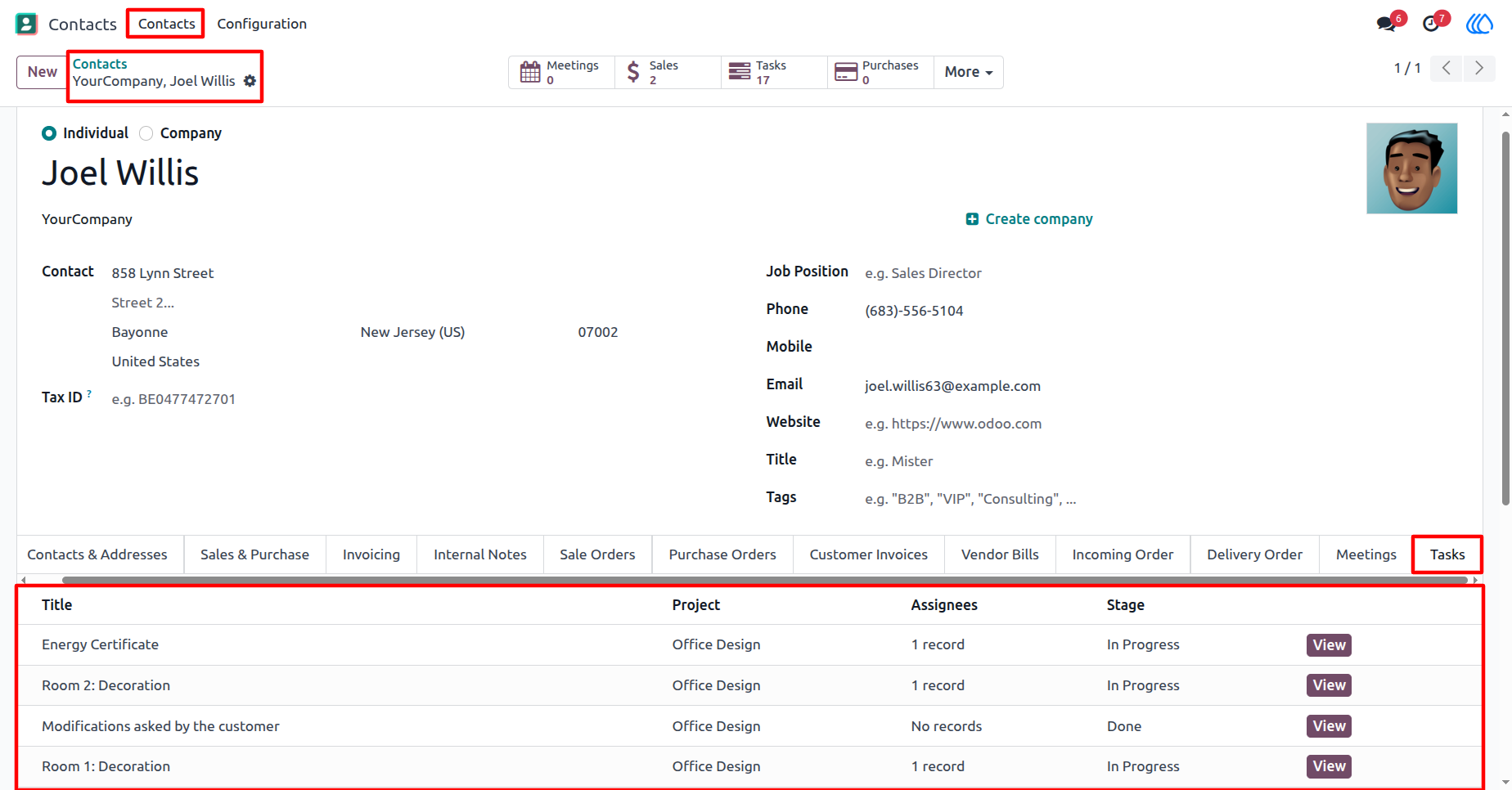
16) Partner "Tasks" tab View
Inside Contact/Partner record in new tab "Tasks", display last records of that partner as per limit.
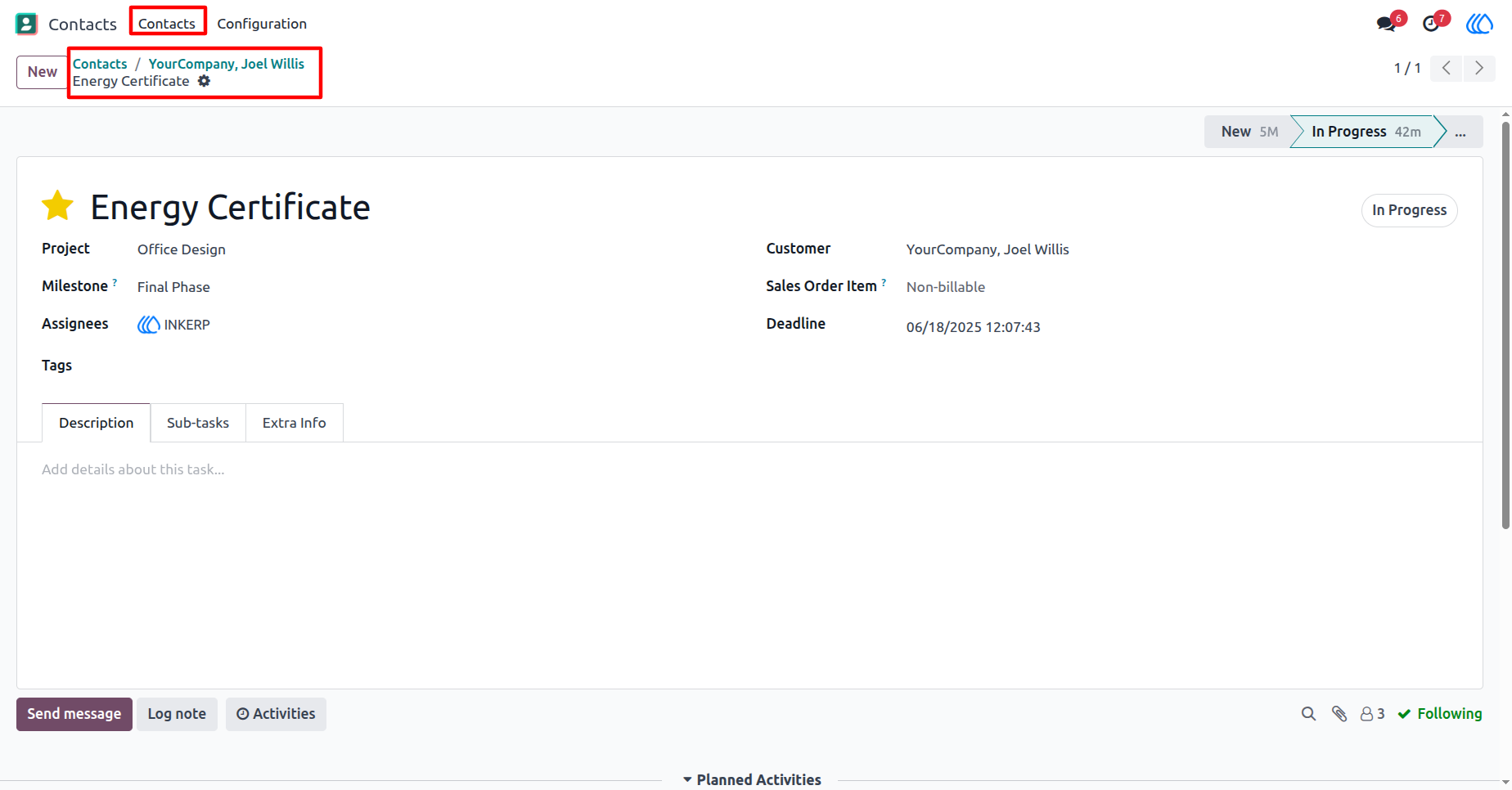
17) Partner "Tasks" View
On "View" button of "Tasks" records, redirects to that task.
User Guide