

Our Most Suggested Products


Housekeeping Management
This application manages daily cleaning operations and field service tasks from initial booking to final billing. It helps you organize multiple operating branches and assign staff members to specific work teams. You can define standard service packages with estimated durations, base pricing, and step-by-step procedure checklists. When a customer requests a service, you can schedule an appointment and dispatch the right team for the job. Staff members can accurately track their travel time, log when the actual work begins, and mark tasks complete from the field. Customers can then review the finished work, leave a rating, and sign off directly on the digital record. The completed appointment directly converts into a formal sales order and invoice to handle customer billing. Managers can also use the built-in reports to track past service history, analyze revenue, and monitor overall booking volumes.
 Features
 Screenshots
 Support
 Service
Features
Real-Time Job Tracking
Monitor the exact status of assigned cleaning tasks from departure to completion. Staff can instantly log travel time, work commencement, and final completion to ensure accurate service duration records.
Standardized Service Checklists
Maintain consistent cleaning quality by attaching specific procedure templates to service packages. Cleaning crews receive explicit, step-by-step instructions to ensure no detail is overlooked during an appointment.
Integrated Digital Signatures
Secure immediate client approval the moment a cleaning job is finished. Customers can easily draw and save their electronic signature directly on the digital service record to confirm their satisfaction.
Automated Billing and Reporting
Transform completed appointments directly into commercial quotations and finalized invoices with a single click. Generate comprehensive booking and revenue reports to analyze overall business performance across different branches.
Screenshot
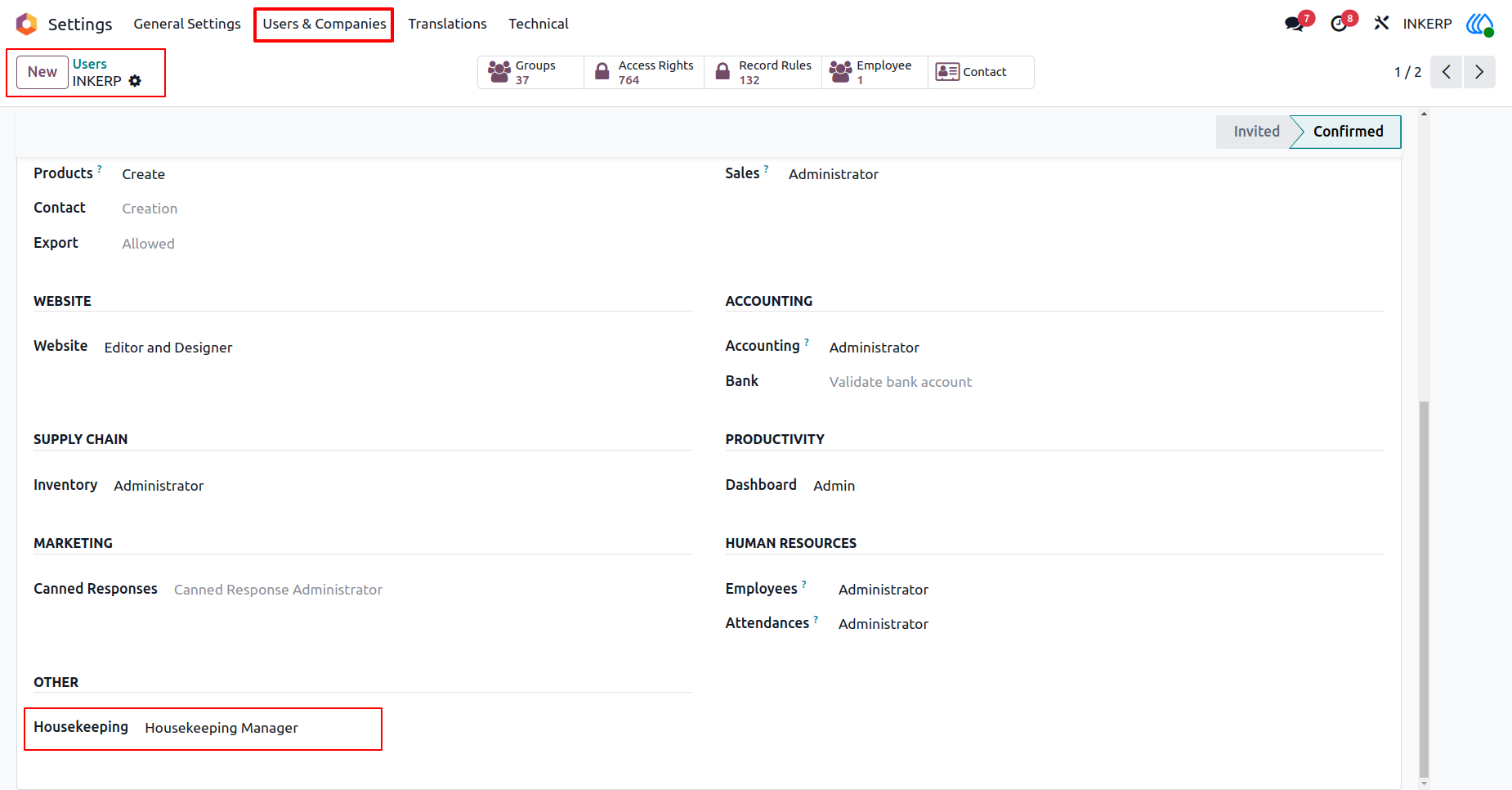
1.) Manager Access
Assign administrative privileges to oversee operational activities. This role enables comprehensive control over staff assignments and daily schedules.
Navigation : Settings › Users & Companies › Users
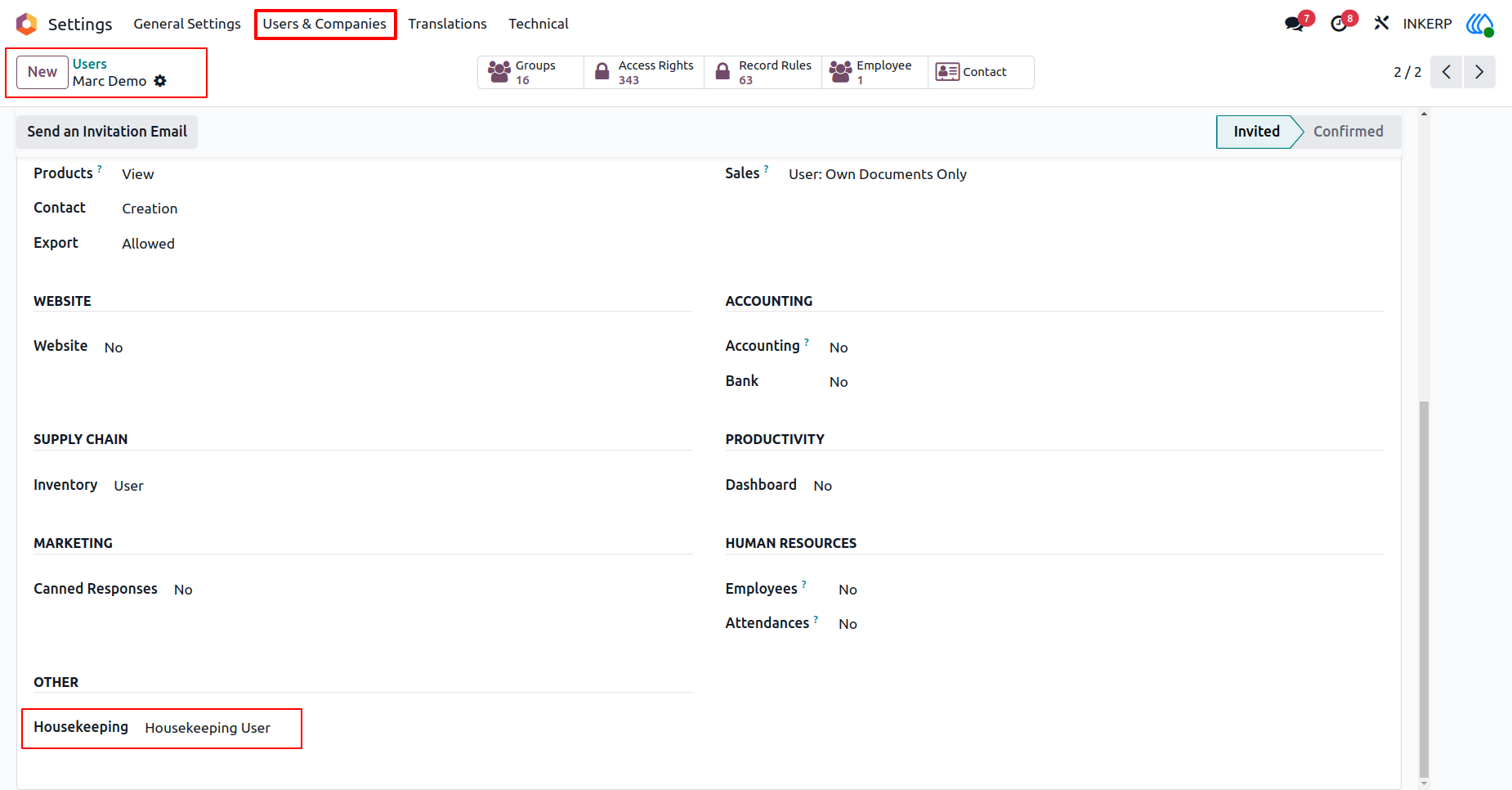
2.) Staff Access
Grant focused permissions for personnel to view their assigned duties. This ensures team members only access information relevant to their daily responsibilities.
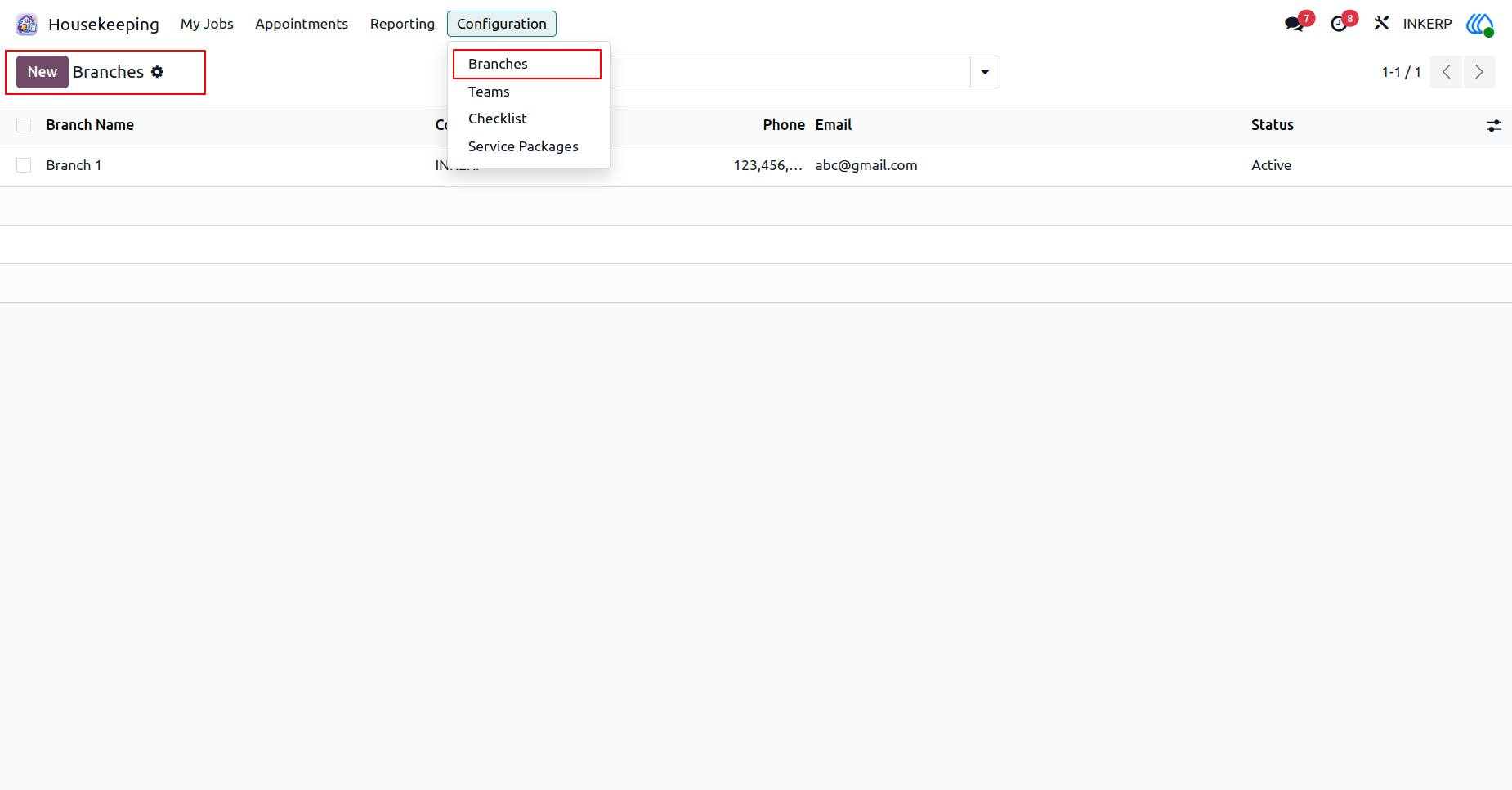
3.) Branch Overview
Maintain a detailed registry of all operational locations. Centralizing location data helps organize work crews and service offerings by specific geographical areas.
Navigation : Housekeeping › Configuration › Branches
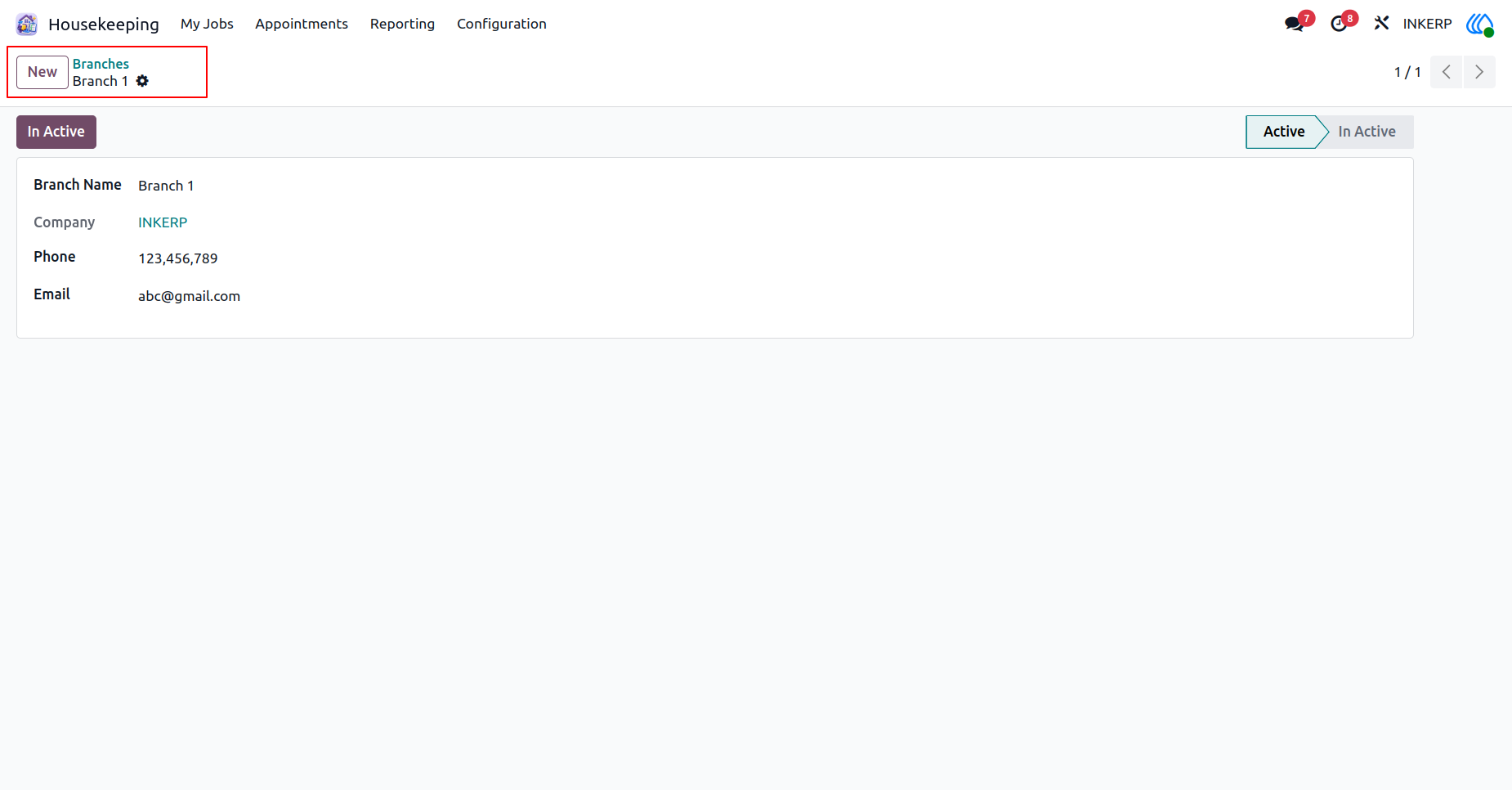
4.) New Branch
Register a new service location with essential contact information. Keeping accurate location records streamlines communication and routing for upcoming jobs.
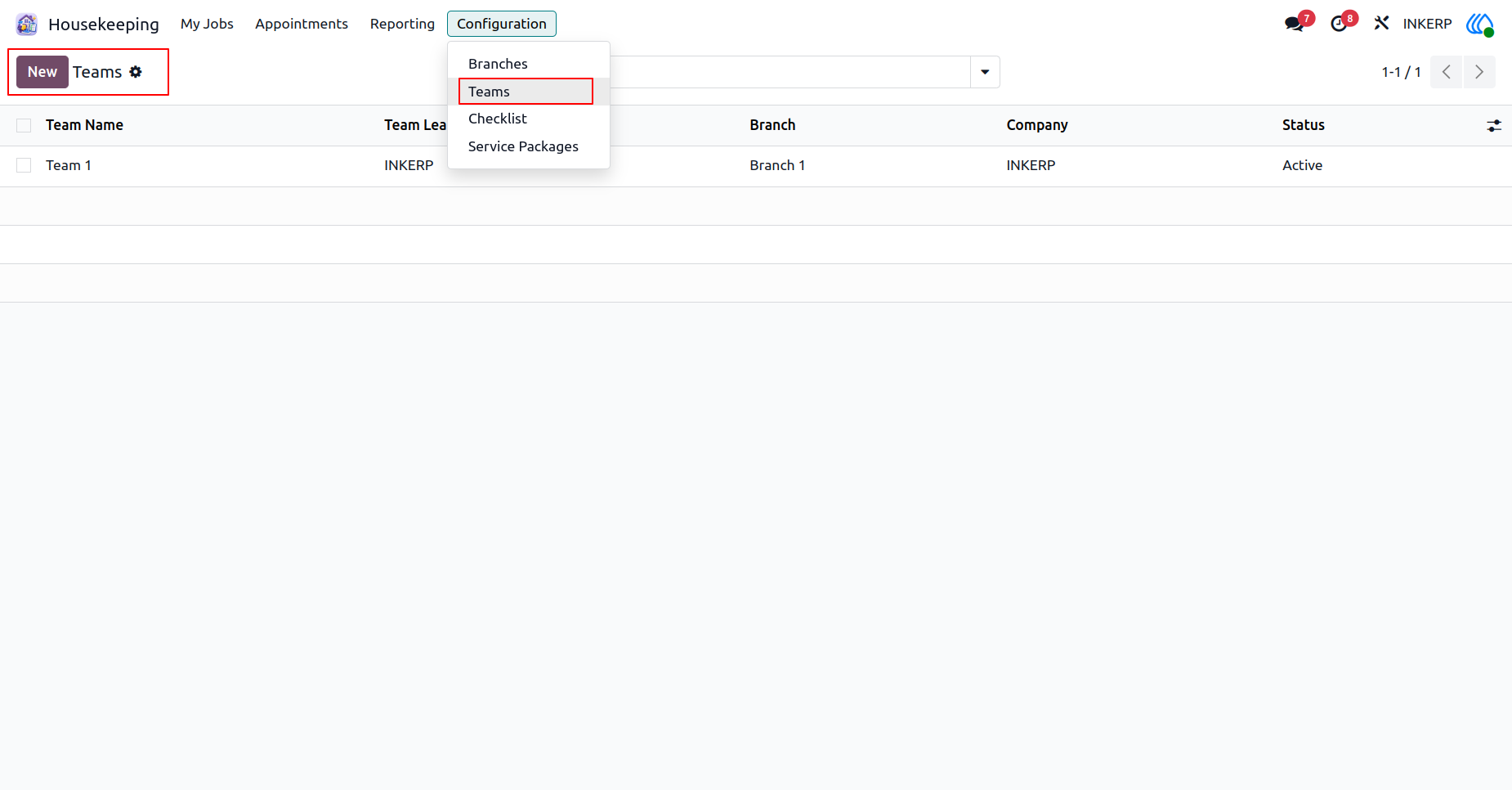
5.) Team Overview
Review established work crews and their designated leaders. Grouping personnel into structured units improves daily workflow tracking and overall accountability.
Navigation : Housekeeping › Configuration › Teams
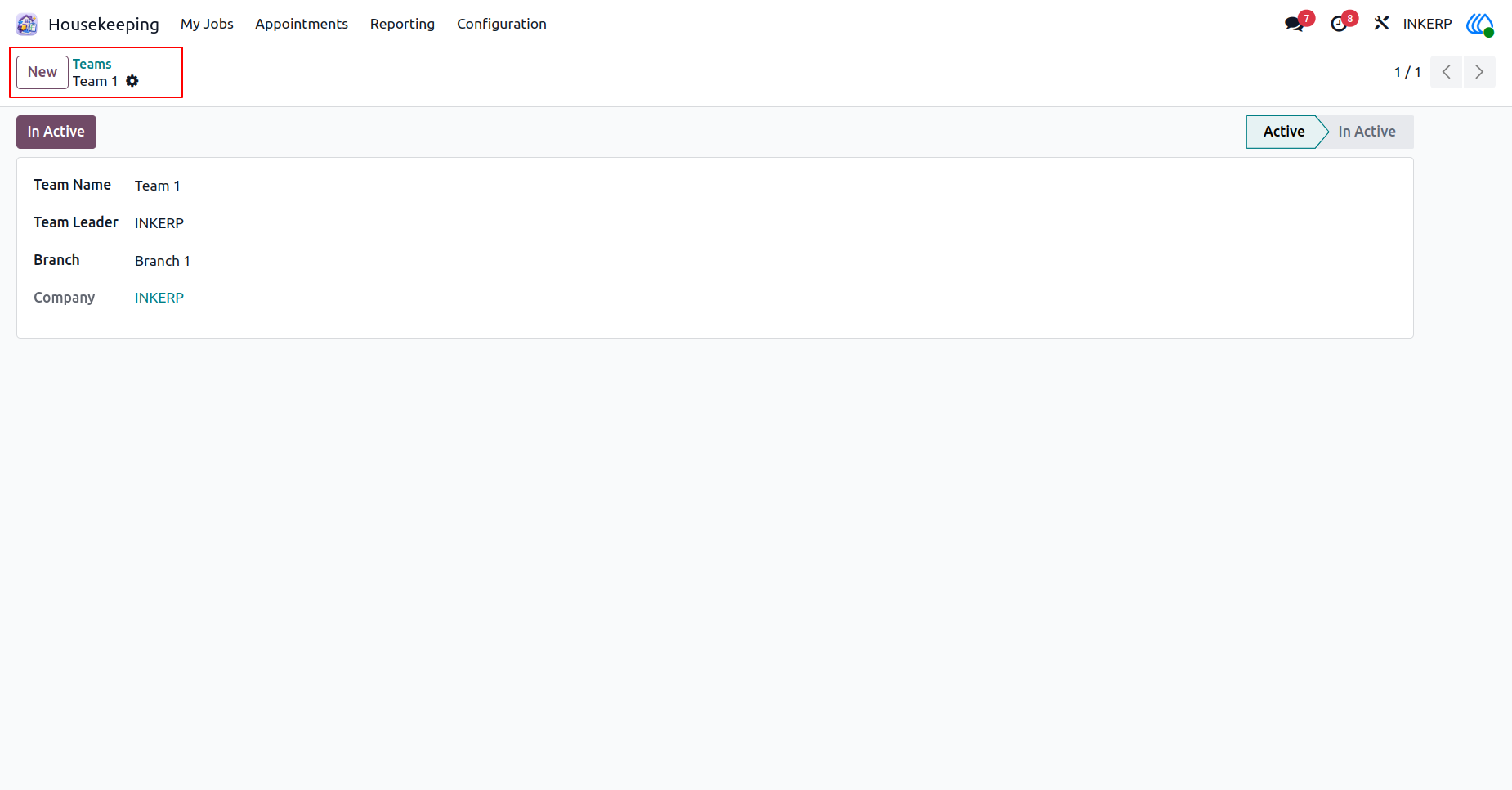
6.) Create Work Team
Assemble a new group of workers under a specific leader. Linking crews directly to dedicated branches ensures an efficient distribution of the daily workload.
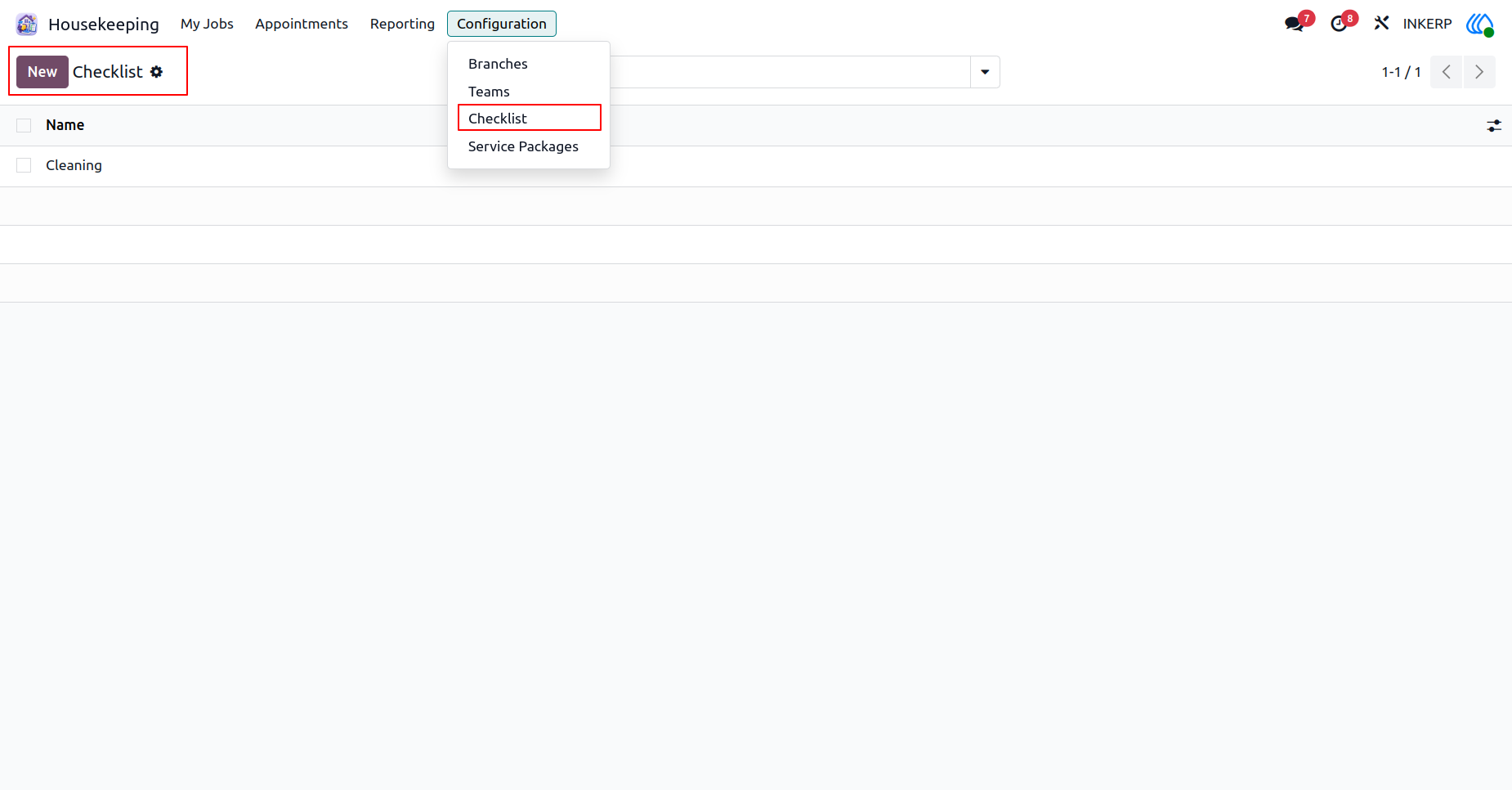
7.) Task Checklists
Review standard operating procedures required for various jobs. Maintaining consistent task requirements ensures high-quality outcomes across all assignments.
Navigation : Housekeeping › Configuration › Checklist
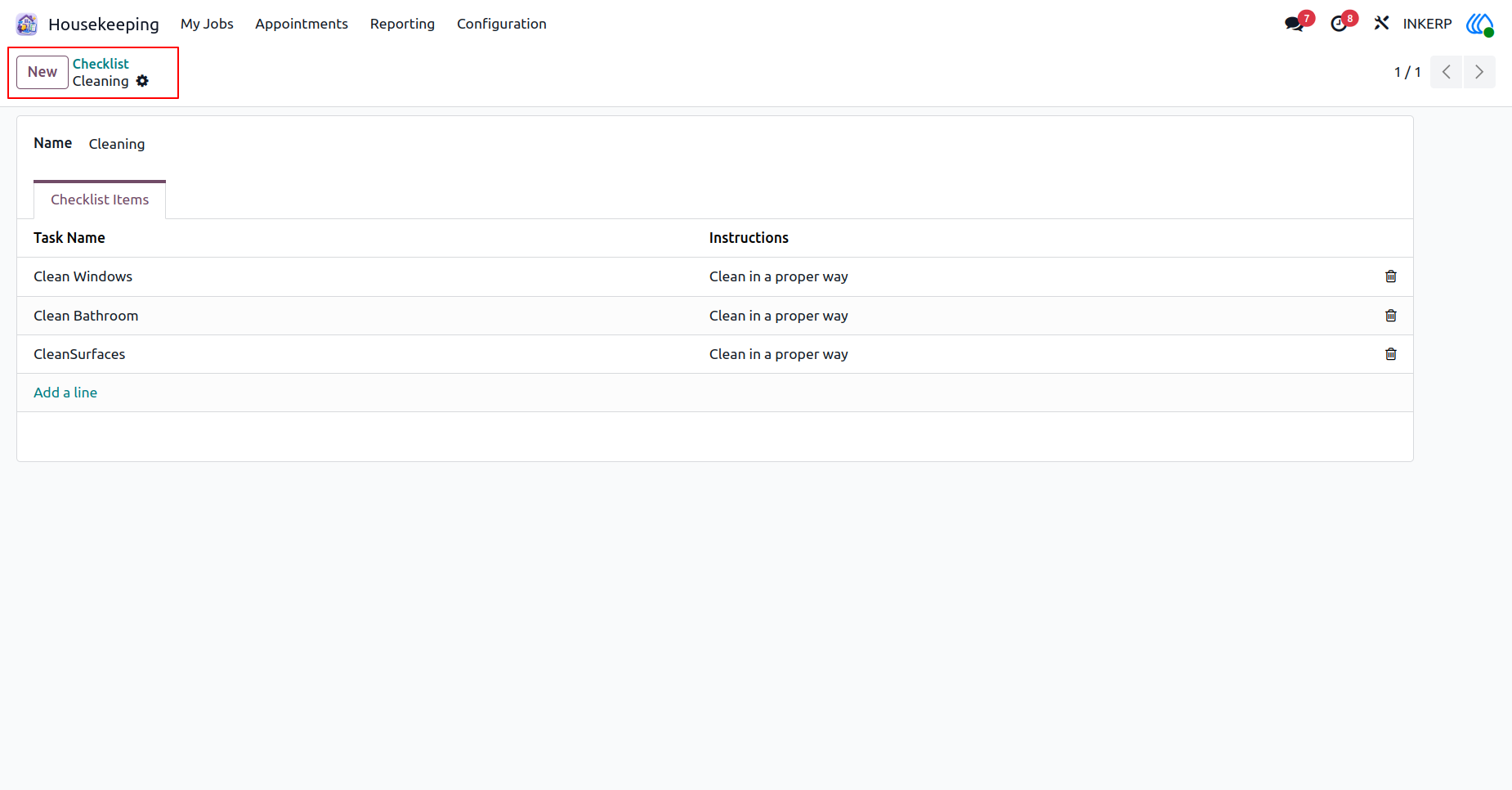
8.) Define Checklist
Detail specific steps required to complete a comprehensive job. Providing clear, step-by-step instructions guarantees standard duties are never overlooked during service.
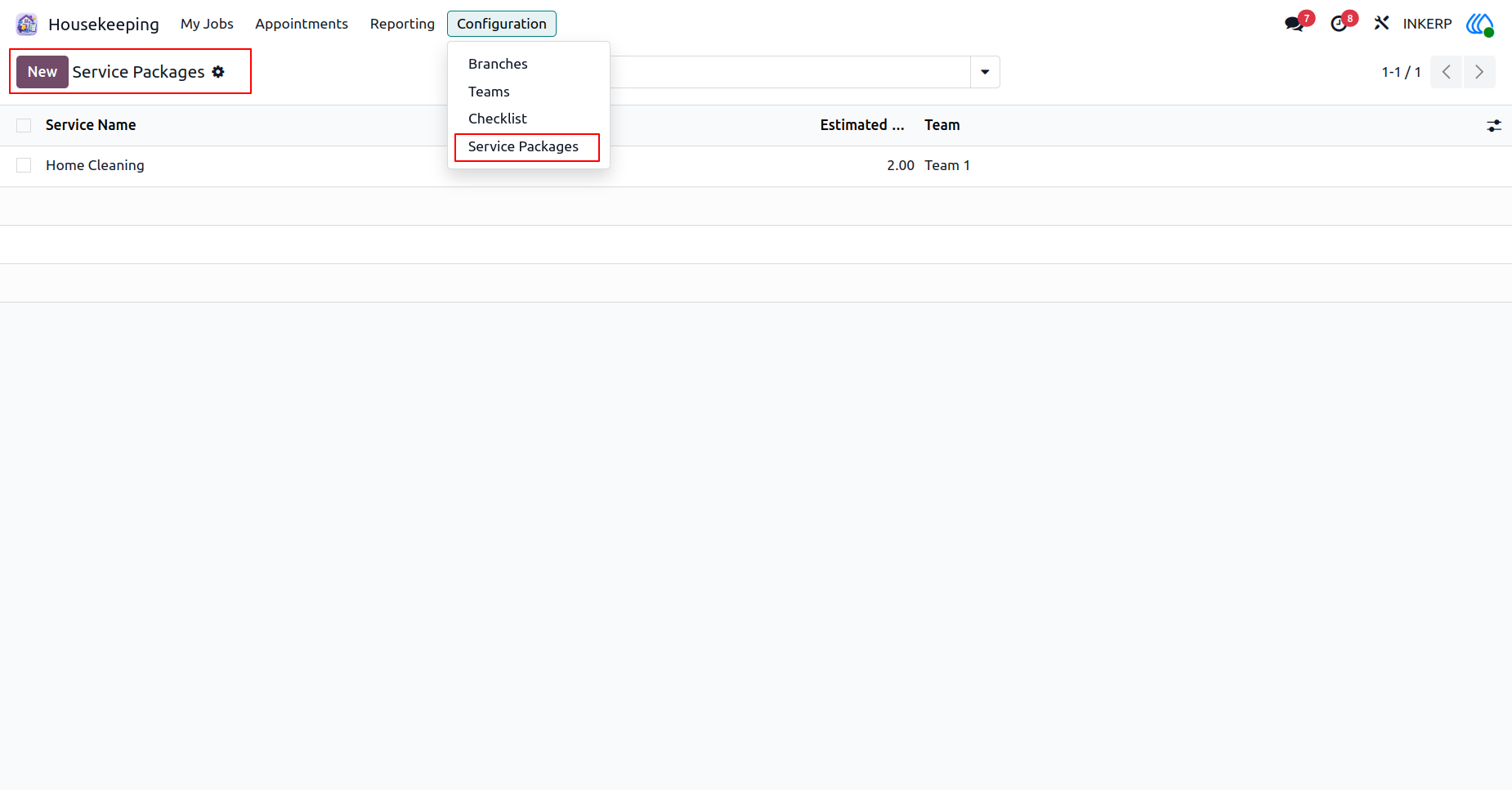
9.) Service Packages
Browse available service offerings alongside their estimated completion times. Organizing these options helps streamline customer bookings and resource allocation.
Navigation : Housekeeping › Configuration › Service Packages
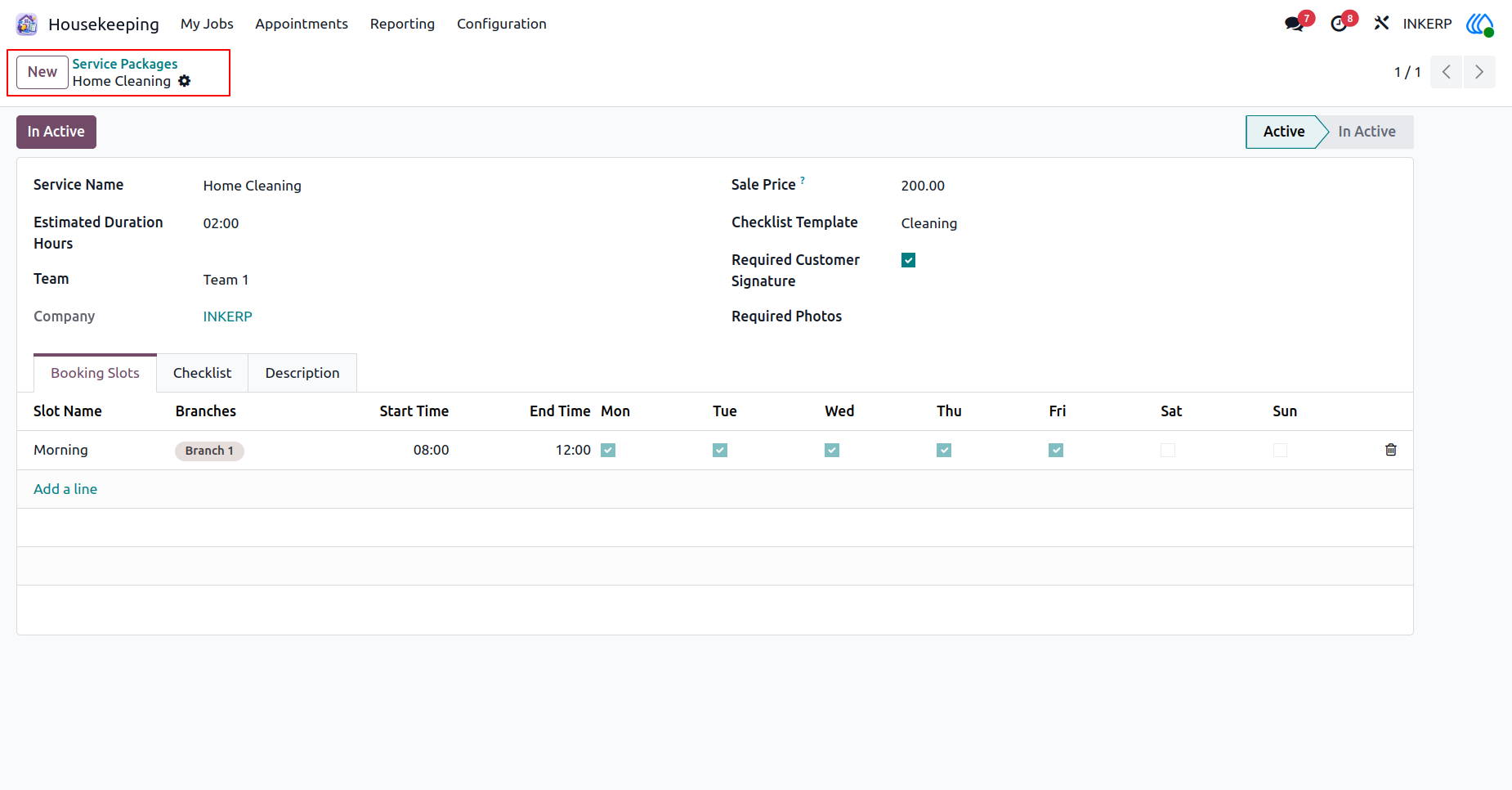
10.) Create Package
Configure a new offering with pricing, duration, and assigned crews. Establishing specific booking slots guarantees accurate scheduling and smooth resource management.
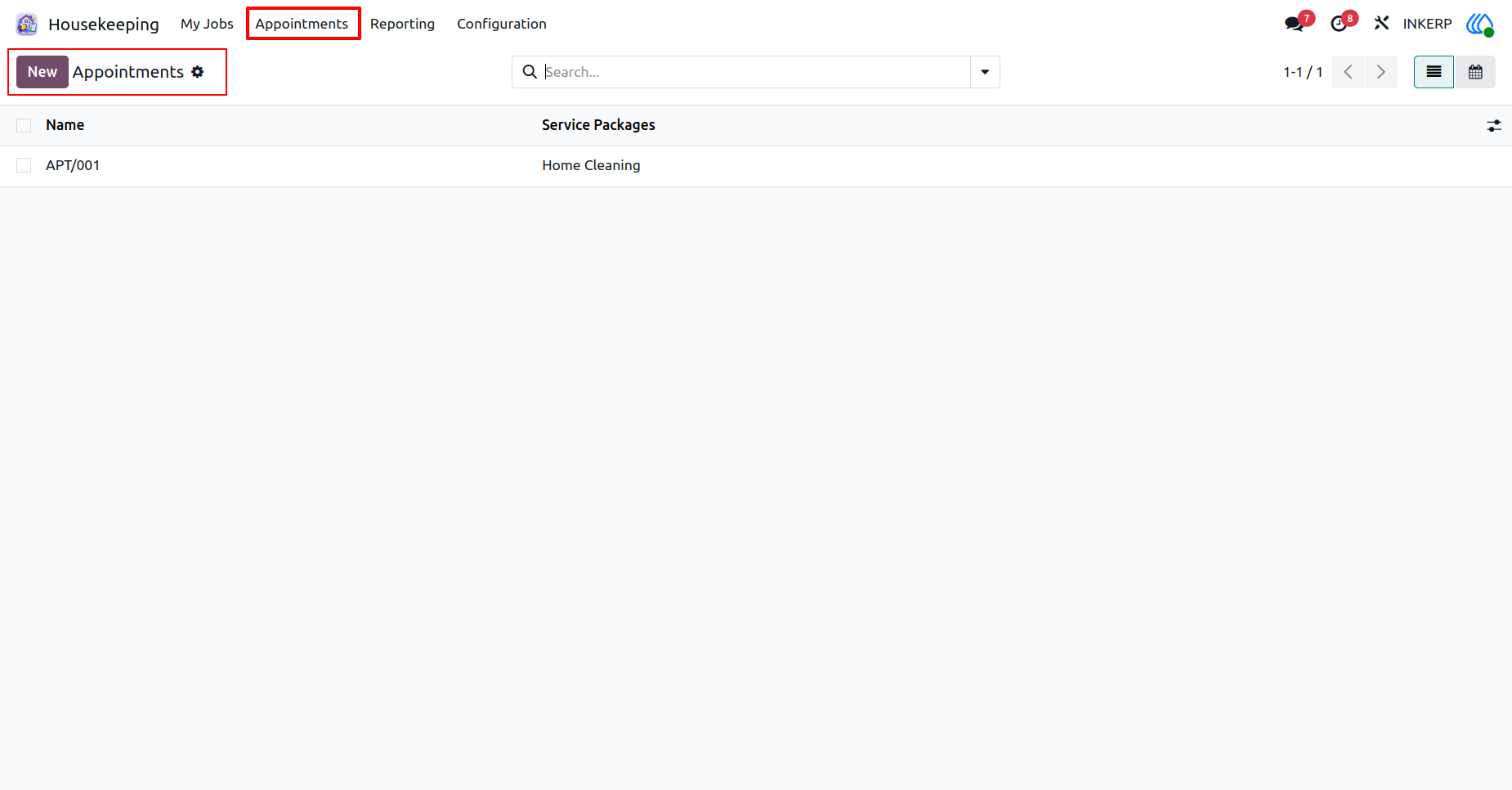
11.) View Appointments
Review all scheduled service bookings in one centralized location. Monitor upcoming tasks and quickly access details for specific client requests to ensure timely fulfillment.
Navigation : Housekeeping › Appointments
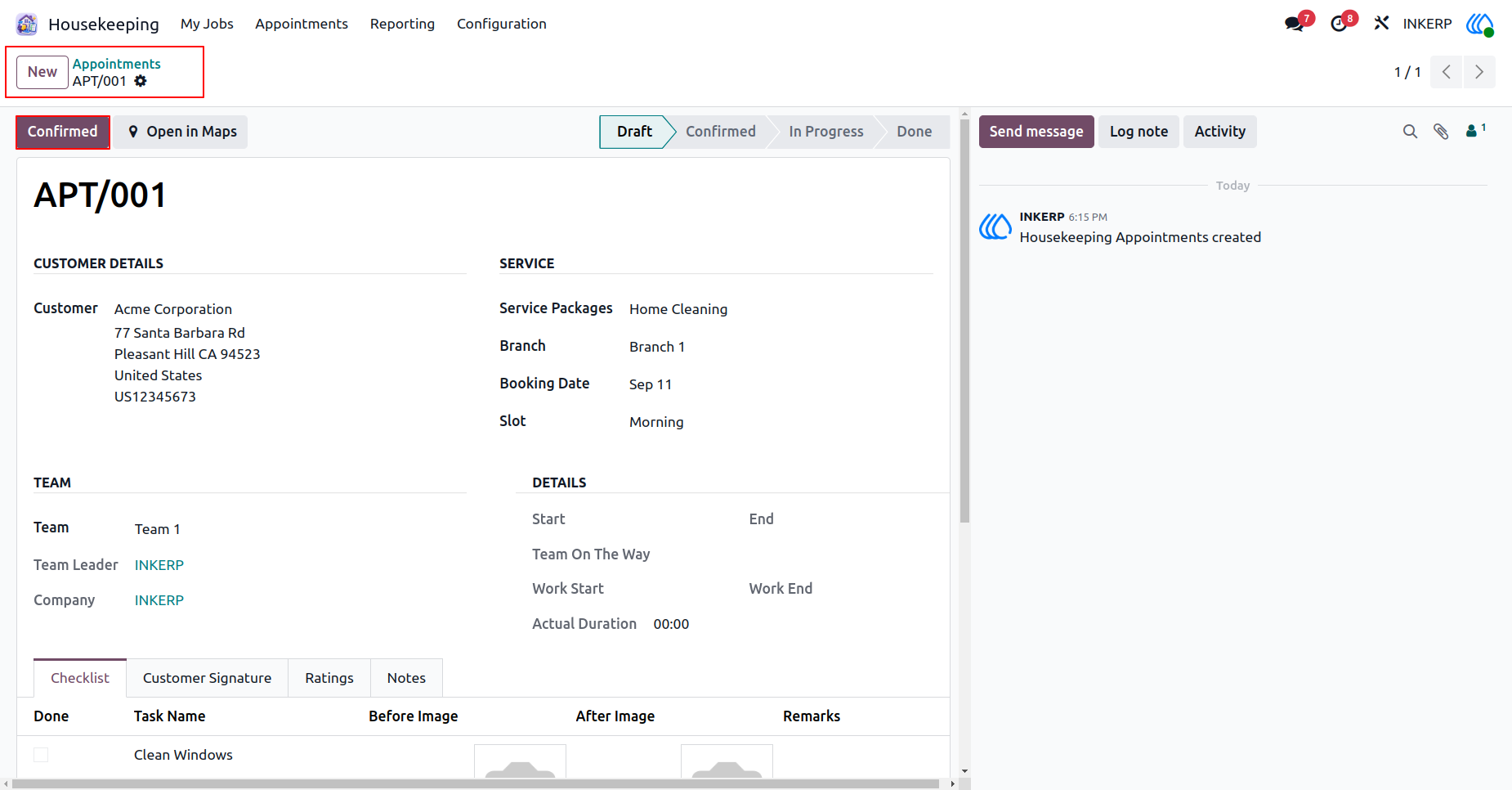
12.) Create Appointment
Schedule new service requests by entering client details and selecting the appropriate service package. Assign a specific team and choose a suitable date and time slot for the requested work.
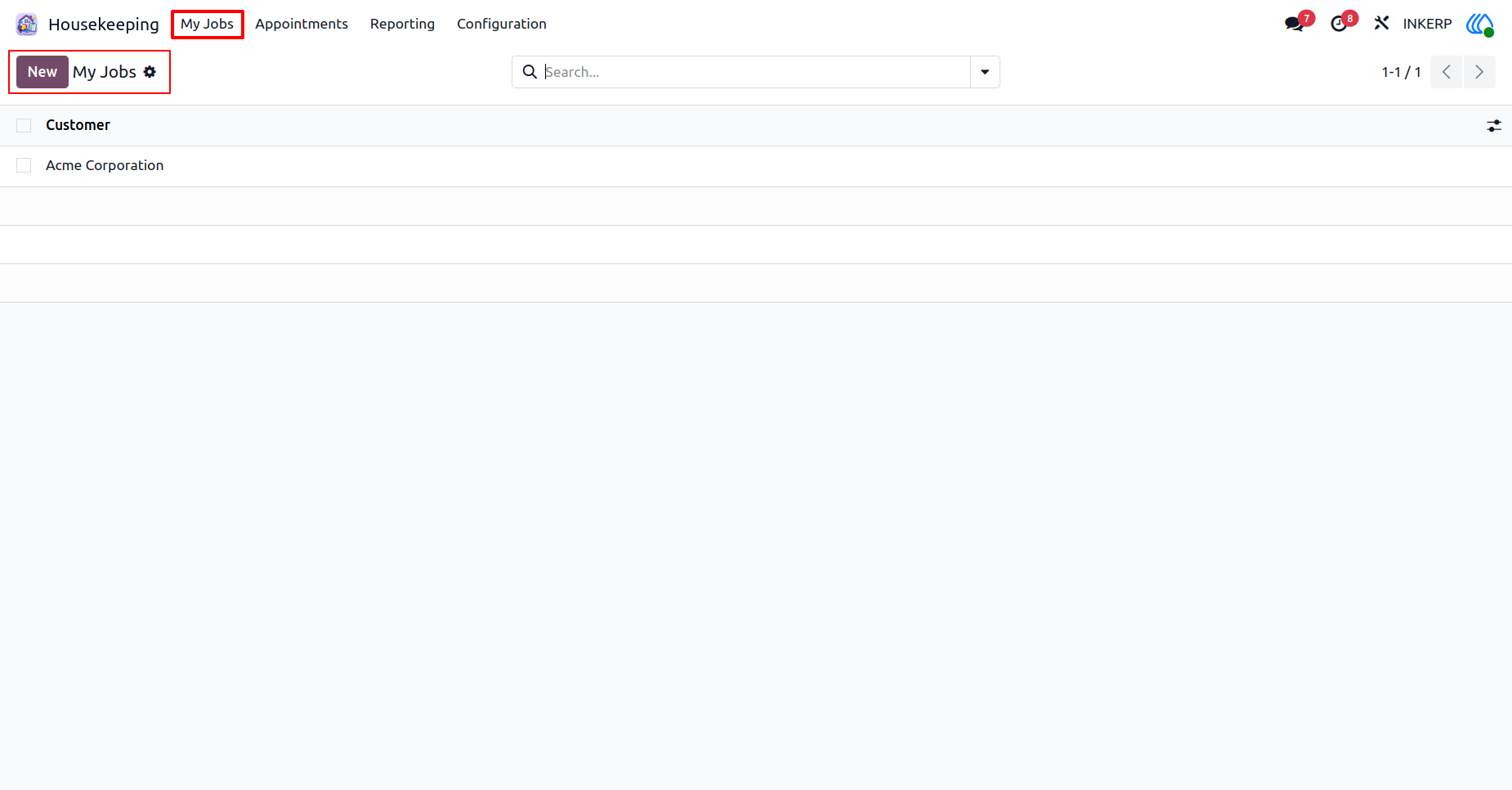
13.) My Assigned Jobs
Access a personalized list of tasks assigned to your specific team. Review upcoming responsibilities and client details to prepare for the day's scheduled work.
Navigation : Housekeeping › My Jobs
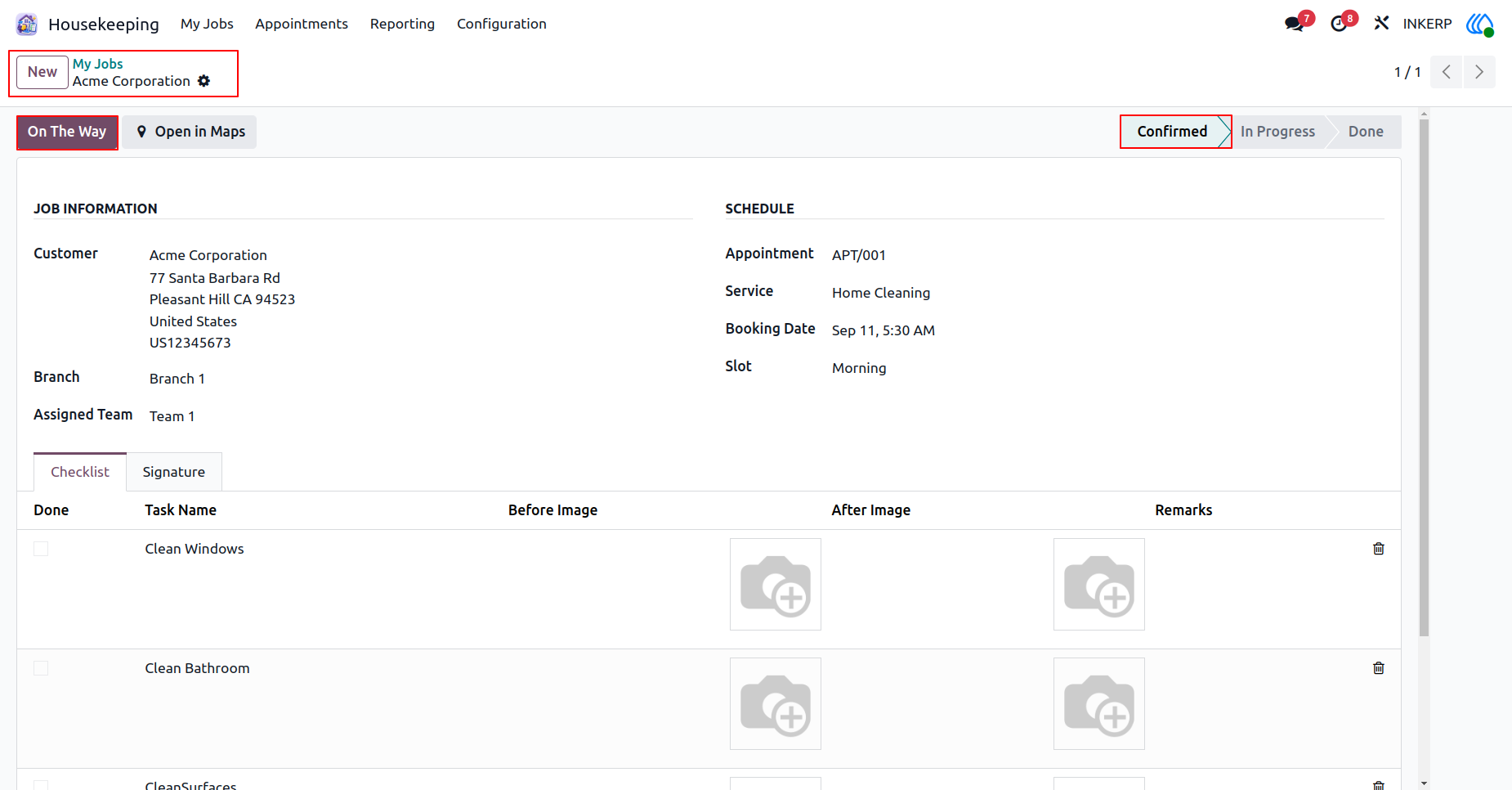
14.) Job Status Update
Review the detailed requirements of an assigned task before heading to the client location. Update the current status to indicate that the team is currently traveling to the destination.
15.) Track Travel Time
Monitor the exact time the assigned team departed for the client location. Initiate the working phase once the team arrives to accurately record the duration of the provided service.
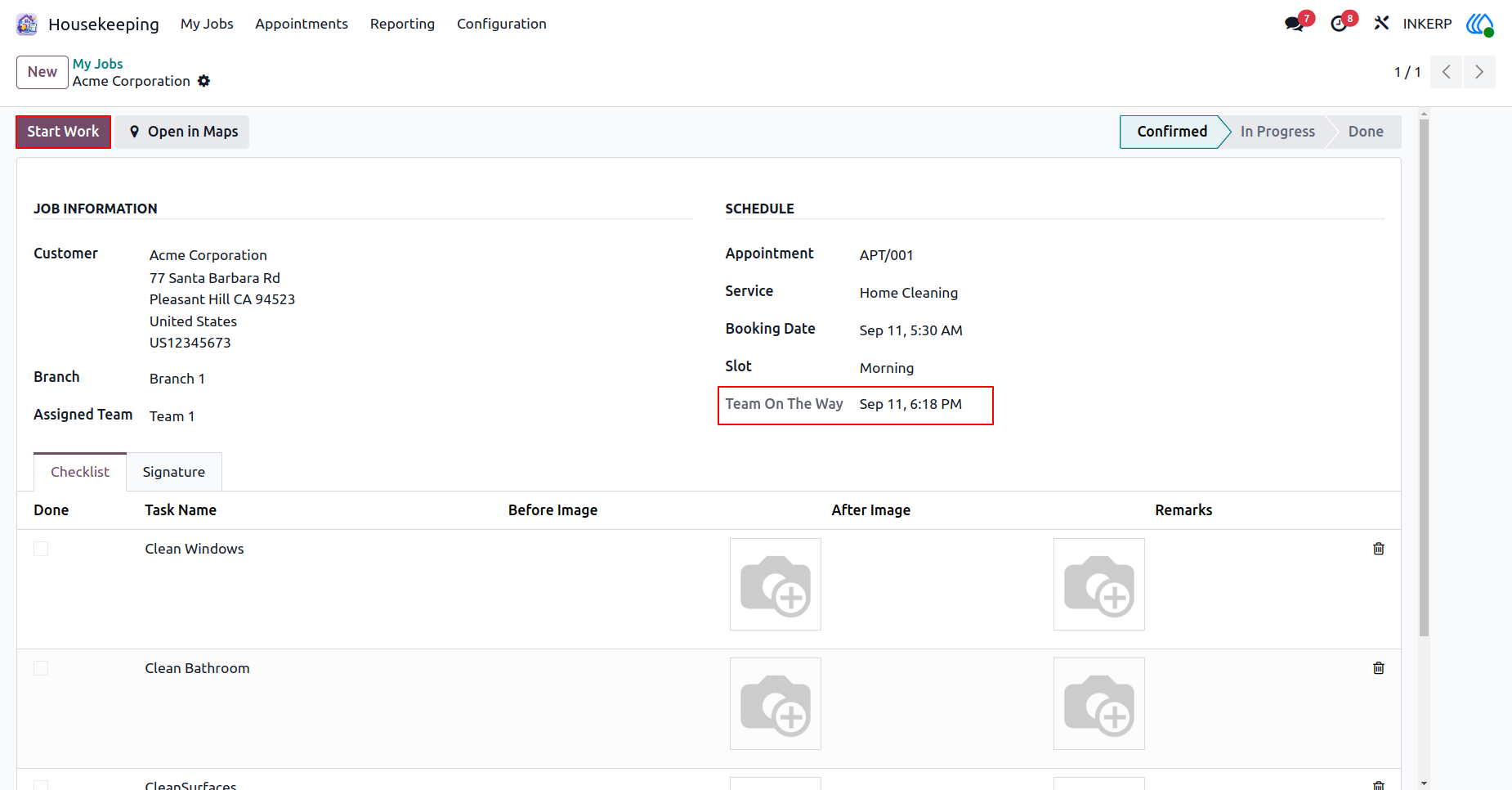
16.) Work In Progress
Log the exact moment the service execution begins at the client site. Track active tasks and update the completion status once all checklist items are thoroughly finished.
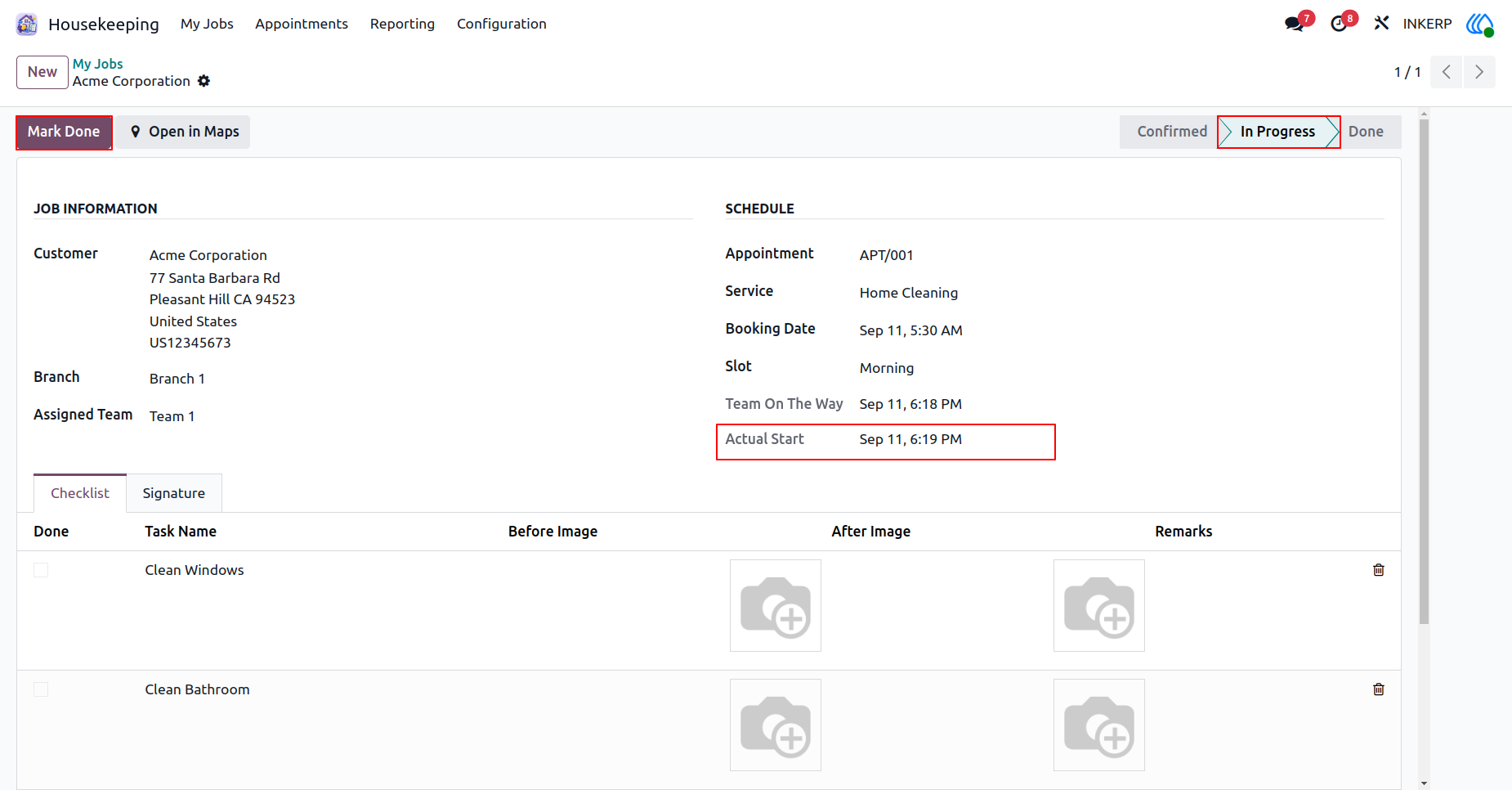
17.) Complete Assignment
Record the final completion time for the assigned work to accurately measure total service duration. Finalize the task to update the centralized schedule and notify relevant management staff.
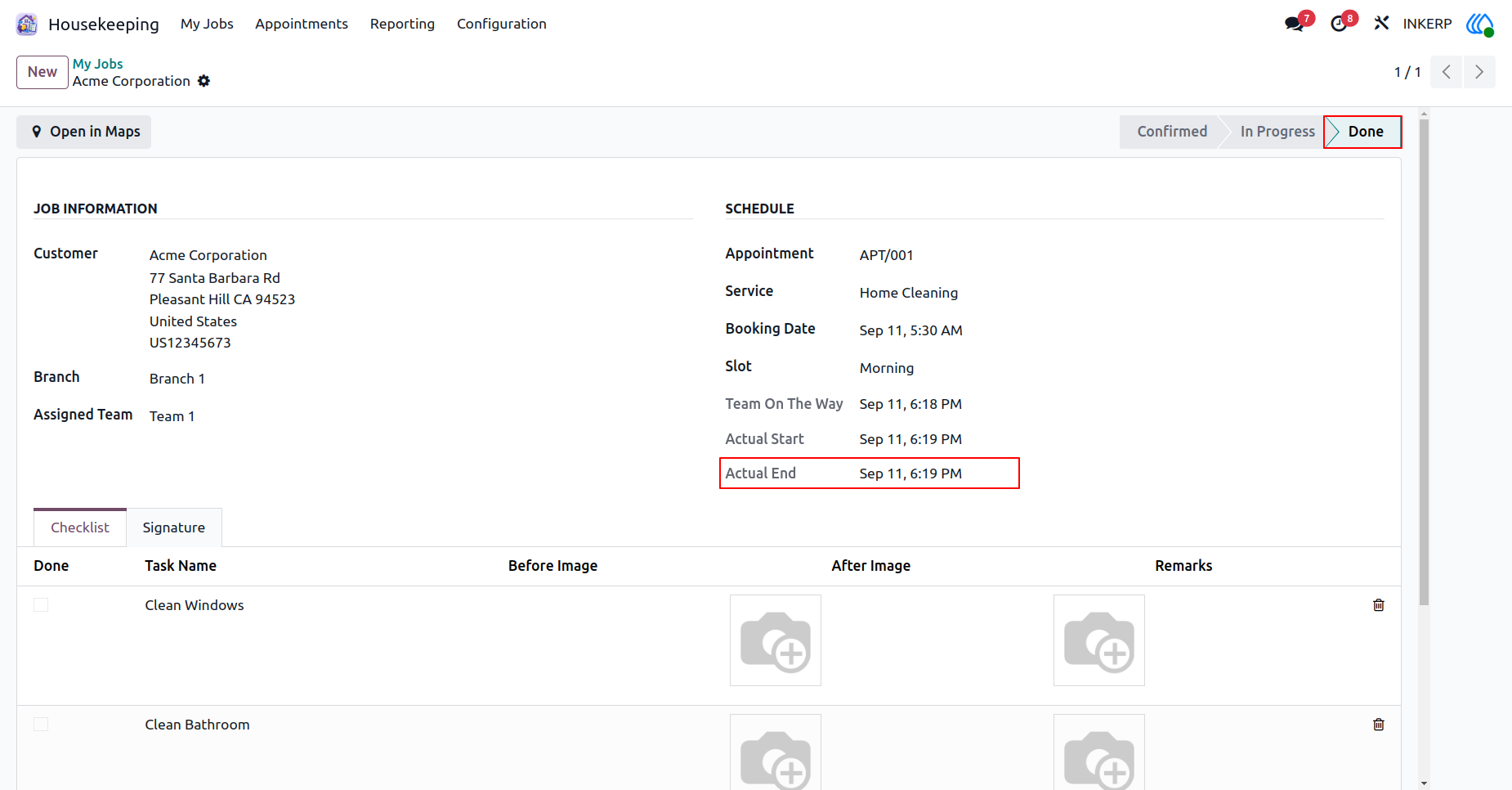
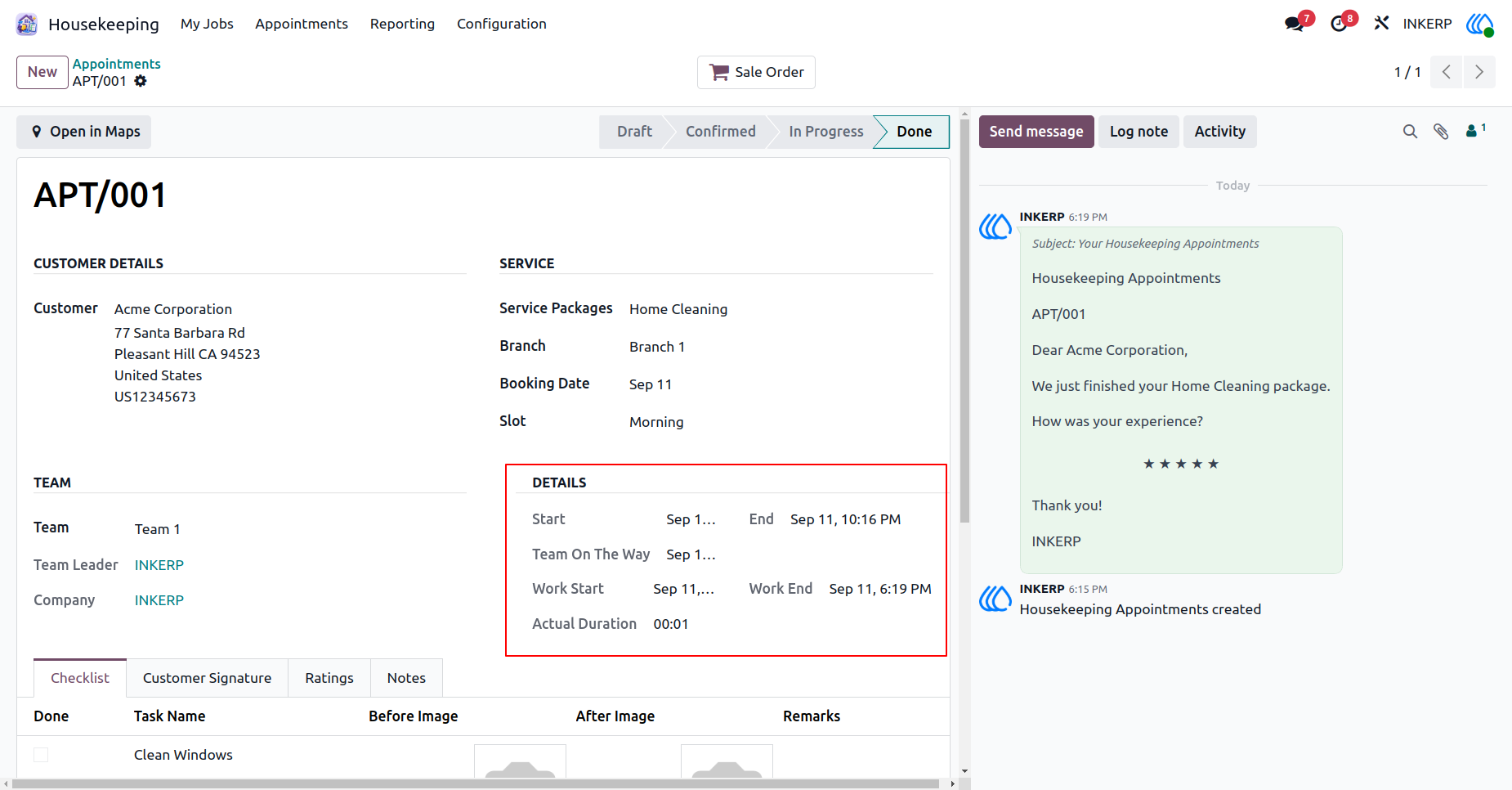
18.) Review Job Details
Analyze the complete timeline of a finished service request, including travel time and total work duration. Automatically request feedback from clients to monitor overall satisfaction and service quality.
Navigation : Housekeeping › Appointments
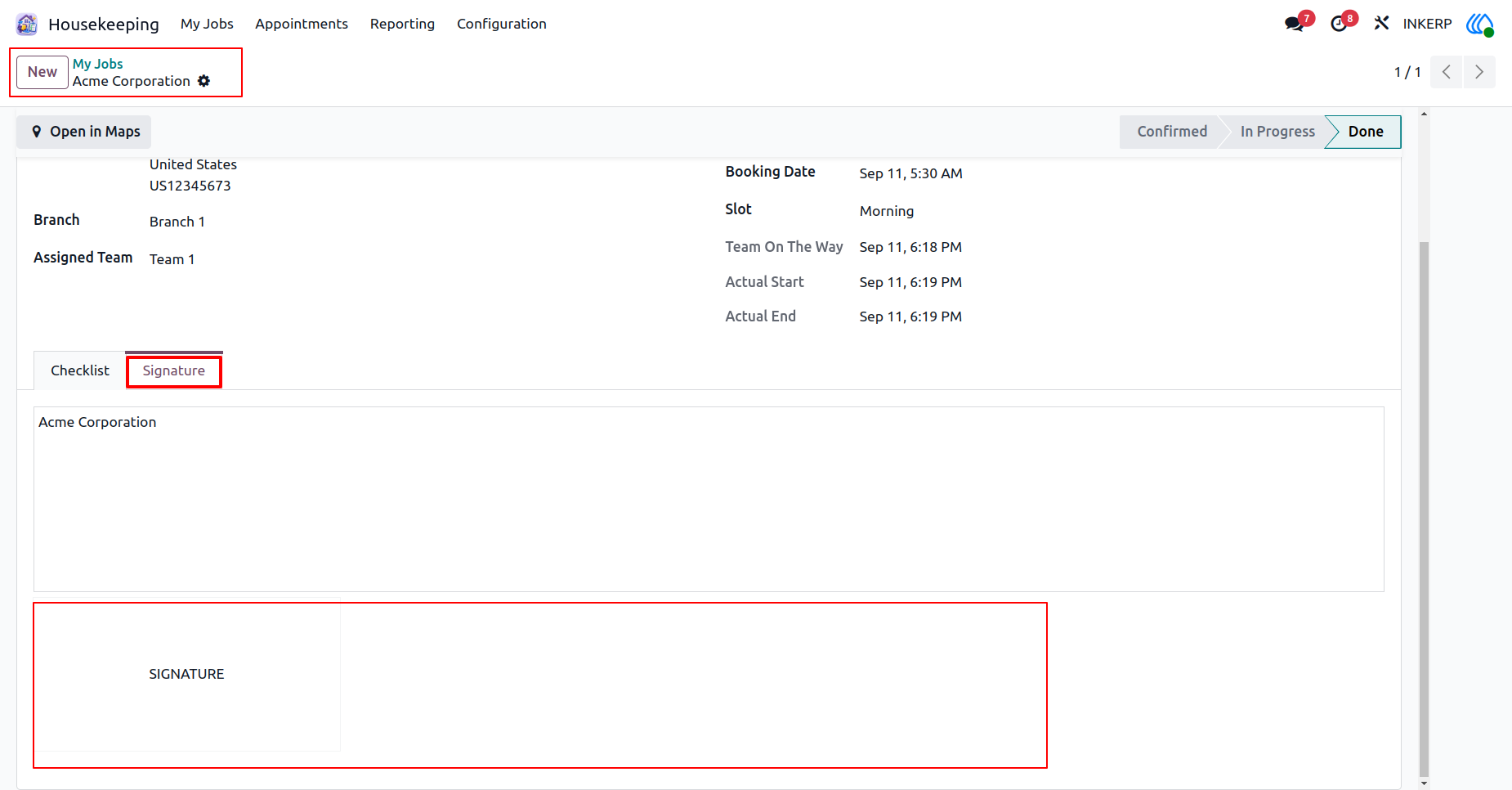
19.) Client Signature
Collect formal approval from the client upon completion of the requested work. Ensure all tasks meet expectations before capturing their final agreement directly in the system.
Navigation : Housekeeping › My Jobs
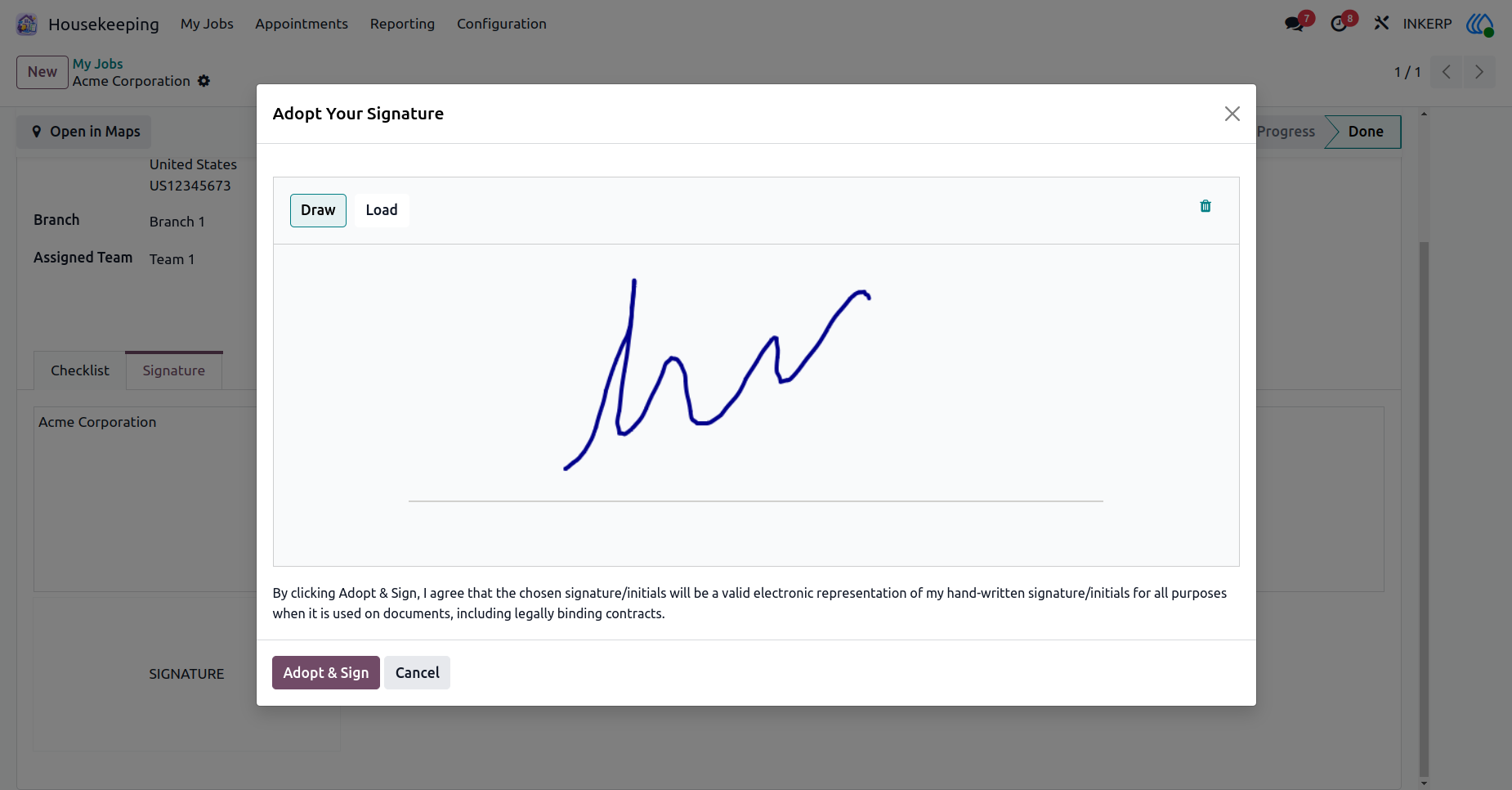
20.) Capture Signature
Provide an electronic method for clients to draw and save their official authorization. Securely attach this agreement to the specific service record for future reference and compliance.
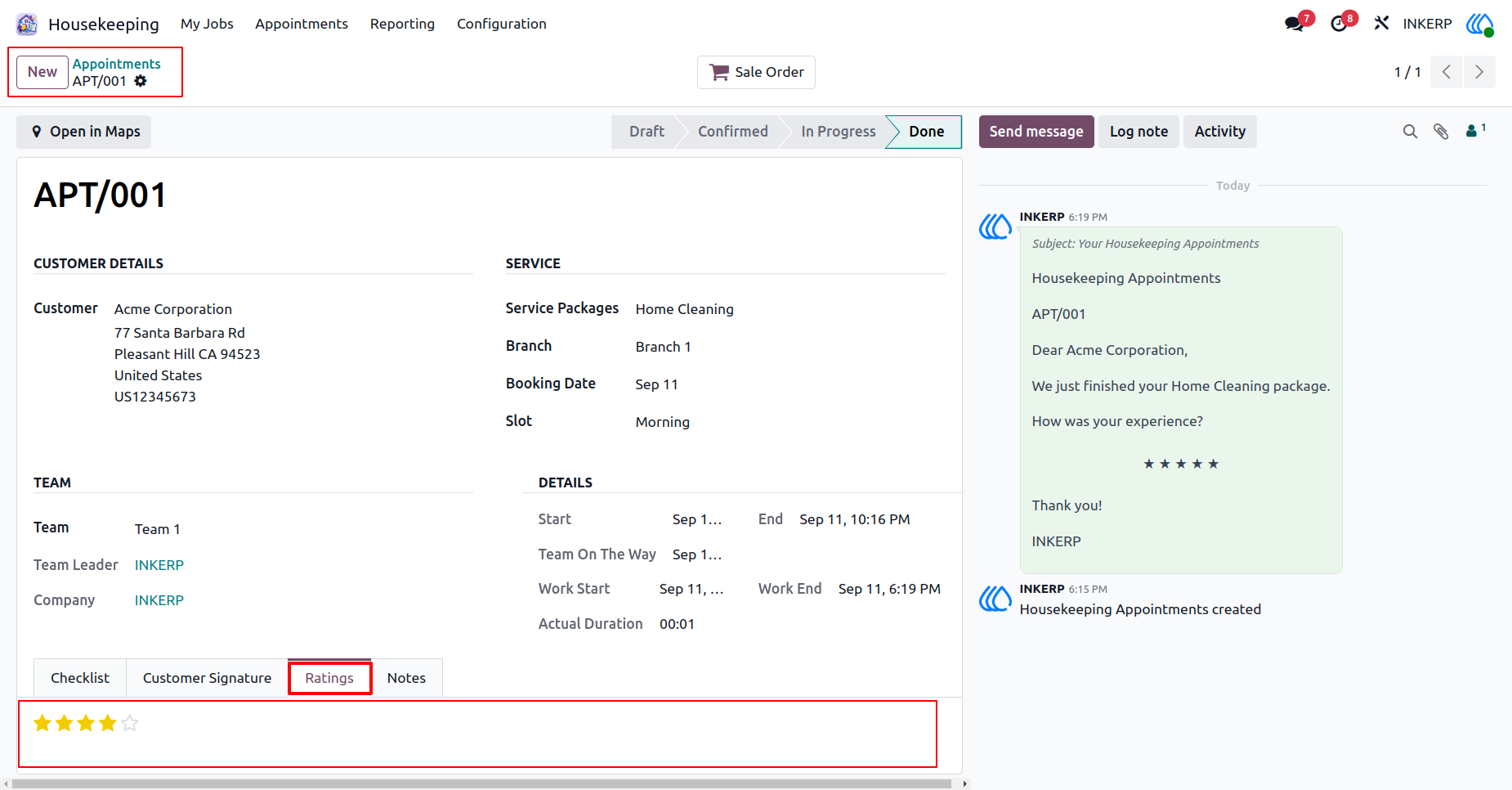
21.) Service Rating
Review feedback submitted by clients after a service is completed. Monitor overall satisfaction levels and address any specific concerns raised regarding the provided work.
Navigation : Housekeeping › Appointments
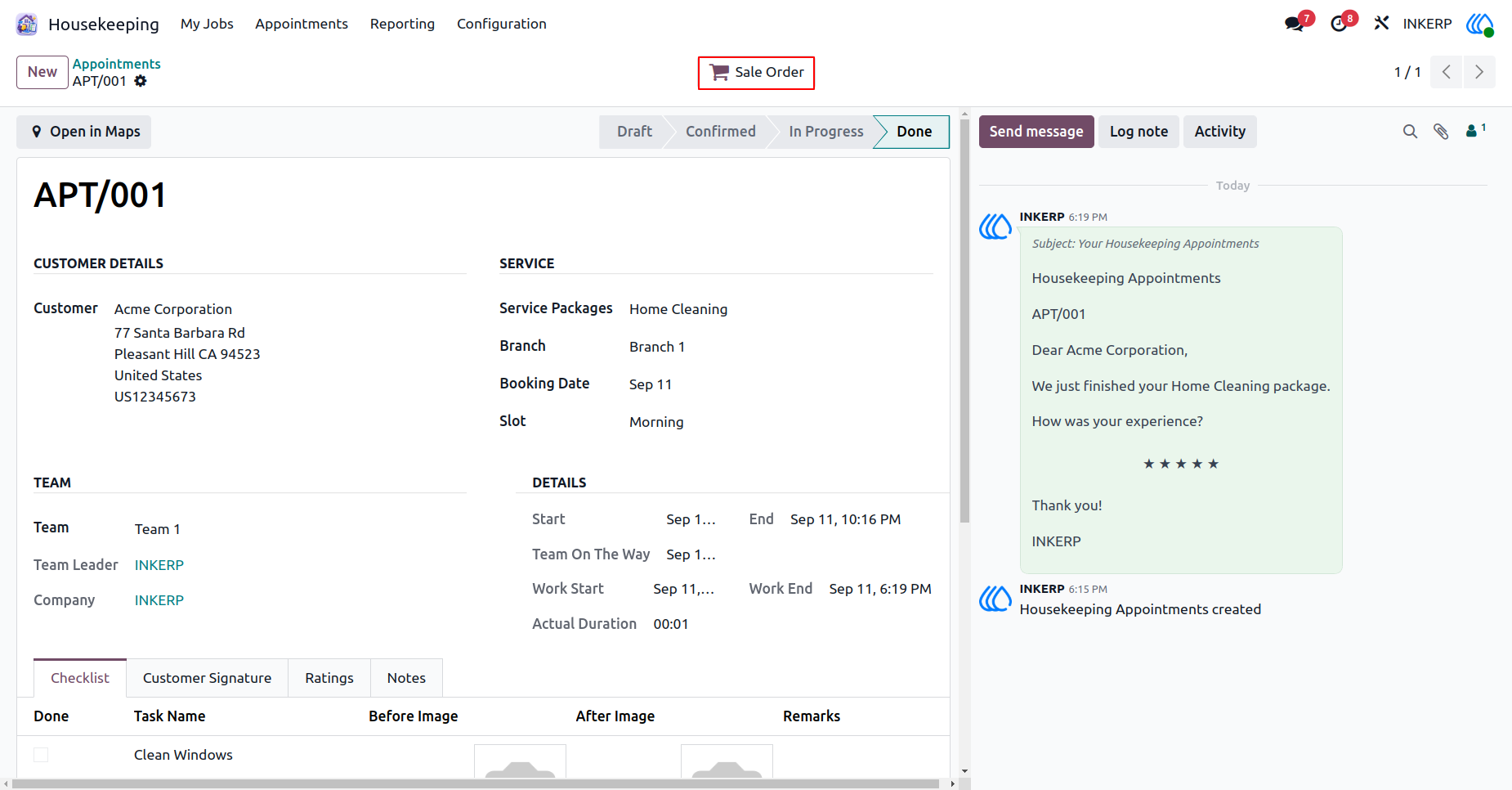
22.) Create Sale Order
Generate a formal commercial document directly from a completed service request. This links the finished work to the billing process to ensure accurate invoicing for the client.
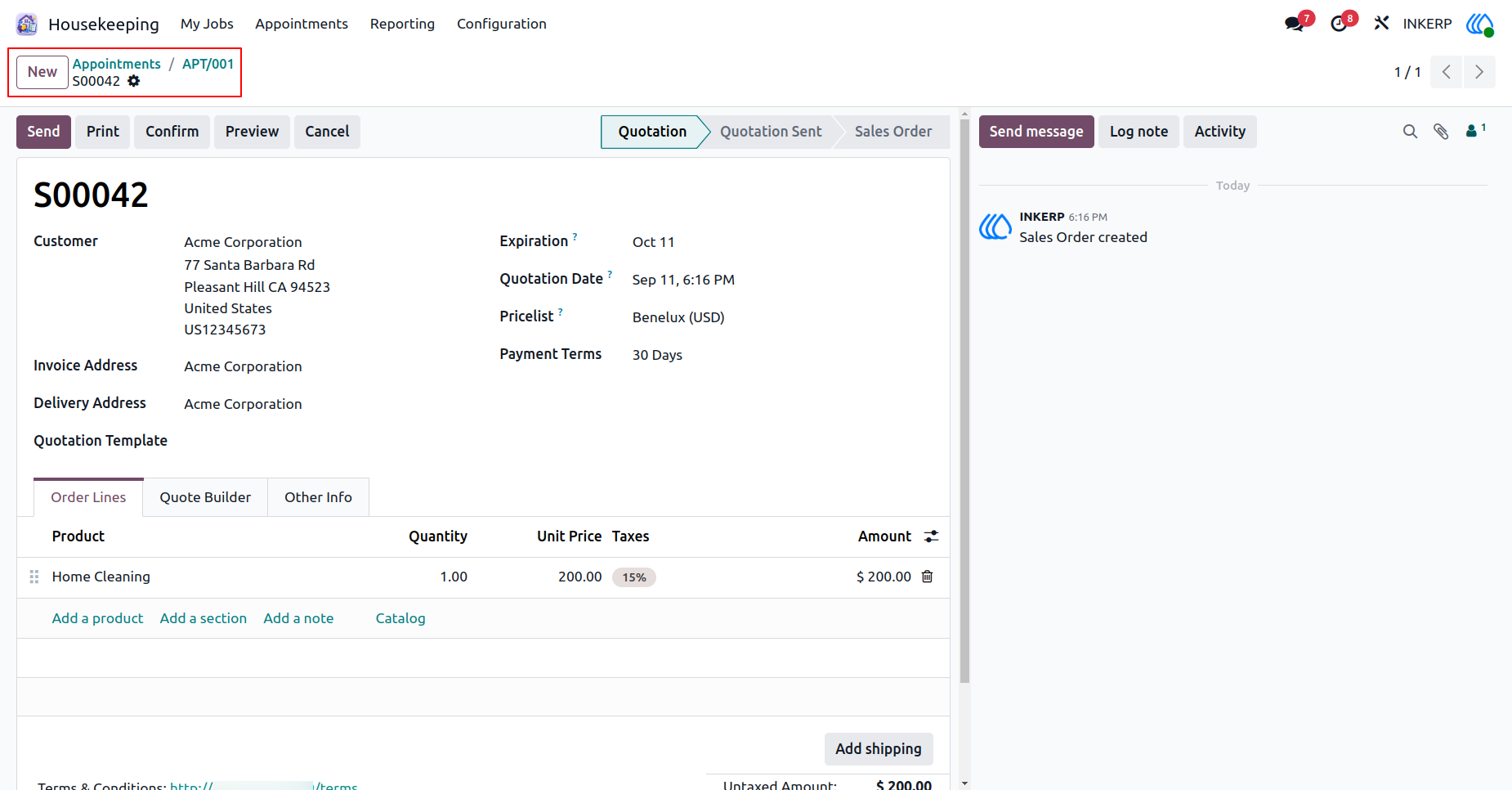
23.) Draft Quotation
Prepare a detailed pricing proposal based on the assigned service package. Review the listed services, quantities, and calculated taxes before sending the final estimate to the client.
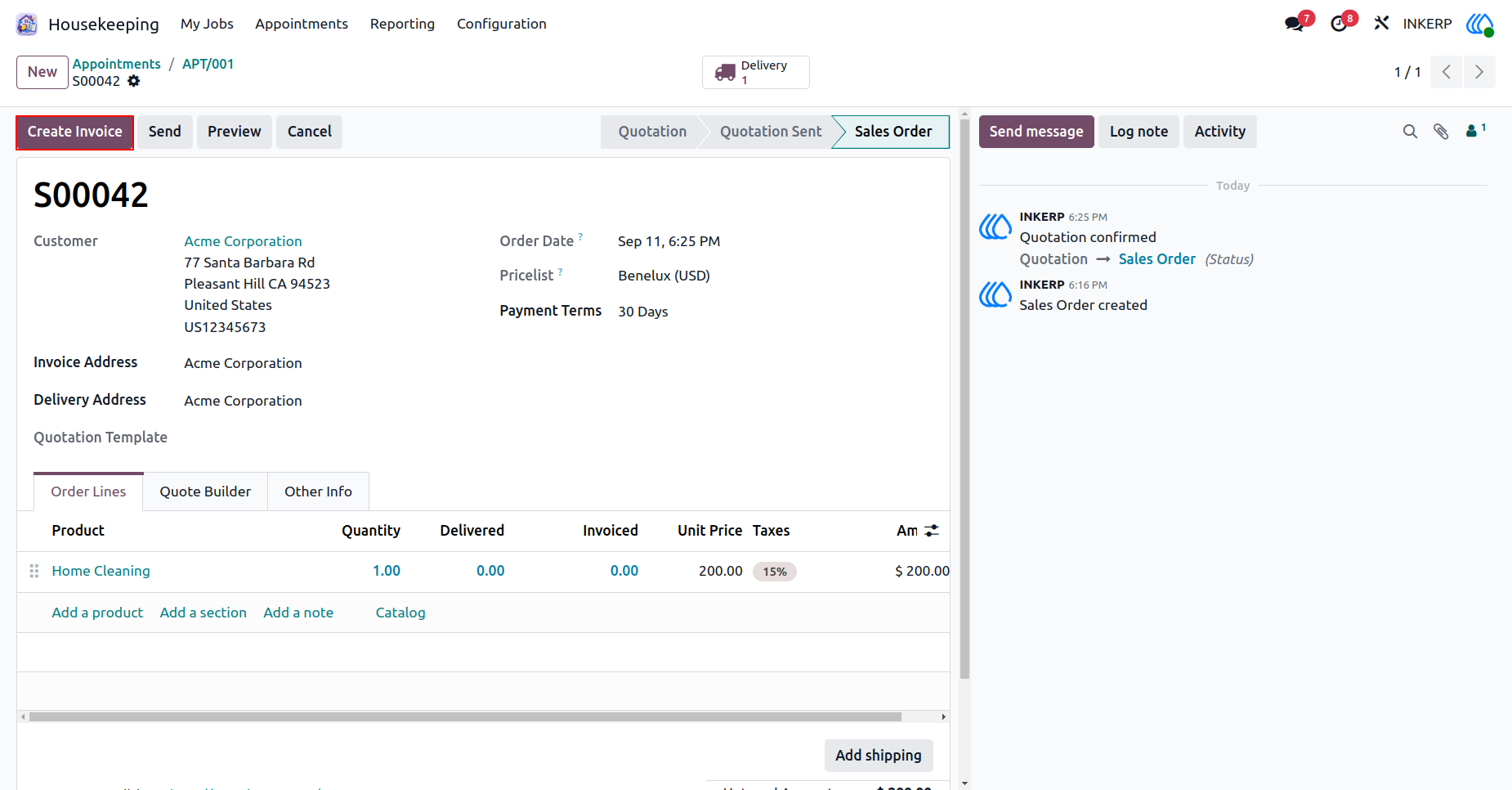
24.) Order Invoicing
Finalize the accepted commercial agreement and initiate the billing cycle. Transform the confirmed request into a formal payment request for the delivered services.
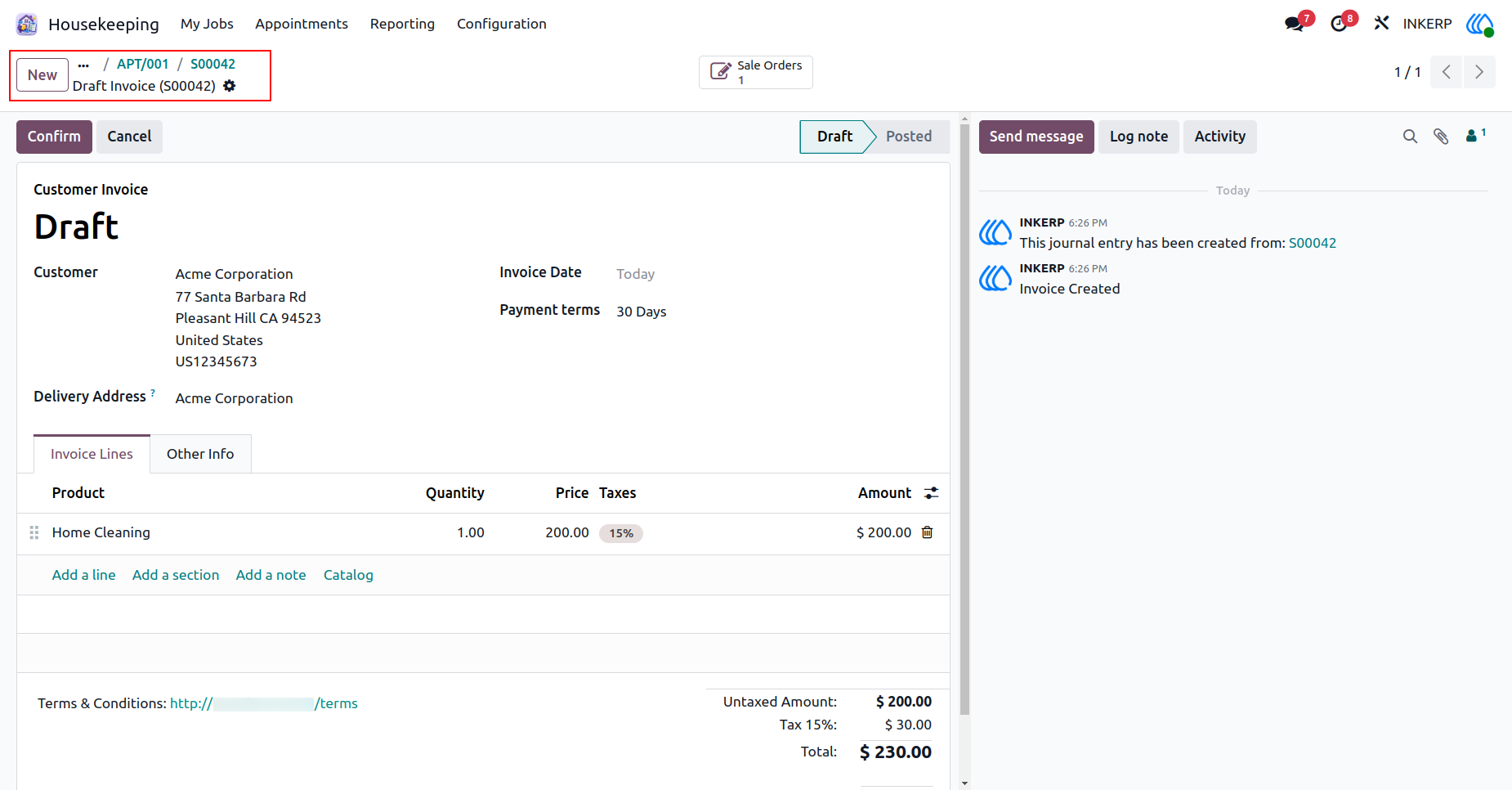
25.) Draft Invoice
Review the financial details of the final billing document before it is sent to the client. Verify the total amounts, applied taxes, and designated payment terms to ensure accurate accounting.
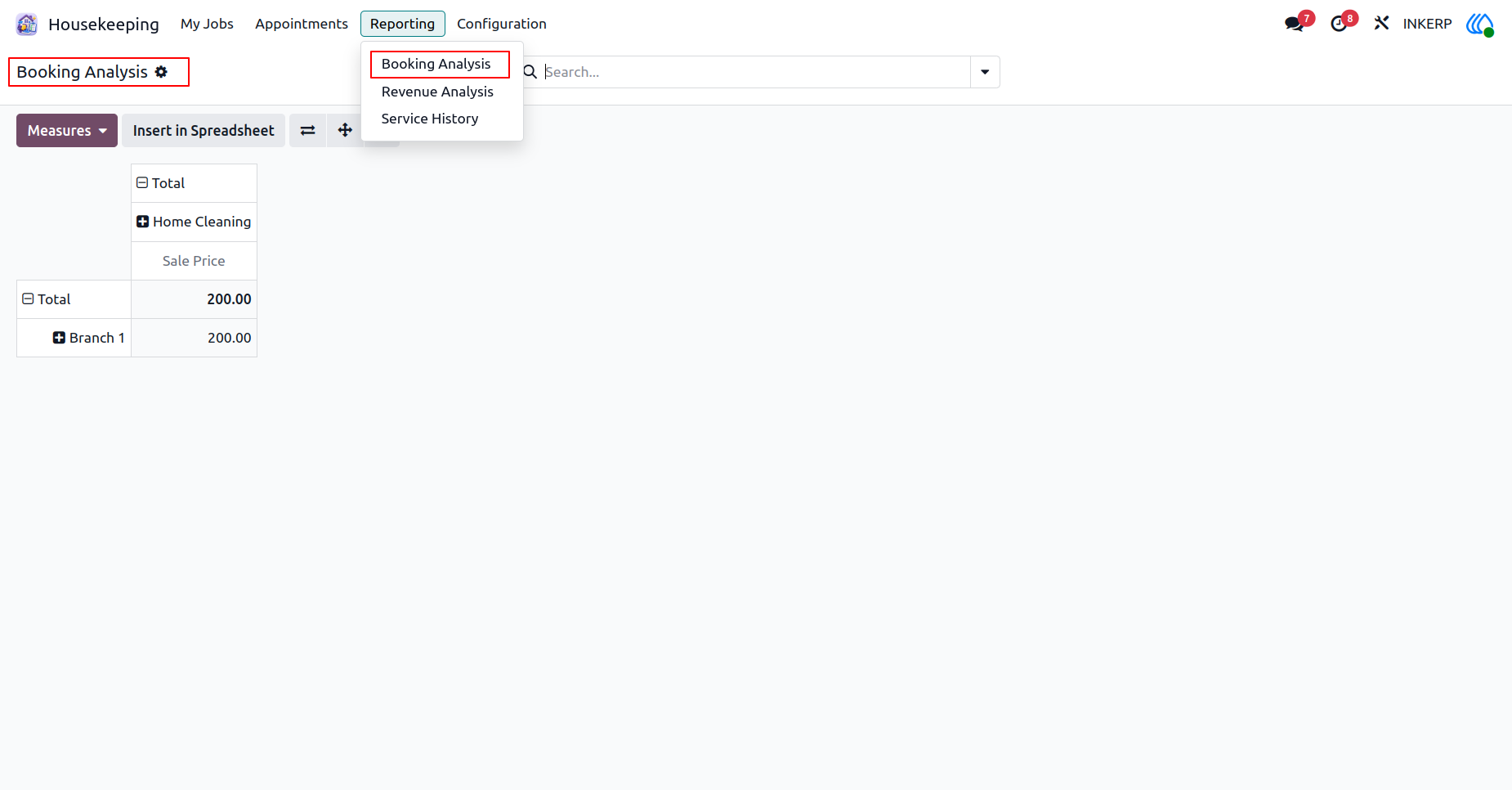
26.) Booking Analysis
Evaluate overall service request volumes across different operating locations. Analyze trends in popular service packages to better understand client demand and allocate staff efficiently.
Navigation : Housekeeping › Reporting › Booking Analysis
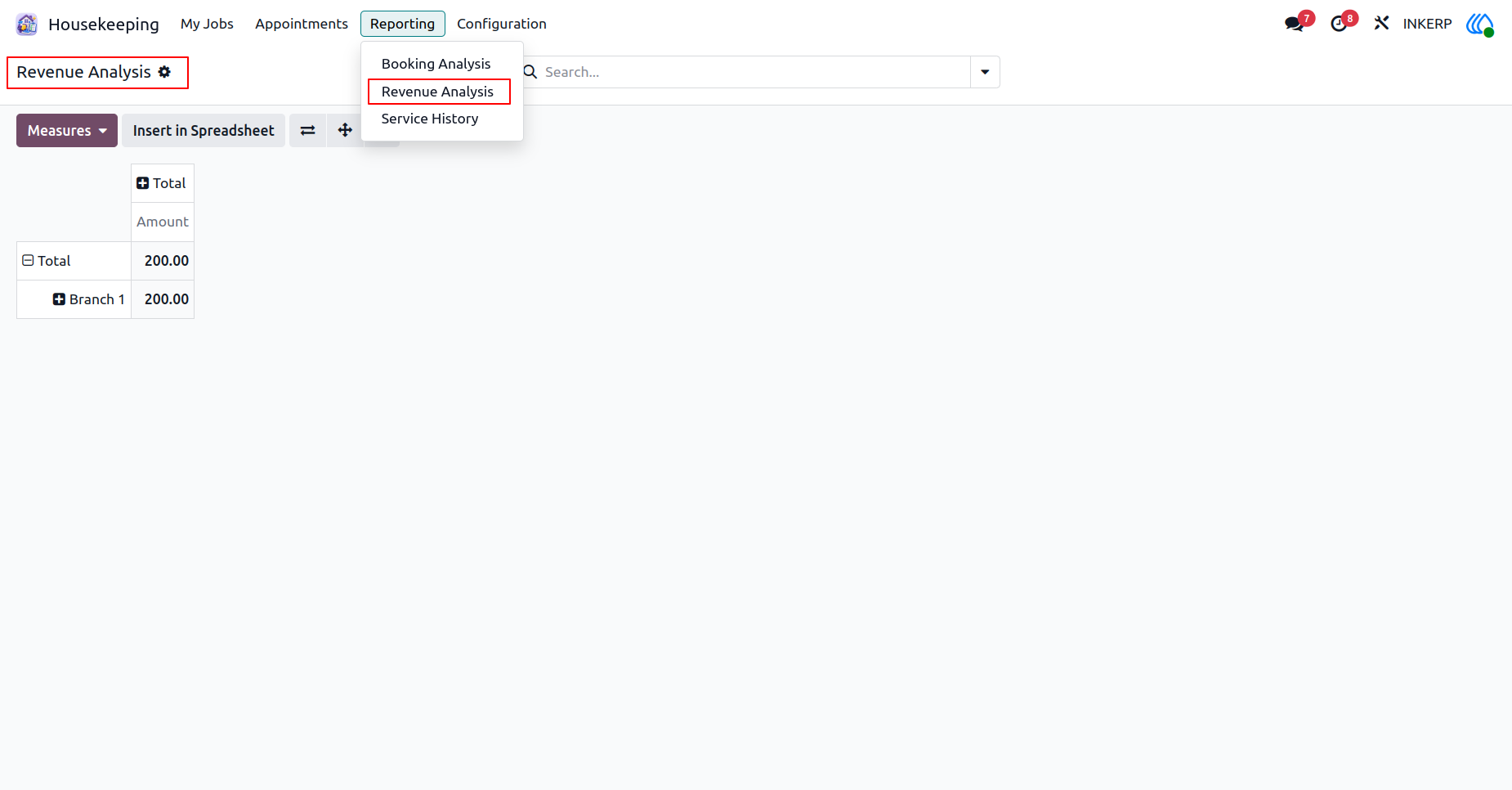
27.) Revenue Analysis
Track financial performance and income generation across all operating branches. Monitor total earnings over specific periods to assess the overall profitability of different locations.
Navigation : Housekeeping › Reporting › Revenue Analysis
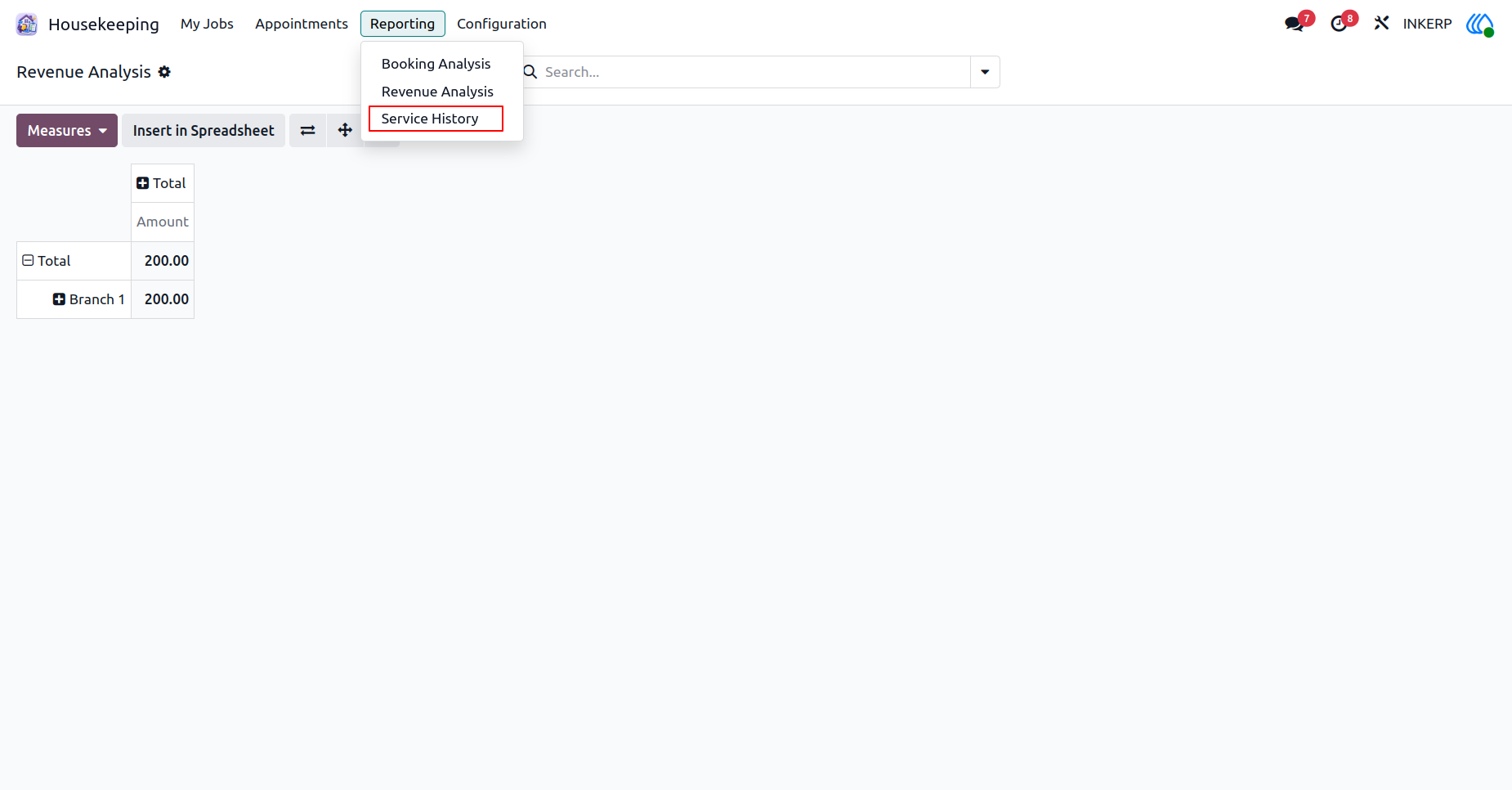
28.) Service History
Generate a comprehensive record of all completed work for specific date ranges. Prepare detailed summaries to share with clients or internal management for review and auditing.
Navigation : Housekeeping › Reporting › Service History
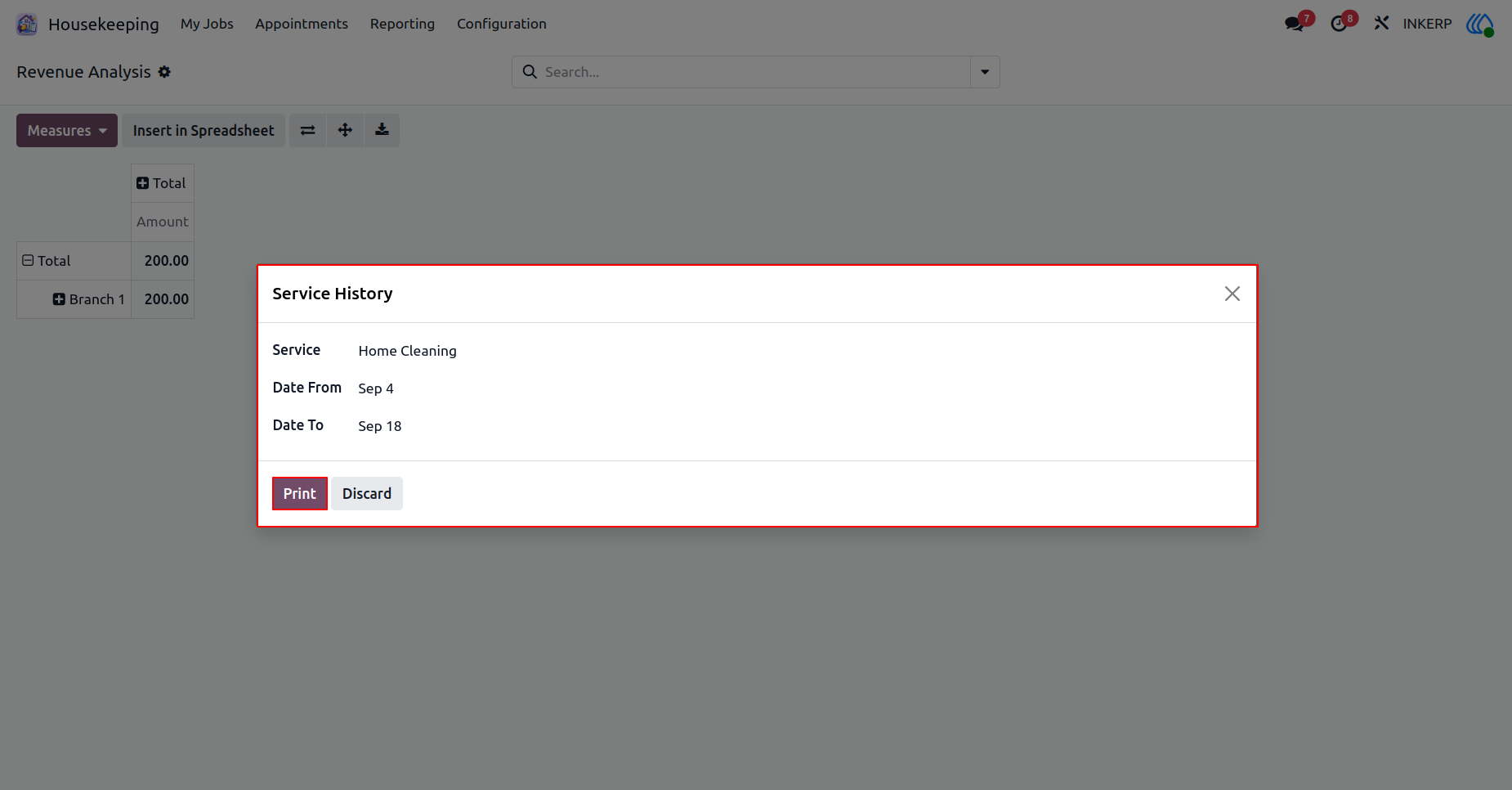
29.) History Report
Define specific date parameters and select target service packages to build a custom historical record. Export this targeted information into a standardized document for external distribution or record keeping.
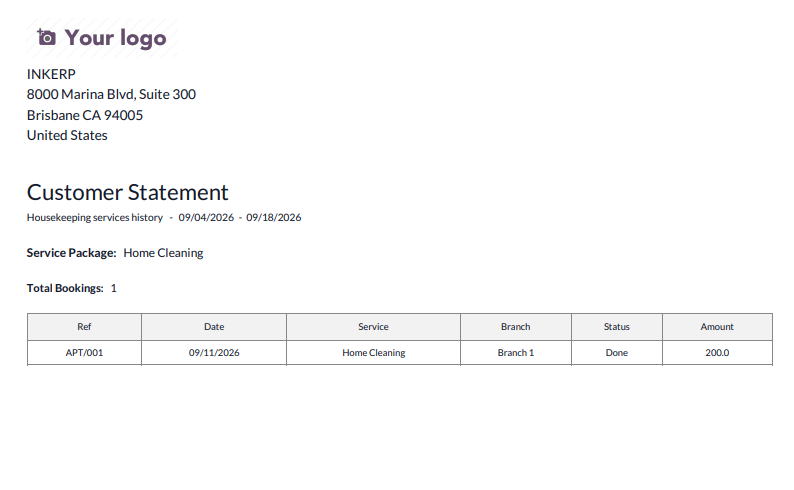
30.) History Document
Review the finalized historical document containing a structured breakdown of past services. Use this formal summary to provide clients with a clear account of all completed tasks and associated charges.
User Guide