

Our Most Suggested Products


Hide/Show Delete Button
The Hide/Show Delete Button module allows administrators to easily protect important database records by controlling delete access on a per-user basis. By toggling a simple permission, the delete action is instantly hidden or shown globally across all forms, lists, and action menus. This ensures a secure environment where only authorized personnel can permanently remove system data.
 Features
 Screenshots
 Support
 Service
Features
Manage Delete Access Per User
Easily control which users are allowed to delete records. You can hide the delete button for specific users to protect your important data from being removed by mistake.
Global System Protection
The hide and show settings apply everywhere in your software instantly. The delete option will be completely hidden from lists, forms, and action menus all at the same time.
Screenshot
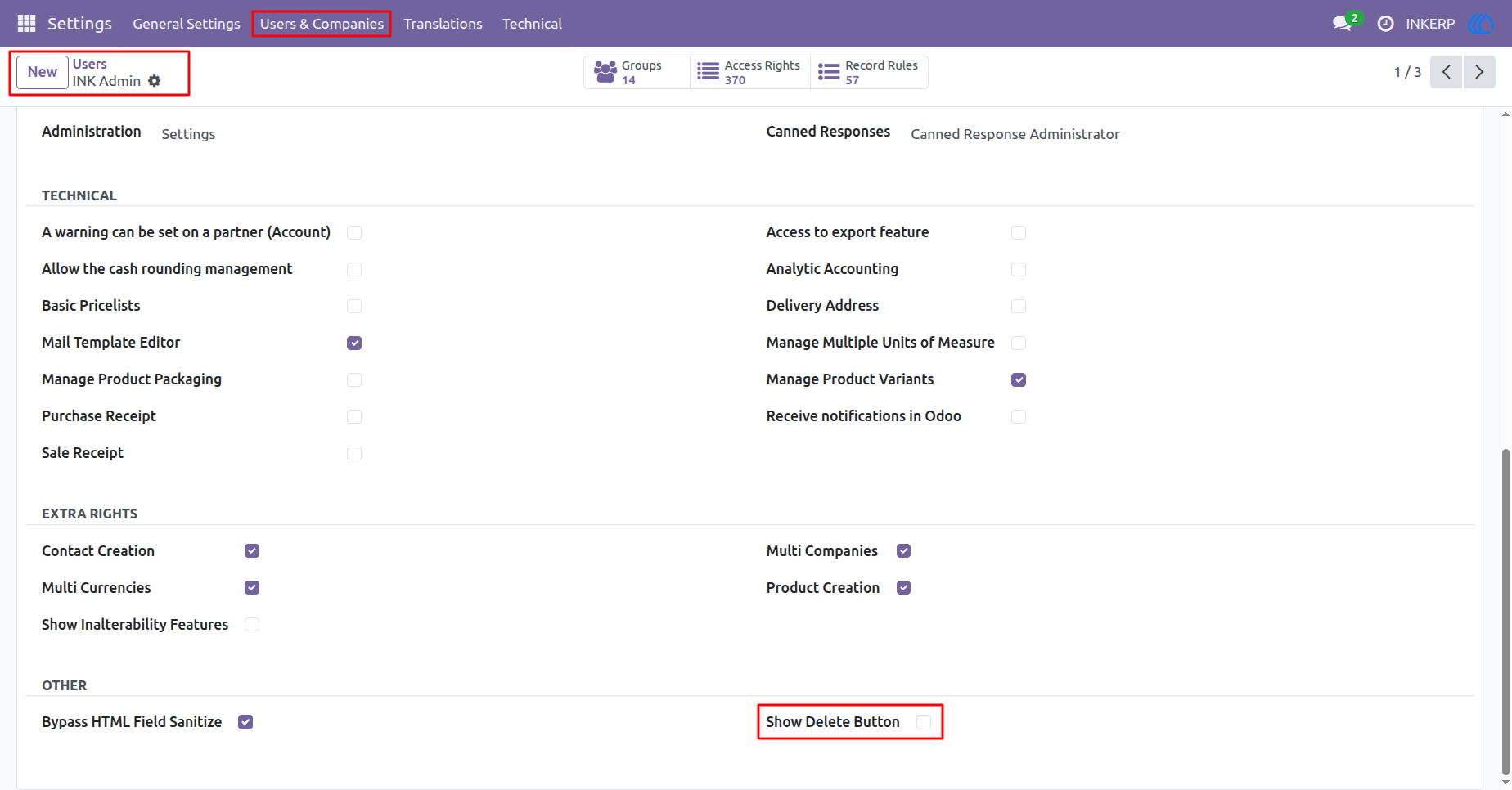
1.) Hide Delete Access
Administrators can restrict specific users from deleting system records. By leaving the permission box unchecked, the system removes the delete capability entirely for that user profile.
Navigation : Settings › Users & Companies › Users
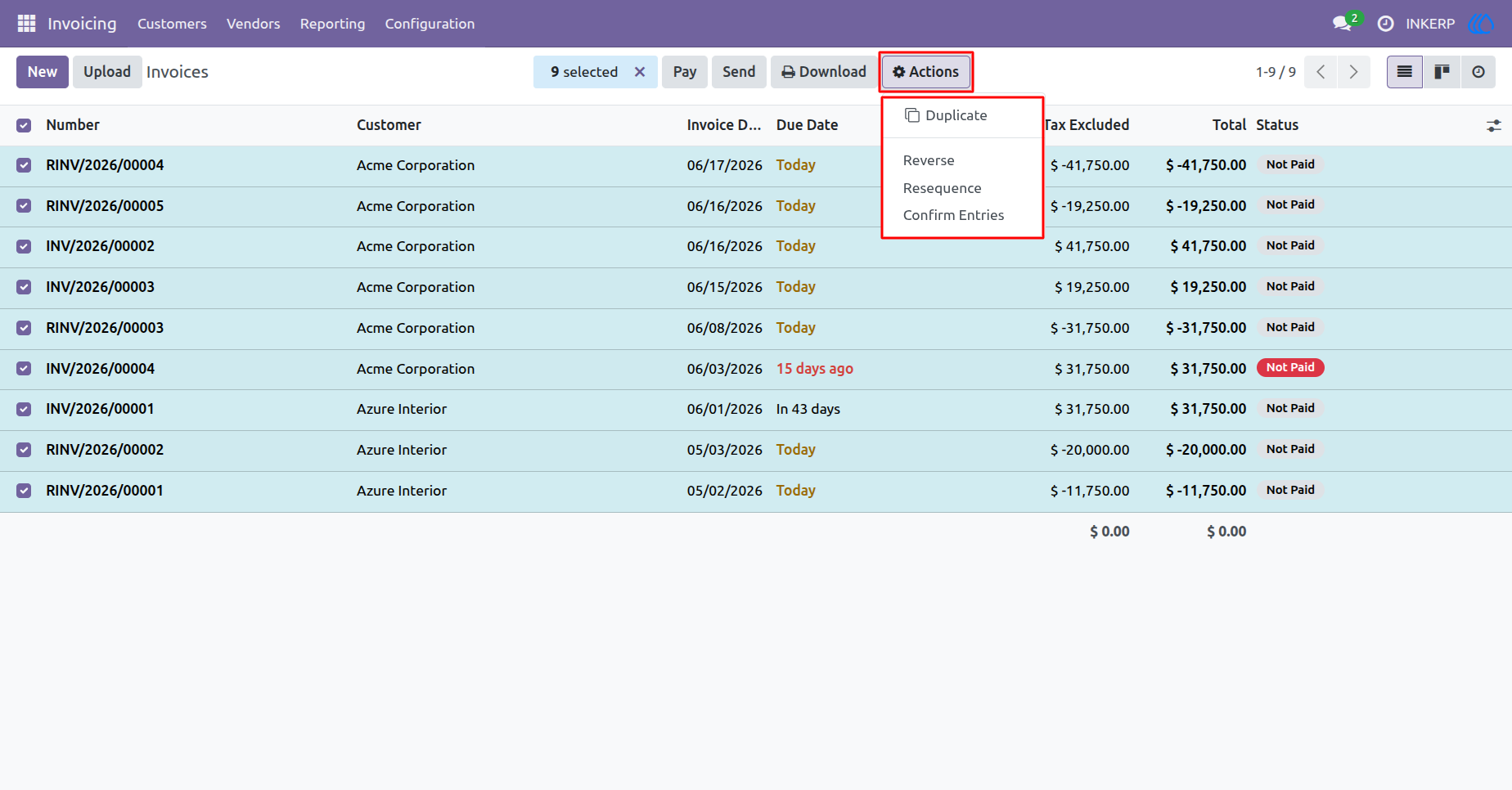
2.) Delete Action Hidden
Once the permission is removed, the delete option disappears from the actions dropdown menu. The restricted user can no longer remove any records from the database.
Navigation : Invoicing › Invoices
3.) Grant Delete Access
To give a user the ability to remove records, assign them the correct system rights. Simply check the required permission box on their profile to activate this function globally.
Navigation : Settings › Users & Companies › Users
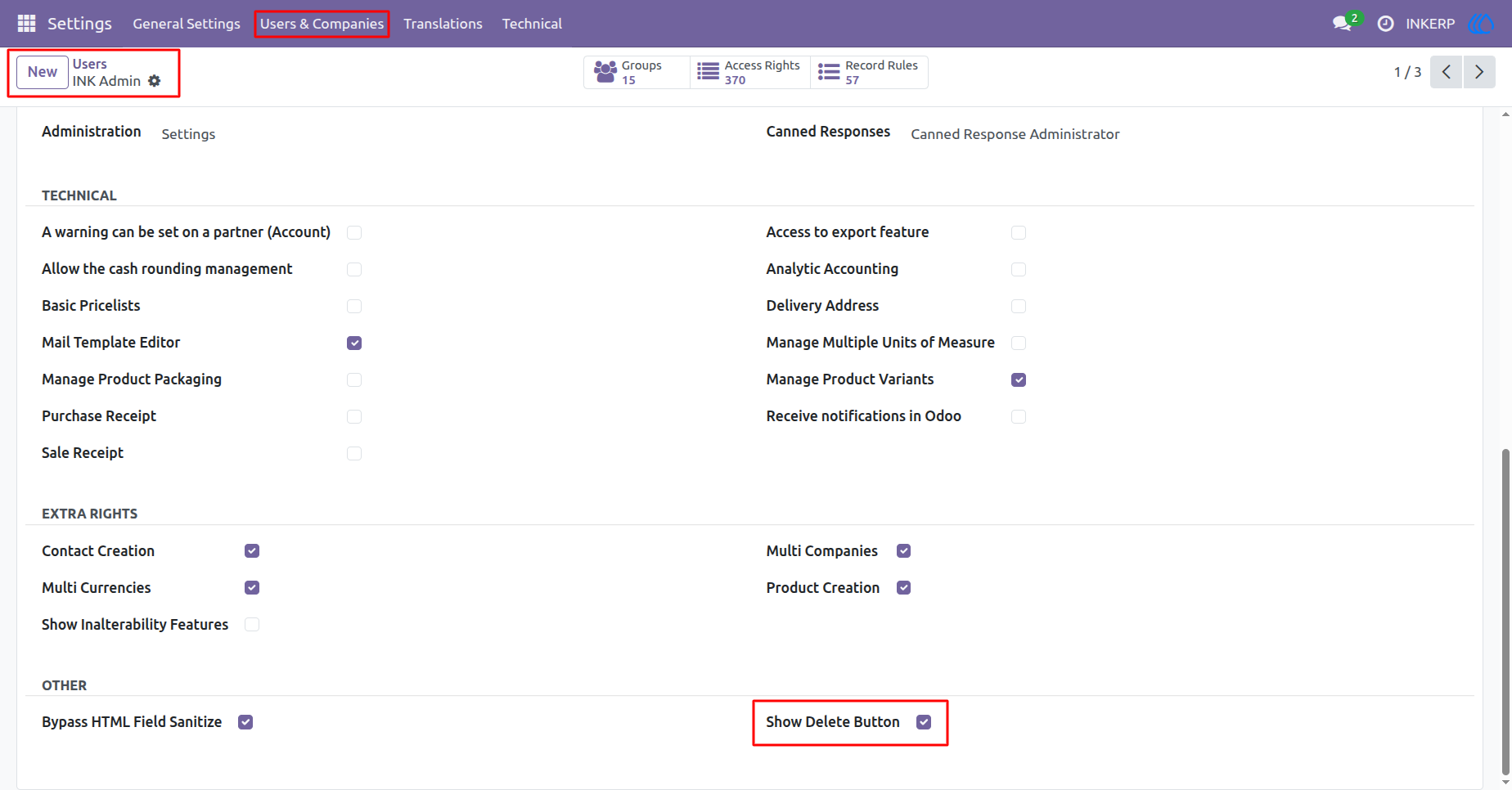
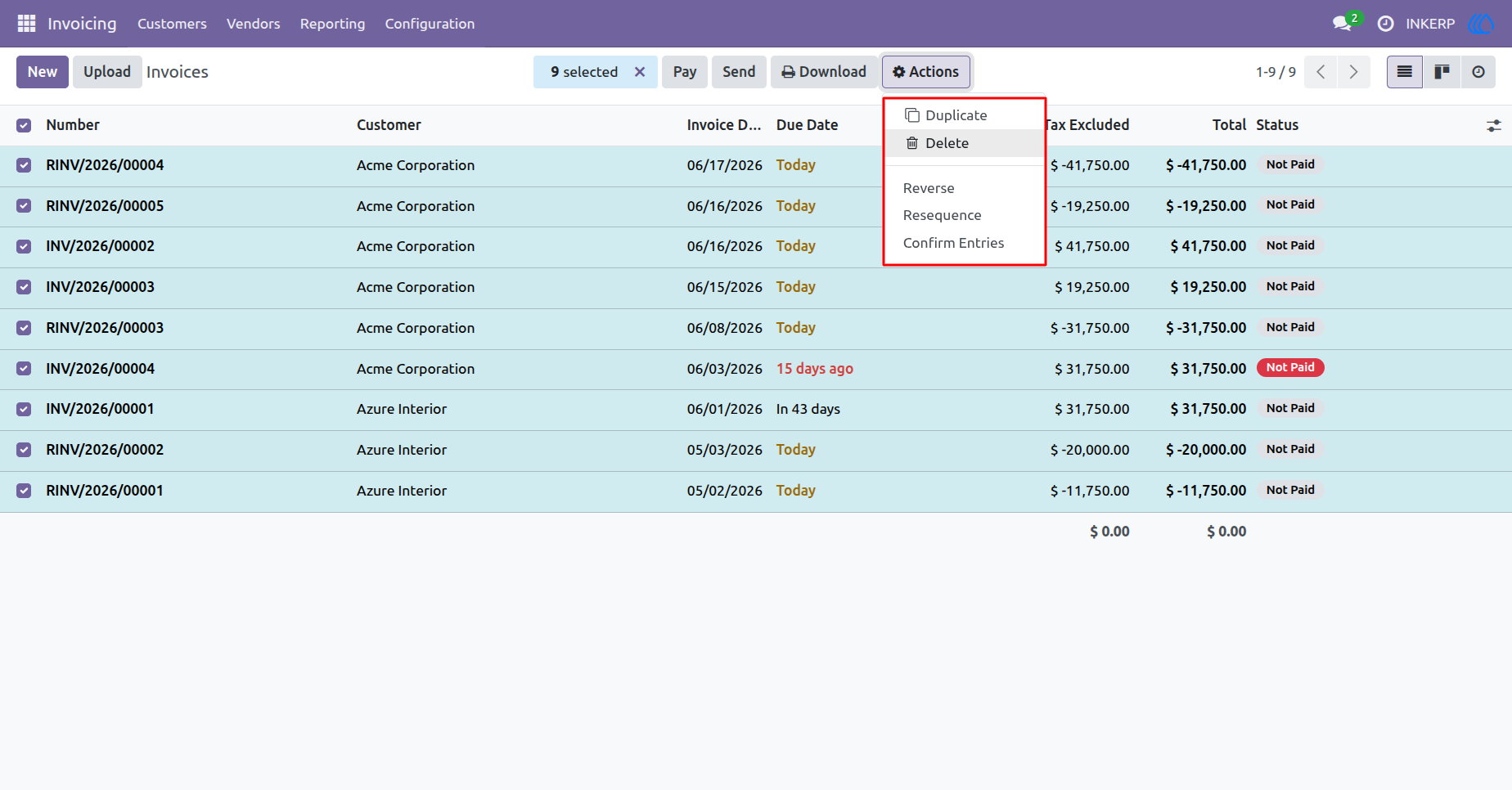
4.) Delete Action Active
With the correct permissions applied, the delete option becomes available again within the actions menu. The authorized user can now safely remove selected records as needed.
Navigation : Invoicing › Invoices
User Guide