

Our Most Suggested Products


User Temporary Access Right
The User Temporary Access Role app allows administrators to grant or revoke specific access rights to users for a defined period of time. Designed to streamline temporary permissions management, the app ensures users have the right access when they need it—and automatically removes it when they no longer do. Ideal for contractors, project-based roles, or time-bound tasks, this tool helps maintain security and compliance without manual follow-ups.
 Features
 Screenshots
 Support
 Service
Features
Prevent Spefied Access from Role
Prevent High Authorized access rights from User Role to prevent unexpected Access rights assignement to bottom level Employee.
Temporary Role Assignment
Grant specific access roles to users for a defined time period. Whether it's hours, days, or weeks, you control how long users retain access.
Automated Access Revocation
Access is automatically revoked once the duration expires no manual intervention needed. This minimizes risk from forgotten permissions.
Custom Role & Duration Configuration
Admins can configure what roles are assignable and for how long. Supports flexible durations to meet various organizational needs.
User-Specific Permissions Management
Assign roles individually based on user responsibilities. Supports multiple concurrent assignments with different expiration dates.
Bulk Access Assignment
Assign Multiple temporary roles to multiple users at once ideal for project teams, seasonal workers, or department rotations.
Screenshot
1) User Role Access Assignment
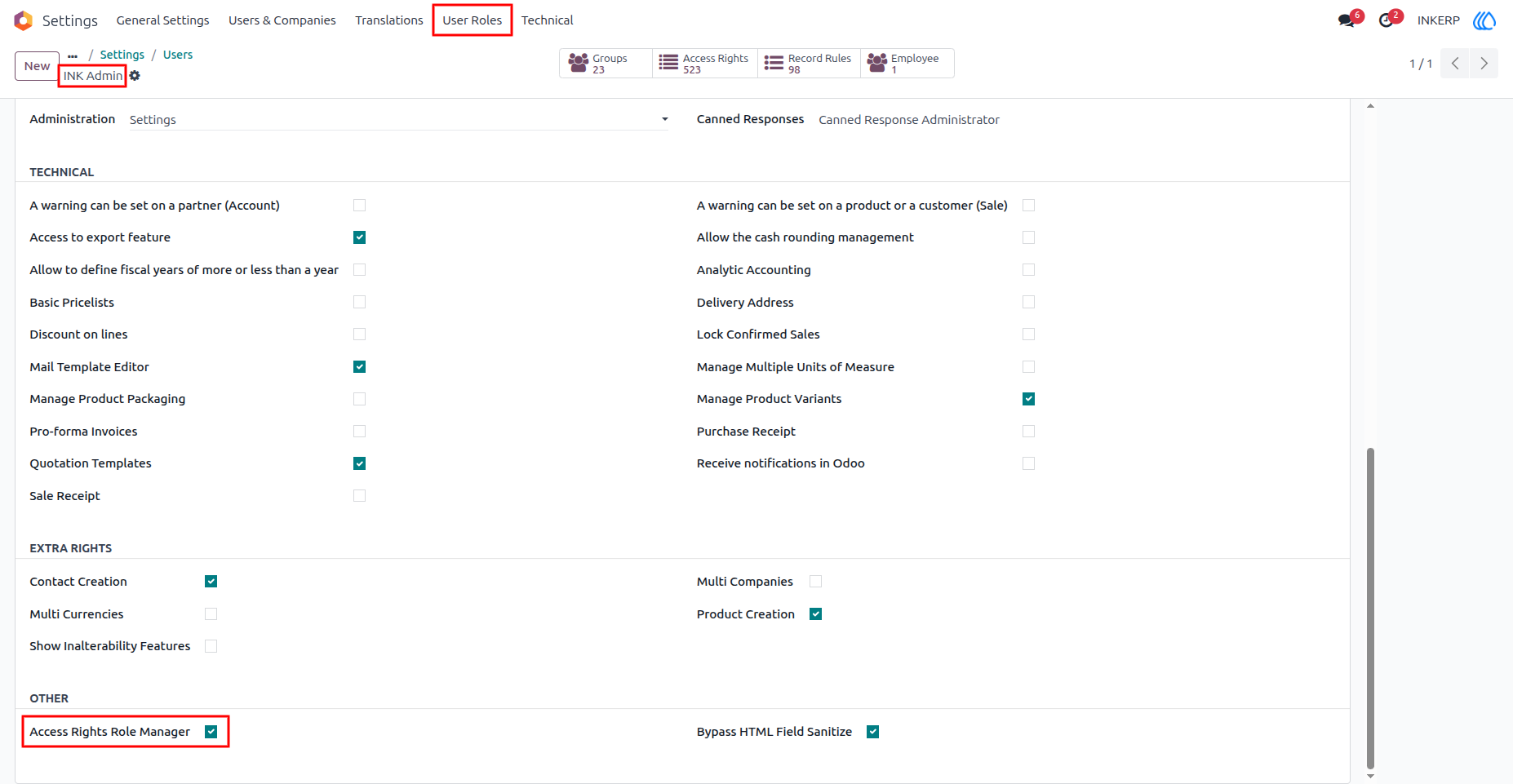
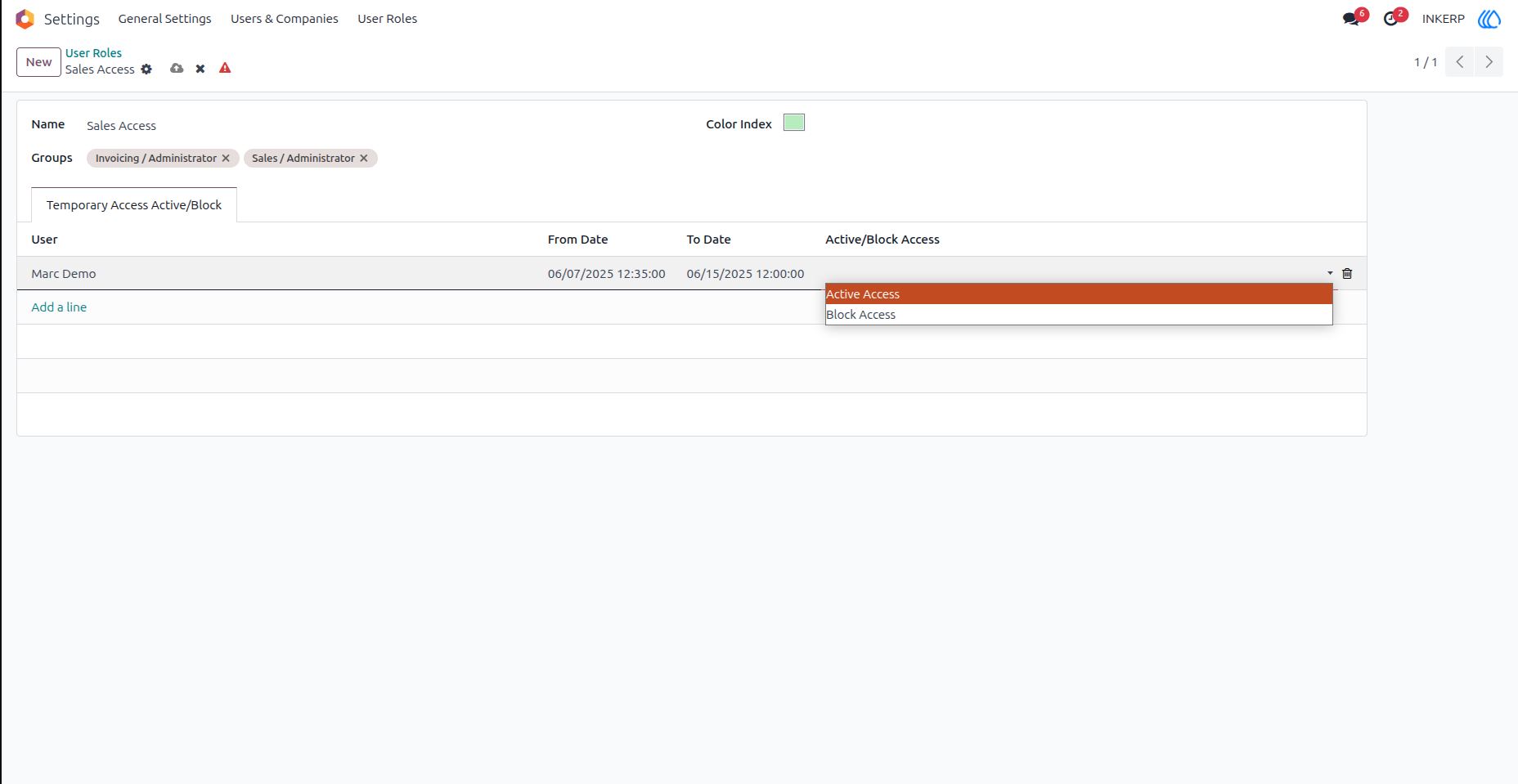
2) Creating User Role
Admins can create user roles and set time-limited access permissions.
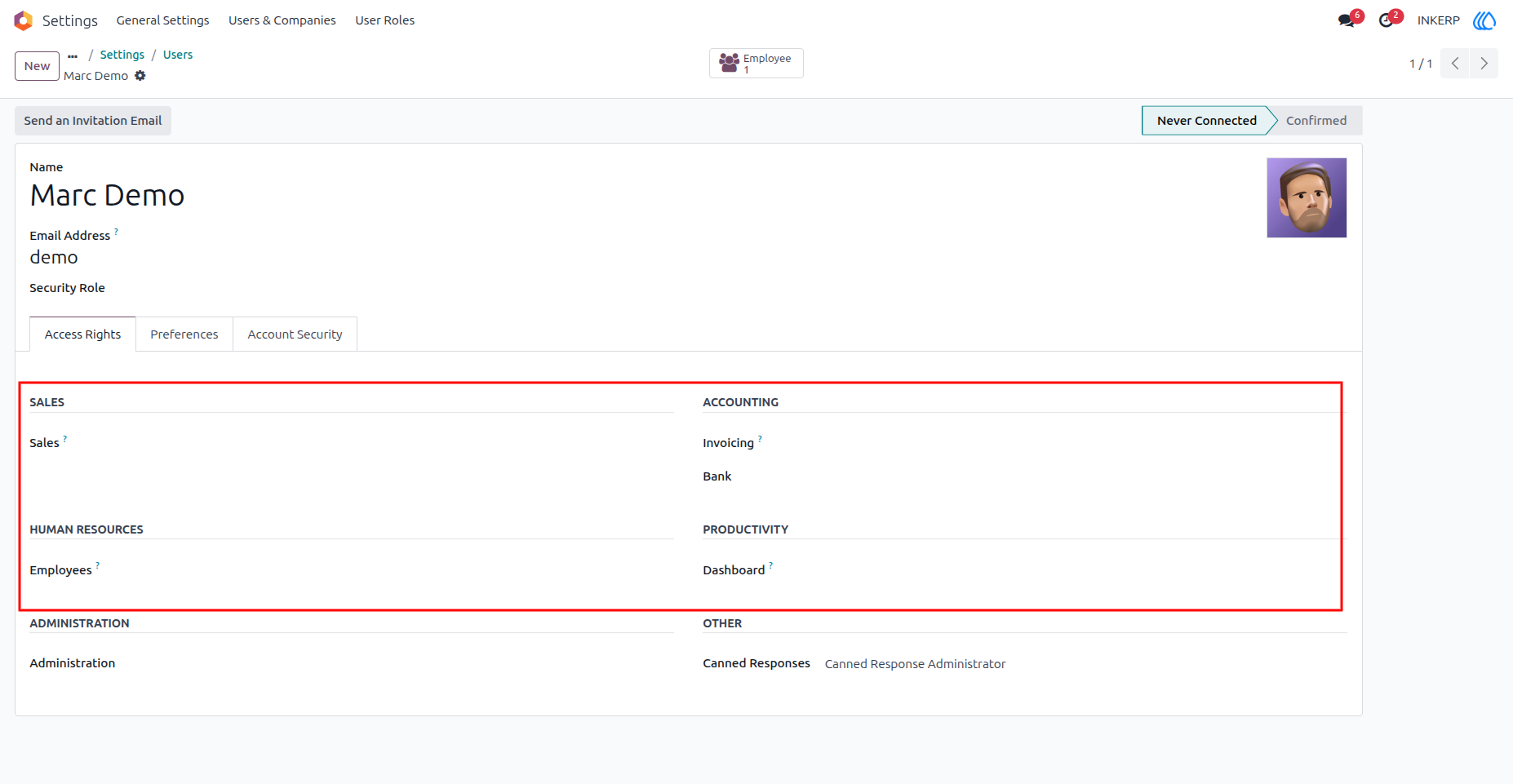
3) User (Marc Demo) Befoer Assigning Access Right
4) Auto Assigned Access Rights
Marc Demo automatically received Sales and Invoice Administrator access rights at the specified date and time on User Role.
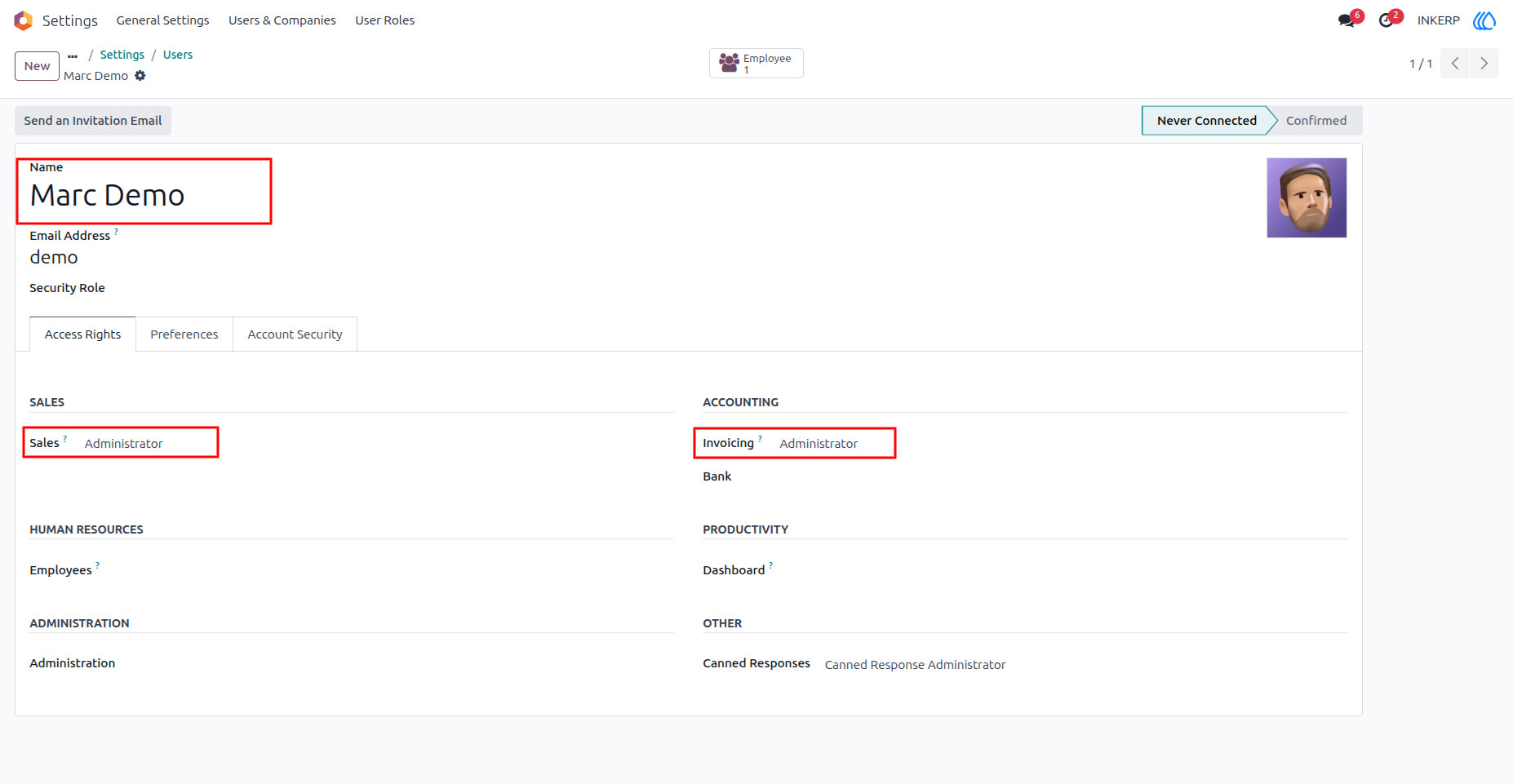
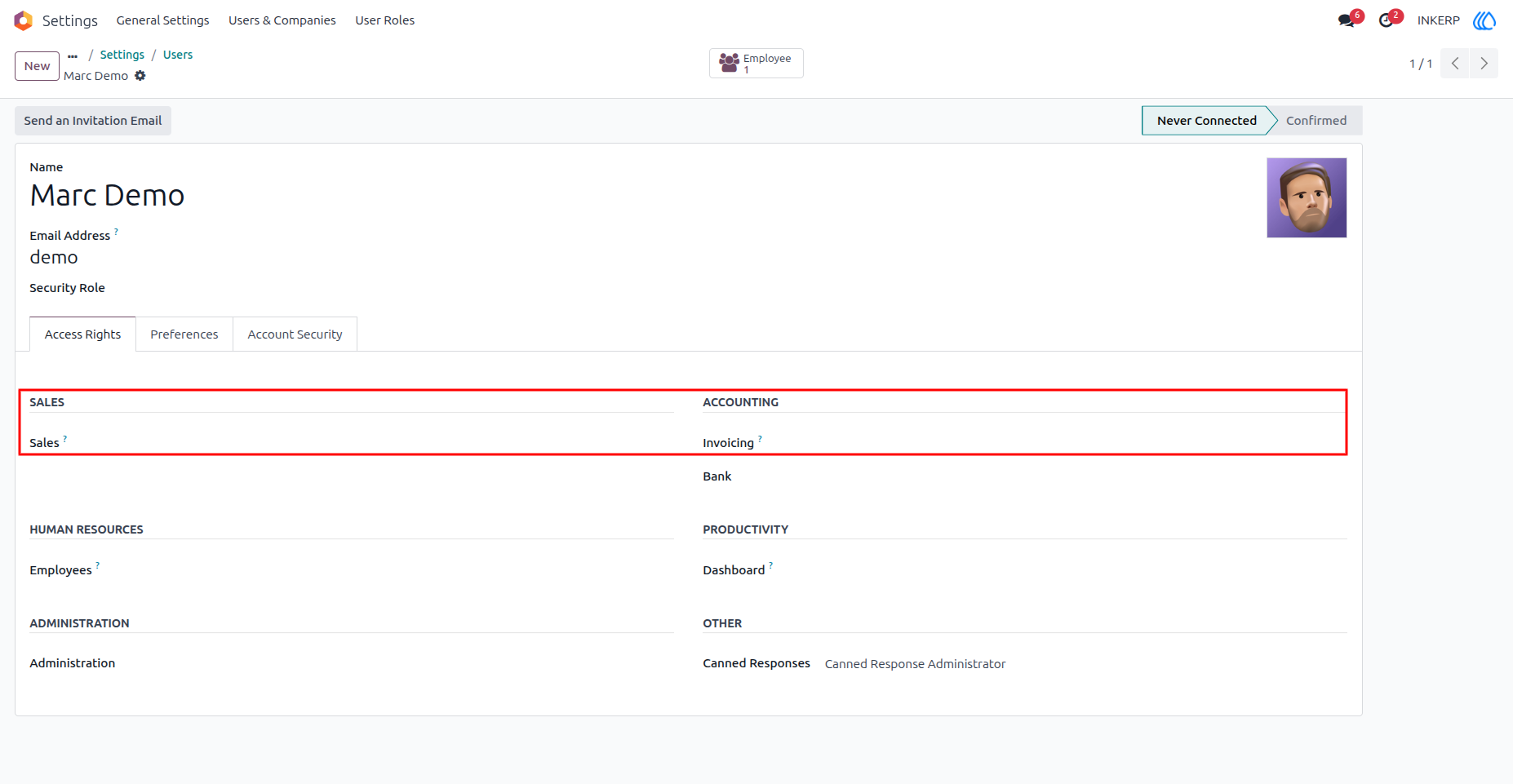
5) Access Rights auto Remove
Marc's access will be automatically removed after the access rights expiration date.
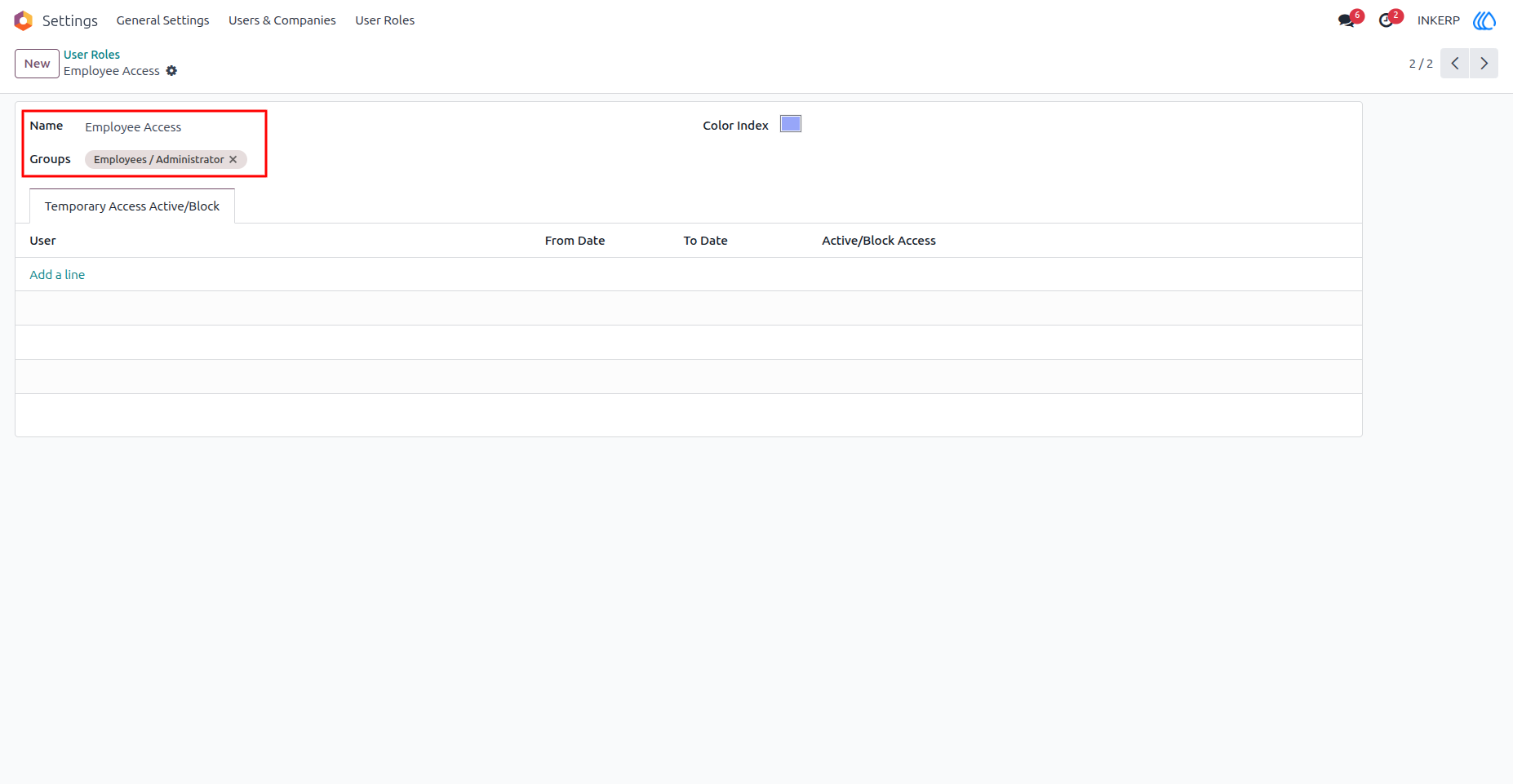
6) Admin Creates Another User Role
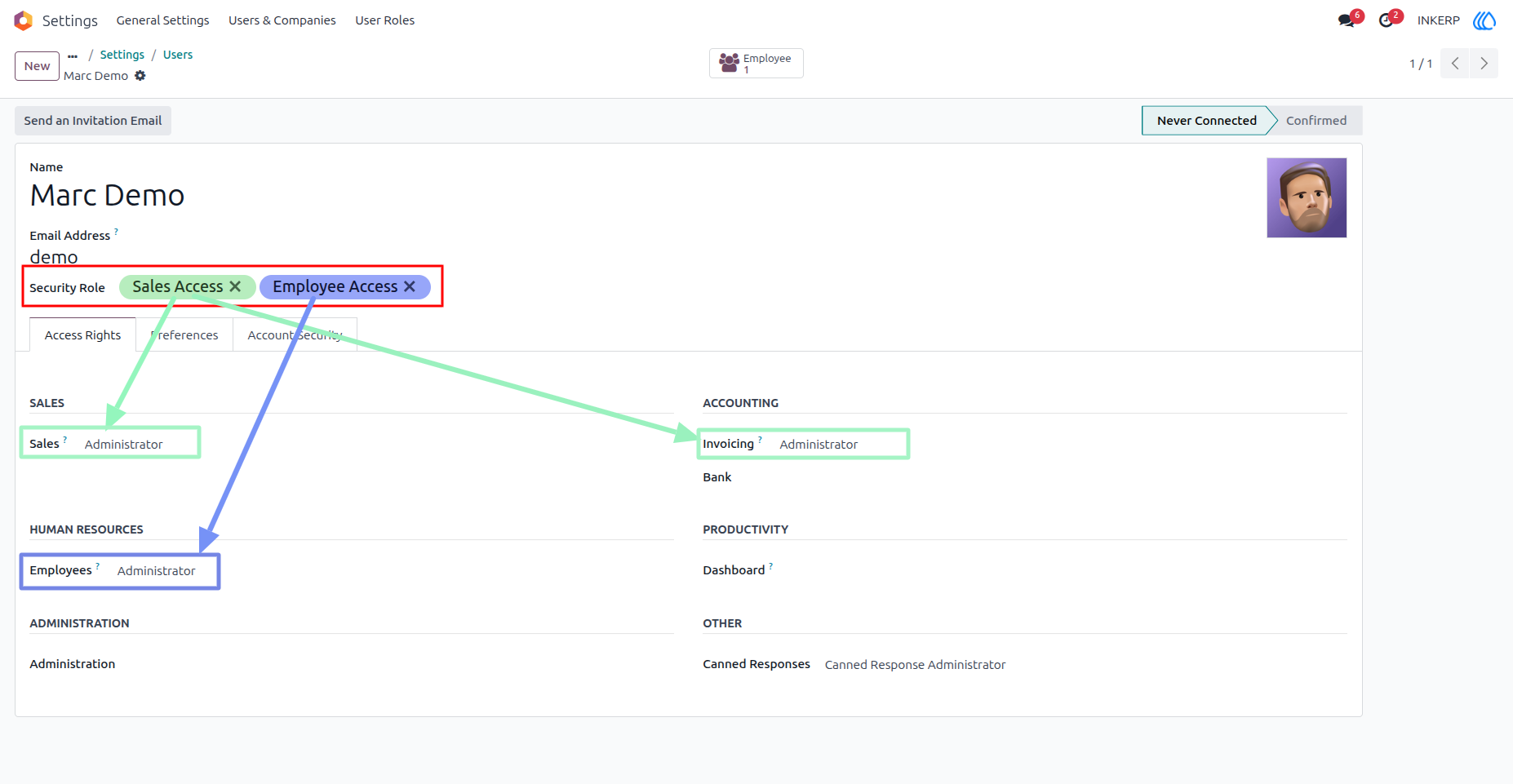
7) Multiple Role Assigment
Here, Ther Admin assigns multiple roles to marc demo.
8) User (Tester)'s Access Rights Before blockin Access
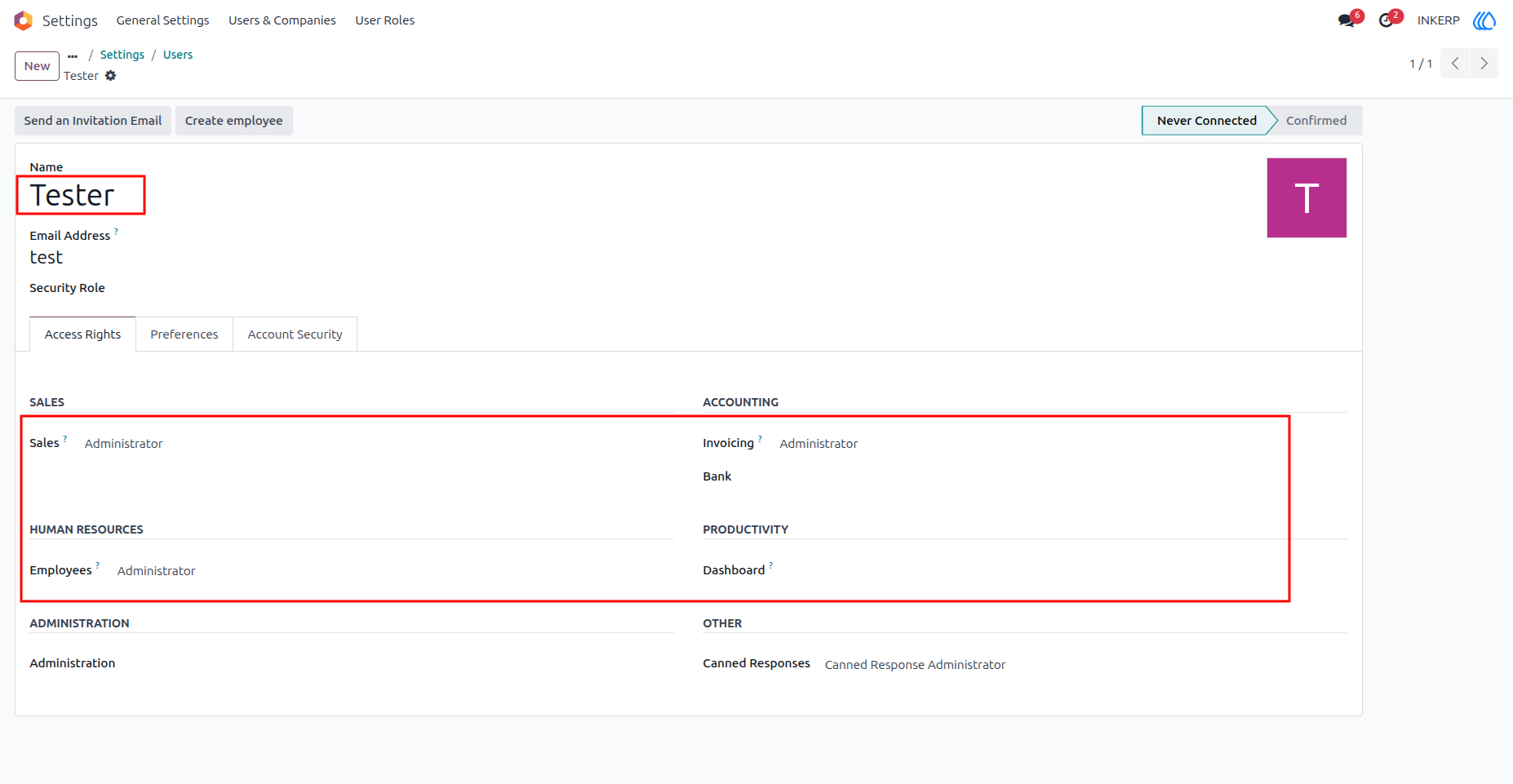
9) Block Tester's Access rights for Limited time period
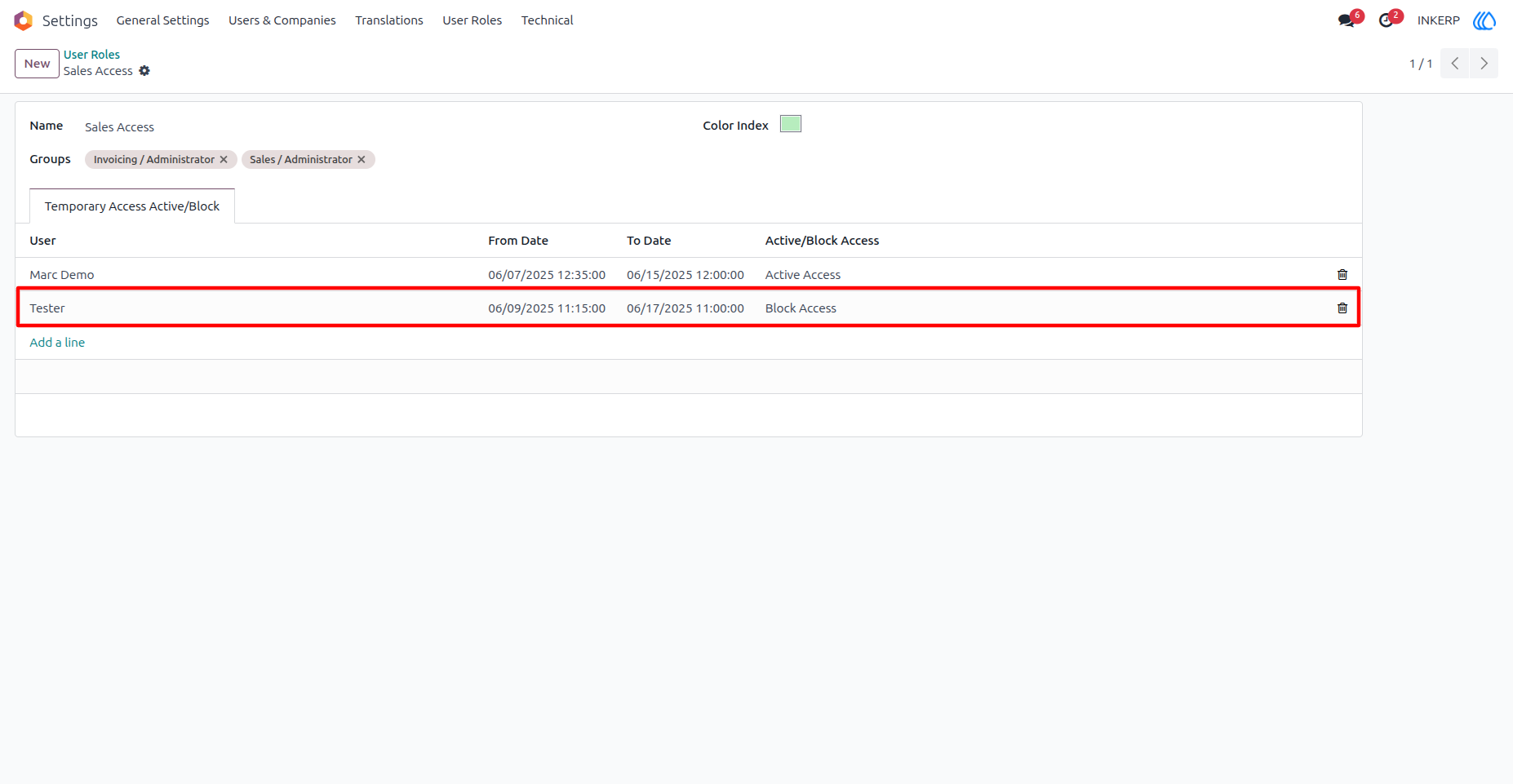
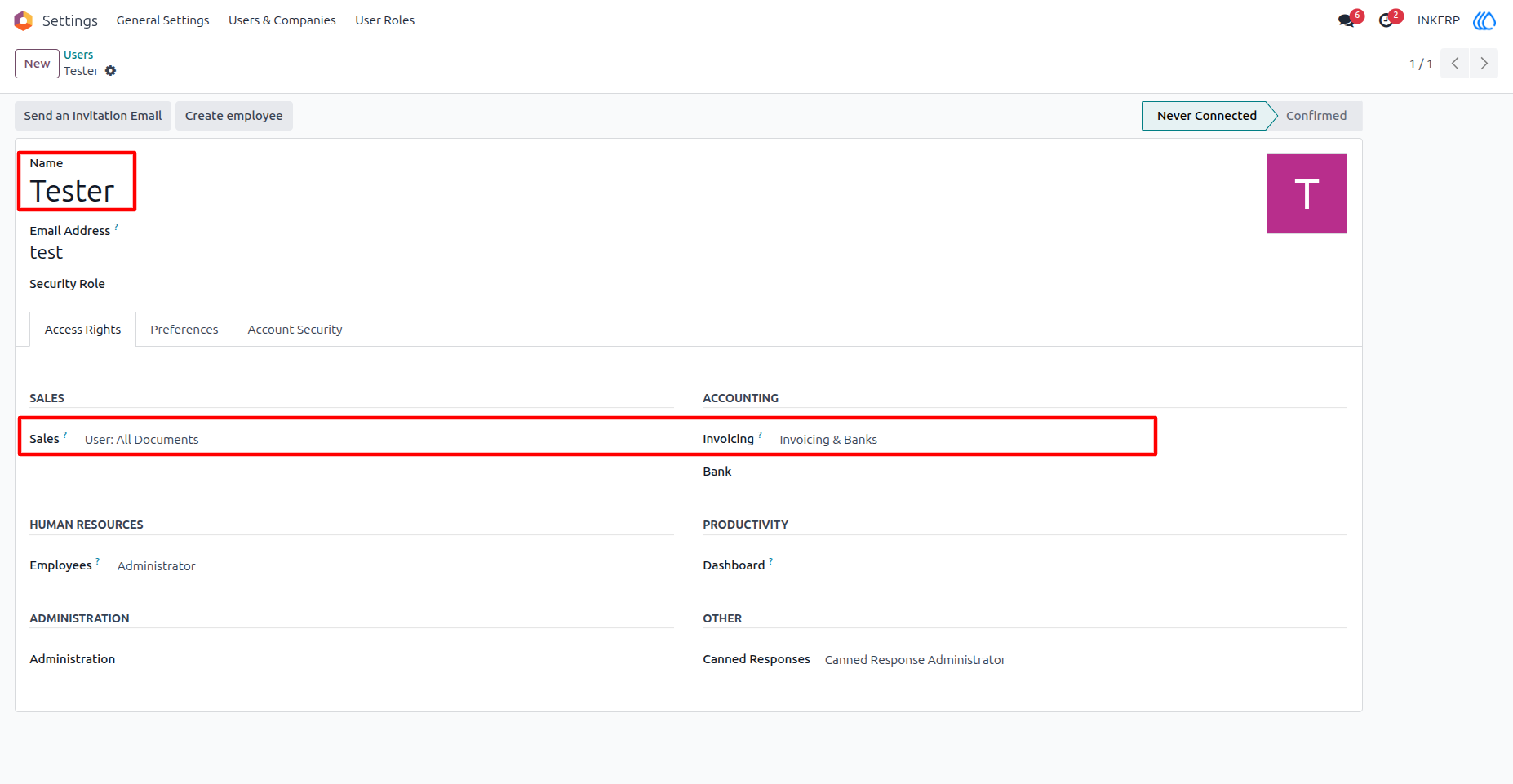
10) Tester's Access rights
Here, the user (Tester)'s Access rights (Sale/ Administrator and Invoice/ Administrator) is Automatically removed at Specified Time Duration.
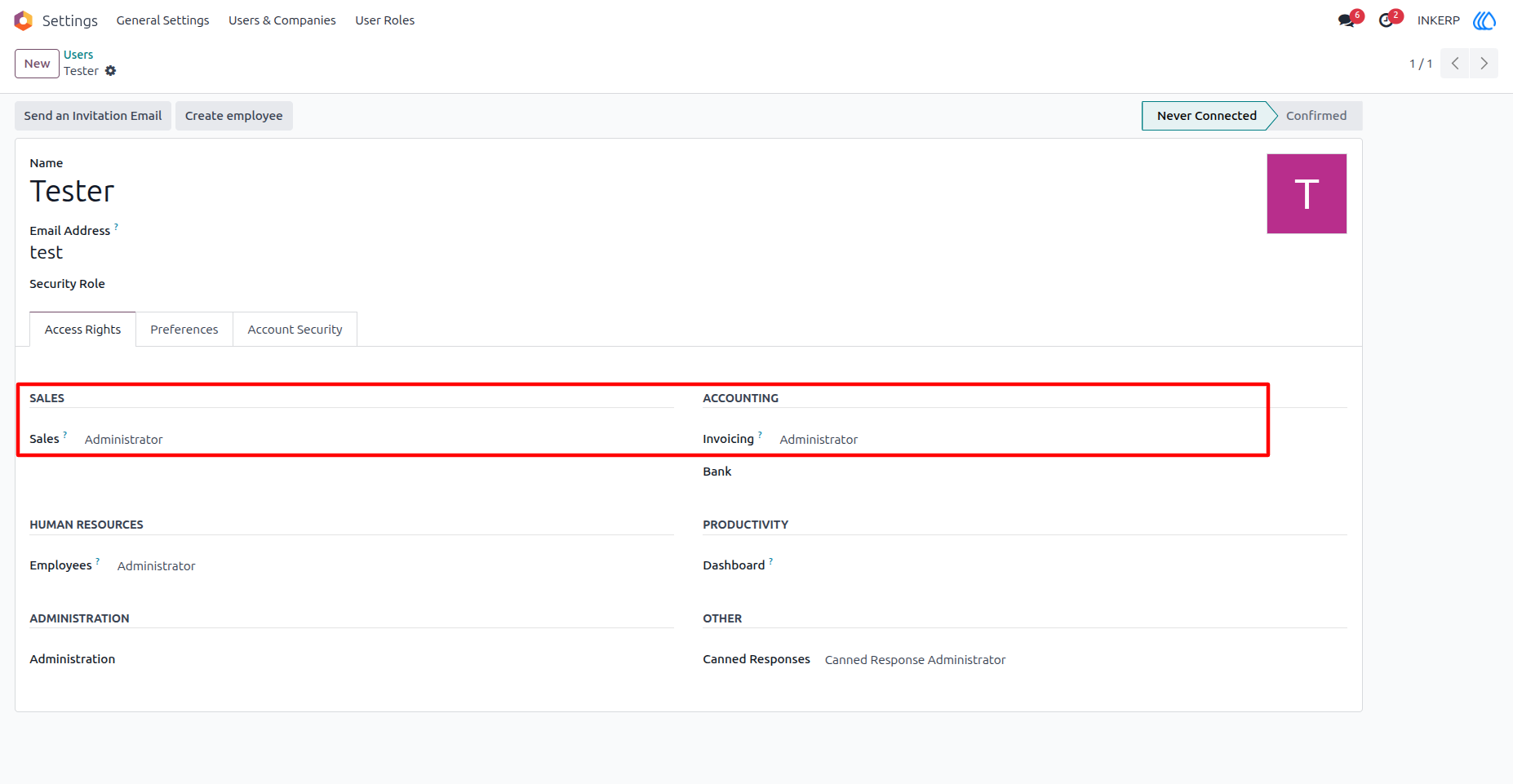
11) Old Access Back
After User Role Access Block Duration, The user (Tester)'s old access rights will auto assign.
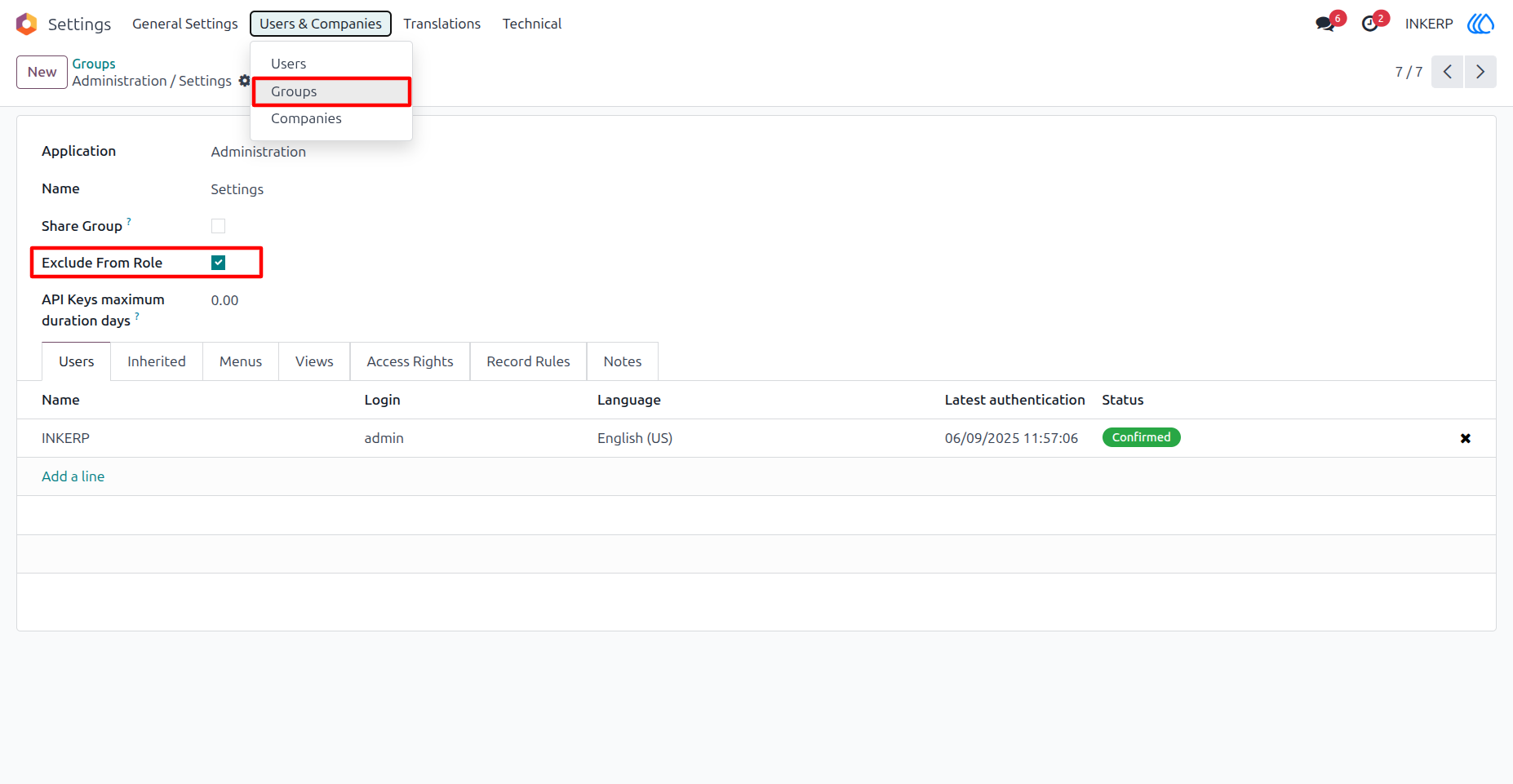
12) Prevent High Authorised Access From Template
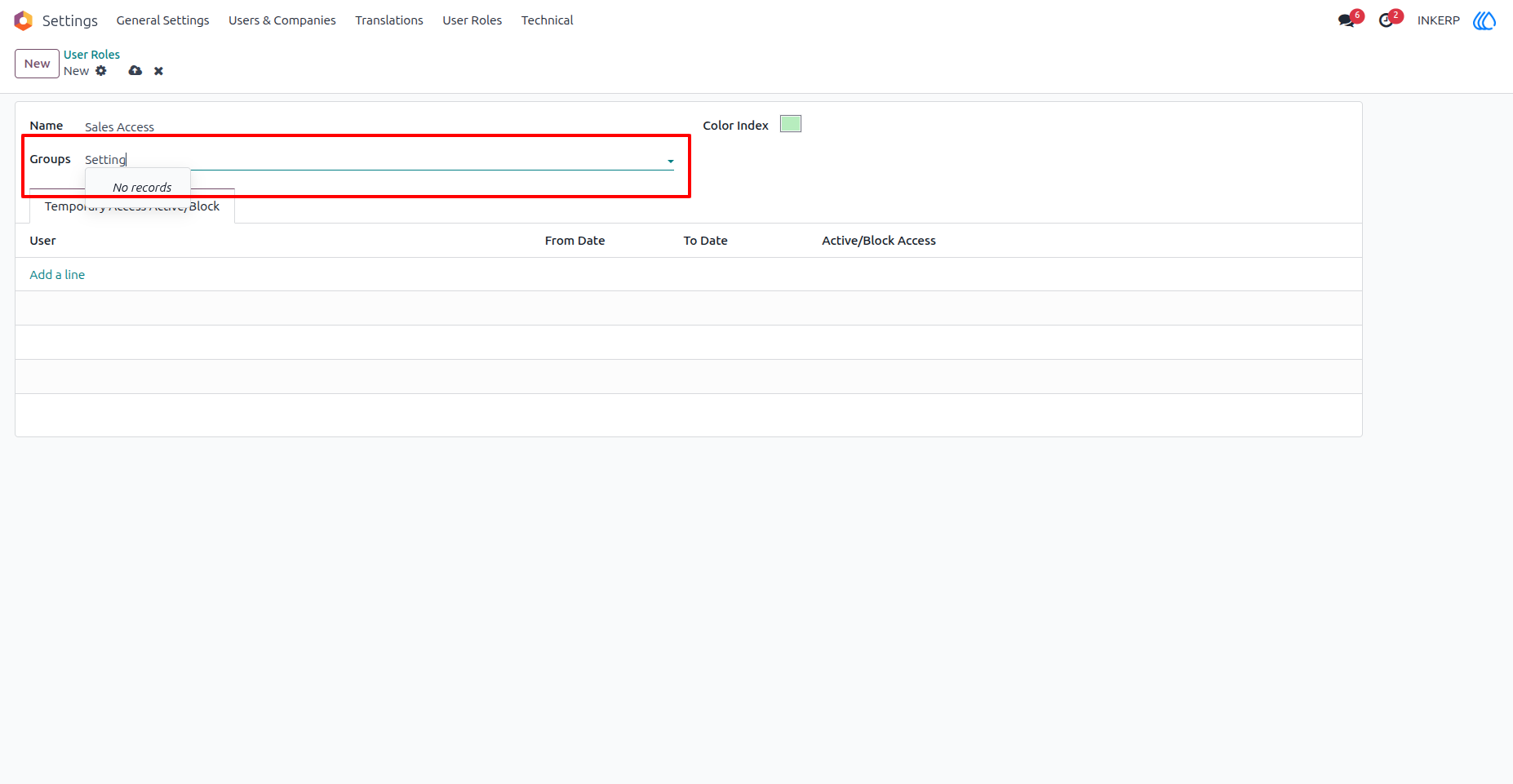
By Selecting Exclude From Role, admin can hide Particular groupd from User Role
13) Excluded Group HIde from User Role
User Guide