

Our Most Suggested Products


User Audit | User Activity Audit
This module keeps track of what users do with data like create, read, write, or deleting records. You can see every action taken on any part of the system. The logs show who did what, when, and to which record. You can group and filter logs by user, type of action, or the kind of object. Each log entry includes things like the date, record name, user, what changed, and the old vs. new values for edited fields.
Video Tutorial
 Features
 Screenshots
 Support
 Service
Features
Full Operation Tracking:
Automatically logs user actions like create, read, write, and delete.
Simple Activity Overview:
See exactly who did what, when, and where across the system.
User & Manager Roles:
Two access levels: Users and Managers for better control over audit logs.
Manager Controls:
Managers can view all user logs, clear logs, and create new audit entries.
Auto-Logging:
Every operation is captured without needing manual input.
Screenshot
1) Settings View
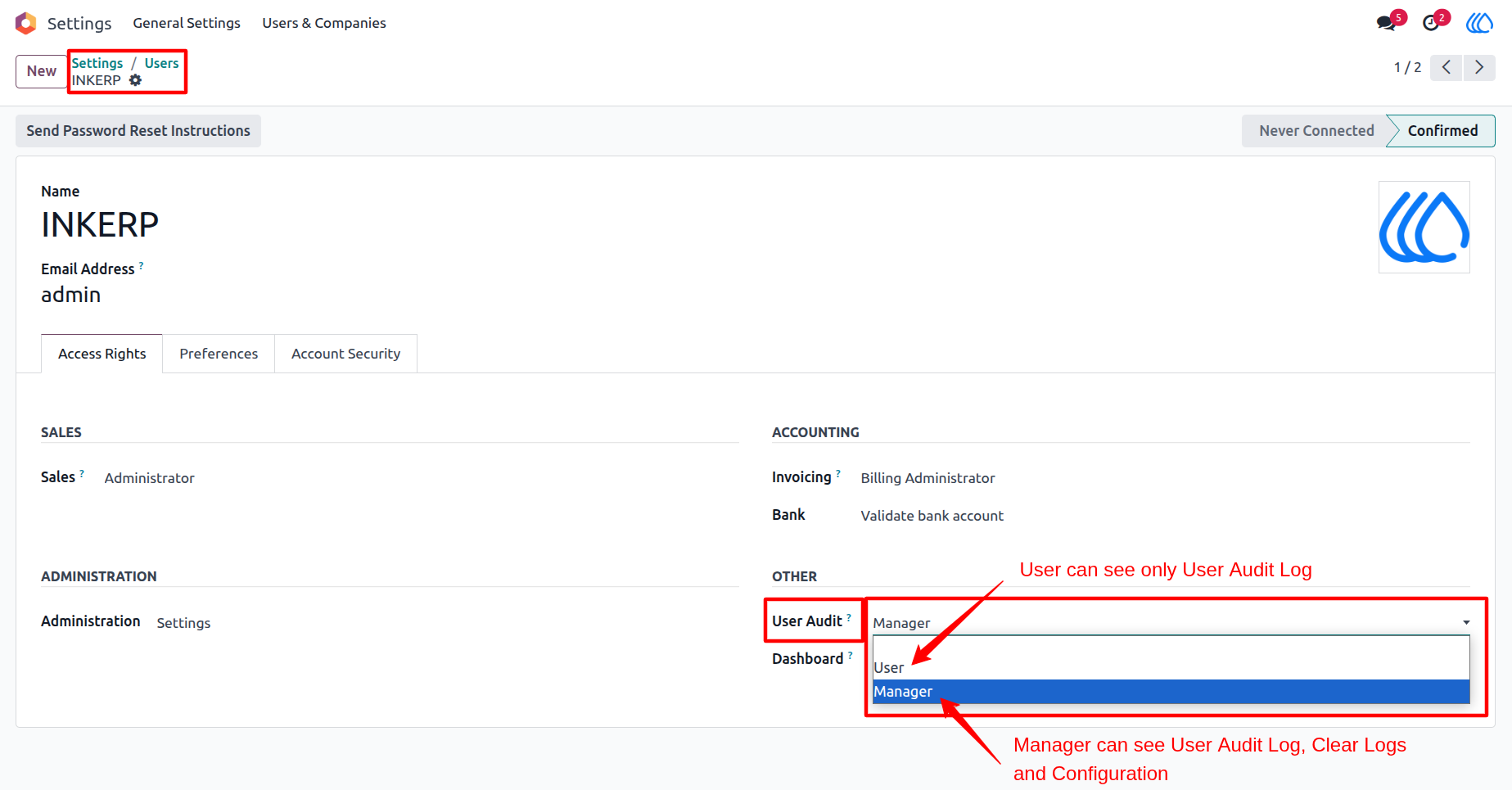
Select access rights groups "User" and "Manager" for the audit log.
Navigation : Settings › Users
2) User Audit Configuration
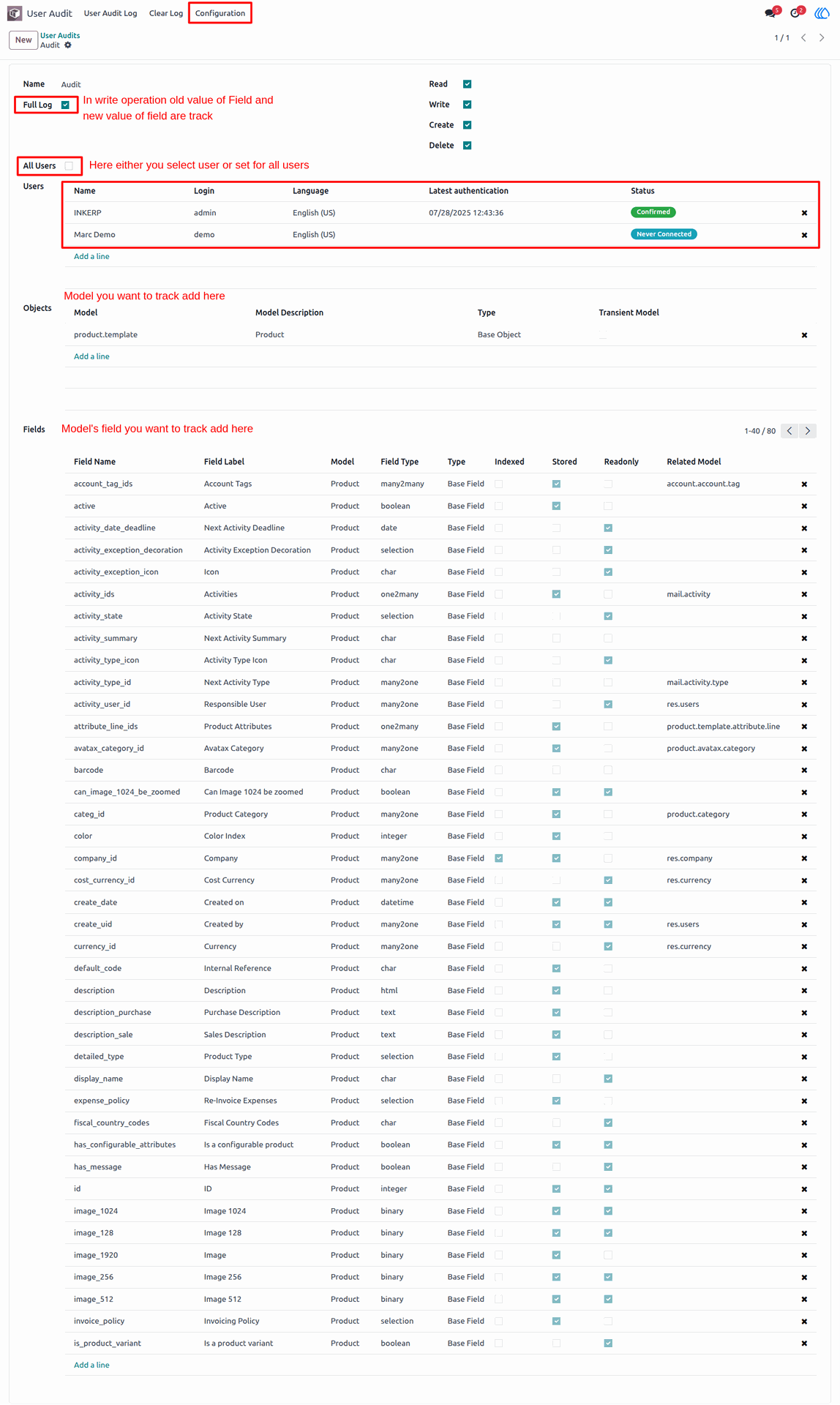
Press the "Create" button so it opens the screen like below.
Navigation : User Audit › Configuration
3) We are now creating a new product.
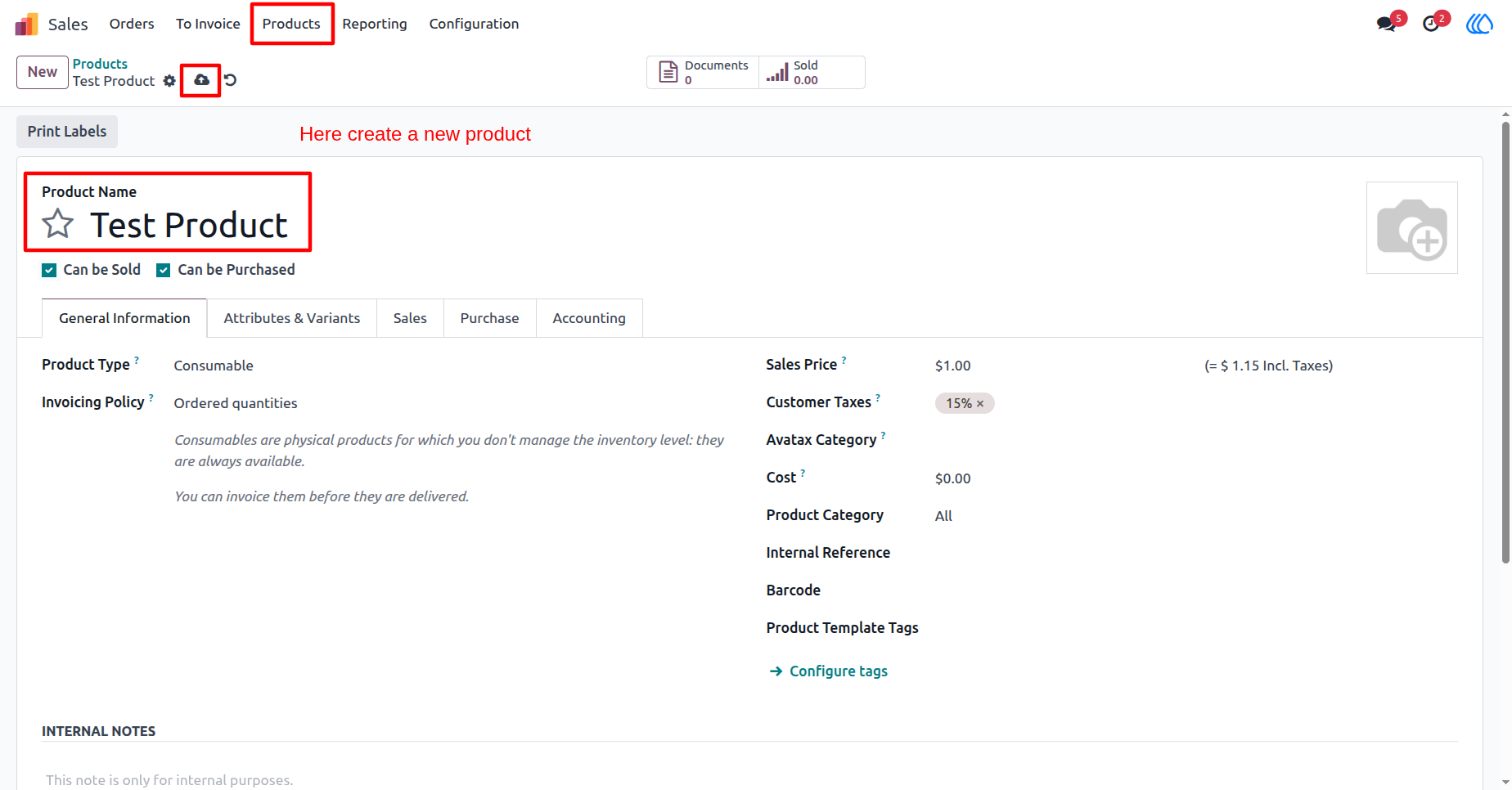
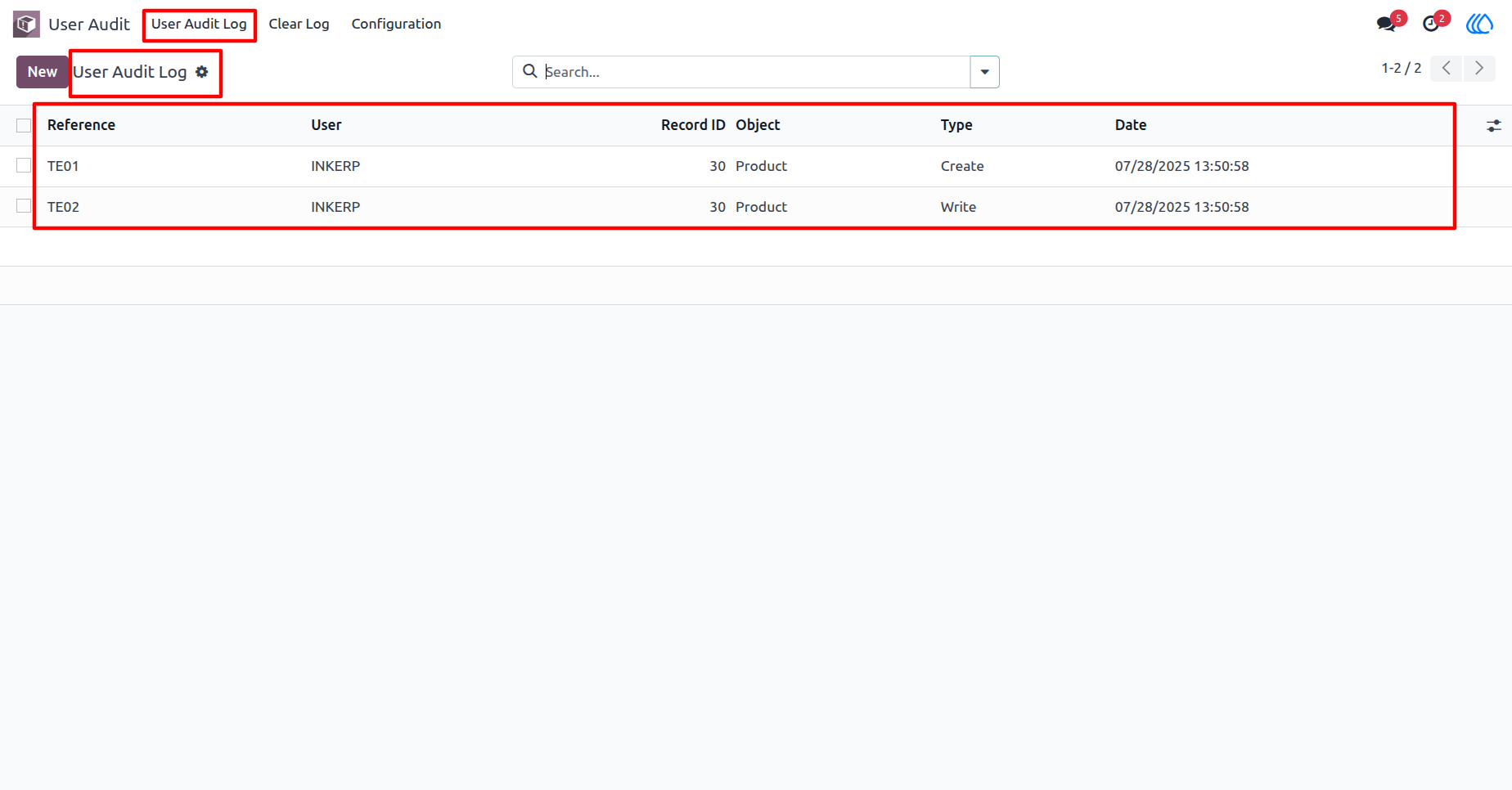
4) User Audit Log List View
As a result, the operation will be recorded automatically in the logs.
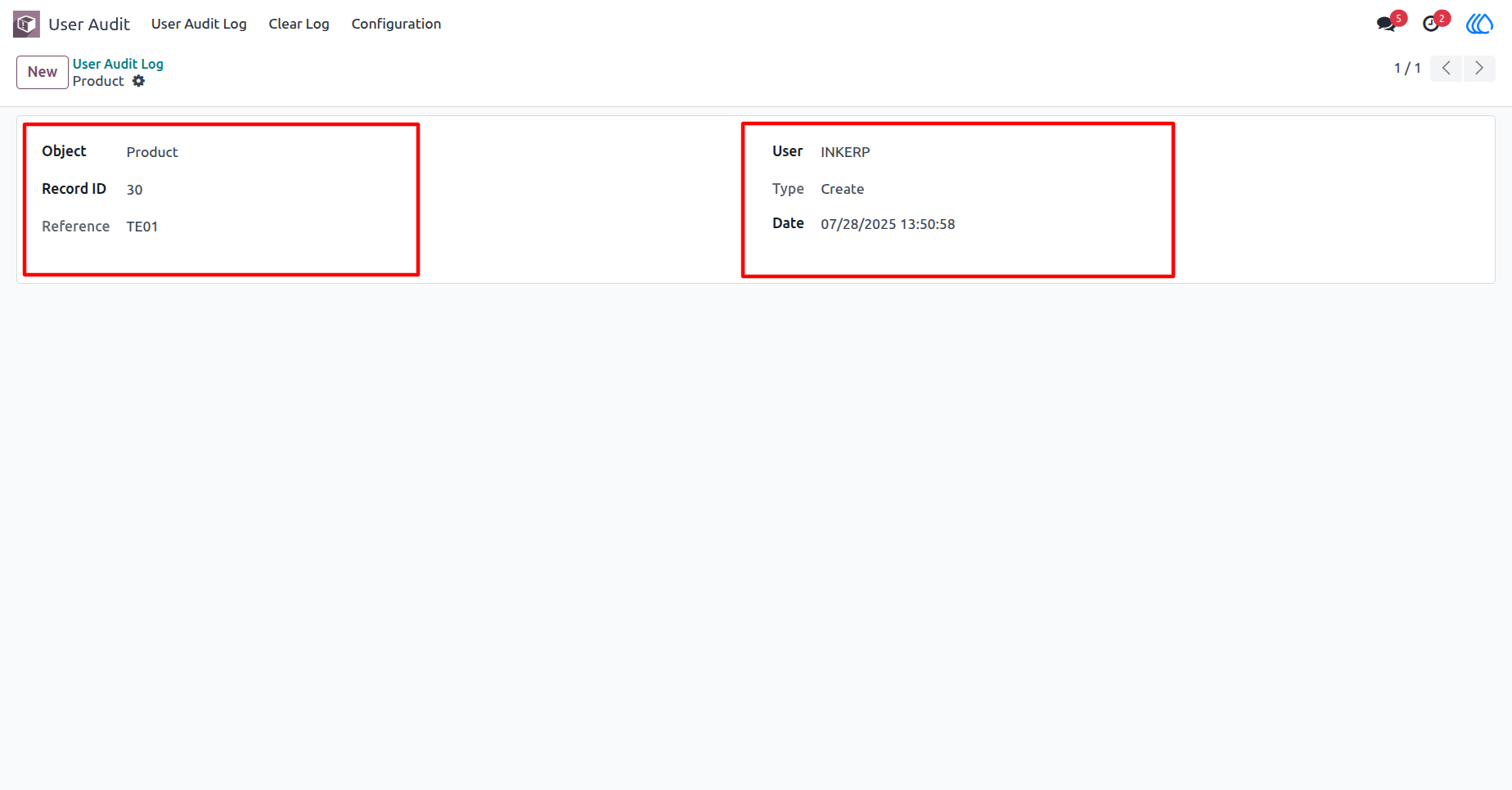
5) User Audit Log Form View
The audit log form view looks like this.
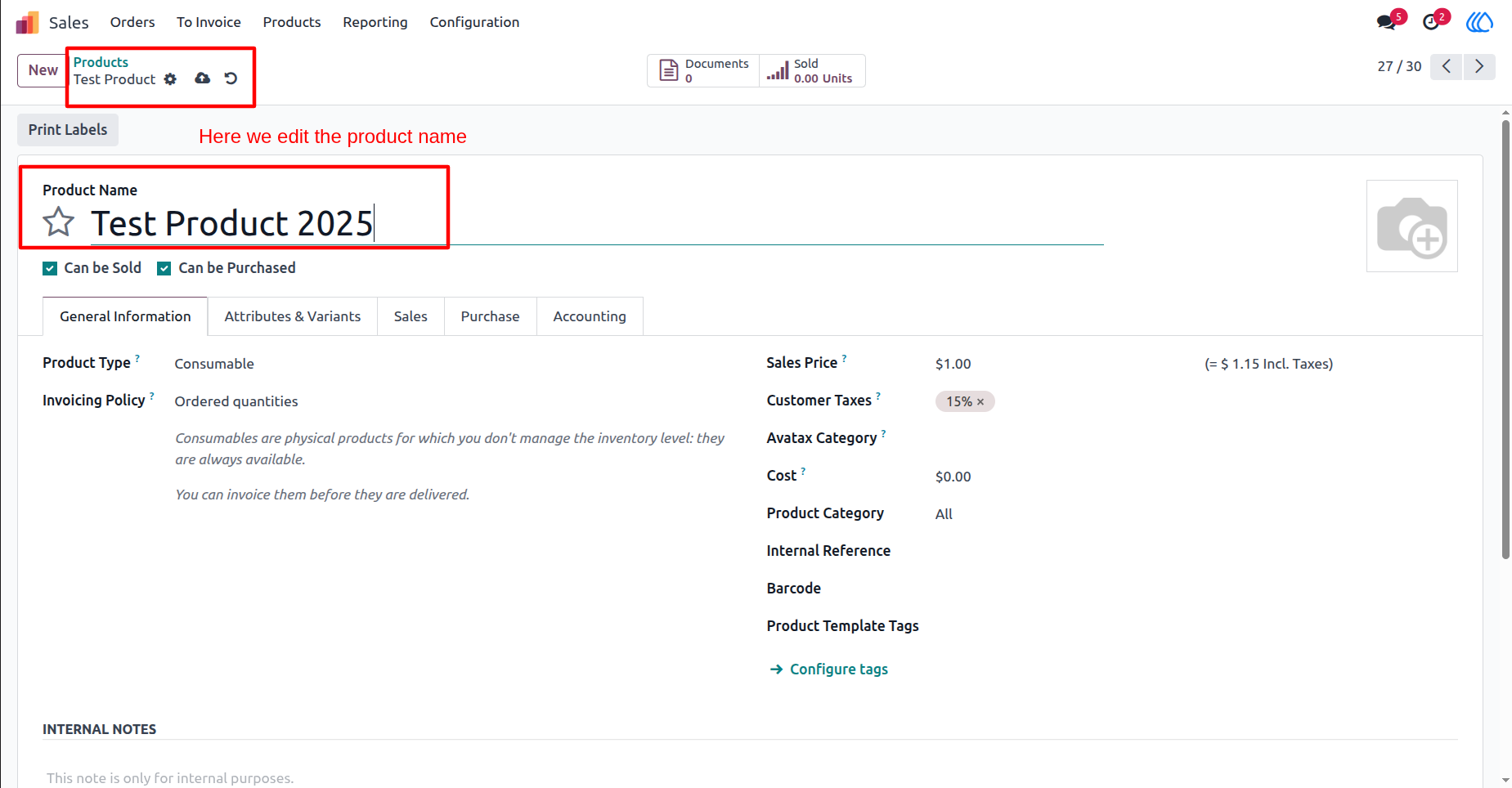
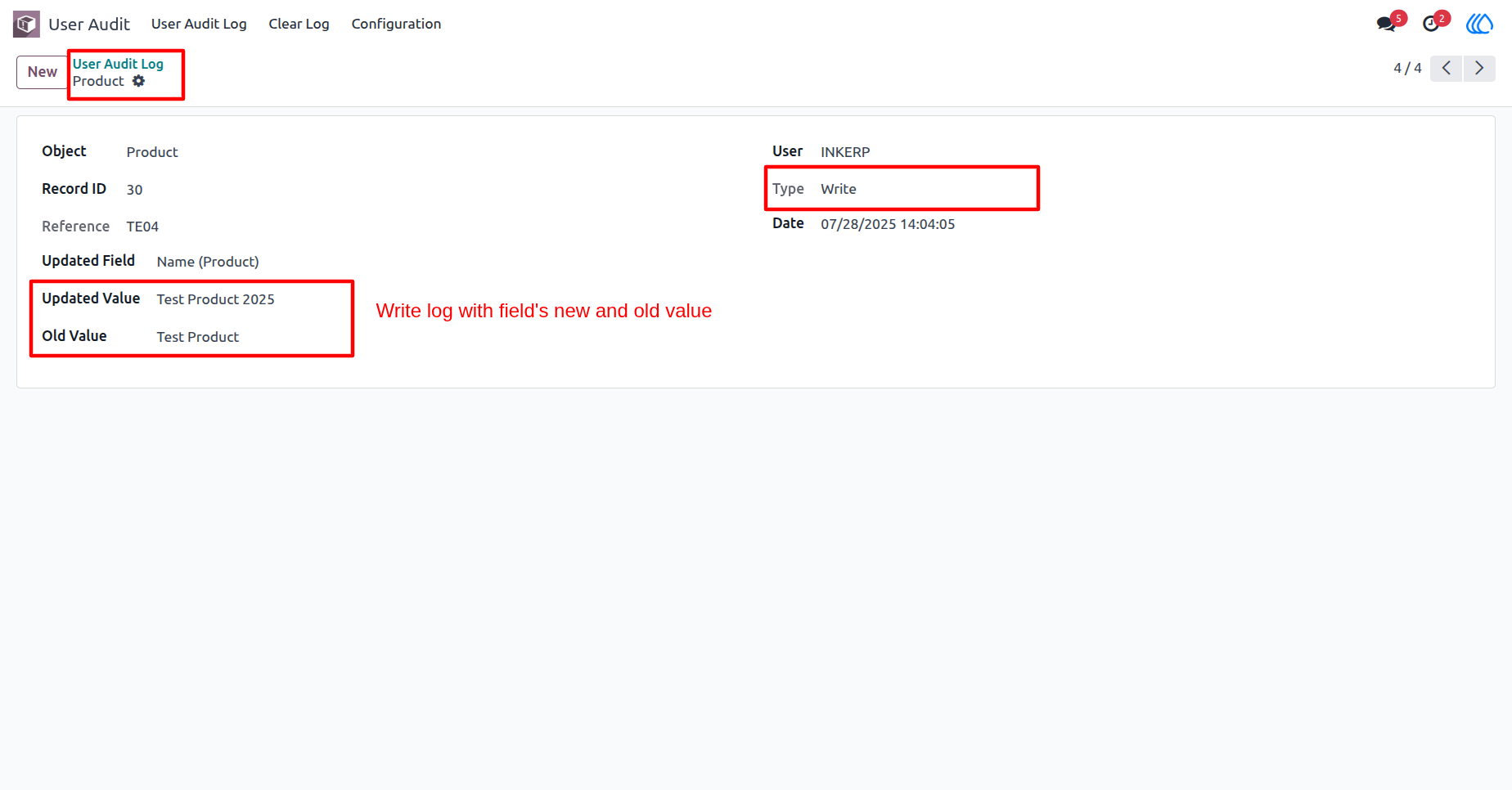
6) Now we edit the product name.
7) User Audit Log Form View
This operation will be automatically recorded in the log list, including details such as the date, record ID, model name, user, action type, and the old and new values of any modified fields.
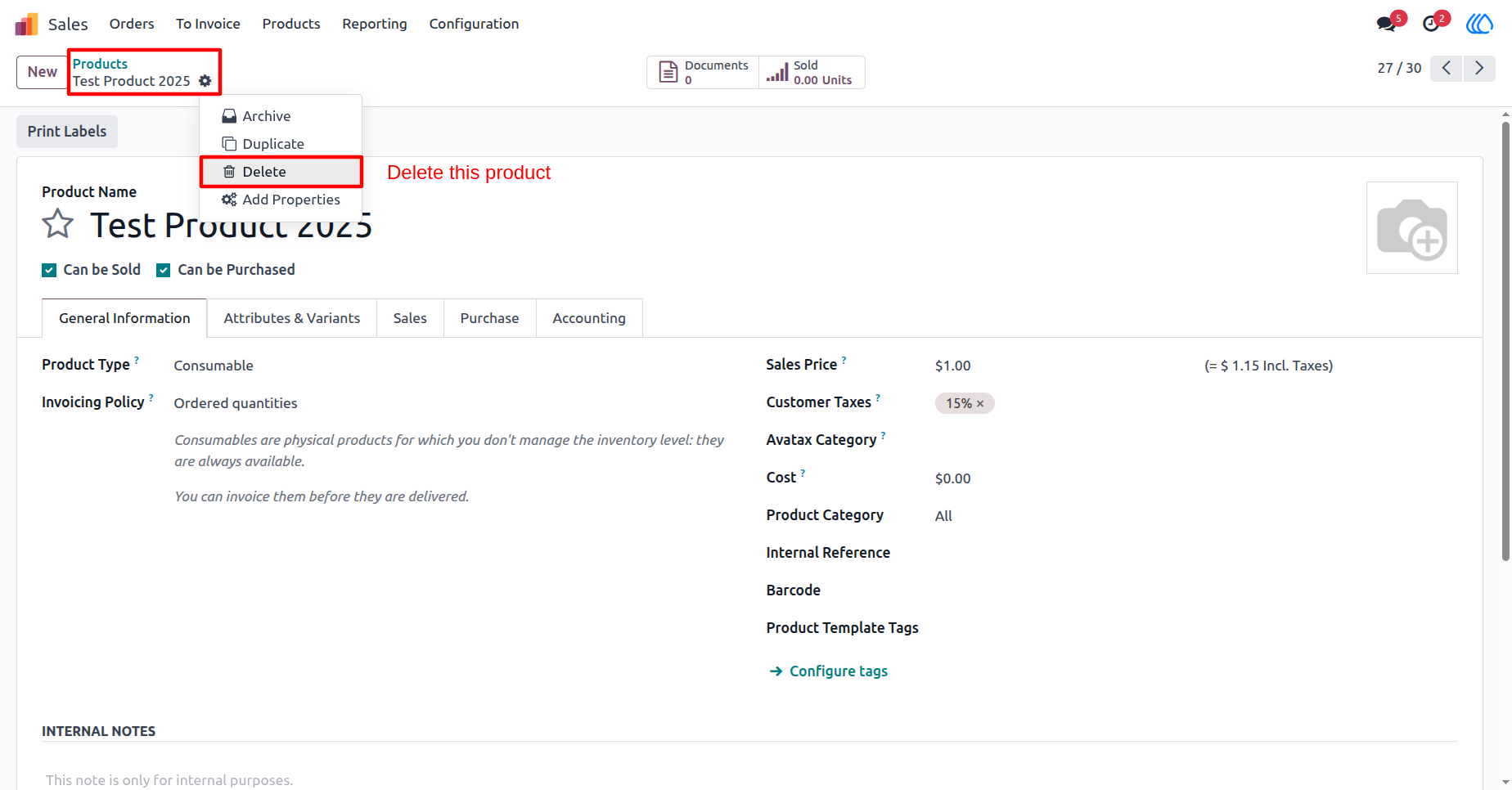
8) Now we delete the product.
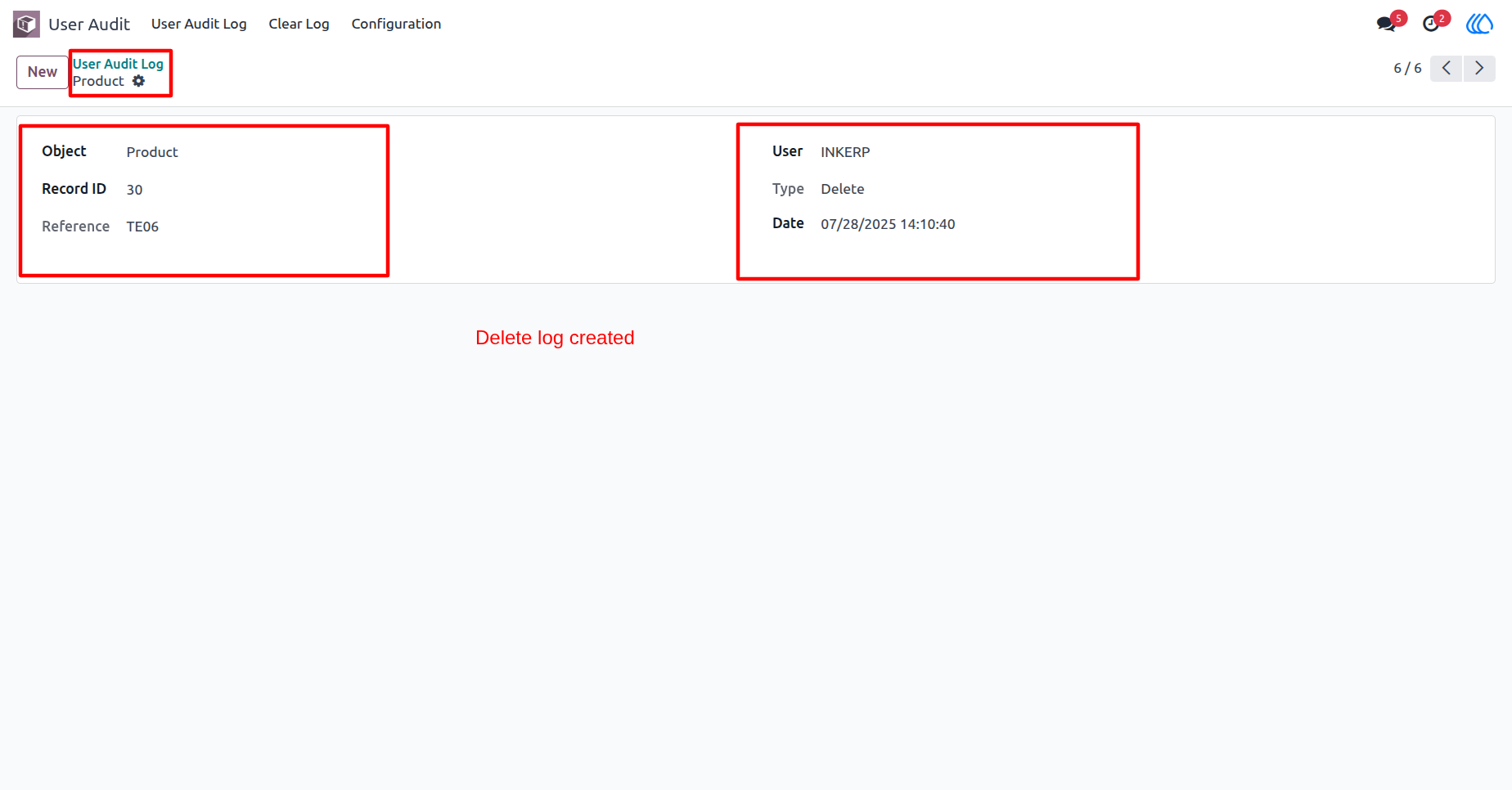
9) User Audit Log Form View
This operation will be automatically recorded in the log list.
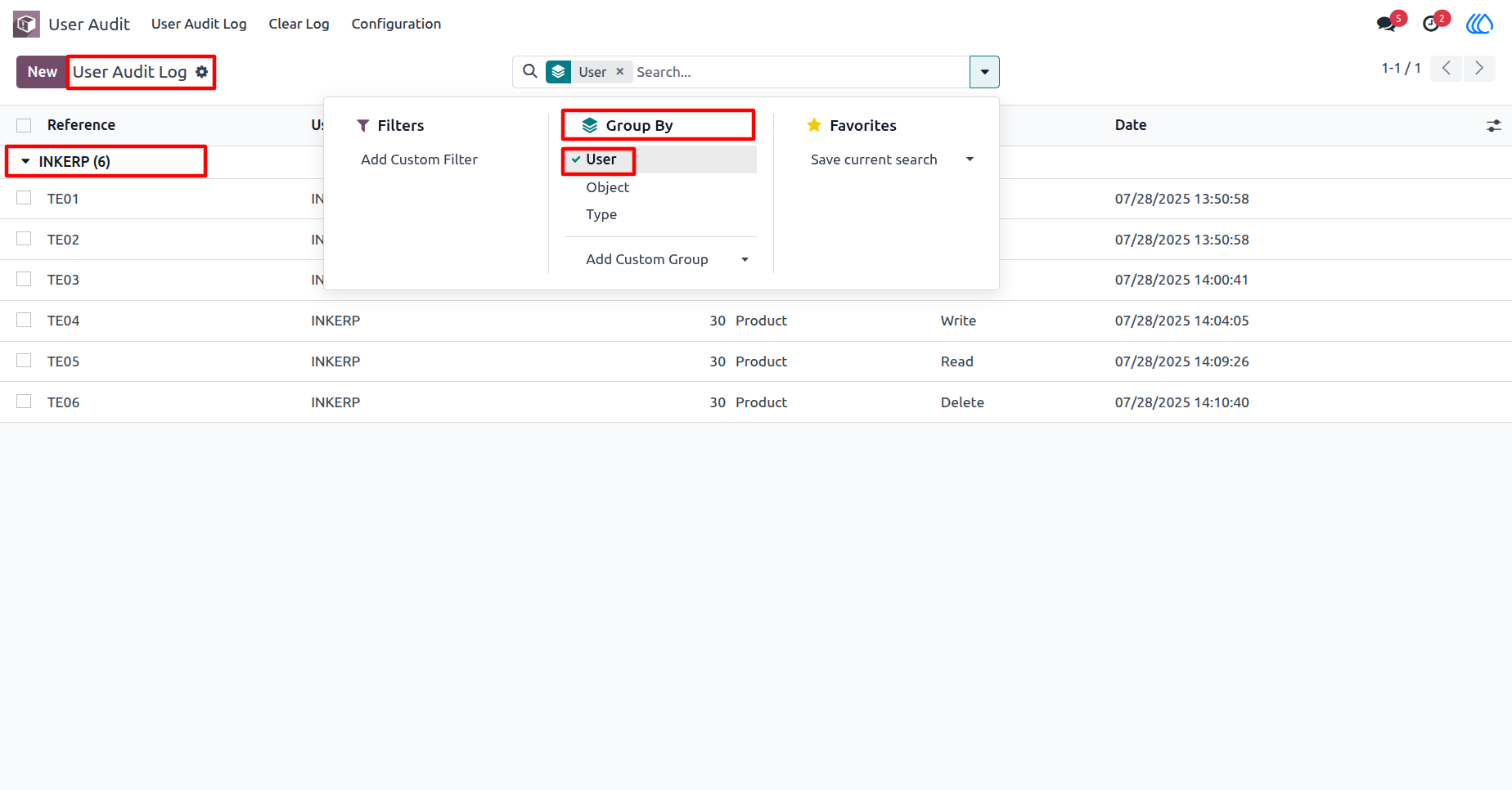
10) User Audit Log List View
You can group by audit logs by the user.
11) User Audit Log List View
You can group by audit logs by the object.
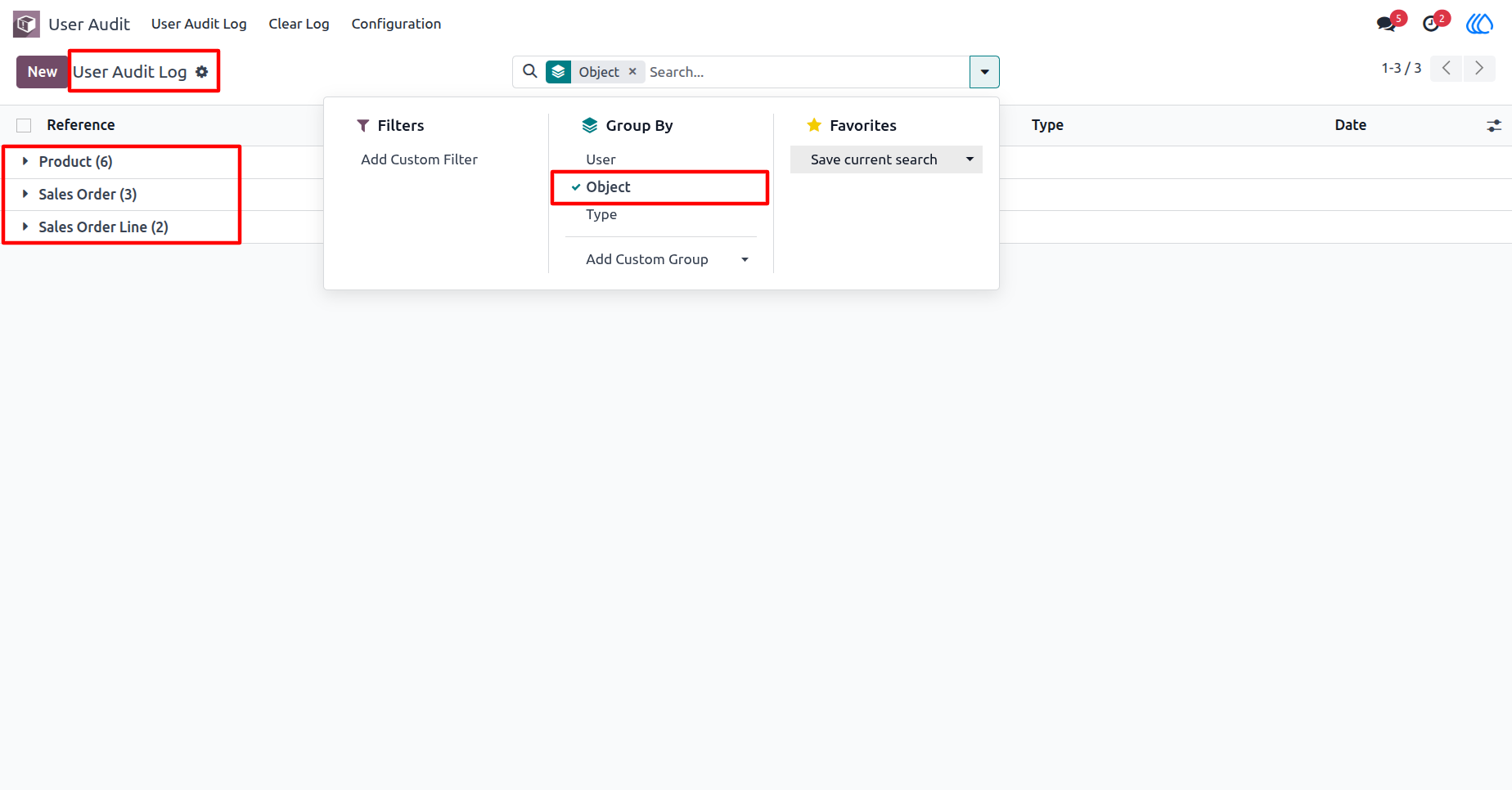
12) User Audit Log List View
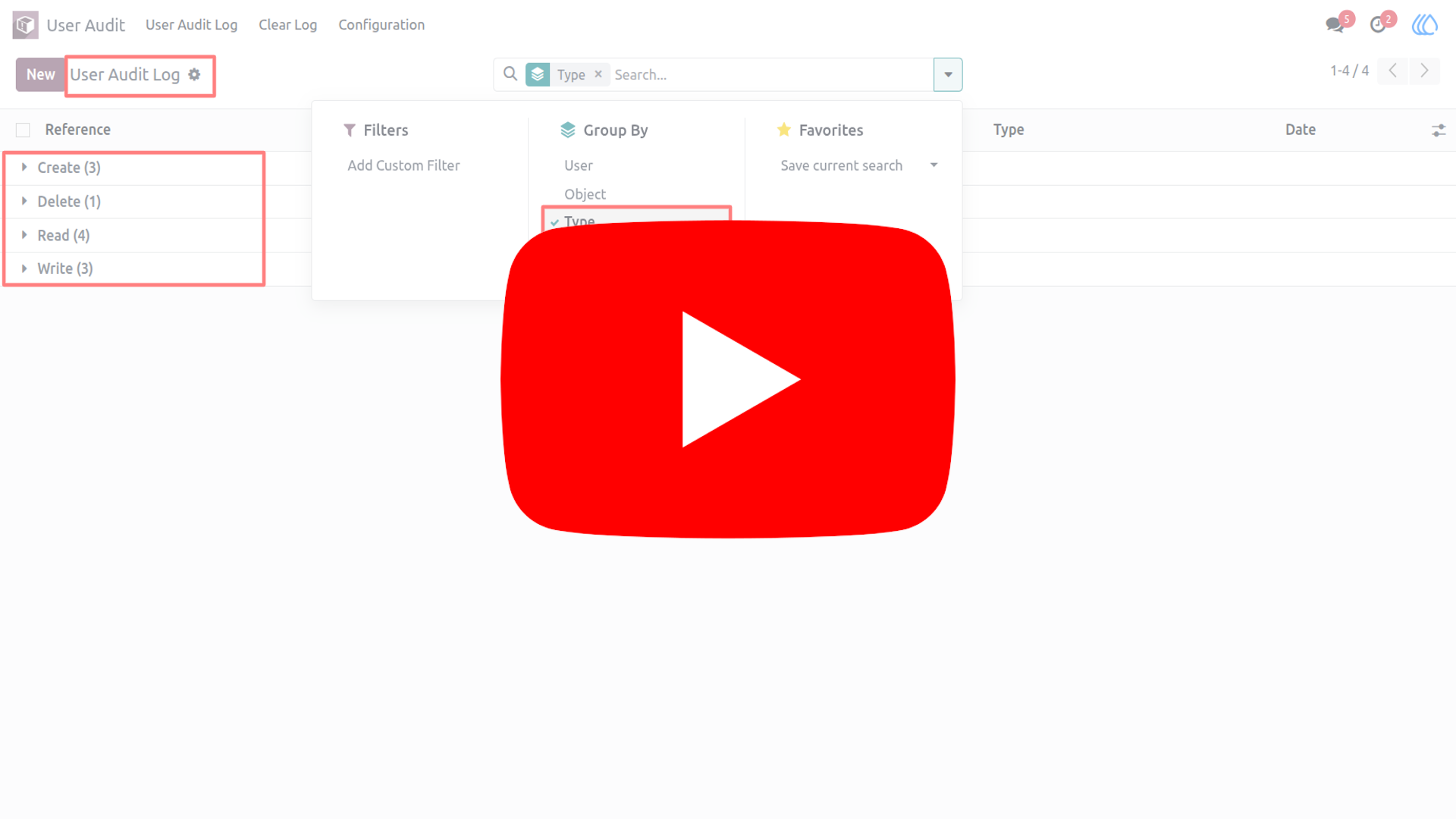
You can group by audit logs by the type.
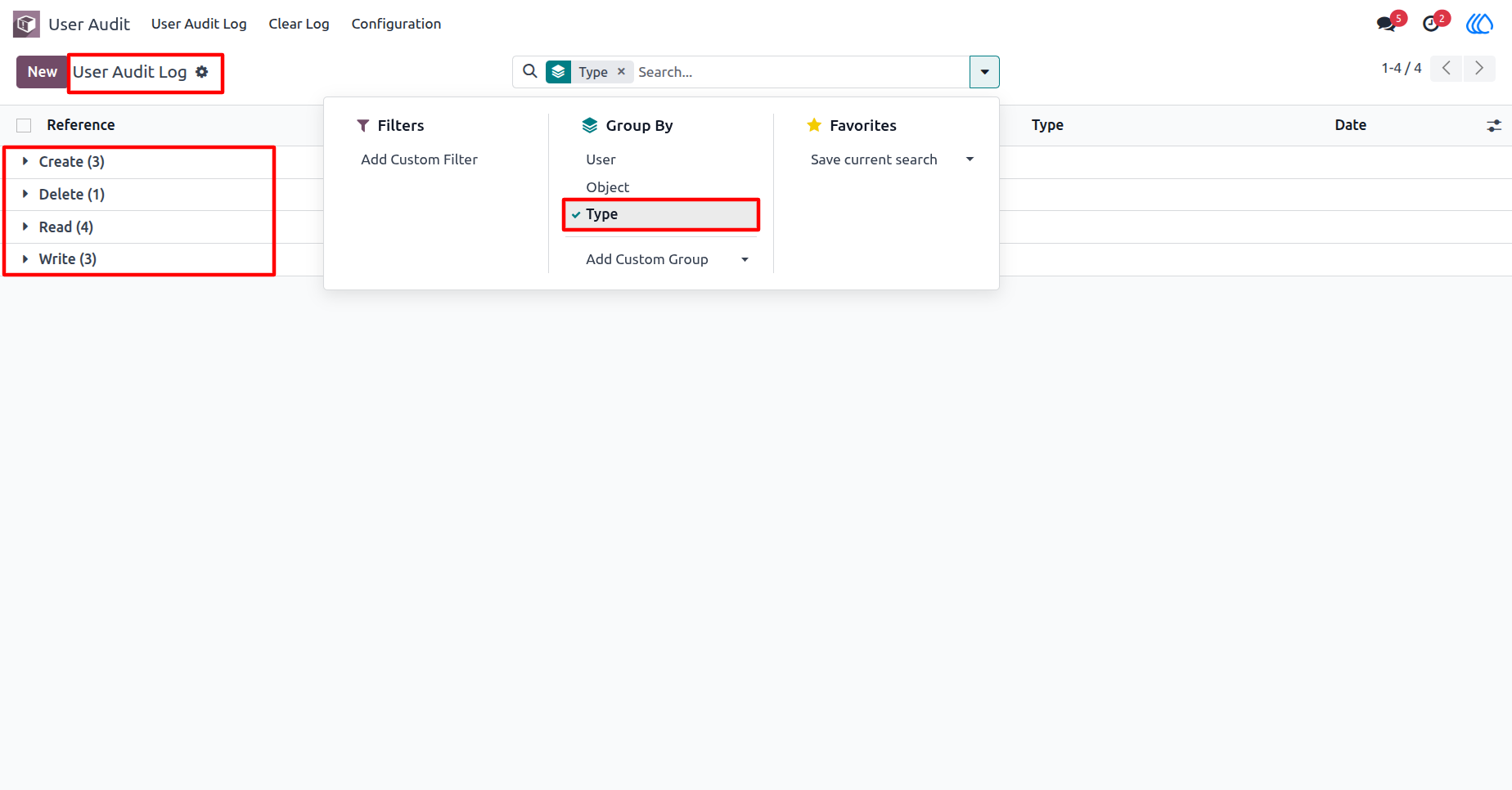
13) Clear Log menu
The manager can delete all logs by the "Clear Log" menu.
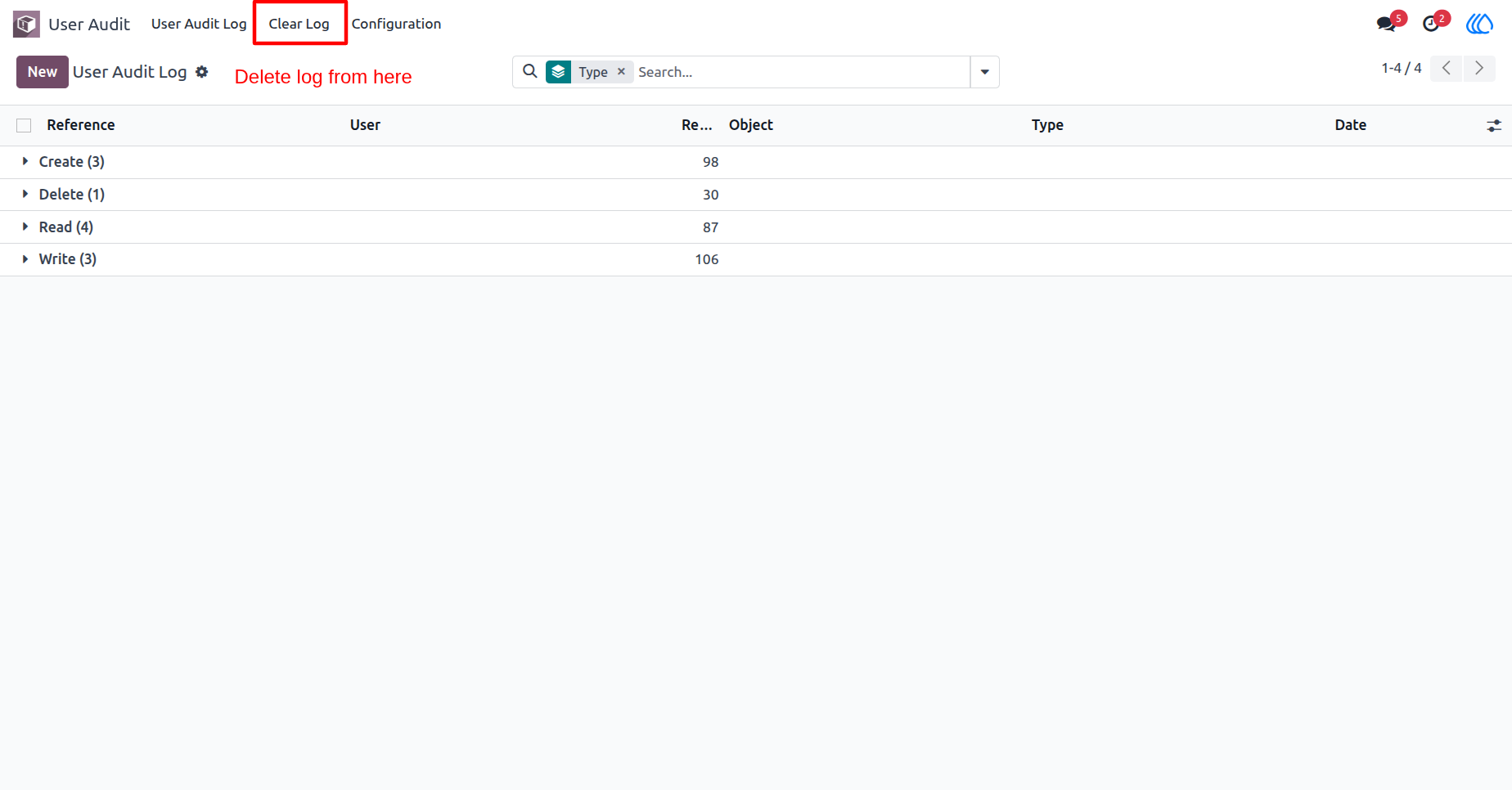
14) Clear Log View
After press on the "Clear Log" menu, this popup opens, you can clear all log as well selected logs, click "Add a line" to select a model.
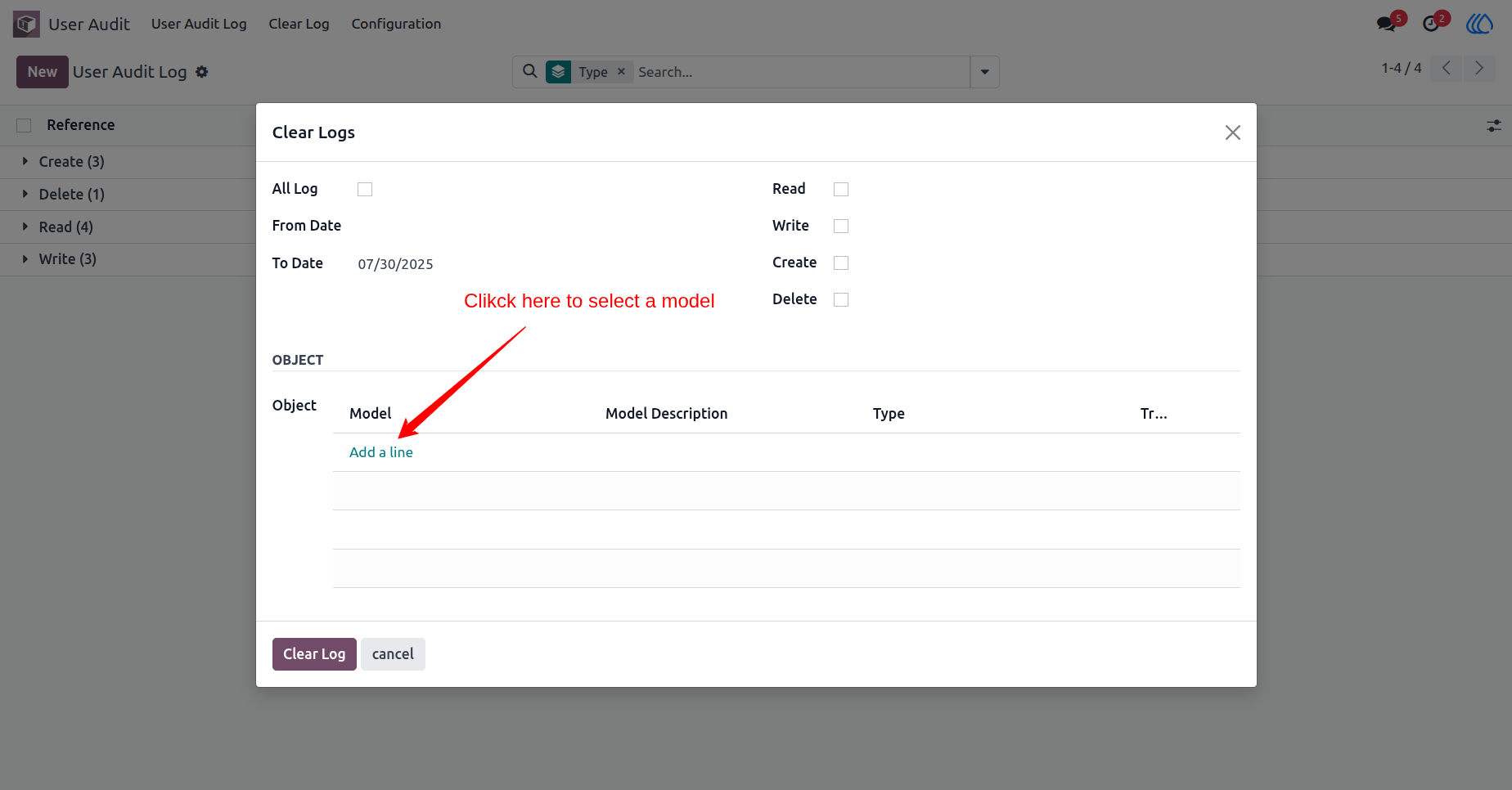
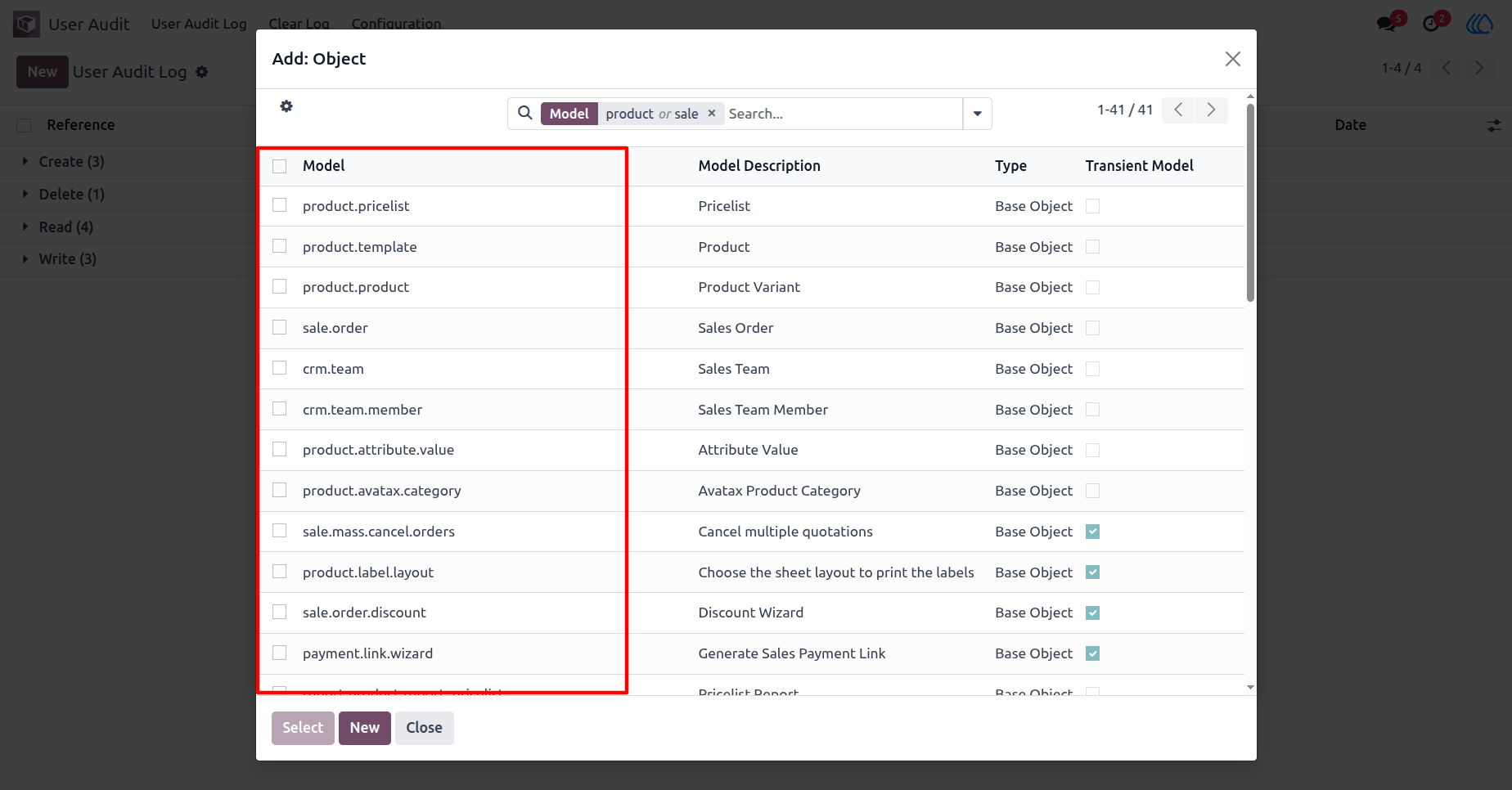
15) After clicking on the "Add a line", this wizard opens, Choose a model which you want to clear.
16) Clear Log View
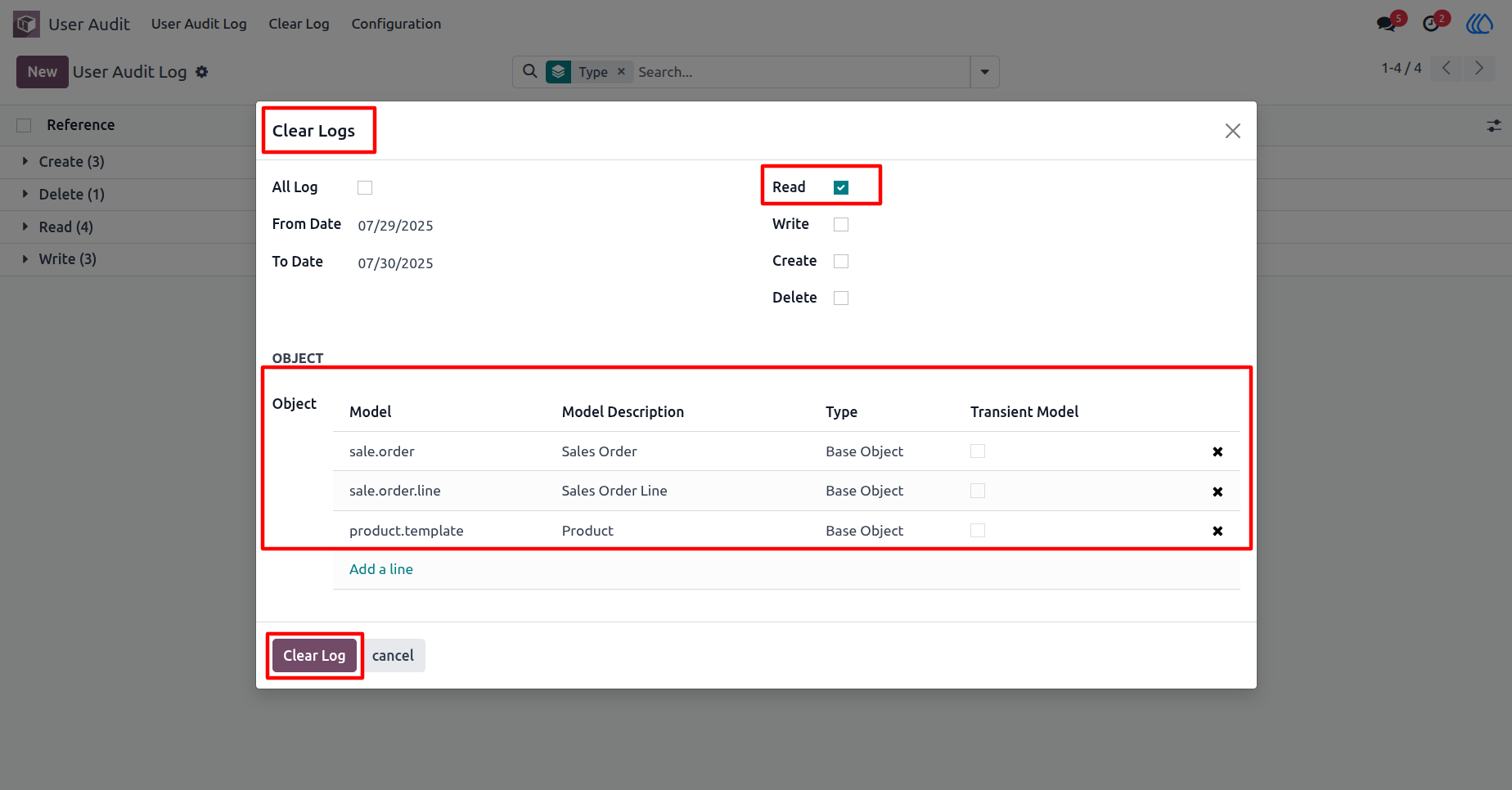
You can clear the log based on type, model , from date and to date.
17) User Audit Log List View
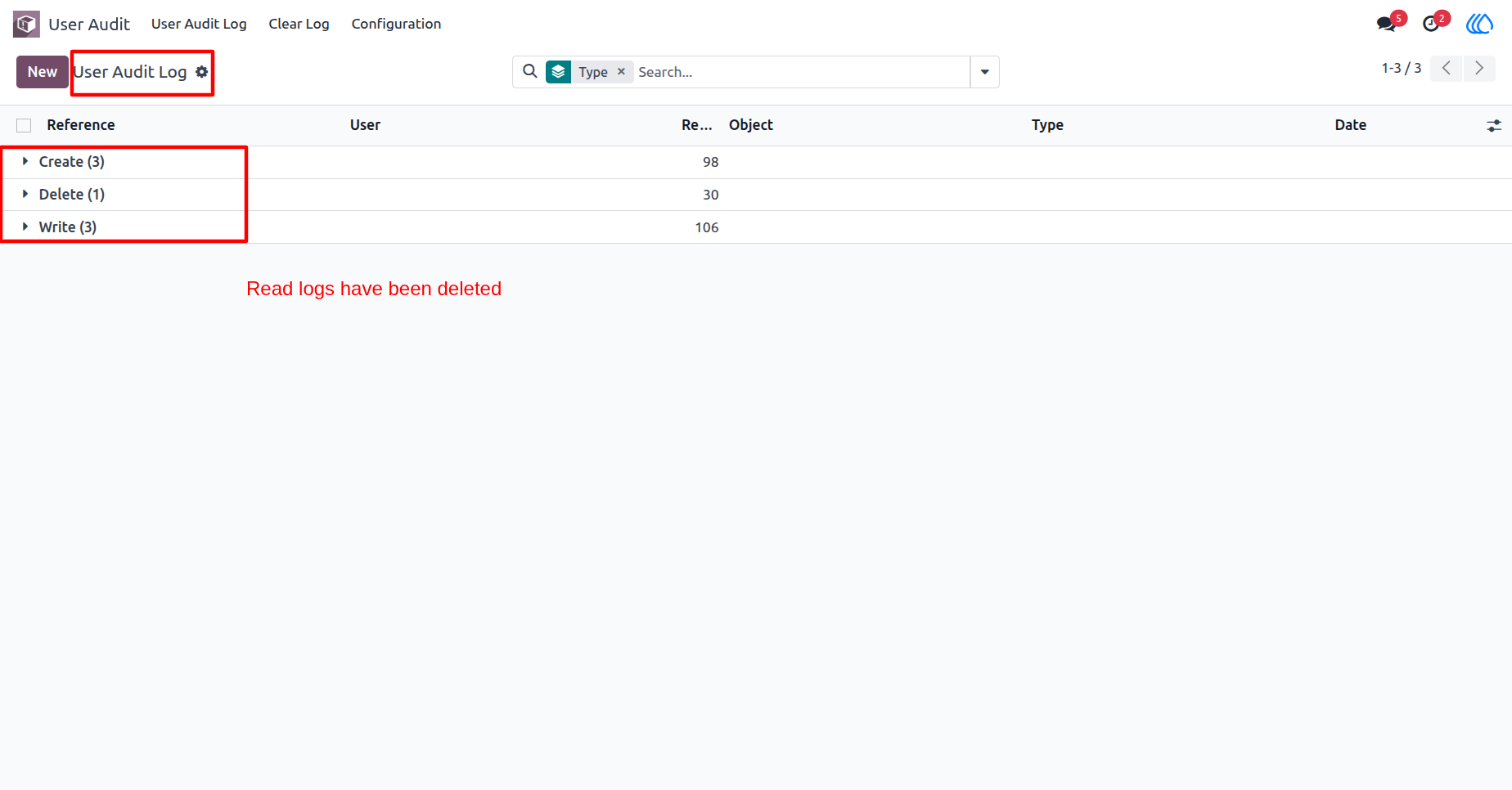
Log type: Read logs are deleted
18) Clear Log View
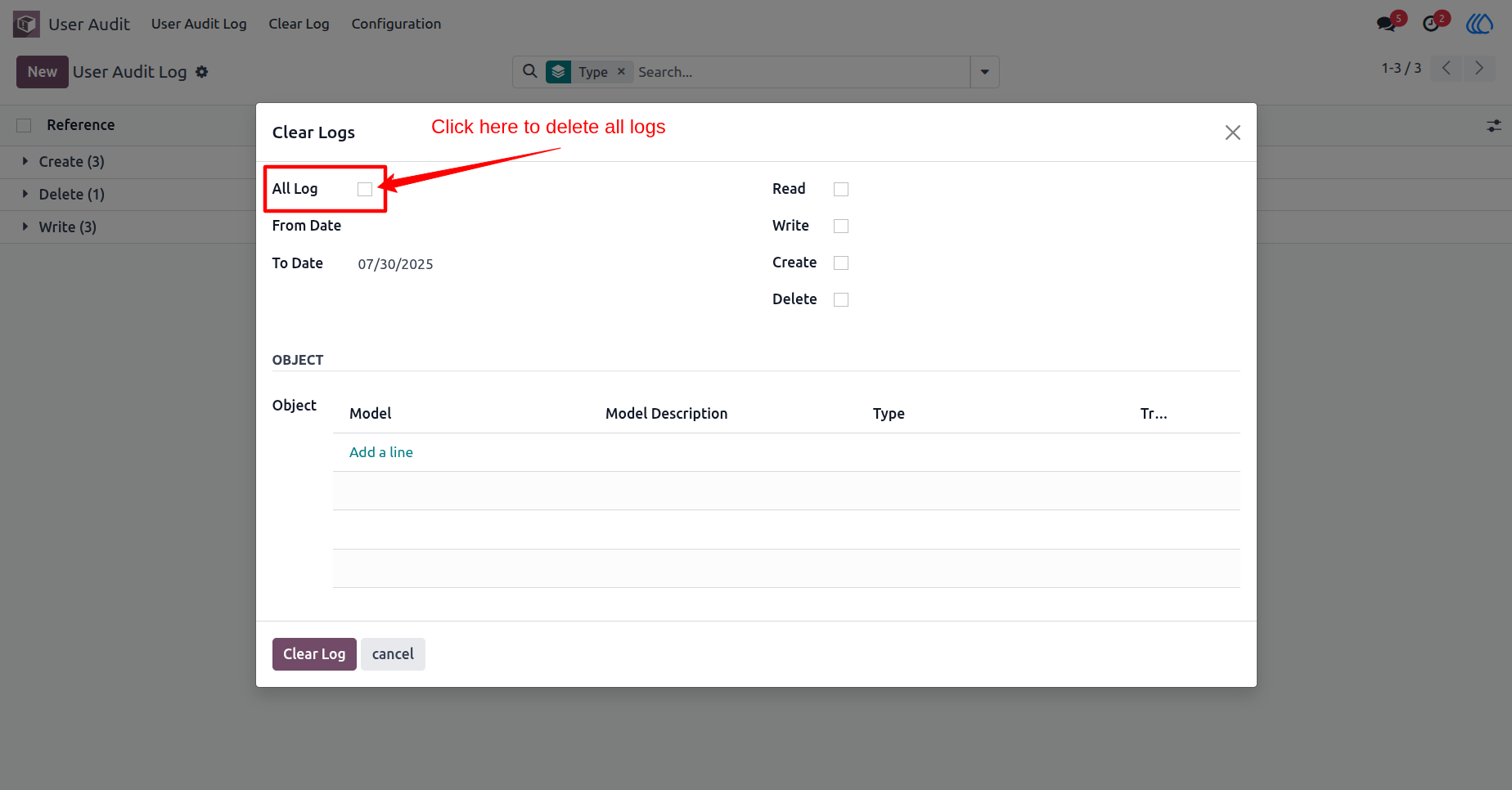
You can clear all log as well selected logs by enabling "All Log".
19) User Audit Log List View
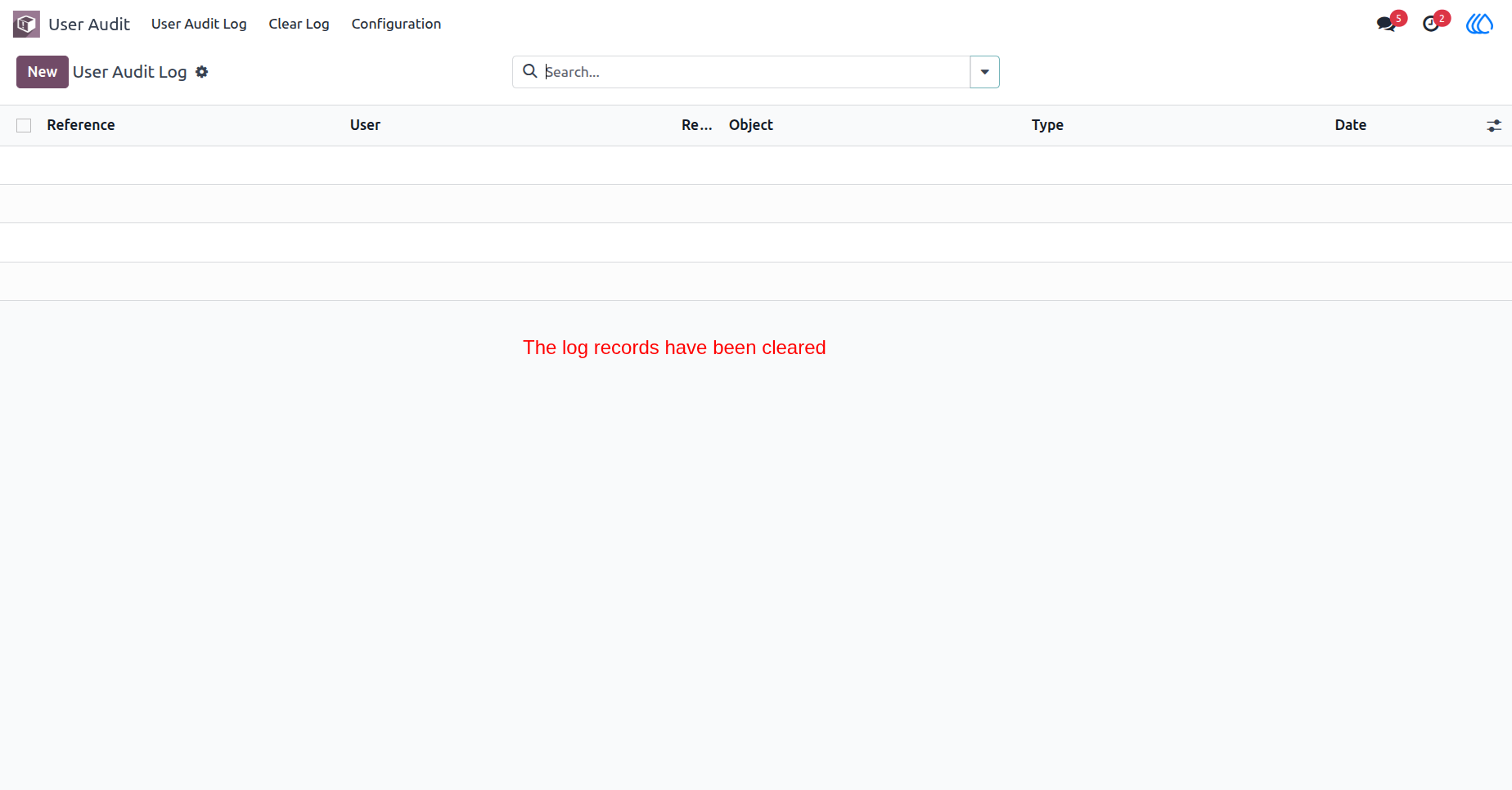
All logs are deleted.
User Guide