

Our Most Suggested Products


Sales Product Profitability Report
Get detailed profitability insights for every product sold including sales value, cost, profit, margin and taxes. Use advanced filters and groupings to analyze data by product, category, salesperson or date. View all key financial metrics profit, margin, cost, tax and discounts in one unified report. Make informed decisions with accurate real-time financial data. Seamlessly integrates into Odoo's Sales Reporting menu for easy access and analysis.
Video Tutorial

 Features
 Screenshots
 Support
 Service
Features
Smart Product Profitability Insights
Analyze profitability at the product level with automatically calculated metrics. Gain visibility into sales value, cost, profit, margin, and profitability percentage. Perfect for quickly identifying high and low performing products in your catalog.
Detailed Sales Performance Breakdown
View delivery quantity, returns, return rate, discounts, and tax impacts in one report. Understand how operational factors influence overall profit of each item. Helps you evaluate real performance beyond simple sales totals.
Advanced Pivot View for Deep Analysis
Use powerful pivot tables with multiple grouping options like product, category, order, or salesperson. Apply filters to compare performance across dates, segments, or product types. Export data instantly to analyze or share insights with your sales and management teams.
Screenshot
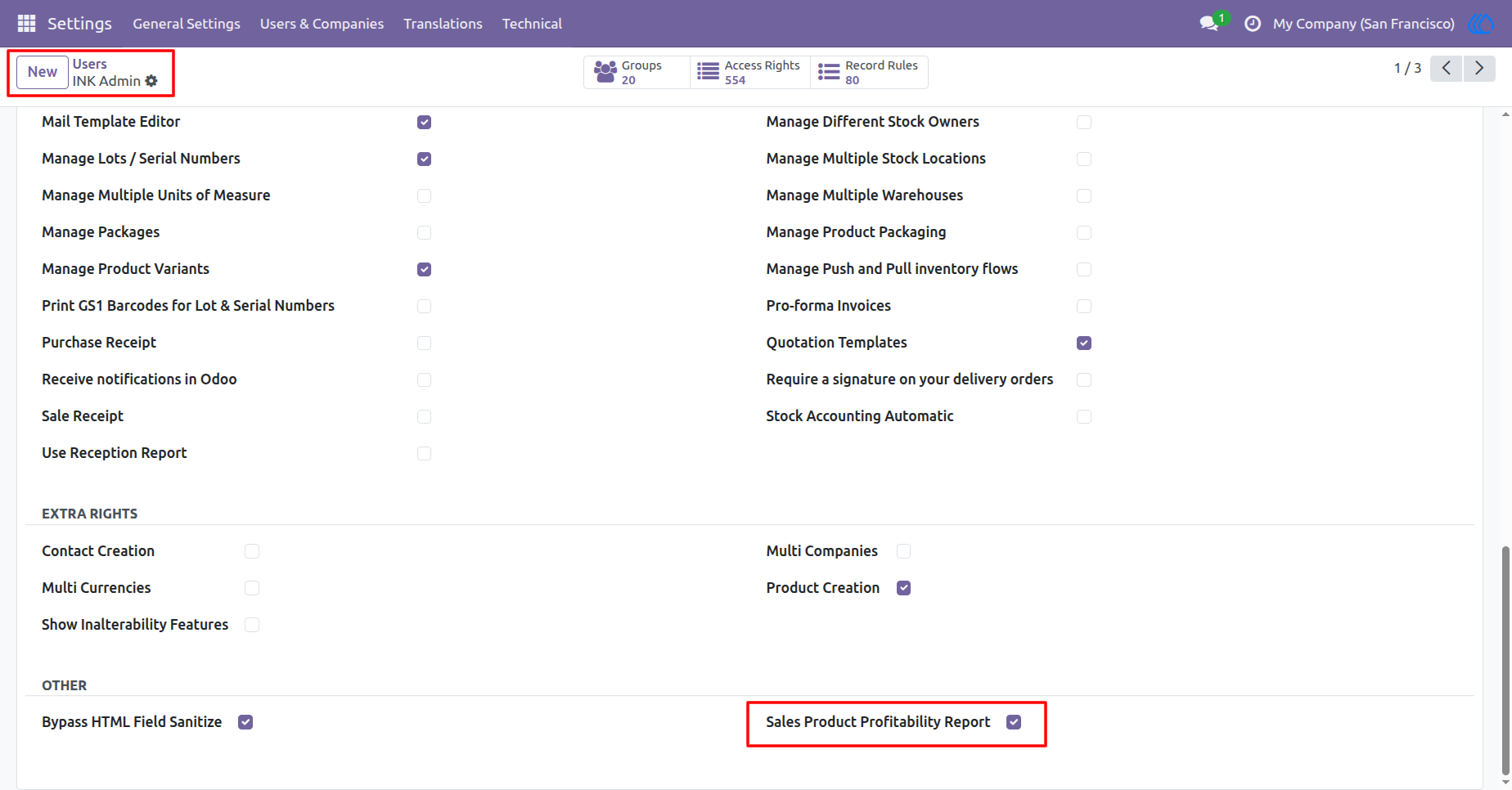
1.) Enabling Profitability Report Access for Users
Activate the Sales Product Profitability Report for users with just a checkbox. Once enabled, selected users can access product-level profitability data. Ideal for controlling access and ensuring that only authorized team members can view financial insights.
Navigation : Settings › Users & Companies › Users
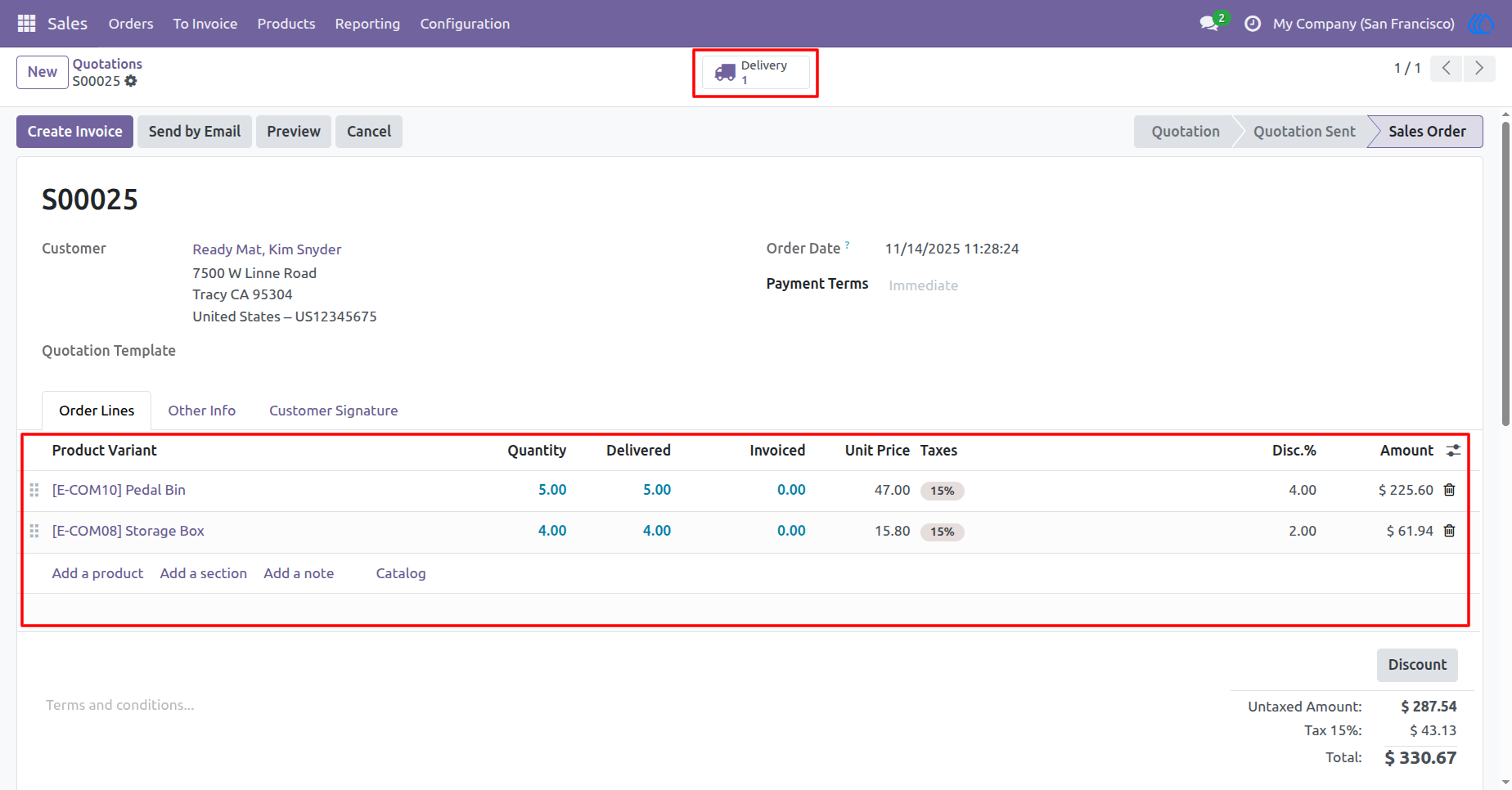
2.) Sales Order with Product Pricing & Delivery Details
sales order containing products with quantity, delivery, pricing, taxes, and discounts. All values entered here such as delivered quantity, unit price, and tax are automatically used in profitability calculations.
Navigation : Sales › Orders › Quotations / Sales Orders
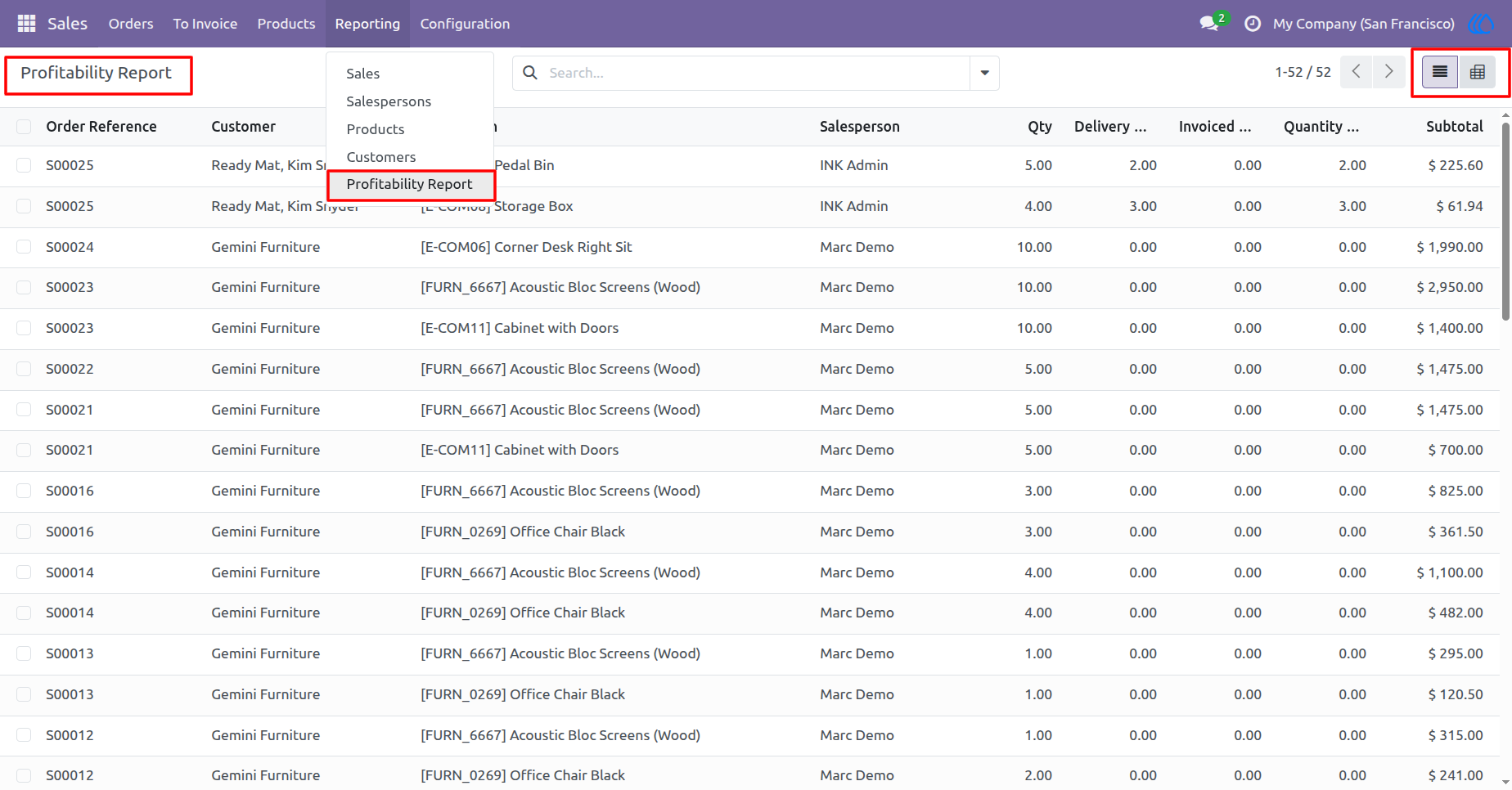
3.) Profitability Report Overview
the Profitability Report, summarizing each sales order line with key financial metrics. Users can review quantities, delivery status, invoiced amounts, costs, and subtotals in one unified view. This report helps evaluate profitability across customers, products, and salespeople.
Navigation : Sales › Reporting › Profitability Report
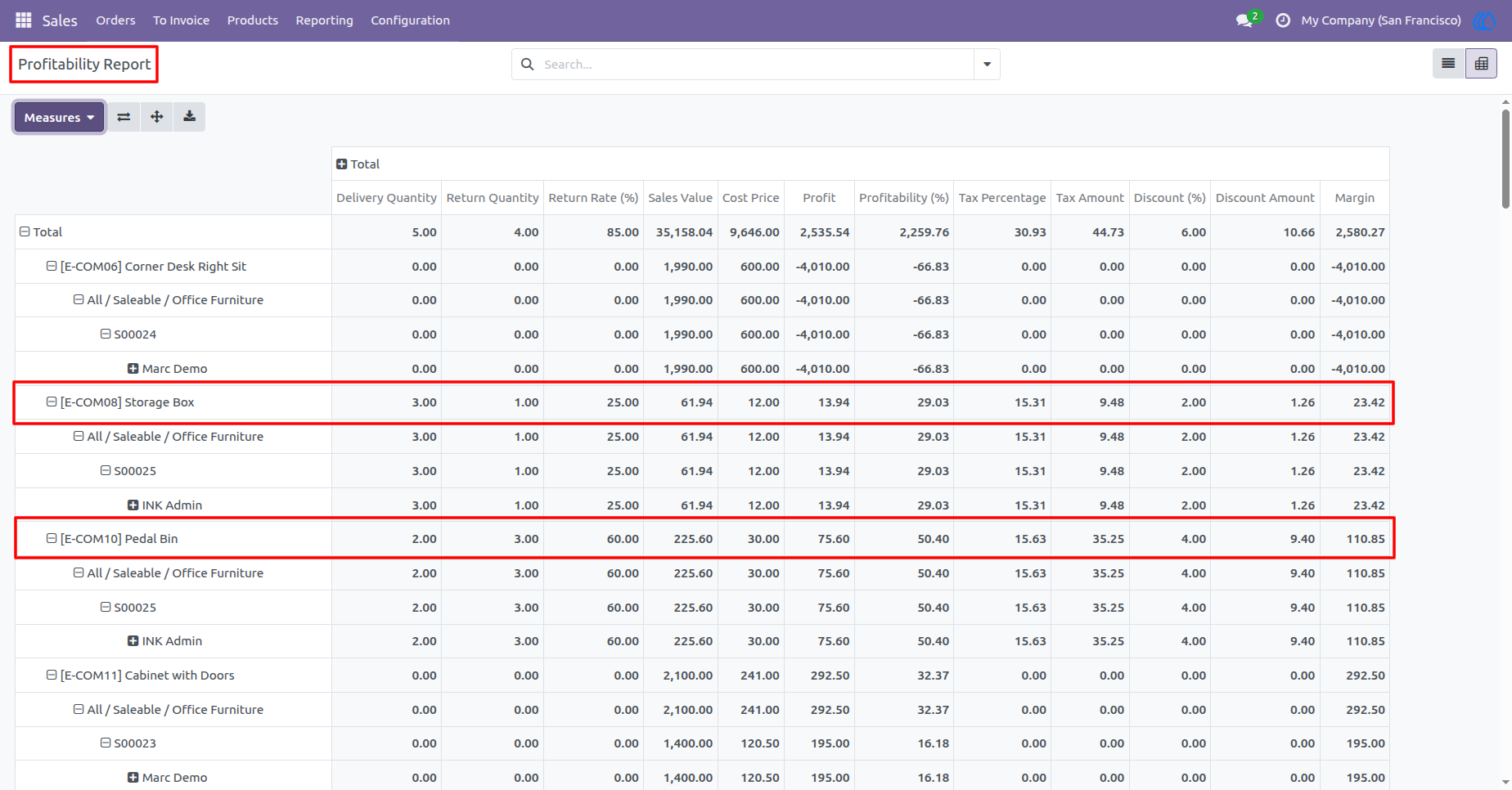
4.) Product-Level Profitability Report with Metrics
The report provides in-depth metrics for each product, including delivery quantity, return rate, sales value, cost, and profitability. The data also shows tax amounts, discount percentages, and margins for each product. Easily analyze the profitability of each item in your sales portfolio.
Navigation : Sales › Reporting › Profitability Report
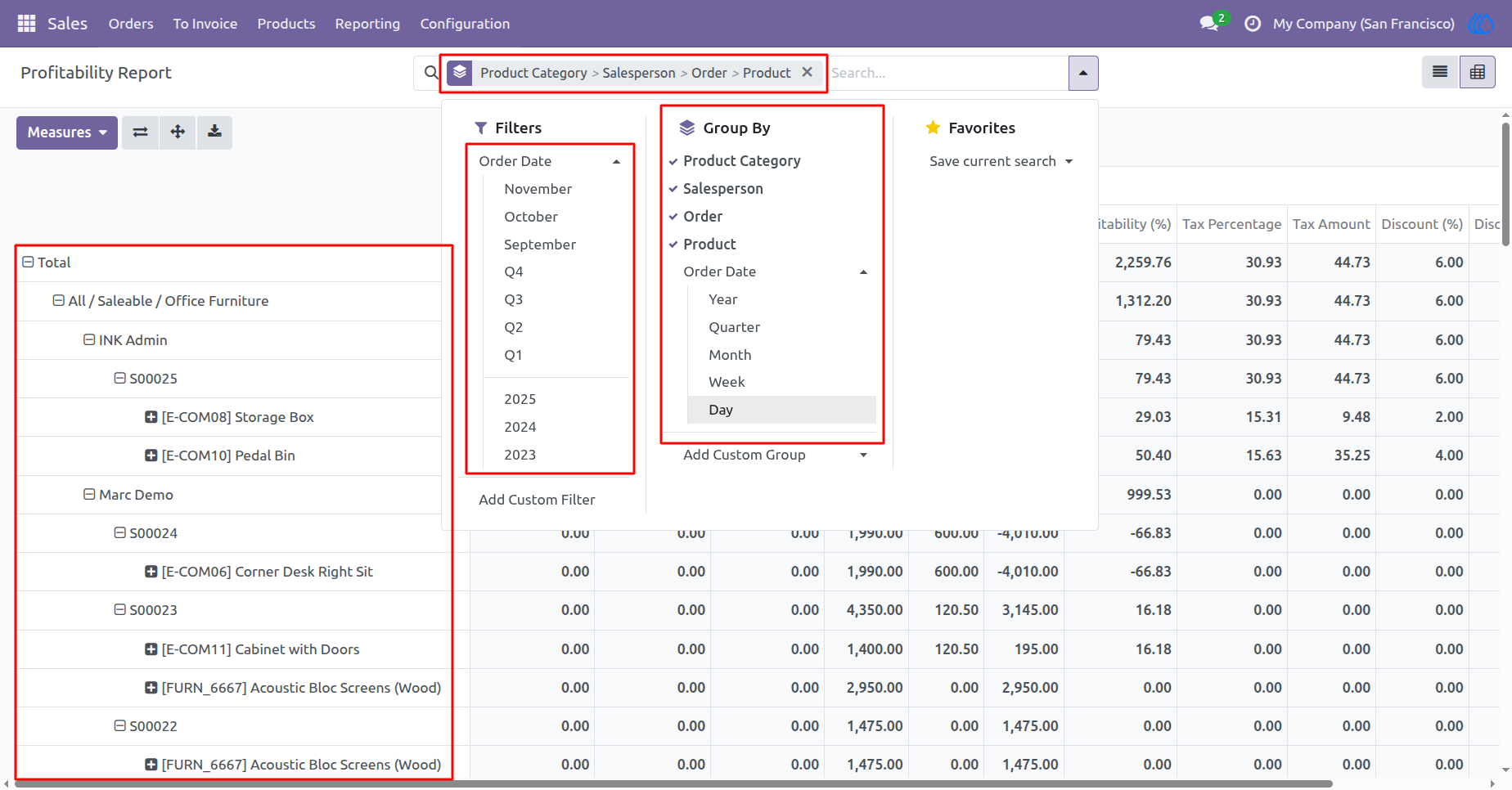
5.) Advanced Grouping & Filtering in Profitability Report
Filter and group profitability data by various criteria like product category, salesperson, order, and date. Apply custom filters to focus on specific metrics and easily analyze performance across different timeframes. This advanced feature allows for tailored insights and deeper analysis.
Navigation : Sales › Reporting › Profitability Report
User Guide